-
-
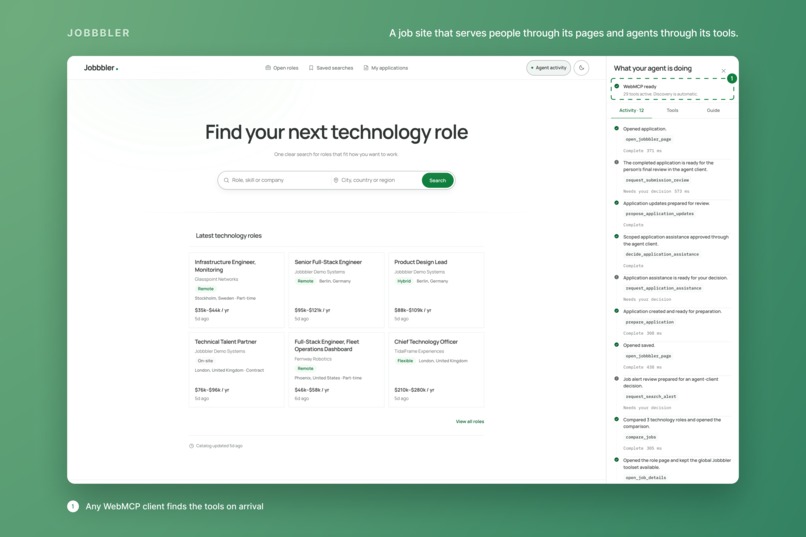
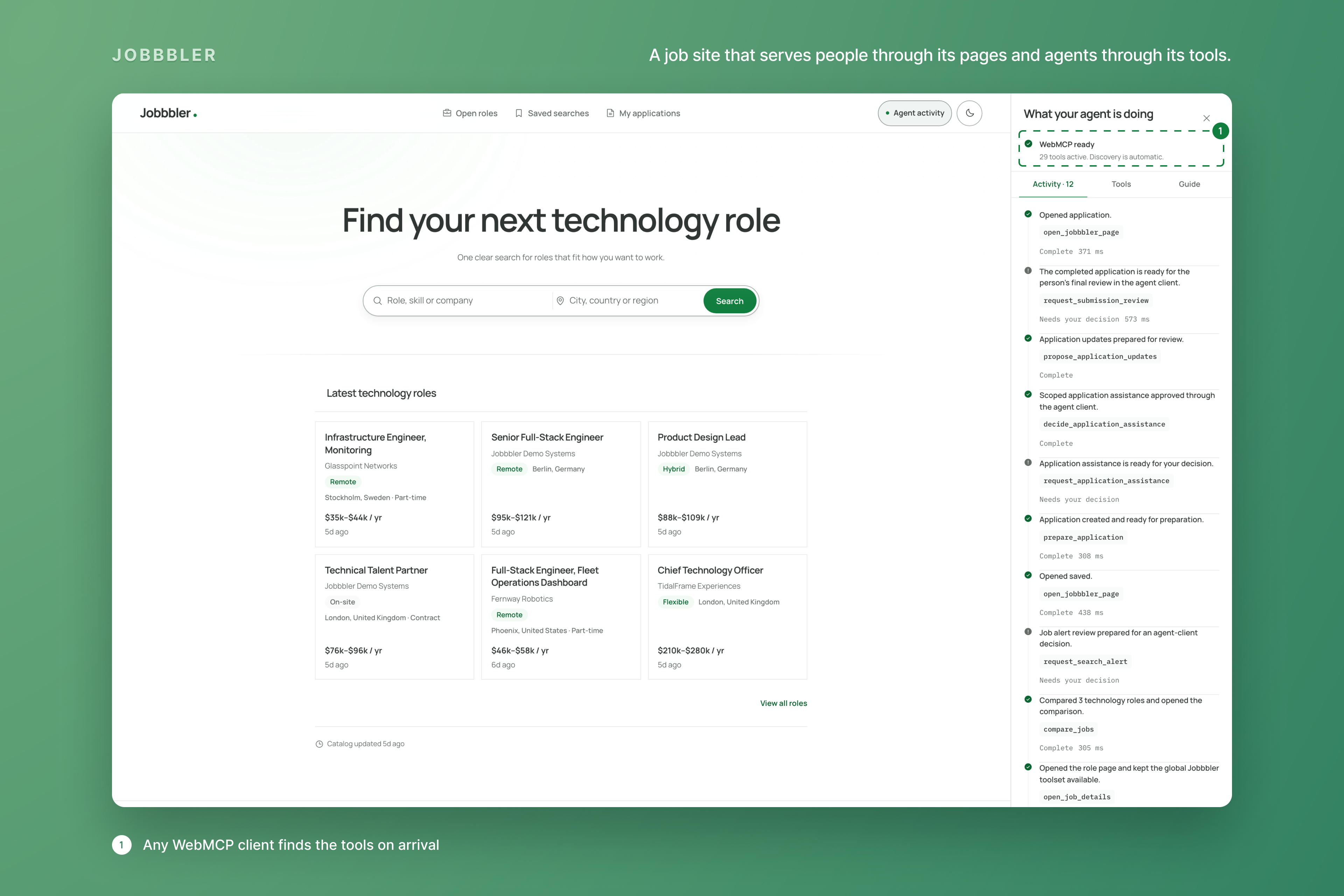
A job site that serves people through its pages and agents through its tools.
-
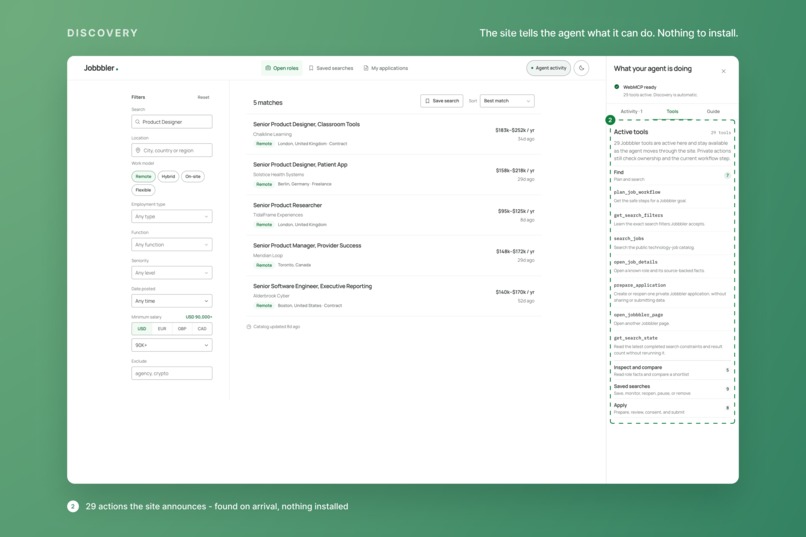
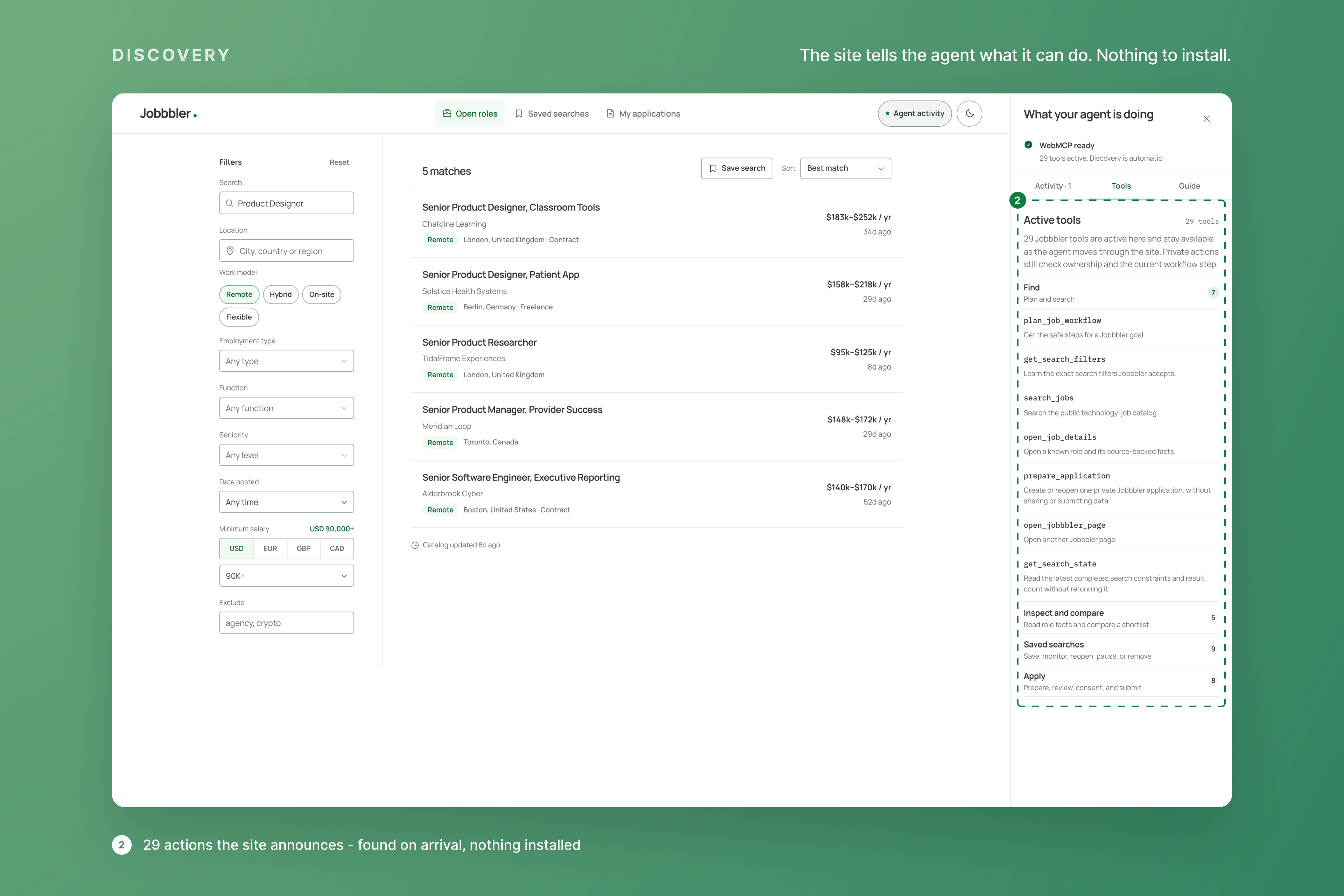
The site announces 29 actions; any WebMCP client discovers them on every page, with nothing to install.
-
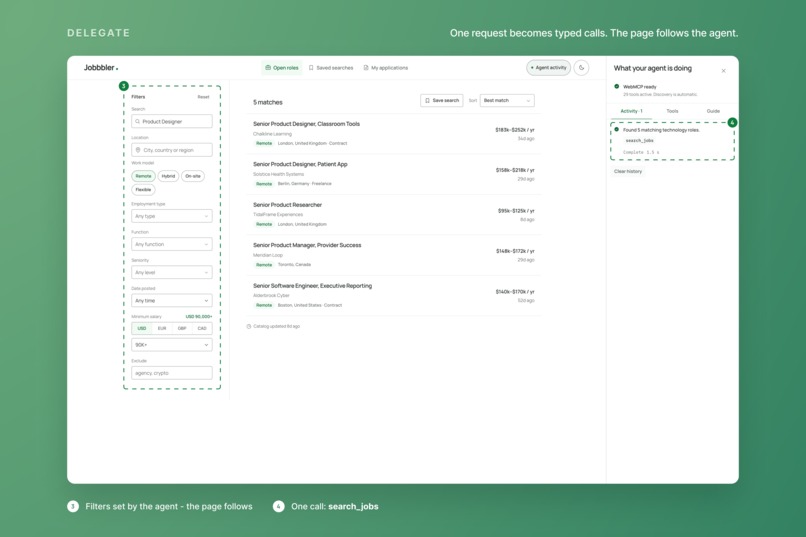
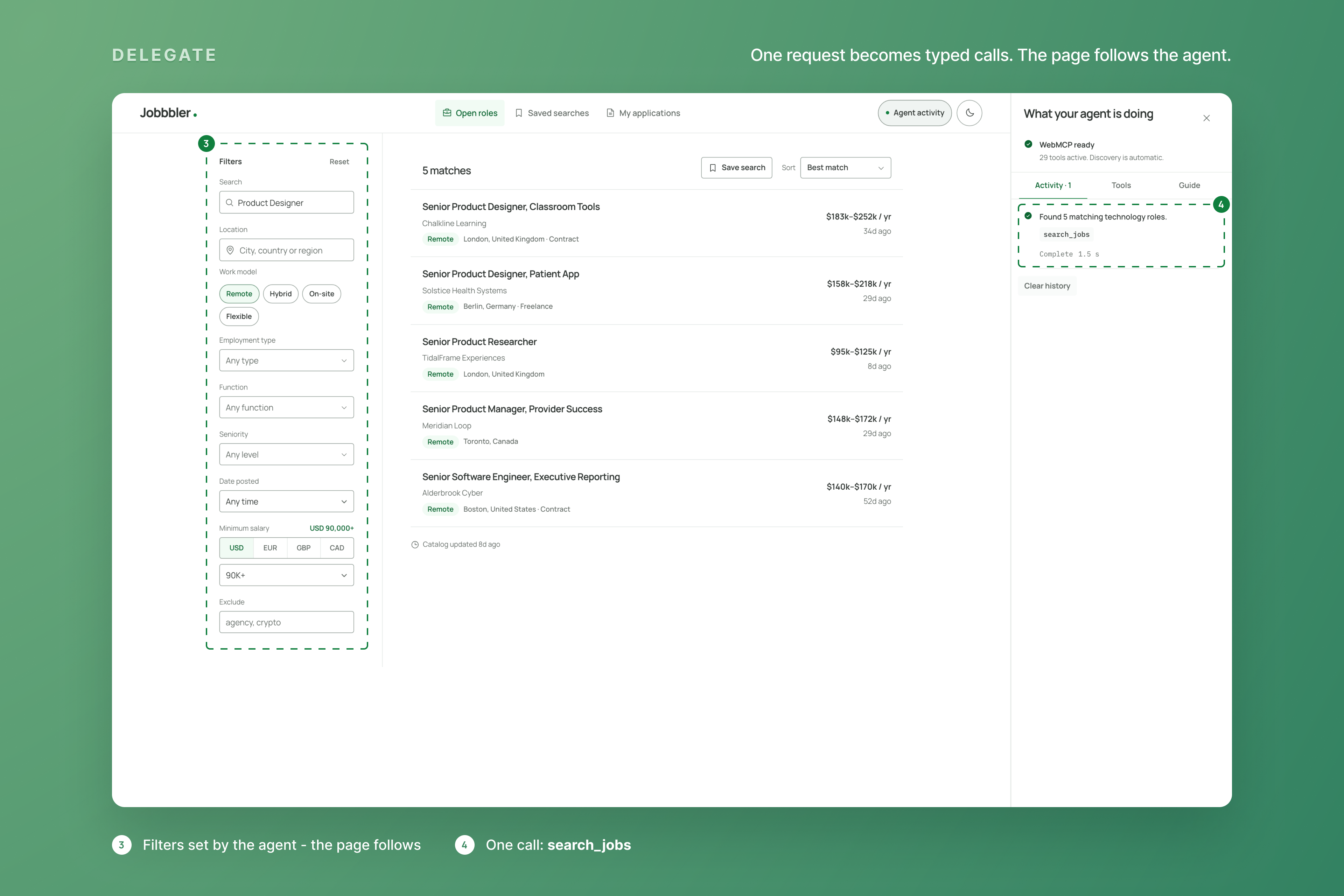
One request becomes one typed call: search_jobs runs and the page follows with the filters the agent set.
-
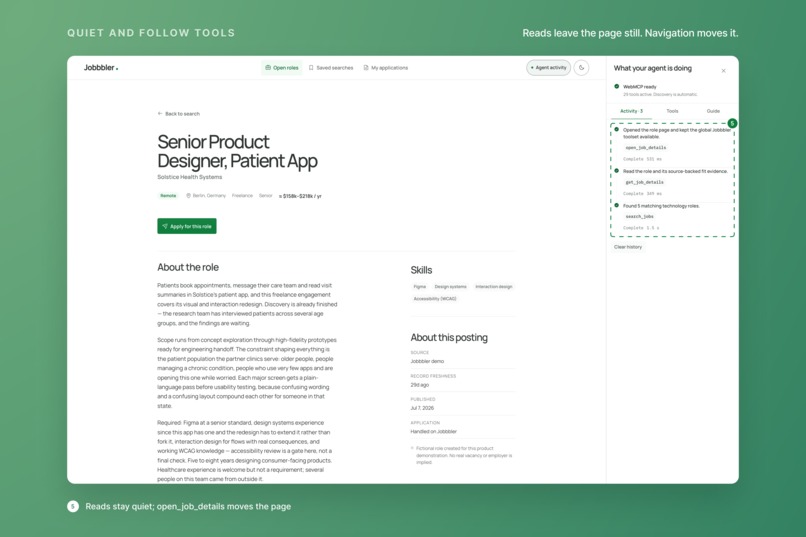
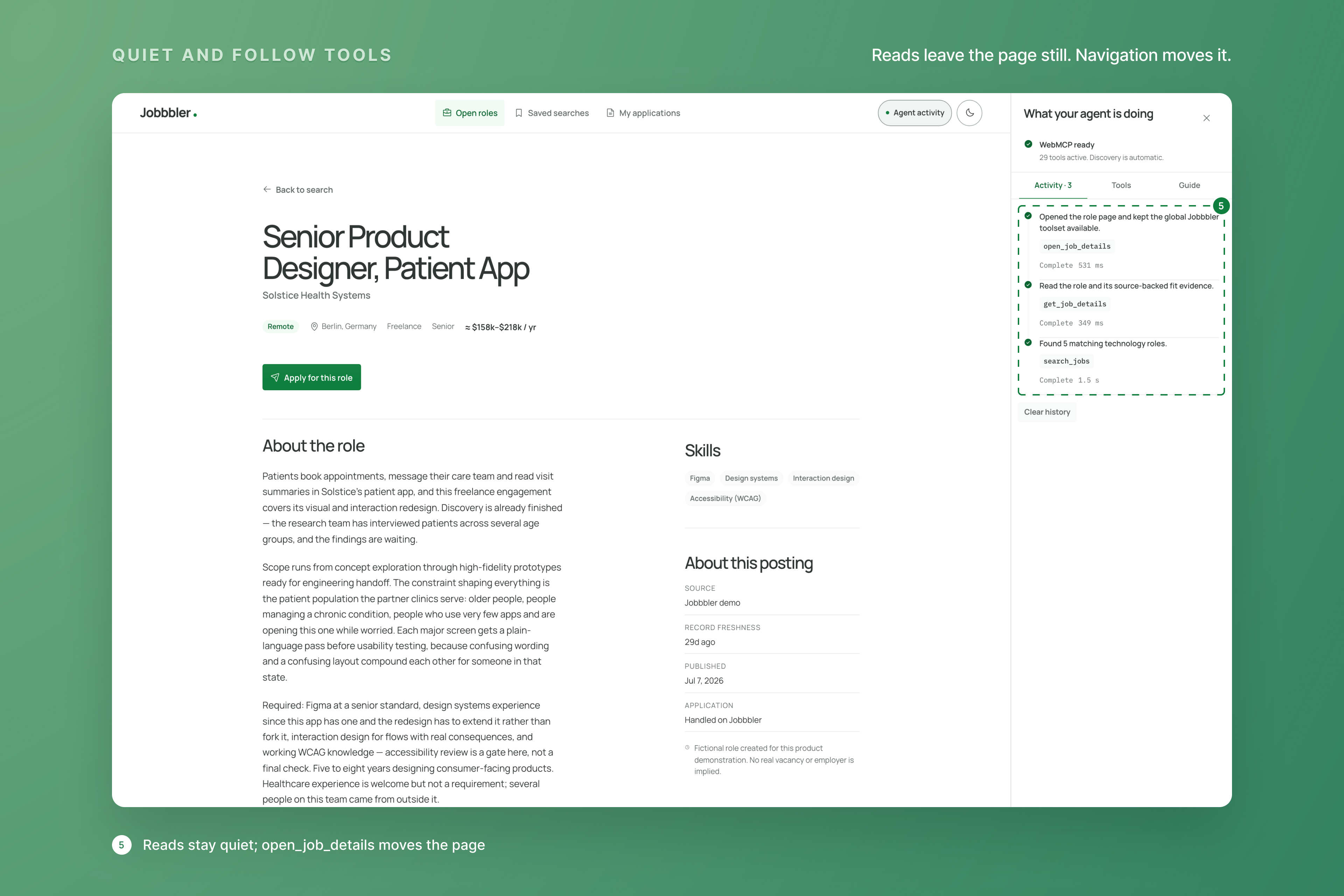
Quiet reads leave the page still; open_job_details moves it. Every call stays visible to the person.
-
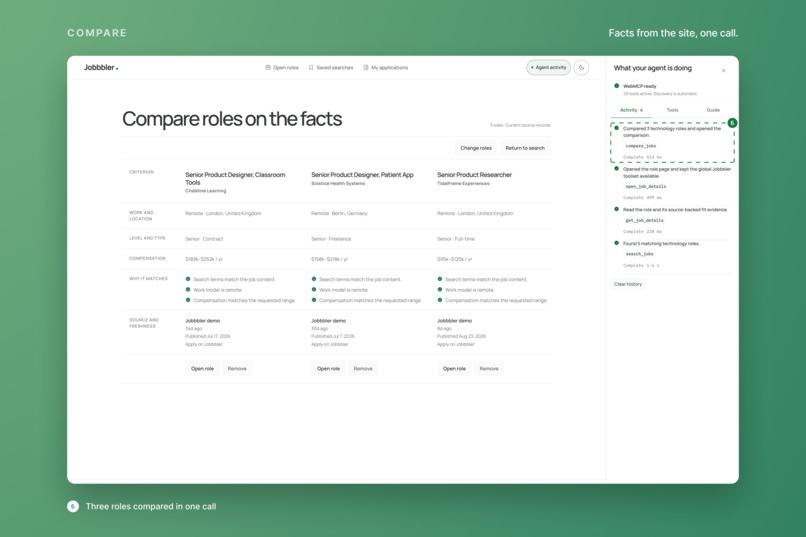
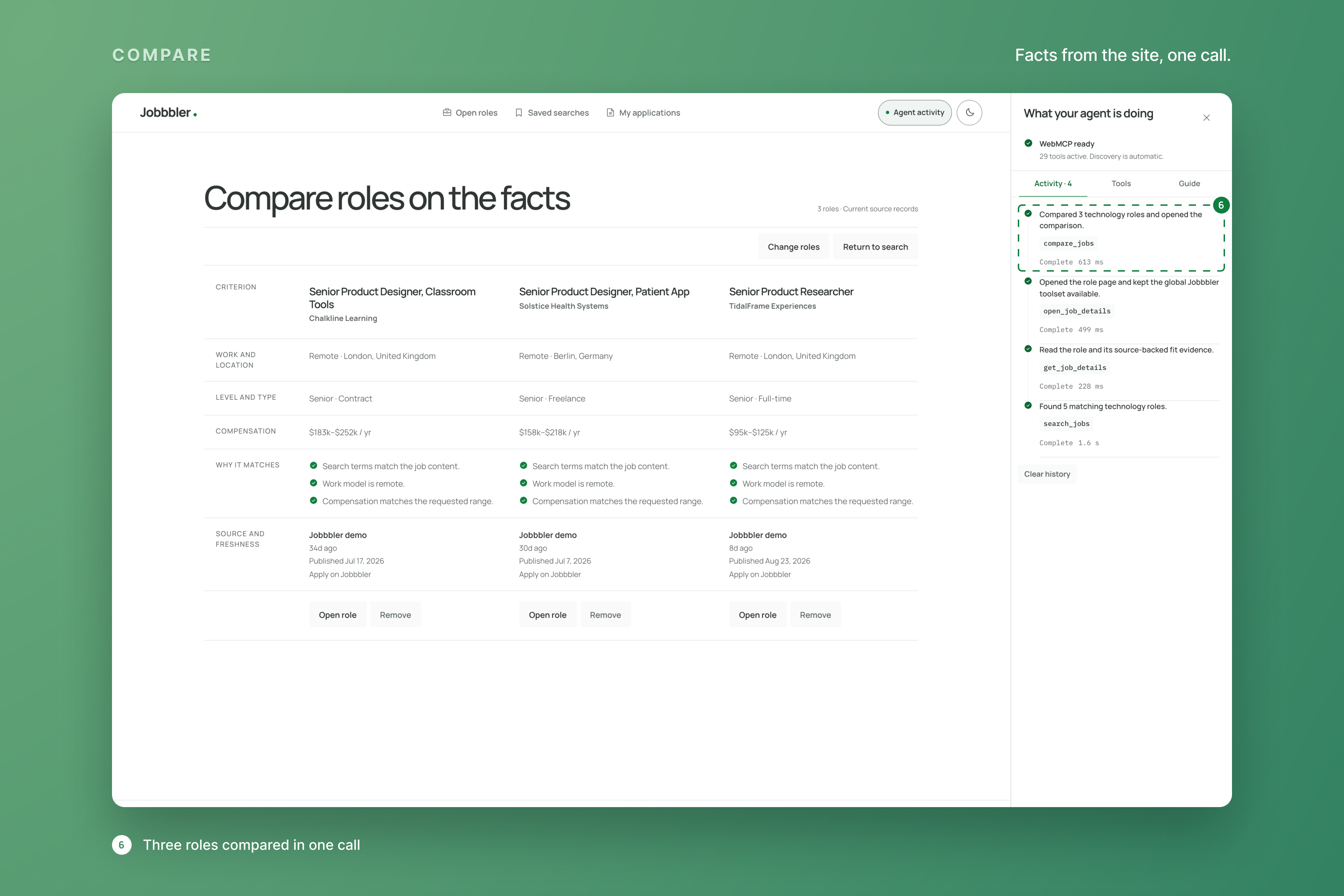
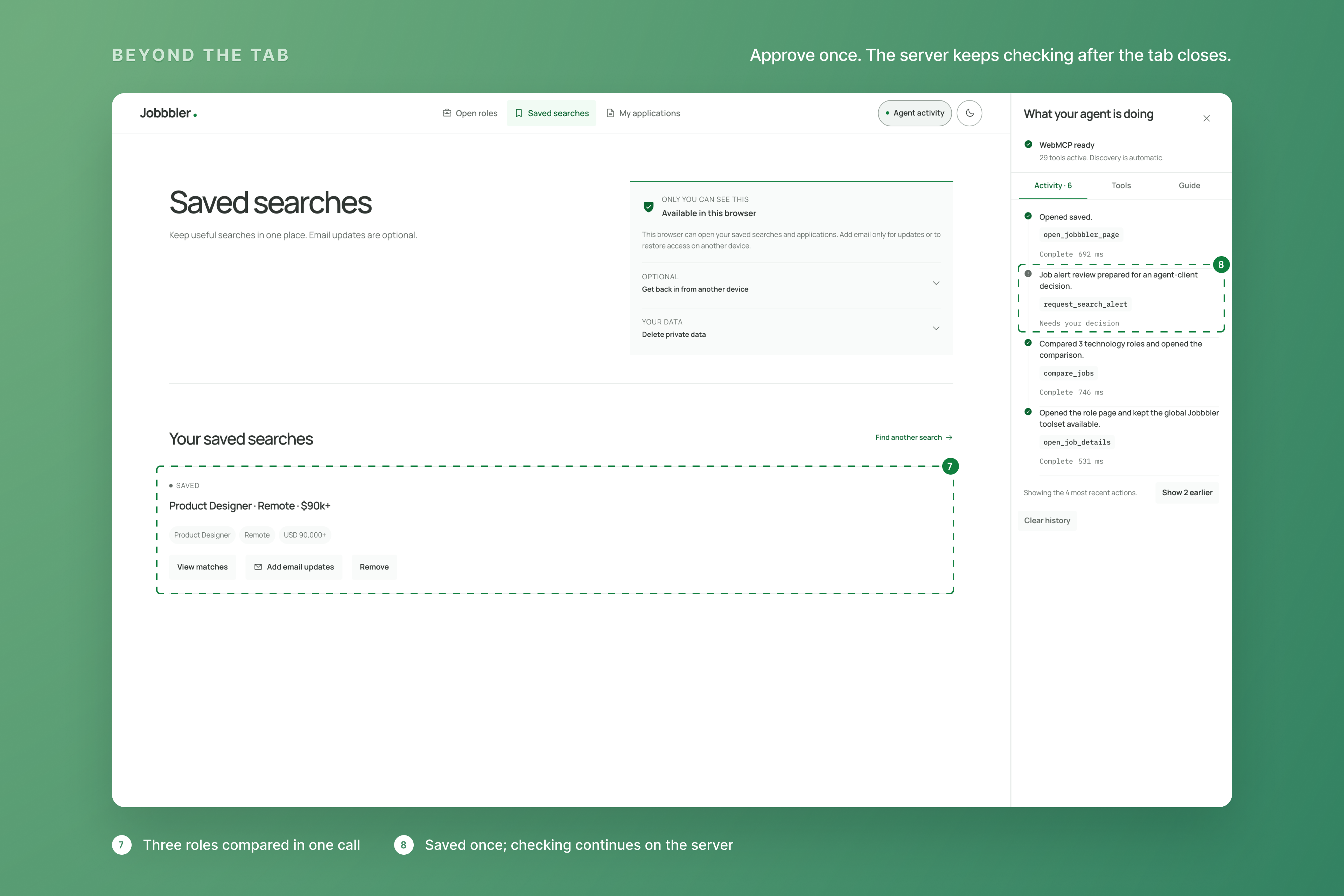
Three roles compared on the facts the site returns, in a single call.
-
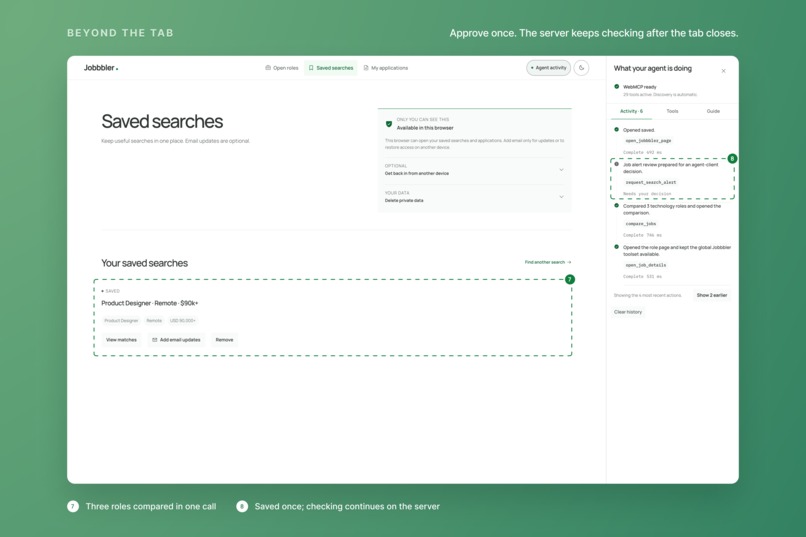
Saved once. The review waits for the person's decision; then the server keeps checking after the tab closes.
-
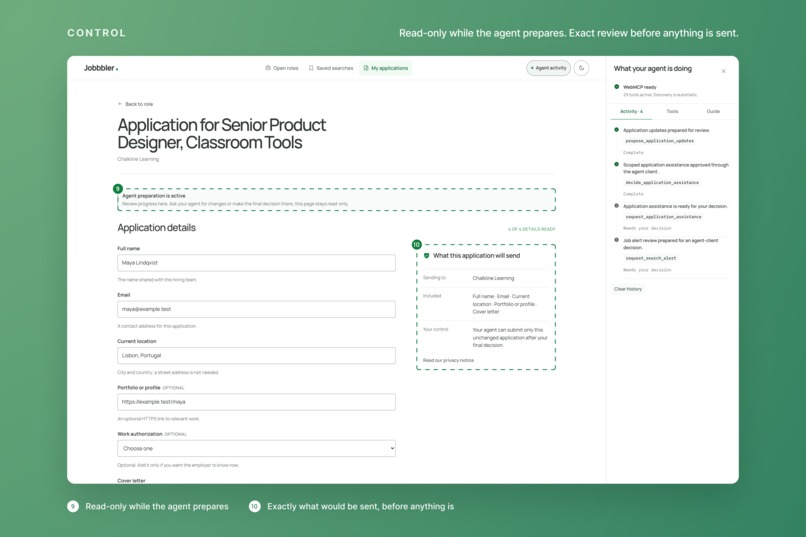
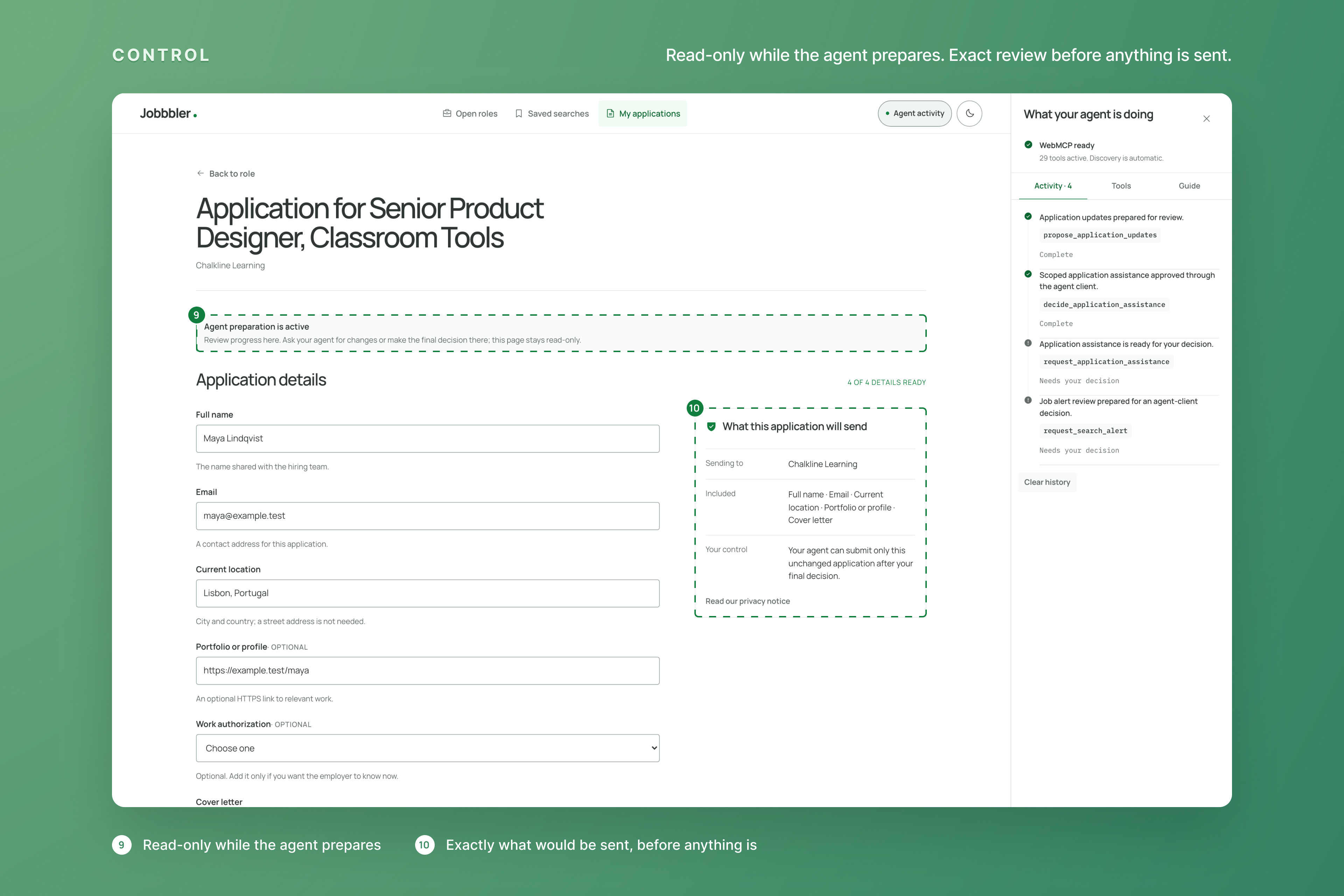
An agent-prepared application: read-only while it works, with the exact review of what would be sent.
The web is getting its agent interface
Websites were built for people: a page to read, buttons to click, forms to fill. An agent can drive that interface too, the way a person would, but it is slow, brittle and blind to what the site actually offers. That is why agentic APIs appeared: MCP gave agents proper, typed tools. It came with a catch. Every service needed its own server, every person needed to install and configure it, and an agent only knew about the handful of services someone had wired up in advance.
WebMCP closes that gap. The website itself publishes its tools, right on the page, and any WebMCP-capable client discovers them the moment it arrives: ChatGPT's built-in browser today, Chrome with WebMCP, external agent clients that speak the protocol. No setup, no separate server, no integration to maintain. An agent moving through the web meets, on every site that adopts it, an interface made for agents: typed actions with clear inputs and results, instead of a screen to interpret.
That is a different web. Call it headless: the same site serves people through its pages and agents through its tools, from one place, with one set of rules. Three things follow:
- Agents get a native interface to the web. Actions, not pixels. Reliable enough to hand real work to.
- It scales like the web does. One protocol; every site that adopts it extends every agent at once, with nothing to install.
- Delegation becomes possible. A person states an outcome, the agent operates the site, and the site keeps the person in the loop exactly where it matters.
Jobbbler is what that looks like on one concrete, everyday task.
One sentence, a whole job search
Looking for a Product Designer position, remote, $90k+. Compare options, pick the top 2, and apply. Schedule for daily updates (every morning). My CV is attached.
Said to a person, that is a week of open tabs. Said to an assistant on Jobbbler, it becomes a sequence of site actions:
- Find. The assistant asks Jobbbler which filters it accepts, then runs one search: product designer, remote, $90k and up. The results page follows along: URL, filters and matches update in front of you.
- Compare. It opens the strongest roles and compares them on the facts the site returns: compensation, location, seniority, why each one matches.
- Apply, with control. It prepares two applications on its own: your request to apply is the authority to prepare. It proposes answers that stay marked as its own and requests one exact review of what would be sent. The page turns read-only while it works. Nothing leaves until you decide, in your client.
- Keep watching. It asks Jobbbler to monitor the search. The site states what it will check, how often, where the updates go and how to stop. You approve once. Then the tab can close: Jobbbler's server does the morning check, and the next time you ask, you hear only what changed.
Every step is a real tool call, visible in the Agent activity panel on the page. That panel is for people watching (you, or a judge); the agent never needs it.
Two kinds of tools, on purpose
Some site actions should be silent, others should be seen. Jobbbler separates them:
- Quiet tools return structured facts and leave your page alone: search, read a role, compare, check what changed. The assistant can do most of the work without disturbing what you are looking at.
- Follow tools move the real page: open a role, show the results, open the comparison. Say "show me" and the site follows the agent, so you can watch instead of trusting.
The assistant picks the tool. The person can always see what was done.
Where control lives
Discovery is automatic, but tool access is not authority. Two things always need the person: an email destination, and the final submission of the exact application to its recipient. Each is a request-bound decision: the site issues an expiring request, the client presents it, the person decides, and the server checks that the decision matches the exact request it issued. Consent can be withdrawn in one call. This is the part that makes delegation worth trusting, and it is the part most agent demos skip.
Why this is bigger than jobs
Nothing in this design is specific to job search. A shop, a clinic's booking page, a documentation site: any data-rich website can publish its actions the same way and become operable by the assistant a person already uses. Jobbbler is one worked example, end to end, of a web that works for people and their agents at the same time.
Under the hood
- 29 WebMCP tools registered directly in the page, the same set on every route. Private or stage-specific tools answer with the next safe step instead of pretending to succeed.
- One command layer, two adapters: the visible interface and the tools share the same server commands, so the page and the agent never disagree.
- Honest continuation: WebMCP lives while the page is open; durable monitoring runs on Jobbbler's server with a leased worker.
- No second model behind the site: understanding and drafting stay with the person's client; Jobbbler supplies typed data, deterministic search, workflow state and enforced authority.
- TypeScript monorepo: Next.js, domain packages, SQLite for local runs and PostgreSQL (Supabase) in production, Resend-compatible email, a small design system. Production runs at jobbbler.com under the Chrome WebMCP origin trial and is verified with unit, contract and browser suites plus real tool runs in ChatGPT Desktop's browser.
Try it
Open jobbbler.com in a WebMCP-capable client, open Agent activity → Tools to see what the site offers, then say:
Looking for a Product Designer position, remote, $90k+. Compare options, pick the top 2, and apply. Schedule for daily updates (every morning). My CV is attached.
Or take it one step at a time: "Find remote senior platform roles in Europe, top three and why." "Show me the second one." "Keep watching this search, email me only what changes." "Prepare my application for the first role and show me exactly what would be sent."
Built With
- next.js
- node.js
- pnpm
- postgresql
- react
- resend
- sqlite
- supabase
- typescript
- vercel
- vitest
- webmcp
- zod

Log in or sign up for Devpost to join the conversation.