-
-
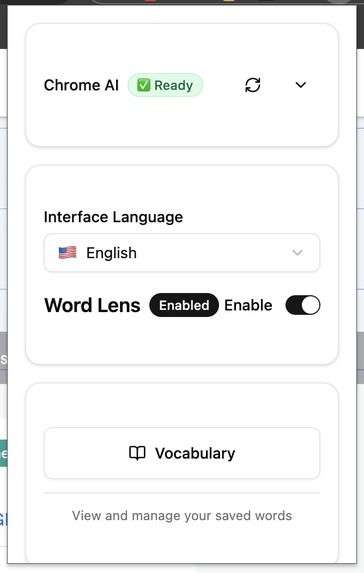
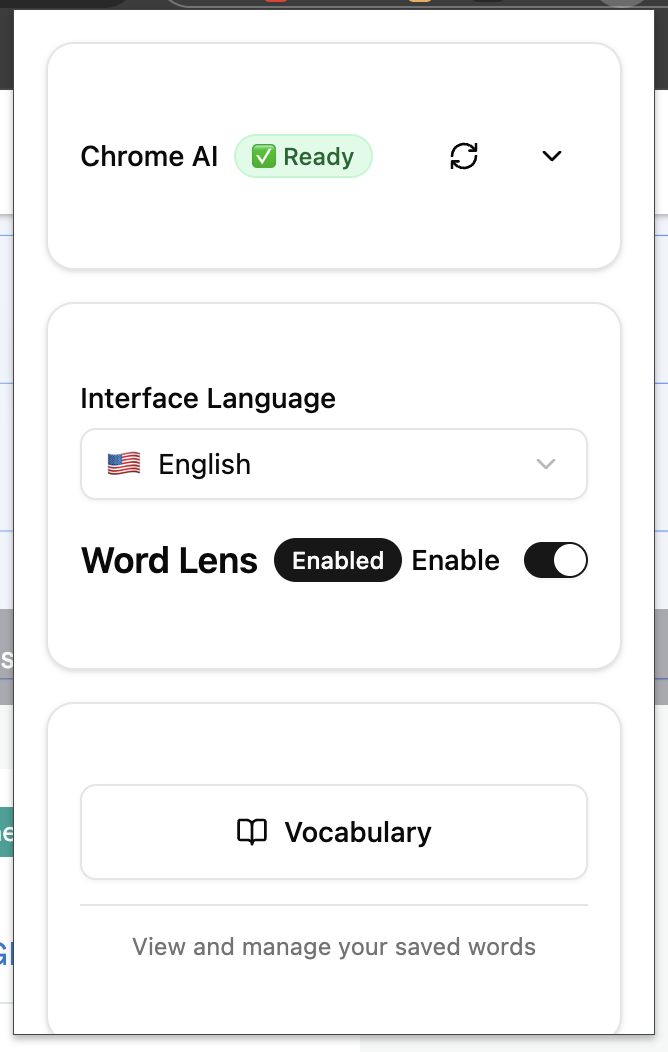
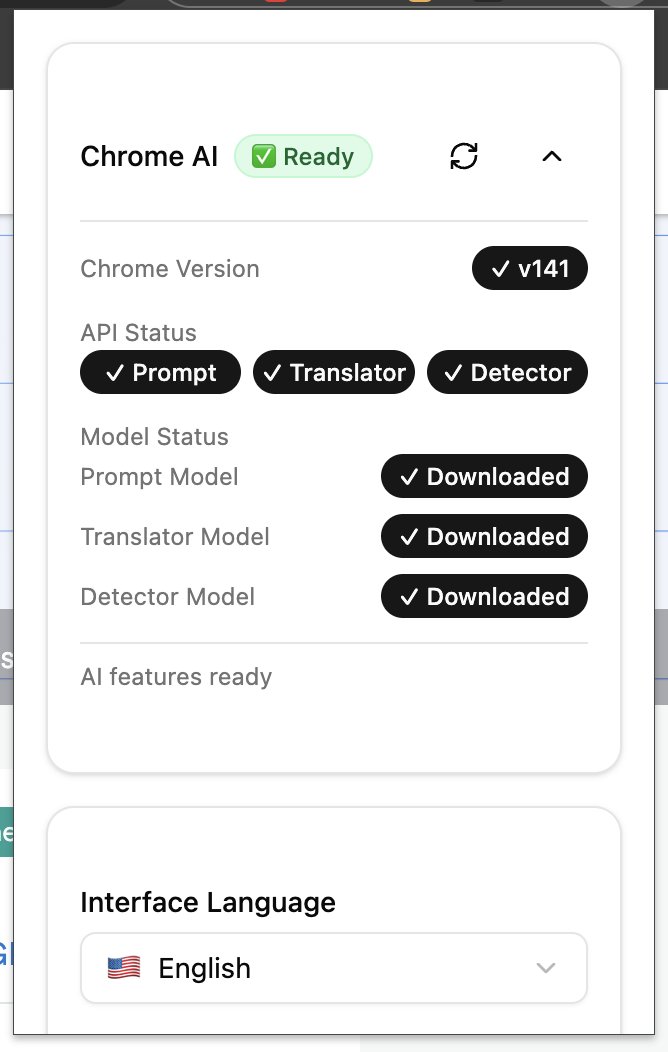
popup page2
-
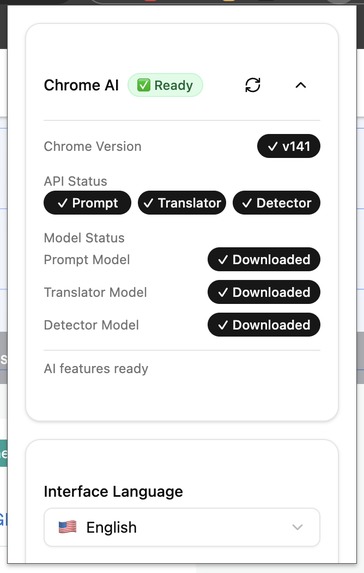
popup page1
-
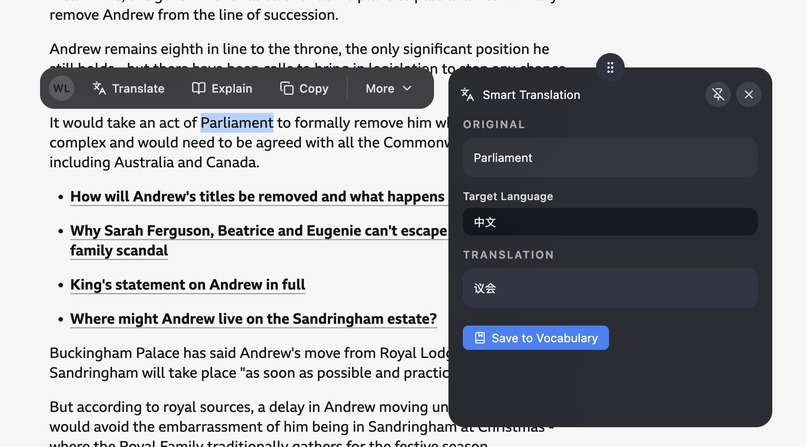
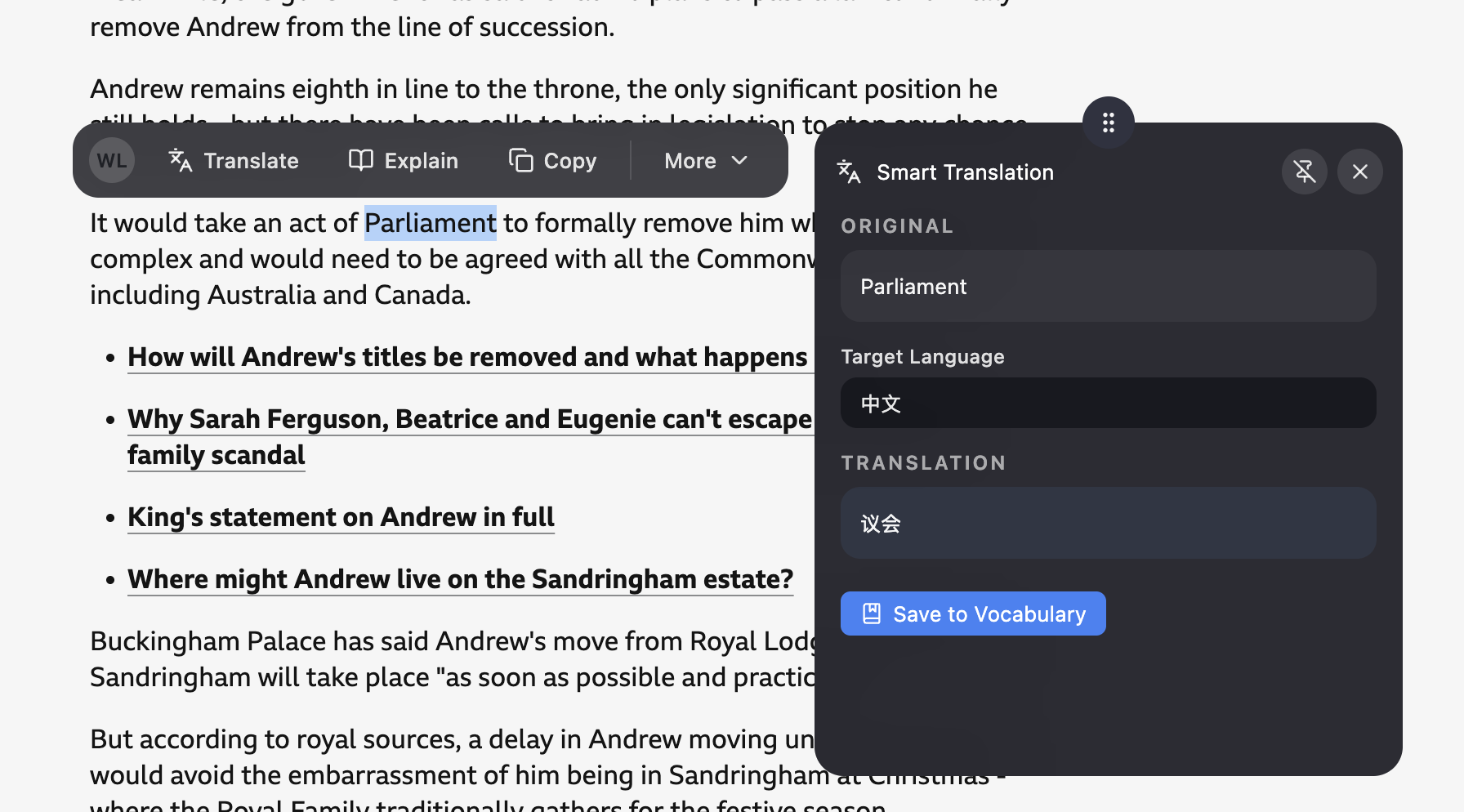
translator function by using translator api
-
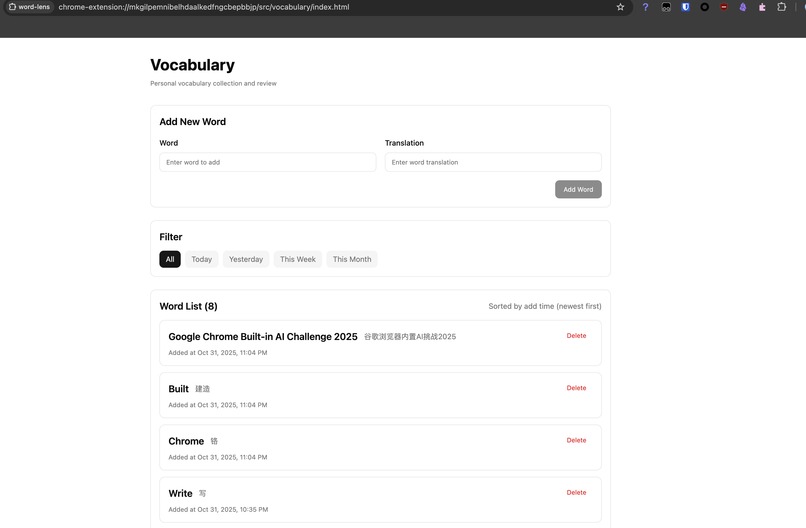
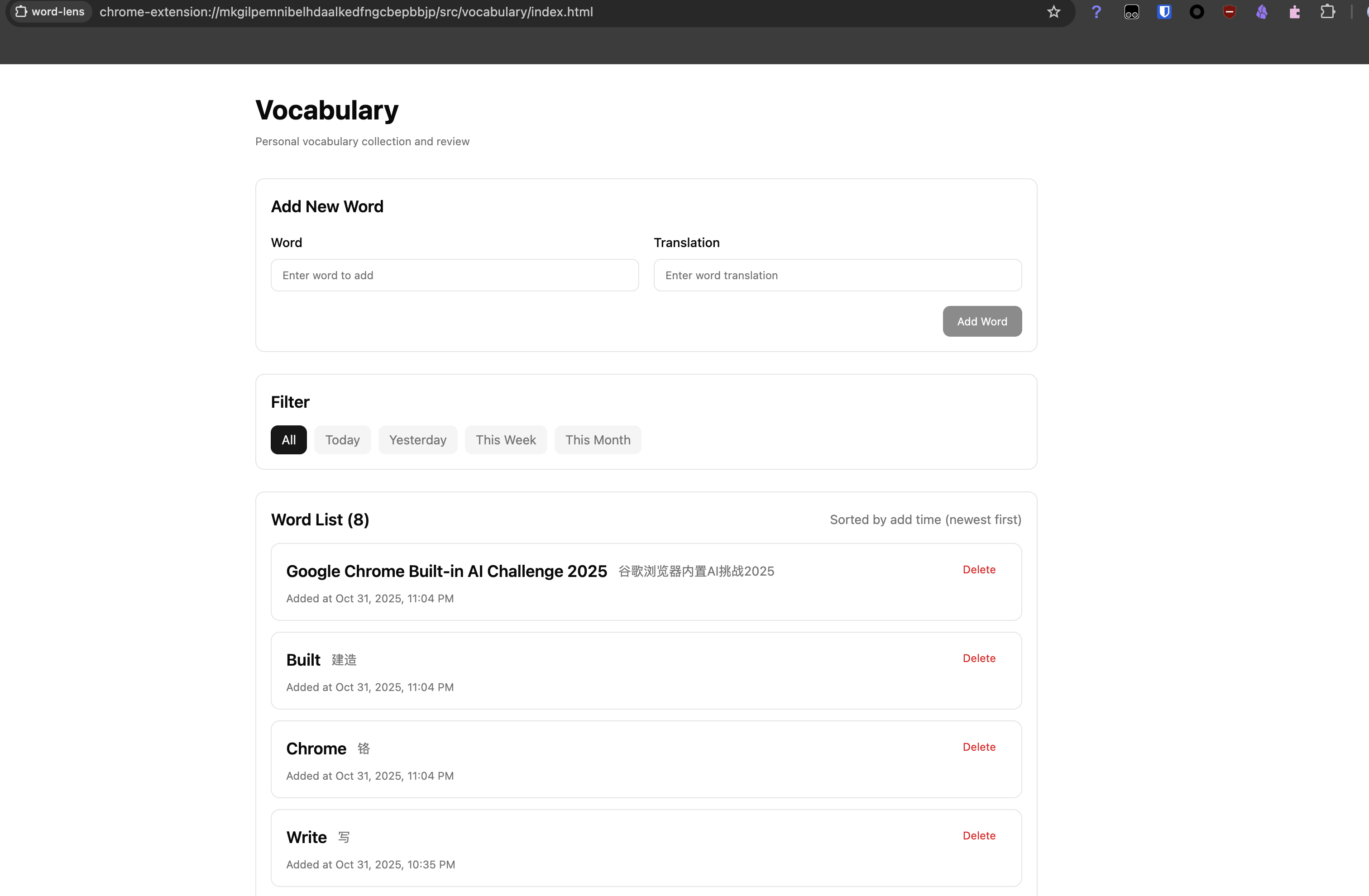
vocabulary function page
-
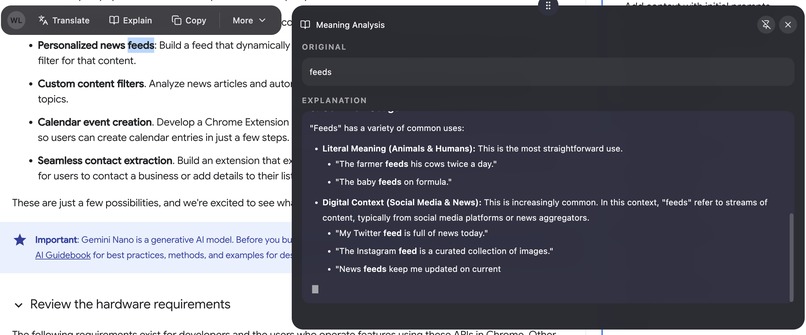
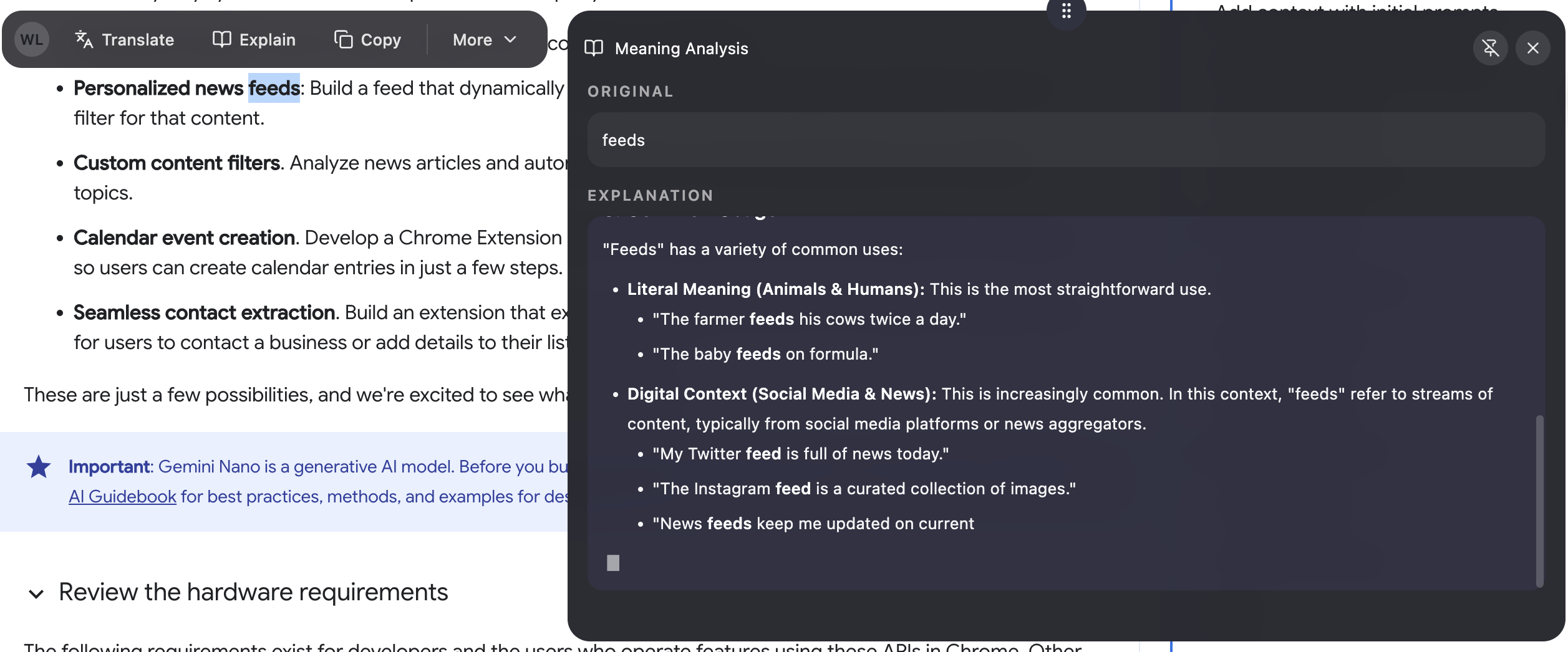
explain function by using prompt api
Word Lens Chrome Extension Project
Inspiration
The Word Lens project was inspired by the pain points encountered in modern language learning and the new opportunities brought by Chrome AI API. While learning foreign languages, users often need to look up unfamiliar words and understand complex sentences on web pages, but traditional translation tools require switching pages, interrupting the reading flow. Meanwhile, the emergence of Chrome AI API has brought unprecedented intelligence capabilities to browser extensions.
We aim to leverage Chrome's native AI capabilities to create a seamless vocabulary learning tool that allows users to quickly get translations, explanations, and automatically save new words without leaving the current page, truly achieving a "translate and collect" seamless learning experience.
What it does
Smart Text Selection Translation
- Real-time Text Selection: Intelligently recognizes user-selected text content
- AI-powered Translation: High-quality translation based on Chrome AI Translator API
- Automatic Language Detection: Identifies source language using Chrome AI Language Detector API
- Streaming AI Explanations: Detailed vocabulary and sentence explanations through Gemini Nano model
Effortless Vocabulary Management
- Automatic Collection: Automatically saves translations to personal vocabulary notebook
- Duplicate Detection: Intelligently identifies already collected words, automatically updates definitions and timestamps
- Cross-device Sync: Data persistence based on Chrome Storage API
- Categorized Management: Supports date filtering and vocabulary categorization
Smart Interactive Interface
- Responsive Positioning: Intelligently adjusts menu position based on screen space
- Smooth Animations: Modern interface design based on Tailwind CSS v4
- Keyboard Navigation: Complete keyboard operation support
How we built it
Core Technology Stack
- Frontend Framework: React 19.1.0 + TypeScript 5.8.3
- Build Tools: Vite 7.0.5 + CRXJS 2.0.3 (Chrome Extension Specific)
- Style System: Tailwind CSS v4.1.16 + shadcn/ui + Radix UI
- Icon Library: Lucide React 0.548.0
- Package Manager: Bun
Chrome AI API Integration Architecture
class ChromeAIService {
  // AI text generation and explanation
  async explain(text: string): Promise<PromptResult>

  // Client-side translation functionality
  async translate(options: TranslateOptions, text: string): Promise<TranslateResult>

  // Automatic language detection
  async detectLanguage(text: string): Promise<LanguageDetectionResult[]>
}
Cross-module Data Synchronization
- Unified Storage Service: Type-safe data layer based on Chrome Storage API
- Event-driven Updates: Real-time data change notification mechanism
- Singleton Service Pattern: VocabularyService ensures data consistency
Smart Positioning System
enum HorizontalStrategy {
  CENTER = "center",
  LEFT = "left",
  RIGHT = "right",
  PREFER_RIGHT = "prefer_right"
}

enum VerticalStrategy {
  TOP = "top",
  CENTER = "center",
  BOTTOM = "bottom",
  PREFER_TOP = "prefer_top"
}
Internationalization Support
- i18next 25.6.0: Complete multilingual solution
- Smart Language Adaptation: Automatic settings based on UI language
- Translation Preference Management: User preference persistent storage
Challenges we ran into
Chrome AI API Integration Complexity
Challenge: Chrome AI API is an experimental feature lacking complete official documentation, requiring handling of multiple states (unavailable, downloadable, downloading, available).
Solution:
- Implemented complete AI functionality diagnostic system
- Established intelligent session management and warmup mechanisms
- Provided user-friendly error handling and fallback strategies
Cross-module Data Synchronization
Challenge: Chrome extension's multi-context environment leads to data isolation, making data sharing difficult between content scripts and independent pages.
Solution:
- Unified data layer based on Chrome Storage API
- Event-driven data update mechanism
- Singleton service design ensures data consistency
Responsive Positioning System
Challenge: Different website layout differences and mobile adaptation issues cause difficulties in menu and panel positioning.
Solution:
- Created unified position calculation utility library
- Implemented intelligent selection of multiple positioning strategies
- Added viewport boundary constraints and adaptive adjustments
Streaming Content Rendering
Challenge: AI explanation content needs real-time display while maintaining Markdown format support.
Solution:
- Used react-markdown for streaming rendering
- Custom component mapping maintains style consistency
- Incremental rendering optimizes performance
Accomplishments that we're proud of
Technical Innovation
- Complete Chrome AI API Integration: Among the first extensions to fully integrate Chrome's three core AI APIs
- Seamless Learning Experience: Implemented innovative "translate and collect" user experience
- Smart Positioning System: Created unified responsive positioning architecture, reducing 50% duplicate code
Engineering Achievements
- Type Safety Guarantee: Complete type coverage under TypeScript strict mode
- Modern Architecture: Best practices for React 19 + Vite + CRXJS
User Experience
- Cross-module Data Sync: Real-time data sharing between content scripts and vocabulary pages
- Streaming AI Explanations: Real-time display of AI explanation content with Markdown format support
- Internationalization Support: Complete multilingual solution
What we learned
AI Integration Experience
- Importance of State Management: Chrome AI API state changes require fine-grained management
- User Experience Priority: AI feature loading times need optimization through warmup and caching
- Necessity of Fallback Strategies: Providing alternatives when AI is unavailable
Architecture Design Insights
- Modular Design: Chrome extension's multi-context environment requires high modularity
- Value of Type Safety: TypeScript significantly improves development efficiency in complex projects
- Performance Optimization: Importance of position calculation and rendering optimization for user experience
Engineering Practices
- Toolchain Selection: Vite + CRXJS provides excellent development experience for Chrome extension development
- Code Quality: Biome's unified formatting and linting ensure code quality
- Component-based Thinking: shadcn/ui design patterns improve component reusability
What's next for Word Lens
Feature Expansion
- Learning Statistics System: Add learning progress tracking and achievement analysis
- Smart Review Reminders: Vocabulary review plans based on forgetting curve
- Social Learning Features: Word sharing and learning community integration
- Multi-device Sync: Cross-device data synchronization based on accounts
Technical Optimization
- Performance Improvement: AI model caching and preloading strategy optimization
- Offline Support: PWA features and offline functionality implementation
- Accessibility Enhancement: More complete screen reader support
- Test Coverage: Add unit tests and integration tests
AI Capability Enhancement
- Context Understanding: Smart translation based on page content
- Personalized Recommendations: Recommend related vocabulary based on user learning habits
- Voice Interaction: Integrate voice recognition and text-to-speech functionality
- Image Translation: Support text recognition and translation in images
Ecosystem
- API Openness: Provide open APIs for third-party integration
- Plugin System: Support functional plugin extensions
- Educational Institution Partnerships: Collaborate with educational institutions for customized solutions
- Enterprise Version: Professional version development for enterprises
The Word Lens project represents an important exploration of browser AI integration. We believe that through continuous technological innovation and user experience optimization, we can provide more intelligent and efficient learning tools for language learners.

Log in or sign up for Devpost to join the conversation.