-
-
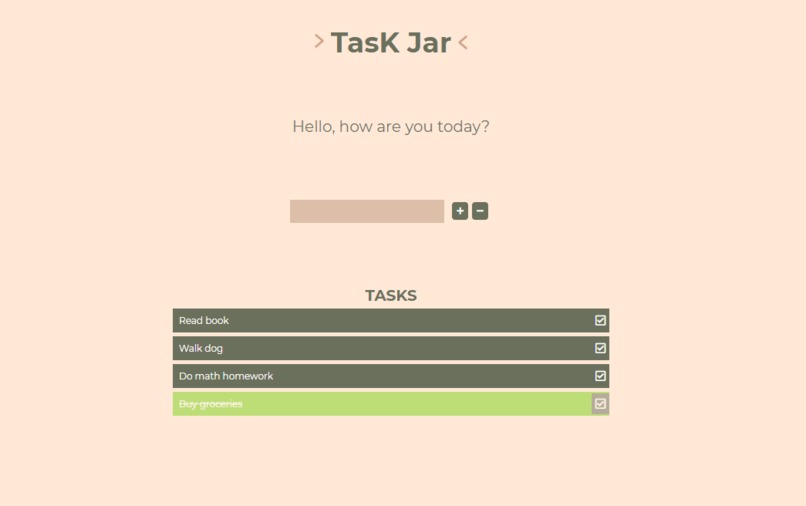
TasK Jar

Inspiration
Being university students, we realized that it can be quite challenging to be on top of things considering the high amount of workload that we are given every day while also partaking in extracurricular activities. Hence, we decided to develop a to-do list that will help us become more organized and be able to methodically complete our daily tasks and keep track of the list of things we need to do. In doing so, it becomes easier to be more productive and complete our goals for the day by checking off the items off the list.
What it does
Our project is a To-Do List Web Application. We implemented simple yet essential features such as adding a todo-item, checking off a todo-item if it’s been completed, removing a selected todo-item. We also decided not to allow duplicate items on the list! One thing we decided to implement was a pop up window with some text that would motivate and encourage the user every now and then.
How we built it
Before we started building our Todo List web application, we made sure that we had a solid foundation of what our web application is going to look like and what main features it is going to have. From those ideas, we created a prototype. And from that prototype, we began putting together the front-end of our web application. As new elements get added to the front-end, we also begin adding actions corresponding to those elements in the back-end. We used HTML and CSS to build the front-end. And JavaScript for the backend.


Log in or sign up for Devpost to join the conversation.