-
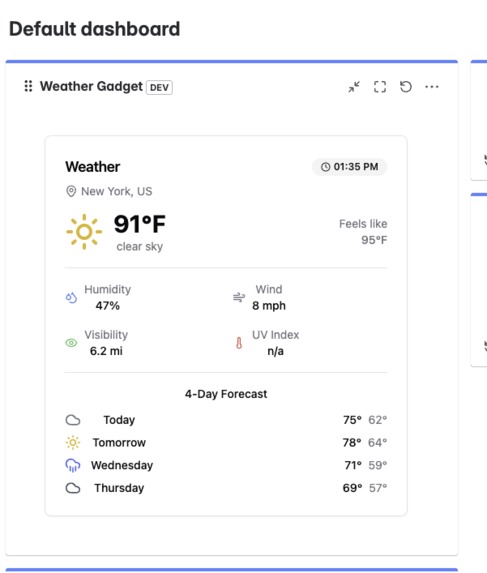
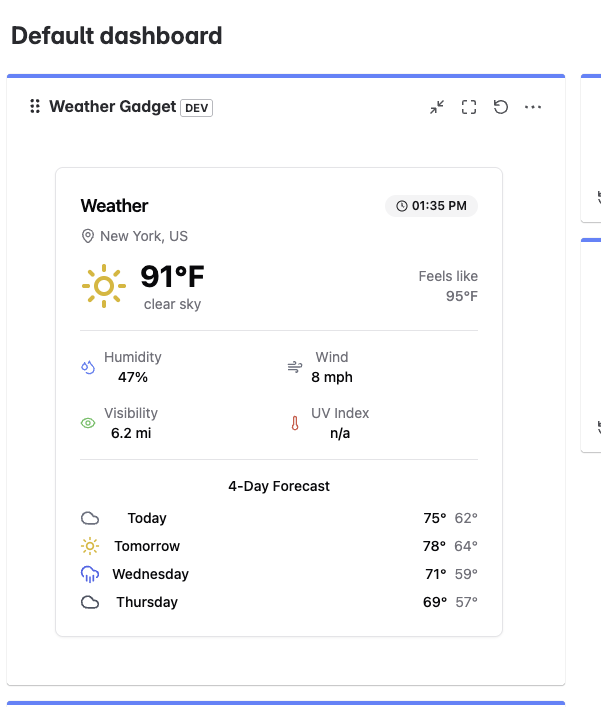
Widget inside of the Jira dashboard
Inspiration
I was sick of context-switching between Jira and a dozen weather apps when planning field work or on-call rotations. One minute you’re sizing up a ticket, the next you’re hunting down wind speeds and storm alerts—and every extra tab eats into your day. During the Forge-Quest hackathon, I decided to bring live weather data into Jira itself. No more guessing if that front-end deploy might get slammed by a sudden thunderstorm—just the facts where you need them.
What I Learned
- Atlassian Forge’s quirks: Forge’s sandboxed environment forces you to rethink how you fetch external data. I got hands-on with the
@forge/apimodule and learned to work around CORS and API rate limits by proxying through Forge functions. - Forge UI & manifest.yml magic: Configuring a gadget in
manifest.ymltaught me the fine line between a minimal config and a feature-packed gadget. I discovered how to expose configuration options so users can pick their own OpenWeather metrics. - Plain-old JavaScript FTW: Sticking to vanilla JS (no TypeScript bullshit) reminded me that you don’t need fancy types to build a solid prototype—just good promise handling, clear module structure, and a strict linting setup.
How I Built It
- Scaffold the gadget
- Ran
forge createwith thejira-dashboard-itemtemplate. - Tweaked
manifest.ymlto define a new gadget that can live in boards, issue panels, or custom pages.
- Ran
- Wire up the OpenWeather API
- Stored my API key in Forge’s secure environment variables.
- Wrote a Forge function (
src/index.js) that fetches current weather and 5-day forecast JSON, then returns a slimmed-down payload.
- Stored my API key in Forge’s secure environment variables.
- Craft the UI
- Used Forge UI components (
Text,Fragment,Table) to render temperature, precipitation, wind speed, and risk flags. - Added a simple config screen so users can toggle UV index, humidity, or daily highs/lows.
- Used Forge UI components (
- Deploy & test
- Pushed to Forge with
forge deployand tested in Jira Cloud. - Iterated on styling to fit Jira’s look without bloating the payload.
- Pushed to Forge with
Challenges Faced
- CORS & rate limits: The OpenWeather API doesn’t like cross-origin calls, so I had to proxy every request through a Forge function—wasted half an hour chasing random 403s.
- Widget sizing: By default, Jira gadgets are tiny. Getting the height right (and surviving the Forge tunnel’s quirks) meant diving into Jira’s docs and trial-and-error CSS hacks.
- Time pressure: With under an hour on the clock, I cut out non-essentials—no fancy charts or map overlays. I focused on a lean MVP that shows core metrics and flags tickets that need weather-driven replanning.
- Sandbox limits: Forge limits outbound requests per minute. I built a basic in-memory cache in the Forge function to avoid hitting the throttle during heavy dashboard loads.
This gadget proved that you can solve a real pain point in under a day with Forge and plain JS. Next steps: add customizable risk-threshold rules, sprinkle in some sparkline charts, and maybe finally let Jira tell you “don’t schedule that install—you’re getting hail.”
Built With
- openweatherapi
- react
- shadcn
- tailwind
- vite


Log in or sign up for Devpost to join the conversation.