-
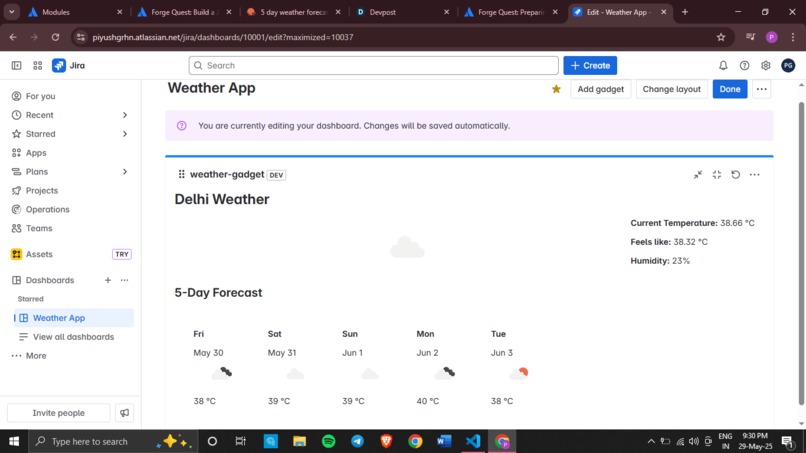
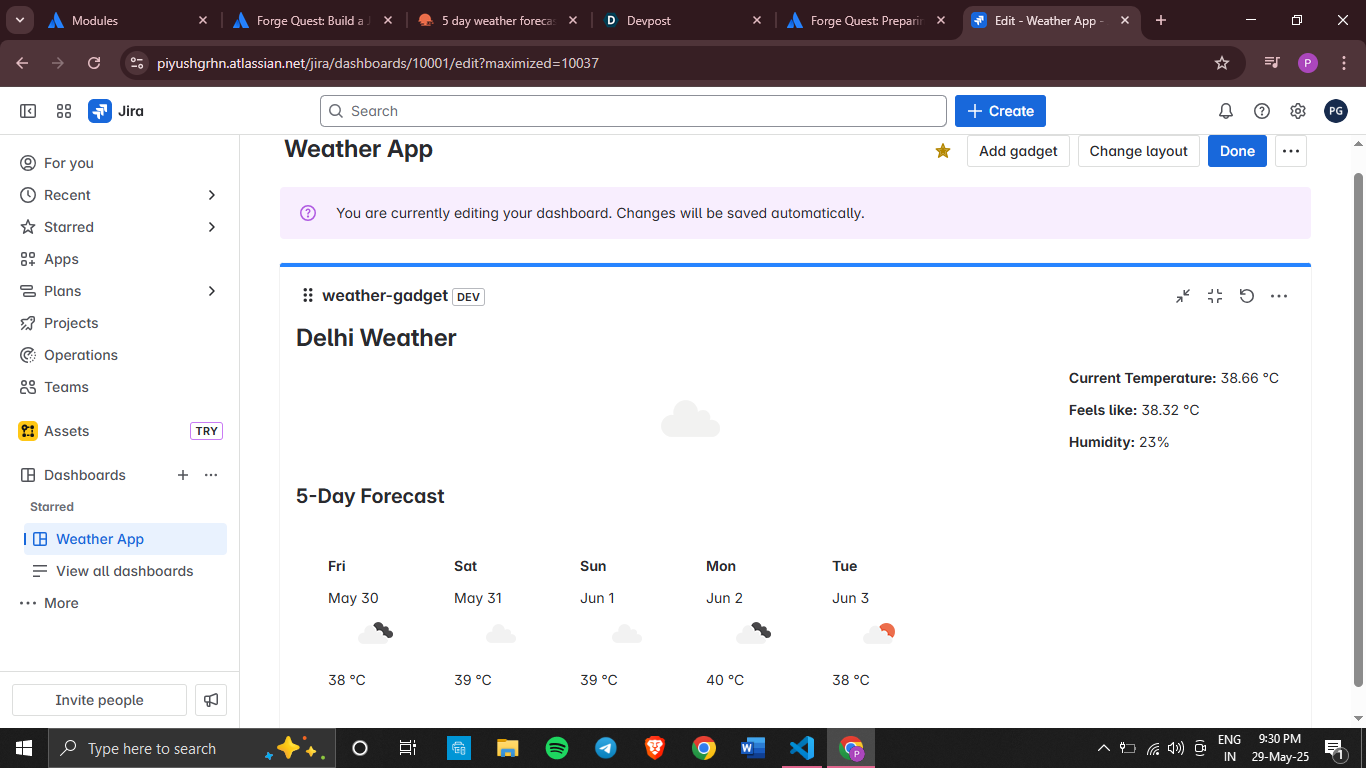
Access 5-day forecast
-
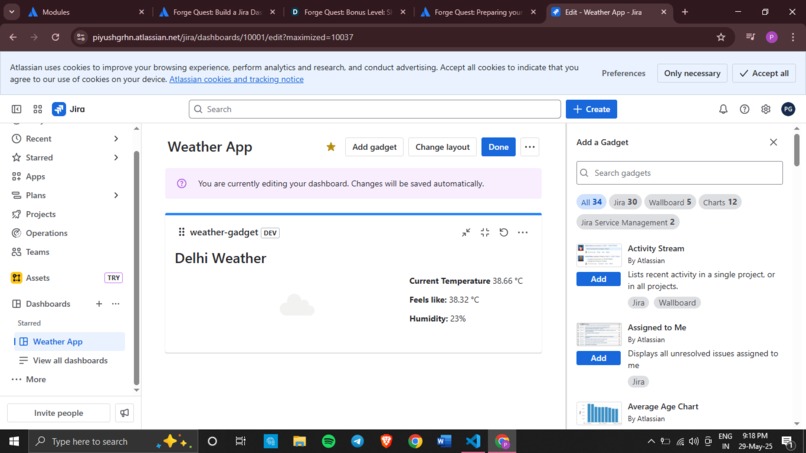
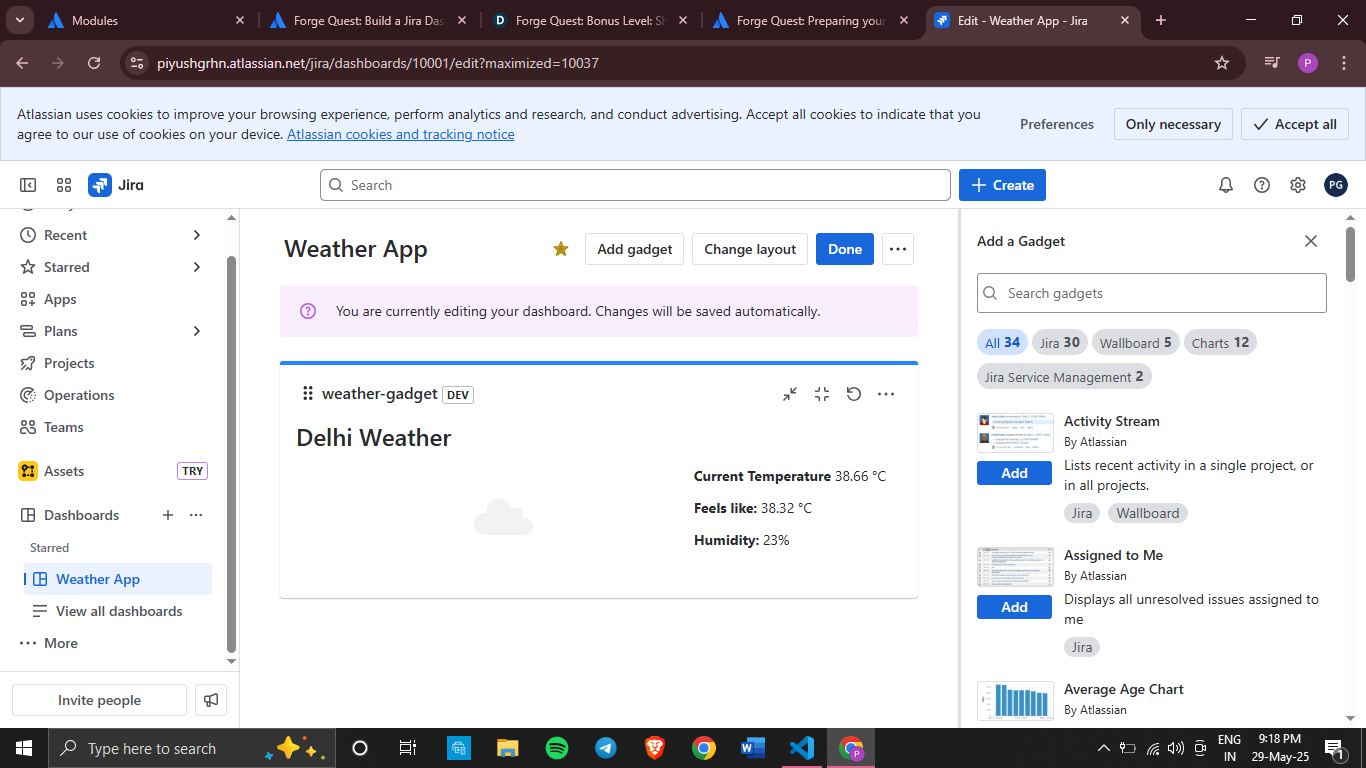
Live current weather
-
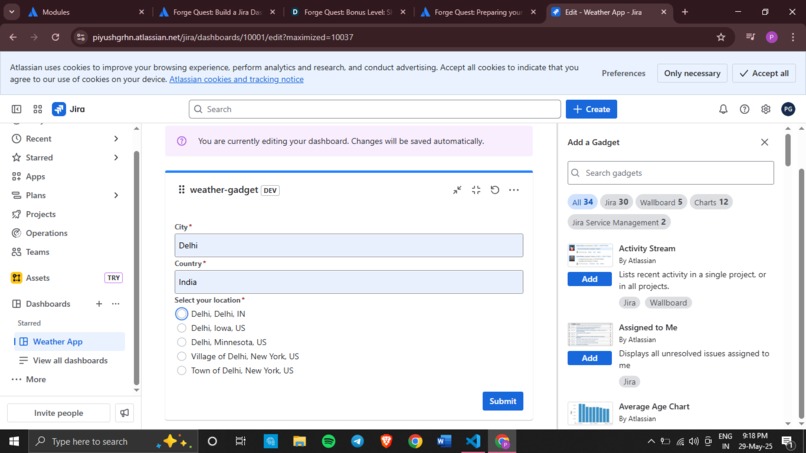
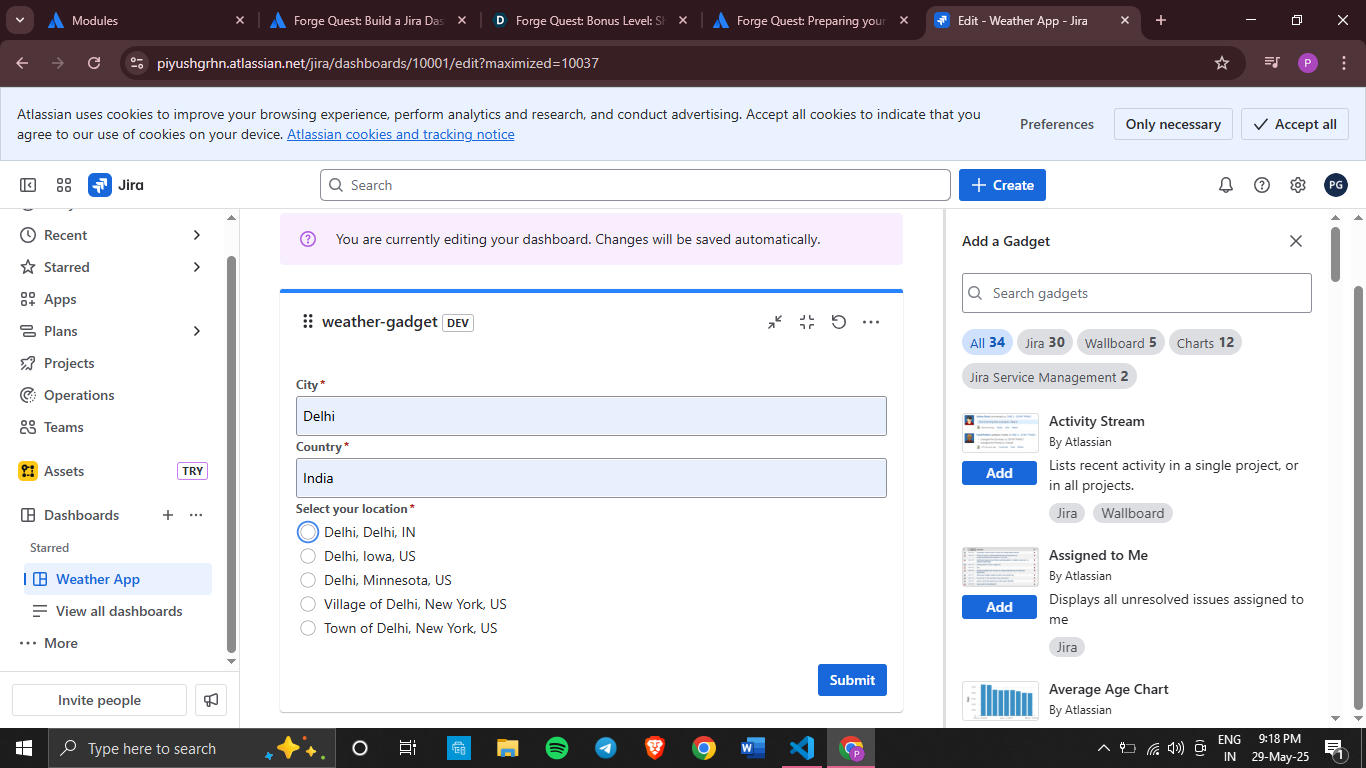
Configure specific location and country
-
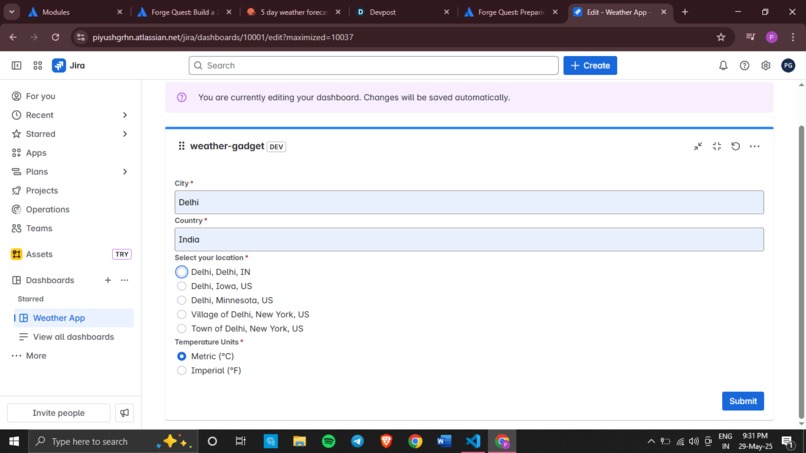
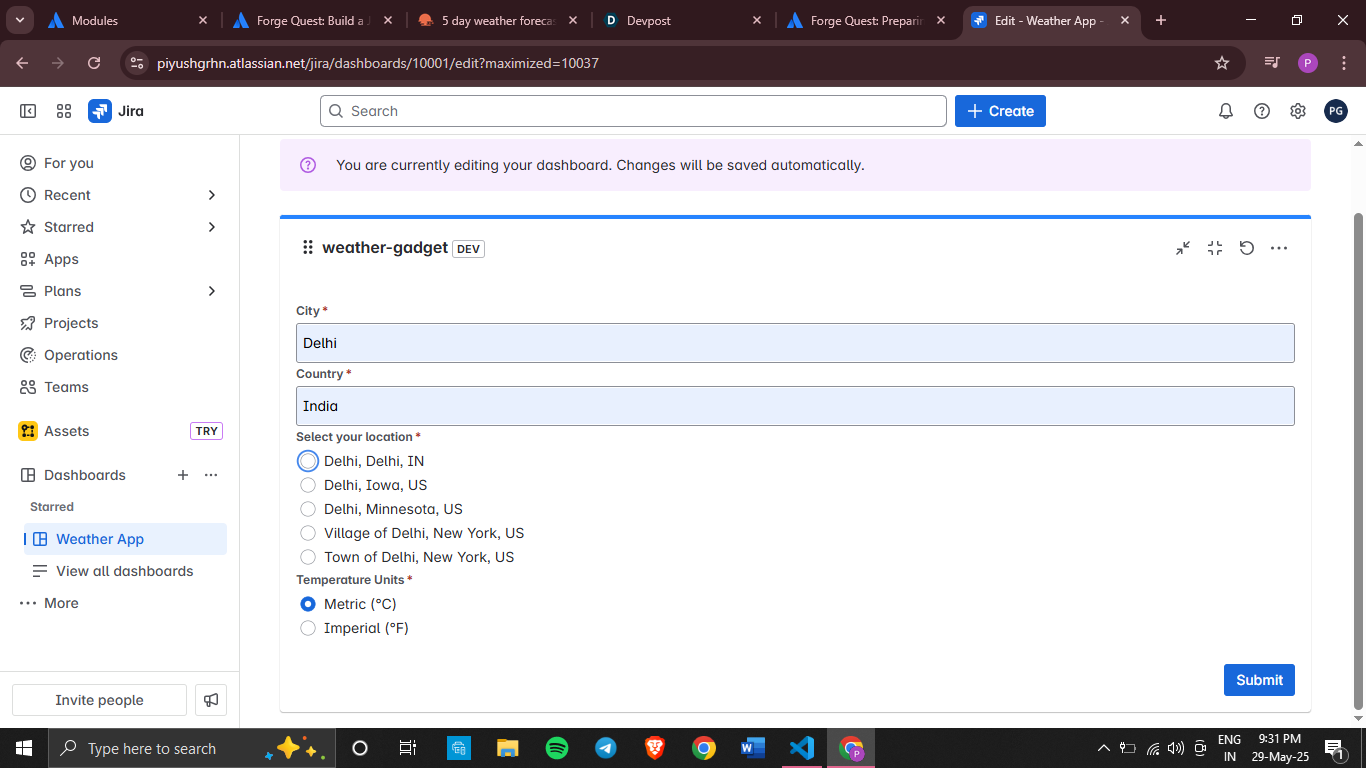
Choose location & country with option of measurement units (metric & imperial)
Inspiration
The idea for the Jira Weather Dashboard Gadget came from a desire to enhance the productivity dashboard experience. As many teams use Jira dashboards daily, I realized that integrating weather information directly into this workflow could help teams plan their days better, especially for field work or outdoor activities, without needing to switch contexts or applications.
What it does
The Jira Weather Dashboard Gadget allows users to:
- Configure their specific location by entering city and country
- Choose between metric and imperial measurement units
- View current weather conditions including temperature, "feels like" temperature, and humidity
- See weather icons that visually represent current conditions
- Access a 5-day forecast to help with sprint and weekly planning All displayed directly within their Jira dashboard without leaving the platform
How I built it
I built the gadget using Atlassian Forge, a cloud app development platform specifically designed for Atlassian products. The development process involved:
- Creating the app structure using the Forge CLI and the jira-dashboard-gadget template
- Developing the frontend using Forge UI Kit components like Box, Inline, Text, and Image
- Implementing backend resolvers that securely communicate with OpenWeatherMap APIs
- Building a configuration interface that allows users to customize their experience
- Using environment variables to securely store API keys
- Handling asynchronous API calls and implementing proper error handling
- Styling the interface to be consistent with Atlassian design patterns
Challenges I ran into
- API Integration: Working with external APIs while respecting Forge's security model required careful implementation
- Data Processing: Converting the OpenWeatherMap forecast data (which comes in 3-hour increments) into a meaningful daily forecast required additional logic
- State Management: Ensuring the gadget remained responsive while handling multiple API calls and state changes
- Error Handling: Creating a graceful experience when API calls fail or return unexpected data
- Permission Configuration: Understanding and properly implementing the required permissions in the manifest file
- UI Constraints: Designing an information-rich interface that works within the space constraints of a dashboard gadget
Accomplishments that I am proud of
- Creating a fully functional app that integrates external data into the Jira experience
- Implementing a clean, intuitive UI that adheres to Atlassian design principles
- Successfully working with Forge's security model while still providing valuable external data
- Building a configuration experience that makes setup simple for end users
- Creating an app that genuinely improves workflow efficiency for weather-dependent teams
What I learned
This project was an excellent opportunity to dive deep into Forge, Atlassian's cloud app development platform. Through building this gadget, I gained valuable experience with:
- Forge UI Kit: I learned how to leverage Forge's UI Kit components to create responsive, accessible interfaces that match Atlassian's design patterns
- Forge Permissions Model: Understanding how to properly declare and use external API permissions was crucial for integrating with the OpenWeather API
- State Management: I implemented proper state handling for user inputs and API responses
- Environment Variables: I learned how to securely store and use API keys without exposing them in the client code
- Form Handling: Creating intuitive configuration forms with validation improved my skills in building user-friendly interfaces
What's next for Jira Weather Dashboard Gadget
- Add weather alerts and notifications for extreme conditions
- Implement location detection based on user preferences
- Create team-specific views that could show weather for multiple office locations
- Add historical weather data visualization for planning purposes
- Include integrations with calendar events that might be weather-dependent
This project demonstrated the power of Forge to extend Atlassian products with valuable integrations that enhance the user experience while maintaining security and performance.


Log in or sign up for Devpost to join the conversation.