-
-
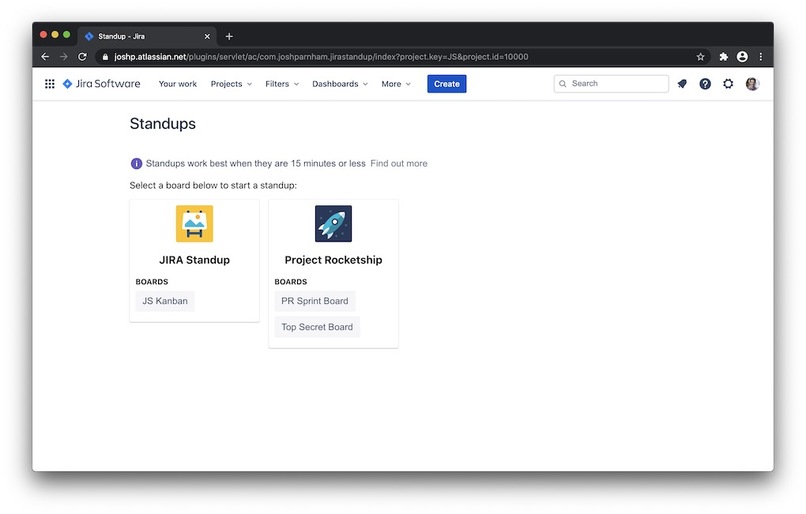
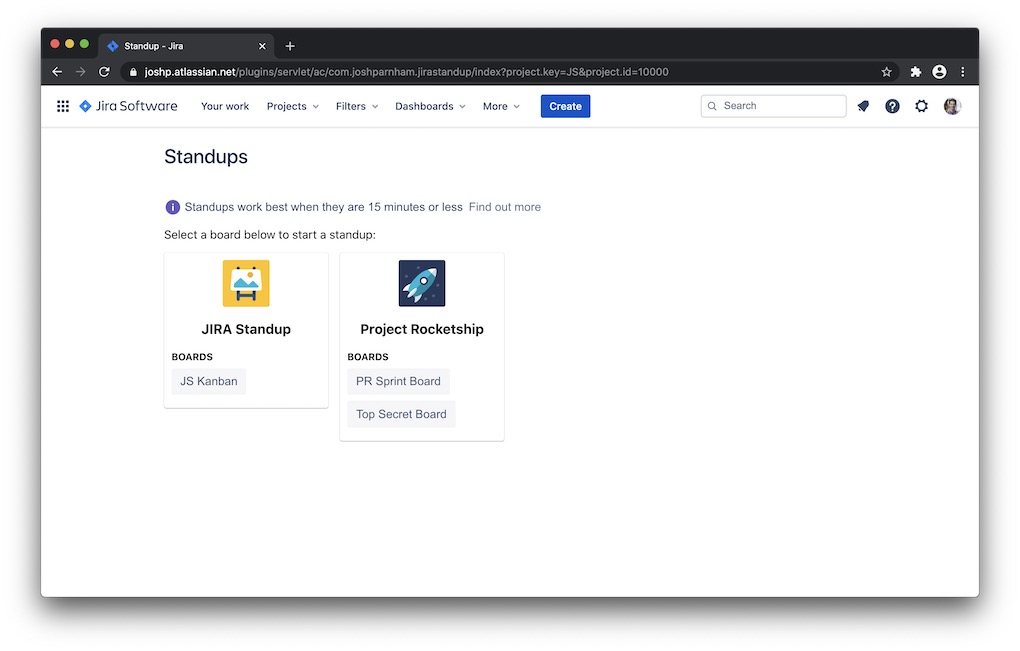
Home screen, listing JIRA boards
-
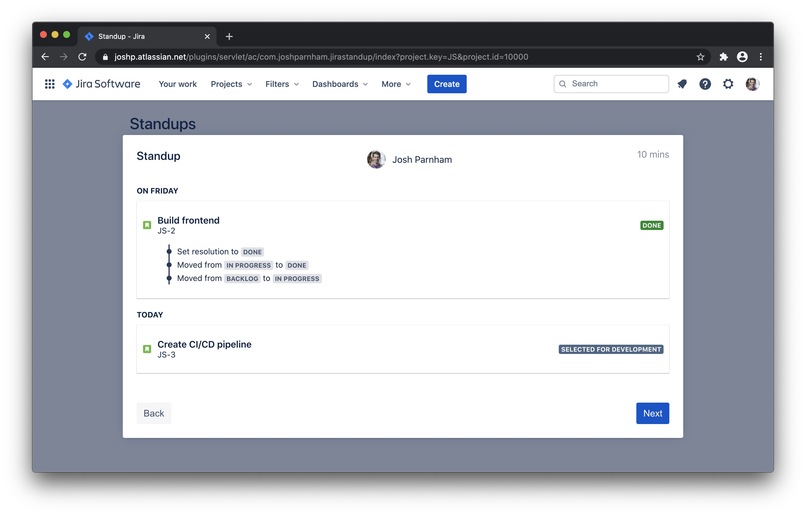
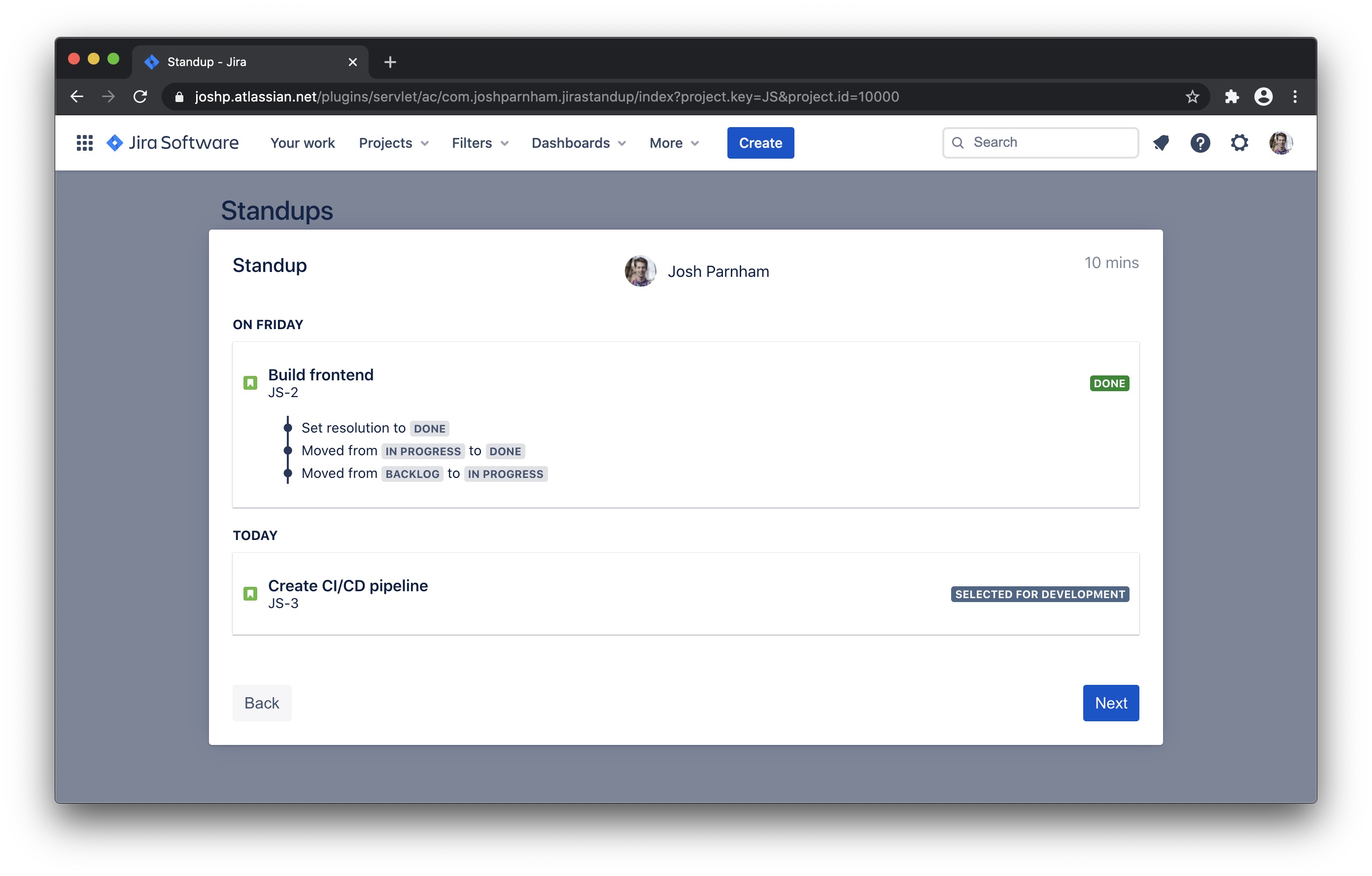
Josh is giving his update to the team
-
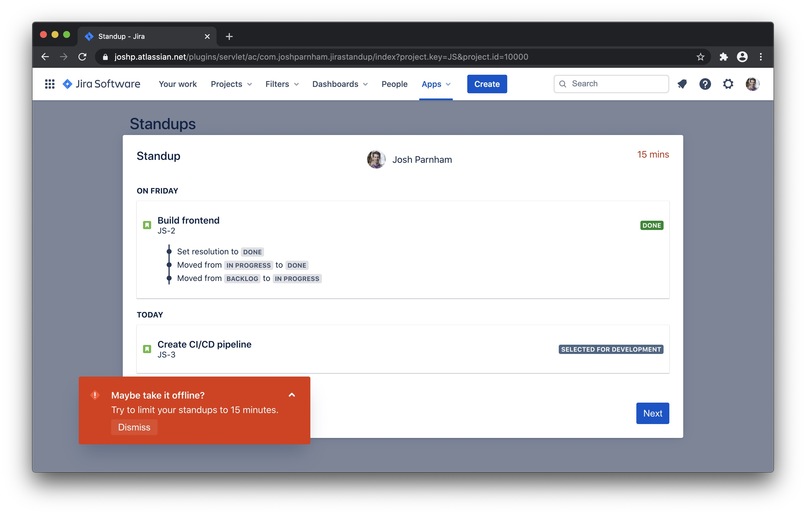
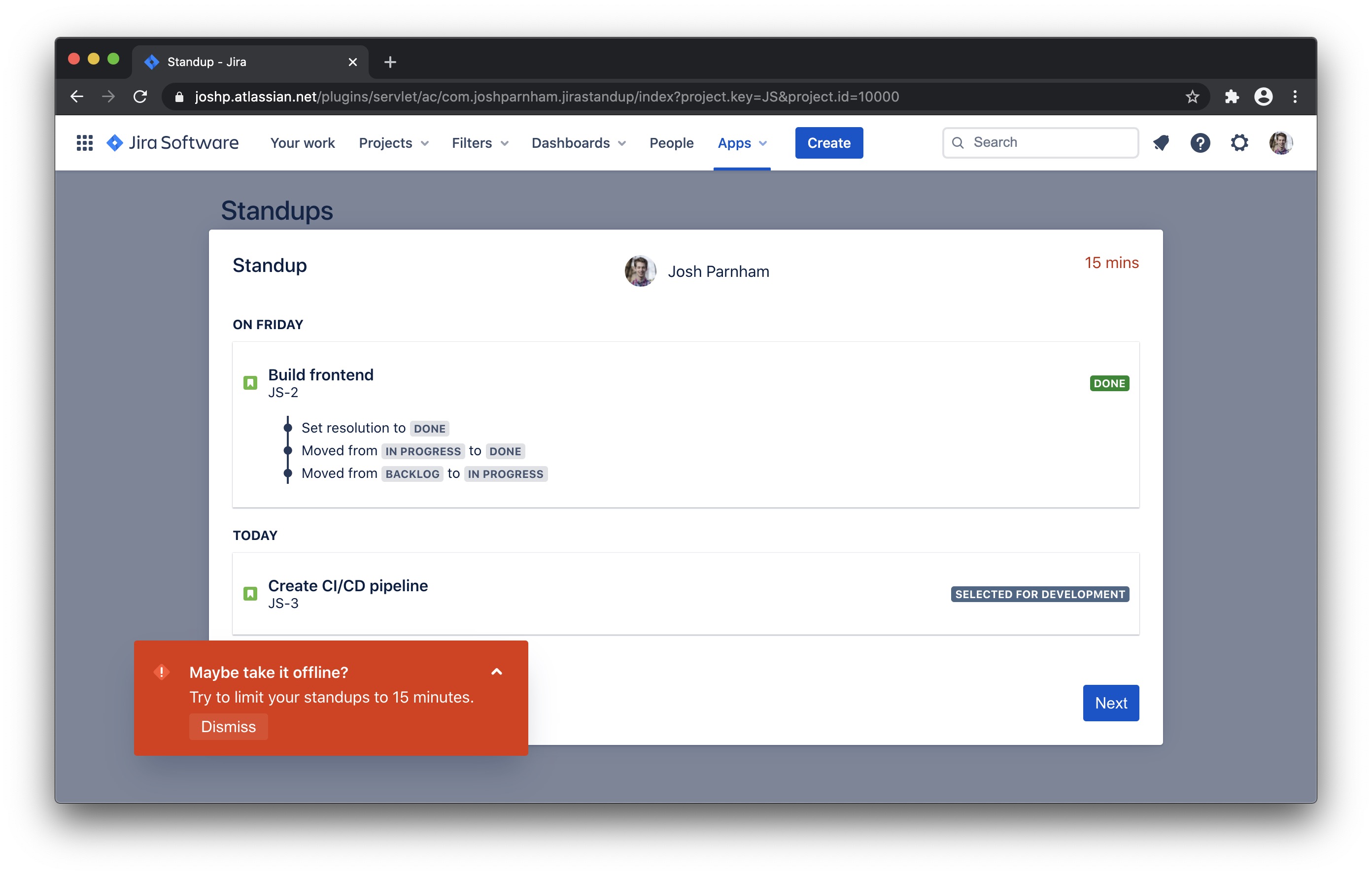
Alert when the standup goes over 15 minutes
-
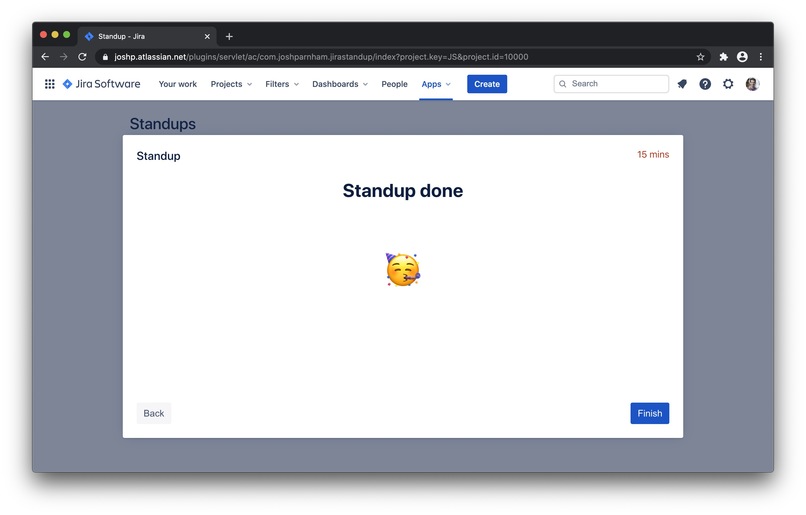
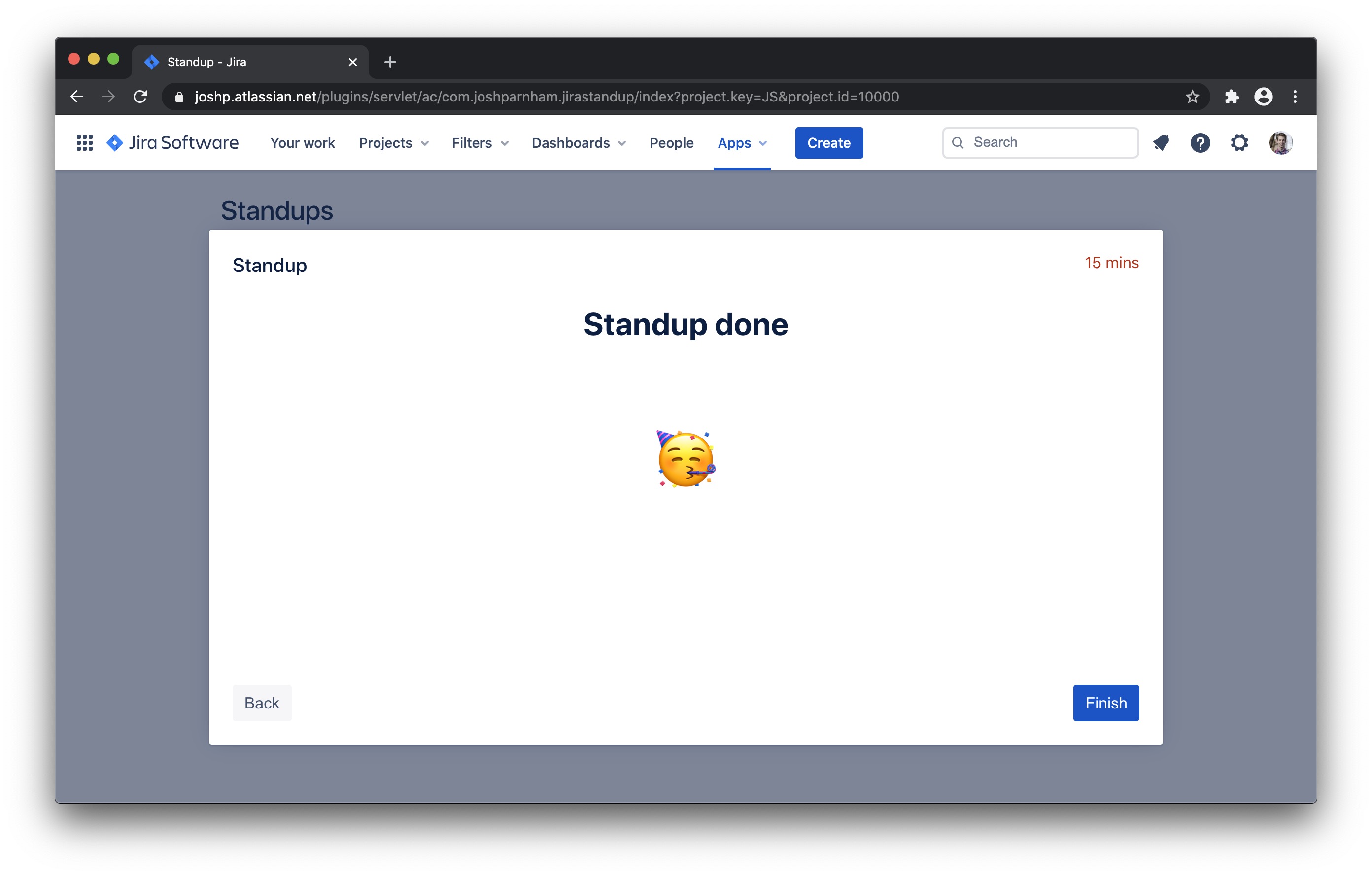
Standup is complete!
Inspiration
The inspiration for JIRA standup came from my team at work – we've experimented with several different approaches to standup over the years – a physical board, presenting the JIRA board to a TV, huddling around someone's computer, etc. However we've consistently run into several problems – how does everyone remember what they worked on yesterday? How can we filter out the noise if there are lot of cards on the board? In what order do people go in? And how can we keep the standups short, sharp and focused?
I've wanted for several years to try and tackle these problems, and I thought that Codegeist 2020 was a fantastic opportunity to do so!
What it does
JIRA Standup takes the guesswork out of your daily standup meetings. It walks everyone though the list of team members and lists what each person did yesterday, and what they're assigned to today. Each team member can then give their daily update by simply looking at JIRA Standup – they don't need to try and remember what they did yesterday or consult their notes. It removes all non-relevant information from the screen and focuses on one person at a time, so the app is fantastic to use when it is being presented to a videoconference, for example, or when being projected to a screen in an office. JIRA Standup also keeps track of the length of the meeting, and encourages everyone to keep the meeting under 15 minutes – keeping everyone focused and in the zone! It also includes links to tips from Atlassian's Agile Coach documentation on standups, to try and encourage users to adopt agile best practices.
How I built it
The application is built using TypeScript and React, and uses the Atlassian Connect JavaScript library to fetch data from the JIRA API. It uses components, styling and themes from Atlassian's Atlaskit – ensuring it looks right at home inside the Atlassian software stack. The source code is hosted on BitBucket, and BitBucket Pipelines are used to automatically publish new versions of the application to AWS S3, where it can then be installed into JIRA. In building the app I used the Atlassian Developer and JIRA API documentation documentation extensively.
Challenges I ran into
The main challenge that I ran into was choosing the subset of features that I wanted to tackle in the hackathon time frame. I initially had a list of features that was very extenisve, but I needed choose a subset that made up a viable product that I could focus on during the hackathon.
Accomplishments that I'm proud of
I created and published TypeScript type definitions for the Atlassian Connect JS library, and other people have since started to use them! This was awesome to be able to contribute to the community, and hopefully make it easier for people to use Atlassian Connect from their frontend apps in the future.
I'm also proud that I was able to submit a functional application in the time frame – whilst it is far from feature complete I'm very glad that I was able to build the product that I've submitted today.
What I learned
I learned a tonne about Atlassian's developer ecosystem throughout this hackthon. I spent a lot of time reading about Atlassian Connect and the best way to structure this application, as well as learning about the different JIRA APIs. I've also been wanting to try out Atlaskit for a while, and was so happy using it. The documentation is fantastic and I learnt all about the wide variety of components that can be used and composed together.
What's next for JIRA Standup
There are plenty more features that can be added to JIRA Standup to ensure that it works for every team that uses JIRA. I hope to let people customise a swathe of different features – such as the ability to include or exclude certain cards & team members, the maximum standup duration, the days that people work on, and change the way that the UI is displayed.

Log in or sign up for Devpost to join the conversation.