-
-
Banner
-
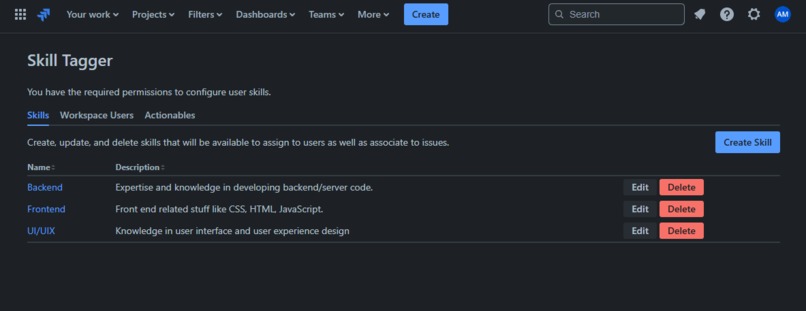
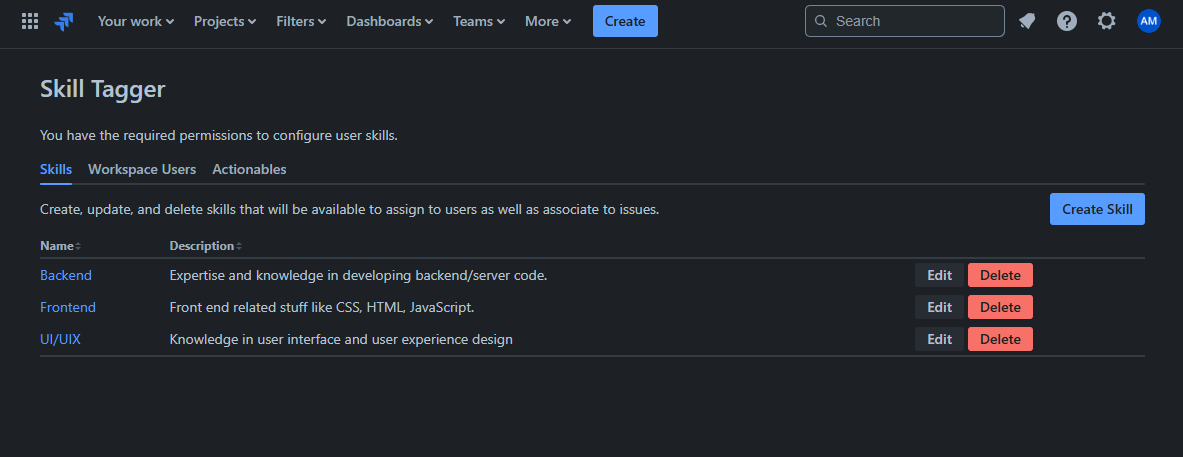
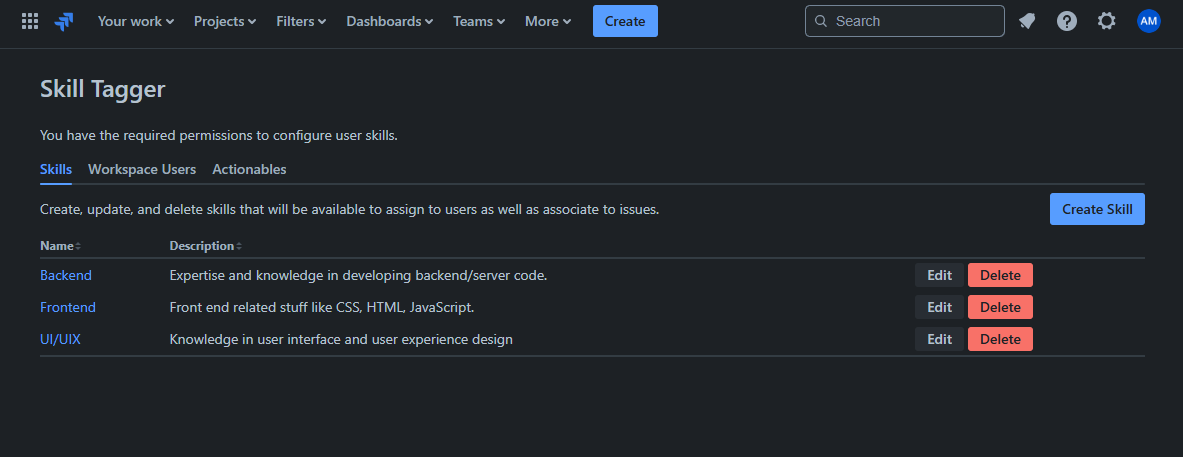
Skills Table
-
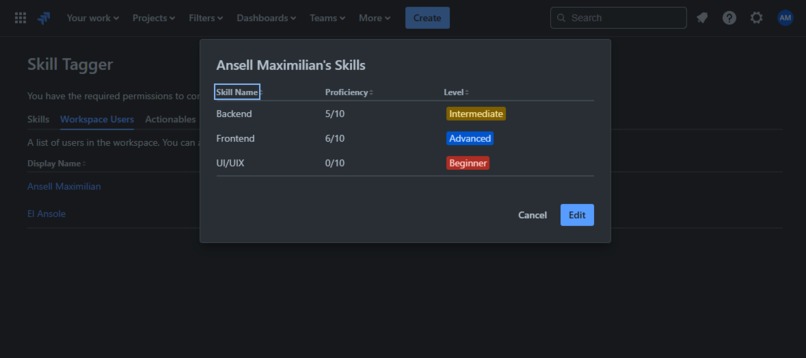
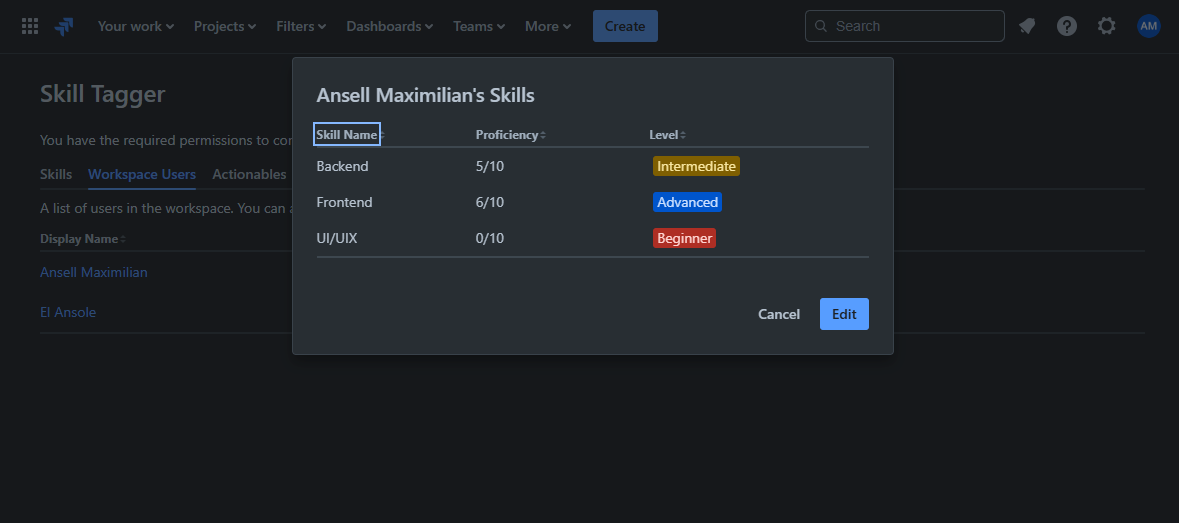
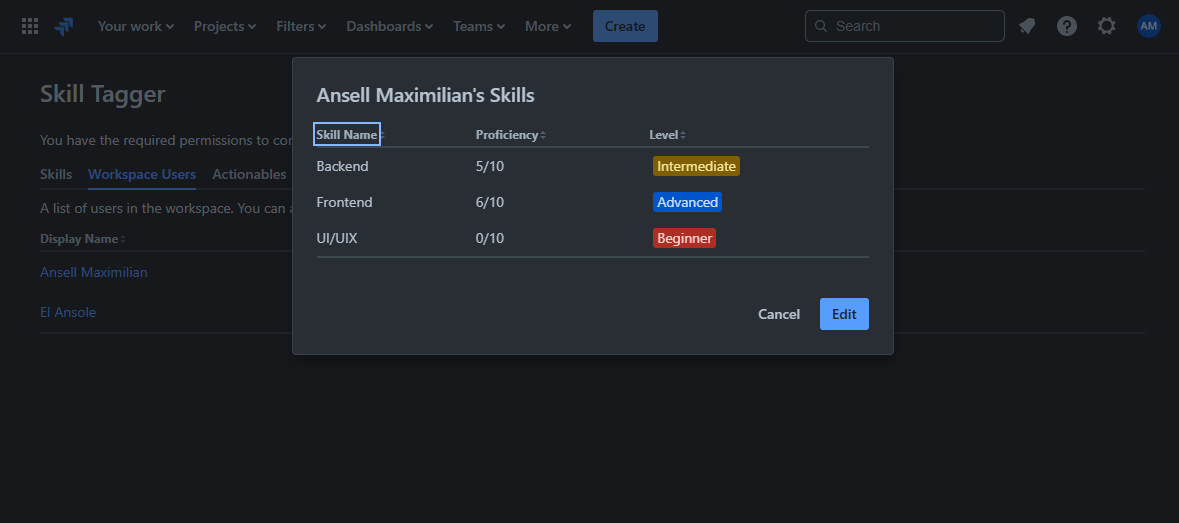
User's Skills
-
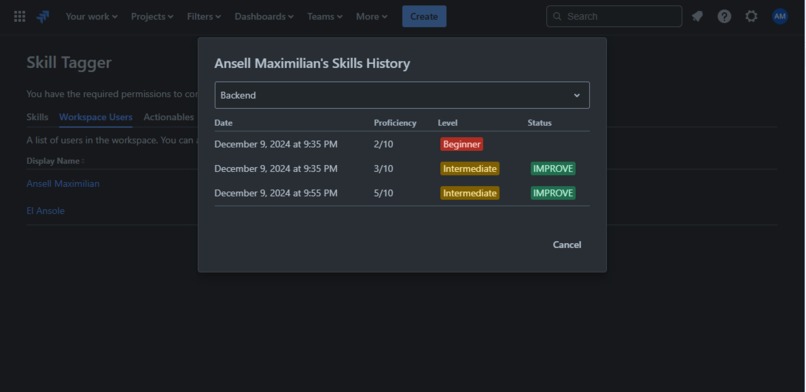
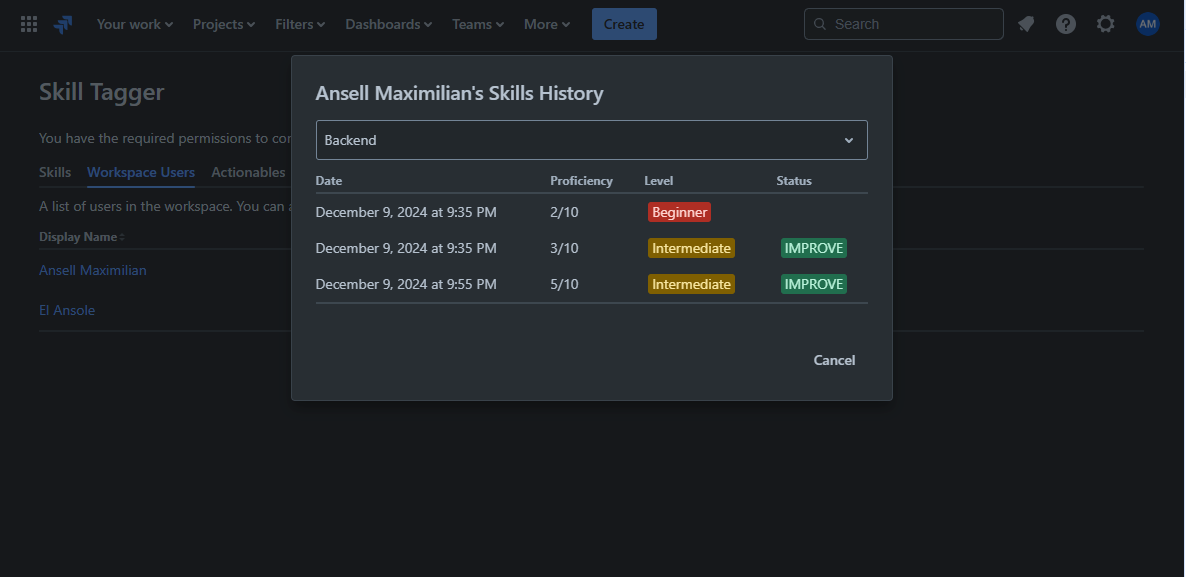
Skill History
-
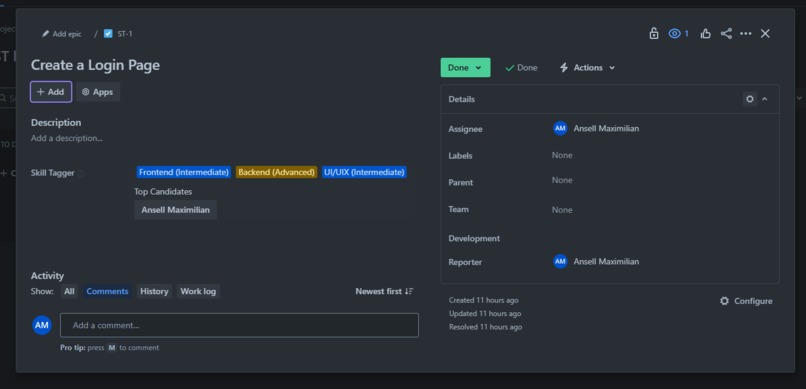
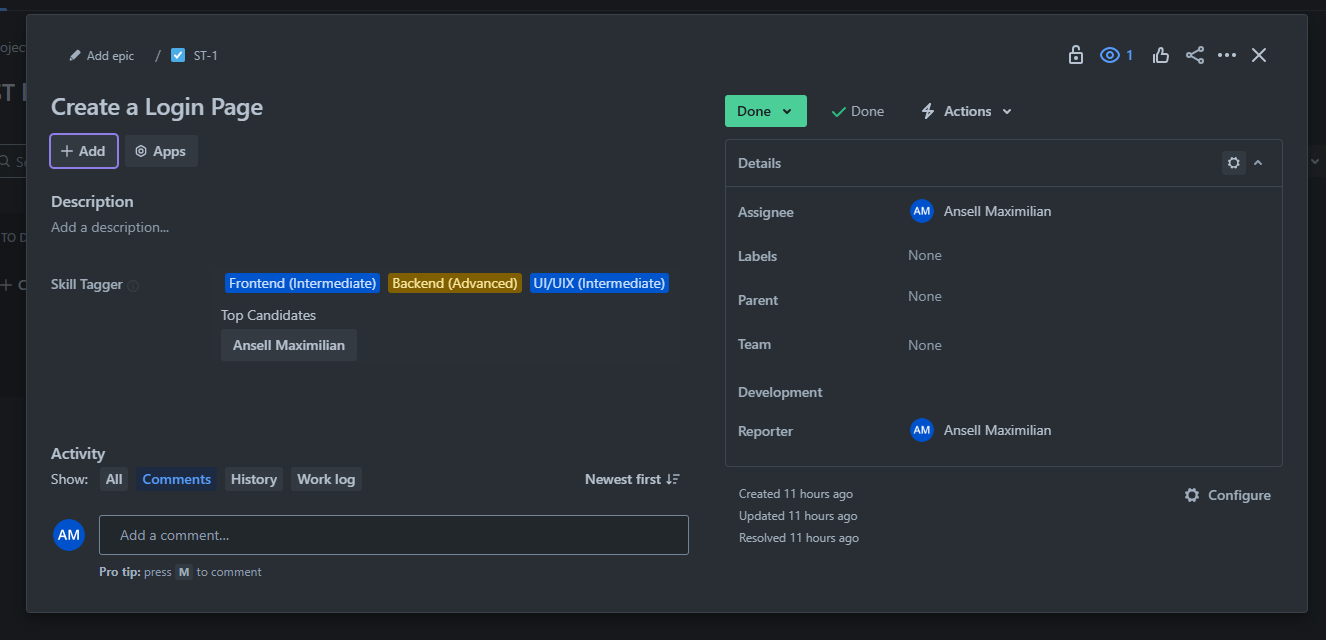
Issue Custom Field View
-
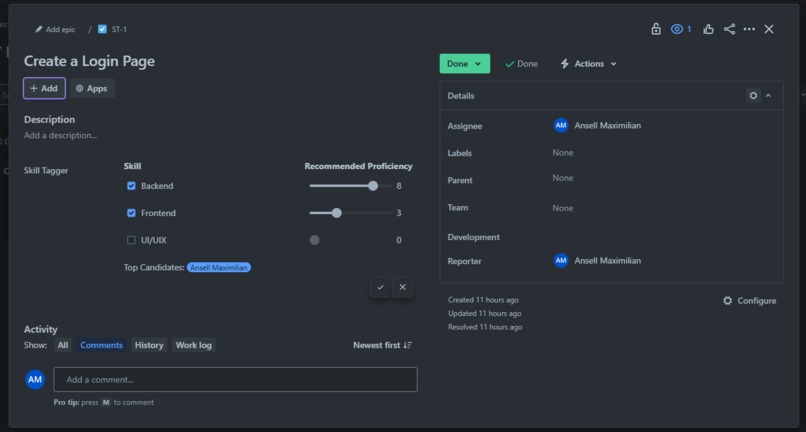
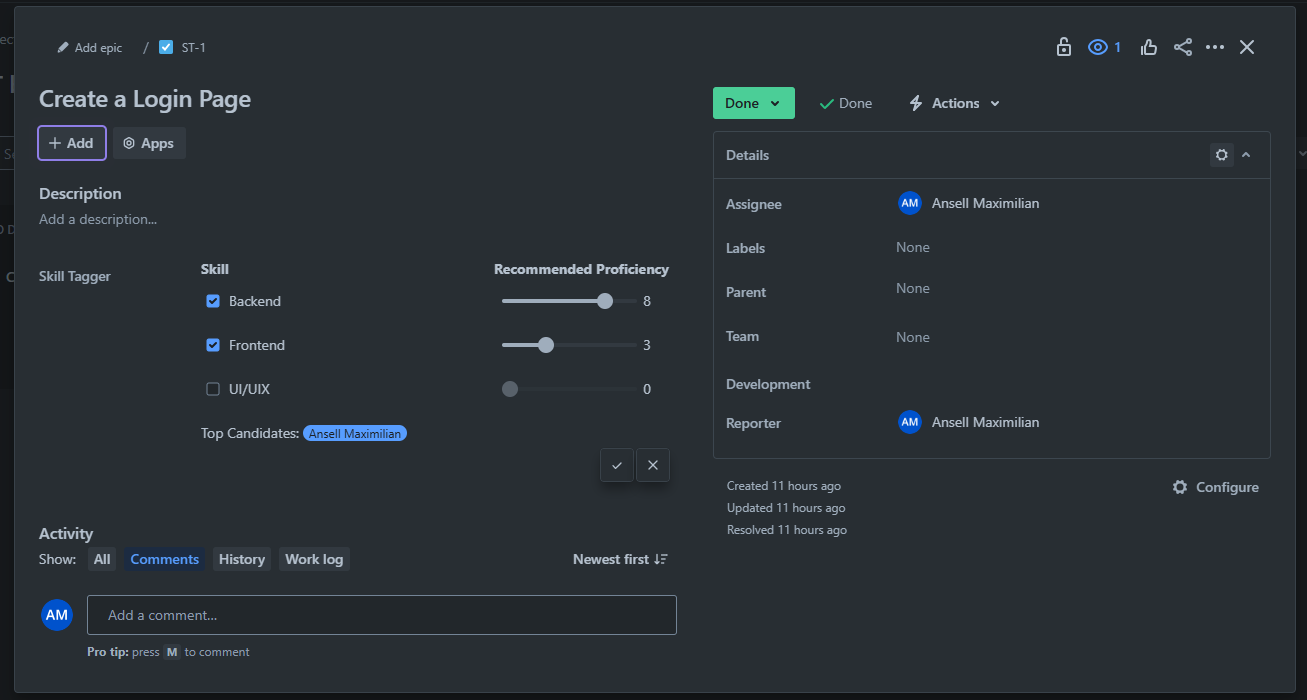
Edit/Set Issue Skill Requirements
-
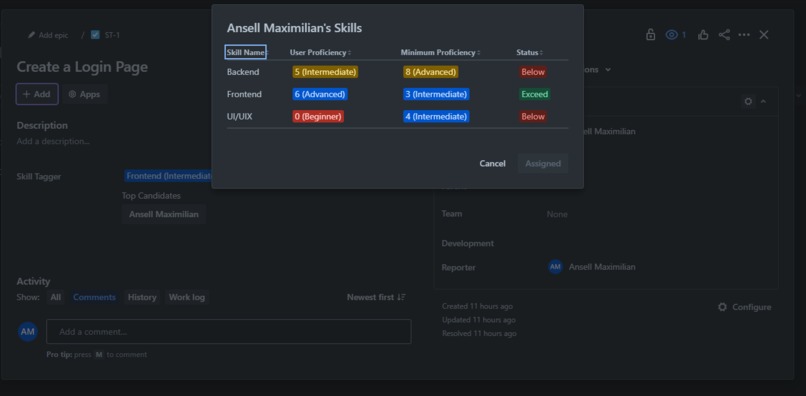
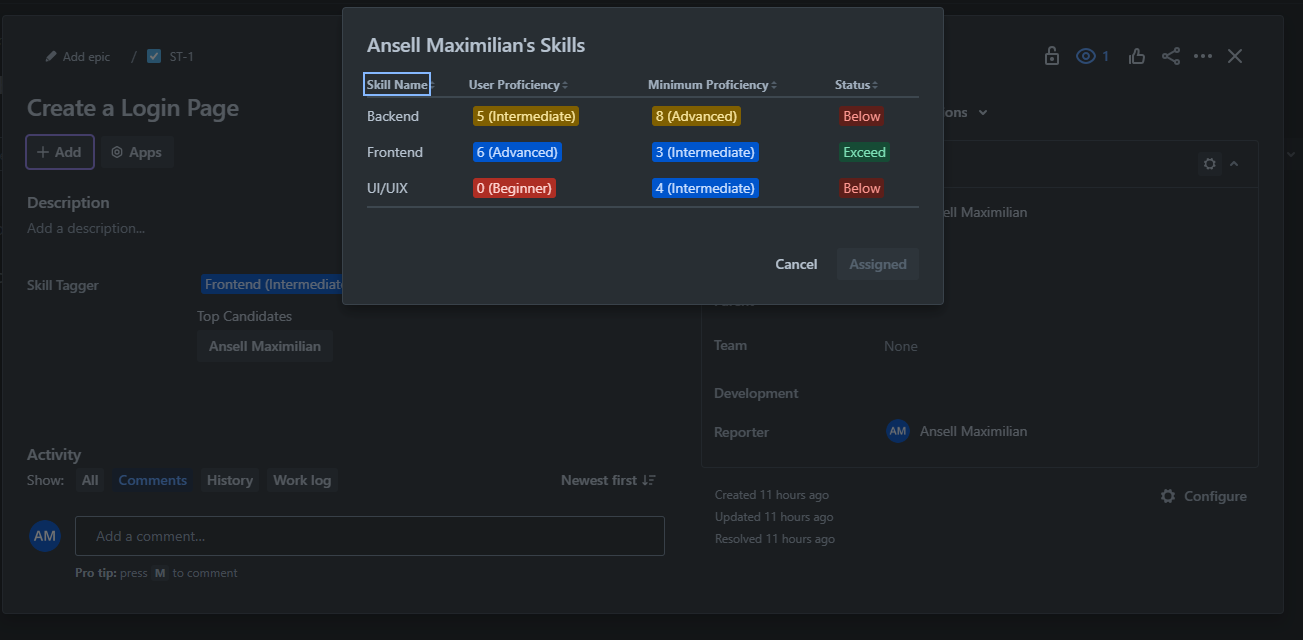
Compare Skill to Issue Requirements
-
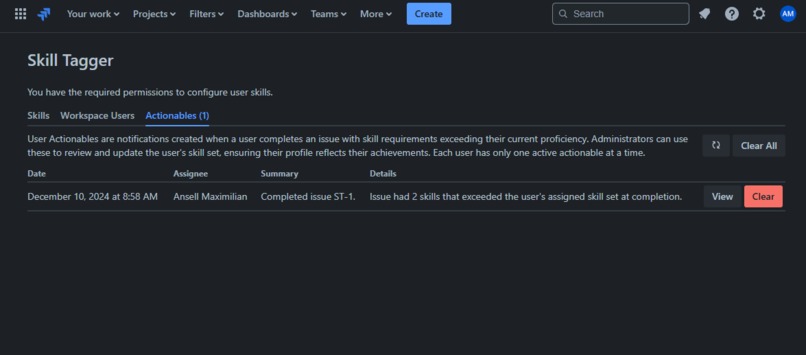
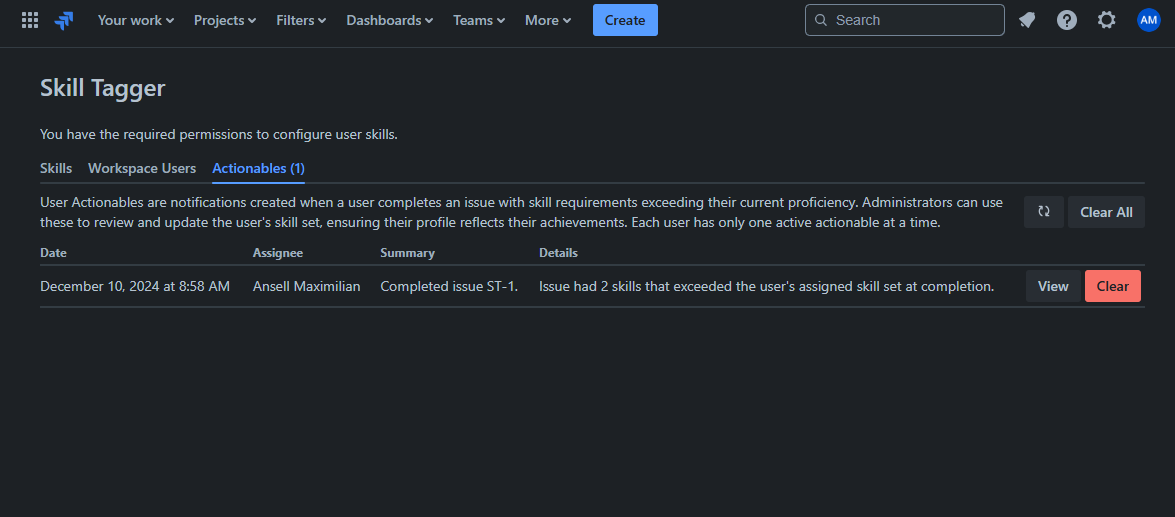
User Actionables Table
-
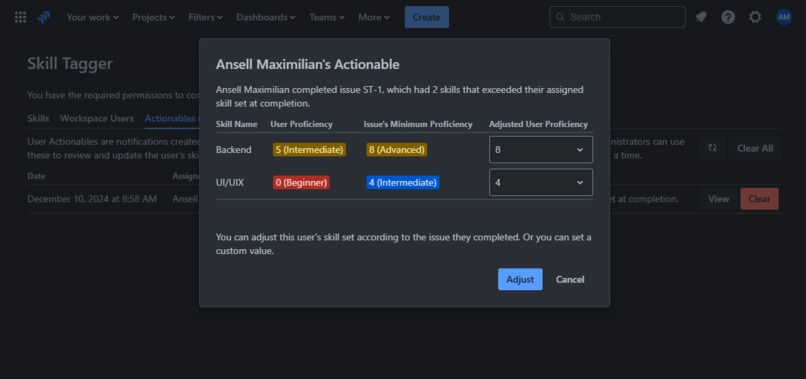
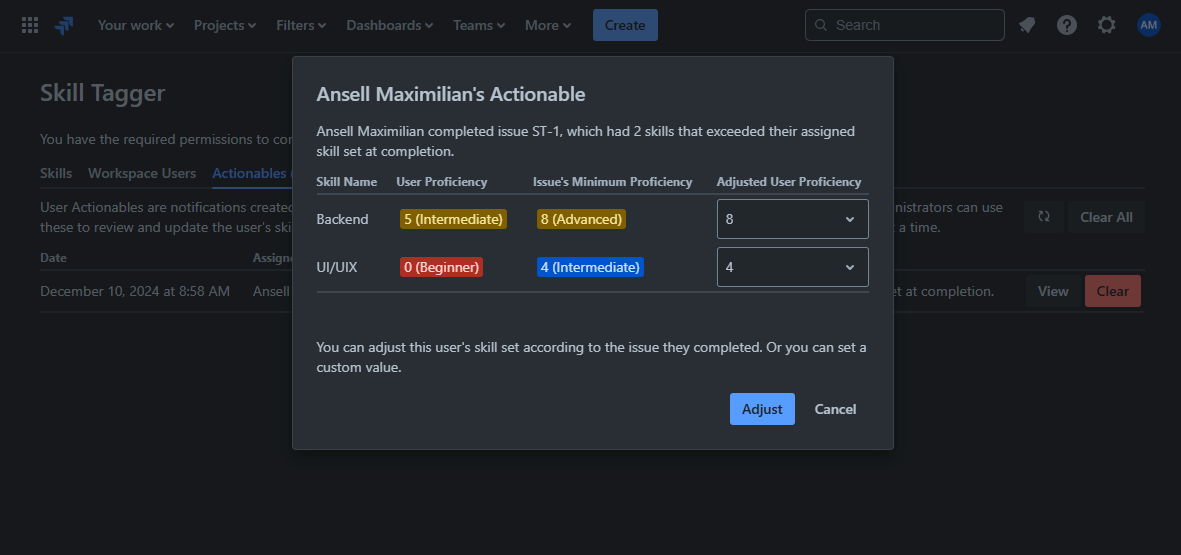
Adjust Skill
Installation and Usage
Install here. Usage instructions can be found here.
Inspiration
I was interested in the idea of extending such a big app such as the products of Atlassian like Jira, Confluence, Bitbucket, etc. So, I started reading about Forge and was excited at how much it offered just out of the box, so I started brainstorming and I limited myself to apps that solely relied on Forge.
Then I came up with Skill Tagger, which will help administrators/project managers manage and review what their team members are good at and NOT good at, because in reality it is hard for the issue assigners to constantly be aware of which talent is the best for a particular task/issue. Skill Tagger will help with that.
What it does
Skill Tagger integrates skill tracking and assignment into Jira workflows, allowing teams to create a centralized skill library, assign user proficiencies, and associate issues with required skills. It evaluates user profiles to recommend the best assignees for tasks and provides actionable notifications when users exceed skill expectations, enabling admins to update their skill sets dynamically. With built-in skill history tracking, Skill Tagger ensures transparency and supports team growth, enhancing task allocation and expertise management for experienced Jira users.
Detailed Explanation
Skill Tagger is made up of three major parts:
Global Page
A Jira module where you'll manage and create skills, assign skill proficiency levels to users, and get notifications about skill related items, in its own dedicated page:
Manage Skills
Here you'll create, edit, and delete skills you'll be using in your projects.
Assign User Skill Sets
Here you'll assign your users their respective skill sets based on the skills you've created.
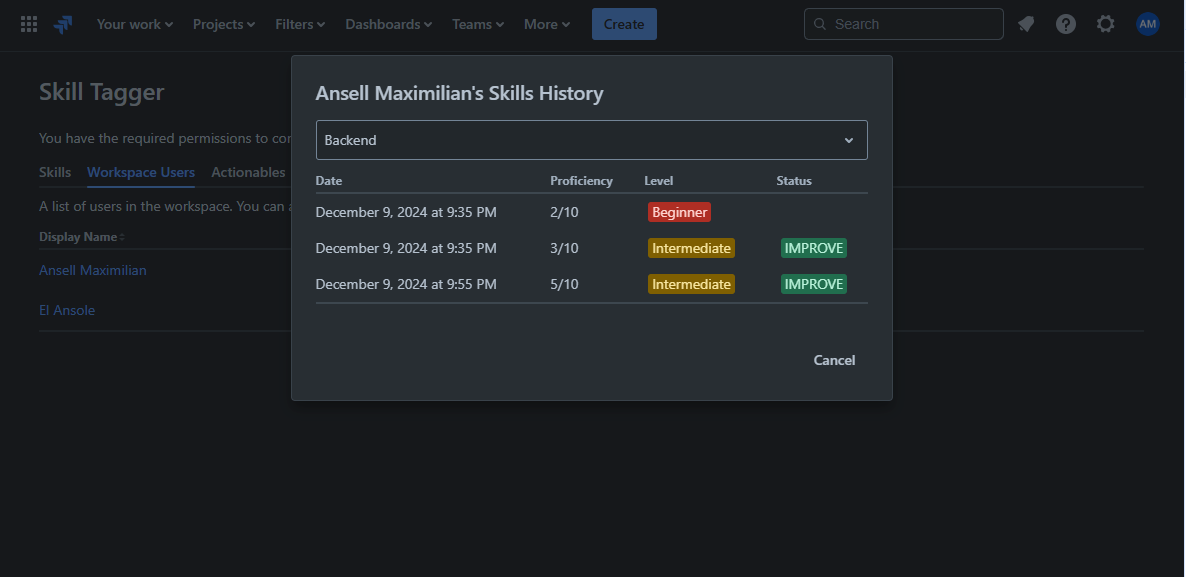
View User Skill History
View the progress of your users by viewing their skill history. You'll see whether or not they have improved.
Custom Issue Field
A Jira module that extends the default set of issue fields like Summary, Description, etc. To enable this custom field, click on Project Settings on the left panel, click issue types, then drag Skill Tagger into the list of fields for your chosen issue types (Task, Bug, etc.).
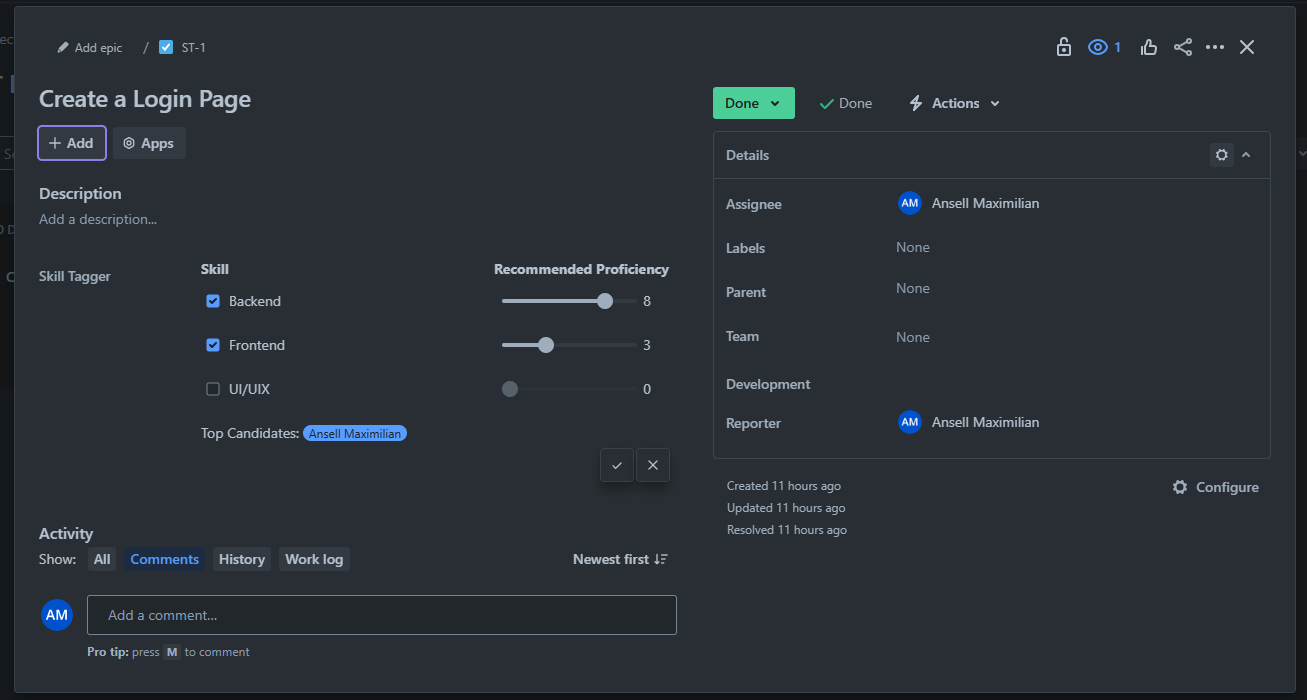
Assign Minimum Skill Proficiency to Issue
During creation and while viewing an issue, you can set the skill requirements for a task/issue.
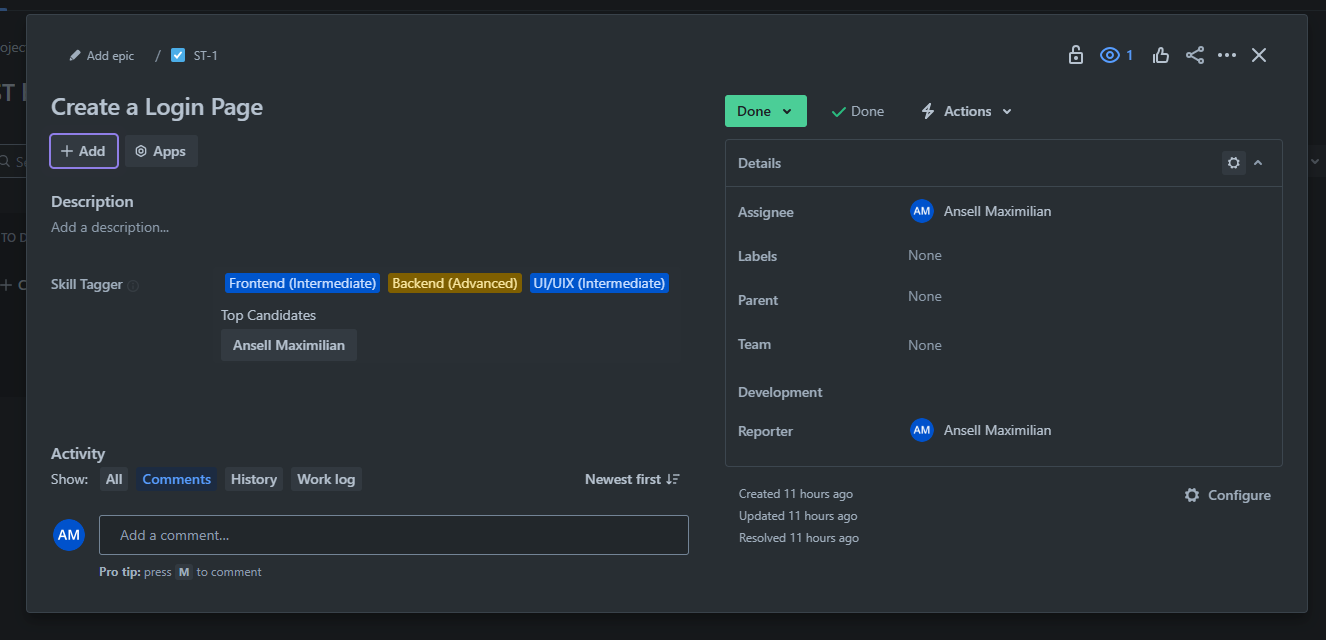
Custom Field View
Here's what it looks like once you've assigned skill requirements to an issue. You'll also see a list of top candidate recommendations for this particular issue.
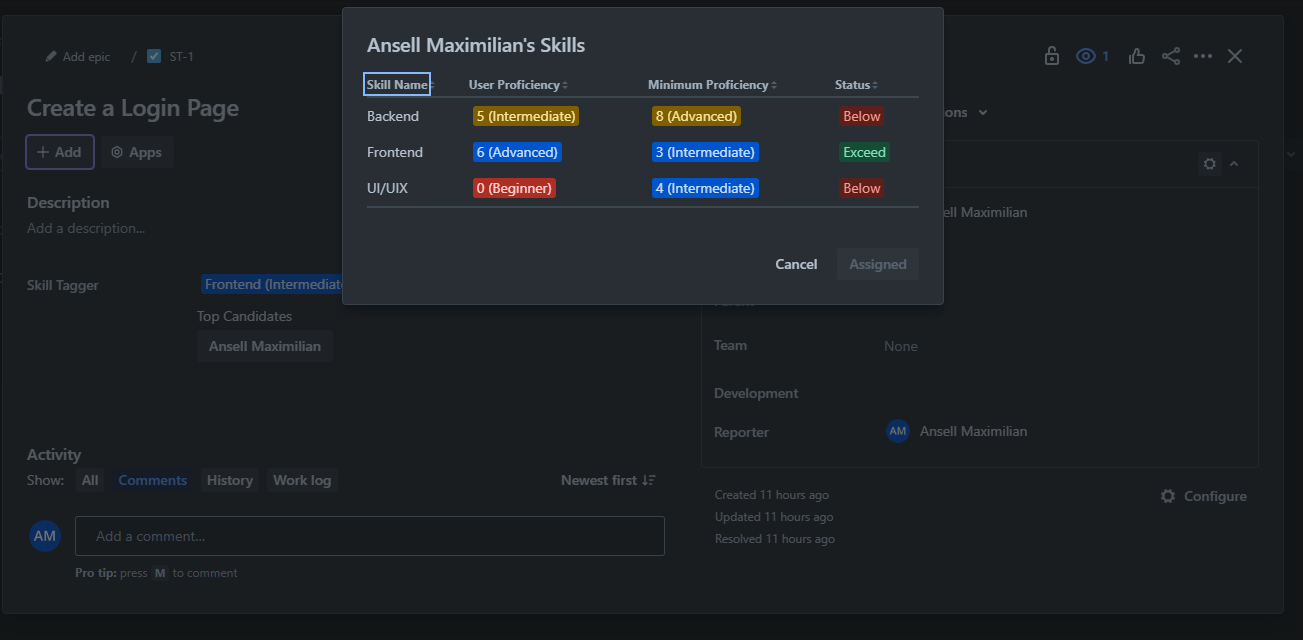
Candidate Skill Comparison
You can click on a one of the top candidates to see how their skills compare to the minimum requirement. Then you can assign them right from the modal. It will hit Jira's API to assign the issue to the selected user.
Issue Completion Trigger
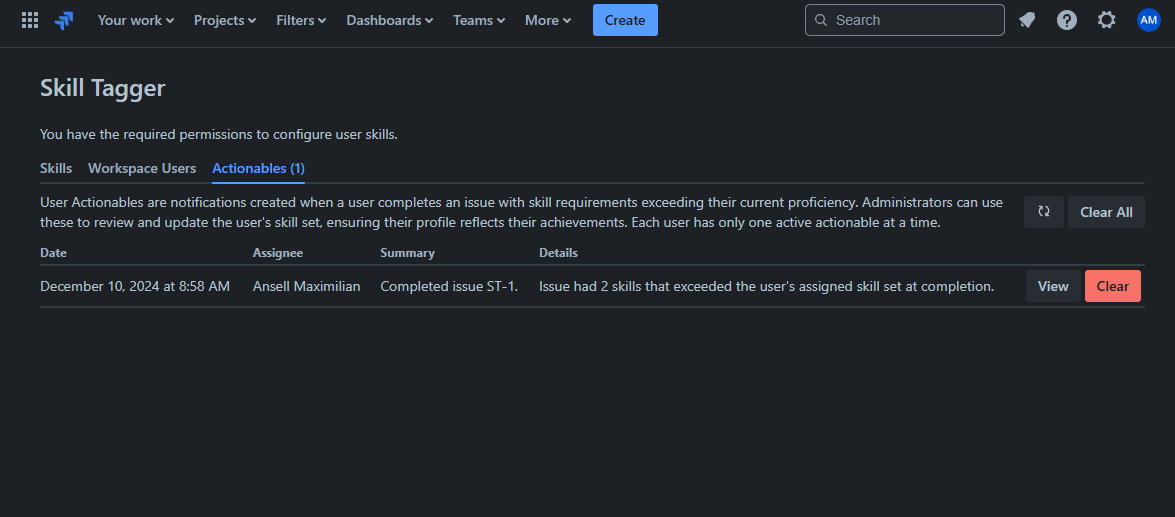
Finally, there's also a trigger every time an issue is completed. If, at the time of completion, one or more of the issue's skill requirements exceeds those of the assignees, a "user actionable" (notifications) will be created. You can view these notifications in the global page.
User Actionables Table
Here you'll see if a user has completed issues beyond their assigned skill sets. Each user gets at maximum one. You can clear these, or you can act on this notification (hence the user actionable):
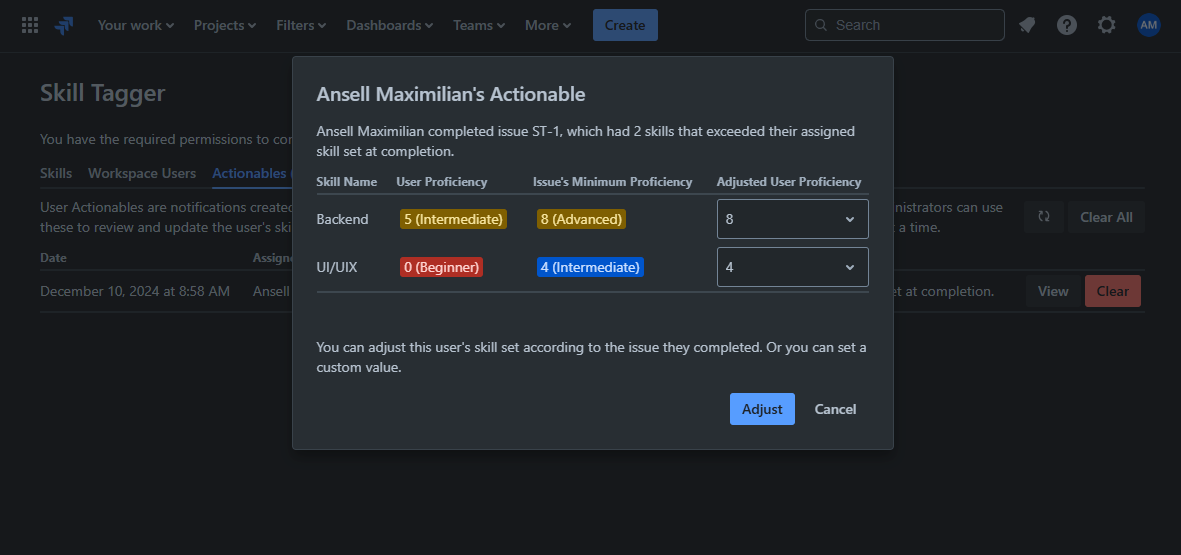
Adjusting User Skills
If a user exceeds expectation by completing issues beyond their skill sets, admins can take this fact and decide to adjust the user's skills accordingly. They'll be given the option to set the skills from the user's current proficiency level to the issue skill requirement level. For example, if a user had 5 proficiency level in "Backend", while the issue had 10, then the admin can adjust it from 5 to 10.
How we built it
I built Skill Tagger entirely on the Forge platform.
Skills, users' skill sets, and user actionables are stored on the Forge's key/value storage. An issue's minimum skill requirements are stored as a custom field directly in Jira. Then, I used a custom "issue update" trigger to let the application know when a user completes/resolves an issue with skills that are beyond their skill sets.
Challenges we ran into
Never developed using Forge, so a I had a lot of learning to do, but overall it was a nice experience developing with Forge. Tunneling definitely helped in developing in real time and seeing the results immediately.
Another challenge was writing this in JavaScript instead of TypeScript; if I had time, I would've switched to TypeScript.
Accomplishments that we're proud of
Really proud of myself just learning Forge and actually extending Jira. And I actually accomplished my goal of exclusively using Forge.
Jira is a product I actually use in my work/job, so it was nice to see my extension actually showing up in it.
What we learned
Learned a lot about Forge and what it's capable of. While browsing the documentation, I also learned how extensive the list of Product APIs are, and how dynamic they are.
What's next for Jira Skill Tagger
A lot of things I wanted to do that I didn't get to due to time constraints:
- Switch to TypeScript
- Add macro in Confluence to create a report on user's skill sets
- Charts relating to skills in the Dashboard


Log in or sign up for Devpost to join the conversation.