-
-
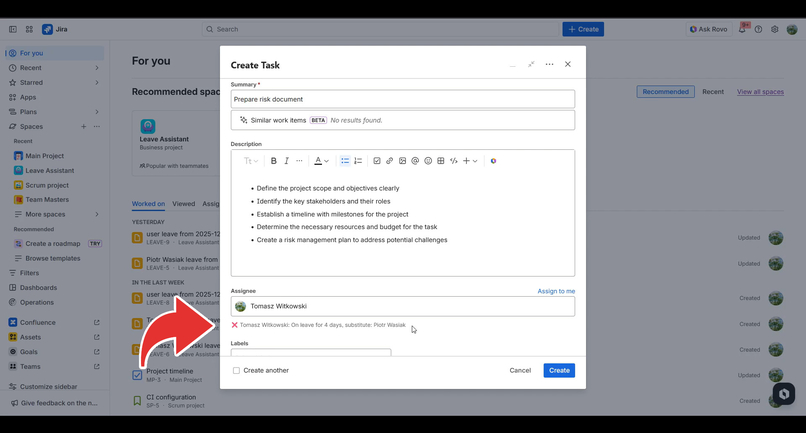
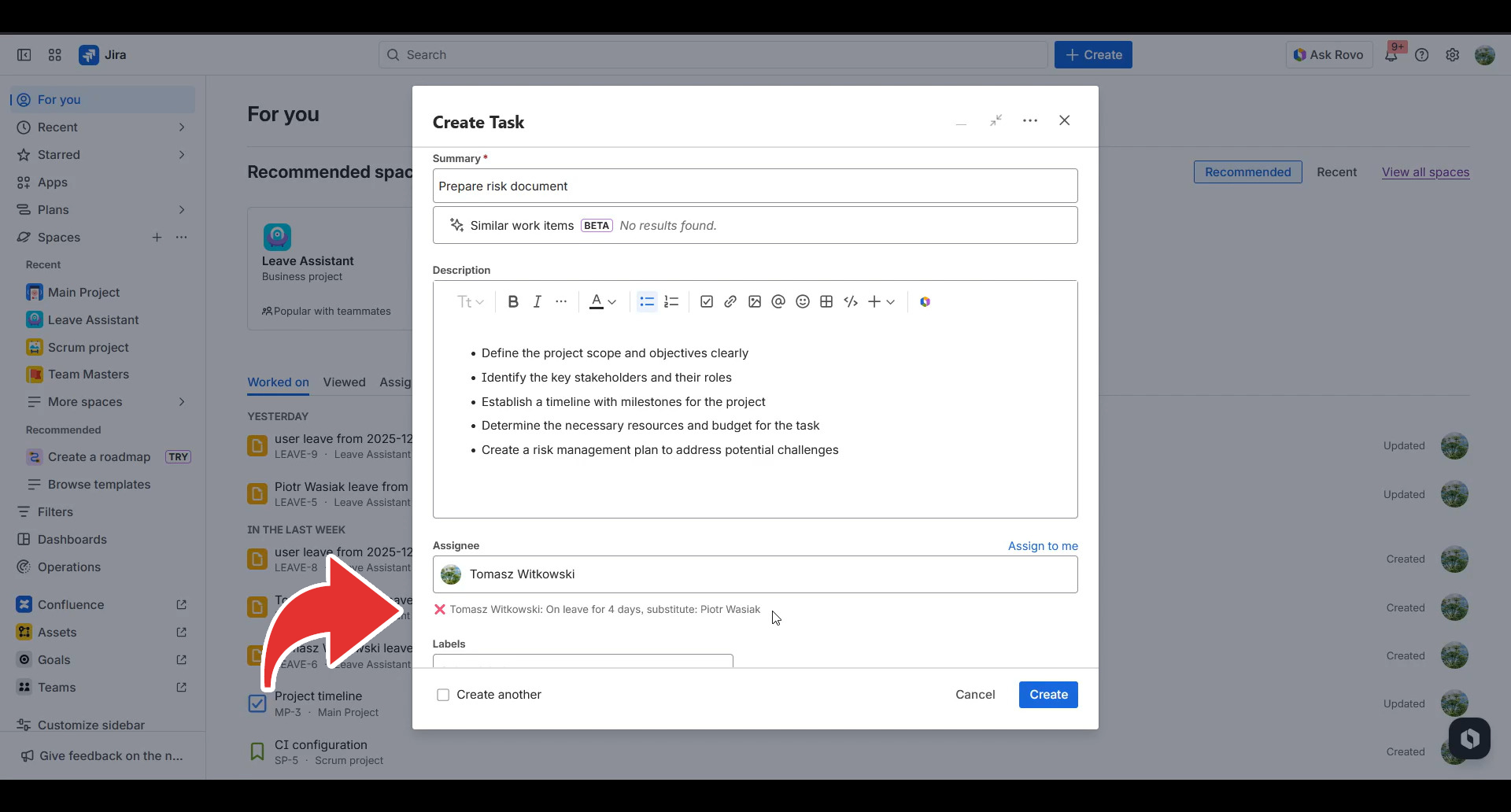
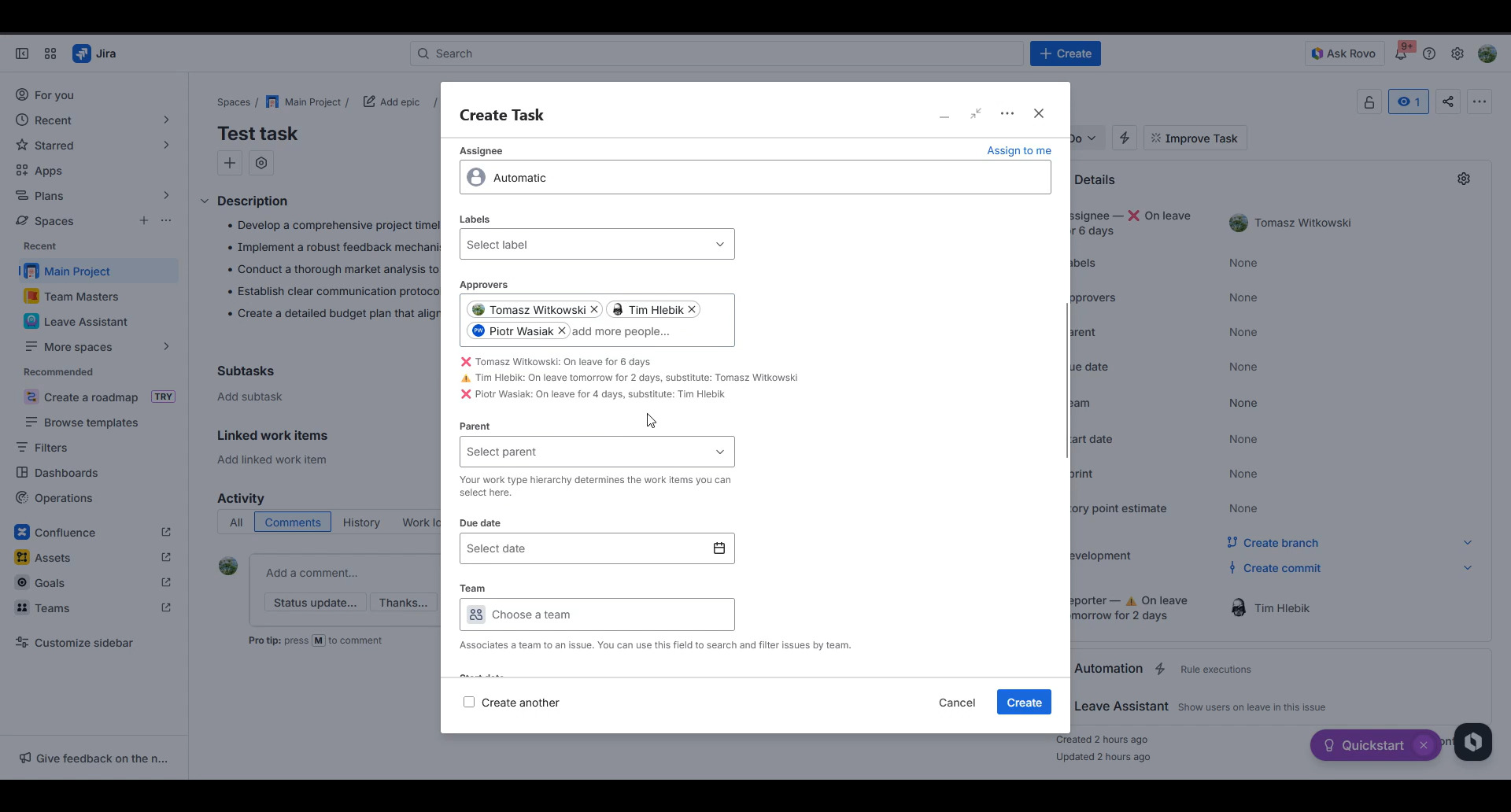
You will be warned on Issue create view when selected user is on leave or have planned leave
-
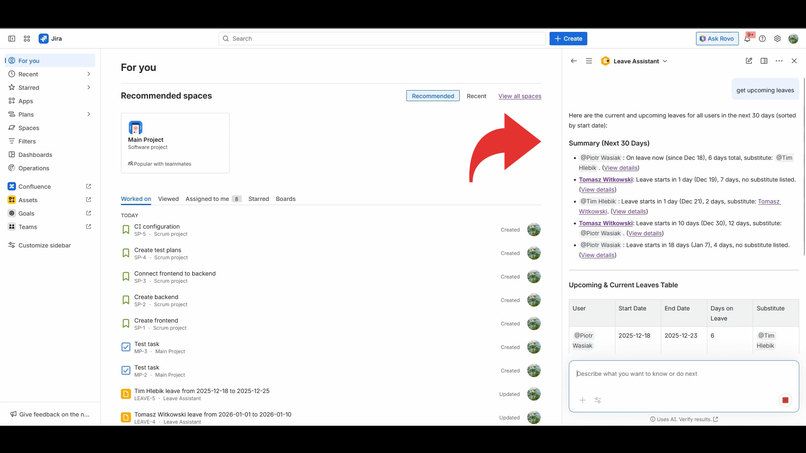
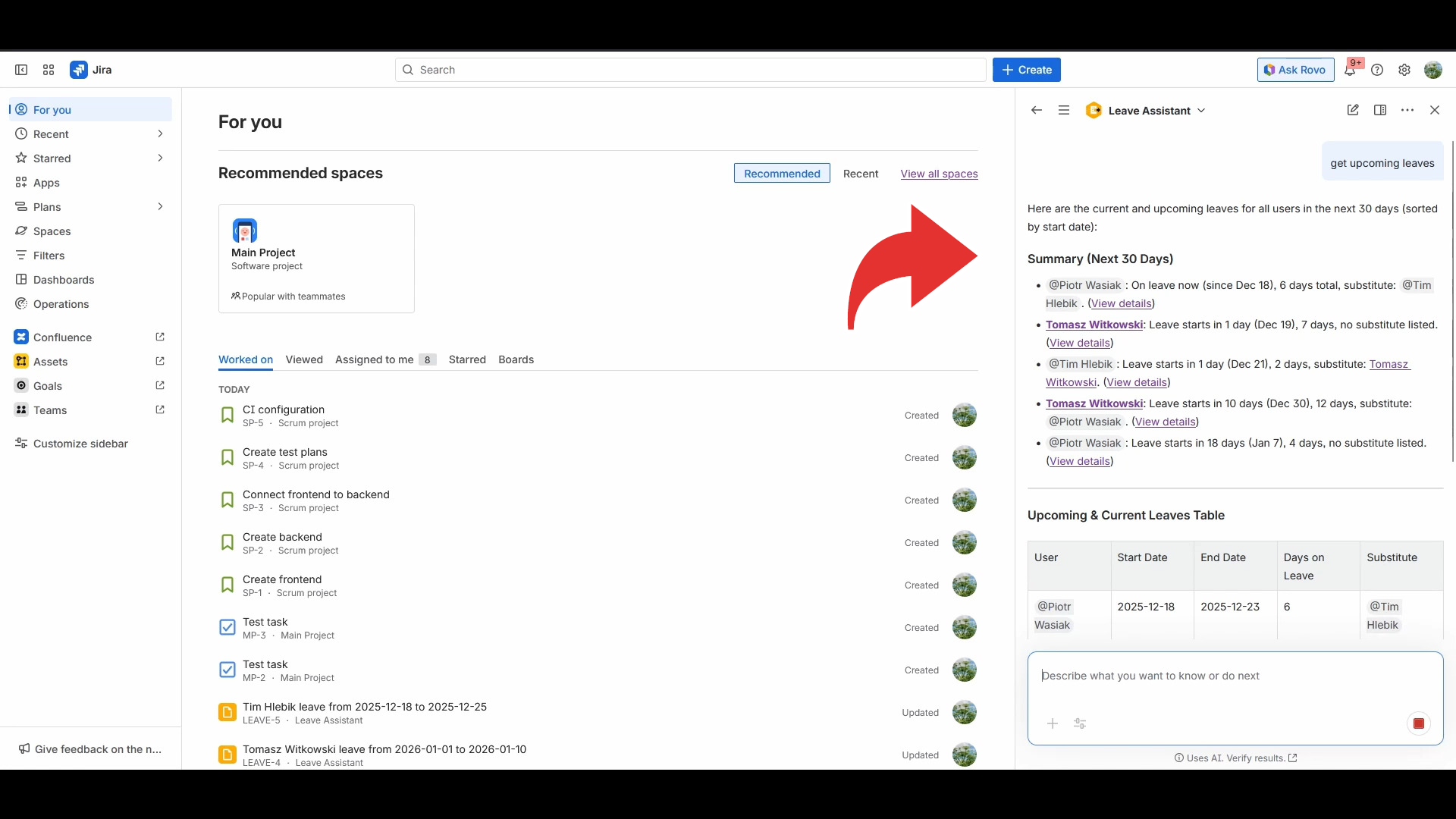
Rovo agent will help you keep track of teammates leave
-
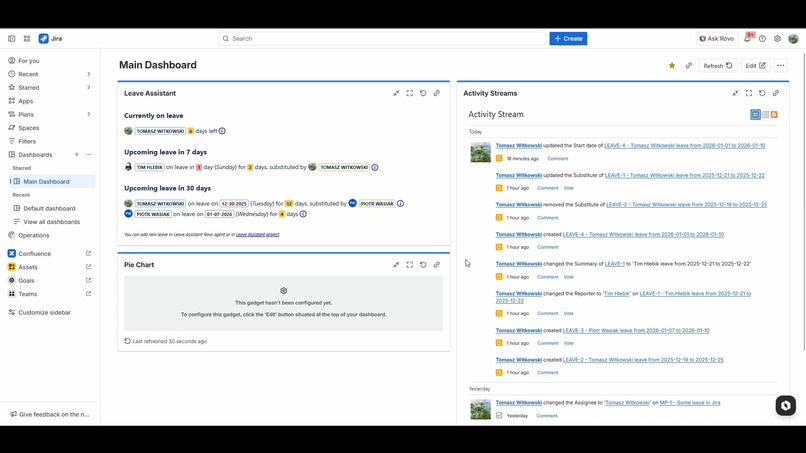
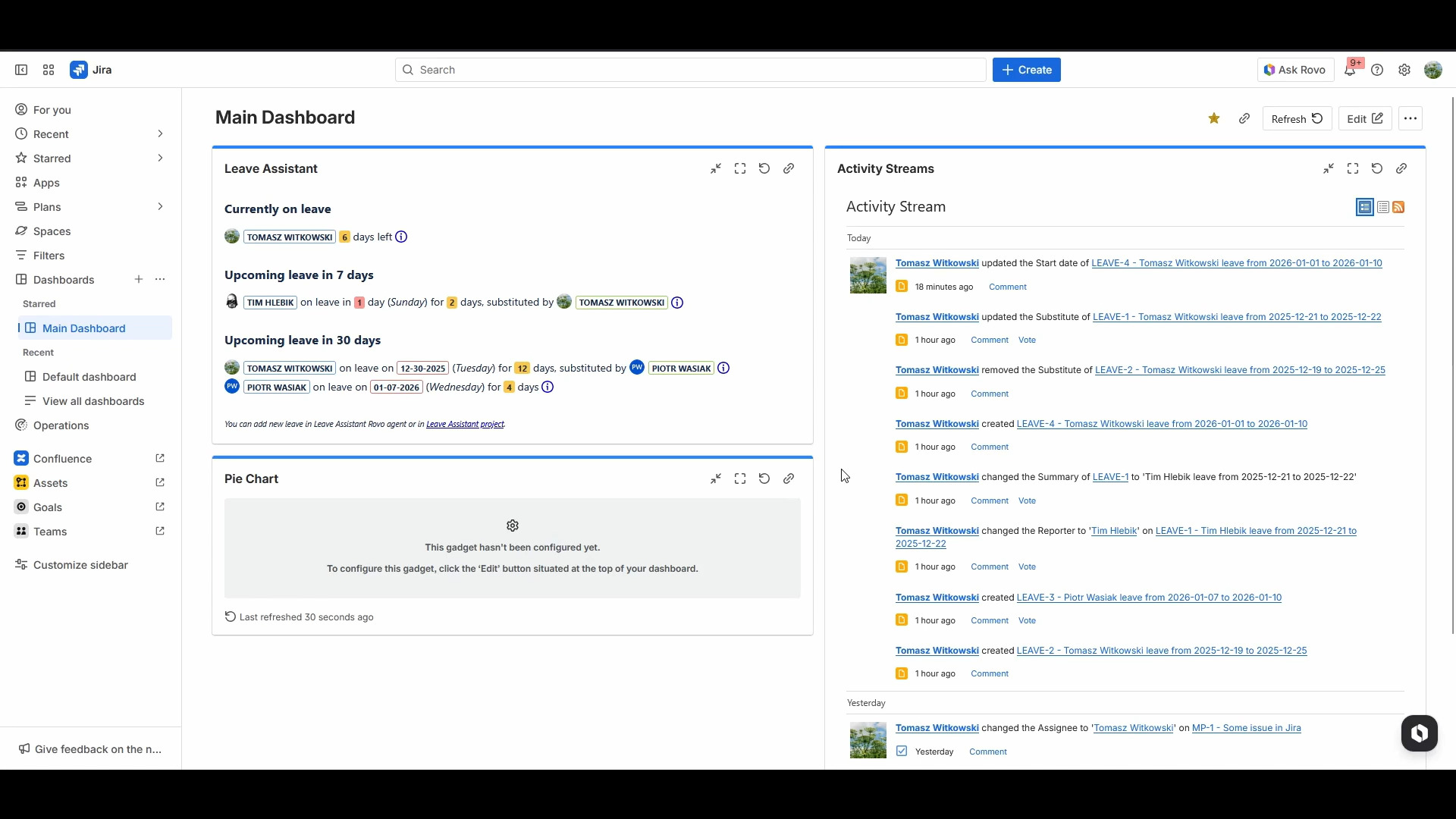
Easily track collegues leave using dashboard gadget
-
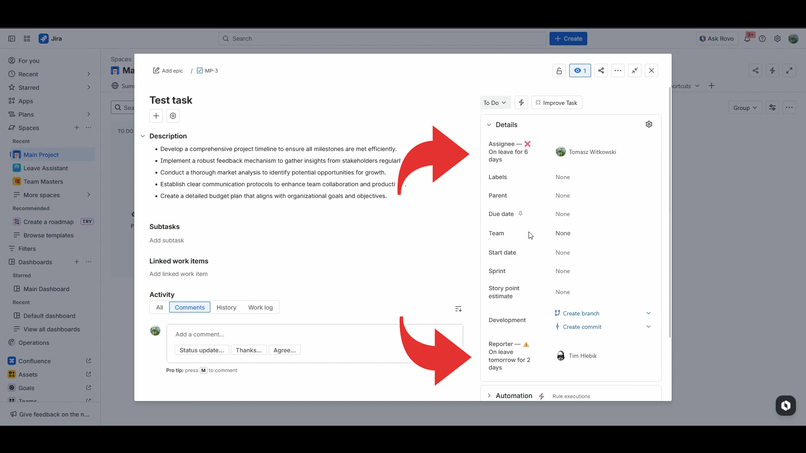
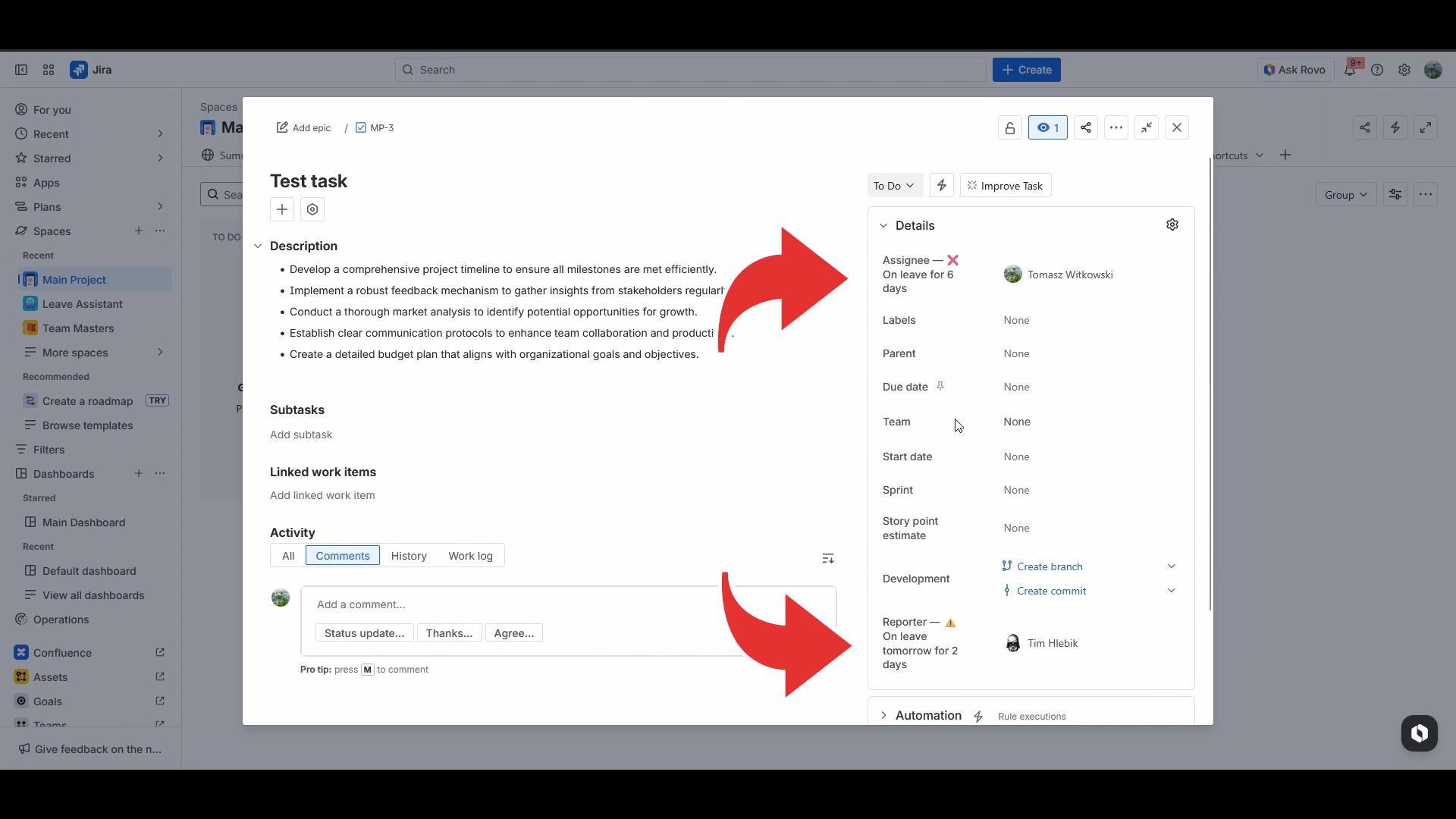
You will also get leave information when browsing issues
-
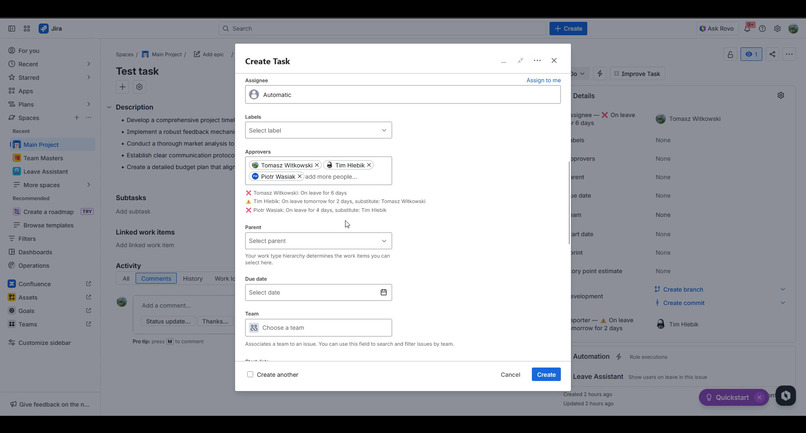
Multi user pickers are also supported!
-
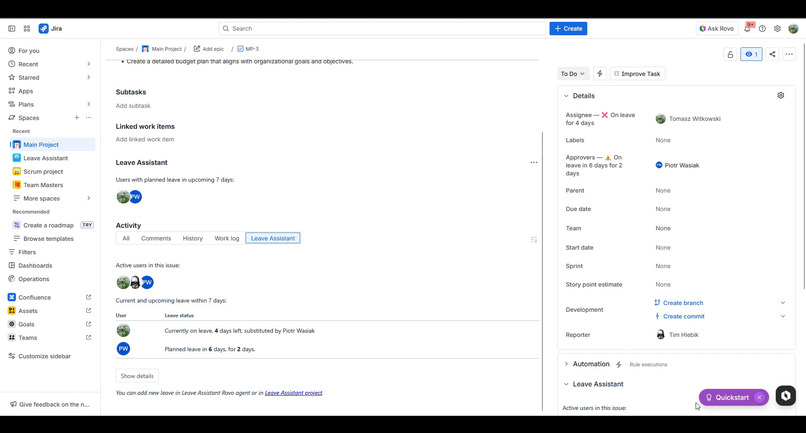
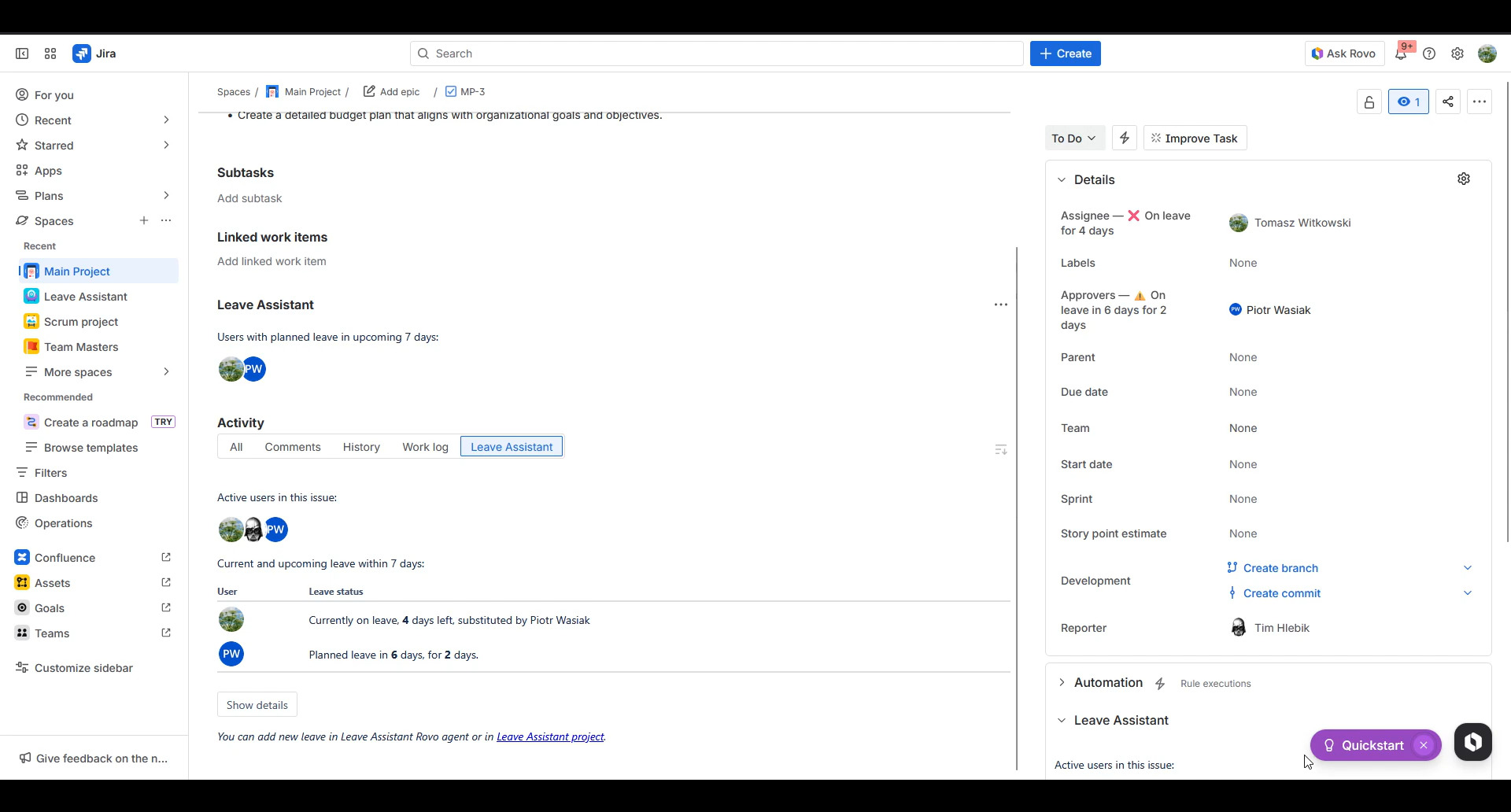
Activity stream will also give you information about leave in issue
-
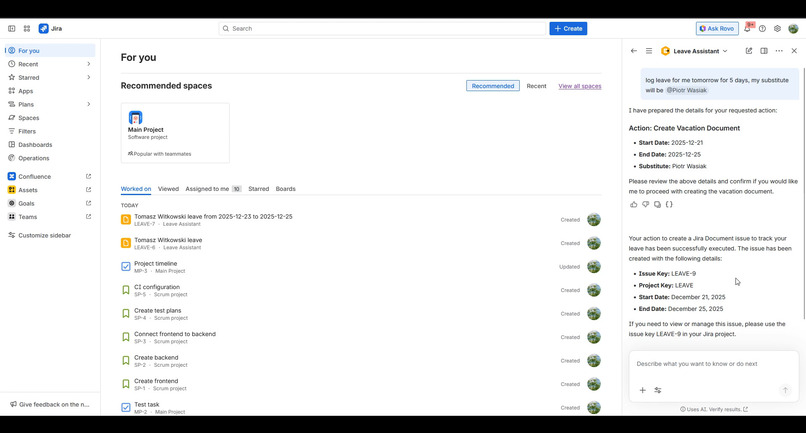
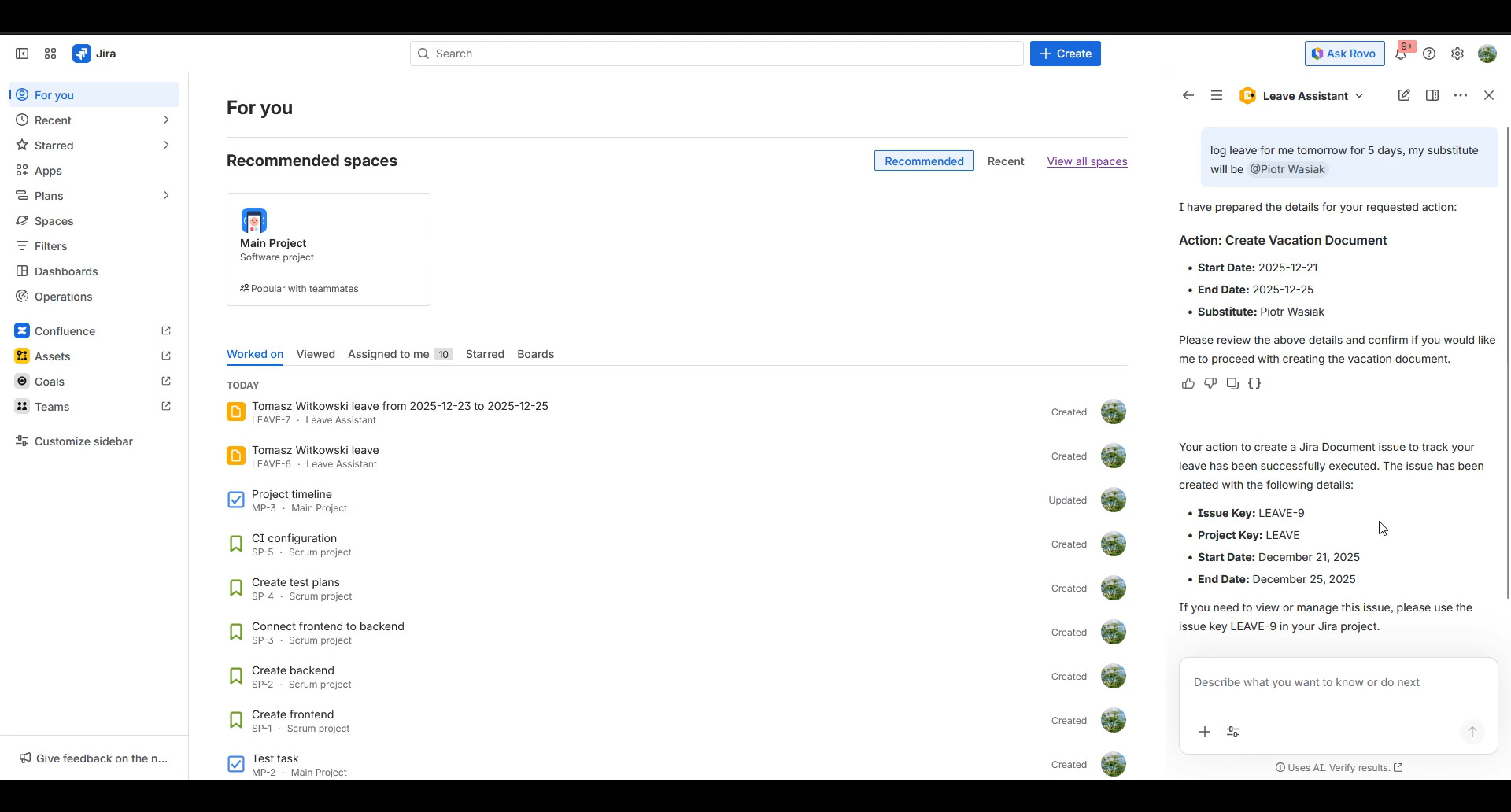
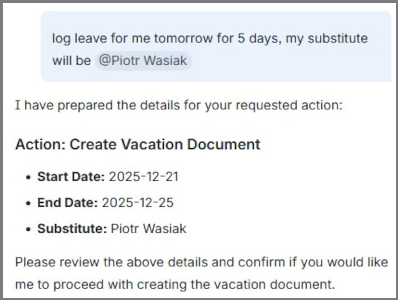
You can easily create new leave document using Rovo agent...
-
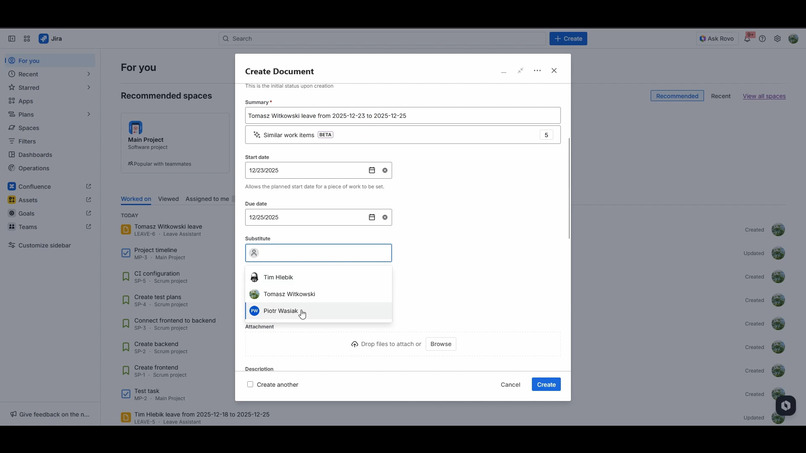
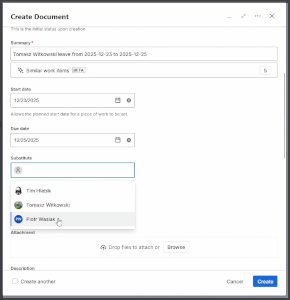
...or by creating new document in Leave Assistant project
-
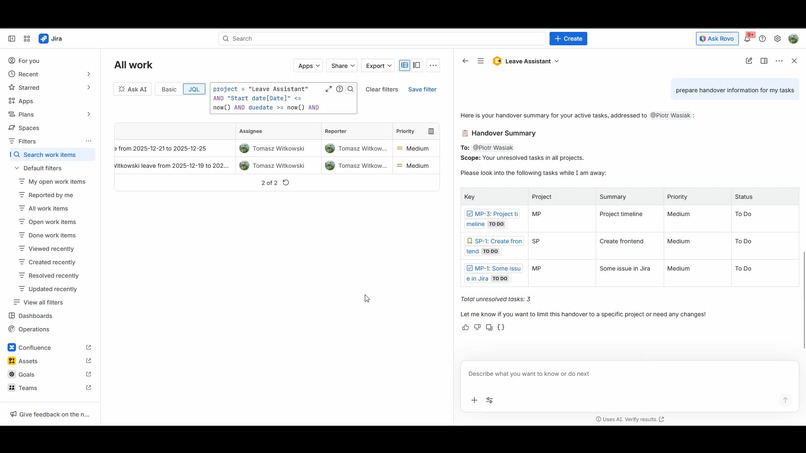
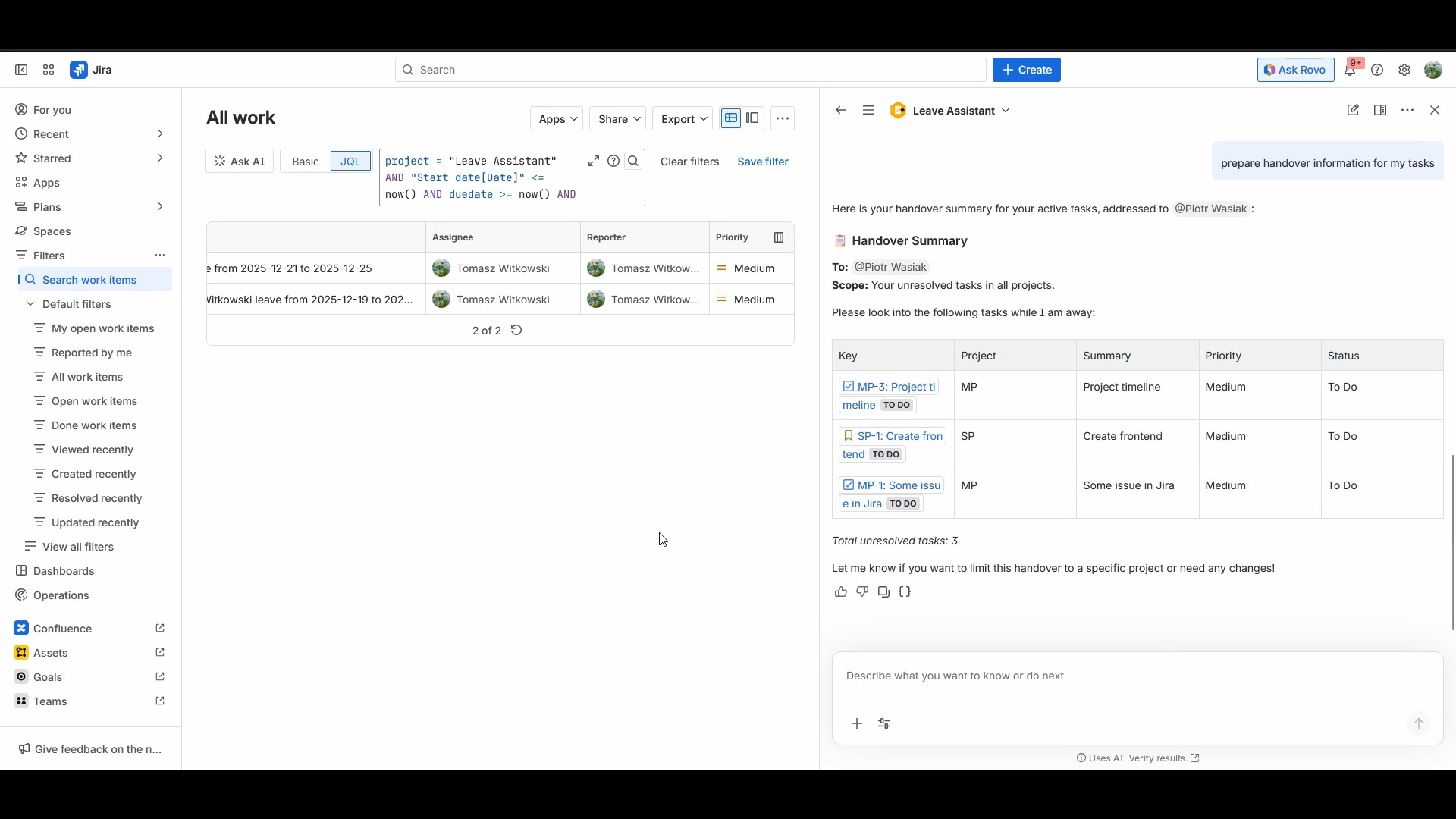
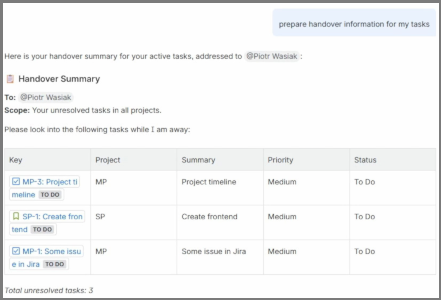
Rovo agent will let generate handover information before leave
-
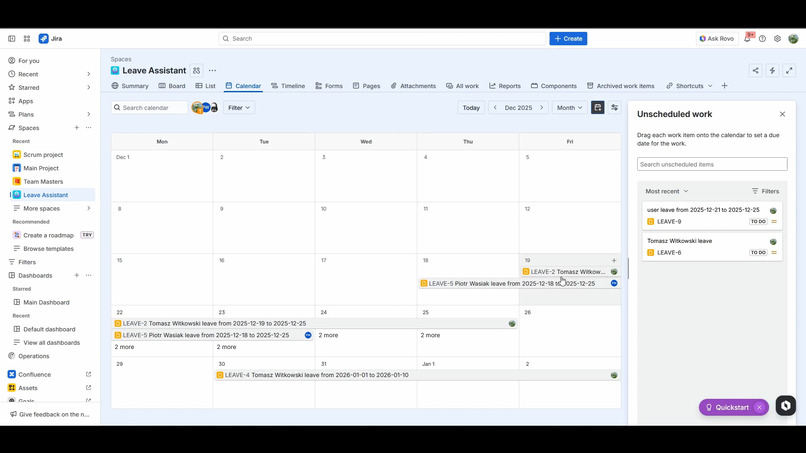
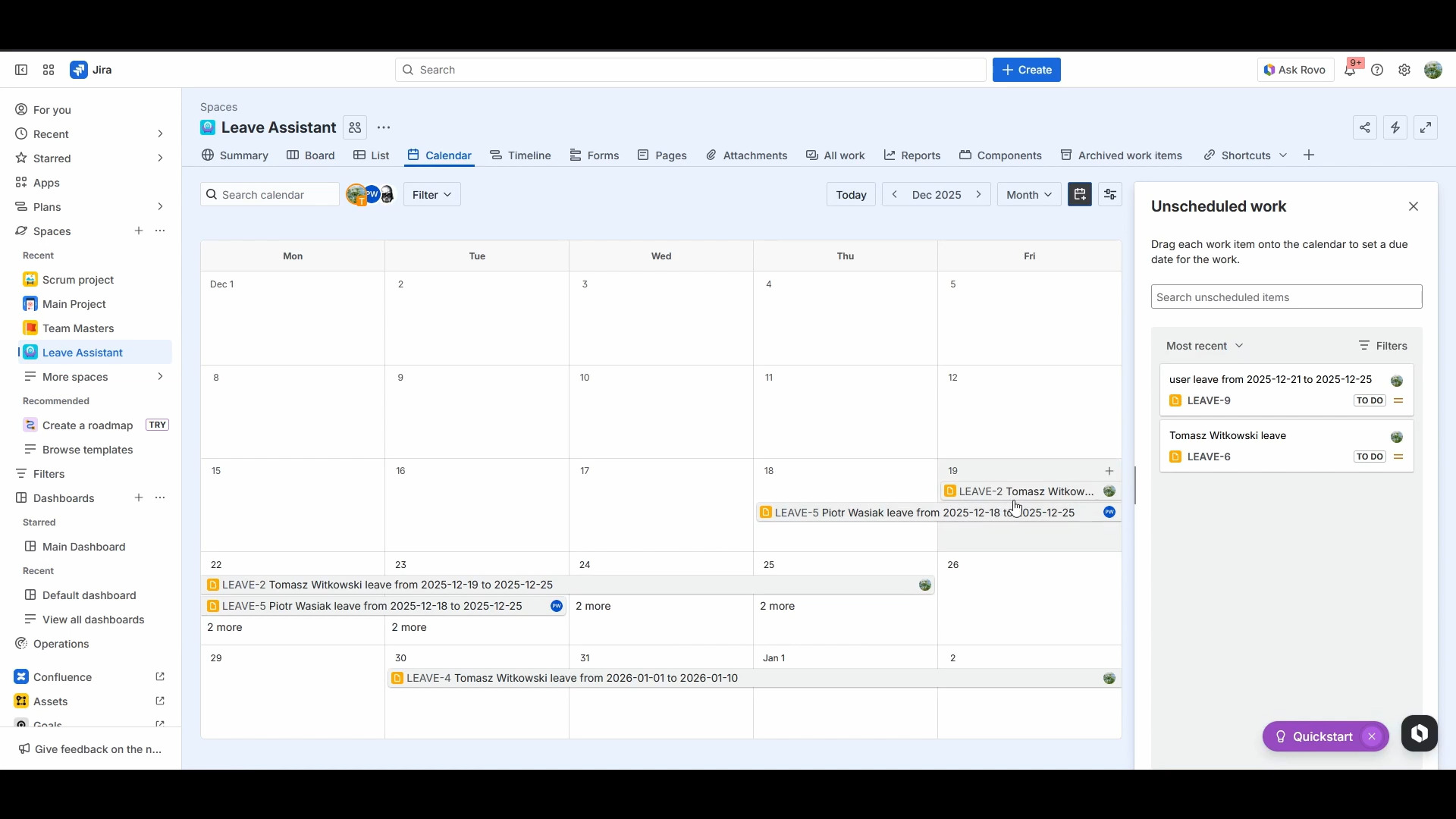
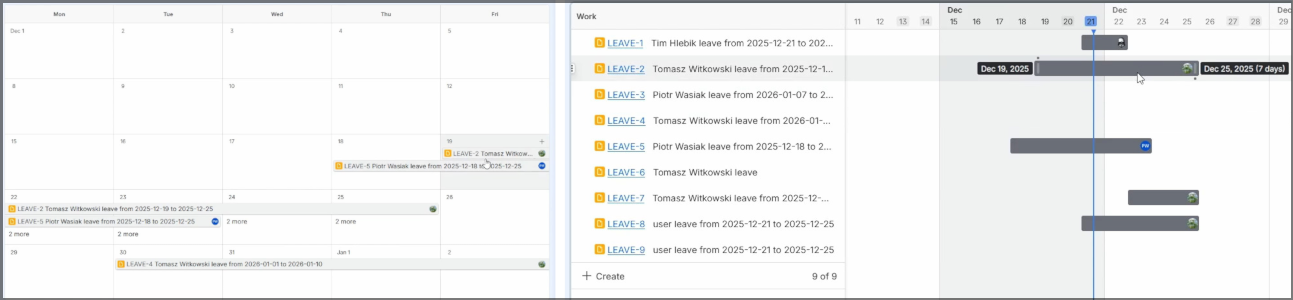
Leave Assistant integrates with built-in project calendar...
-
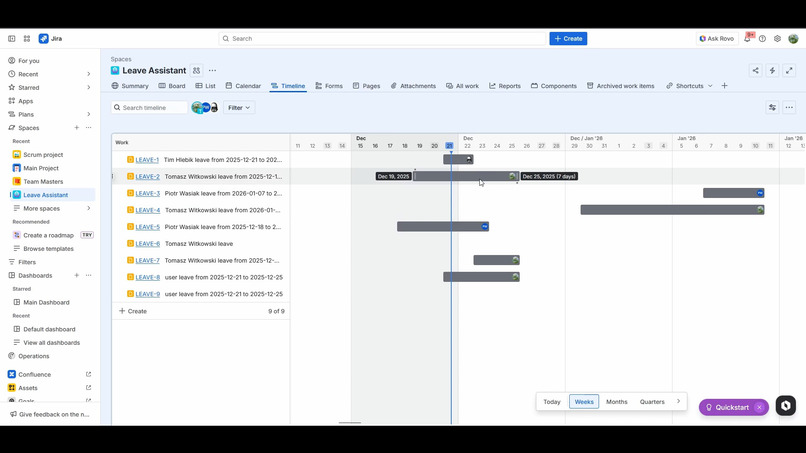
...project timeline...
-
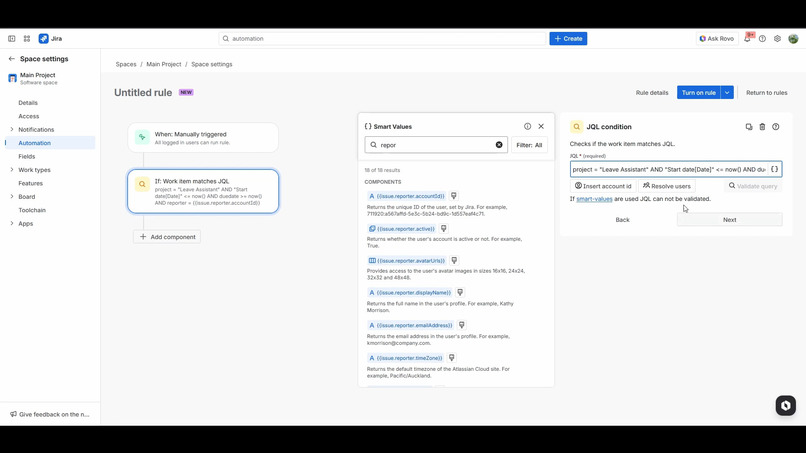
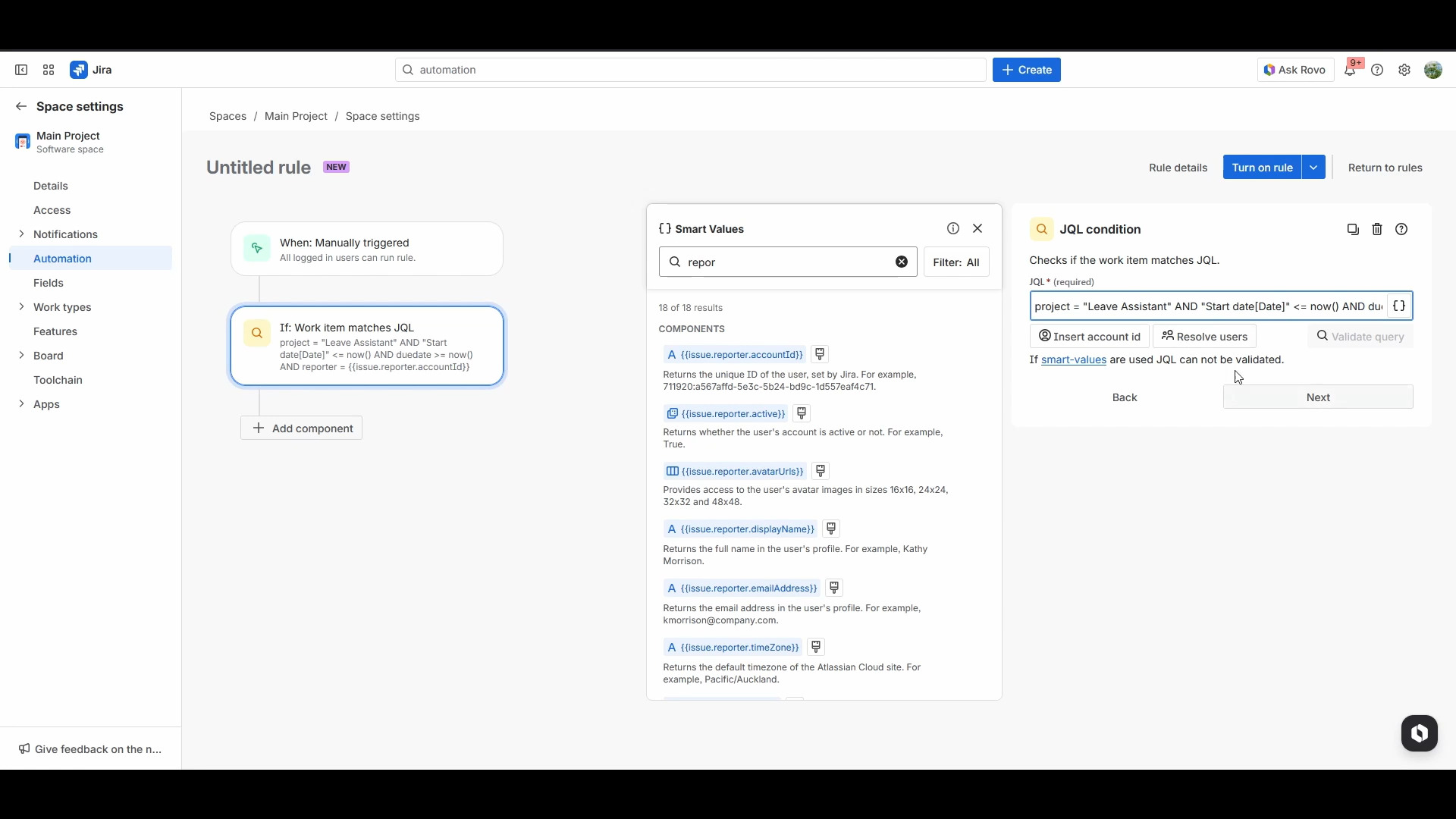
...and automation scripts
-
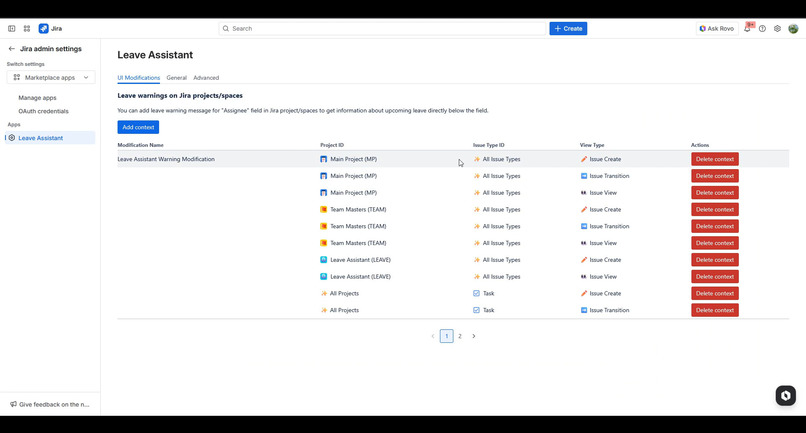
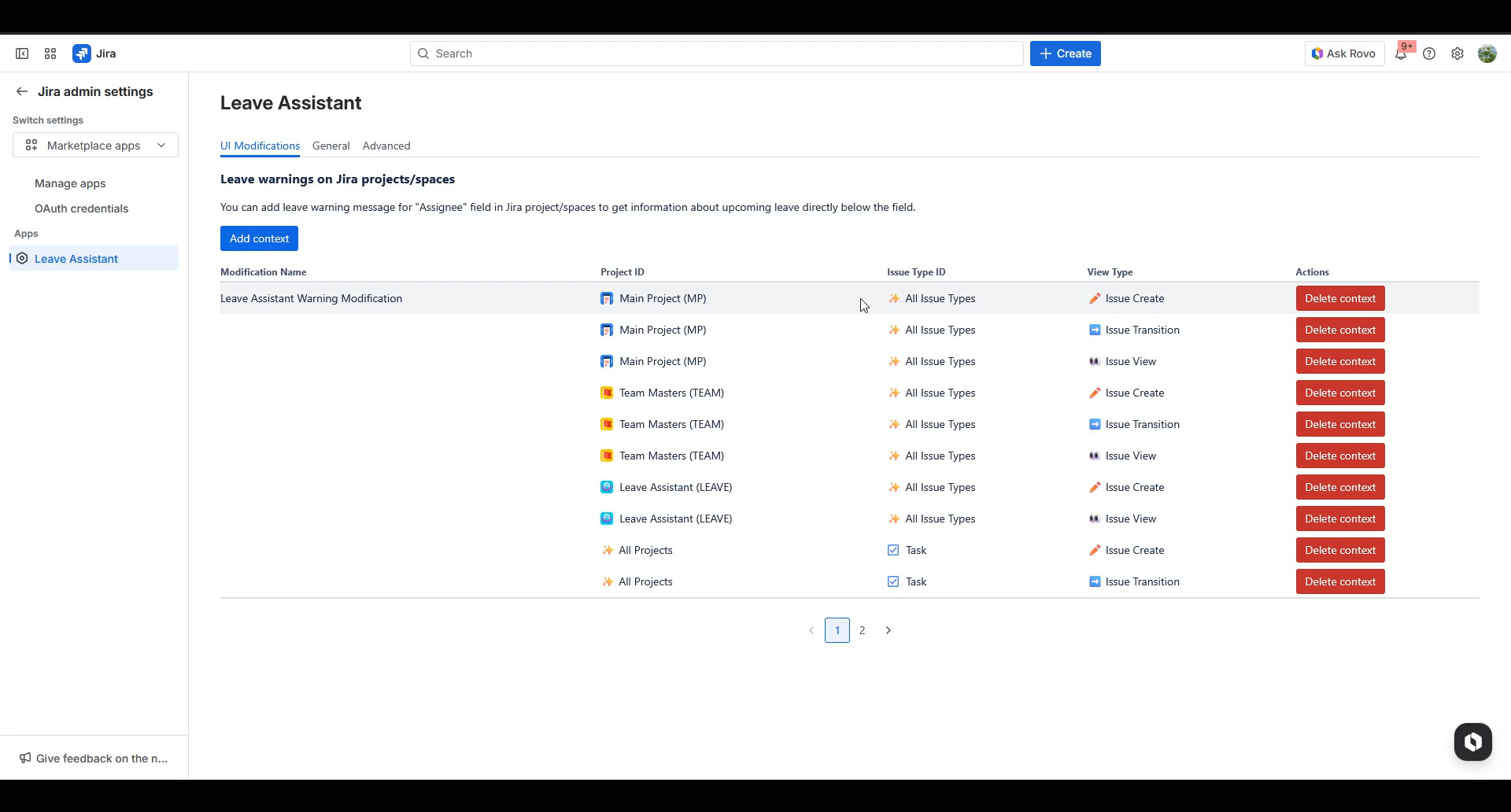
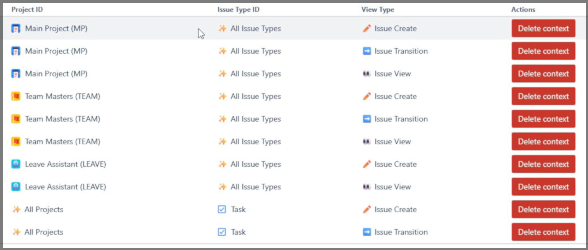
You can specify where user leave warning will be displayed


Leave Assistant

Inspiration
Our main inspiration was our use case - to help us with planning and organizing our work in Jira project. It was also great way to experiment with new Forge modules, especially Rovo Agent and UI Modifications!
What it does
Leave Assistant helps organizing work in Jira by helping you and your teammates with user leave and vacations.
Its main goal? Easy to use and full integration with Jira and your workflow. You don't need to check if assignee of issue that you are creating is currently on leave - Leave Assistant will do it for you and show you user leave warning directly below user picker field!

- This also applies to issue view, when you checking already created work items:

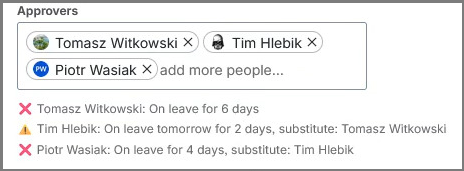
- Multi user picker fields are also supported:
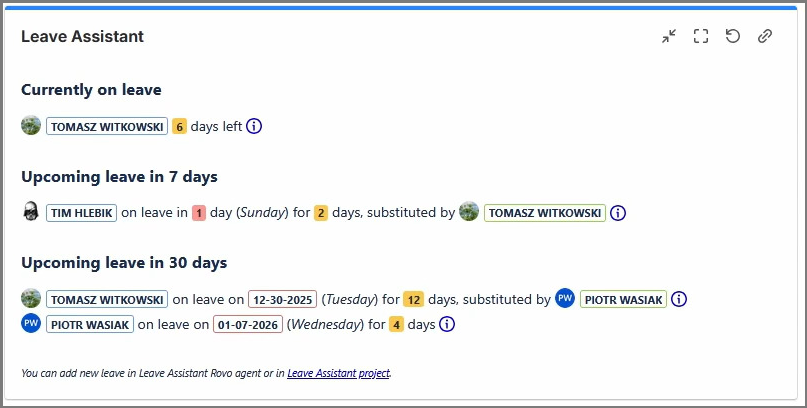
- You can get leave information directly on your dashboard, to keep up with everyone, everyday:
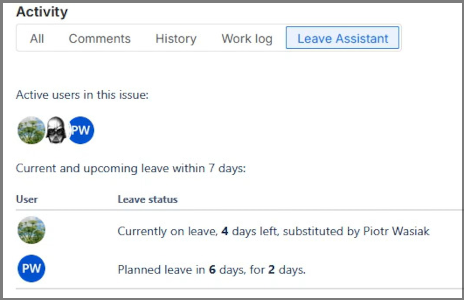
- And on issues, in context, panel and activity:
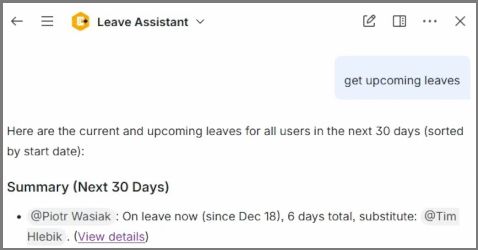
- Leave Assistant will also assist you using Rovo Agent to get leave information from all teammates, users in issue or your upcoming vacation plans:
- Or get handover information for others:
- You can also ask it to create new leave for you:
- Or you can create it by yourself by creating new document in Leave Assistant project:
- Leave Assistant integrates seamlessly with your Jira, so you can use built-in calendar or timeline in Leave Assistant project to visualize upcoming leave:
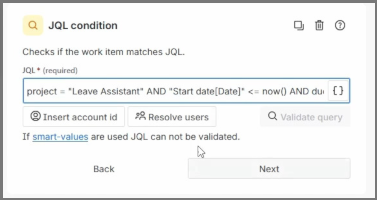
- Or you can use Leave Documents to create Automation when users are on leave:
- You can easily configure which projects or issue types will display upcoming leave warning, using our configuration panel:
Rovo Agent
Main premise of Leave Assistant is to keep it simple, so user can use it completely using natural language with the help of the Rovo Agent. Currently you can:
- ask for creating new leave document - we tried to keep it as simple as possible. So it needs to know only when roughly that leave will be. It will process natural language phrases, like
tomorrow for 2 days, or just plain dates. If user won't provide information about substitute Rovo will ask for it when user will be confirming new Leave document, - ask to get current/upcoming leave for teammates - user will just ask for current/upcoming leave and information for every colleague on leave/upcoming leave will be returned with short summary and formatted table, with links for Leave documents, how much days left and substitute users,
- ask to get ongoing/upcoming leave in context of issue - user can ask to get information about current/upcoming leave/vacations for users that are present in given issue (or in current issue that users is viewing), eg. in assignee field, reporter, or any other user picker fields,
- ask to get leave information for specific user/users - user can ask for specific teammates directly, to get their leave information,
- ask to get leave info for yourself - user can get info about their leave, if they need to check if they didn't forget to log their vacations :)
- ask for prepare handover information for other users - this is a exclusive feature for Rovo side of app! Rovo can prepare information for eg. substitute about tasks that needs to be worked on during user leave.
Initial Setup
Before you start using Leave Assistant you need to do Initial Setup. It's a quick process to create Space in your Jira for storing leave information. In Marketplace apps in Jira admin settings section, open the Leave Assistant tab to start the Initial Setup wizard.
After completing it you can go to app configuration to register additional Jira projects and issue types to show leave warnings below user pickers.
How we built it
We built it using Forge framework with latest modules, like:
- Rovo Agent,
- UI Modifications (Issue Create, Issue View, Issue Transition),
- Dashboard gadget,
- Issue Activity, and more!
Challenges, accomplishments and what we learned
It was ideal time for experimenting with all new modules and features of Forge and we learned a lot during this time.
- this was our first bigger project where we were working in team on Rovo agent, and AI agent as a whole. It was a new experience to merge and resolve conflicts in natural language prompts on repository :)
- UI Modifications was also challenging - there are limitation what and where we can display text to inform user about leave. First of, we are proud that we were able to make it work on every user picker in issue! It also works for issue create and issue view screens. There were some issues with issue view screen, as we couldn't make it to display our warning below user picker field, but we found workaround to add short information in field name. And it works quite well! There was also challenge to make those leave information easily visible to user. We couldn't change font text, or add image, so instead we used ❌ and ⚠️ emoji, to visually distinguish ongoing and upcoming leave, and to be easily visible at the glance.
What's next for Leave Assistant
We have couple of ideas that technically can be viable to implement in near future:
- Dashboard widget in Atlassian Home - it's ideal place to add our widget with information about teammates current/upcoming leave there, as this would make it visible also outside of Jira app. Unfortunately we couldn't test this, as we were unable to sign into EAP :(
- Better integration with JSM projects - UI Modifications are a big part of our use cases for this app, so we want to add leave warnings for JSM projects, so it will be easily visible for teammates and/or clients
- More actions for Rovo Agent - we got couple of ideas that we want to implement to make usage of Leave Assistant even more natural
- Better Integration with Automation - currently we can't implement our custom conditions, so we used JQL as a workaround. But in future, when this will be technically viable, we will look forward to make our custom Automation condition to get if user is on leave.
- More customization - especially in regard of information that is displayed in user picker warning
Built With
- forge
- react
- rovo
- typescript
- ui-modifications


Log in or sign up for Devpost to join the conversation.