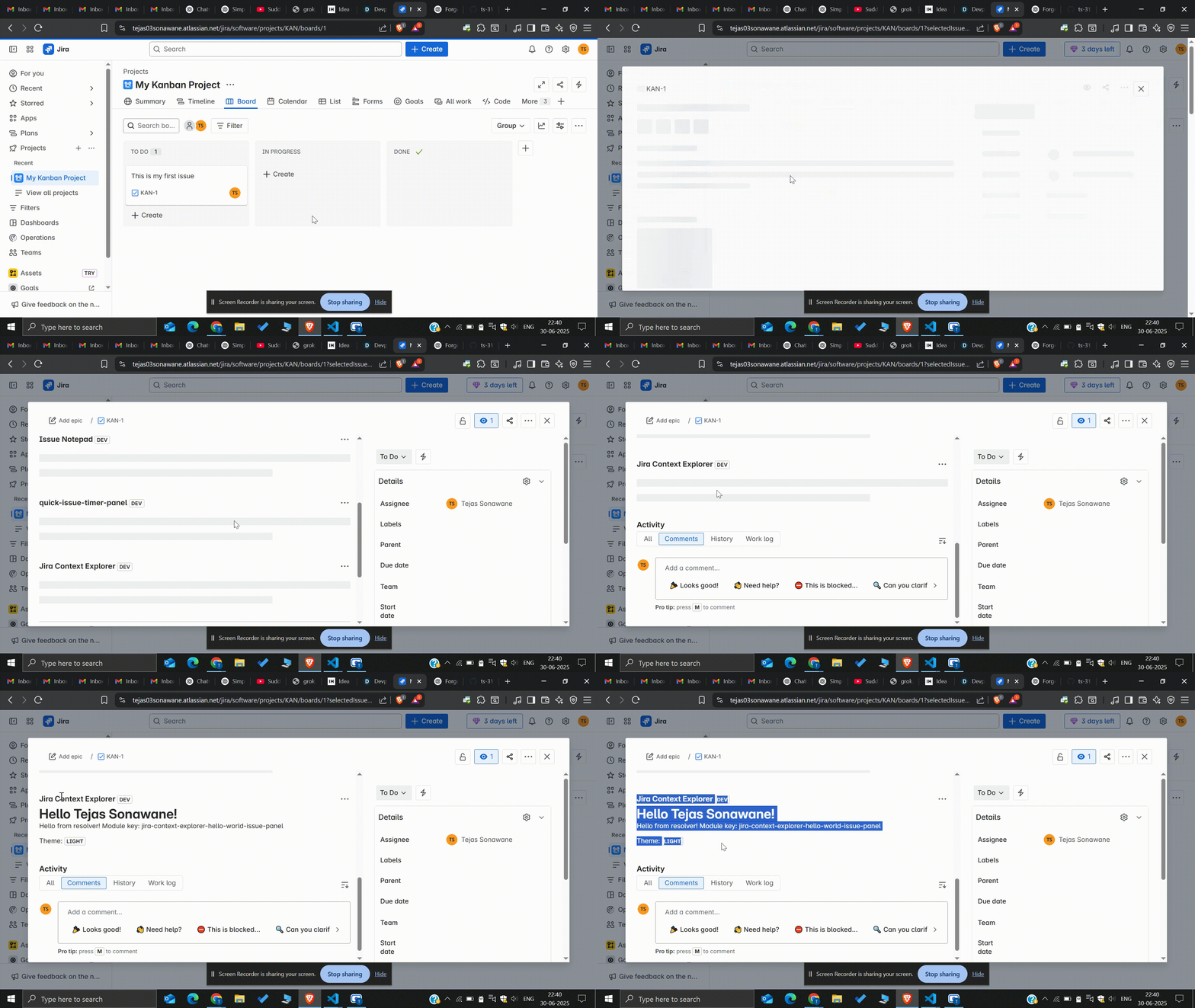
🚀 Inspiration As someone diving into Atlassian Forge development, I wanted to build something that helps developers better understand the Forge ecosystem while also offering practical utility inside Jira. That’s how Jira Context Explorer was born — a simple yet effective app that explores context data, user identity, and real-time backend integration within a Jira issue panel.
🧠 What I Learned How to build Forge apps using React and the Forge UI kit.
Handling Forge resolvers and invoking backend functions securely.
Using @forge/bridge to interact with Jira REST APIs.
Working with Jira's theming system and user identity.
🏗 How I Built It Frontend: Built using React + Forge UI components.
Backend: Powered by Forge’s resolver functions.
Bridge API: Used @forge/bridge to fetch Jira user data (/rest/api/3/myself).
Context: Accessed issue panel context to retrieve the user's account ID and current theme.
Deployment: Tested and deployed via the Forge CLI to a development environment.
🧩 Challenges Faced Debugging permission issues while accessing the Jira REST API.
Understanding how context gets passed from Jira to the resolver.
Resolving bundling issues during Forge app deployment (e.g., missing modules like buffer)

Log in or sign up for Devpost to join the conversation.