-
-
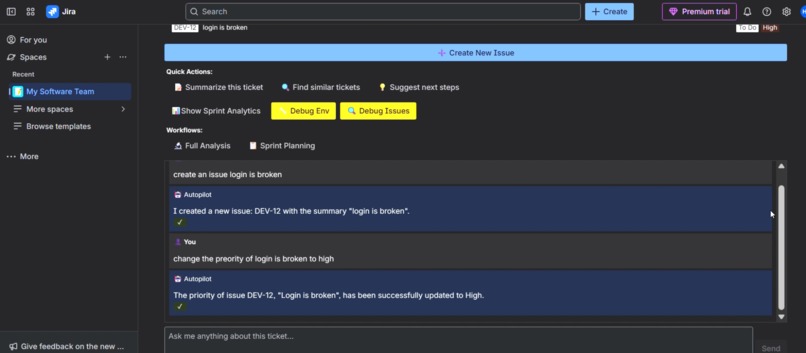
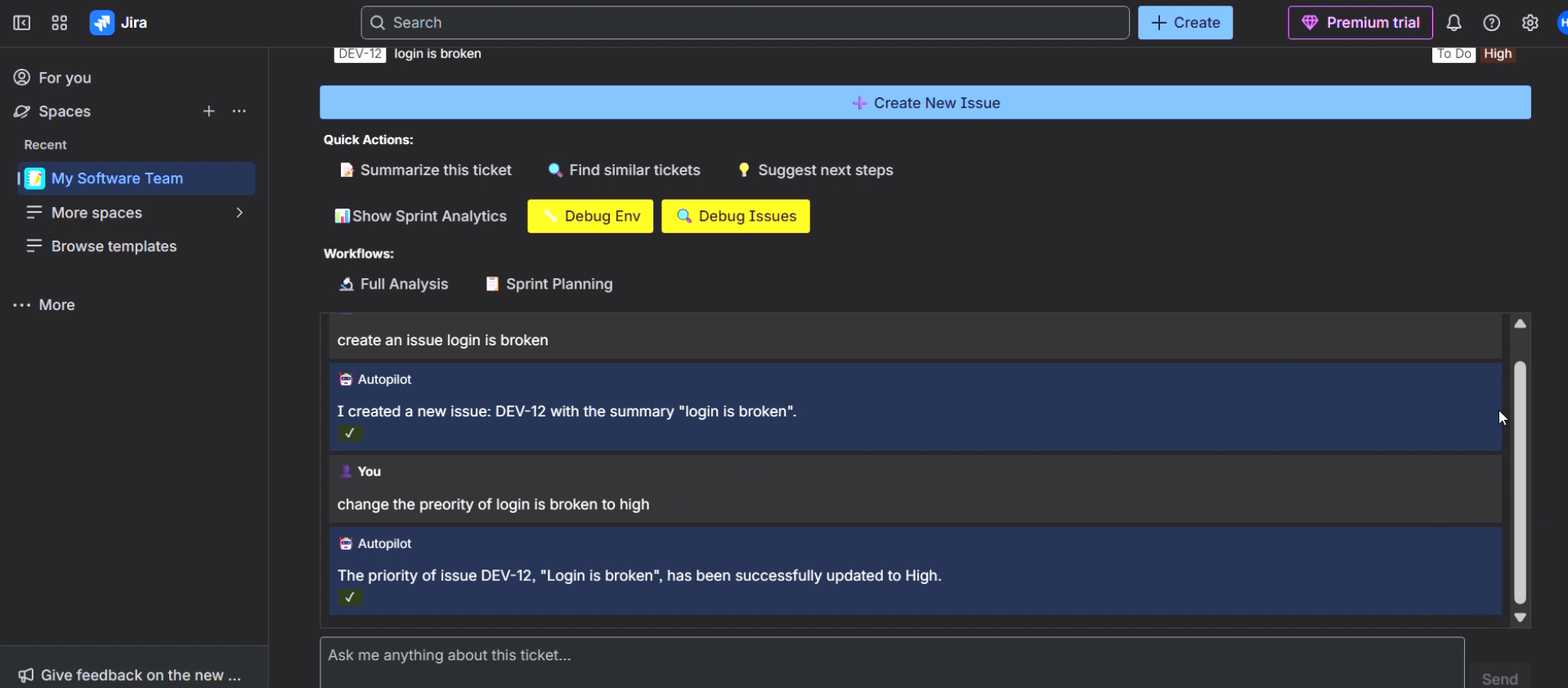
Chat history
-
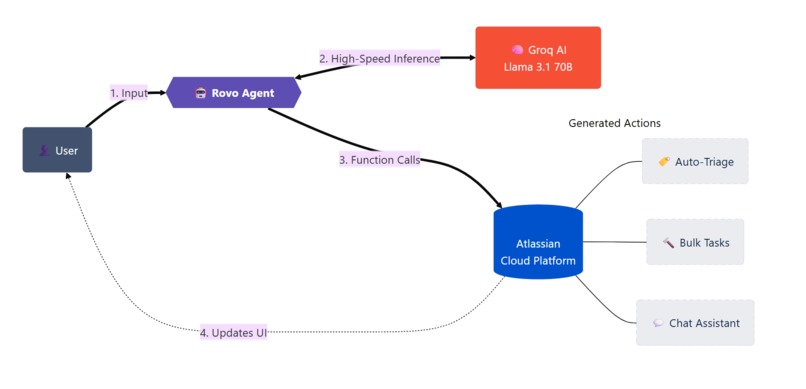
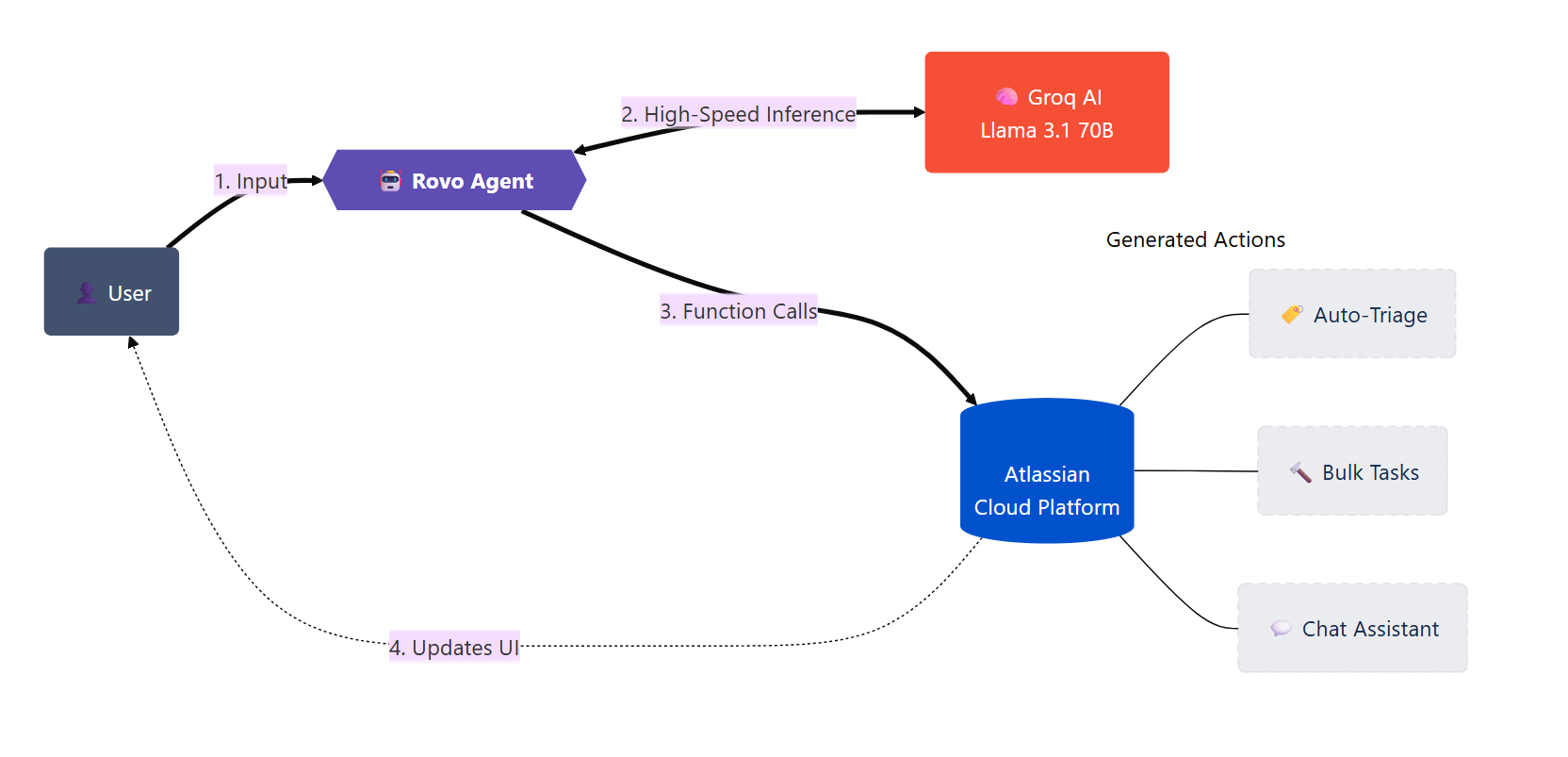
data flow
-
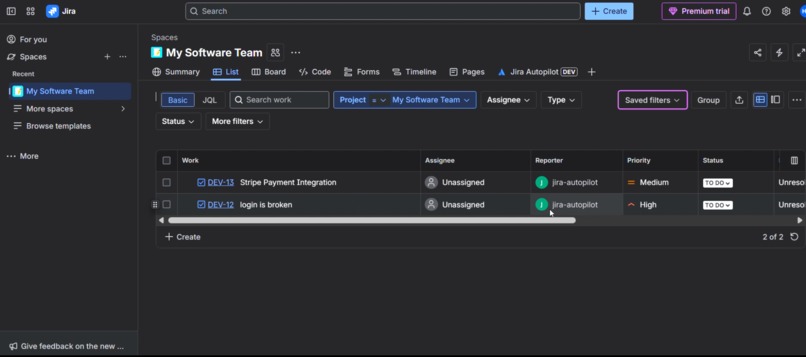
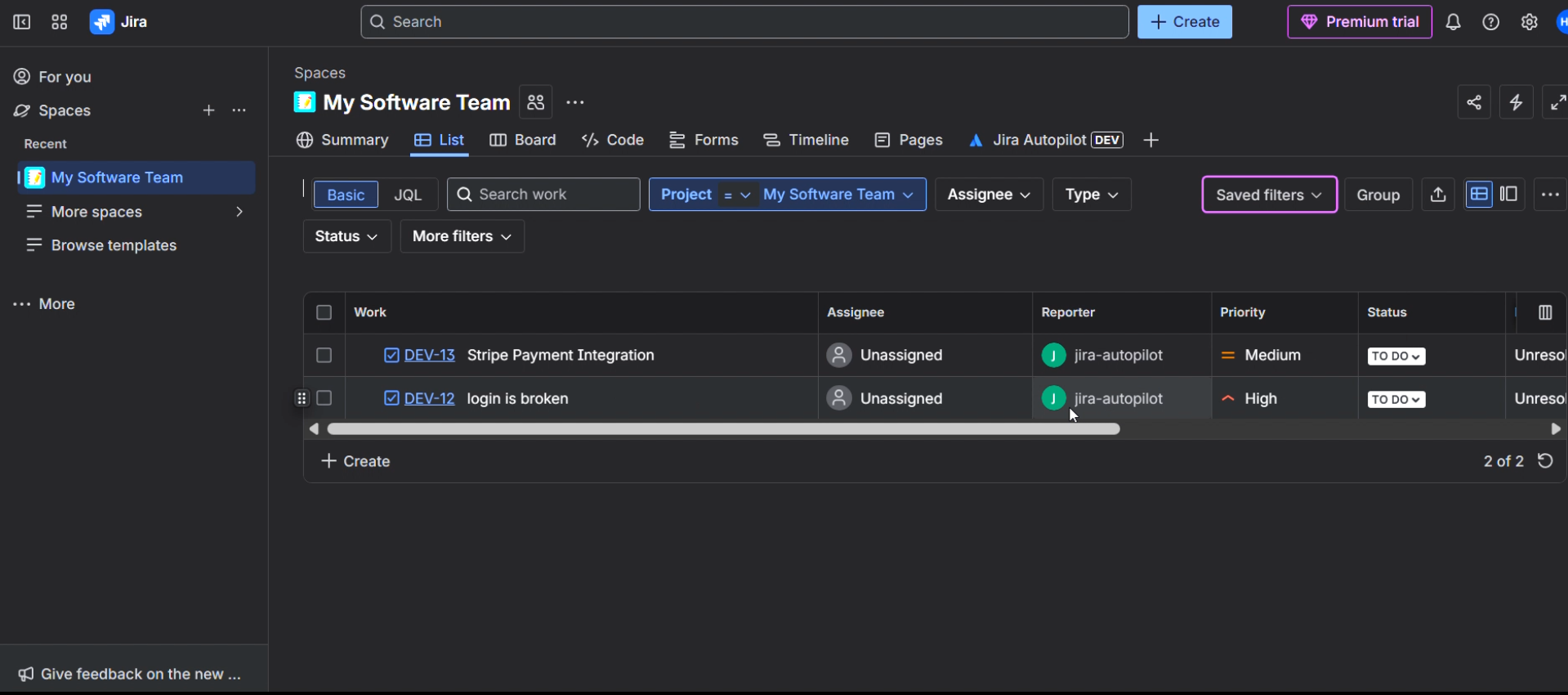
tasks created by jira-autopilot
-
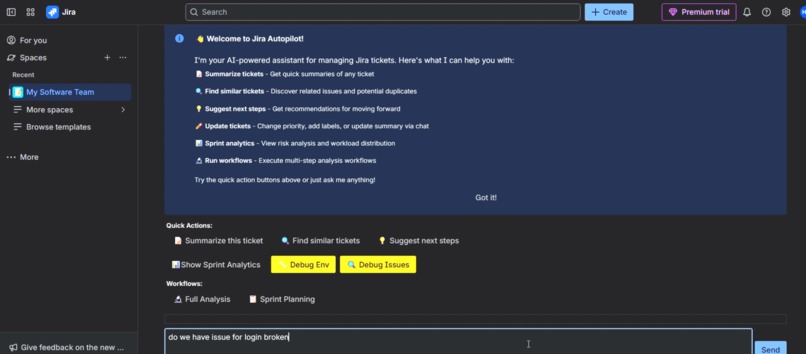
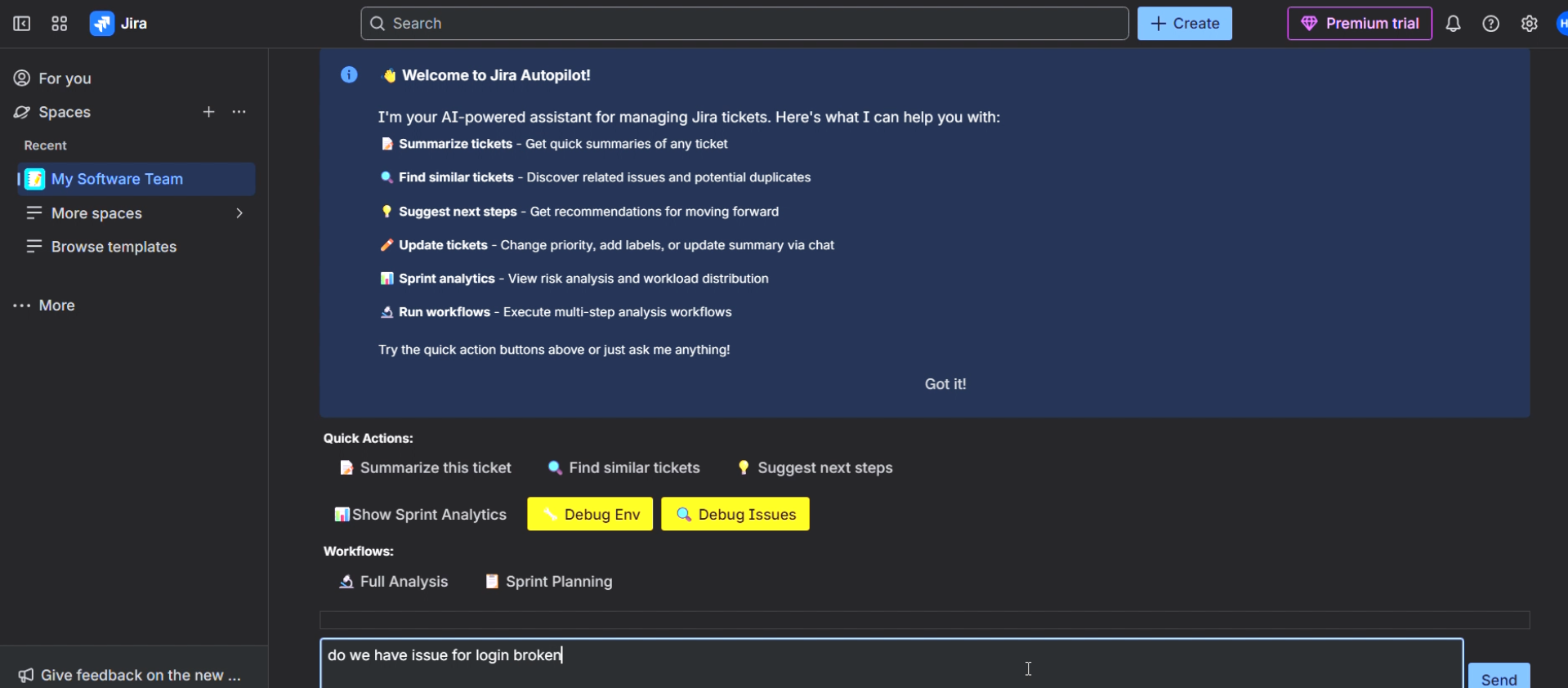
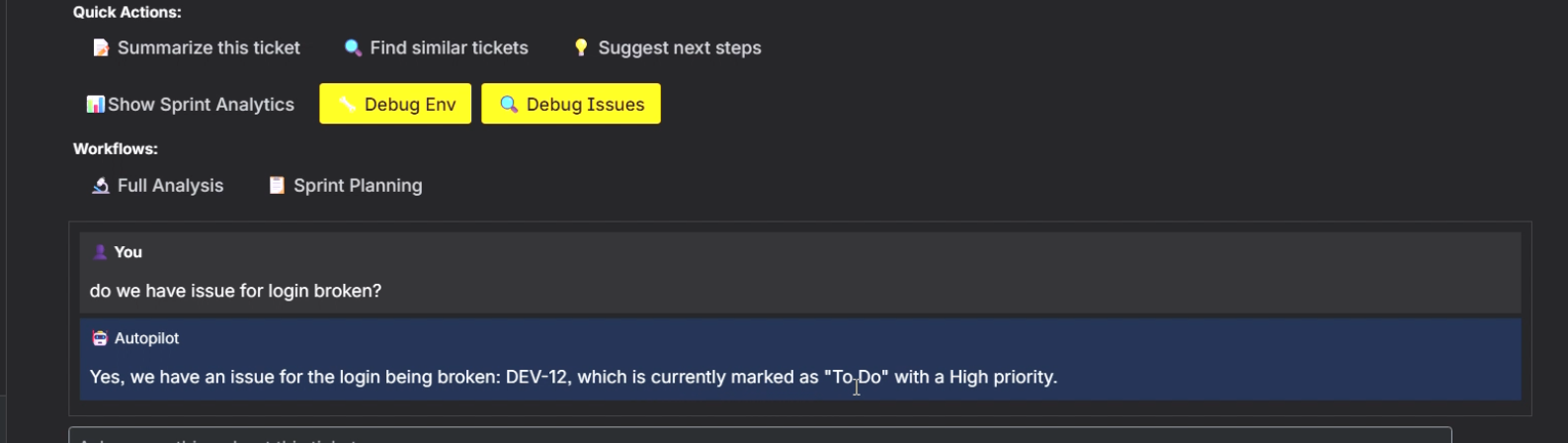
asking about if task is available about login broken bug
-
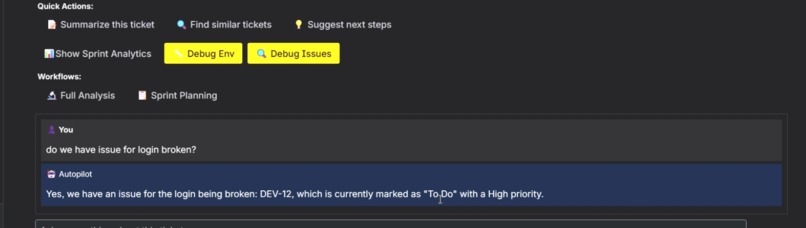
jira-autopilot answer about availability of a task
About the Project
💡 Inspiration: The "Pit Stop" Problem
Software engineering is a high-speed sport. But every time a developer has to stop coding to triage a bug, organize a backlog, or update a Jira ticket, it's like a race car driver getting out to change their own tires.
We measured this "Context Switching Tax":
- Average time to triage a ticket: 5-10 minutes.
- Time to regain "Flow State" after interruption: ~23 minutes.
- Total lost time per day: Hours.
We asked: What if Jira had an autonomous, AI-powered pit crew?
Inspired by the release of Atlassian Rovo and the capabilities of modern Generative AI, we built Jira Autopilot—an agentic system that runs in the background, ensuring developers can keep their foot on the gas while the "admin work" manages itself.
🏗️ System Architecture & Logic
We designed Jira Autopilot with a "Brain, Body, and Nervous System" architecture.
(Note: Diagrams below are text-based to ensure visibility)
The Architecture:
      [User / Event]
            │
            │ Triggers
            ▼
 [Atlassian Forge Platform]
            │
            │ Routes Events
            ▼
  ┌──────────────────────────┐
  │   Jira Autopilot Core    │
  │                          │
  │  • Triage Module         │
  │  • Rovo Agent            │──┐
  │  • Analytics Engine      │  │
  └─────────┬────────────────┘  │
            │                   │
            │ API Request       │
            ▼                   │
  ┌──────────────────────────┐  │
  │   The Brain (AI Engine)  │  │
  │                          │  │
  │  [Llama 3.1 70B Model]   │◀─┘
  │  (Inference < 200ms)     │
  └─────────┬────────────────┘
            │
            │ JSON Actions
            ▼
    [Response Parsers]
            │
            ▼
     [Jira REST API]
            │
            ▼
      [Jira Board]
The "Speed of Thought" Workflow
We prioritized speed because standard AI interactions can be too slow for a seamless UI experience.
- Standard AI: ~3-5 seconds latency -> User loses focus.
- Jira Autopilot AI: ~0.2 seconds latency -> Feels instant.
🚀 What It Does (The Features)
1. Zero-Touch Auto-Triage
The moment a ticket lands in the backlog, Jira Autopilot wakes up. It doesn't just "tag" it; it understands it.
The Auto-Triage Workflow:
User          Jira          AutoPilot         AI
 │             │                │              │
 ├── Create ──▶│                │              │
 │  "Bug"      │                │              │
 │             ├── Webhook ────▶│              │
 │             │ (Issue Create) │              │
 │             │                ├── Analyze ──▶│
 │             │                │              │
 │             │                │◀── JSON ─────┤
 │             │                │   Priority   │
 │             │◀── Update ─────┤   Labels     │
 │             │                │              │
 │             │   [Triaged]    │              │
The Logic:
- Ingest: Reads title, description, and reporter context.
- Analyze: Compares against historical tickets to detect duplicates.
- Act: Sets
Priority,Labels,Component, and even assigns the right developer based on workload.
2. Rovo Chat Agent (The Co-Pilot)
We built a verified Atlassian Rovo Agent that lives in your sidebar. Unlike generic chatbots, this agent has tools:
-
analyze-sprint: "Why is the sprint at risk?" -
summarize-issue: "Catch me up on this thread." -
generate-subtasks: "Break this story down for me."
3. Predictive Sprint Analytics
Instead of looking at a burnout chart that only tells you what already happened, Autopilot predicts what will happen. It calculates a Risk Score (0-100) based on:
- Ticket complexity vs. remaining hours.
- Dependency bottlenecks.
- Historical developer velocity.
💻 How We Built It
We utilized the Atlassian Forge serverless platform for its security and ease of deployment.
The Stack
- Platform: Atlassian Forge (Node.js Runtime)
- AI Engine: Ultra-fast Llama 3.1 70B inference
- Frontend: Forge UI Kit (React-based)
- Agent Framework: Atlassian Rovo
Challenges We Overcame
Challenge 1: The "Context Window" Limit
Jira tickets can be massive. Feeding the entire history into an AI often breaks token limits or confuses the model.
- Solution: We wrote a "Smart Compressor" algorithm that extracts only the semantic essence of the ticket (latest comments, description changes, acceptance criteria) before sending it to the AI.
Challenge 2: JSON Hallucinations
Agents need perfect JSON to trigger API actions. LLMs love to "chat" instead of outputting raw JSON.
- Solution: We implemented rigorous "System Prompt Engineering" and response schema validation. If the JSON is malformed, the system automatically self-corrects by feeding the error back to the AI for a second try (which happens instantly thanks to the high-speed inference).
🏆 Accomplishments & Impact
We compared the workflow with and without Jira Autopilot:
| Metric | Manual Jira Usage | With Jira Autopilot | Impact |
|---|---|---|---|
| Triage Time | 5 mins / ticket | 0.2 seconds | ⚡ 1500x Faster |
| Sprint Planning | 2-3 hours / sprint | 15 minutes | 📉 90% Reduction |
| Context Switching | Constant | Zero | 🧠 Preserved Flow |
🔮 What's Next: The "Agent Swarm"
Our vision extends beyond a single assistant. We are evolving Jira Autopilot into a Fully Autonomous Multi-Agent System:
- PM Agent: Breaks down requirements into user stories.
- Dev Agent: Drafts code solutions and links branches.
- QA Agent: Automatically writes test cases based on acceptance criteria.
These agents will talk to each other. The PM Agent will create a ticket, the QA agent will immediately spot a missing requirement and ask the PM Agent to clarify—all before a human developer even looks at the board.
Jira Autopilot isn't just a tool; it's the future of self-driving project management.
Built With
- atlassian-forge
- generative-ai
- javascript
- jira
- llama-3
- node.js
- react
- rovo

Log in or sign up for Devpost to join the conversation.