

Inspiration
Many children and teens with motor differences spend hours on fine motor exercises in therapy, and the exercises often feel like chores. Meanwhile, almost every kid already fidgets with something in their hands. We wanted a fidget toy that also works as practice, so the time a child spends interacting with it, clicking, sliding and spinning, builds the skills they use every day. Jimmy and his games are made for their user to feel success, not judgement by how well their hands cooperate.
What it does
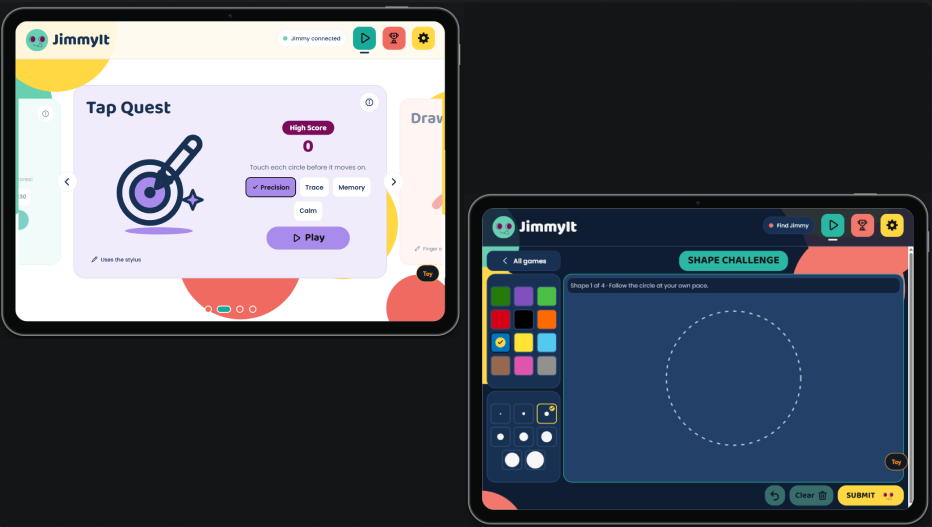
JimmyIt is a handheld fidget toy with buttons, a slider, a rotary knob and a spinner, plus a small OLED screen and haptic feedback. It pairs with an Android app over Bluetooth Low Energy, and the app has minigames that turn the toy into a controller. In Button Hero, you press, strum and spin along to notes. In Knob Quest, you steer Jimmy through a level using two controls at once. There are also stylus games for tapping, tracing and drawing shapes. The toy plays its own games without a phone, stores up to 200 sessions, and syncs those scores to the app the next time it connects. Every game rewards effort with stars, milestones and gentle celebrations!
How we built it
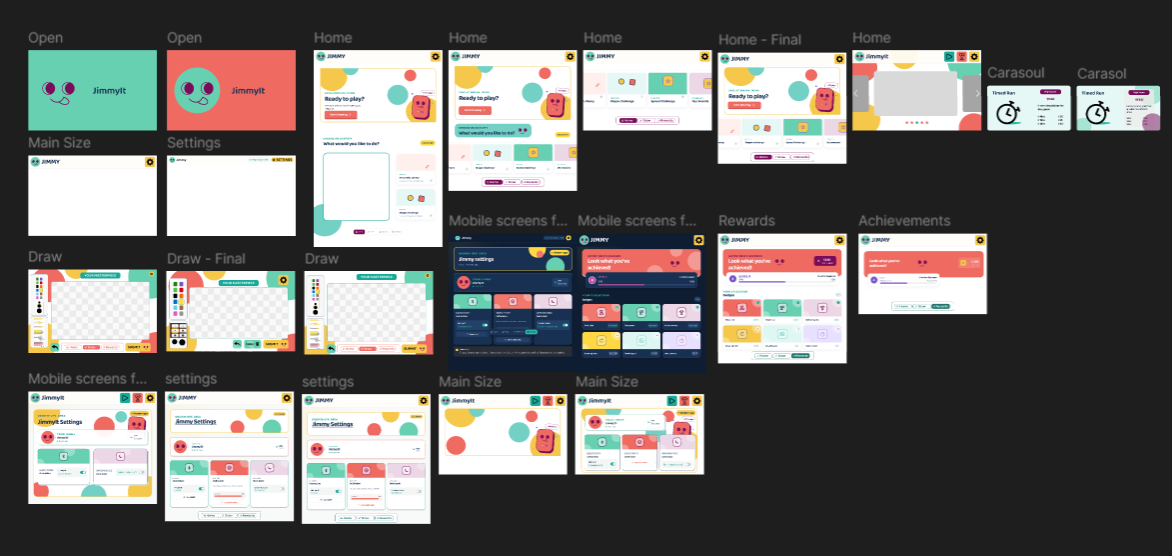
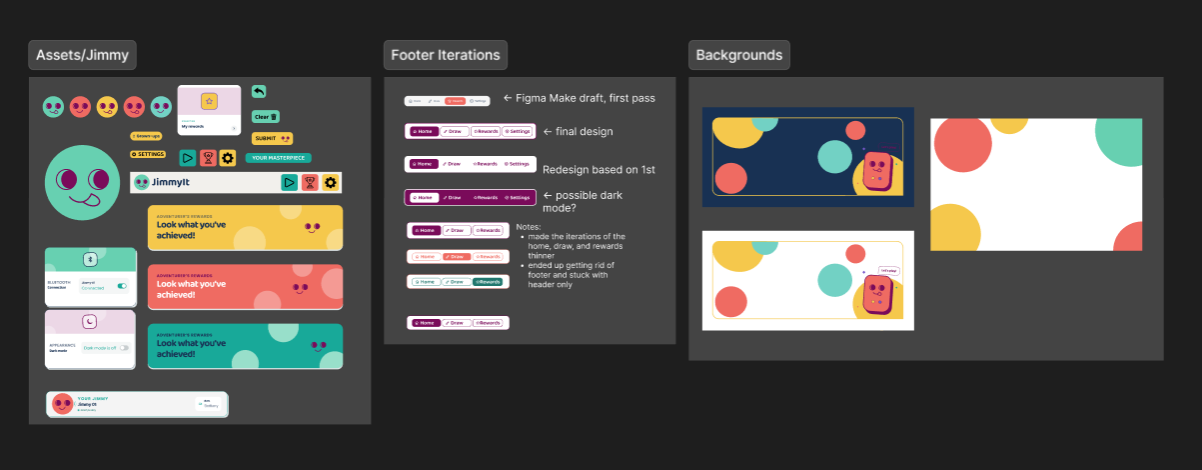
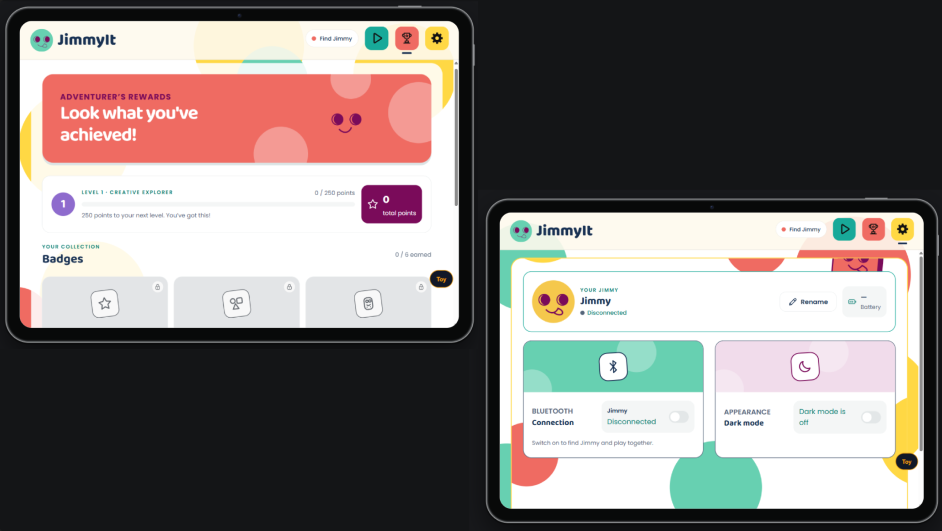
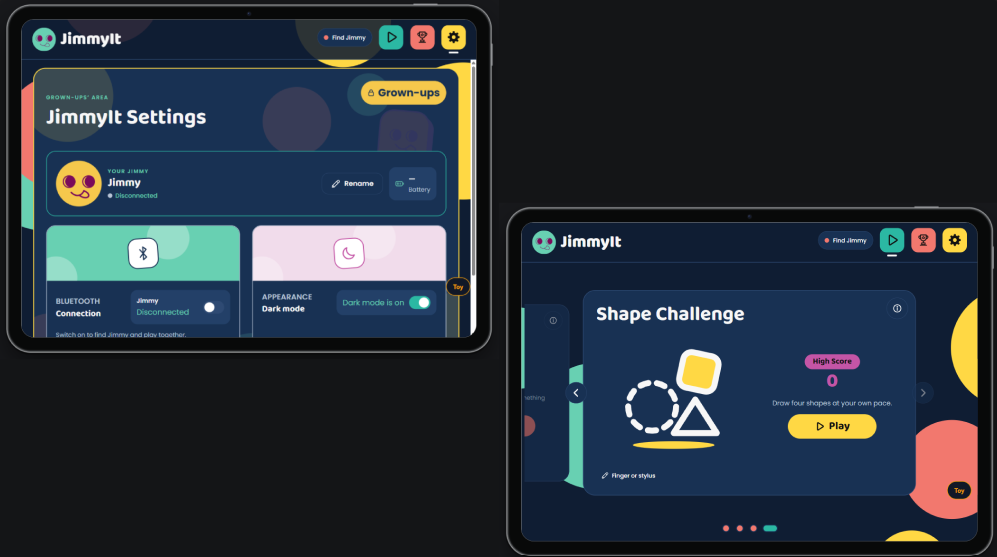
We designed all app screens in Figma, taking inspiration from children’s platforms like PBS Kids, Papumba, and Animal Jam. We used Figma Make to explore initial layouts, then refined the screens through several iterations to establish a consistent visual direction. Accessibility guided our choices around readable text, clear navigation, generous touch targets, and encouraging feedback. We carried a playful, bubbly style throughout the interface to make practice feel welcoming. These Figma screens became the reference for implementing the frontend in React Native, while we designed the toy’s physical enclosure in CAD alongside the software.
The toy runs on a Seeed XIAO nRF52840 with C++ firmware for the Arduino nRF52 core. It reads its inputs through an MCP23017 port expander and an AS5600 magnetic sensor, and drives a DRV2605L haptic motor and an OLED. The app is built with Expo and React Native on a TypeScript monorepo. That monorepo holds a shared BLE protocol, a scoring and sync core, a game SDK, and an app-kit layer, so screens only render. We wrote a simulated "virtual toy" that speaks the real protocol, so the frontend and game authors could build and test without hardware. Golden byte vectors, generated independently in Python, keep the firmware and the TypeScript code agreeing on every byte. We designed the physical enclosure in CAD alongside the software.
Challenges we ran into
Fitting rich toy state into 20-byte Bluetooth packets, and keeping the C++ firmware and the TypeScript codec in perfect agreement, took careful protocol design and lots of tests. Designing for kids with motor differences changed how we think about games. We slowed Button Hero down a lot, widened the timing windows and removed every penalty, so a miss only resets a combo. The hardware also changed as we went: we cut the squeeze sensor and the shirt-button flap, and added a push switch on the knob, which meant updating the protocol on both sides. We also removed AI level generation late in the project, because we decided children's data should never leave the device.
Accomplishments that we're proud of
We built a complete loop from designing pages to hardware to app. A child can play on the toy alone, and their scores show up in the app later without being lost or duplicated. The toy approves each phone before connecting, celebrates score moments with animations and haptics, and ends games gently instead of with a "game over." We shipped six minigames that practice different skills: timing, two-handed coordination, tracing and shape drawing. We're also proud of the architecture, which let firmware, backend, frontend and game work happen in parallel without anyone blocking anyone else. We are also proud of translating our Figma designs into a working frontend with a consistent, fun visual identity, bringing accessibility and playfulness into the same experience.
What we learned
We learned that designing for children with motor differences means considering both how an interface looks and how it responds when a movement takes longer or doesn’t go as planned. Adjusting timing windows, removing penalties, and celebrating small achievements helped us put encouragement at the center of our games. Moving from Figma to React Native taught us to think beyond individual screens and build consistent components, navigation, and feedback. Connecting the hardware, firmware, and app also taught us the value of clear shared contracts and a virtual toy that let us develop without waiting for physical hardware. Above all, we learned to treat accessibility as a starting point for both the physical toy and the digital experience.
What's next for JimmyIt
For Jimmy 2.0, we want to add diagonally arranged buttons that users can press with individual fingers, similar to playing a piano. We also plan to add a physical shirt button and fabric loop so users can practice an everyday task alongside the toy’s games.



Log in or sign up for Devpost to join the conversation.