\documentclass[11pt]{article} \usepackage[margin=1in]{geometry} \usepackage[T1]{fontenc} \usepackage{enumitem}
\setlength{\parindent}{0pt} \setlength{\parskip}{0.5em} \setlist[itemize]{leftmargin=*, itemsep=0.5em}
\begin{document}
\section*{Motivation}
We're three Duke computer science undergraduates who are passionate about making computers accessible to everyone. We work with people with disabilities every week, and we see firsthand how a standard keyboard and mouse can lock someone out of school, work, and staying in touch with others. We built Jim to remove that barrier and reimagine how people can use computers.
\section*{What it does}
Jim lets you fully control your computer with just a camera and your voice. You don't need a keyboard, a mouse or any special hardware.
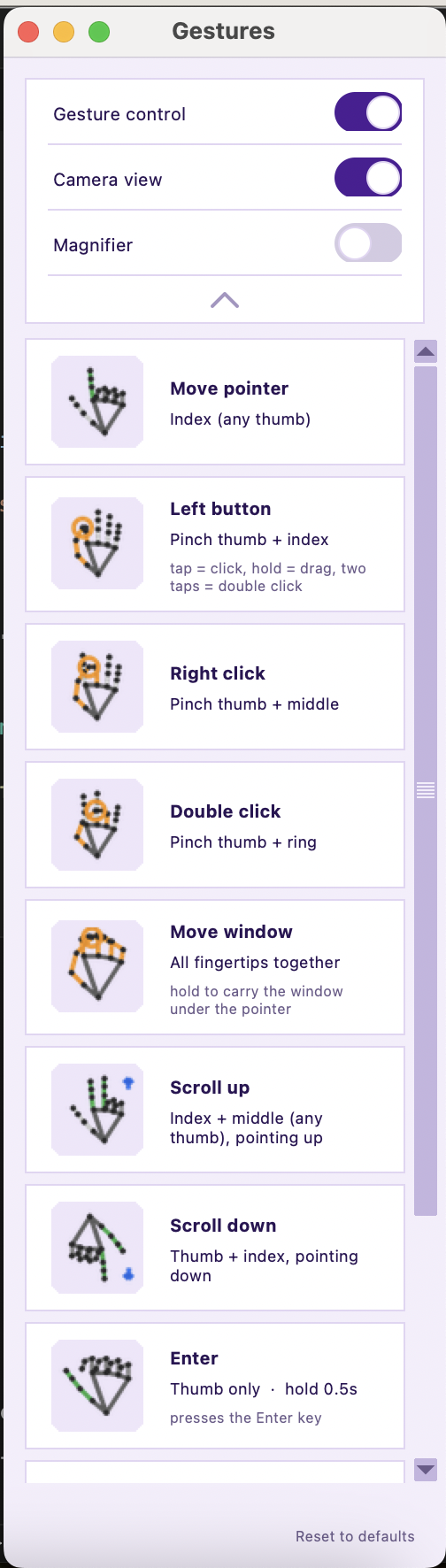
\begin{itemize} \item \textbf{Control the mouse with hand gestures.} Point to move the pointer, then pinch to click, drag or scroll.
\item \textbf{Make gestures fit your body.}
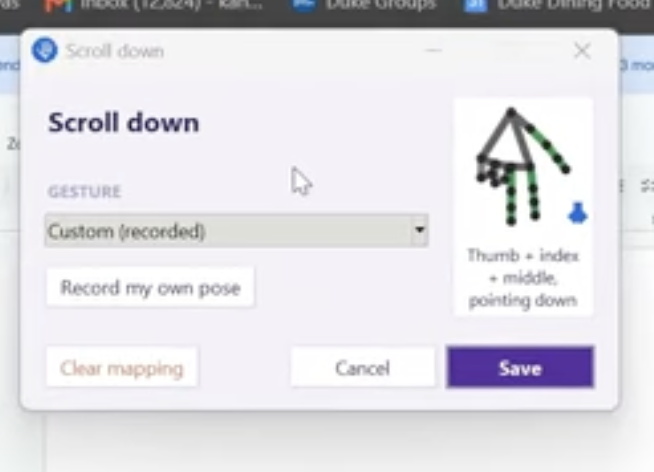
Assign any action to a different gesture, or record your own pose in seconds.

\item \textbf{Type with your voice.}
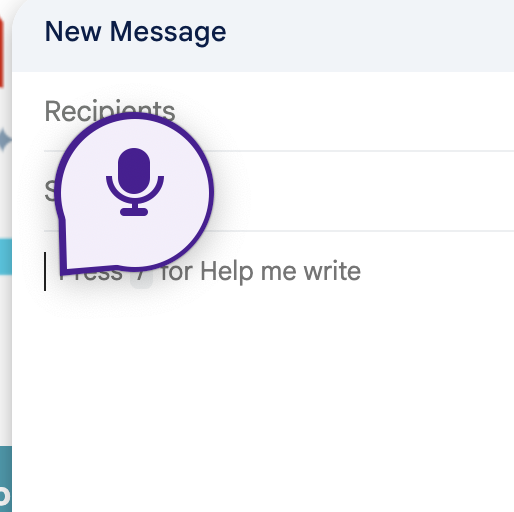
Click into any text field and start talking. Words appear live as you speak, and speech is processed on your own computer.

\item \textbf{See small targets clearly.}
A built-in magnifier follows your pointer.

\item \textbf{Get a steady, precise pointer.}
Smart smoothing reduces hand tremor and keeps clicks on target.

\item \textbf{Accessible by design.}
Large targets, high-contrast visuals and nothing that flashes.
\end{itemize}
\section*{How we built it}
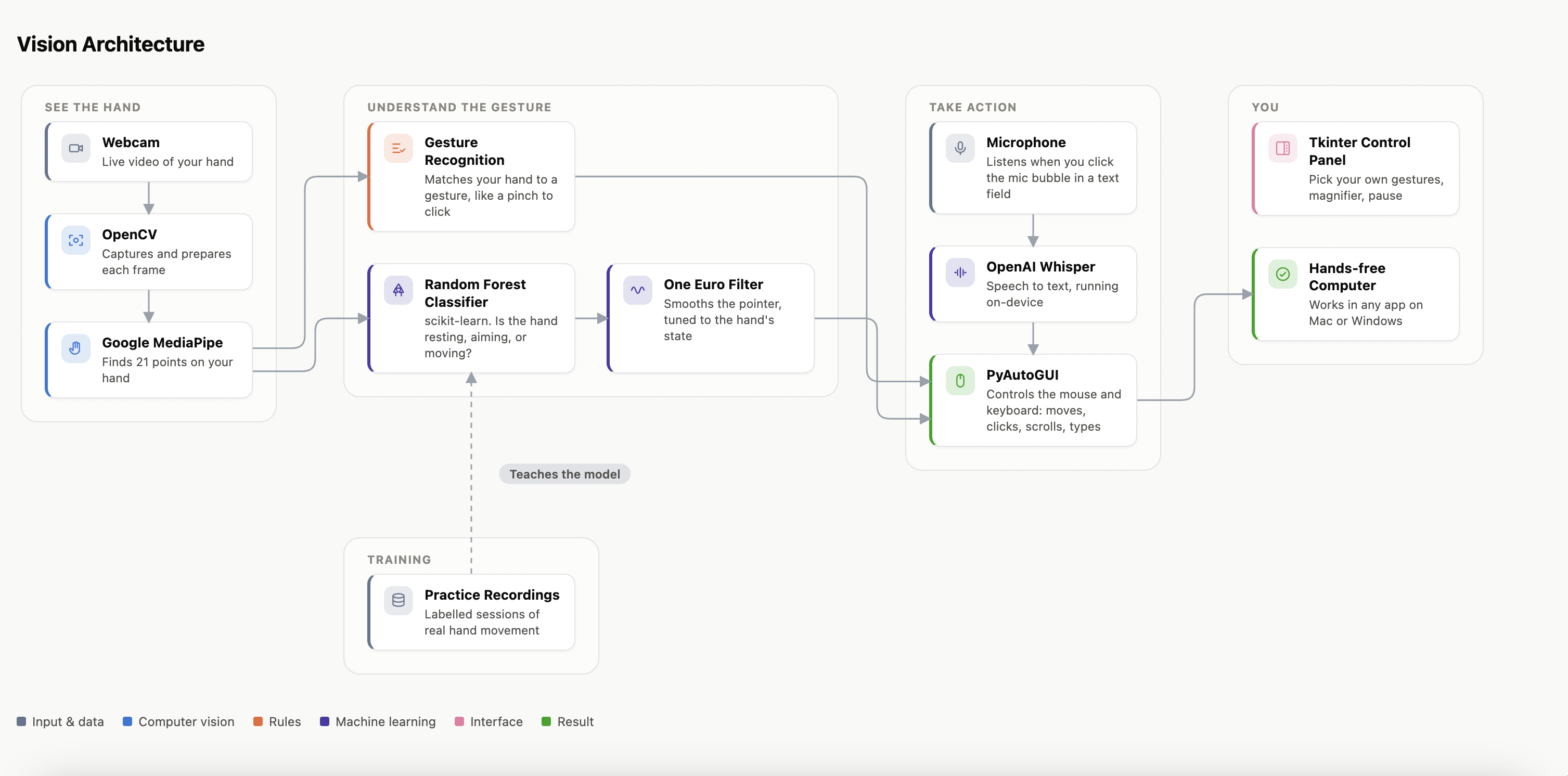
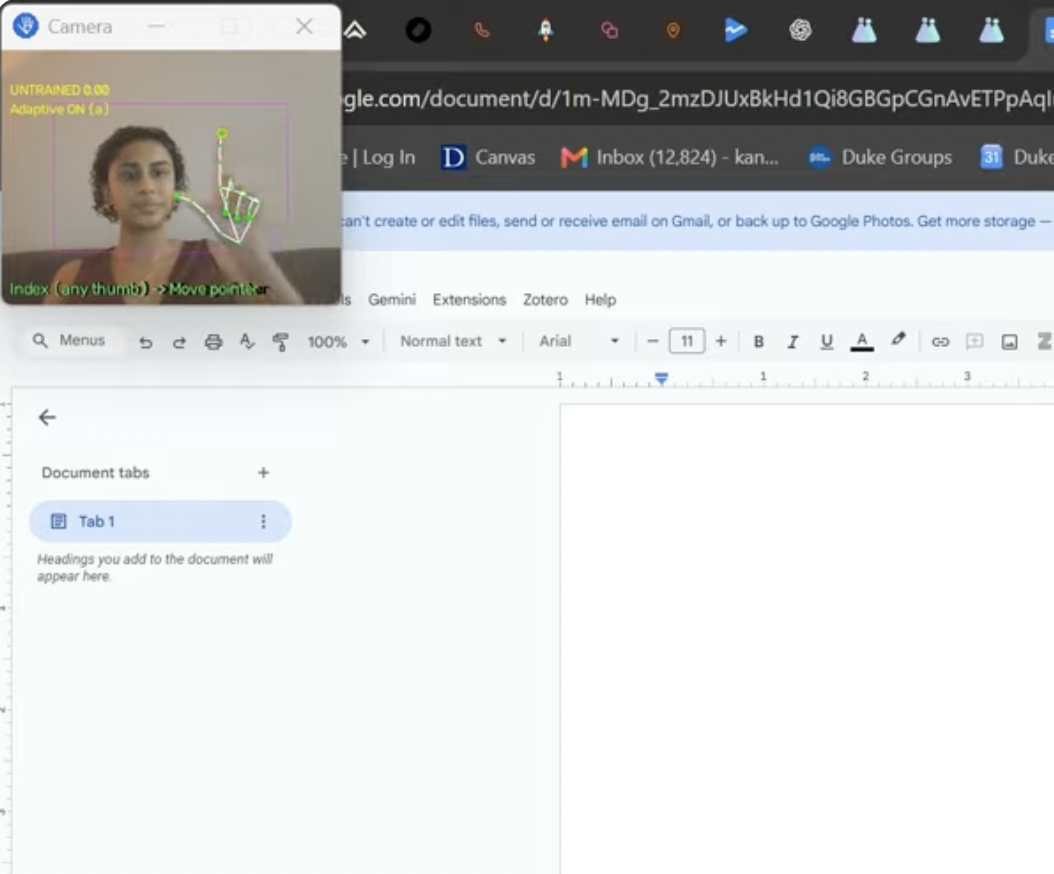
\begin{itemize} \item \textbf{Hand tracking:} Google's MediaPipe finds 21 points on your hand in each webcam frame. We turn those points into simple signals, such as which fingers are raised, which finger is pinching and which way the hand is pointing.
\item \textbf{Gesture engine:}
A Python engine checks every frame against your gesture settings and turns matches into mouse and keyboard actions with PyAutoGUI. It also handles hold times, drags and brief moments when the camera loses your hand.

\item \textbf{Smooth pointer:}
A One Euro filter smooths pointer movement. On top of that, a scikit-learn classifier we trained on our own recordings recognizes whether you're holding still, making fine adjustments or moving quickly, and adjusts the smoothing to match.

\item \textbf{Dictation:}
faster-whisper (OpenAI's Whisper model, run locally) transcribes speech in short chunks so text appears as you talk. On macOS, the Accessibility API finds where your text cursor is so the microphone button appears right next to it.

\item \textbf{Interface:}
Tkinter for the gesture panel, gesture editor, camera view and magnifier, plus a system tray icon and a global keyboard shortcut.
\end{itemize}
\section*{Challenges}
\begin{itemize} \item \textbf{Pointer lag versus jitter.} Heavy smoothing made the pointer feel slow, and light smoothing made it shaky. We fixed this with smoothing that adjusts to how fast you're moving, plus a short hold-still lock for precise targets.
\item \textbf{Clicks knocked the pointer off target.}
Pinching moves your finger, which used to move the pointer just as you clicked. Jim now notices when a pinch is starting, snaps the pointer back to where it was a moment earlier, and steadies it during the click.
\end{itemize}
\section*{Accomplishments}
\begin{itemize} \item A fully working, hands-free way to control all actions you need to use a computer, including point, click, drag, scroll and type. \item Custom gestures, so users with limited mobility can pick poses that are comfortable for them instead of adapting to ours. \item Speech recognition that runs locally. \item Leveraging open-source libraries so the product costs \$0. \item A design guided by accessibility principles from the start, rather than added at the end. \end{itemize}
\section*{What we learned}
\begin{itemize} \item Accessibility is personal: no single gesture set works for everyone, so customisation has to be a core feature. \item Small details decide whether a tool is usable, such as a few pixels of pointer drift during a click or a fraction of a second of lag. \item How to collect and label our own movement data, train a classifier on it and evaluate it honestly. \item The practical side of real-time computer vision: speed limits, threading and making the app stable on different operating systems. \end{itemize}
\section*{Future Steps}
\begin{itemize} \item Sign language to text, so users can type by signing. \item Better dictation accuracy, including voice commands for editing and punctuation. \item Improve motion control accuracy. \item Secure early users and iterate based on feedback. \end{itemize}
\end{document}
Built With
- mediapipe
- pyautogui
- tkinter
- whisper
