-
-
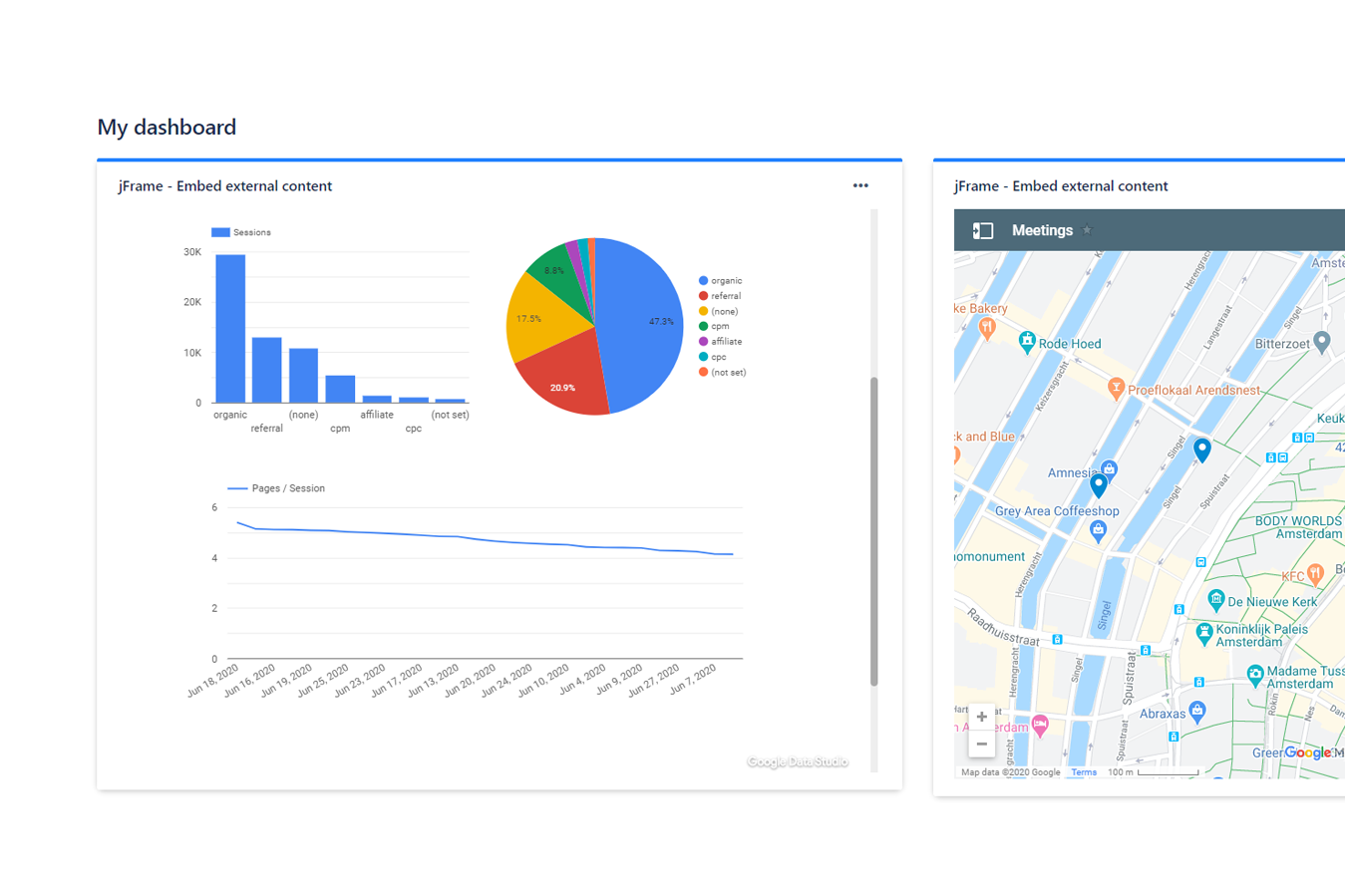
Embed Jira dashboard gadgets from various vendors, including Google & Microsoft services, Figma, CodePen any many more
-
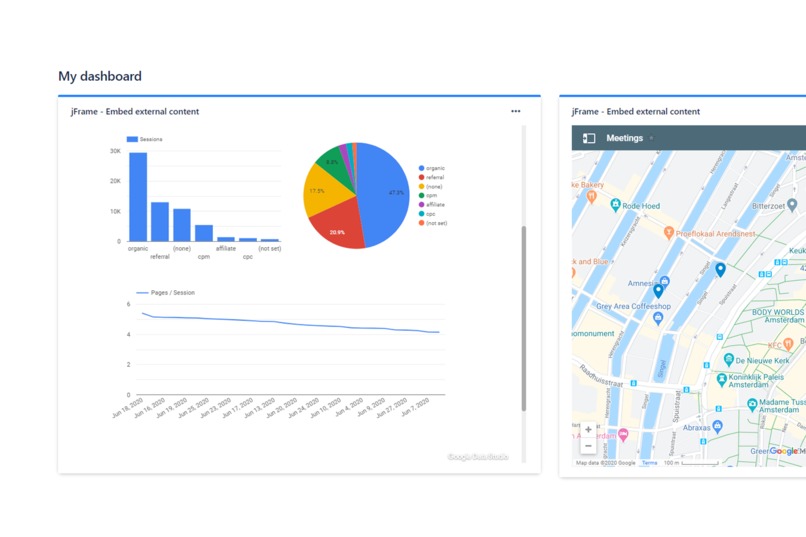
Create your own personal dashboard with your calendar, graphs, maps, playlists and more
-
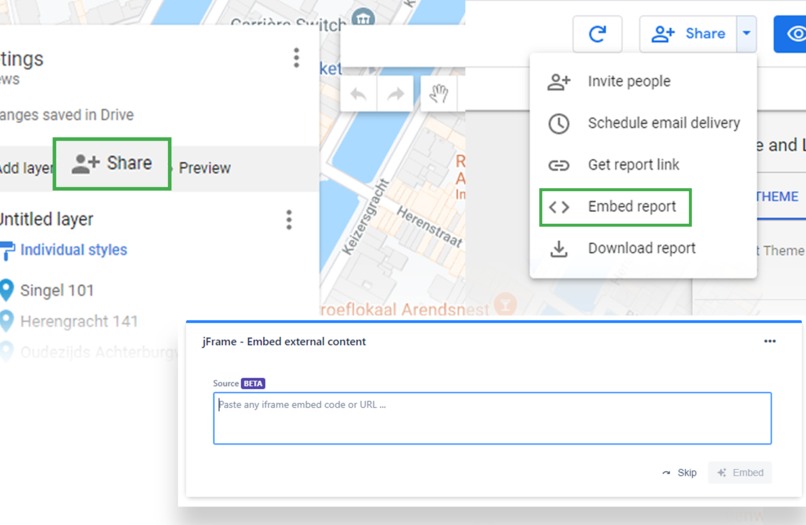
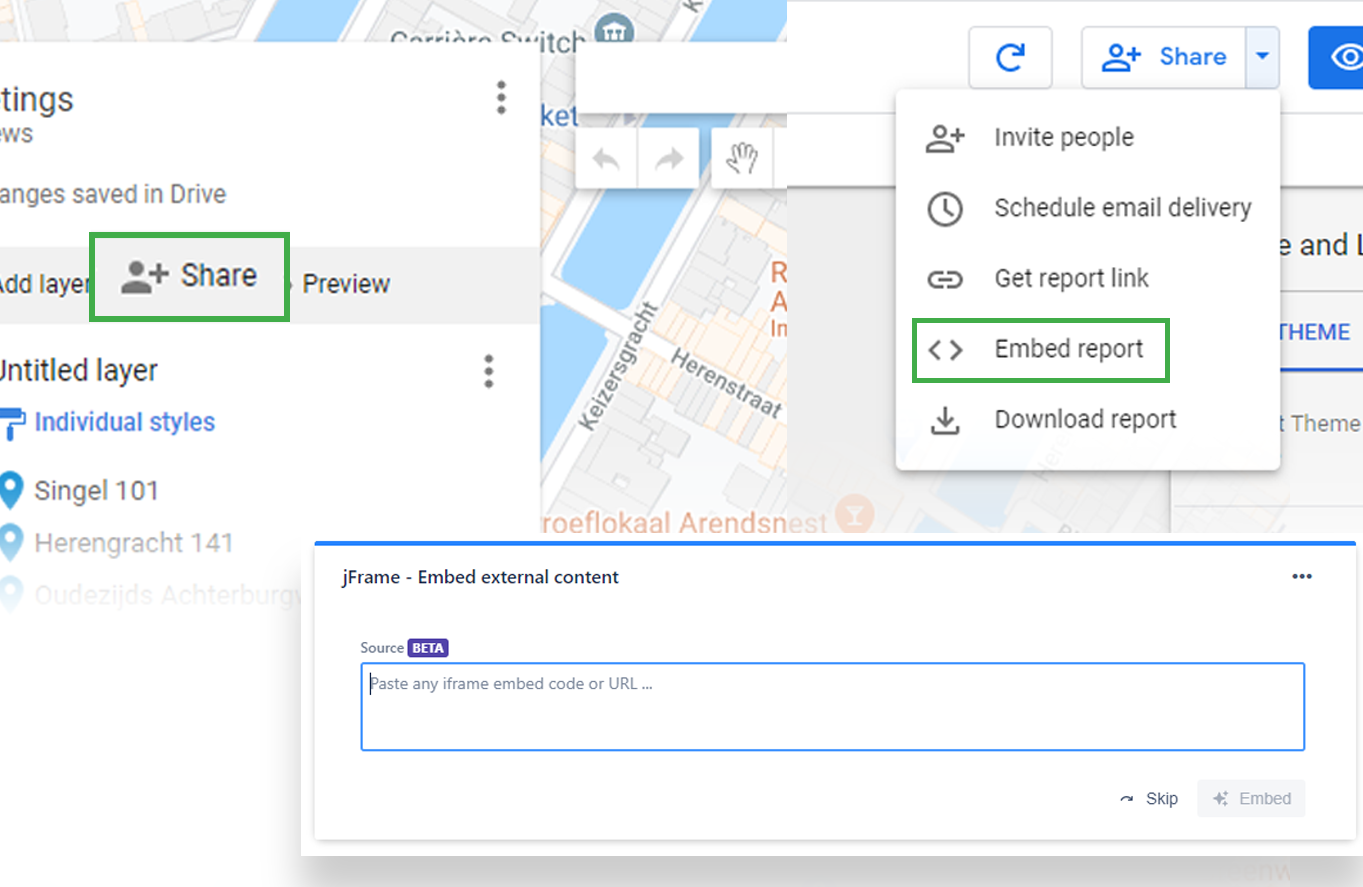
Look for the "share" or "embed" option, or try embedding a web page by using its URL address
jFrame
iframe and embed code dashboard gadgets for Jira Cloud
Inspiration
Making the process of embracing new tools more agile
The modern work environment demands an increasing stack of tools. The more we work with remote teams the more it'll continue to grow, and Jira will always be at the center the workflow. As users, we embrace new tools and the good they bring, but we want to keep the learning curve and dependence on admins low. As Jira administrators, we want reliable tools that meet everyone's needs with less integration concerns. This usually leads to cumbersome processes, and we really wanted to help bring agility to this issue.
Learning from Jira features like Automation and Next-Gen, we realized we want a powerful generic product that is securely controlled by the users with great defaults. We came to realize dashboards are used in various ways from personal/functional ones to a team/company wide ones, and provide various known and easy to control permission mechanisms, while the modern open web offers a variety of embed options from providers who are eager to get their products easily integrated.
Thus, the idea of jFrame was born!
What it does
jFrame is a dashboard gadget designed to help users embed external content from many different platforms with minimum effort and maximum results. The gadget will accept and analyze your embed code or plain URL into useful needed settings, leading to an easy and successful embed. Not every web content out there can be used like that, but our API keeps growing and supporting more and more. Combining our API with some unique GUI features and opt-in settings control, helps our users really get the right result in terms of appearance, functionality, and even security.
How we built it
We use a server-less architecture hosted on AWS to integrate with Jira Cloud with the Atlassian Connect framework. This is how we power our AtlasKit app, bringing a smooth experience to our users. We keep our stack as up to date as we can, though some old school knowledge of vanilla JS/CSS/HTML/HTTP and more web/industry standards is crucial for this task.
Challenges we ran into
Creating a simple yet useful user interface while dealing with multiple variables was the most challenging part. Sure it's a hard task to go into integrating the unknown while being integrated into Jira, and any old school web developer will tell you horror stories about and iframe inside an iframe, but we anticipated all of that technical and bureaucracy pain. After all, taking this on us is part of what the app provides for it's users.
Accomplishments that we're proud of
jFrame is more than just an iframe - it's a a complete and growing product!
We started as a plain iframe making our first steps at the Atlassian Marketplace, but it didn't stay like that for long. The first set of features was aimed making sure the embedded content is integrated correctly, adding unique features for responsive/fixed sizing and controlling the interactivity. Soon after that we introduced our new embed wizard and the analyzing API with best fit suggested defaults. But the biggest accomplishment for us is learning to understand our users better and what our product can give them in the future.
What we learned
The best thing about creating this app is how much we learn. We knew there are a lot of useful platform supporting embed codes out there, but actually seeing them in action, really made us learn a lot more about the potential jFrame and Jira dashboards have in making our day to day more effective. And the learning never stops when you have your users bringing in new embed ideas over the ones we already test and use in our own work day to day.
What's next for jFrame
There are already new features waiting to be released making the gadget even more powerful, but we are not going to stop there. Organizations can benefit more from the app, and we our research on more Jira user needs lead us to start planning how we can help outside of our dashboard gadget too.
Some high level highlights:
- Supporting every possible provider out there while keep security and privacy demands.
- A wide and surprising set of presentation and appearance options.
- Allowing embed of multiple sources into one gadget.
- Central control with admin control.
- Integrating into Jira outside of dashboard gadgets.
The rest is left for your imagination...
You can always use the "Watch app" button in our marketplace listing for more updates, but we recommend the "Try it free" button and becoming part of our embed family.
Built With
- amazon-web-services
- atlaskit
- atlassian
- atlassian-connect
- bitbucket
- css
- html
- http
- javascript
- jira
- json
- react
- xml


Log in or sign up for Devpost to join the conversation.