-
-
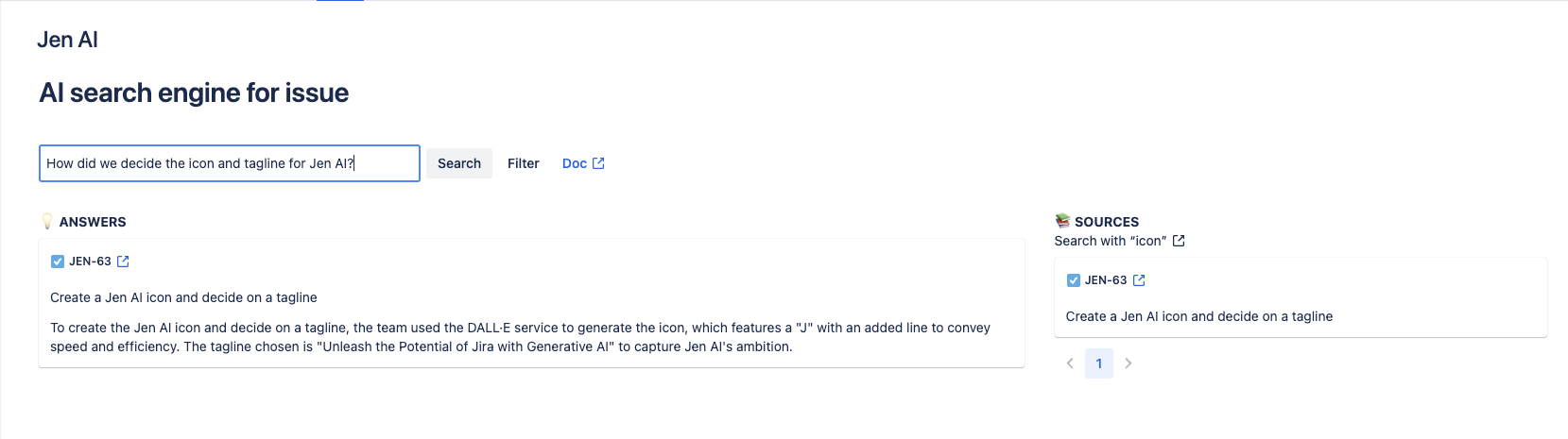
AI Search Engine
-
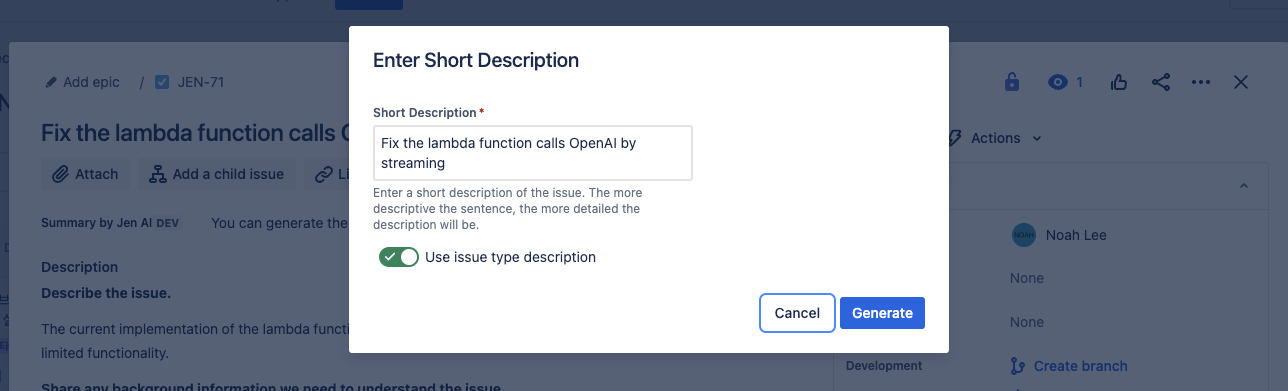
Generate the description
-
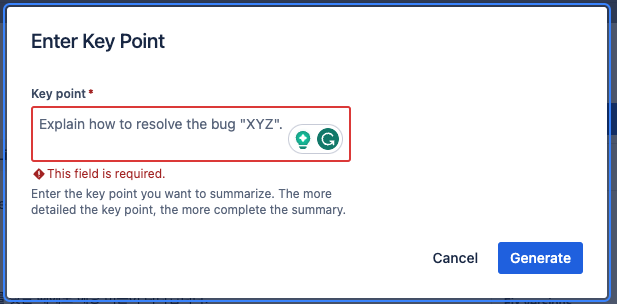
Generate the summary
-
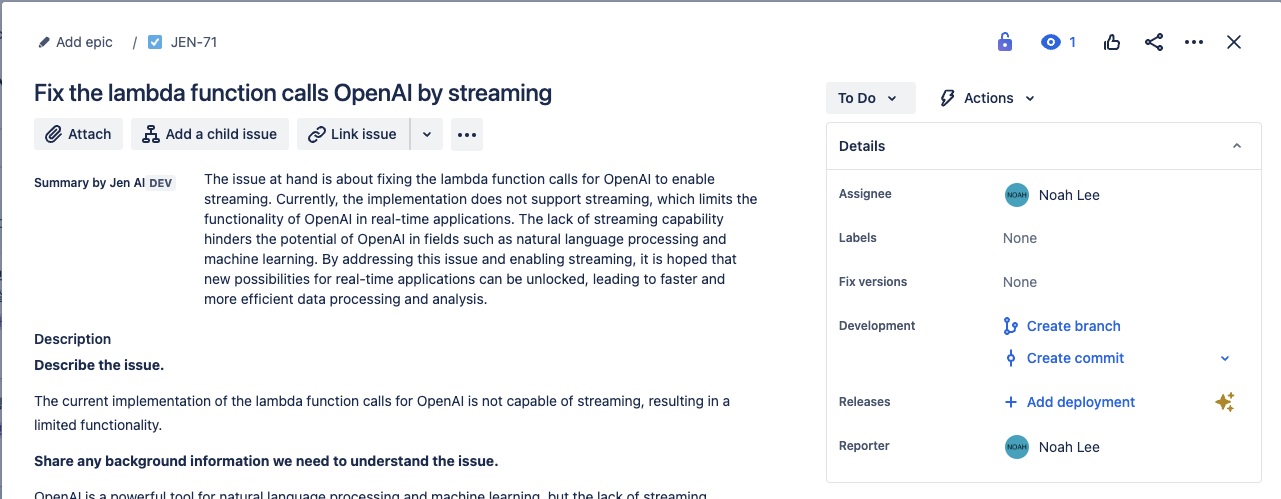
Summary by Jen AI
Inspiration
In Jira, I used to search for issues to find task logging. However, sometimes I couldn't find the desired information or had difficulty finding it. The difficulty was that it returned too many issues with many comments.
When searching, I mainly use keywords. However, when using general keywords, it returns more than ten issues, and it was not easy to find the desired information by reading each issue individually. Of course, the issues have the summary field, but it wasn’t helpful. Moreover, if an issue had many comments, I had to go through all the comments.
Furthermore, while I looked for solutions in the Jira community, I realized many users have the same pain point as me. In particular, some users said that Jira's advanced search actually made the search more difficult. Therefore, I understood that the search's inconvenience was a pain point for Jira users overall, and I started developing a plugin.
What it does
Jen AI unleashes the potential of Jira with generative AI. Currently, it offers three features that can enhance the task logging of Jira. These features are AI search engine, description generation, and summary generation.
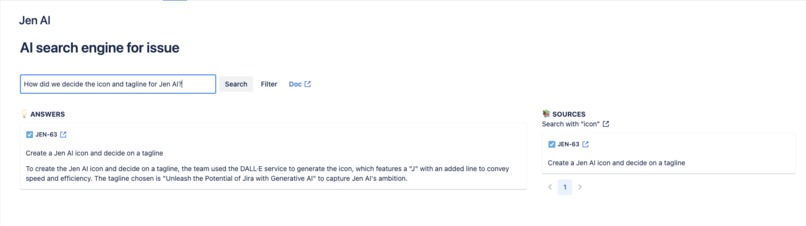
The AI search engine is a feature that generates answers from the information on issues. While traditional Jira keyword search requires user effort, the AI search engine helps users instantly get the answer without any effort.
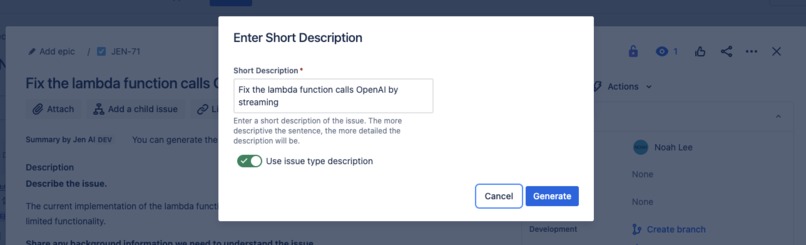
Jen AI also provides a description generation feature. Many users often omit to add descriptions when creating issues, which complicates task logging. Jen AI assists users in writing descriptions with minimal effort.
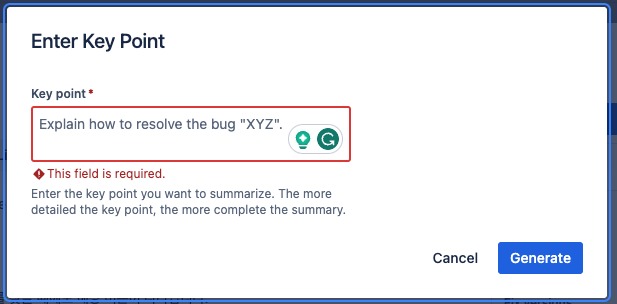
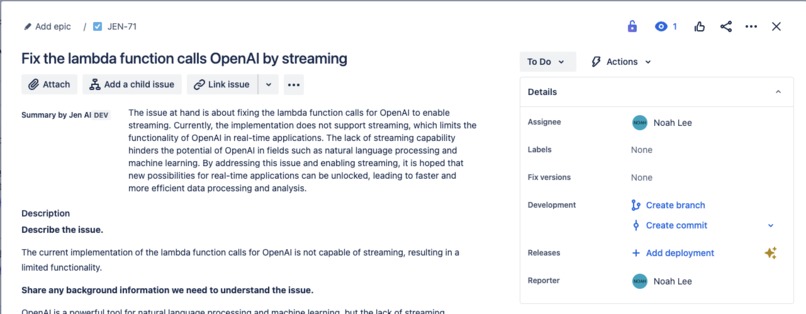
Lastly, the summary generation feature creates a summary by consolidating the information from descriptions and comments on the issue. This helps readers quickly grasp the essence of the issue.
How we built it
We have built our AI search engine using the Forge framework and the OpenAI API. The app's front end is built on a custom UI from Forge. The function calls the OpenAI API to utilize the power of OpenAI.
When a user asks the AI search engine a question, it operates in two main steps. Firstly, it collects only the relevant information from each issue. The AI search engine divides the issues into chunks of a certain size and measures the relevance with respect to each chunk and the question. Then, it gathers only the chunks with the highest relevance to create an issue context. The AI search engine does not retrieve all the information to optimize the cost of the OpenAI API. After that, it sends the question and the issue context to the OpenAI API and displays the generated answer on the screen.
Challenges we ran into
The functions of the Forge framework have a 25-second limit, while the response speed of the OpenAI API is variable. While developing the app, two situations caused response latency. One is when there is a large amount of input and output tokens, and the other is when the OpenAI API is under high load.
To adjust the amount of input and output tokens, we adjusted the prompts used for the OpenAI API. We adjusted the number of input tokens by only inputting highly relevant information and the number of output tokens by modifying the prompts.
It is impossible to fundamentally resolve the load issue of the OpenAI API on the client side. Therefore, we need to walk around the problem. The solution provided by Jen AI is to switch to a less resource-intensive model. Jen AI offers the option to change the model on the admin page. Recently, the response speed of gpt-3.5-turbo has been an issue, but we resolved the problem by changing the model to gpt-3.5-turbo-0613.
What we learned
I have discovered that I can dramatically increase productivity through Jira plugins. Previously, I only used Jira passively, but this hackathon has motivated me to address and resolve pain points actively. Moving forward, using Jira at the company, I have gained the ability to solve issues directly.
What's next for Jen AI
Recently, the timeout for the Async function has been increased from 25 seconds to 55 seconds. Therefore, we plan to improve the timeout using the Async function. Additionally, we plan to maximize usability by changing the creation method to a stream-based approach.
Built With
- forge
- openai


Log in or sign up for Devpost to join the conversation.