Jematala
Inspiration
UNSW is a weirdly lonely place for how crowded it is. Thousands of people walk through the same spots every day, but almost nobody talks to each other. We wanted to make something that nudged people into feeling a little more connected in a low-pressure way.
The original idea was basically: what if you could leave little traces of yourself around campus for strangers to stumble across? Kind of like friendly digital graffiti.
Pokémon Go was definitely part of the inspiration. It’s one of the few apps that actually got people exploring places they already spent time in, and that feeling of “there’s stuff hidden around me” stuck with us. We weren’t trying to copy it, but that sense of exploration was something we wanted to capture.
Visually, the bigger influences were Pikmin Bloom and Webfishing. Not mechanically, more the vibe. Cozy, handmade, slightly wonky, not trying too hard to feel futuristic. We wanted Jematala to feel warm and playful instead of polished like a corporate social app.
What it does
Jematala is a location-based social game for UNSW students.
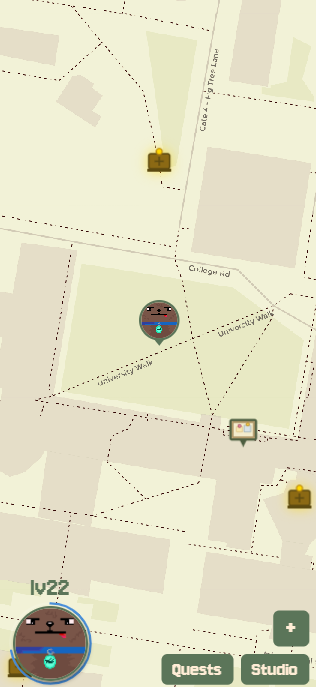
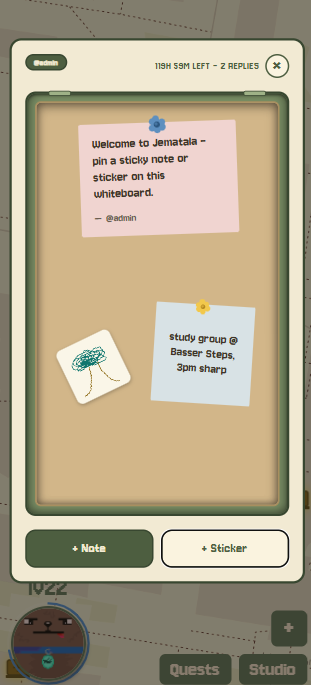
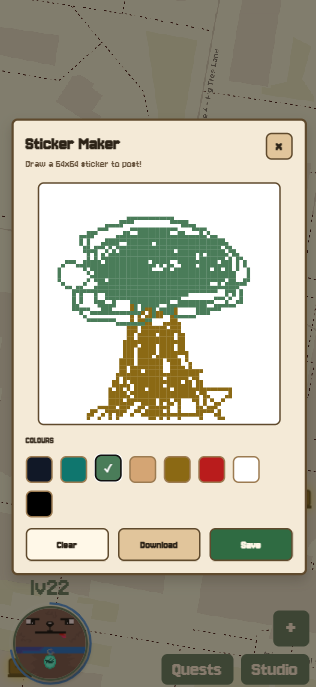
As you walk around campus, you can discover Points of Interest and leave billboard messages once you’re nearby. Other students passing through can reply with sticky notes or pixel-art stickers they’ve drawn themselves.
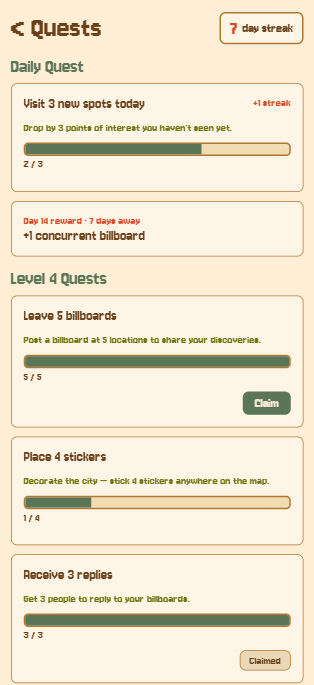
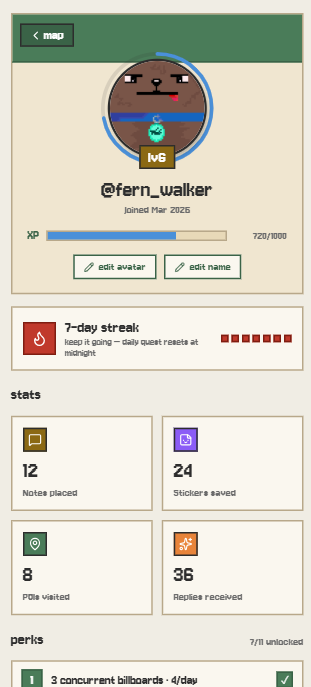
There’s also a progression system layered on top. Daily quests reset on Sydney time and reward streaks, while leveling up unlocks more billboard slots, extra sticker storage, and cosmetic customisation like note borders and signature flairs.
Every player also creates their own 64×64 pixel avatar during signup, so everyone wandering around the map genuinely looks unique.
How we built it
We built the project as a team of four, split across frontend and backend.
Before touching code, we spent a surprising amount of time whiteboarding the data model together. It felt slow at the time, but honestly it probably saved the project. Once the schema was locked in, both sides could work independently without constantly blocking each other.
The whole thing runs in a Bun monorepo with four packages:
- Mobile app: Expo + React Native
- API: Hono running on Cloudflare Workers
- Real-time layer: Cloudflare Durable Objects managing WebSockets and live map updates
- Database: Postgres on Supabase with Drizzle ORM
For maps, we used Leaflet on web and MapLibre on native behind a shared abstraction layer, so the rest of the app didn’t need platform-specific code. Map tiles come from Thunderforest with a CSS filter applied to push everything toward a softer, earthy pixel-art look.
Users create stickers through a tap-to-fill pixel editor with a fixed 8-colour palette. We intentionally limited the colours because unlimited palettes almost always end in visual chaos, and we wanted everything on the map to feel like it belonged to the same world.
Authentication is handled through Clerk with Google and Apple sign-in. Internally, everything uses UUIDv4s, with Clerk IDs stored only as external references so we’re not locked into a single auth provider later on.
All user-generated content is also run through the OpenAI Moderation API before appearing publicly on the map.
Challenges we ran into
Getting Leaflet working properly inside Expo Web was easily the most painful part of the build.
Leaflet assumes it’s running directly in a browser and touches the DOM constantly, so we had to wrap initialisation really carefully with useEffect, useRef, and aggressive cleanup logic. Without that, the map would randomly re-initialise itself into a broken state every few renders.
We also lost an embarrassing amount of time to a CSS issue where the tile filters only worked if they were injected after the tiles loaded instead of before.
React Native being almost like the web also caused a lot of problems. Font loading, absolute positioning, CSS filters. Every time we assumed something would “just work” cross-platform, it turned into two separate implementations.
Working in a four-person monorepo under hackathon time pressure also made our shared Zod schemas weirdly critical. Whenever a schema changed, both frontend and backend could break simultaneously, so we quickly learned to announce schema updates before merging anything.
We also had to be realistic about scope. Push notifications and most of the admin tooling ended up on the backlog. Instead of half-finishing everything, we focused on getting the core loop working properly from end to end.
What we learned
A lot of this project was first-time territory for us.
Most of the team hadn’t shipped a real Expo app before, and the cross-platform map work taught us pretty quickly that “write once, run anywhere” is a lot leakier than the marketing makes it sound.
Cloudflare Durable Objects were also completely new to us. A single long-lived object owns the WebSocket connections for one slice of state and broadcasts updates in real time. Getting to that point involved fighting the local development workflow for a while, but it eventually made sense.
One thing we’d absolutely use again is Drizzle with drizzle-kit push during early development. Being able to reshape the schema in seconds instead of hand-writing migrations made iteration incredibly fast. Probably not how you’d run a massive production app, but for a hackathon it was exactly the right tradeoff.
Built With
- clerk
- cloudflare
- drizzle
- expo.io
- hono
- openai
- postgis
- postgresql
- typescript
- zod


Log in or sign up for Devpost to join the conversation.