     ██╗ █████╗ ██████╗ ██╗   ██╗██╗███████╗
     ██║██╔══██╗██╔══██╗██║   ██║██║██╔════╝
     ██║███████║██████╔╝██║   ██║██║███████╗
██   ██║██╔══██║██╔══██╗╚██╗ ██╔╝██║╚════██║
╚█████╔╝██║  ██║██║  ██║ ╚████╔╝ ██║███████║
 ╚════╝ ╚═╝  ╚═╝╚═╝  ╚═╝  ╚═══╝  ╚═╝╚══════╝
🤖 JARVIS - Complete System Documentation
Just A Rather Very Intelligent System
A production-grade AI assistant powered by Google Gemini AI with voice interaction, emotional intelligence, email management, calendar integration, and image recognition capabilities.
📋 Table of Contents
- System Overview
- Architecture
- Core Features
- Technology Stack
- System Components
- Installation & Setup
- Usage Guide
- API Integrations
- File Structure
- Configuration
- Troubleshooting
🎯 System Overview
┌─────────────────────────────────────────────────────────────────┐
│  "Just A Rather Very Intelligent System"                        │
│                                                                  │
│  🎤 Voice  │  🧠 AI  │  📧 Email  │  📅 Calendar  │  🖼️ Vision  │
└─────────────────────────────────────────────────────────────────┘
JARVIS is an advanced AI assistant that combines multiple Google APIs with a modern web interface to provide:
- Voice Interaction: Natural conversation with speech recognition and text-to-speech
- Emotional Intelligence: Sentiment analysis and adaptive responses
- Email Management: Gmail integration with attachment support
- Calendar Integration: Google Calendar event management
- Image Recognition: Google Vision API for image analysis
- Context Awareness: Maintains conversation history and user preferences
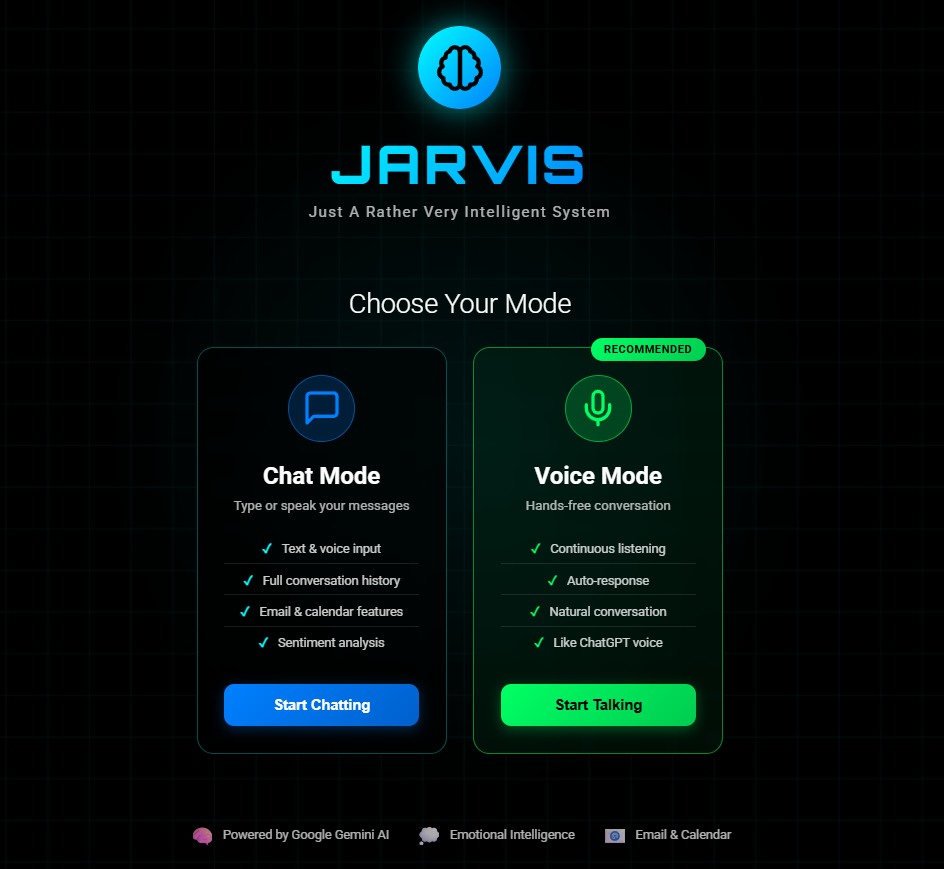
- Multi-Modal Interface: Chat mode and voice mode
🏗️ Architecture
High-Level Architecture
┌─────────────────────────────────────────────────────────────────┐
│                        JARVIS SYSTEM                            │
├─────────────────────────────────────────────────────────────────┤
│                                                                 │
│  ┌──────────────┐         ┌──────────────┐                    │
│  │   Frontend   │◄───────►│   Backend    │                    │
│  │  React App   │  HTTP   │ Flask Server │                    │
│  │  Port: 3000  │         │  Port: 5000  │                    │
│  └──────────────┘         └──────┬───────┘                    │
│                                   │                             │
│                    ┌──────────────┼──────────────┐             │
│                    │              │              │             │
│           ┌────────▼────┐  ┌─────▼─────┐  ┌────▼────┐        │
│           │ Intelligent │  │  Context  │  │Sentiment│        │
│           │   Handler   │  │  Manager  │  │Analyzer │        │
│           └─────┬───────┘  └───────────┘  └─────────┘        │
│                 │                                              │
│     ┌───────────┼───────────┬───────────┬──────────┐         │
│     │           │           │           │          │         │
│ ┌───▼───┐  ┌───▼───┐  ┌───▼───┐  ┌────▼────┐ ┌──▼──┐      │
│ │ Gmail │  │Calendar│  │Vision │  │ Gemini  │ │Docs │      │
│ │  API  │  │  API   │  │  API  │  │   AI    │ │ API │      │
│ └───────┘  └────────┘  └───────┘  └─────────┘ └─────┘      │
│                                                                 │
└─────────────────────────────────────────────────────────────────┘
Data Flow
User Input (Voice/Text)
        ↓
Speech Recognition (Browser API)
        ↓
Flask Server (/api/chat)
        ↓
Intelligent Handler
        ↓
┌───────┴───────┐
│               │
Sentiment       Context
Analysis        Management
│               │
└───────┬───────┘
        ↓
Intent Recognition (Gemini AI)
        ↓
┌───────┴───────┬───────────┬──────────┐
│               │           │          │
Email Handler   Calendar    Vision     Other
(Gmail API)     Handler     Handler    Actions
│               │           │          │
└───────┬───────┴───────────┴──────────┘
        ↓
Response Generation
        ↓
Text-to-Speech (Edge TTS)
        ↓
User Output (Voice/Text)
✨ Core Features
1. Voice Interaction
- Speech Recognition: Real-time voice input using Web Speech API
- Text-to-Speech: Natural voice output using Microsoft Edge TTS
- Continuous Conversation: Maintains context across multiple exchanges
- Voice Visualizer: Real-time audio visualization
2. Emotional Intelligence
- Sentiment Analysis: Detects user emotions (positive, negative, neutral)
- Stress Detection: Monitors stress levels in conversation
- Adaptive Responses: Adjusts tone based on emotional state
- Emotional Profile: Builds user emotional history over time
3. Email Management
- Gmail Integration: Send and receive emails via Gmail API
- Attachment Support: Send images and documents
- Contact Management: Store and retrieve contact information
- Email Preview: Review emails before sending
- Natural Language: "Send email to John about the meeting"
4. Calendar Integration
- Event Creation: Schedule meetings with natural language
- Event Viewing: Check upcoming events
- Google Meet: Automatic meeting link generation
- Attendee Management: Add participants to events
5. Image Recognition
- Vision API: Analyze images with Google Cloud Vision
- Text Extraction: OCR from images
- Object Detection: Identify objects in images
- Label Detection: Automatic image tagging
- Face Detection: Count and analyze faces
6. Context Awareness
- Conversation History: Remembers previous interactions
- User Preferences: Learns from user behavior
- Intent Recognition: Understands complex requests
- Multi-Turn Dialogue: Handles follow-up questions
🛠️ Technology Stack
Backend
- Python 3.12: Core programming language
- Flask: Web server and REST API
- Google Gemini AI: Natural language processing and intent recognition
- Edge TTS: Text-to-speech synthesis
- Google APIs: Gmail, Calendar, Vision, Docs
Frontend
- React 18: UI framework
- JavaScript (ES6+): Frontend logic
- Web Speech API: Browser-based speech recognition
- Axios: HTTP client
- Lucide React: Icon library
APIs & Services
- Google Gemini 2.0 Flash: AI model for intelligence
- Gmail API: Email operations
- Google Calendar API: Calendar management
- Google Cloud Vision API: Image analysis
- Google Docs API: Document operations
- Microsoft Edge TTS: Voice synthesis
Storage
- JSON Files: Local data persistence
jarvis_context.json: Conversation historyjarvis_emotional_profile.json: User emotional datajarvis_memory.json: User preferencescontacts.json: Contact informationtoken.json: Gmail OAuth tokencalendar_token.json: Calendar OAuth token
🧩 System Components
Backend Components
1. jarvis_flask_server.py
Main Flask server that handles all HTTP requests and coordinates between frontend and backend services.
Key Endpoints:
GET /api/status- System status checkPOST /api/chat- Process chat messagesPOST /api/email/send-confirmed- Send emailsGET /api/calendar/events- Get calendar eventsPOST /api/calendar/create- Create calendar eventsPOST /api/tts- Text-to-speech conversionPOST /api/contacts/add- Add contactGET /api/contacts/list- List contacts
2. jarvis_intelligent_handler.py
Orchestrates all AI operations and API calls with context awareness.
Responsibilities:
- Intent recognition and classification
- Request routing to appropriate handlers
- Response generation
- Context management coordination
3. jarvis_context_manager.py
Manages conversation context and maintains dialogue state.
Features:
- Conversation history tracking
- User preference learning
- Context-aware responses
- Memory persistence
4. jarvis_sentiment_analyzer.py
Analyzes emotional content and user sentiment.
Capabilities:
- Sentiment classification (positive/negative/neutral)
- Emotion detection (happy, sad, angry, etc.)
- Stress level monitoring
- Emotional profile building
5. gmail_api_handler.py
Handles all Gmail operations using OAuth2.
Functions:
- Send emails with attachments
- Create email drafts
- Manage email content
- Handle OAuth authentication
6. google_calendar_handler.py
Manages Google Calendar integration.
Functions:
- Create events
- List upcoming events
- Add Google Meet links
- Manage attendees
7. google_vision_handler.py
Processes images using Google Cloud Vision API.
Capabilities:
- Image description
- Text extraction (OCR)
- Object detection
- Face detection
- Label detection
8. contact_manager.py
Manages contact information and resolution.
Features:
- Add/remove contacts
- Resolve contact names to emails
- Search contacts
- Persistent storage
Frontend Components
1. App.js
Main React application component that manages routing and state.
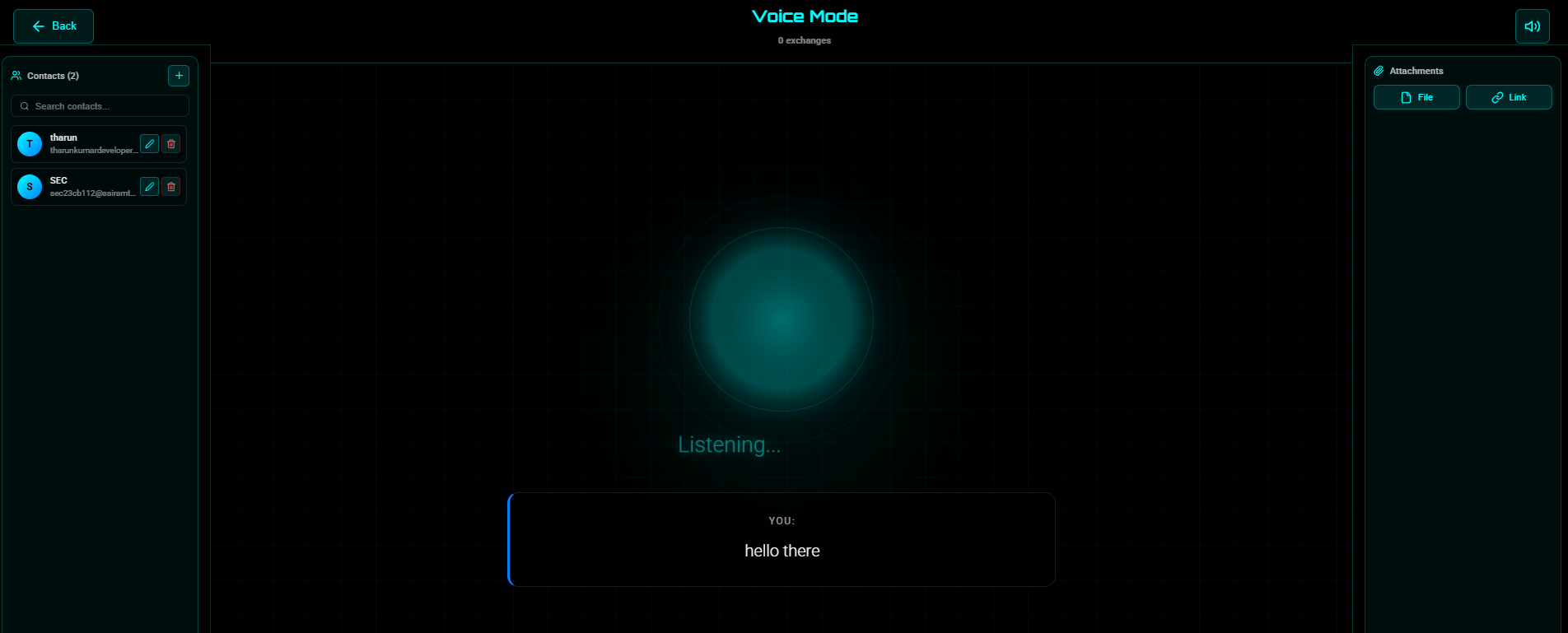
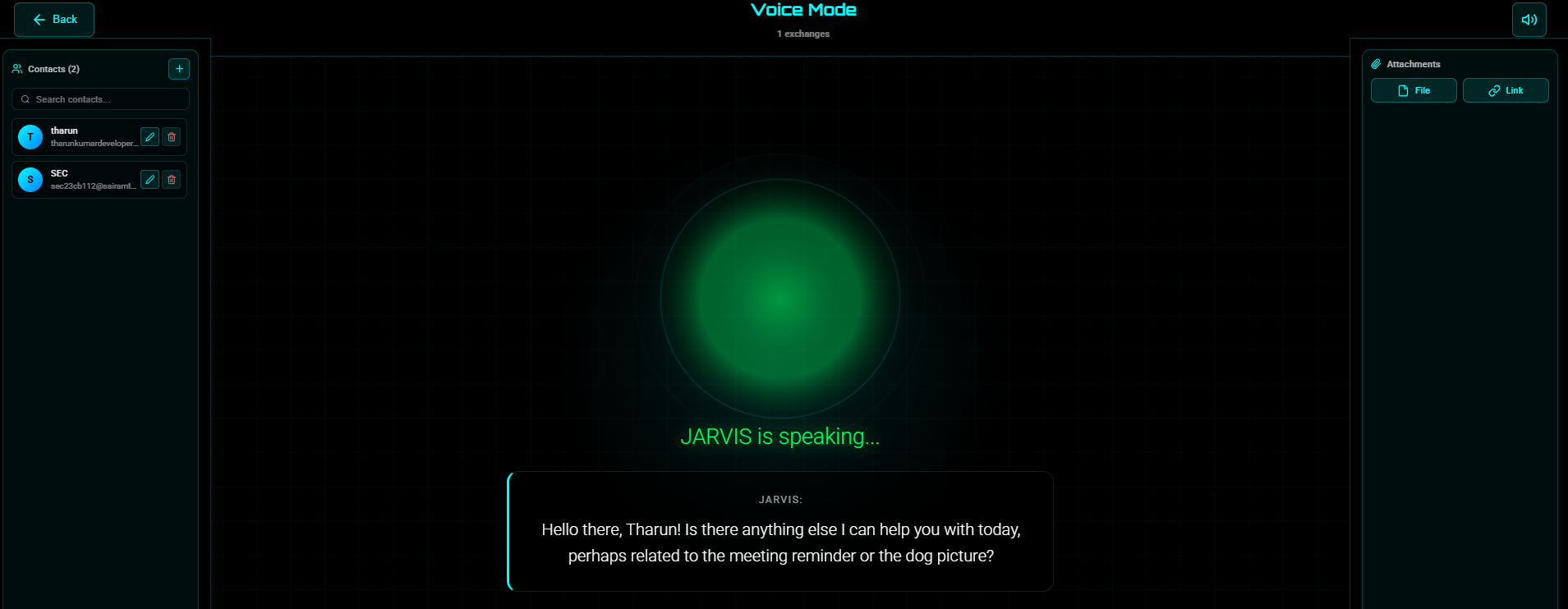
2. VoiceMode.js
Voice interaction interface with continuous listening.
Features:
- Speech recognition
- Voice visualization
- Attachment handling
- Contact selection
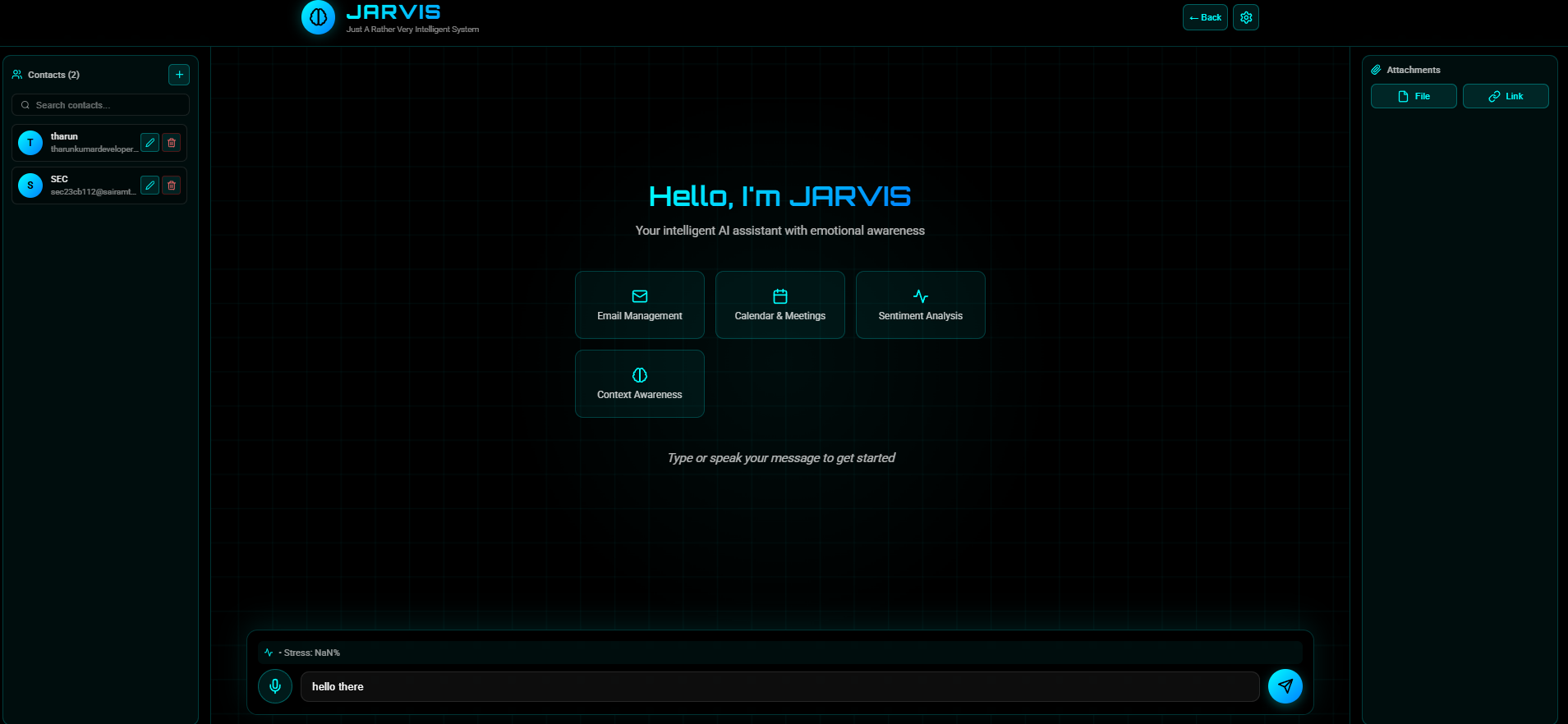
3. MessageList.js
Chat interface for text-based interaction.
Features:
- Message history
- Typing indicators
- Attachment display
- Email preview
4. EmailPreview.js
Email review and editing interface.
Features:
- Preview email content
- Edit before sending
- Attachment display
- Send confirmation
5. ContactBox.js
Contact management interface.
Features:
- Display contacts
- Select recipients
- Add new contacts
6. AttachmentBox.js
File attachment interface.
Features:
- File upload
- Preview attachments
- Remove attachments
- Multiple file support
7. StatusPanel.js
System status display.
Features:
- API connection status
- User information
- System health
📦 Installation & Setup
Prerequisites
- Python 3.12 or higher
- Node.js 16 or higher
- npm or yarn
- Google Cloud account (for APIs)
Step 1: Clone and Install
# Install Python dependencies
pip install -r requirements.txt

# Install Node.js dependencies
cd web-react
npm install
cd ..
Or simply run:
install.bat
Step 2: Configure Google APIs
A. Get Google Gemini API Key
- Visit: https://makersuite.google.com/app/apikey
- Create a new API key
- Add to
.envfile:GOOGLE_API_KEY=your-gemini-api-key-here
B. Setup Gmail API
python setup_gmail_api.py
- Follow OAuth flow in browser
- Authorize JARVIS to access Gmail
token.jsonwill be created
C. Setup Google Calendar API
python setup_calendar_api.py
- Follow OAuth flow in browser
- Authorize calendar access
calendar_token.jsonwill be created
D. Setup Google Vision API
python setup_vision_api.py
- Create service account in Google Cloud Console
- Download JSON key file
- Save as
vision-key.json - Add to
.env:GOOGLE_APPLICATION_CREDENTIALS=vision-key.json
Step 3: Launch JARVIS
JARVIS.bat
This will:
- Start Flask backend on port 5000
- Start React frontend on port 3000
- Open browser automatically
📖 Usage Guide
Chat Mode
Basic Conversation
You: "Hello JARVIS"
JARVIS: "Hello! How can I assist you today?"
Send Email
You: "Send email to John about the project update"
JARVIS: [Shows email preview]
You: "Send it"
JARVIS: "Email sent successfully!"
Schedule Meeting
You: "Schedule a meeting tomorrow at 2 PM with Sarah"
JARVIS: "Meeting scheduled for tomorrow at 2:00 PM with Sarah"
Analyze Image
You: [Upload image] "What's in this image?"
JARVIS: "I see a sunset over mountains with orange and purple sky..."
Voice Mode
Activate Voice Mode
- Click "Voice Mode" button
- Allow microphone access
- Start speaking
Continuous Conversation
- JARVIS listens continuously
- Responds with voice
- Maintains context
Send Email with Attachment
- Upload image using attachment icon
- Say: "Send this image to John"
- Review and confirm
- Say: "Send email"
Contact Management
Add Contact
You: "Add contact John Doe, email [email protected]"
JARVIS: "Contact added successfully"
Use Contact
You: "Send email to John"
JARVIS: [Resolves to [email protected]]
🔌 API Integrations
Gmail API
- Authentication: OAuth 2.0
- Scopes:
gmail.send- Send emailsgmail.readonly- Read emails
- Token Storage:
token.json
Google Calendar API
- Authentication: OAuth 2.0
- Scopes:
calendar- Full calendar access
- Token Storage:
calendar_token.json - Features: Events, Google Meet links
Google Cloud Vision API
- Authentication: Service Account
- Key File:
vision-key.json - Features:
- Label detection
- Text detection (OCR)
- Face detection
- Object localization
Google Gemini AI
- Authentication: API Key
- Model: gemini-2.0-flash
- Usage:
- Intent recognition
- Response generation
- Sentiment analysis
- Context understanding
📁 File Structure
JARVIS/
├── 📄 JARVIS.bat                          # Main launcher
├── 📄 install.bat                         # Installation script
├── 📄 requirements.txt                    # Python dependencies
├── 📄 .env                                # Environment variables
├── 📄 .gitignore                          # Git ignore rules
│
├── 🐍 Backend (Python)
│   ├── jarvis_flask_server.py            # Main Flask server
│   ├── jarvis_intelligent_handler.py     # AI orchestration
│   ├── jarvis_context_manager.py         # Context management
│   ├── jarvis_sentiment_analyzer.py      # Sentiment analysis
│   ├── gmail_api_handler.py              # Gmail integration
│   ├── google_calendar_handler.py        # Calendar integration
│   ├── google_vision_handler.py          # Vision API integration
│   ├── google_docs_handler.py            # Docs API integration
│   └── contact_manager.py                # Contact management
│
├── ⚙️ Setup Scripts
│   ├── setup_gmail_api.py                # Gmail OAuth setup
│   ├── setup_calendar_api.py            # Calendar OAuth setup
│   ├── setup_vision_api.py              # Vision API setup
│   └── setup_gemini_api.py              # Gemini API setup
│
├── 💾 Data Files (Auto-generated)
│   ├── token.json                        # Gmail OAuth token
│   ├── calendar_token.json               # Calendar OAuth token
│   ├── vision-key.json                   # Vision API key
│   ├── credentials.json                  # OAuth credentials
│   ├── jarvis_context.json               # Conversation history
│   ├── jarvis_emotional_profile.json     # Emotional data
│   ├── jarvis_memory.json                # User preferences
│   ├── contacts.json                     # Contact list
│   └── email_config.json                 # Email configuration
│
├── 📤 uploads/                            # Temporary file uploads
│   └── README.txt                        # Upload folder info
│
└── ⚛️ Frontend (React)
    └── web-react/
        ├── package.json                  # Node dependencies
        ├── public/                       # Static assets
        └── src/
            ├── App.js                    # Main app component
            ├── App.css                   # Main styles
            ├── index.js                  # Entry point
            └── components/
                ├── VoiceMode.js          # Voice interface
                ├── MessageList.js        # Chat interface
                ├── EmailPreview.js       # Email review
                ├── ContactBox.js         # Contact management
                ├── AttachmentBox.js      # File attachments
                ├── StatusPanel.js        # System status
                ├── ModeSelector.js       # Mode switcher
                └── VoiceVisualizer.js    # Audio visualization
⚙️ Configuration
Environment Variables (.env)
# Google Gemini AI API Key (Required)
GOOGLE_API_KEY=your-gemini-api-key

# Google Cloud Vision API Credentials (Required for image analysis)
GOOGLE_APPLICATION_CREDENTIALS=vision-key.json
Email Configuration (email_config.json)
{
  "email": "[email protected]",
  "password": "app-specific-password"
}
Contact Configuration (contacts.json)
{
  "contacts": [
    {
      "name": "John Doe",
      "email": "[email protected]",
      "aliases": ["john", "jd"]
    }
  ]
}
🔧 Troubleshooting
Common Issues
1. "GOOGLE_API_KEY not set"
Solution: Add your Gemini API key to .env file
GOOGLE_API_KEY=your-key-here
2. "Gmail API not configured"
Solution: Run Gmail setup
python setup_gmail_api.py
3. "Vision API error"
Solution:
- Verify
vision-key.jsonexists - Check
GOOGLE_APPLICATION_CREDENTIALSin.env - Ensure Vision API is enabled in Google Cloud Console
4. "Email sent but not received"
Solution:
- Check spam folder
- Verify Gmail API token is valid
- Check Flask console for errors
- Ensure attachments exist in
uploads/folder
5. "Speech recognition not working"
Solution:
- Allow microphone access in browser
- Use Chrome or Edge (best support)
- Check browser console for errors
6. "Port already in use"
Solution:
- Kill existing processes on ports 3000 and 5000
- Or change ports in configuration
Debug Mode
Enable detailed logging:
# In jarvis_flask_server.py
app.debug = True
Check System Status
Visit: http://localhost:5000/api/status
Returns:
{
  "gmail": {
    "configured": true,
    "email": "[email protected]"
  },
  "calendar": {
    "configured": true
  },
  "context": {...},
  "emotional_state": {...}
}
🚀 Advanced Features
Custom Personality
Edit jarvis_personality.json to customize responses:
{
  "tone": "professional",
  "humor_level": "moderate",
  "formality": "casual"
}
Emotional Intelligence
JARVIS tracks:
- Sentiment trends over time
- Stress patterns
- Emotional triggers
- Response effectiveness
Context Awareness
JARVIS remembers:
- Previous conversations
- User preferences
- Common requests
- Interaction patterns
📊 System Requirements
Minimum
- CPU: Dual-core 2.0 GHz
- RAM: 4 GB
- Storage: 2 GB free space
- Internet: Broadband connection
Recommended
- CPU: Quad-core 2.5 GHz or higher
- RAM: 8 GB or more
- Storage: 5 GB free space
- Internet: High-speed broadband
🔐 Security & Privacy
Data Storage
- All data stored locally
- No cloud storage of conversations
- OAuth tokens encrypted
- API keys in environment variables
API Security
- OAuth 2.0 for Gmail and Calendar
- Service account for Vision API
- API key for Gemini AI
- HTTPS for all API calls
Best Practices
- Never commit
.envfile - Keep
token.jsonsecure - Rotate API keys regularly
- Review OAuth permissions
🤝 Contributing
JARVIS is designed to be extensible. To add new features:
- Add new API handler: Create
new_api_handler.py - Update intelligent handler: Add intent recognition
- Update Flask server: Add new endpoints
- Update frontend: Add UI components
📝 License
This project uses various Google APIs and services. Ensure compliance with:
- Google API Terms of Service
- Gmail API Usage Limits
- Calendar API Usage Limits
- Vision API Pricing
- Gemini AI Usage Policies
🎓 Learning Resources
Google APIs
Technologies
📞 Support
For issues or questions:
- Check this documentation
- Review error messages in Flask console
- Check browser console for frontend errors
- Verify API configurations
- Test individual components
🎉 Quick Start Summary
# 1. Install dependencies
install.bat

# 2. Configure APIs
python setup_gmail_api.py
python setup_calendar_api.py
python setup_vision_api.py

# 3. Add API key to .env
echo GOOGLE_API_KEY=your-key > .env

# 4. Launch JARVIS
JARVIS.bat

# 5. Open browser to http://localhost:3000
╔══════════════════════════════════════════════════════════════════╗
║                                                                  ║
║   ✨ JARVIS - Your Intelligent AI Assistant, Ready to Help! ✨   ║
║                                                                  ║
║   🎤 Voice Interaction  │  🧠 Emotional Intelligence             ║
║   📧 Email Management   │  📅 Calendar Integration               ║
║   🖼️ Image Recognition  │  💬 Context Awareness                  ║
║                                                                  ║
╚══════════════════════════════════════════════════════════════════╝
JARVIS - Just A Rather Very Intelligent System 🤖✨


Log in or sign up for Devpost to join the conversation.