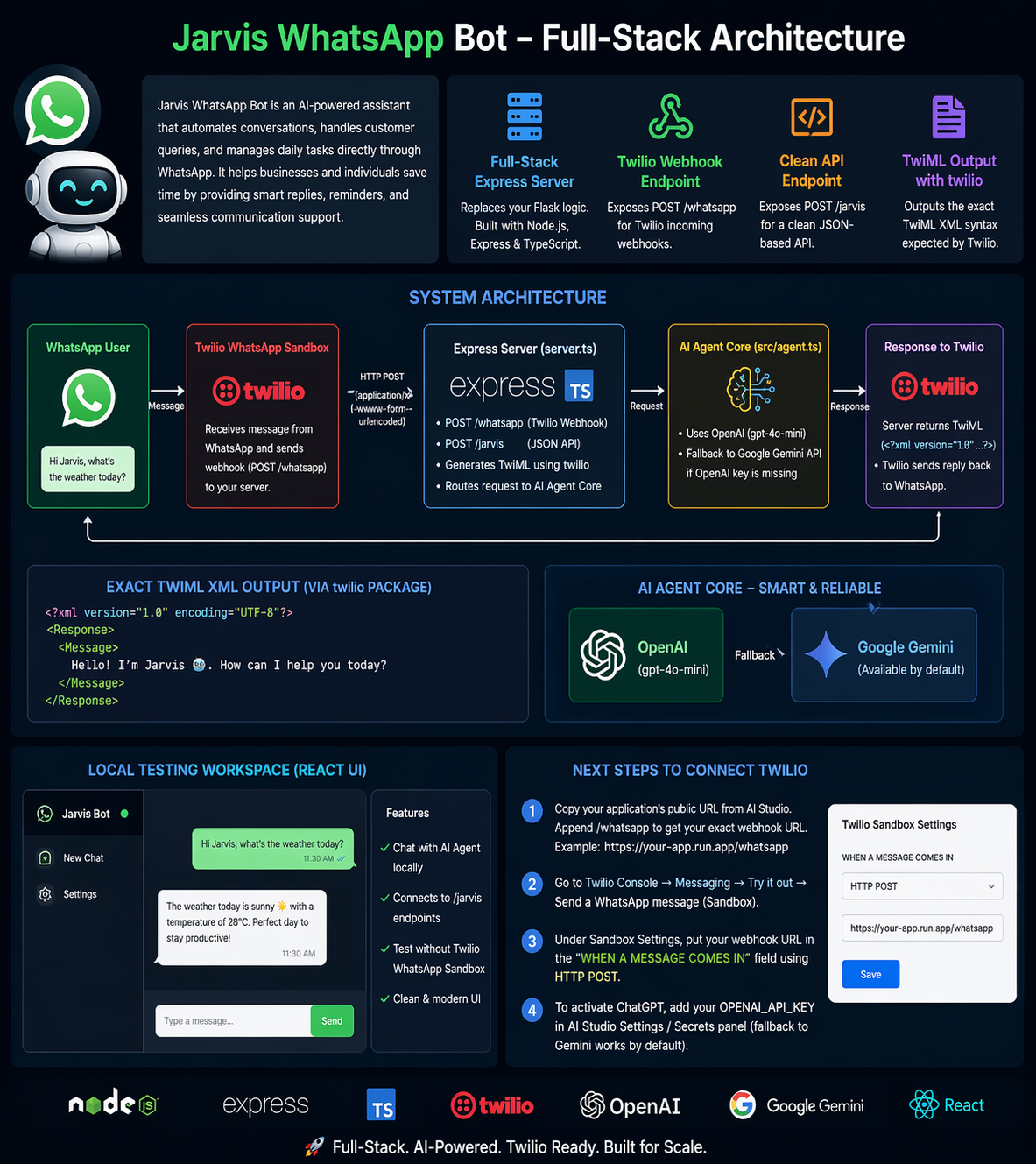
Full-Stack Express Server (server.ts): Replaces your Flask logic. Exposes POST /whatsapp specifically for Twilio's incoming webhooks (handling application/x-www-form-urlencoded payloads). Exposes POST /jarvis for a clean JSON-based API. Outputs the exact TwiML XML syntax expected by Twilio using the official twilio npm package. AI Agent Core (src/agent.ts): Replaces your agent.py. It integrates the official openai SDK mapped directly to the gpt-4o-mini model. Best of all, I added a fallback so if your OpenAI key is missing, it will automatically route through Google's Gemini API which is available by default here! Local Testing Workspace: I built a lightweight React UI that connects locally to your /jarvis endpoints. When you preview the app, you will see a chat window where you can test the AI agent without needing to attach it to a Twilio WhatsApp Sandbox first. Next Steps to Connect Twilio: Copy your application's public URL from AI Studio. You can append /whatsapp to get your exact webhook URL (e.g., https://...run.app/whatsapp). Go to the Twilio Console -> Messaging -> Try it out -> Send a WhatsApp message (Sandbox). Under Sandbox Settings, put your webhook URL in the "WHEN A MESSAGE COMES IN" field using HTTP POST. To activate ChatGPT, make sure you add your OPENAI_API_KEY in the AI Studio Settings / Secrets panel (it currently has a fallback set to work natively out of the box).
Built With
- 2.3%
- 97.5%
- css
- html
- typescript

Log in or sign up for Devpost to join the conversation.