🤖 JARVIS — From AI That Answers to AI That Acts
🌌 The Idea
Most AI assistants can understand what we say and provide answers. But there is still a major gap between understanding a command and actually doing something on the computer.
That gap is where JARVIS comes in.
JARVIS is an AI-powered desktop assistant designed to understand natural-language commands and interact with the computer through system controls, applications, files, and automation.
Instead of remembering complicated commands or manually navigating through multiple applications, users can communicate with their computer naturally.
Talk to your computer. Let JARVIS handle the rest.
🧩 The Problem
Modern computers are powerful, but operating them can still require a lot of repetitive work.
Users constantly need to:
- Open applications
- Search for files
- Navigate folders
- Execute terminal commands
- Manage system tasks
- Switch between different applications
- Repeat the same workflows
Traditional AI assistants are usually focused on answering questions.
JARVIS explores a different approach:
What if AI could understand the user's intention and turn it into an actual computer action?
💡 The Solution
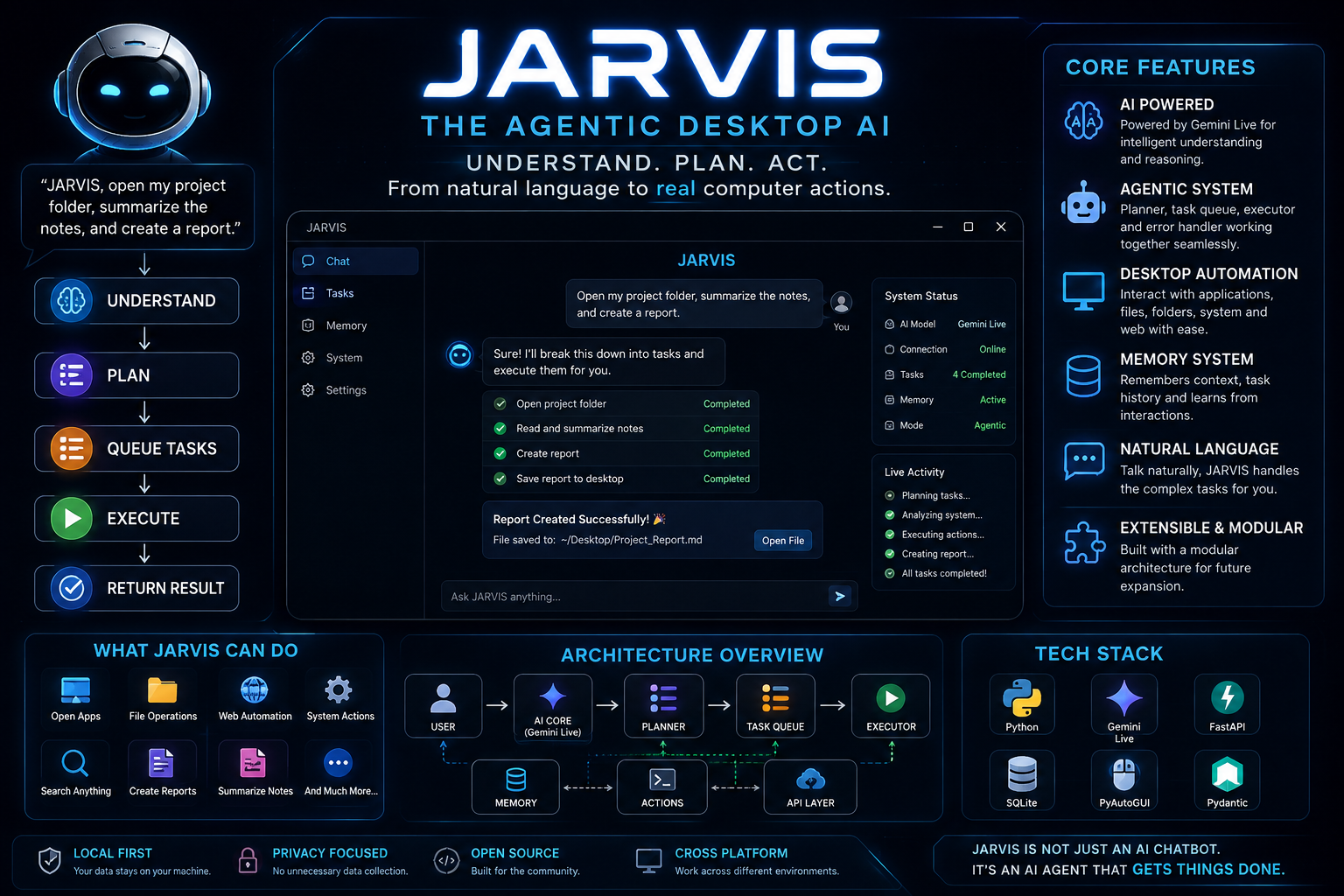
JARVIS is designed around a simple workflow:
Natural Language → Understanding → Planning → Action → Result
Instead of asking:
“How can I open Firefox?”
A user can simply say:
“Open Firefox.”
The goal is for JARVIS to understand that request, determine the required action, and interact with the operating system accordingly.
This turns the computer from something the user constantly operates into something the user can communicate with.
🧠 How JARVIS Works
JARVIS follows a modular architecture so that different capabilities can work independently.
1. 🎤 User Input
The user provides a command using natural language.
Example:
Open my Downloads folder.
2. 🧠 JARVIS Brain
The AI processing layer interprets the command and determines what the user actually wants.
3. ⚙️ Command Processing
The command is converted into an appropriate system-level action.
4. 🖥️ Computer Interaction
JARVIS can interact with different parts of the operating system, such as applications, files, terminal commands, and other supported system operations.
5. ✅ Result
The user receives the result of the requested action.
🚀 Core Capabilities
JARVIS is being developed around several important capabilities:
🖥️ Application Control
Launch and interact with supported desktop applications through natural-language commands.
📁 File Management
Work with files and folders without requiring the user to manually navigate through the filesystem.
⚙️ System Control
Interact with supported operating-system functionality through controlled commands.
🤖 AI Intelligence
Use AI to understand natural-language instructions instead of relying only on predefined commands.
🔄 Automation
Build multi-step workflows where multiple actions can be combined into a single user request.
🧩 Project Architecture
JARVIS is designed as a modular project rather than one huge script.
Its architecture separates responsibilities such as:
JARVIS
│
├── AI / Brain
│   └── Command Understanding
│
├── Core
│   └── Main Assistant Logic
│
├── System
│   └── OS Interaction
│
├── Applications
│   └── Application Control
│
├── Files
│   └── File Management
│
├── Automation
│   └── Task Execution
│
├── Scripts
│   └── Setup / Utilities
│
├── Tests
│   └── Reliability Testing
│
└── Configuration
    └── Environment & Settings
This structure makes JARVIS easier to maintain and allows new capabilities to be added over time.
🛠️ Technology
JARVIS is primarily built around:
- 🐍 Python
- 🧠 AI / LLM technology
- 🐧 Linux
- ⚙️ Shell and system interfaces
- 🧩 Modular Python architecture
- 🔄 Automation tools
The project is designed to remain extensible so additional AI models, tools, APIs, and system capabilities can be integrated later.
🔐 Security
An AI assistant with access to a computer must be designed carefully.
JARVIS therefore aims to follow controlled-access principles rather than giving unrestricted system access.
Important considerations include:
- Keeping API keys outside source code
- Validating sensitive operations
- Limiting powerful system actions
- Separating AI reasoning from execution
- Making automation easier to inspect and control
The objective is:
Powerful enough to be useful. Controlled enough to be trusted.
⚡ Getting Started
1. Clone the Repository
git clone https://github.com/utkarxzz/JARVIS.git
cd JARVIS
2. Check the Project
ls -la
You can also read the project documentation:
cat README.md
3. Create a Virtual Environment
python3 -m venv .venv
Activate it:
source .venv/bin/activate
4. Install Dependencies
If the project contains requirements.txt:
pip install -r requirements.txt
If the repository uses a package configuration such as pyproject.toml, install it according to the project's package configuration.
5. Configure Environment Variables
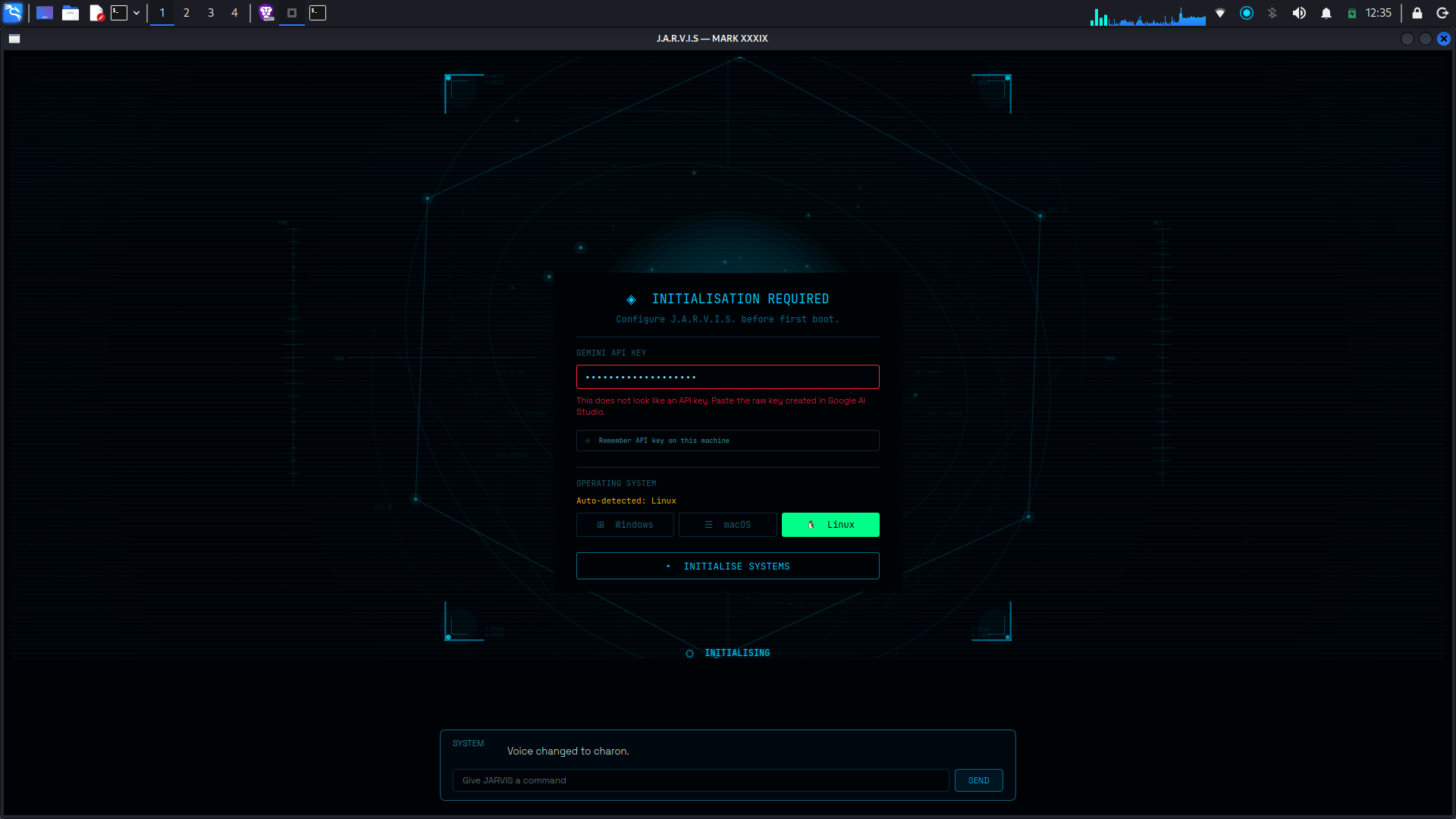
If JARVIS requires an AI/API key, create the required environment configuration and never commit your secret API keys to GitHub.
For example:
export GROQ_API_KEY="your_api_key"
Use the environment variable names defined by the project configuration.
6. Start JARVIS
The exact startup command depends on the entry point currently provided by the repository.
Typical Python entry points can be started with:
python3 main.py
or:
python3 app.py
If JARVIS is packaged as a Python module, it may instead use:
python3 -m jarvis
Check the repository's current README.md, pyproject.toml, or startup scripts for the exact entry point.
🧪 Example Commands
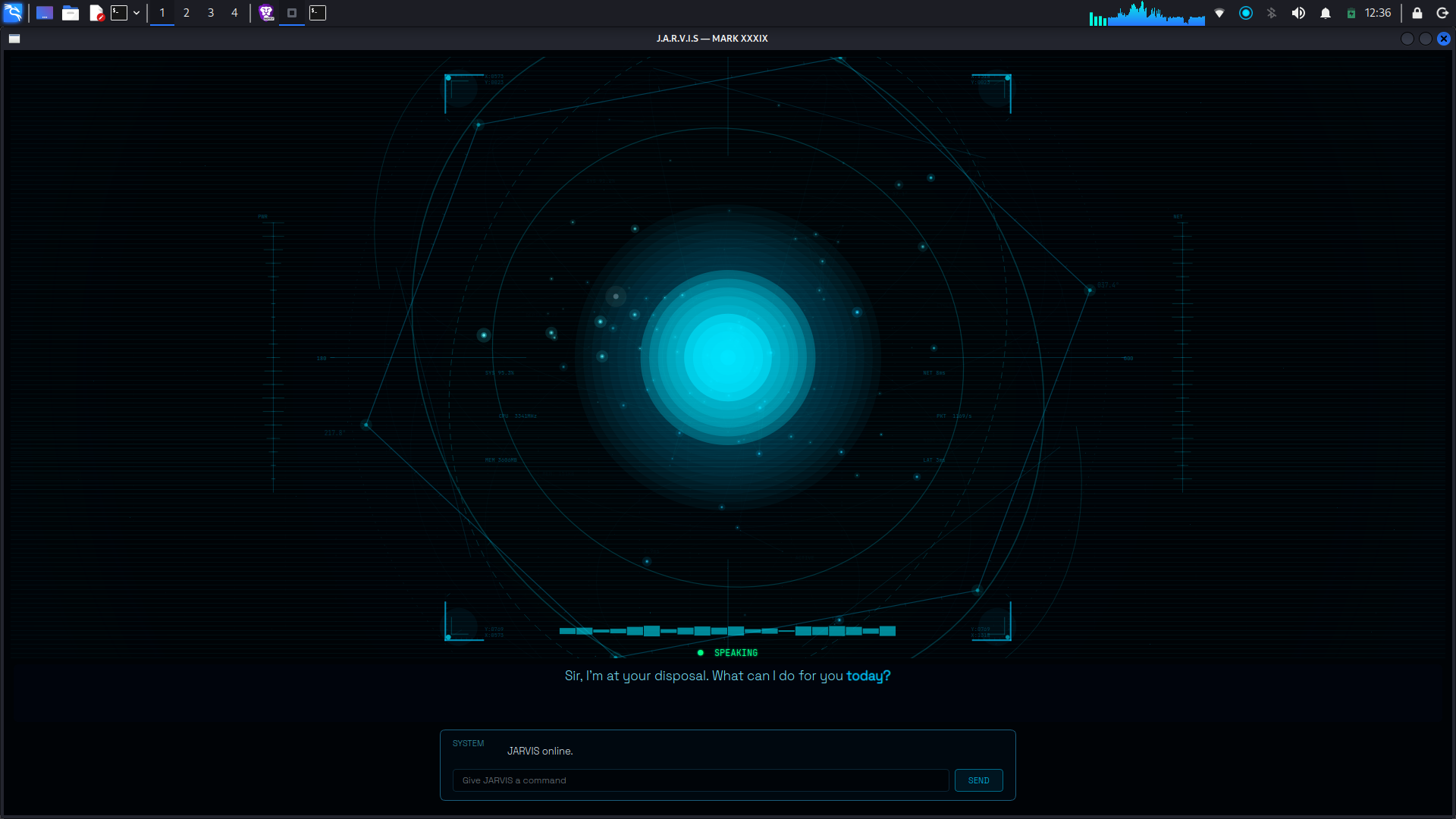
Once running, the long-term goal is to interact with JARVIS using simple natural language such as:
Open Firefox.
Open my Downloads folder.
Find my project files.
Run this terminal command.
The exact commands supported depend on the capabilities currently implemented in the project.
🌍 Why JARVIS?
JARVIS isn't just another chatbot.
Traditional interaction looks like:
User → Computer → Application → Command → Result
JARVIS aims to make it:
User → Goal → JARVIS → Actions → Result
That shift can make computer interaction more natural, especially for repetitive tasks.
🔮 What's Next?
JARVIS is designed to grow into a more capable AI agent.
Future possibilities include:
- 🎙️ Advanced voice interaction
- 🧠 Better contextual memory
- 🖥️ Deeper desktop automation
- 🔄 Multi-step task execution
- 👁️ Better understanding of the desktop environment
- 🧩 Plugin/tool architecture
- 🤖 More autonomous agentic workflows
- 🔐 More granular permission controls
The long-term vision is to move beyond an assistant that simply responds and toward an assistant that can understand goals and help accomplish them.
❤️ Why I Built JARVIS
JARVIS started with a simple question:
“What if I could just talk to my computer instead of manually controlling everything?”
That question turned into an exploration of AI, automation, operating systems, and human-computer interaction.
The project is an ongoing attempt to build a computer assistant that feels more natural, intelligent, and useful.
JARVIS is not the finished destination.
It's the beginning.
⚡ The Vision
Today
AI that answers.
Tomorrow
AI that understands.
The Goal
AI that can act.
🤖 JARVIS
An AI-powered computer assistant built to turn natural language into action.
Talk to your computer. Let JARVIS handle the rest.

Log in or sign up for Devpost to join the conversation.