-
-
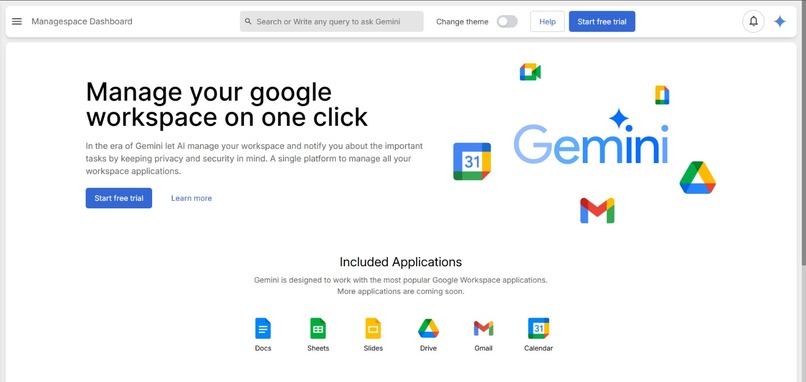
Home Page
-
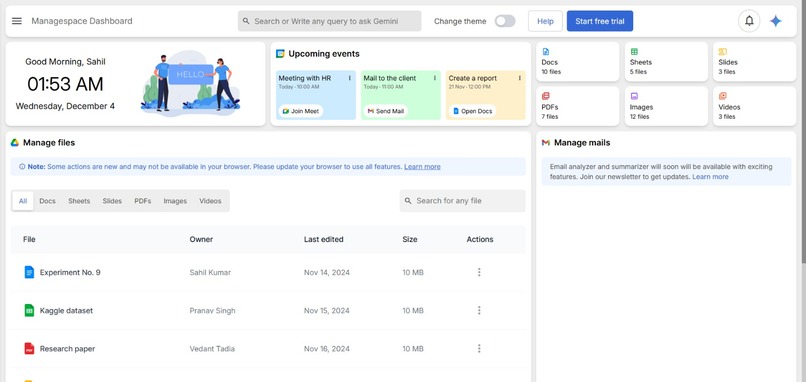
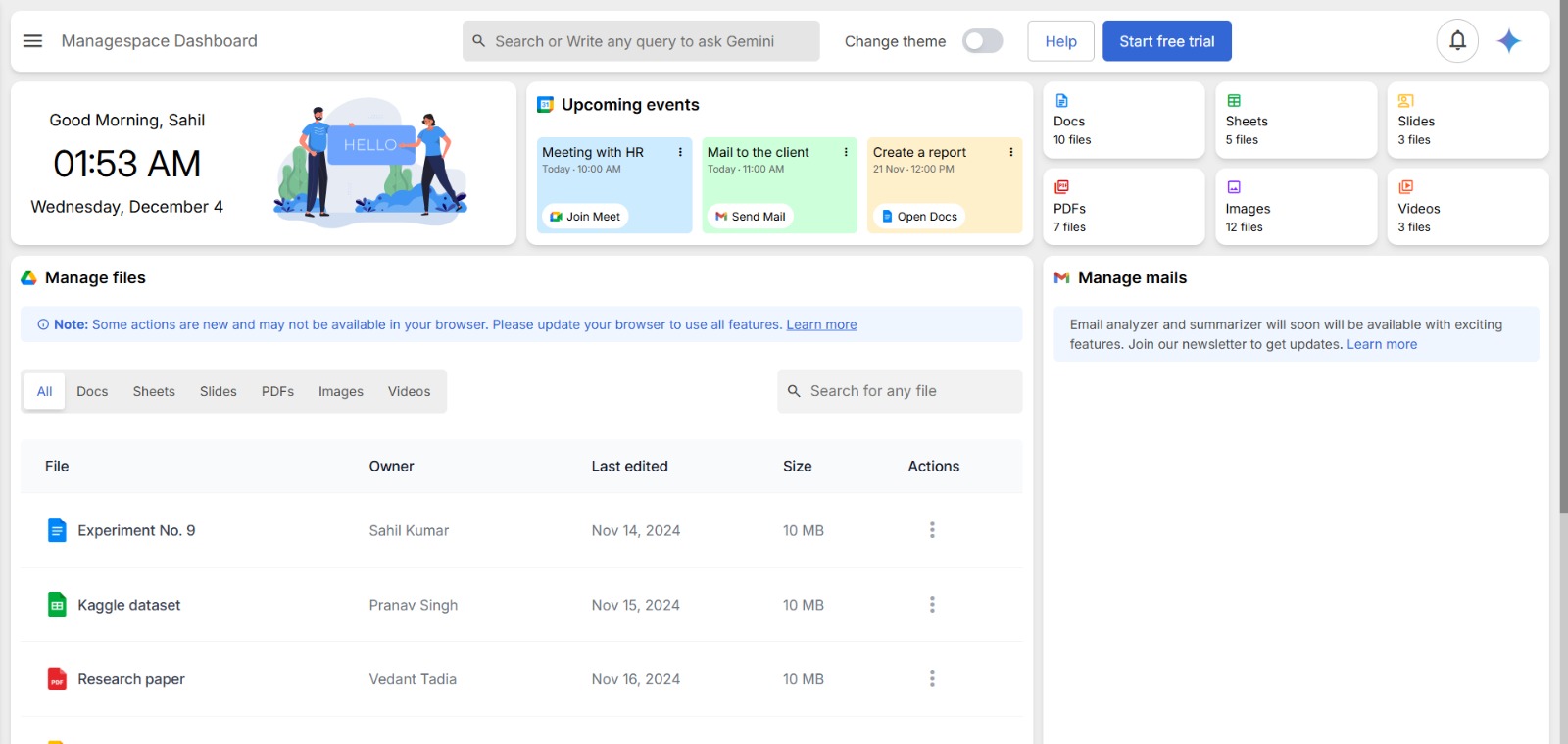
Dashboard
What Inspired Us
Our inspiration came from the vision of seamlessly integrating AI into the daily tools people rely on. We wanted to create a solution that empowers users to leverage an AI assistant tailored to their unique needs.
The goal was to save time and enhance productivity by providing features that enable users to create, learn, and generate ideas and insights effortlessly. By embedding AI capabilities into tools like Google Workspace, we aimed to transform routine tasks into opportunities for innovation and growth.
This vision of simplifying workflows and unlocking creativity drove us to design Jarvis as a versatile and intelligent assistant that adapts to the demands of modern users.
What it Does
This project leverages Chrome-built AI APIs with Gemini Nano to enable users to interact with their Google Drive files efficiently. Key features include:
- A dashboard displaying all files in the user's Google Drive.
- Gemini APIs for document manipulation, alteration, and insights generation.
- Lang Graph for seamless tools integration, enabling resource-intensive document generation and management.
With an optimized architecture, the system ensures high performance and scalability while providing a user-friendly experience.
How We Built It
Frontend
- React.js: Used to build an interactive and responsive user interface.
Backend
- FastAPI: To handle API calls and backend processing.
Databases
- Redis: Provides caching for user documents, reducing latency for frequently accessed data.
- MongoDB: Stores user documents persistently for future access and processing.
Additional Integrations
- Lang Graph: Facilitates the integration of various tools for managing and generating resource-intensive documents.
Flow of the Project
- Google Login and Permissions:
- Users start by logging in with their Google account and granting permissions for Google Drive access.
- Dashboard:
- A dynamic dashboard displays all files from the user's Google Drive.
- Gemini APIs:
- Gemini Nano APIs are utilized for advanced document manipulations and extracting meaningful insights.
- Tool Integration:
- Lang Graph is employed to integrate tools efficiently, enabling scalable document management and generation.
- Caching and Storage:
- Redis is used for caching user documents during active sessions.
- MongoDB stores user documents for long-term access and usage.
By combining these technologies, the project delivers a robust solution for managing and analyzing Google Drive documents.
Challenges Faced in Building an AI-Managed Google Workspace
Building an AI-powered solution to manage Google Workspace with advanced capabilities like summarization, translation, and idea generation posed several challenges. Below is an outline of the key issues encountered during the project:
1. Response Time for Storing Document Lists in MongoDB
- Issue: Storing and retrieving large lists of documents efficiently in MongoDB was critical to maintaining performance.
- Challenge: As the number of documents grew, optimizing database queries and ensuring fast response times became increasingly complex.
- Approach Taken:
- Indexed frequently accessed fields in MongoDB collections to speed up lookups.
- Implemented pagination to limit the size of data fetched at a time.
- Used Redis caching for frequently accessed or recently modified data to reduce load on MongoDB.
- Indexed frequently accessed fields in MongoDB collections to speed up lookups.
2. Real-Time Push Notifications for Document Updates
- Issue: Providing real-time notifications for additions, changes, or deletions in documents to ensure updates are reflected seamlessly.
- Challenge: Maintaining low latency in push notifications while handling multiple simultaneous events.
- Approach Taken:
- Used WebSocket connections for real-time communication with the client.
- Established event listeners for Google Workspace changes and integrated them with notification mechanisms.
- Deployed a message queue system (e.g., RabbitMQ) to handle high event throughput without dropping notifications.
- Used WebSocket connections for real-time communication with the client.
3. Deployment of Backend on Cloud
- Issue: Efficiently deploying the backend to support scalability, reliability, and cost-effectiveness.
- Challenge: Balancing resource usage and minimizing downtime during updates.
- Approach Taken:
- Used containerization (Docker) to streamline deployment and scale services effectively.
- Deployed the backend on a cloud platform (e.g., AWS, Google Cloud) with load balancing and auto-scaling enabled.
- Configured Continuous Integration/Continuous Deployment (CI/CD) pipelines to ensure smooth updates without manual intervention.
- Used containerization (Docker) to streamline deployment and scale services effectively.
Conclusion
Overcoming these challenges required a combination of technical optimizations, strategic design decisions, and leveraging modern tools and technologies. The result is a robust, efficient, and scalable AI-driven solution that enhances Google Workspace management for users.
Accomplishments
Planned Seamless Integration of Frontend, Backend, and Gemini Nano
Designed a comprehensive architecture for integrating a dynamic React.js frontend with a scalable FastAPI backend. The implementation will leverage Gemini Nano APIs to enable advanced document manipulation, insights generation, and data handling. To ensure optimal performance, Redis will be utilized for caching user documents, providing faster processing and improving the user experience with accurate and efficient results.Blueprint for Delivering a High-Quality, User-Friendly Interface
Strategized the development of an interactive and accessible user interface with React.js, ensuring ease of navigation and simplicity for managing Google Drive files. The frontend will emphasize a balance between functionality and design, providing a seamless workflow for users to interact with their data effectively.Commitment to Building a Reliable and Scalable Backend
Envisioned a robust backend infrastructure utilizing FastAPI for efficient handling of API calls and backend logic. The system is designed to incorporate MongoDB for persistent and structured storage of user documents, enabling reliable data management. Additionally, scalability has been prioritized to ensure the backend can support increasing user demand and large-scale operations while maintaining optimal performance.
We are proud of several key accomplishments achieved during the development of this project:
1. Full-Scale Web Application Integration
- Successfully developed and deployed a comprehensive web application that seamlessly integrates with Google Workspace.
- Enabled users to interact with their documents effortlessly, leveraging Chrome’s built-in APIs for a smooth user experience.
2. Efficient Caching and Database Management
- Implemented robust caching techniques using Redis to load and store user documents, significantly improving application performance.
- Designed a scalable and efficient database architecture using MongoDB to manage and store the user's document lists with minimal latency.
3. AI Integration for Enhanced User Experience
- Integrated advanced AI functionalities with the user's document database, enabling features like summarization, translation, idea generation, and insight extraction at their fingertips.
- Delivered a user-friendly interface that makes these powerful AI tools accessible even to non-technical users.
4. Mastering Caching Techniques
- Gained a deep understanding of caching mechanisms like Redis, applying these techniques effectively to reduce server load and improve data retrieval times.
- Optimized workflows to ensure documents load faster, enhancing the overall responsiveness of the application.
These accomplishments demonstrate the technical and strategic milestones achieved during the project, showcasing our commitment to delivering a seamless and intelligent workspace solution.
What we learned
What's Next for Jarvis
We have exciting plans for the future of Jarvis, focusing on expanding its capabilities and enhancing user experience:
1. Complete Integration
- Integrate all APIs with a unified backend and frontend for seamless functionality.
- Extend support to include all Google Workspace apps, such as Gmail and Google Calendar, creating a centralized productivity hub.
2. Advanced Data Insights
- Implement advanced analytics features like topic modeling, clustering, and multiple document selection to provide clustered analysis and comparisons of documents.
- Enable users to extract actionable insights quickly from large stacks of documents right at their fingertips.
3. Enhanced Visualization Tools
- Develop interactive and intuitive visualization tools to help users better understand and grasp the insights derived from their data.
- Make complex information more accessible with visually appealing graphs, charts, and reports.
4. Smart Email and Calendar Integration
- Enable email clustering to organize and categorize emails effectively based on content.
- Automatically add events to Google Calendar with priority-based scheduling, streamlining task management.
5. Real-Time Updates
- Use push notifications and WebSockets to deliver real-time updates for document additions, changes, and deletions.
6. Cloud Deployment
- Deploy both the frontend and backend on a scalable cloud infrastructure to ensure reliability, high availability, and global access.
These advancements will make Jarvis a powerful AI workspace assistant, driving productivity and transforming how users interact with their documents and data.


Log in or sign up for Devpost to join the conversation.