-
-
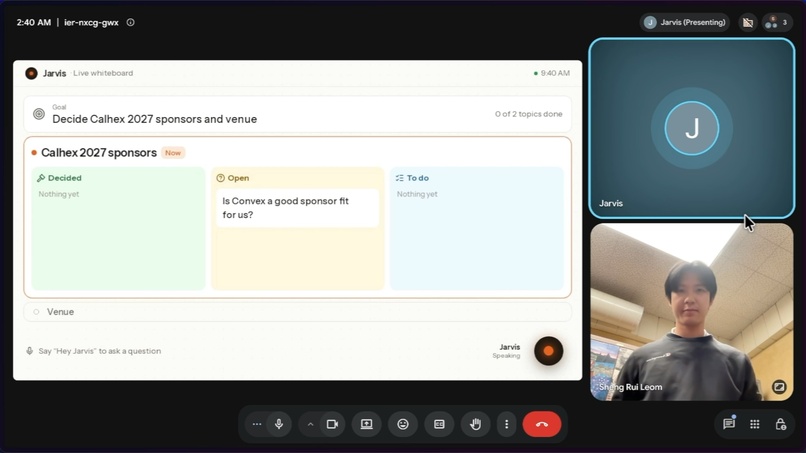
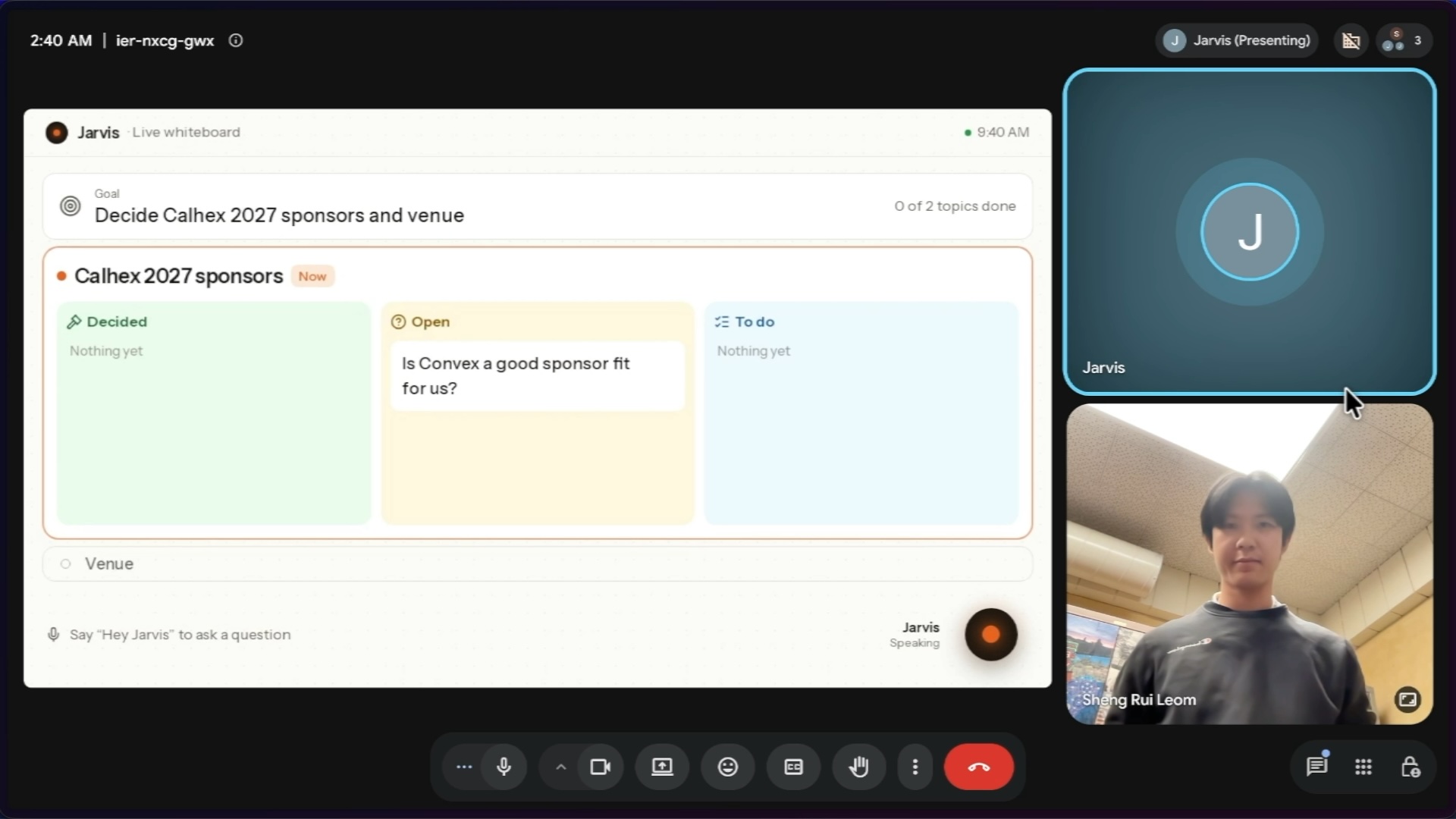
Shows the AI agent keeping track of the meeting state on the whiteboard.
-
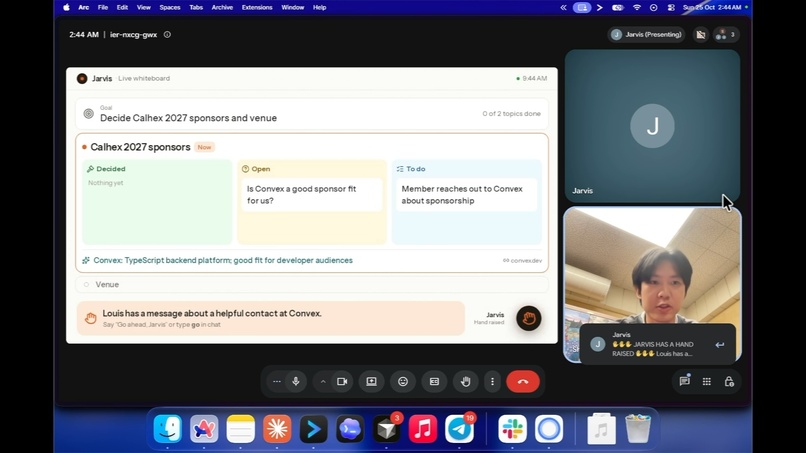
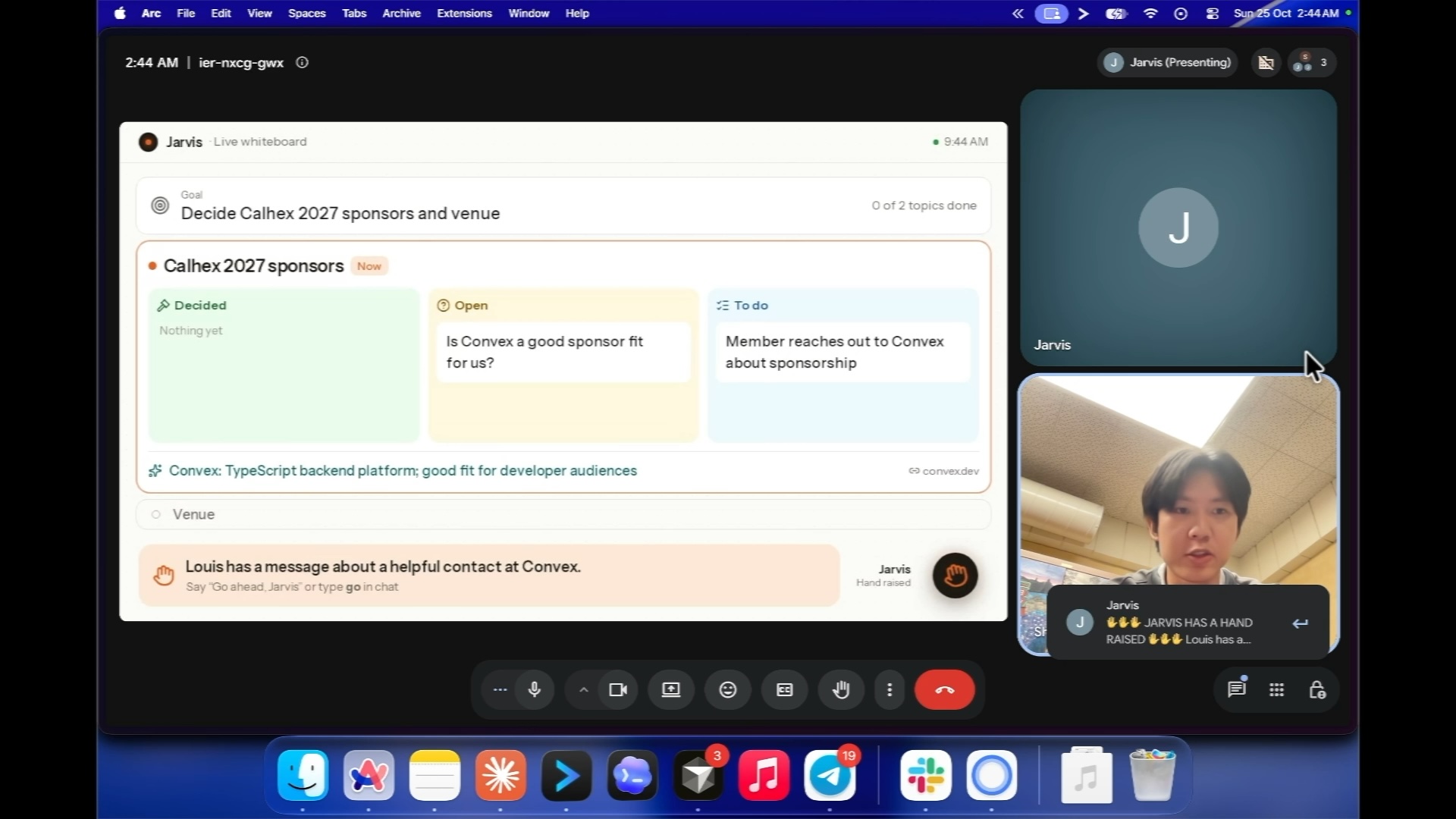
Shows the AI agent relaying the absent teammate's message to the call.
-
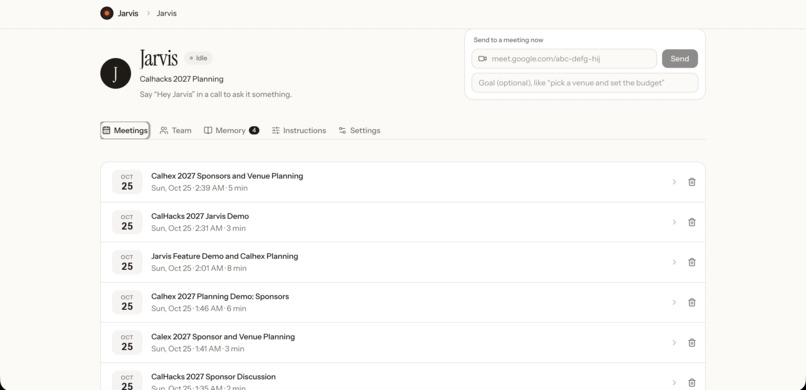
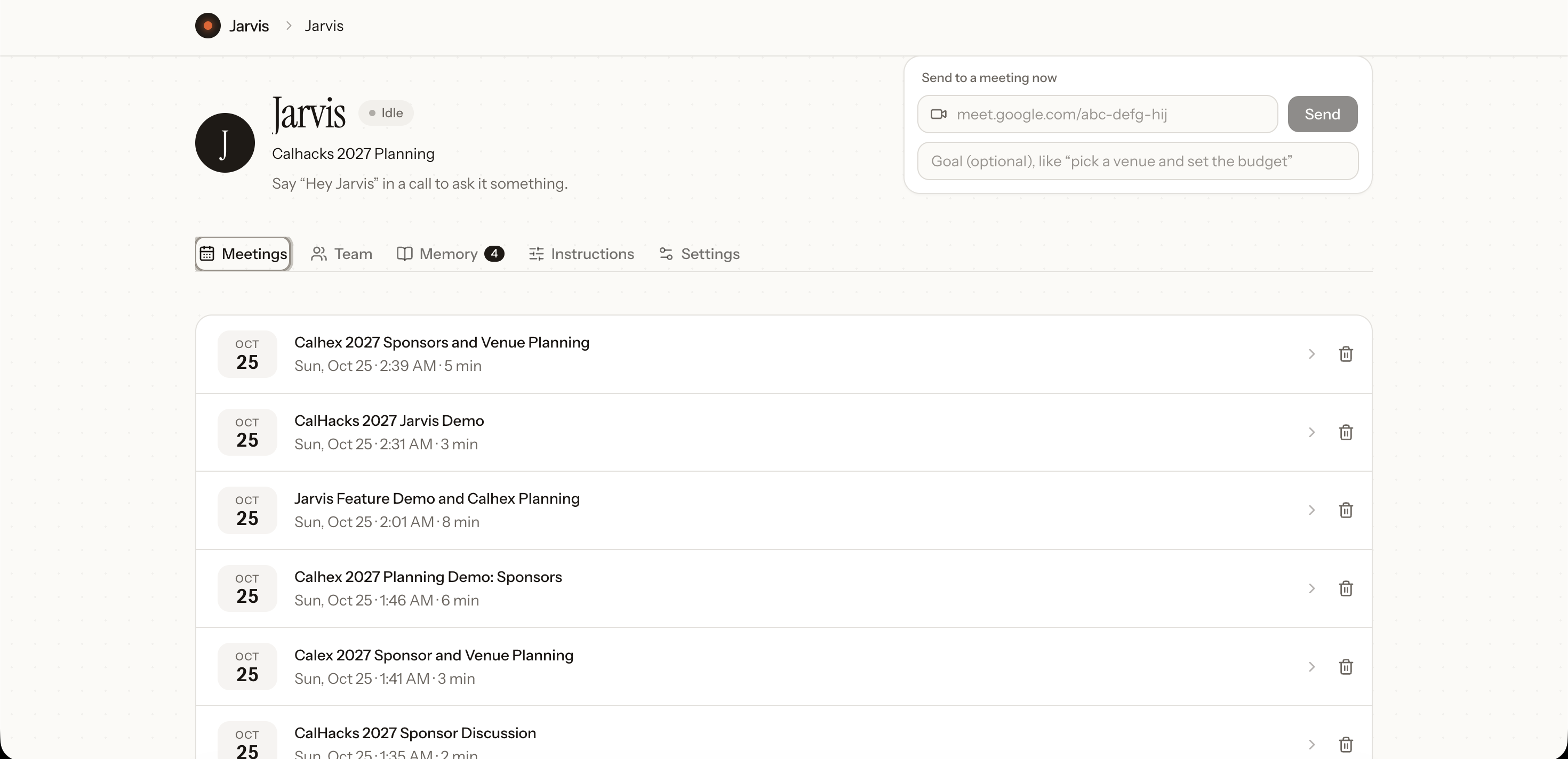
Shows all the present and past meeting logs.
-
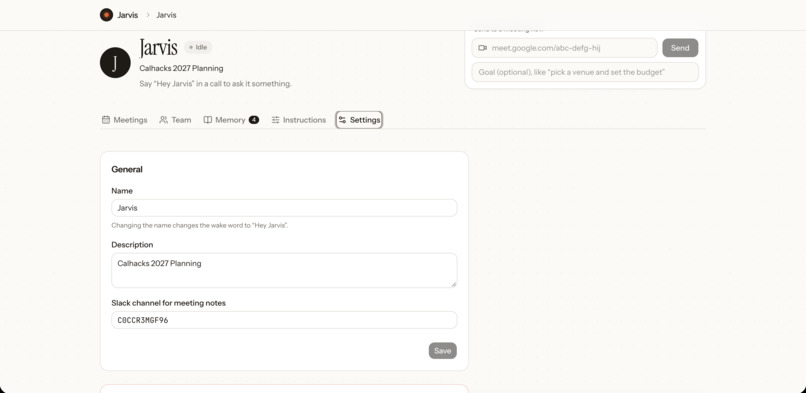
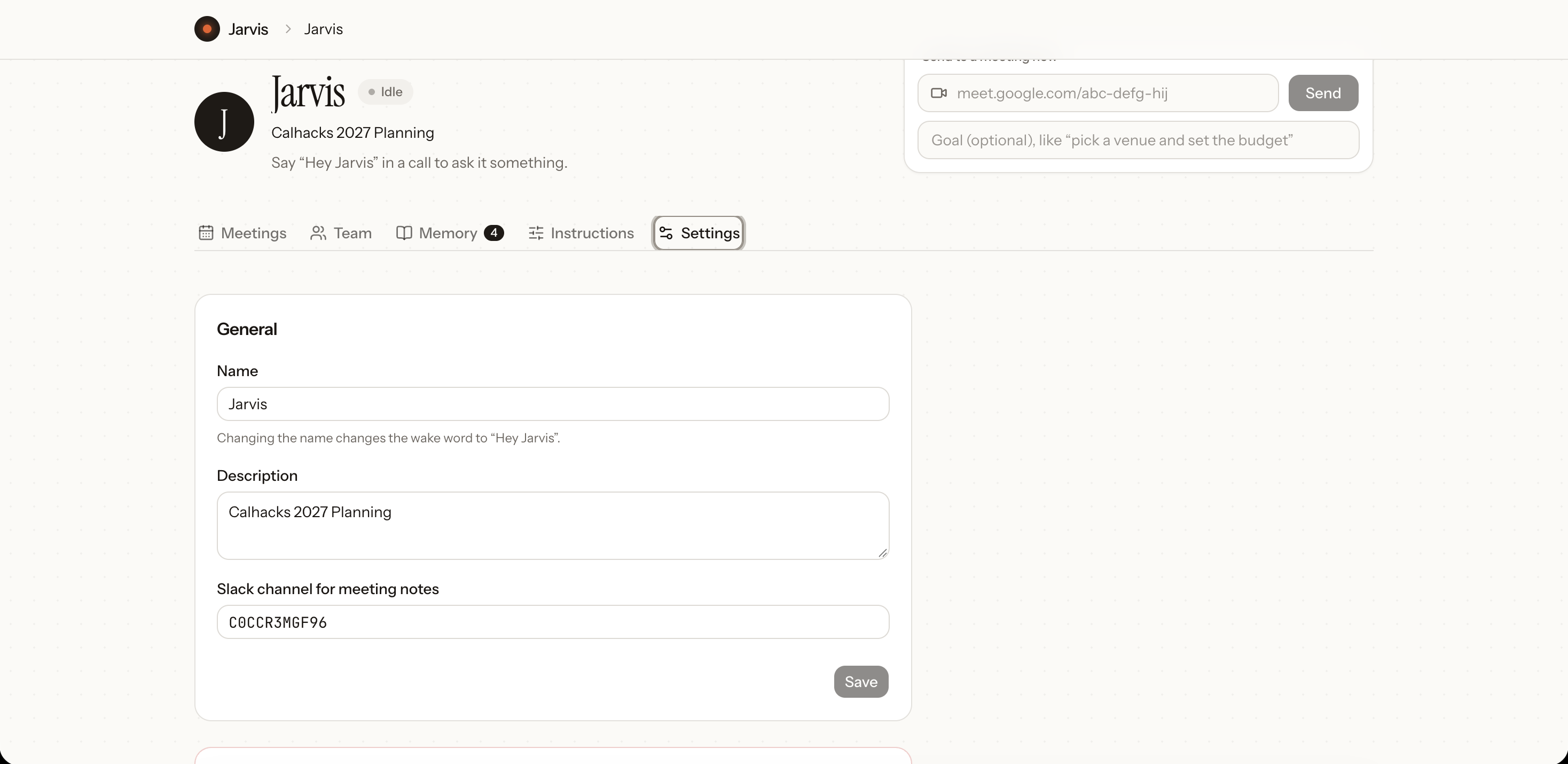
Shows the ability to customize AI agent name, title, and connection to specific Slack channel.
-
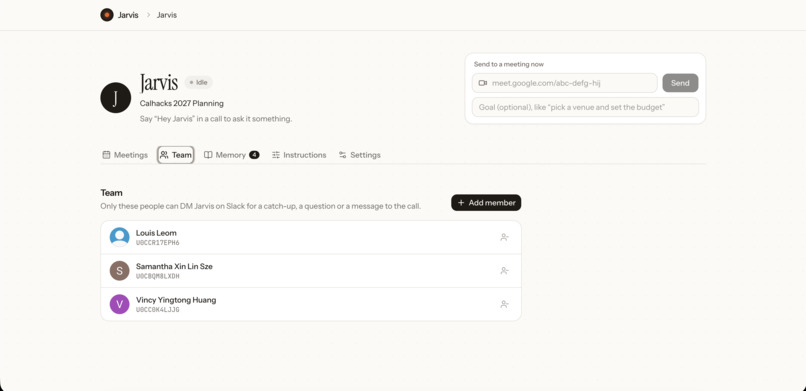
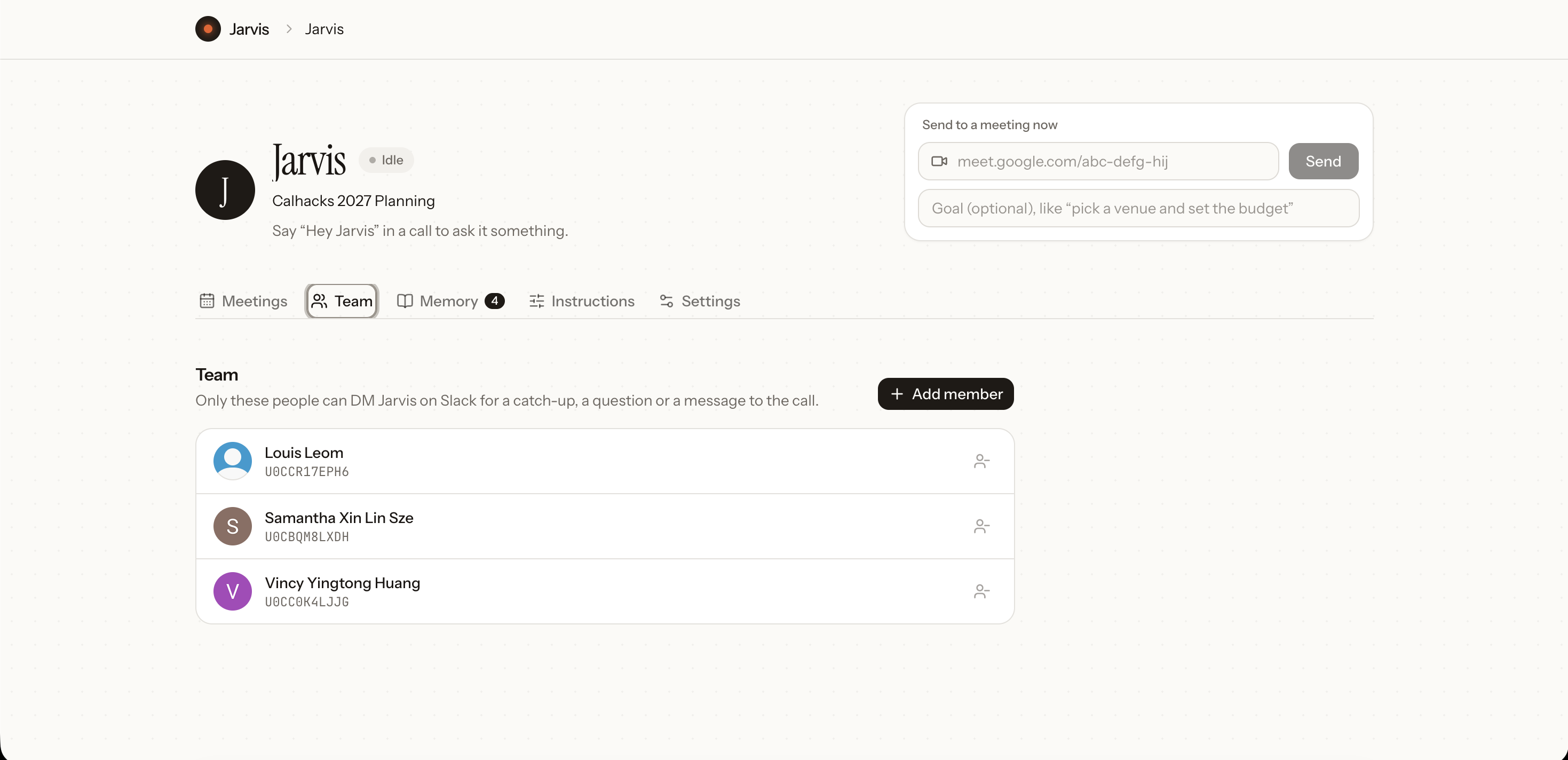
Shows all the collaborators for the specific AI agent.
-
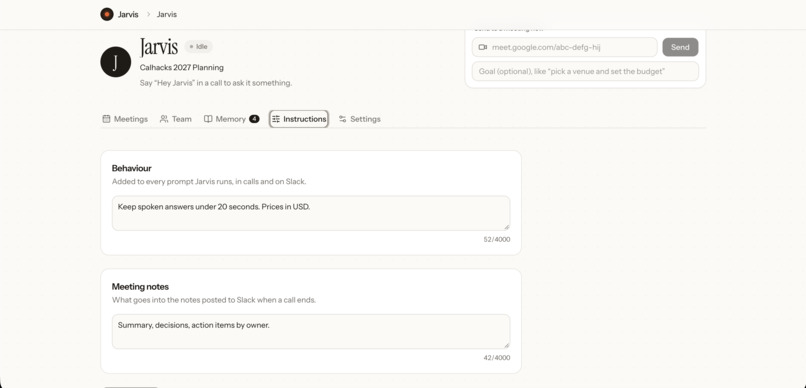
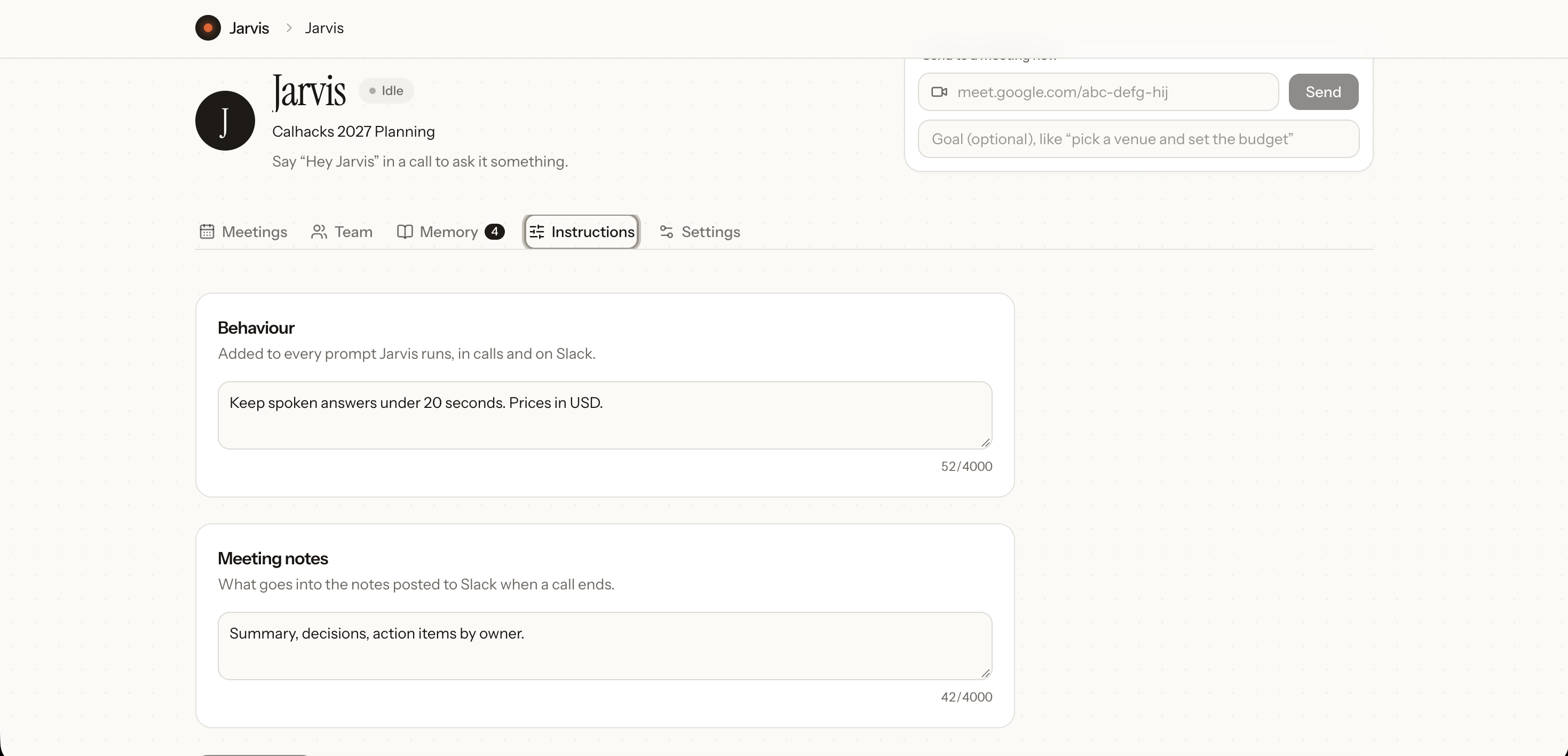
Shows the customization for the AI agent.
-
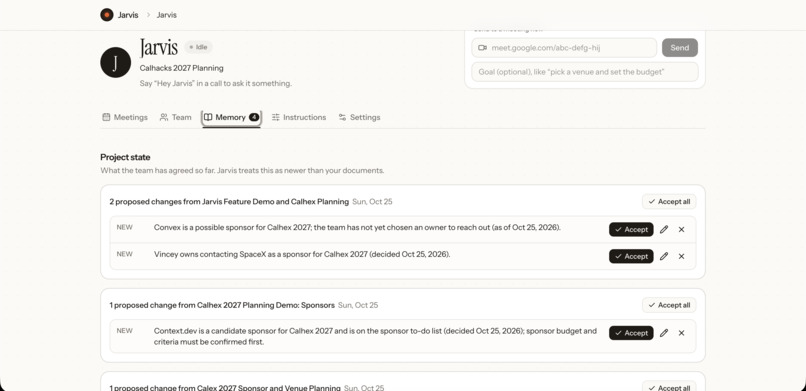
Shows all the commands during different meetings.
-
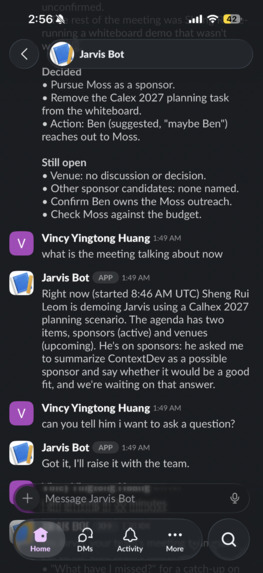
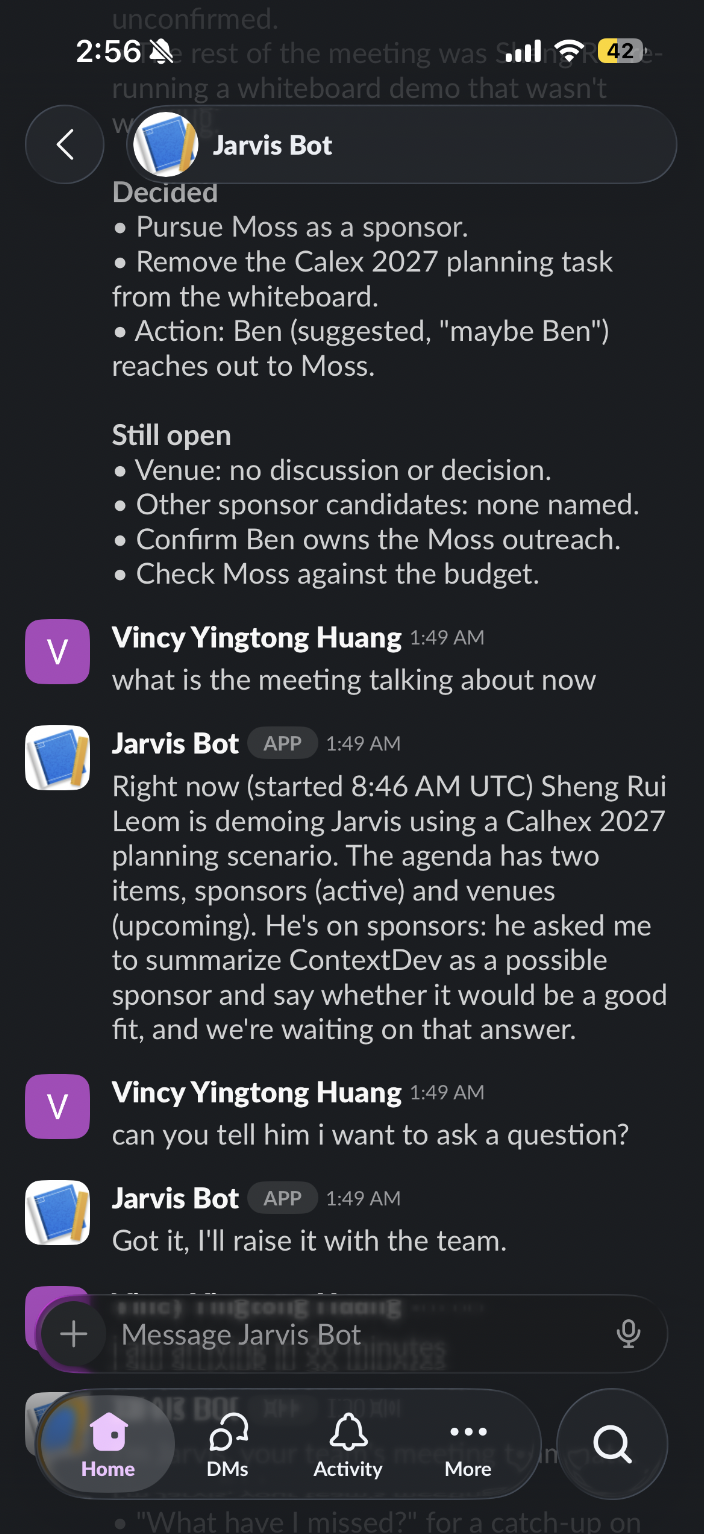
Shows the absent member communicating with the AI agent through Slack.
-
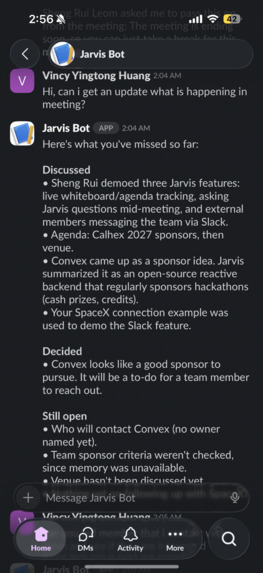
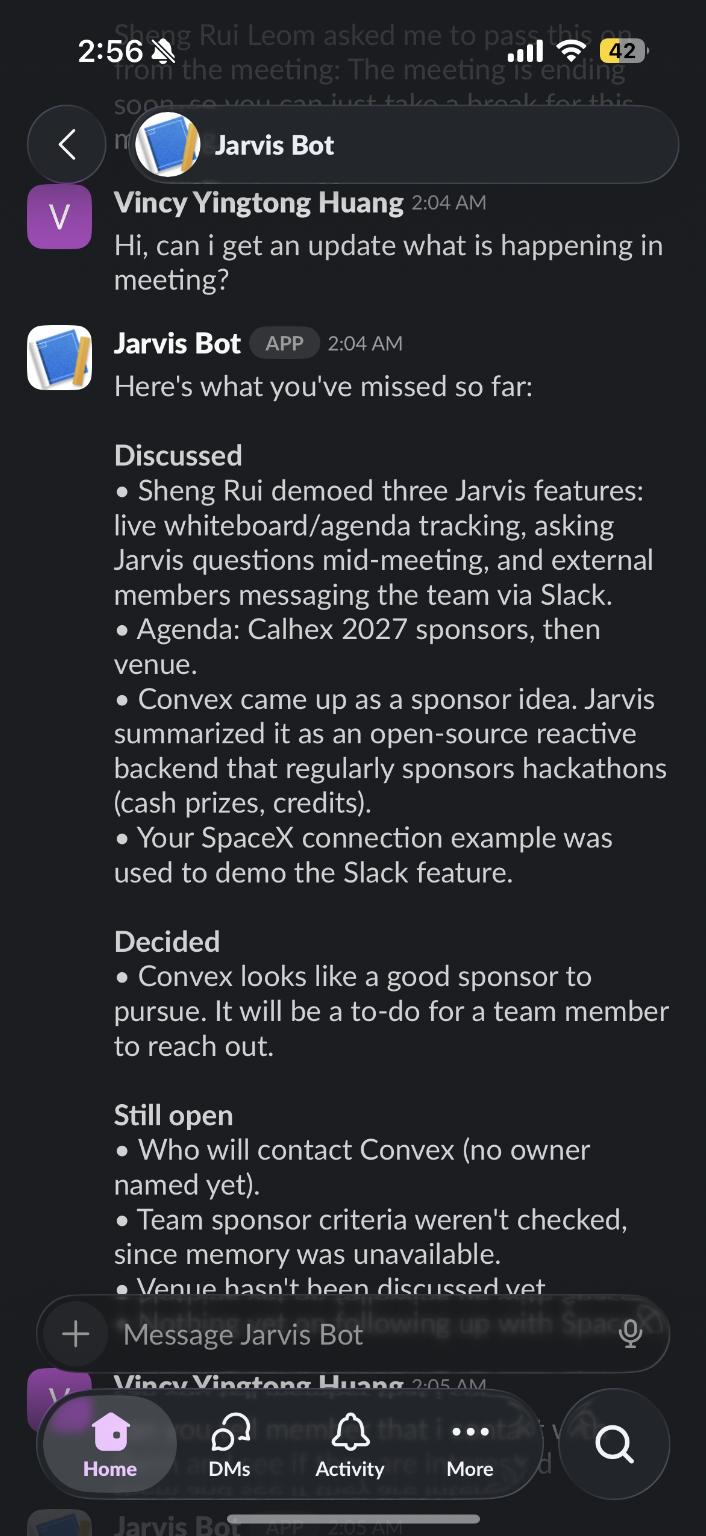
Shows the absent member communicating with the AI agent through Slack.
-
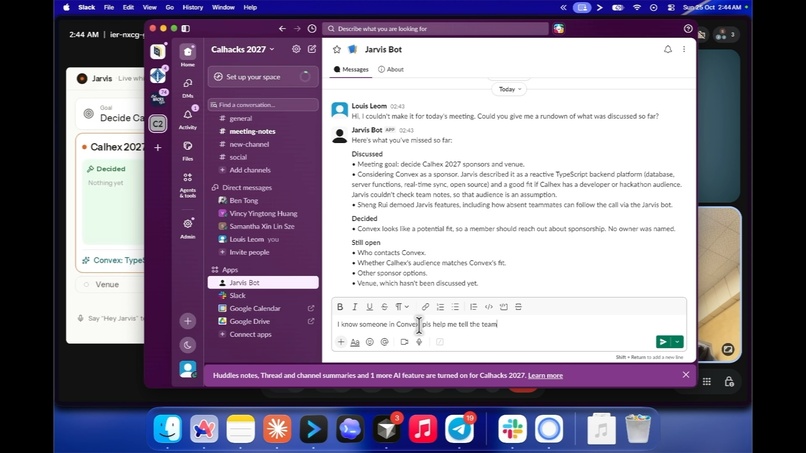
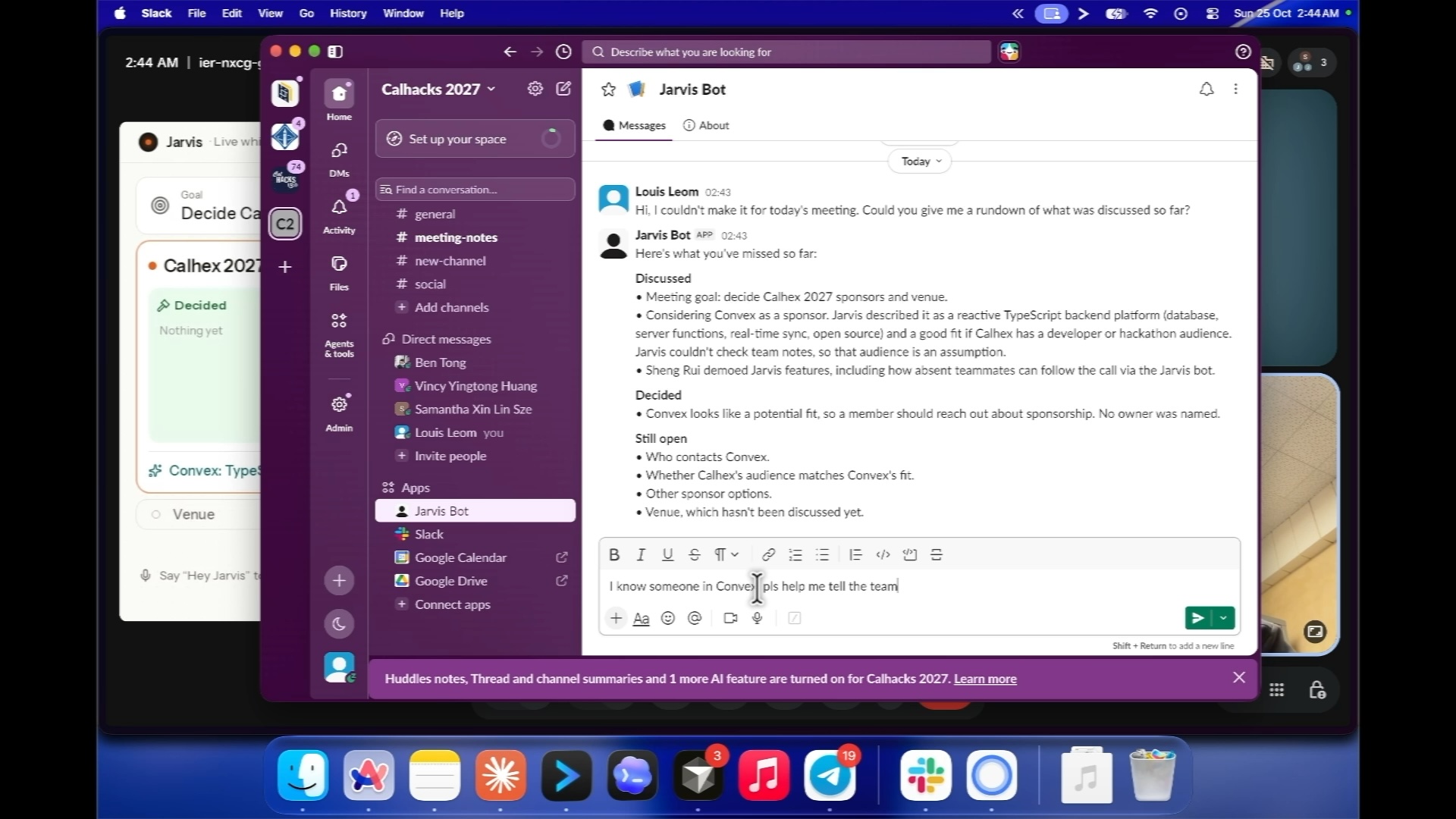
Shows a desktop view of the absent teammate texting the AI agent through Slack.
Inspiration
We attend a lot of online meetings, and the biggest drag on them is missing information. Someone needs a detail nobody has, so they open a laptop, search, and drop out of the discussion. Someone else needs input from a teammate who isn't on the call. And every time a teammate joins late, someone spends five minutes catching them up.
We run planning meetings for student organizations, where people are juggling classes and someone is almost always late or missing. We wanted a teammate who keeps everyone in the conversation, whether they're in the room or not.
What it does
Jarvis is an AI teammate that joins your Google Meet, listens to the discussion, and talks to you live.
- Invite it with a link. Paste a Meet link on the dashboard, optionally with a meeting goal, and Jarvis joins as a named participant once someone admits it. It announces out loud and in a pinned chat message that it's transcribing, and how to remove it.
- Live whiteboard. Jarvis shares its screen. The board tracks the meeting's goal and agenda as topics. Under the current topic, decisions, open questions and action items appear as short sticky notes while the team talks. Finished topics collapse to a one-line outcome. In our demo the agenda is CalHacks 2027: sponsors, and where to host.
- Ask Jarvis anything. Say "Hey Jarvis, what is Context.dev, and is it a good fit for CalHacks?" Jarvis searches your team's documents and the live web, answers out loud in a few sentences, and posts the answer with its source on the board. Nobody has to Google it.
- Message a teammate from the call. Say "Hey Jarvis, tell Ben on Slack the venue is confirmed." Jarvis reads the draft back and only sends it after you say yes.
- Reach teammates who aren't on the call. Jarvis connects to Slack. A teammate who is late, or on the way to the airport, can DM Jarvis "What have I missed?" and get a summary without interrupting anyone. They can also ask about past meetings ("What did we decide about the venue?").
- Two-way relay. If that teammate has something to say, Jarvis replies "Got it, I'll raise it with the team," raises its hand, and reads the message aloud once the team says "Go ahead, Jarvis" (or types "go" in chat). The team's spoken answer goes back to the teammate on Slack. For example, a lead can send a to-do list to someone who got pulled into another meeting.
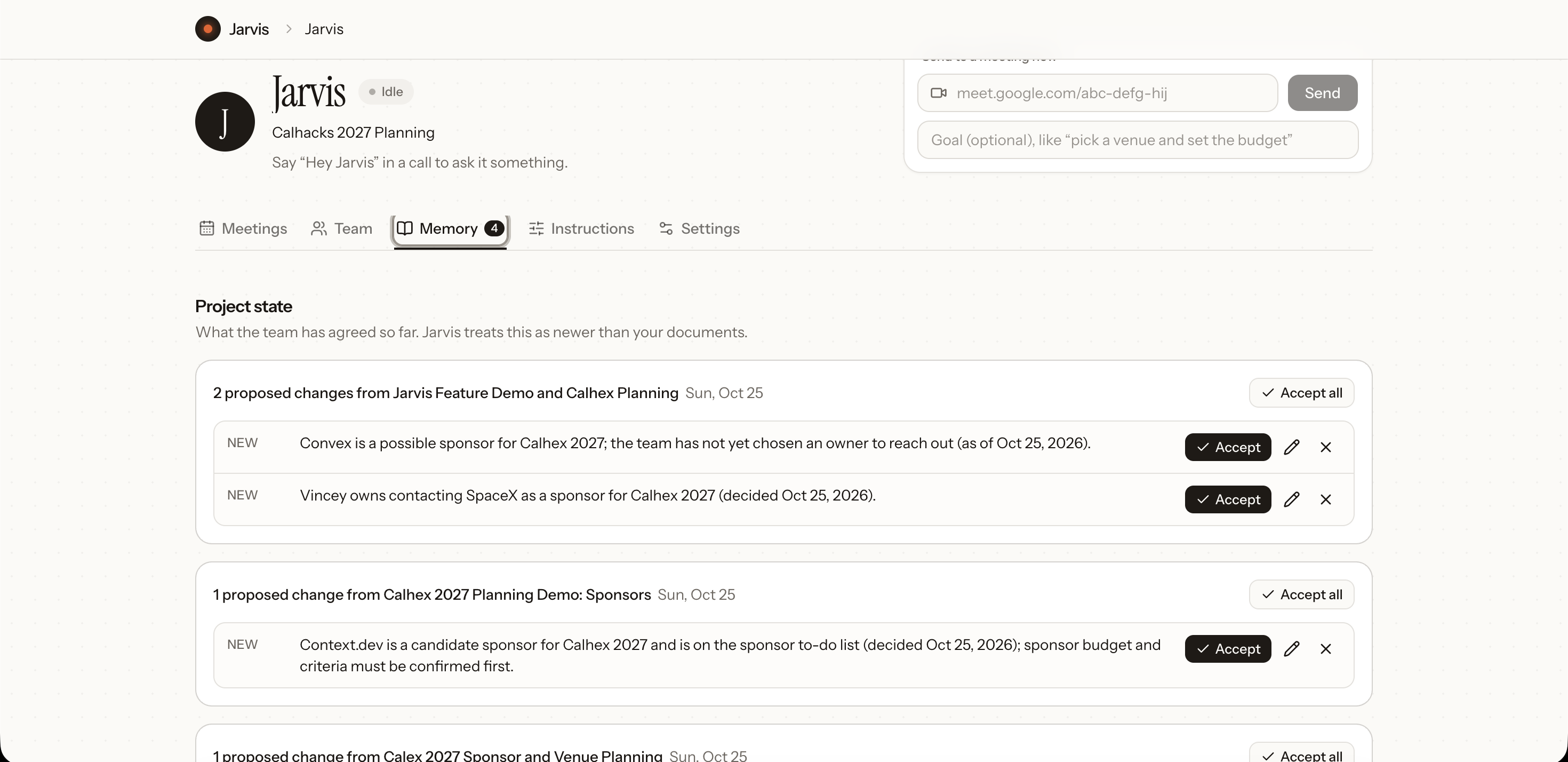
- Notes when you hang up. When the call ends, Jarvis posts a summary, decisions and action items by owner to your Slack channel. It also says whether the meeting reached its goal and which agenda items weren't covered. It then proposes updates to the team's project state (the facts the team has agreed on), and nothing changes until a person accepts. Every meeting is saved on the agent's dashboard page with its notes, whiteboard, answers, relay log and transcript.
How we built it
- Recall.ai puts the bot into Google Meet and gives us the live transcript with speaker names, chat events, and the bot page as Jarvis's screenshare.
- A Node.js and TypeScript orchestrator is the brain. It runs wake-word detection, the whiteboard loop, question answering and the relay state machine, and it hosts the Slack bot (Bolt, Socket Mode).
- Claude does all the reasoning. Haiku 5.5 handles the whiteboard updates and decides what a Slack DM wants. Sonnet 5.5 answers questions, writes catch-up summaries, and drafts meeting notes. Every state-changing call returns JSON validated with zod.
- Cartesia Sonic is Jarvis's voice. The server generates the audio and sends it over a WebSocket to the bot page, which plays it with the Web Audio API.
- Moss is Jarvis's memory. There is one index per agent, holding uploaded documents, the live transcript, past meeting notes and the team's project facts. Claude searches it mid-conversation.
- context.dev gives Jarvis live web access. Search returns the passages of each page that match the query, so Claude rarely needs to open a page. When it does, a scrape call reads the page as markdown.
- Convex is the backend: data, live sync to the whiteboard and dashboard, file storage for documents, and scheduled jobs for meeting notes and cleanup. The Next.js dashboard and the bot page (the React whiteboard Recall screenshares) both subscribe to it. The dashboard runs on Vercel, and the orchestrator runs locally behind ngrok.
Challenges we ran into
- Making Jarvis speak inside a call. Recall doesn't allow its separate audio output while a webpage is being streamed, so the voice has to play from inside the bot page itself. That page also needs Recall's 4-core Meet variant, or the audio gets choppy.
- Staying fast enough for a conversation. Recall only finalizes a sentence a while after someone stops talking, so Jarvis starts answering once the speaker's partial transcript stops changing. A web search can take seconds, so Jarvis says a short filler ("Let me check.") first and limits itself to four tool calls and fifteen seconds. If search fails, it answers from what it has and says it couldn't confirm.
- Not talking out of turn. Jarvis only speaks when addressed or granted. We catch "Hey Jarvis" and "Go ahead, Jarvis" with plain text rules, not a model, so they're fast and predictable. Relay requests queue so only one hand is raised at a time.
- Keeping the whiteboard readable. Meet shows the screenshare in a small tile. We fixed the layout to a goal bar, topic cards, and three note slots (Decided, Open, To do). Notes are capped at 12 words, type is large, and the model never chooses positions.
Accomplishments that we're proud of
- A two-way relay between Slack and a live call: a teammate's message raised politely in the meeting, and the team's spoken answer sent back.
- Live answers that cite real web sources on the board, with no mocked data.
- A whiteboard that fills in as people talk, so late joiners and anyone who is hard of hearing can follow along visually.
- A full end-to-end flow, from pasting a link to meeting notes in Slack. In our test calls, the hand was raised about 1.5 seconds after a Slack DM arrived. Answers that needed no tools took about 2 seconds. Web-backed answers took 8 to 11 seconds, with "Let me check." covering the wait.
What we learned
- Voice changes the design problem. Latency, interruptions and who is allowed to speak matter as much as answer quality.
- Constraining the model helps. A fixed board structure, short notes and schema-validated outputs made Claude far more reliable than free-form generation.
- Teams don't need a smarter note-taker. They need a teammate who keeps people in the flow.
- Privacy has to be designed in. Jarvis discloses transcription out loud, only answers Slack DMs from people on the agent's team list, never sends a DM without confirmation, and deleting a meeting also removes it from memory.
What's next for Jarvis.ai
- Internal company meetings. We're starting with student orgs, but growing and international companies have the same problem across time zones. Jarvis could update someone when they come online.
- Partner integrations with other meeting and note tools, such as Fathom.
- Speaking up on its own when it notices something useful, at most once every five minutes.
- Login and per-agent permissions. Today anyone with the dashboard link can see and edit every agent. doc calls that the weak spot, so you may want a sentence on it in the post.
Built With
- cartesia
- chatgpt
- claude
- context.dev
- convex
- moss
- next.js
- node.js
- react
- recall.ai
- slack
- typescript


Log in or sign up for Devpost to join the conversation.