-
-
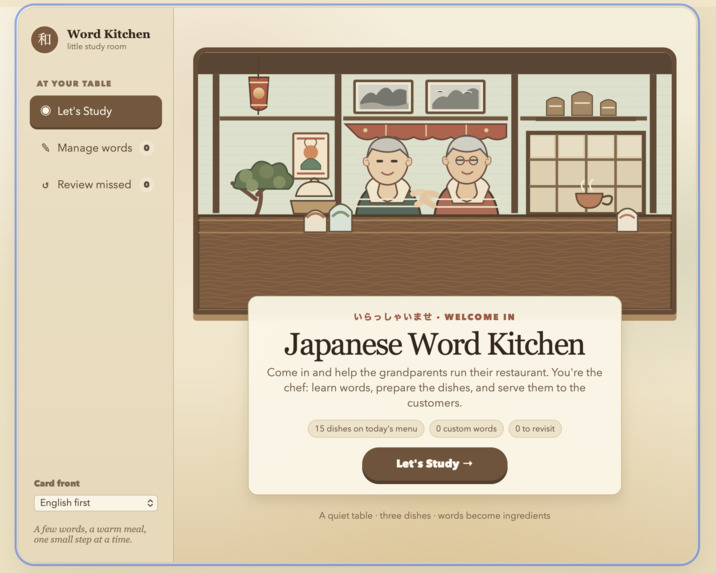
Homescreen
-
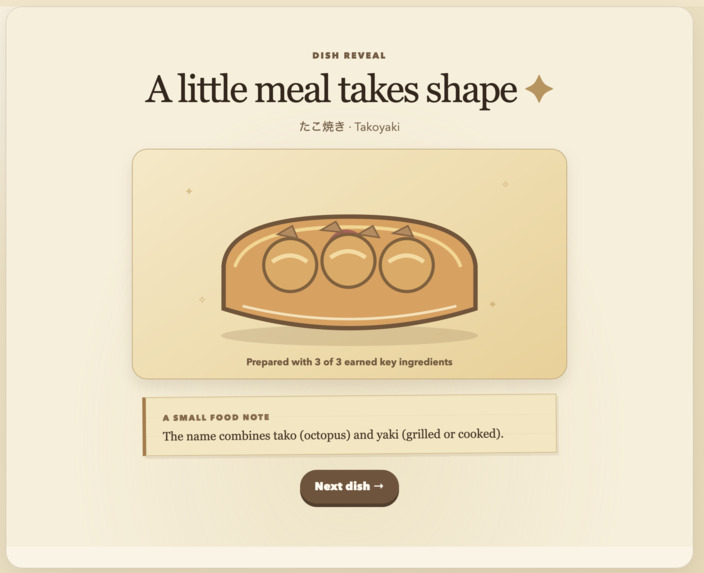
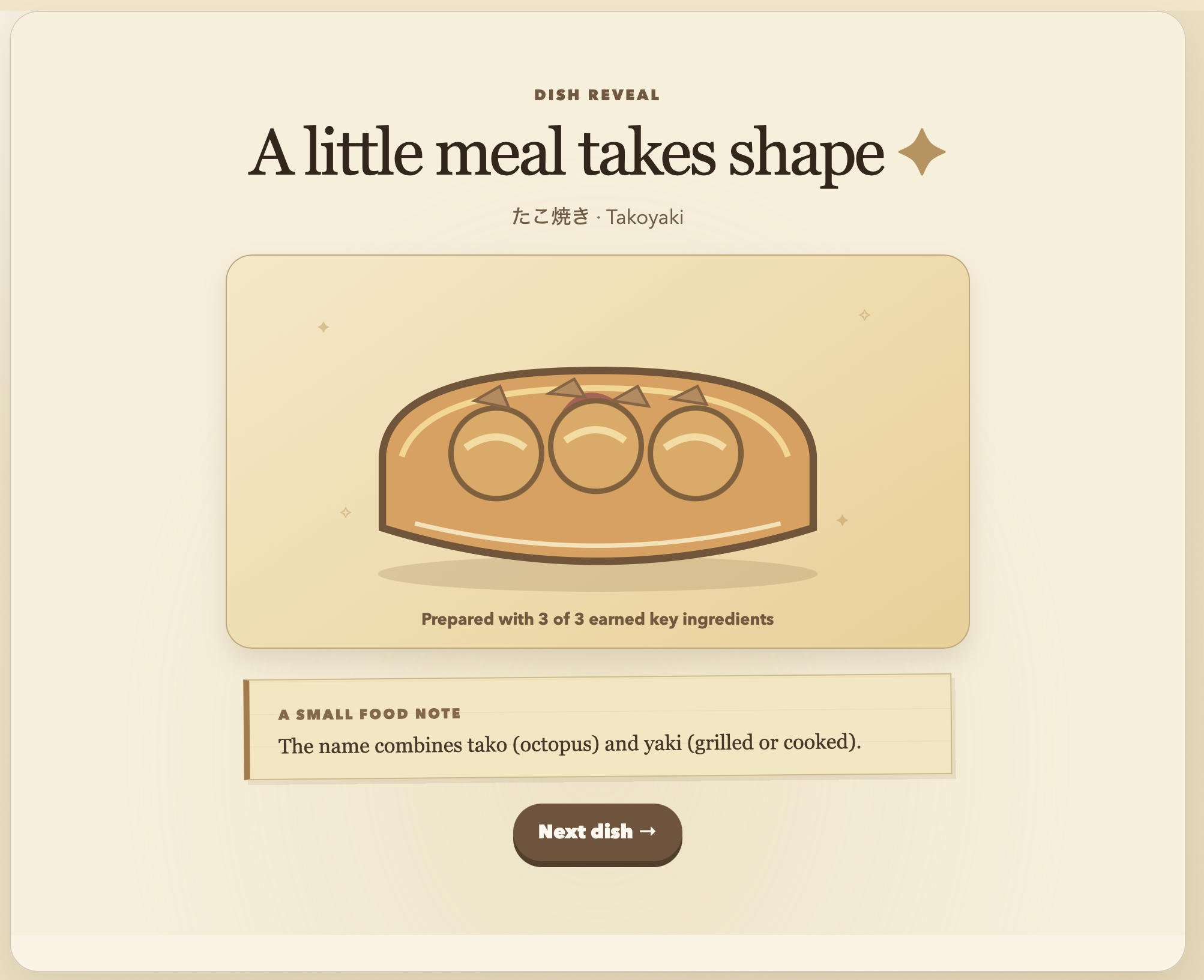
Prepared Dish Example
-
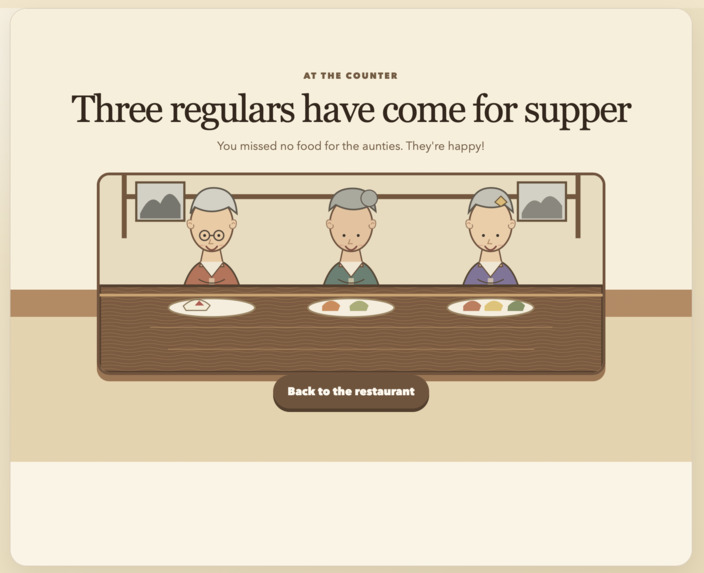
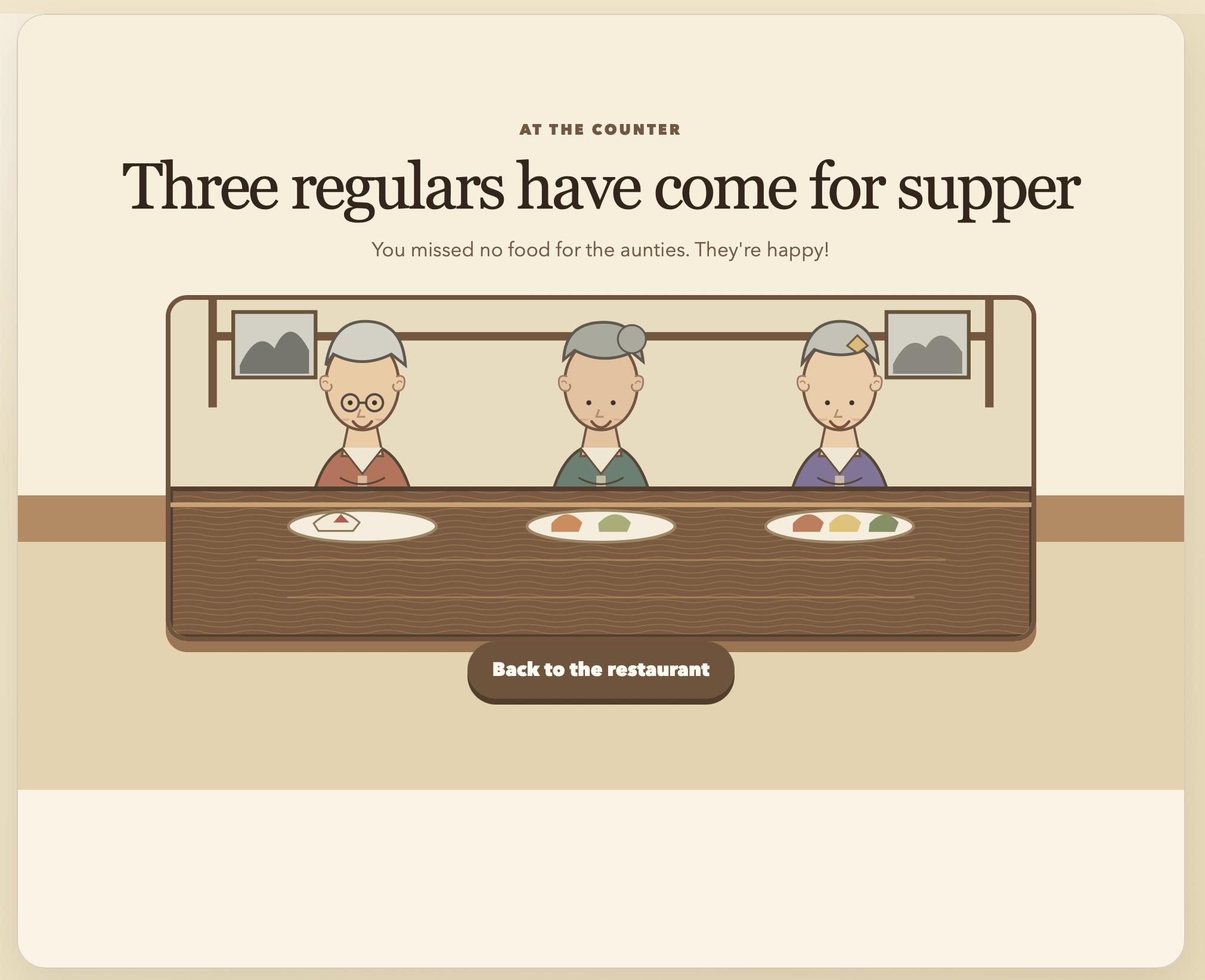
End of Study Session Screen
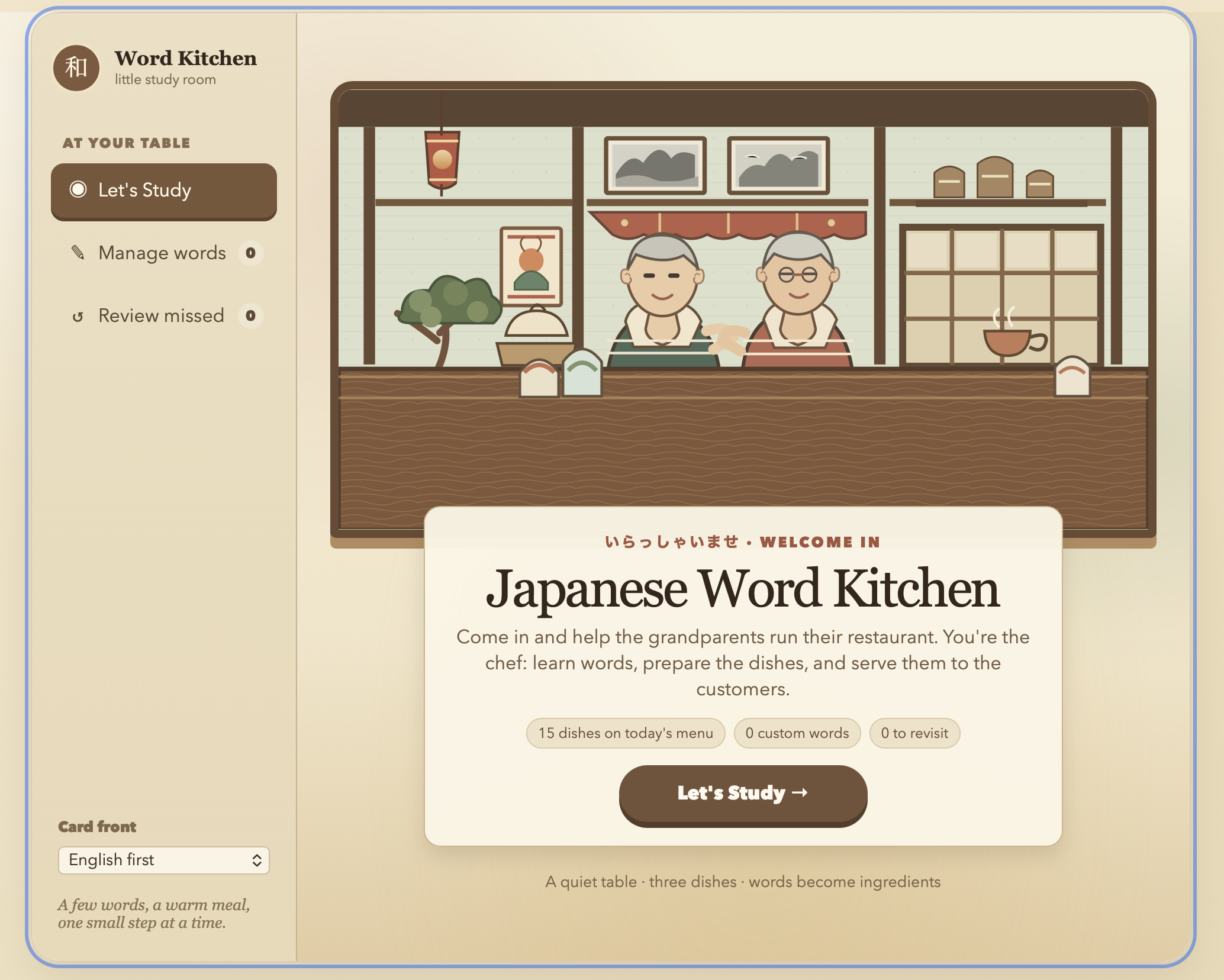
Inspiration
I've been learning Japanese for five years, and I've always been drawn to Japanese culture beyond just the language. Modern revision apps are efficient, but they feel sterile—they treat vocabulary as flashcard data to be memorized, not as a gateway into the culture. I wanted to build something that makes revision feel personal: every word you learn should feel like you're building something, not just ticking a box. That's where the dish idea came from—a tangible, culturally grounded reward that grows as your vocabulary does.
What it does
This web app is a Japanese vocabulary revision tool that turns study progress into something tangible: a Japanese dish that builds itself as you learn. It ships with 12 pre-built words and 15 dishes, and you can add or remove words at any time to customize your study set. Each dish is assigned 3–4 words, with each word corresponding to one ingredient.
When you start a study session, the app randomly selects 3 dishes from your collection and randomly assigns words to each dish. As you review each word, you rate your confidence from 1 to 4. A rating of 3 or 4 means you've retained the word—an ingredient is added to the dish. A rating of 1 or 2 means the ingredient isn't added, and the word is placed in a retry tray to be reviewed again later. There is also the option to hear the word pronunciation.
Each dish has multiple visual forms depending on how many ingredients you've added: one form for 1 ingredient, another for 2, another for 3, and a completed form when all ingredients are present. The result is a study loop that feels like progress: the more words you retain, the more complete your dish becomes, and when it's finished, you unlock a cultural fact about the dish and where in Japan it comes from.
How we built it
The app is built with plain, hand-written HTML, CSS, and JavaScript. There are no installed JavaScript dependencies. The project is organized into separate files and modules: index.html for structure, styles.css for presentation, and app.js as the entry point. The JavaScript is further split into components/ for screen rendering, state/ for session logic, data/ for vocabulary and dish definitions, and utils/ for helpers. A tests/ directory holds tests run via Node's built-in test runner (npm test), and devpost/ contains the project planning documents.
Data model: The 12 built-in words are hardcoded as JavaScript objects in data/vocabulary.js, each with an id, english, japanese, and source field. The 15 dishes are hardcoded in data/dishes.js, each containing a Japanese and English name, an ingredient list (3–4 ingredients, each with an id, name, kind, and color), and an array of cultural facts. A rough dish shape is: ```{ id: "onigiri", japaneseName: "おにぎり", englishName: "Onigiri", ingredients: [ { id: "rice", name: "seasoned rice", kind: "grain", color: "#f5eedb" }, { id: "nori", name: "nori seaweed", kind: "leaf", color: "#344638" }, { id: "ume", name: "pickled plum", kind: "fruit", color: "#a84154" }, ], facts: [ "Onigiri are shaped portions of rice, often wrapped in nori and filled with a savory center.", // Other facts... ], }
localStorage is used selectively—for learner-added custom words, missed words, language order preference, and fact rotation—but the built-in vocabulary and dish definitions live only in the source files. Built-in words are read-only reference data, so there's no reason to persist them

Session logic: When the learner clicks "Let's Study," createSession randomly shuffles the full dish list and takes the first three, guaranteeing three distinct dishes. It then builds a shuffled word pool from three priority tiers: custom words first, then previously missed words, then built-in words. Duplicate word IDs are removed. Each selected dish receives as many cards as it has ingredients—three or four—dealt from the shared pool in order. The word-to-ingredient pairing is intentionally positional rather than semantic so the ingredient list determines the card count, not which specific words appear.

Study flow: Cards are studied one at a time. A word appears in the selected language direction; clicking "Flip card" reveals the translation and the 1–4 rating buttons. After each rating, the app updates the card state and the dish, then advances to the next card. A rating of 3 or 4 adds the next ingredient to the dish; a 1 or 2 adds the word to the missed tray. When all cards for a dish are complete, the dish reveal screen appears with its cultural fact, and "Continue" advances to the next dish. After all three dishes, the session ends. This logic lives in state/study.js, with click handlers in app.js.

Confidence ratings and the missed-word tray. The study screen asks "How well did you know it?" with four buttons. There are no separate verbal labels—1–2 count as missed, and 3–4 count as known well enough to earn an ingredient. A word rated 1 or 2 is added to an in-memory array and saved to localStorage immediately. It won't reappear in the same session because the session's cards were already selected and each word ID appears at most once. The tray persists across sessions and is included in future word pools. In the separate missed-word review mode, rating a word 3 or 4 removes it from the tray, while 1 or 2 leaves it there. That behavior is implemented in state/review.js and state/storage.js.

## Challenges we ran into
Reading AI-generated code was challenging. The AI could produce working code faster than I could understand it, which meant the bottleneck wasn't writing but rather comprehension. I had to learn to slow down, ask myself what each line actually does, and trace execution manually. That was uncomfortable at first, because it felt like the opposite of progress, but it was the only way the code became mine.

The biggest challenge was understanding what was actually happening at each layer. Coming from Python, where you can easily trace every step, the HTML/CSS/JavaScript split felt like three separate things happening at once. I had to build a mental model from scratch: HTML is the structure you see, CSS is how it's presented, JavaScript is what makes it respond. For a while I could read a line of JavaScript and understand its syntax without understanding why it lived in one file and not another, or why the page had to be re-rendered after a state change. The concepts weren't hard individually; holding all of them in my head simultaneously was.

A second conceptual hurdle was state versus data. I understood what a variable was, but the idea that the app has a current state (which dish is active, how many ingredients it has, which words are queued, which have been missed) and that this state has to be deliberately updated and sometimes persisted, was new to me. The moment it clicked was tracing a single word through the whole app: input → stored → assigned to a card → rated → triggering an ingredient → updating the dish → saved to localStorage. Until I could follow that path end to end, the code felt like a set of disconnected files.

## Accomplishments that we're proud of
I'm most proud of understanding CSS, not just how to use it, but how it works structurally. Learning how the box model, flexbox, and styling cascades combine to produce the polished interfaces we see in everyday apps was genuinely eye-opening. I'm also proud of tracing the full flow of a single word through the app: from input, to storage, to triggering an ingredient render, to eventually unlocking the dish. Seeing that pipeline work end to end was the moment the project felt real.

## What we learned
Beyond the technical knowledge explained above I learned 2 main things: I learned how to read code I didn't write. Working with an AI coding agent meant the bottleneck was never generation—it was comprehension. I had to build the habit of stopping, tracing execution manually, and asking "why is this line here?" rather than assuming it worked because it ran. Also, I learned how to plan before building. The Devpost Skill Pack workflow forced me to write a scope, a PRD, and a spec before touching code. I thought the idea was clear in my head but when the questioning started, I truly understood the amount of things one has to consider before build starts. This meant that when the build phase started, I already knew what I was making and why. That's the habit I'll carry into every project after this one.

## What's next for Japanese Word Kitchen
The extension is a village of Japanese shops and houses. Instead of a single dish, the user would move through different locations such as a ramen shop, a tea house, a bakery, each with its own vocabulary set and its own cultural items to build. As you learn words tied to each location, you'd create the items associated with it, and unlock facts about that specific aspect of Japanese culture. The long-term vision is a learning experience that feels like exploring Japan and its culture as you learn vocabulary.

Log in or sign up for Devpost to join the conversation.