-
-
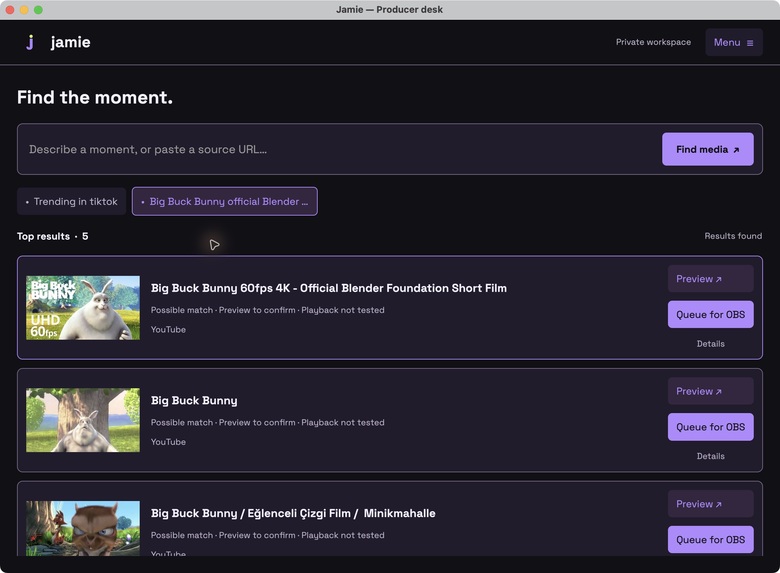
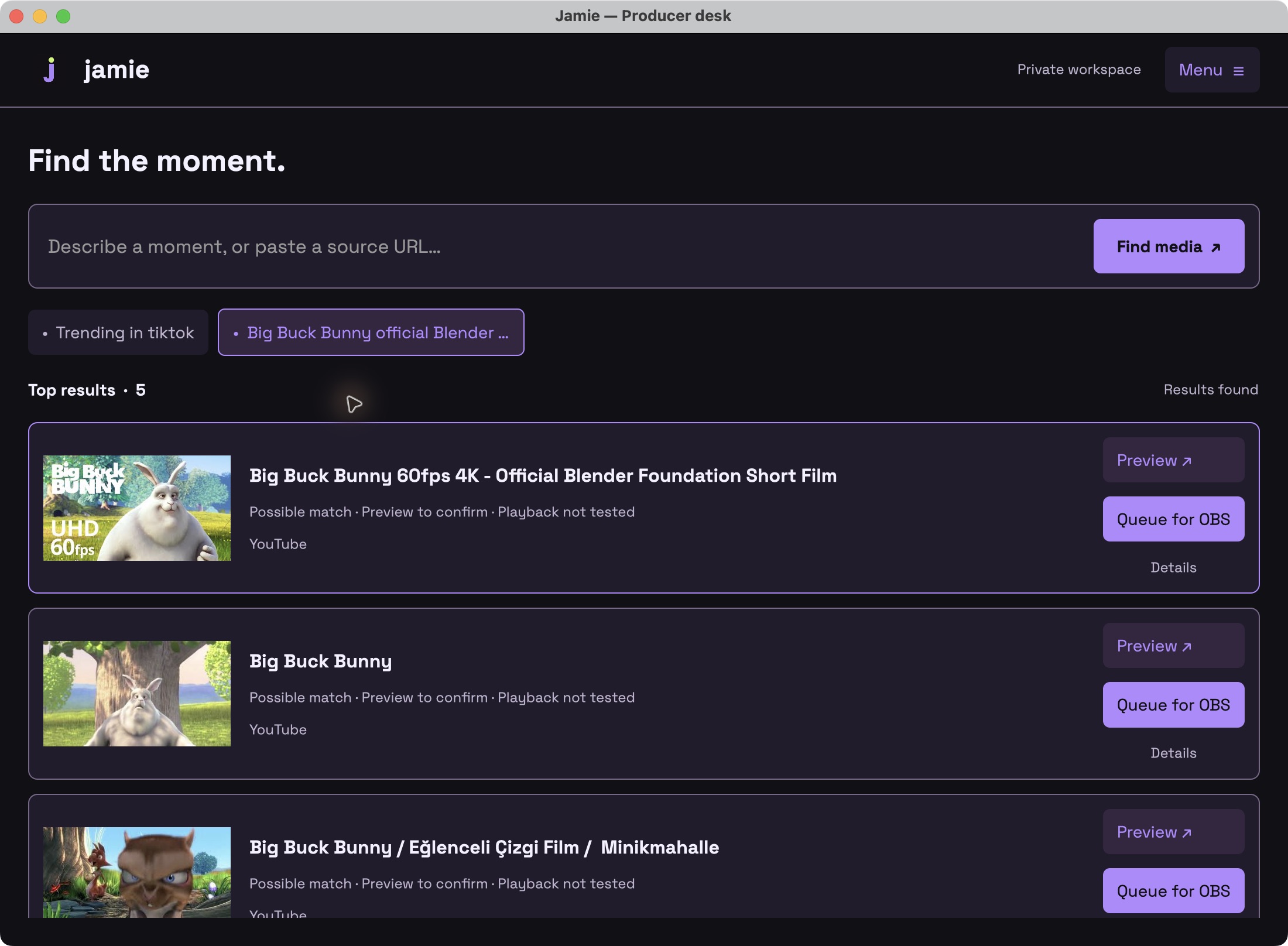
Thumbnail results with private preview and OBS queue. Big Buck Bunny © 2008 Blender Foundation, CC BY 3.0.
-

Collapsed listening island: expands on hover for microphone, settings, and workspace controls.
-
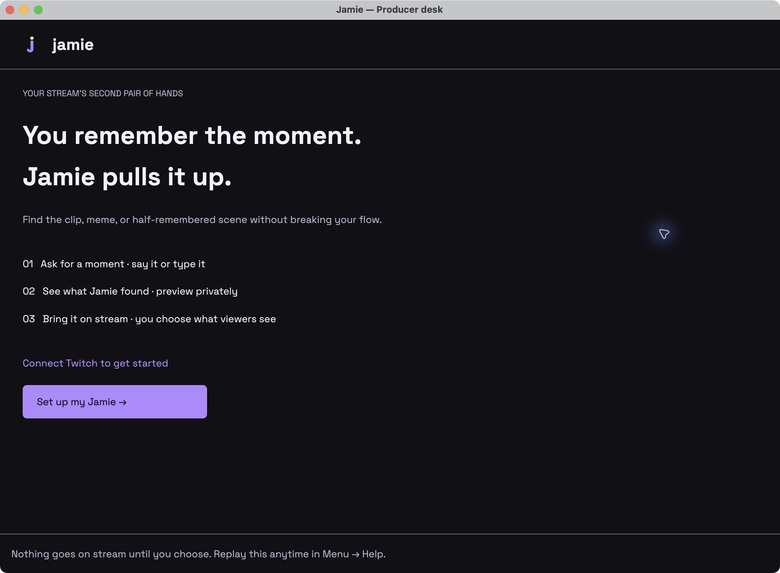
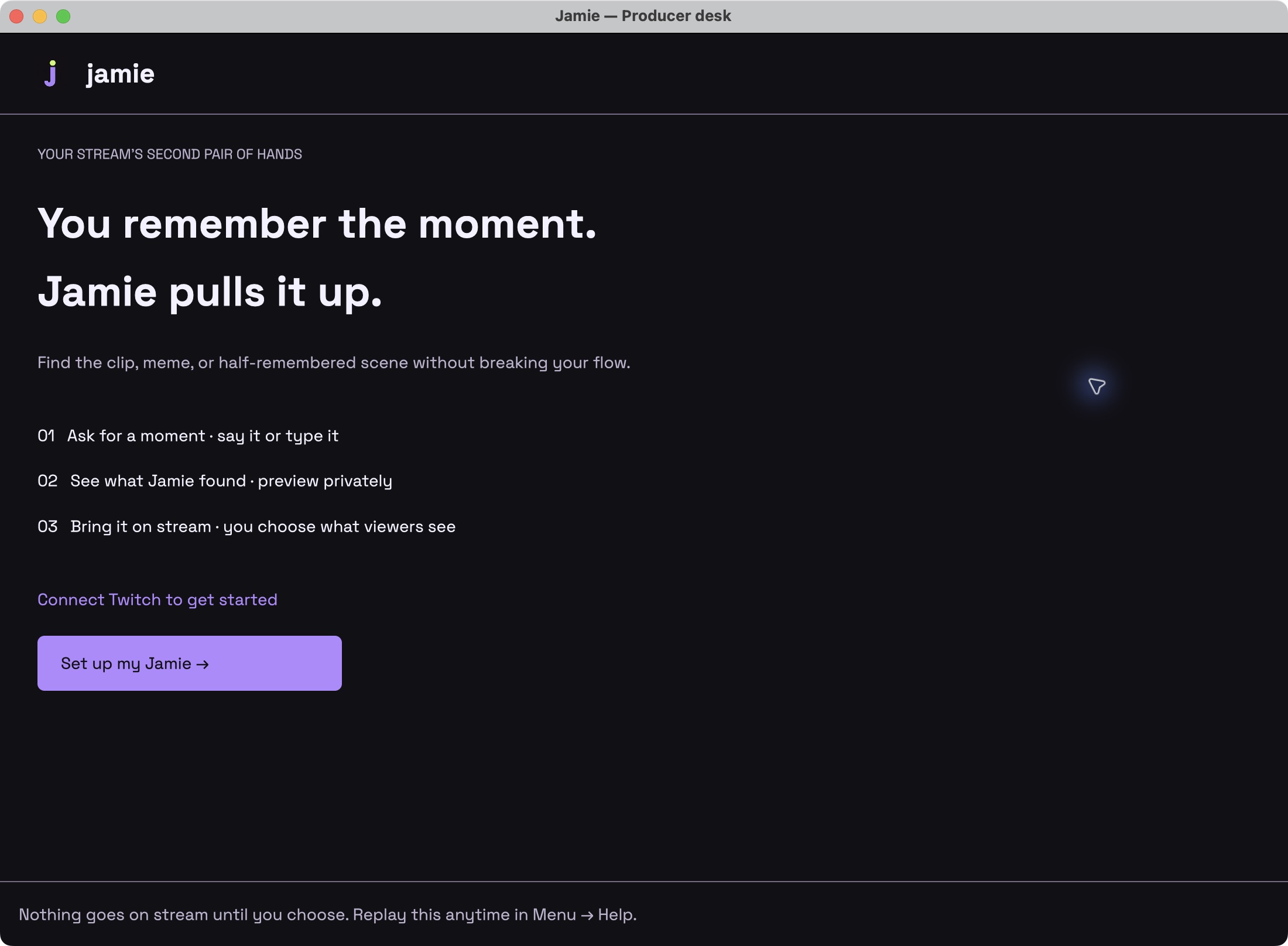
Guided onboarding introduces voice requests, private preview, and explicit control over what appears on stream.

Inspiration
Every streamer has a "you know the one" moment: a scene, quote, meme, or clip that would make the conversation better, if someone could pull it up. Finding it means leaving the conversation, switching windows, and managing media while an audience waits. Big productions have a producer for that. Jamie brings that second pair of hands to an individual streamer's desk.
The idea started with "Hey Jamie, remember that Simpsons scene?" The challenge was larger than search: finding a promising link is useful only if the streamer can review it and put it on screen with confidence.
Product Demo Video https://youtu.be/K47x5jEvuGo
What it does
Jamie is a native macOS producer app for Twitch. Connect your Twitch account, then describe a moment by voice or text, or paste a source URL. Local Whisper turns speech into a request. Remote workers find candidate sources while the desktop stays responsive, including when searches overlap.
Thumbnail results make references recognizable. The streamer can preview media privately, choose a cue, queue a result, and explicitly show it through an OBS Browser Source. Queueing and private preview do not publish. Clear output stops the media and any highlighted comment; starting a Twitch broadcast remains an OBS action under the streamer's control.
A small, draggable, always-on-top listening island expands on hover and retracts when the pointer leaves. Icons and a real microphone waveform provide quick controls without taking over the workspace. Onboarding, input selection, a working microphone test, profile/settings, and logout make the workflow accessible beyond the developer's own account.
How we built it with Codex
Codex was our development collaborator from the first architecture discussion to working native UI and live verification. We used it to explore the streamer workflow, implement Rust/GPUI screens, integrate local Whisper audio capture, build durable search jobs and reusable Boat workers, connect Twitch OAuth and EventSub, and implement the local OBS renderer.
We also used Codex agents for focused Twitch integration and UX work, then refined their results through hands-on testing and user feedback. Codex helped investigate real failures: packaged apps reading development configuration, provider pages showing transient errors, invisible island icons, and a playback-progress check that incorrectly timed out while video was moving. Regression tests came from those observed failures.
The stack includes Rust, GPUI, whisper-rs with Metal, CPAL, Node.js/Playwright workers on Boat, SQLite-backed job state, Twitch OAuth/EventSub, and a local HTML/JavaScript OBS Browser Source. Search credentials and Twitch tokens are kept out of the bundle and stored locally in macOS Keychain.
Challenges and lessons
The most important boundary is between finding something and showing it publicly. We separated private preview, the queue, and program output; added renderer heartbeats and stale-session fencing; and made restart begin with empty output. Media output pauses listening to reduce feedback into voice requests.
Provider access is another real constraint. A timeout is not evidence that no matching clip exists. Local browser inspection showed TikTok search returning a server-error screen and then loading results after Retry. Our follow-up fix adds bounded recovery and structured failure reporting; remote rollout is still pending. Search results remain possible matches for the streamer to verify.
What we have verified
Local microphone capture and Whisper transcription, Twitch account authorization, concurrent searches, thumbnail discovery, and the packaged search connection have been exercised. A real search for the Blender Foundation's Big Buck Bunny found the official upload. We queued it into OBS, recorded moving video with non-silent audio, and ran a brief authorized Twitch broadcast whose public viewer displayed the result at 1280 by 720 with advancing playback. Viewer-side audible sound is a remaining acceptance check; local OBS audio was verified independently.
Meme/image discovery and rendering have also been exercised. TikTok discovery and player routing are implemented, but reliable TikTok playback is not yet a verified demo path. The supported desktop target is Apple Silicon macOS.
What's next
Finish clean-user installation and live chat acceptance tests, provision sustained judge access, and record the final demonstration. Then improve scene-level evidence and cue selection, broaden provider reliability, and build a reusable library from moments the streamer has already confirmed.
Demonstration media credit
Big Buck Bunny: (c) copyright 2008, Blender Foundation / www.bigbuckbunny.org. Licensed under CC BY 3.0. Original project and licensing. Technical tests used a short excerpt; some private previews were muted.
