-
-
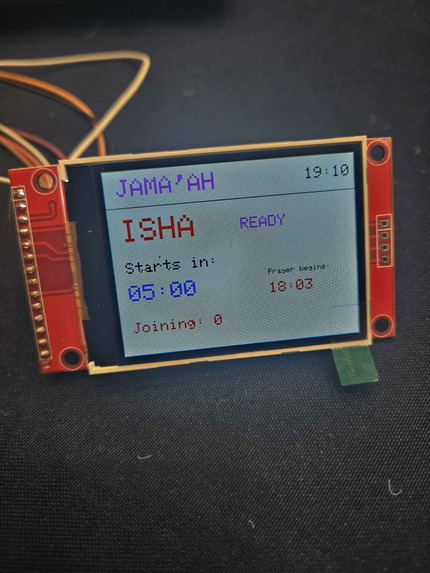
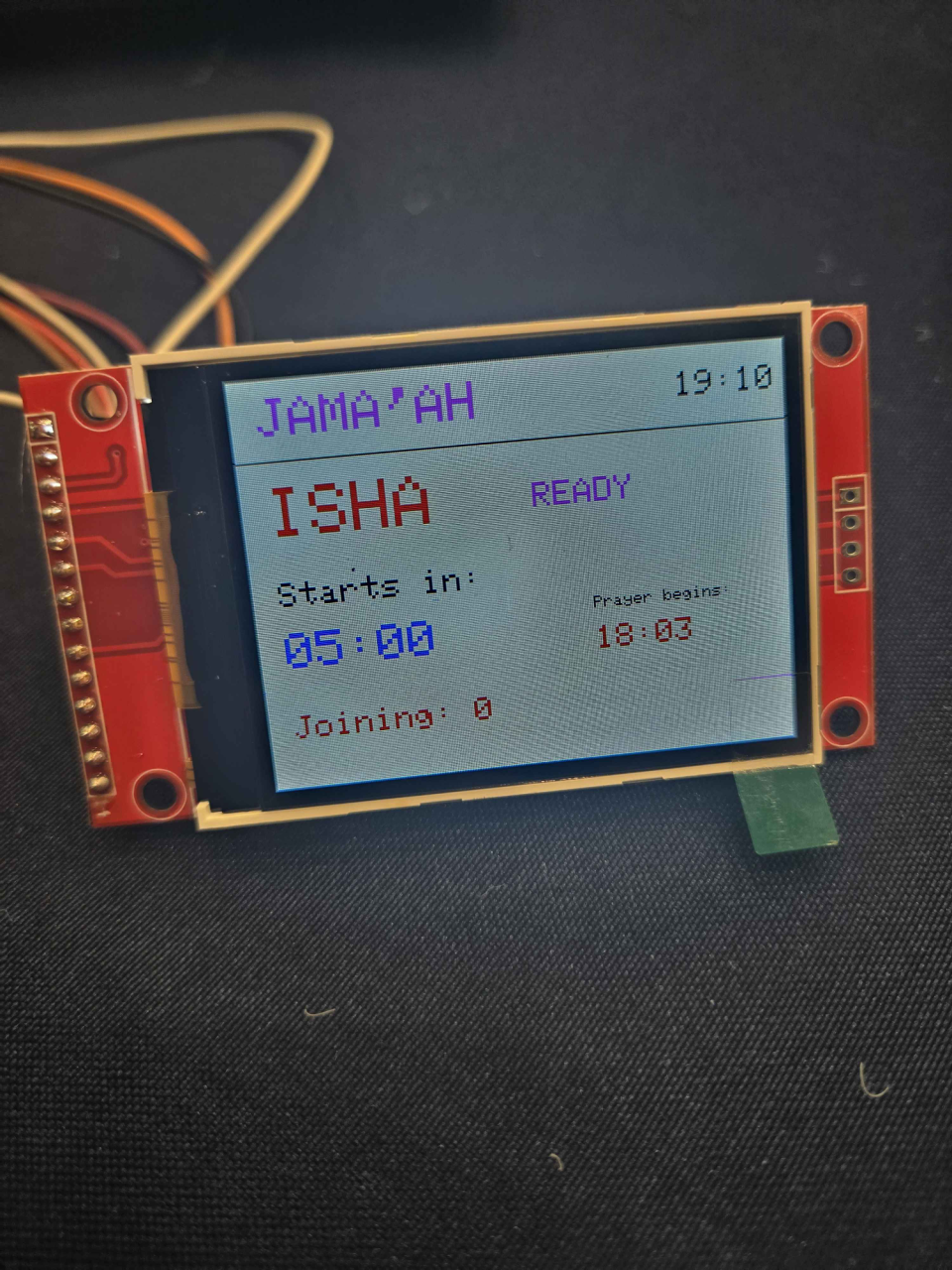
screen
How the judges helped me:
One of the best pieces of feedback I got from one of the judges was to start with the backend and software first. that actually helped me test things earlier and get a better sense of direction throughout the project.
Inspiration
A shared prayer space does not always mean a shared prayer. On a busy campus, students can visit the same room just minutes apart and miss the chance to pray together.
I wanted to make that coordination easier without requiring someone to organize a group chat every time. Jama’ah Beacon grew from a simple idea: what if inviting others to congregational prayer took just one button press?
What it does
Jama’ah Beacon connects a physical campus prayer space to a community on Discord.
A student selects a prayer and a congregation wait time, then presses the device’s button to announce that a group is forming. The Discord announcement tells others where to meet, which prayer is being organized, and how long they have to join.
Students can react with ✅ to RSVP. The beacon displays the joining count alongside a countdown, giving the person in the prayer space feedback from the wider community.
The device supports:
- Five daily prayers, with automatic selection based on the local prayer schedule and a manual override.
- Selectable 2-, 5-, and 10-minute waits.
- A landscape display showing the prayer, countdown, connection status, and RSVP count.
- Automatic reset after the countdown, ready for the next congregation.
How I built it
I built the prototype with an ESP32, an ST7789 TFT display, and Arduino C++.
The ESP32 connects to Wi-Fi, synchronizes its clock through NTP, and retrieves daily prayer times from the AlAdhan API for the UCSD area. A Discord webhook publishes announcements, while a bot adds the initial check reaction and polls for RSVPs. The bot’s own reaction is excluded from the displayed count.
The interface uses only the board’s built-in BOOT button:
- Short press: announce a congregation.
- Medium hold: change the prayer.
- Long hold: cycle the wait time.
This keeps the interaction simple and avoids adding more hardware.
Challenges I faced
The biggest interface challenge was giving one button three distinct actions. Each gesture is handled on release, so holding long enough to change the wait does not also change the prayer.
Network requests introduced another challenge: a slow connection should not interrupt the countdown or distort button timing. I separated network requests from the display and button handling so the device can remain responsive.
I also had to account for situations beyond a successful demo: Wi-Fi disconnects, failed announcements, Discord rate limits, and stale RSVP counts. The active prayer and wait are locked during a countdown to keep the device consistent with its announcement.
What I learned
This project taught me how much interaction design matters in a small connected device. A single button can support several features, but its behavior needs to be predictable and visible.
I also learned how embedded hardware, time synchronization, web APIs, and community platforms can work together around a practical need. The technical pieces are useful because they help people coordinate an experience that happens offline.
What’s next
Possible next steps include a durable enclosure, easier Wi-Fi setup, and support for multiple campus prayer spaces. Testing with students would help identify which improvements make gathering for prayer easier in everyday use.
