iynk Future Lab — Tinkercad's Next Frontier
Existing app: Autodesk Tinkercad
Feature: iynk Future Lab
Live: https://iynk.tech
GitHub: https://github.com/kushwahaamar-dev/iynk
Inspiration
I wanted to build robots. Robotics and computer engineering were what I wanted to do with my life, and I gave up on both. Not because I lost interest. Because hardware costs money every single time you learn something. A board, a sensor, a motor driver, a battery. Then you wire one thing wrong, the part is gone, and you buy it again. Learning hardware is mostly experimenting, and experimenting means breaking things. When every mistake costs real money, you stop making mistakes. Then you stop learning.
It's worse for a lot of people. In rural areas, and in countries where electronics are imported, a cheap sensor isn't cheap by the time it arrives, if anyone nearby sells it at all. There's often no lab, no makerspace, and nobody around who has done it before. Plenty of people with the curiosity for this never get to touch a breadboard.
Tinkercad already solves part of this problem. You can open a browser, wire an Arduino, simulate a circuit, and learn without buying the components. But I kept thinking about what comes next. What happens when that student wants to build a robot arm? Design a drone? Understand why something burned out rather than simply being told the circuit is wrong? What happens when they're stuck and there's nobody to ask?
My teammate is a computer engineer and knew the other side of it: even when you can afford the parts, you burn through them on experiments long before you reach the thing you wanted to build.
We wanted to take what Tinkercad started and push it much further. Not just simulate a circuit, but give someone an entire hardware lab, from their first LED to a flying drone. Let them make mistakes, learn from those mistakes, find people to build with, and eventually turn a virtual design into something real.
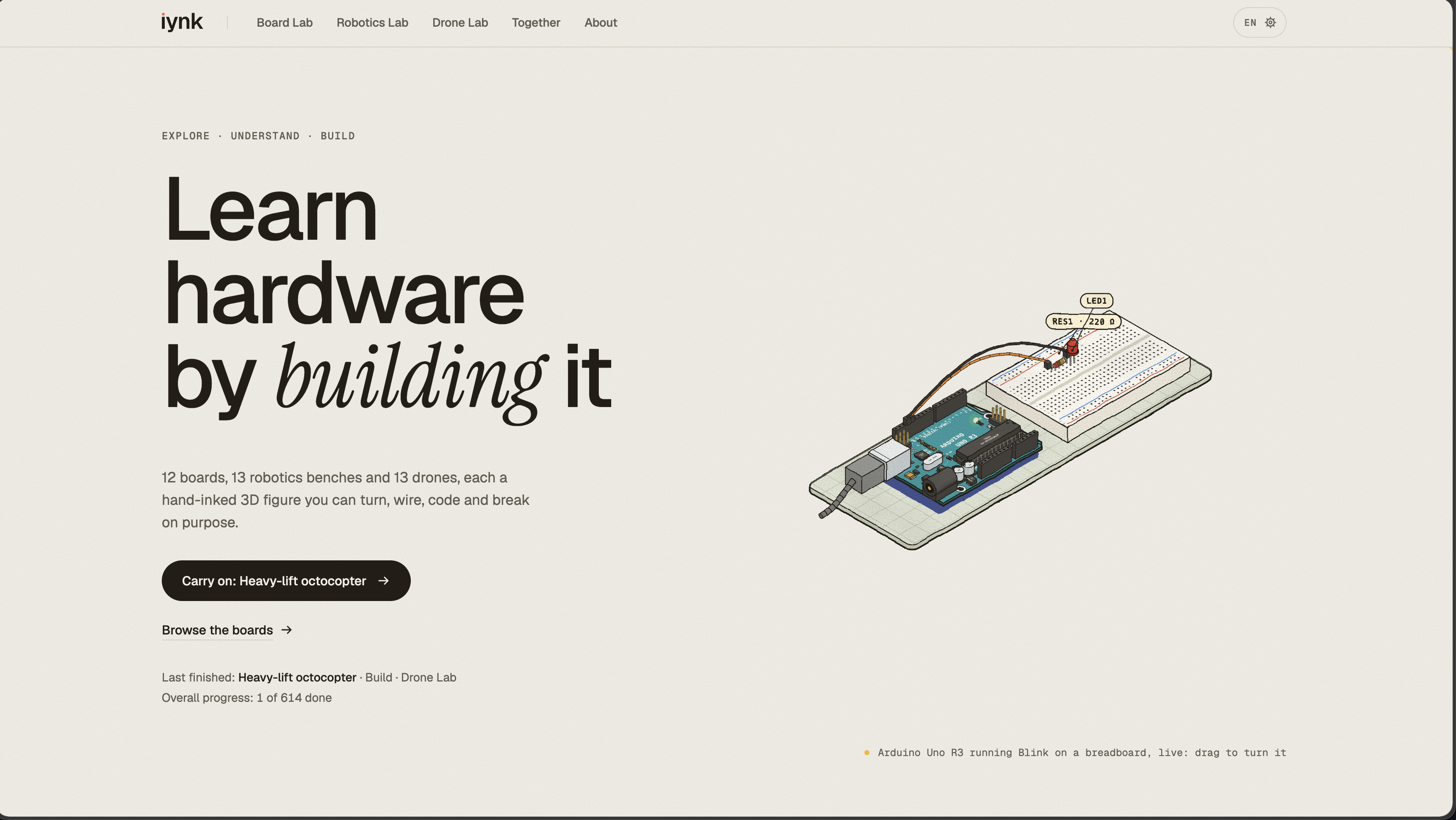
That's iynk Future Lab, our vision for what Tinkercad could become: a hardware lab in the browser where you can wire, code, break and fly real-world boards, robots and drones for free, in your own language, without learning alone.
Problem statement
Tinkercad makes electronics accessible through browser-based circuit design and simulation, but students who want to move into robotics, drones, deeper hardware troubleshooting, and collaborative engineering still need other tools and resources. We wanted to extend that experience into a complete hardware learning environment where students can safely experiment, understand failures, collaborate in real time, and plan real-world prototypes without the cost of learning through broken components.
Before and after
Before — Tinkercad today: Students can create and simulate circuits, program supported boards, and share projects. But advancing from those circuits to complete robotics and drone systems means moving between other simulators, tutorials, hardware suppliers, and communities. Learning from simulated failures, finding a collaborator at the moment you're stuck, and planning a physical build aren't part of one continuous workflow.
After — Tinkercad with iynk Future Lab: The student can move from their first Arduino lesson into robotics and drones without leaving the learning environment. They can deliberately break components, see what went wrong, ask an AI partner or another student for help, build together in real time, compare prices for the final hardware, and earn a verifiable credential for passing a build challenge.
We built iynk as a working standalone prototype of this proposed upgrade. It demonstrates how Future Lab could work without requiring access to Tinkercad's code.
What it does
iynk Future Lab has three labs.
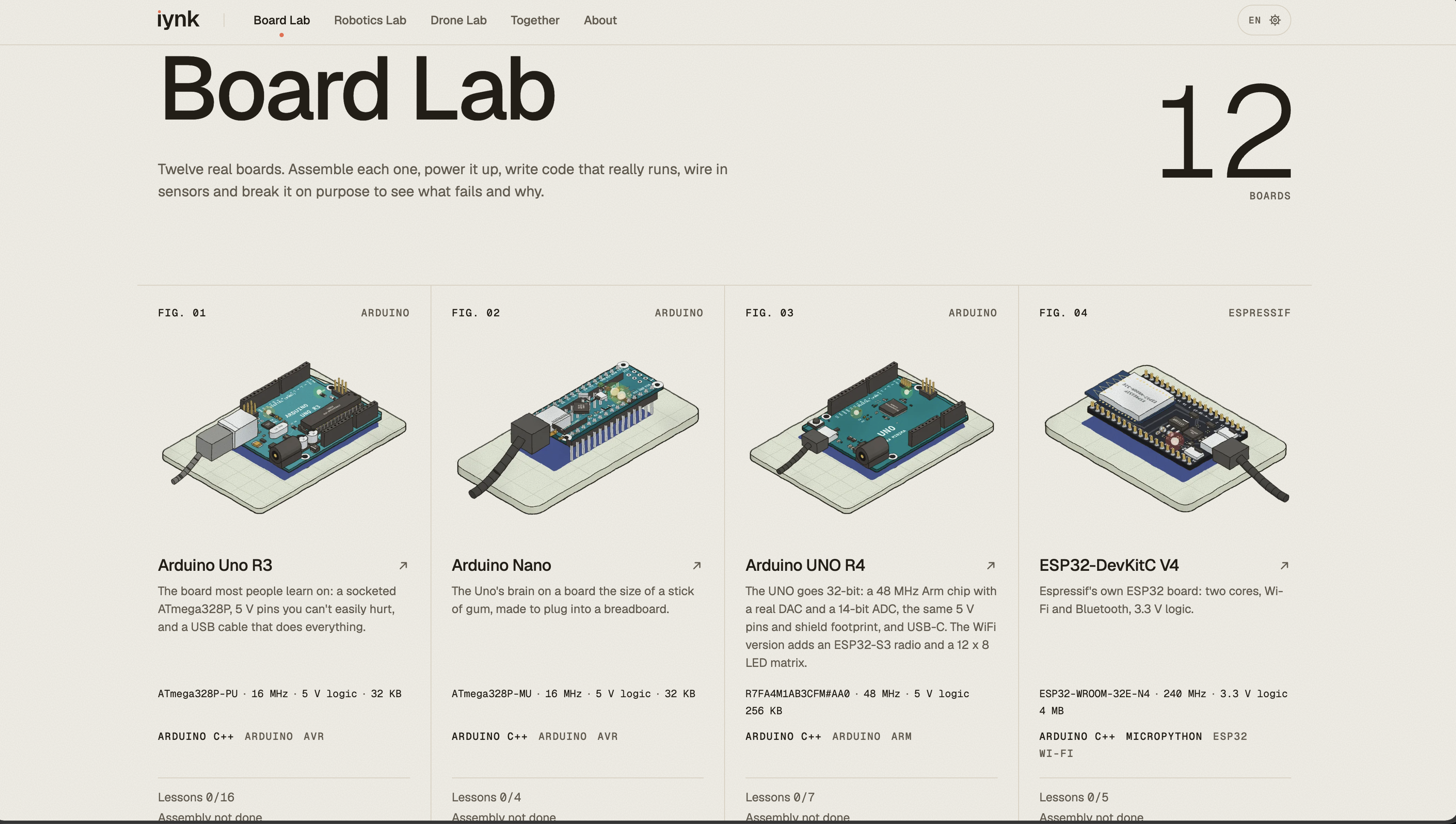
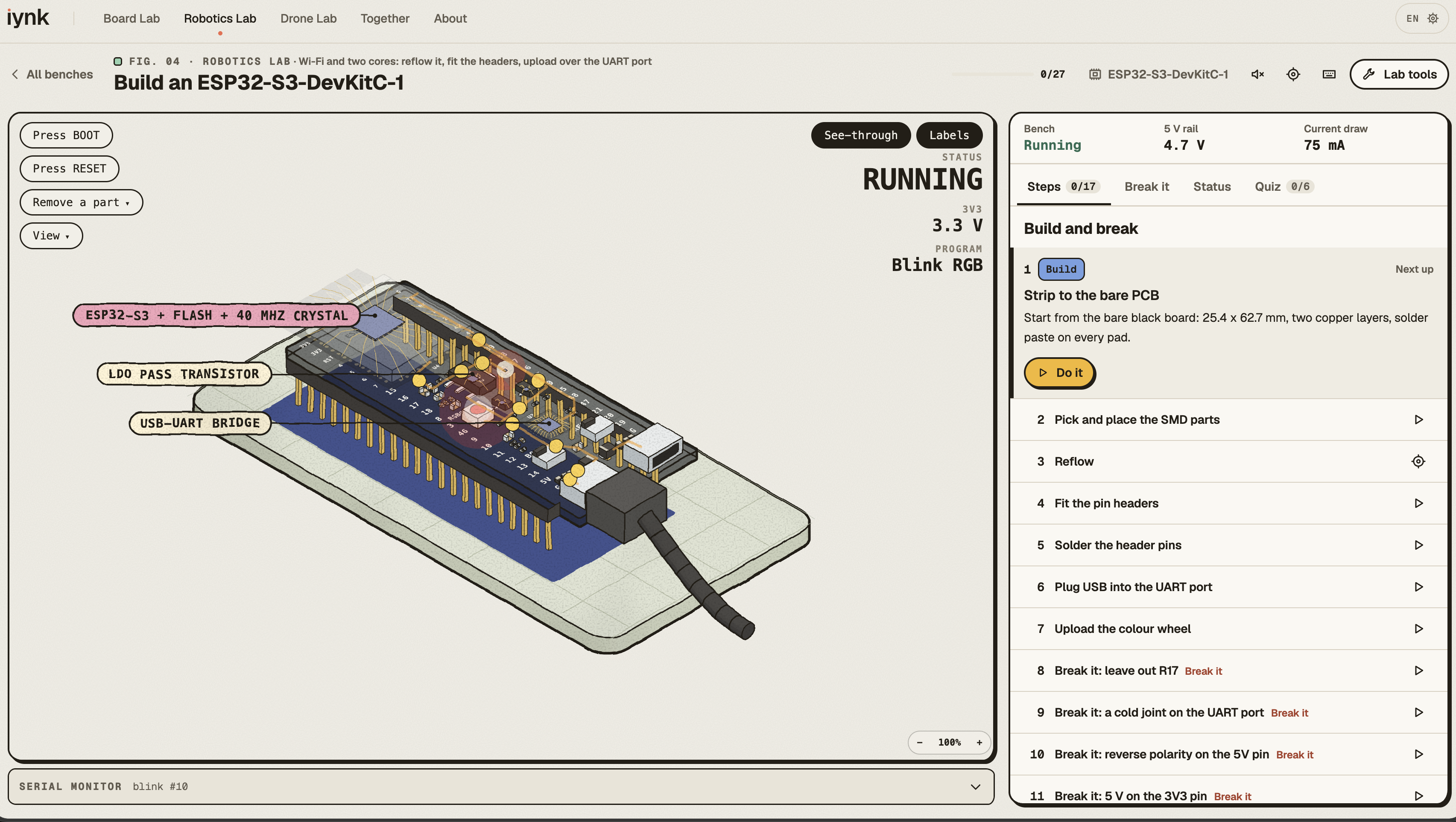
- Board Lab: 12 real-world board models, from the Arduino Uno R3 to two FPGA boards, with 71 lessons. You write code (Arduino C++, MicroPython, Python on the Raspberry Pi, Verilog on the FPGAs) and press Run. The simulator drives the pins, the serial monitor and a hand-inked 3D figure of the board you can turn and see through.
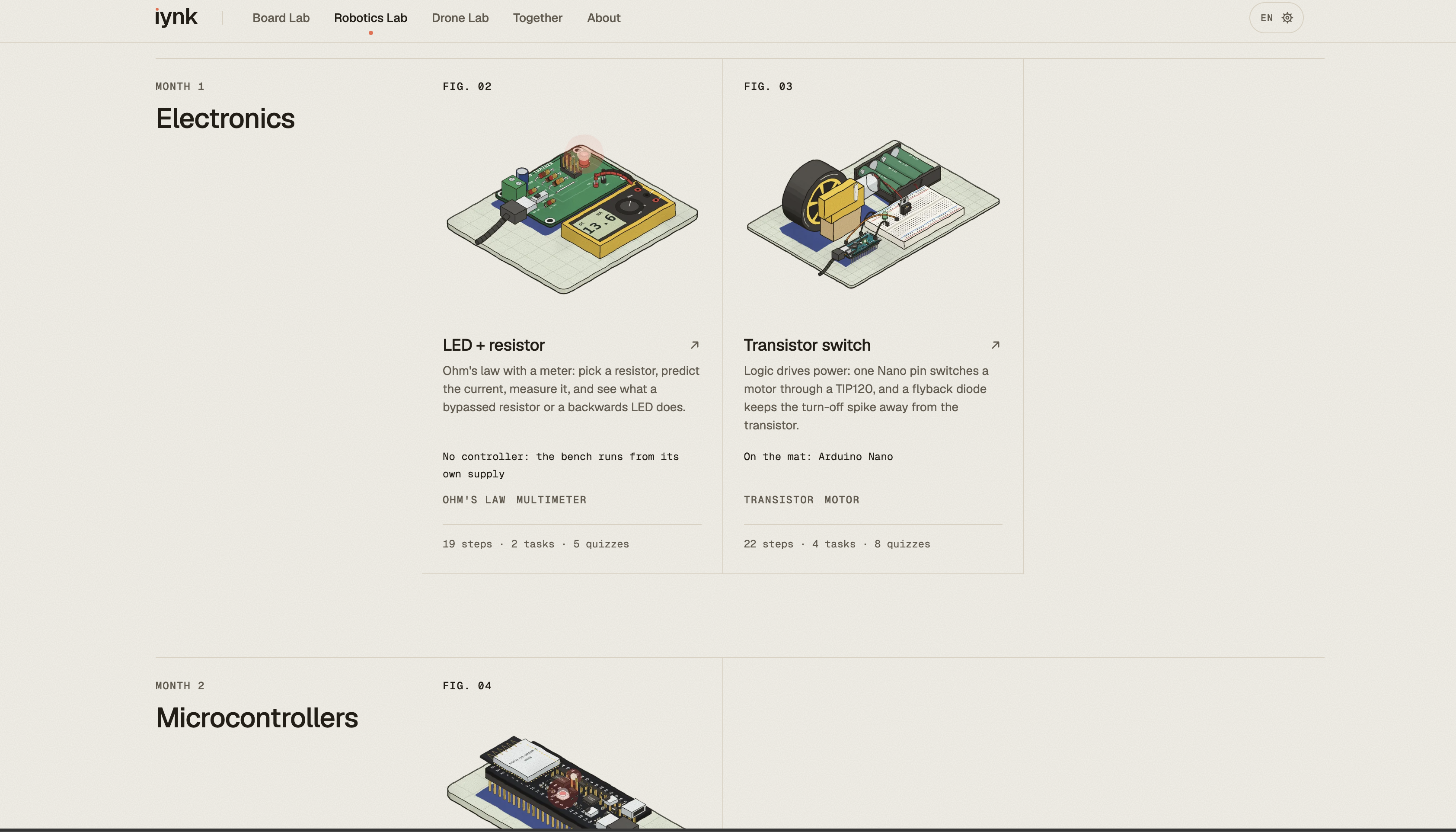
- Robotics Lab: 13 benches (motor drivers, sensors, power stages, a robot arm, a line follower), built part by part over 272 steps.
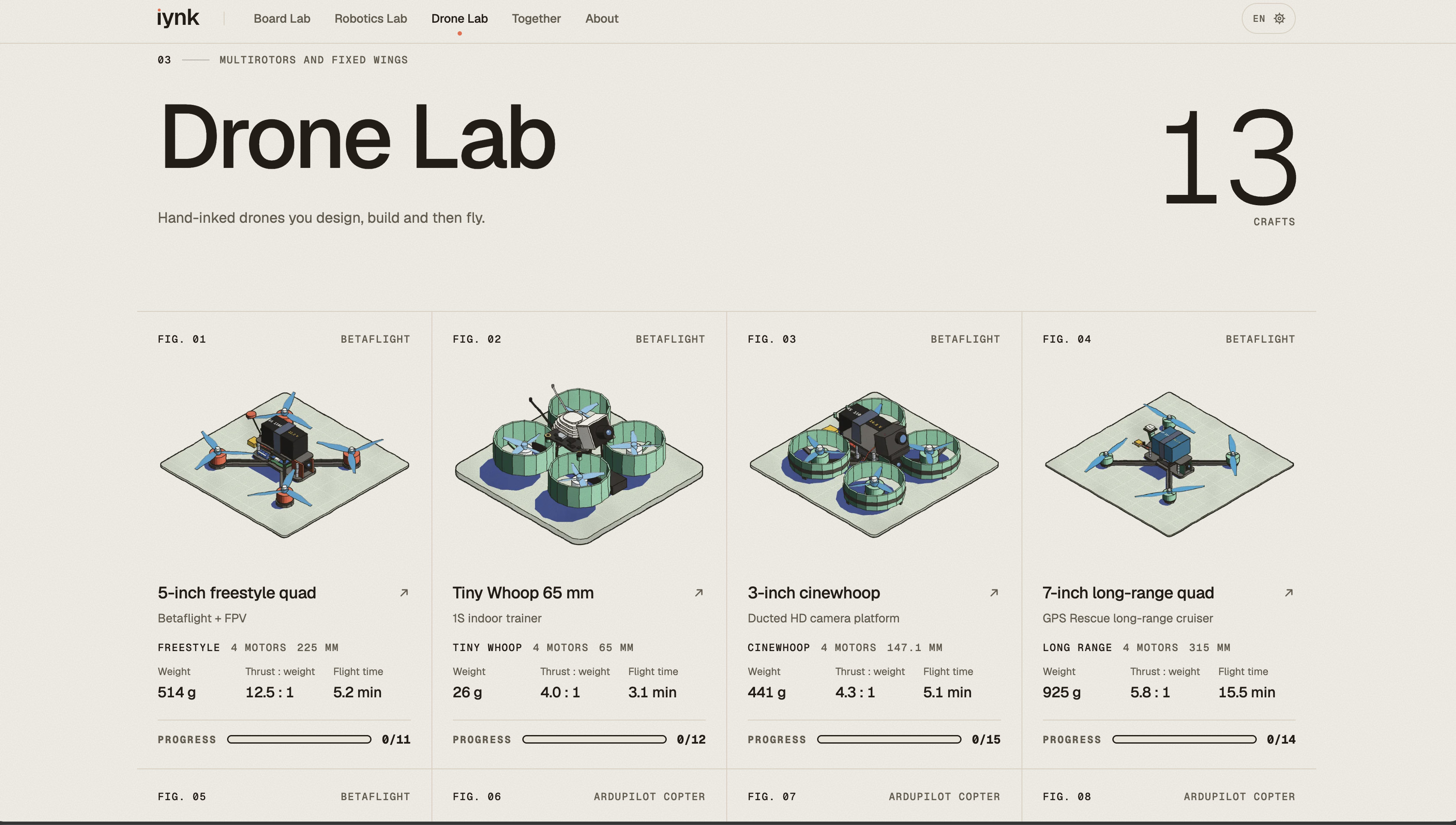
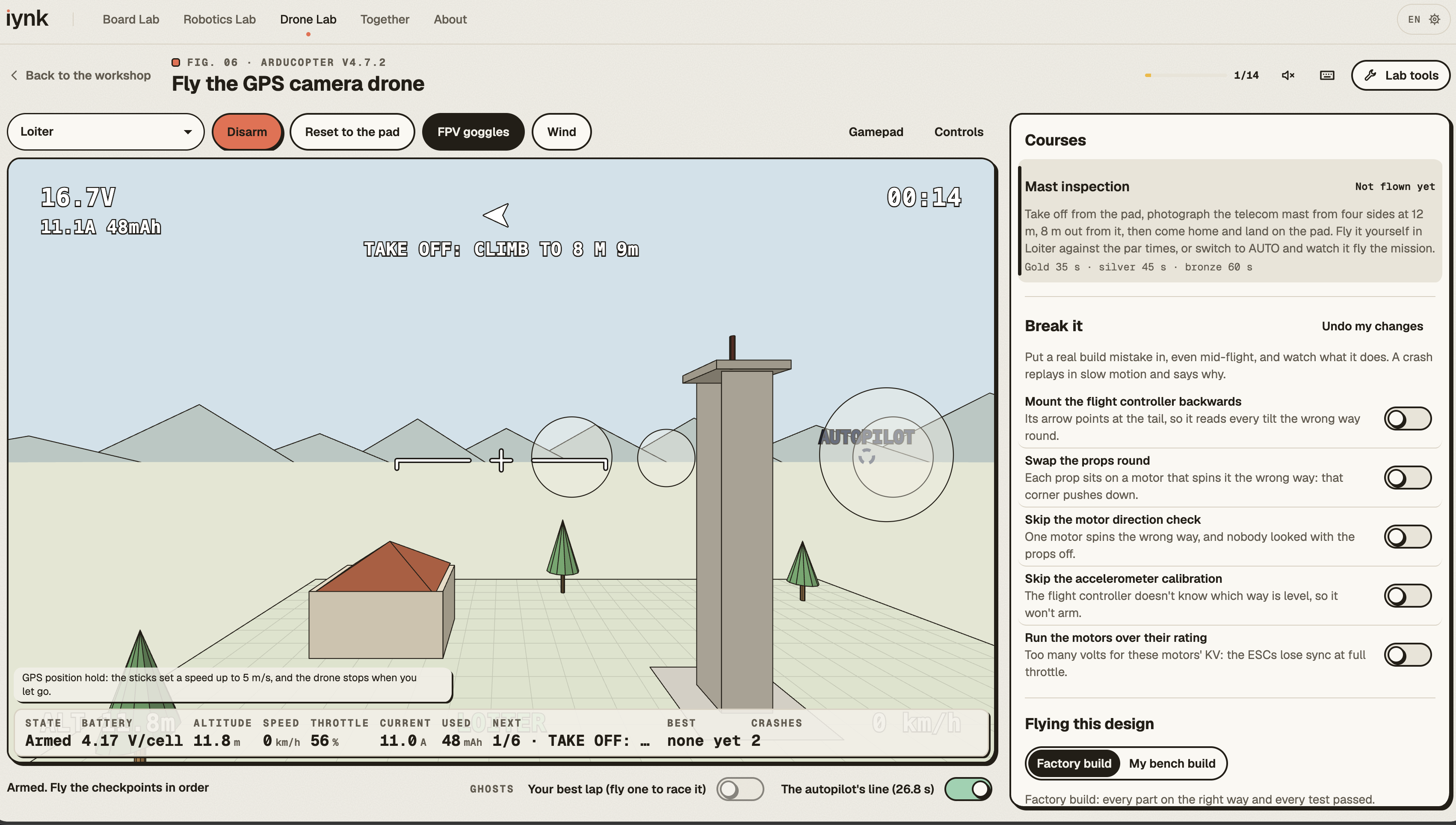
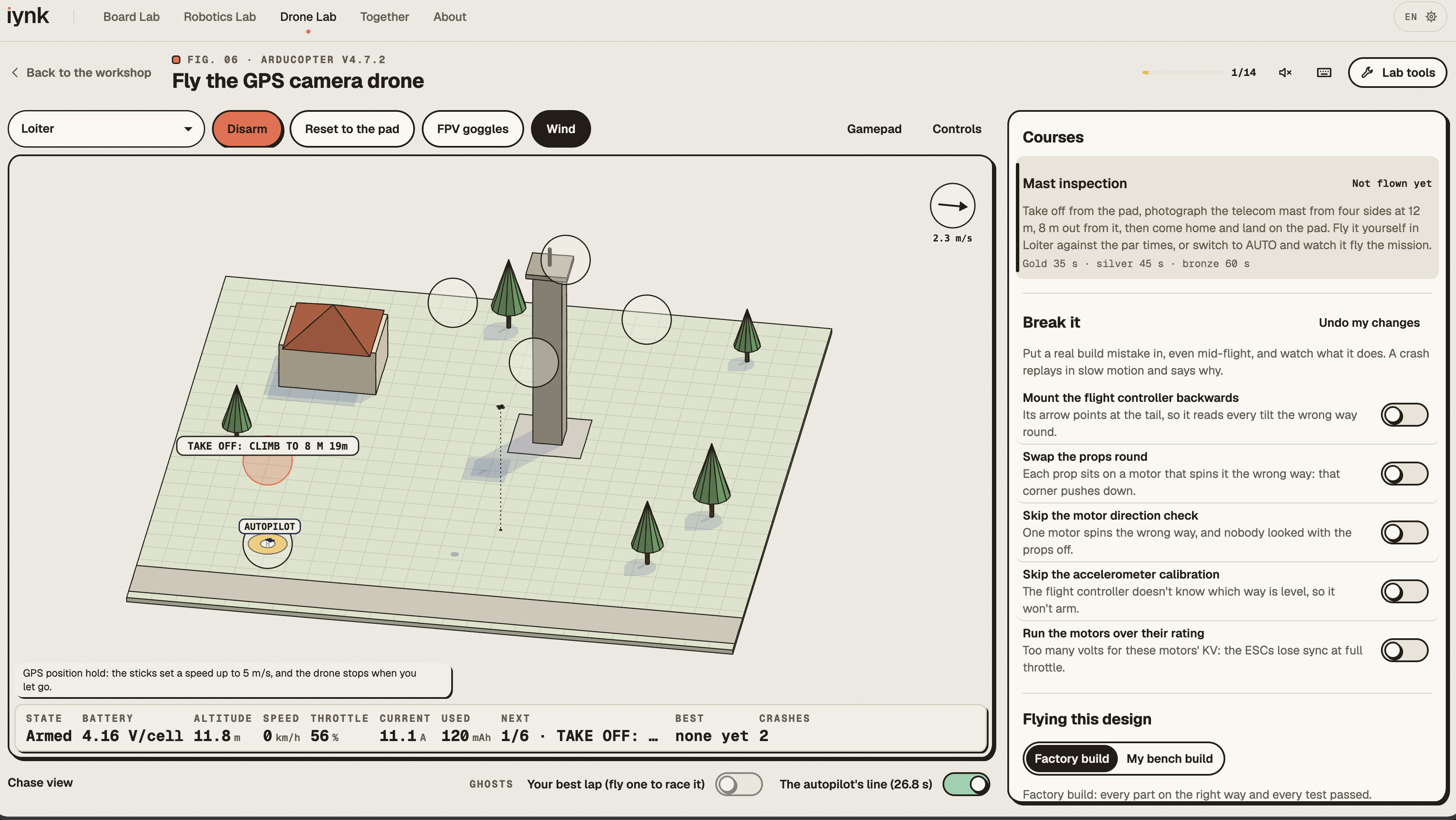
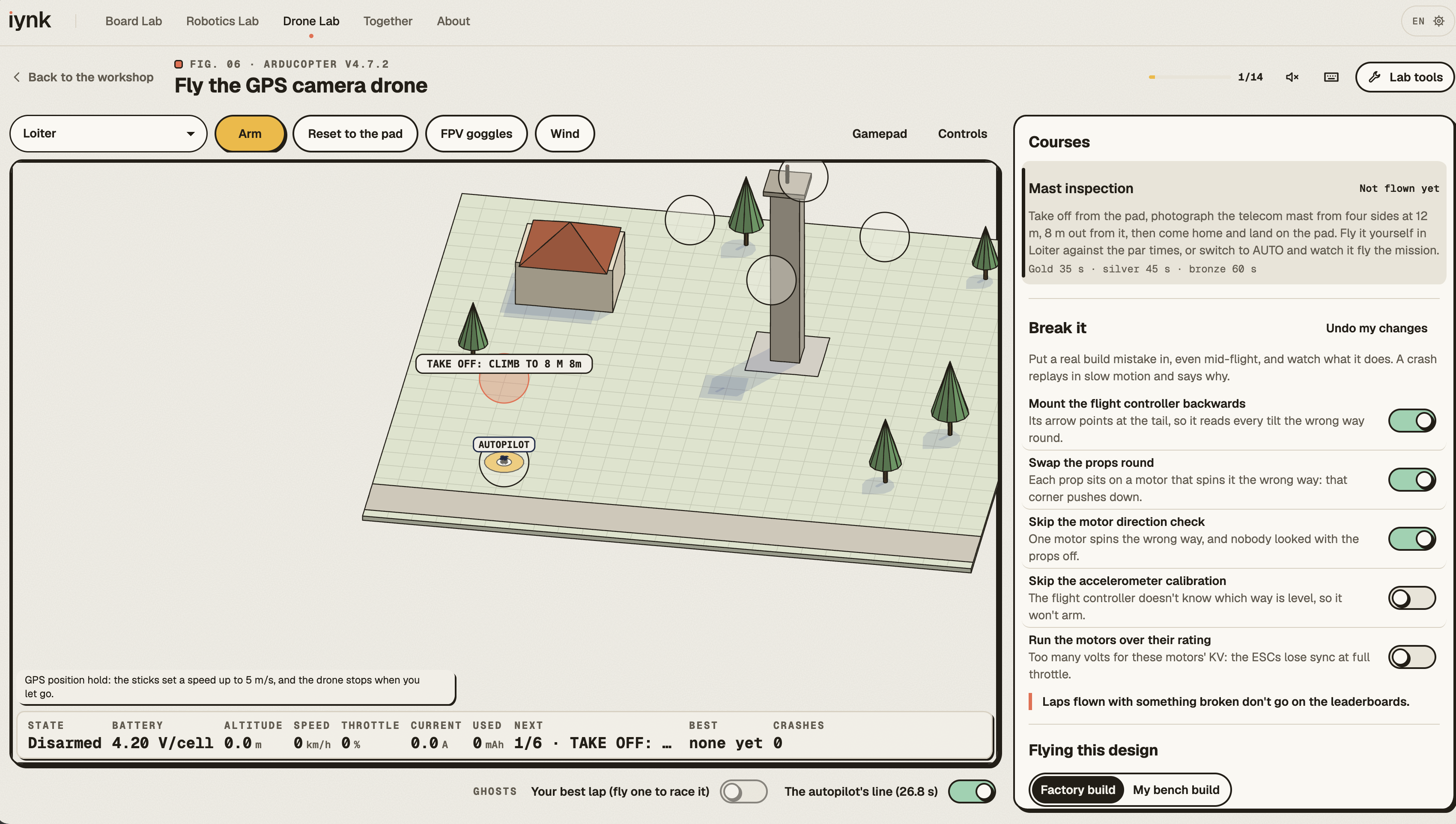
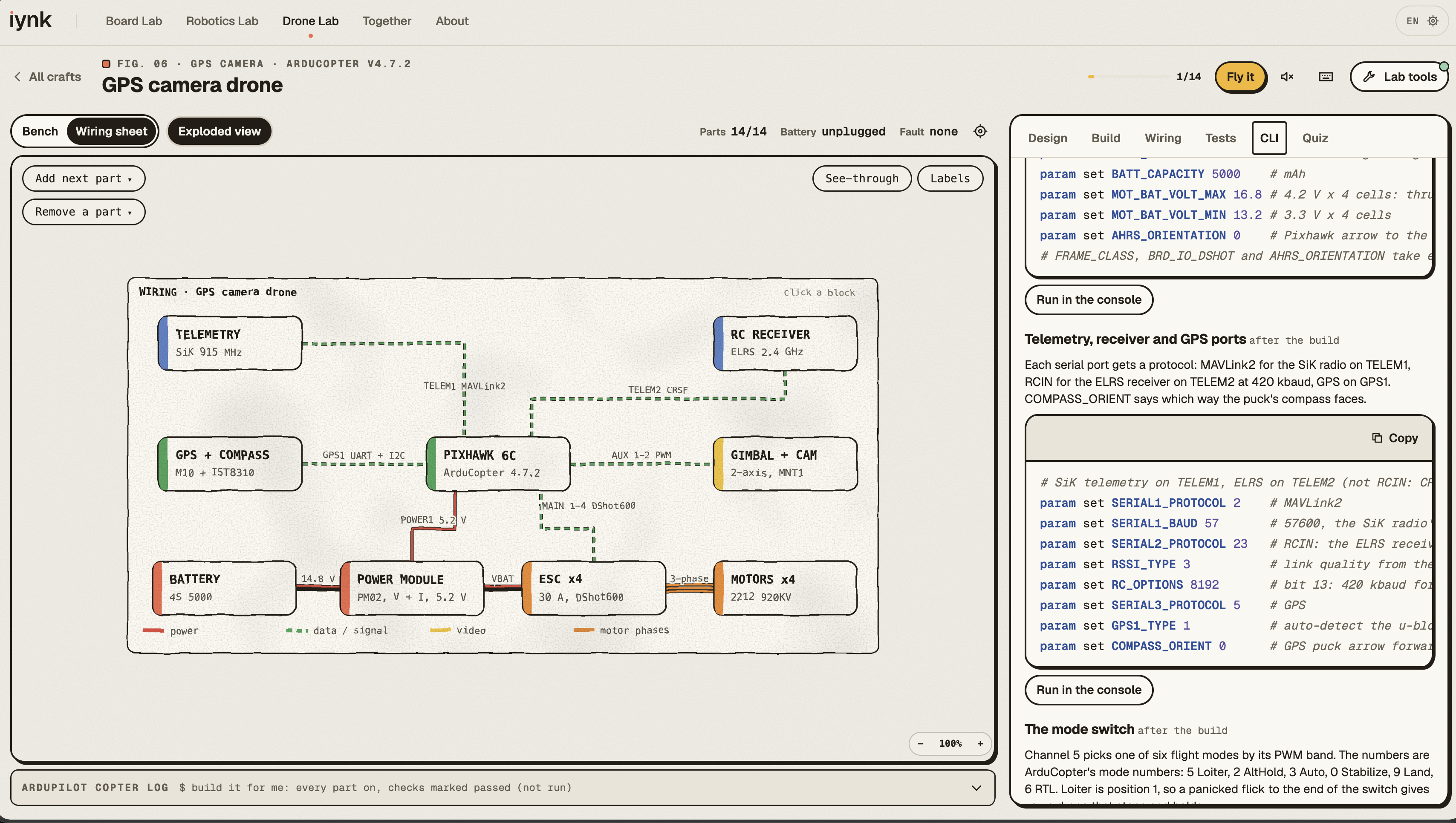
- Drone Lab: 13 drones, from a Tiny Whoop to an octocopter. Build one, check its thrust and flight time, run the safety tests, then fly it through gates in angle or acro mode.
The best part is breaking things on purpose. Leave the resistor off an LED and it flashes once and burns out, and iynk tells you why: about 113 mA went through a part that wanted 20. The resistor you should have used:
$$R = \frac{V_{\text{supply}} - V_{\text{LED}}}{I} = \frac{5\,\text{V} - 2\,\text{V}}{0.02\,\text{A}} = 150\,\Omega$$
There are 144 board failures and 106 bench faults to try, and every one of them is free. We wanted the simulator to teach you what a mistake actually does, not just tell you to fix your wiring.
Then it gets social.
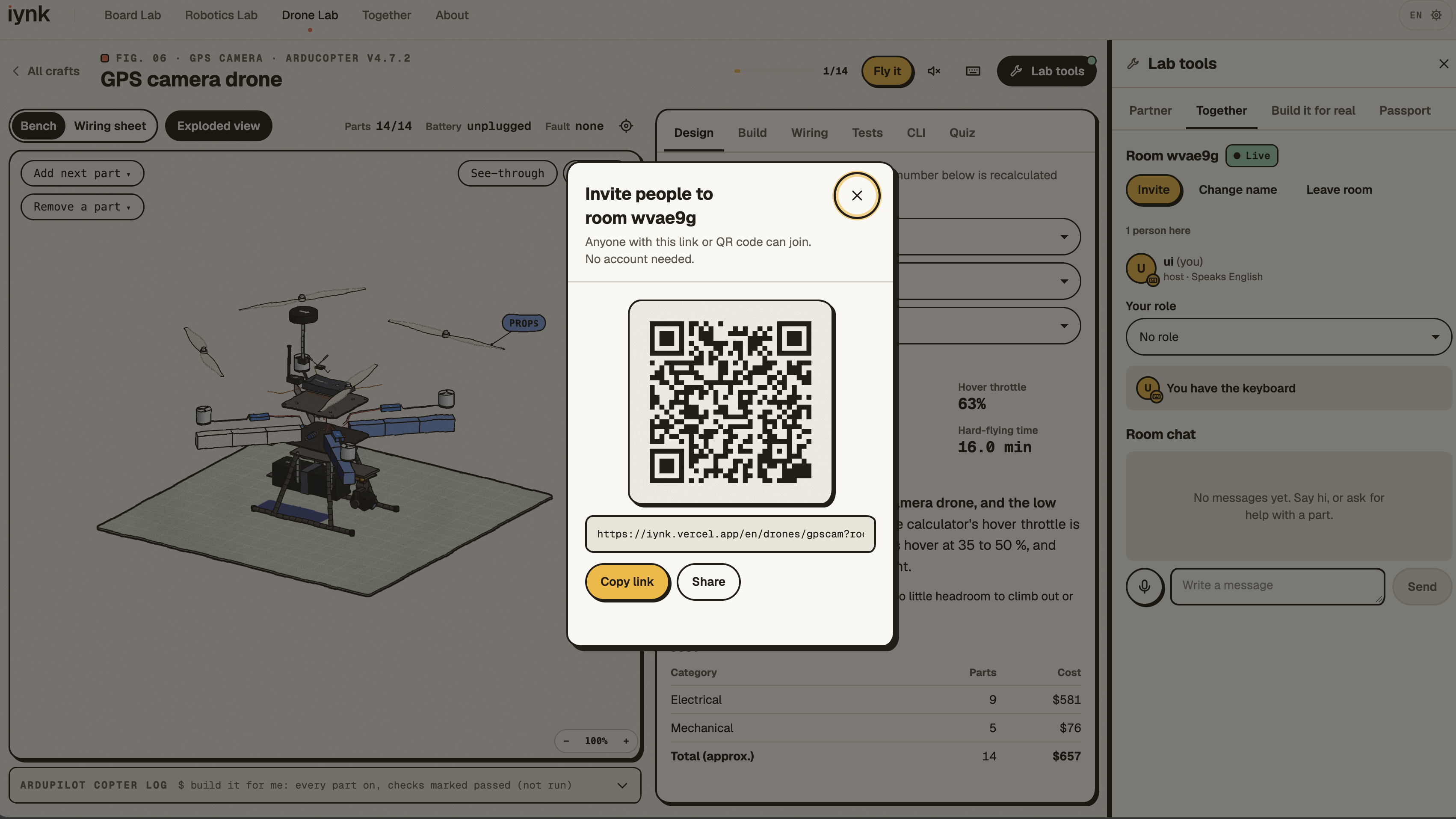
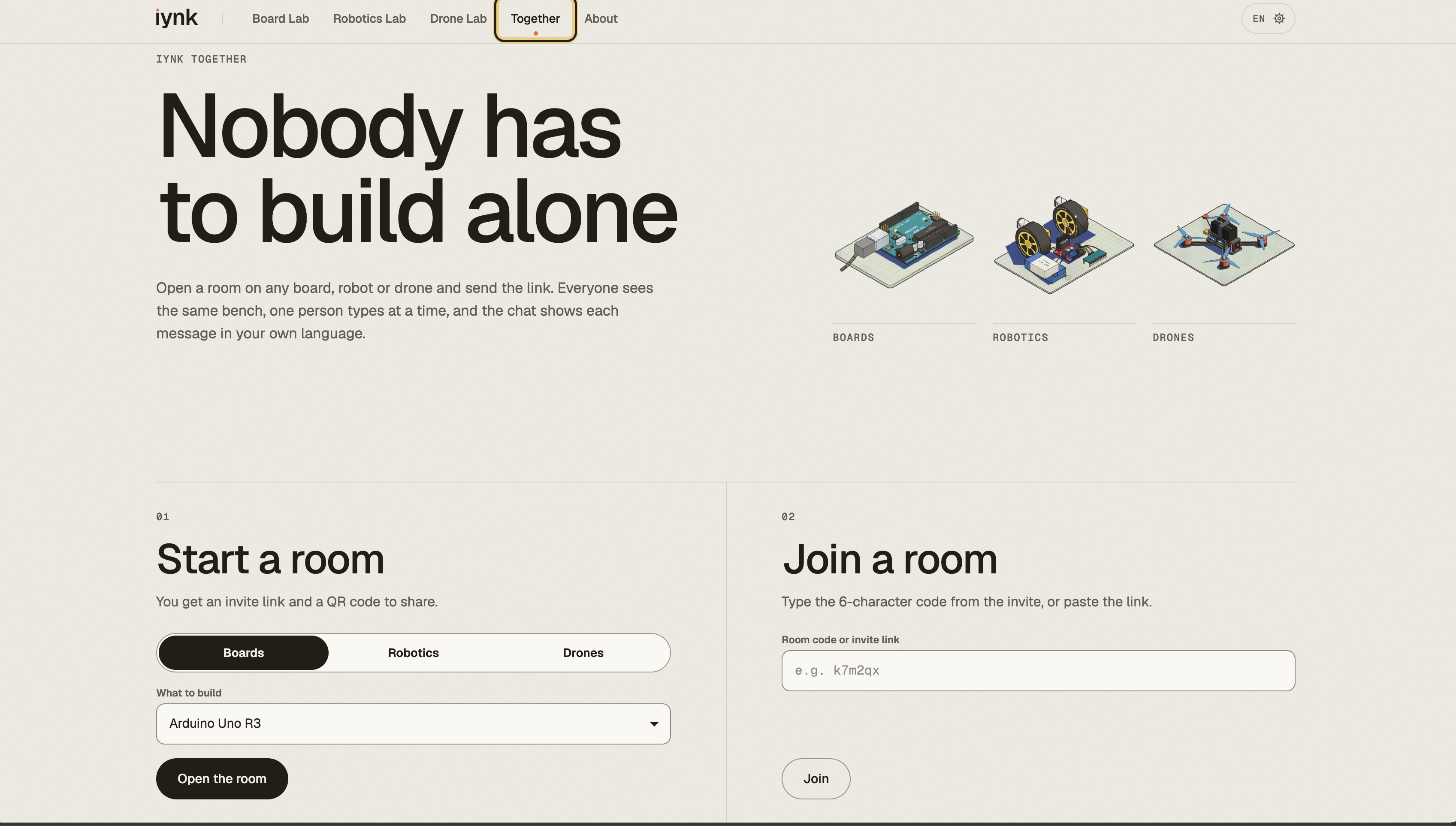
- Rooms: Share a link and up to eight people build on the same bench, live, from any device.
- A lab partner that finds you a friend (Meta): When you're stuck, the partner (Muse Spark) doesn't just answer. If someone in your room has already passed that lesson, it asks them first, with a question that makes them explain it. Room chat and voice messages are translated into each person's language, and voice goes through Muse Voice Transcribe, so you can talk while holding a breadboard. It can also plan a Build Night for a group, turn a session into a short story with a Muse Image cover, and suggest build buddies whose skills complement yours.
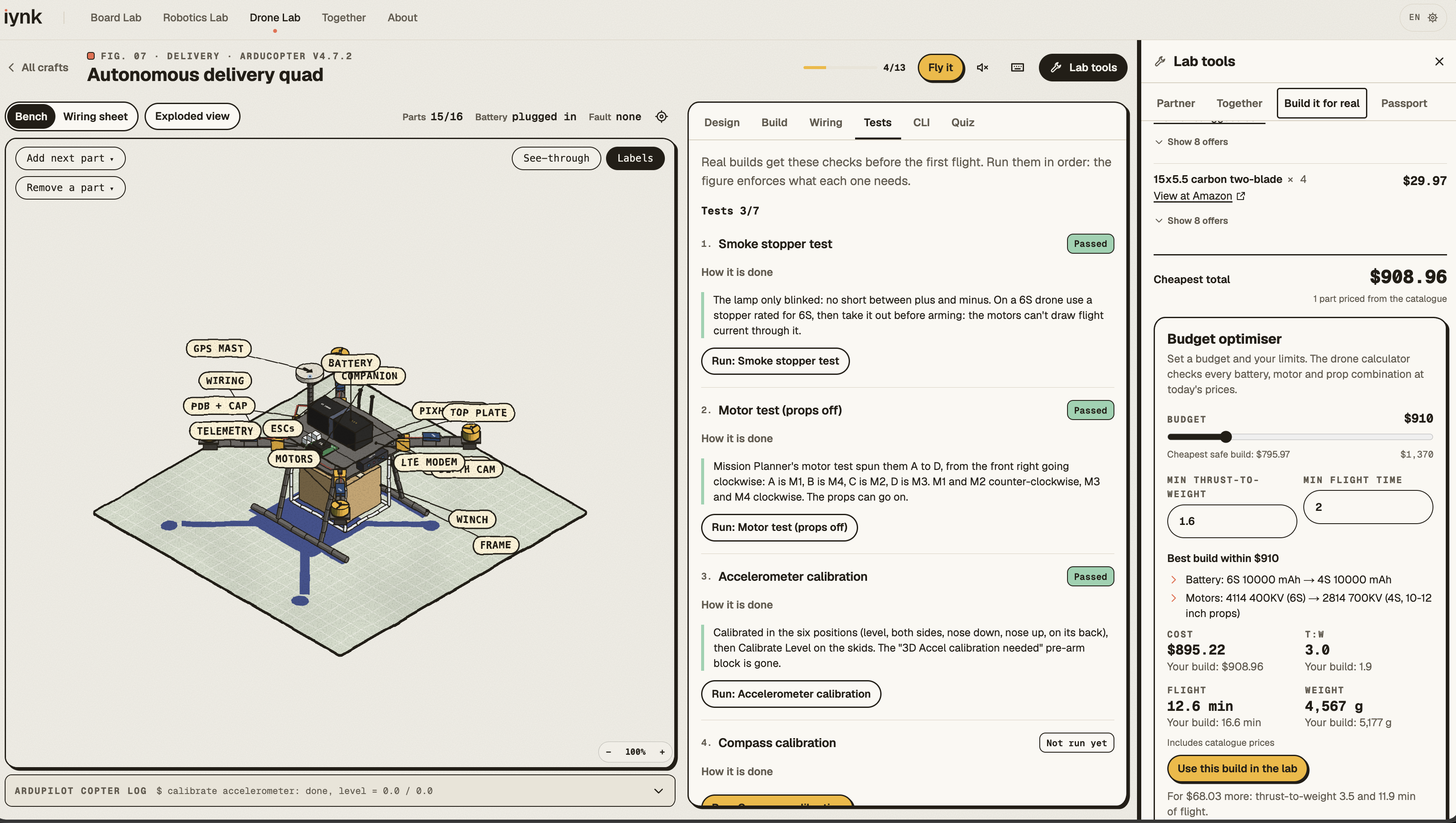
- Build it for real (SerpApi): When you're ready for the final prototype, the parts list is priced live across Google Shopping, Amazon and eBay. On a drone, a budget optimiser re-runs the drone maths on every battery, motor and prop combination and picks the build that still flies within your budget. It also finds makerspaces, electronics shops and flying fields near you, and tutorials on YouTube.
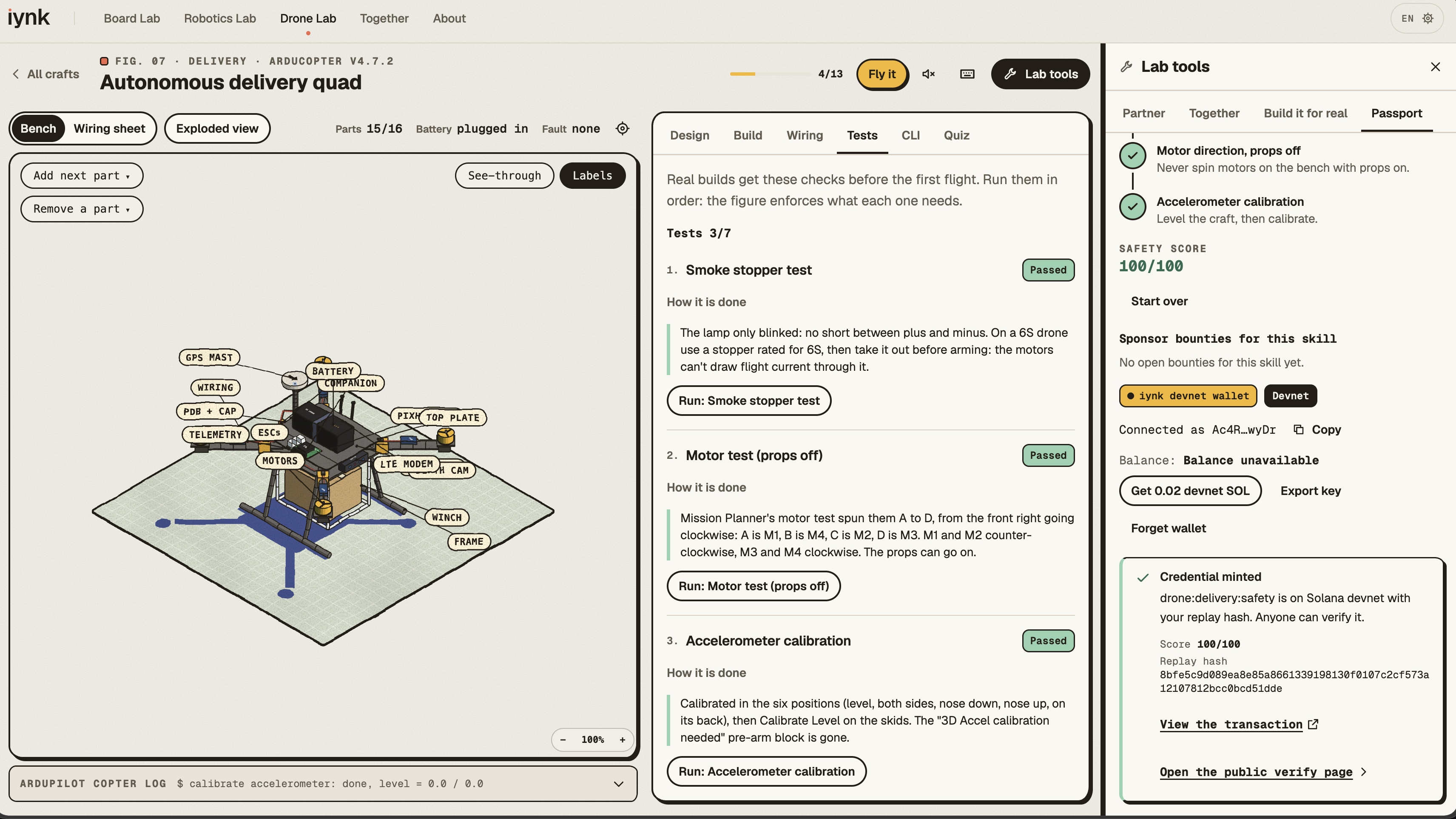
- Proof of Build (Solana): Pass the bench safety checks on a drone and the server re-runs your exact run before our Anchor program writes a credential to your wallet on Solana devnet. Anyone can verify it straight from the chain, and sponsors can lock bounties that pay out in the same transaction.
Everything is in English, Spanish, French, German, Chinese and Hindi, down to the 4,087 labels inside the 3D figures. No account, nothing to install.
The idea is that a student should be able to open Tinkercad, start with something as simple as an LED, and eventually reach the point of designing and building a robot or drone, without needing five other platforms to get there.
How we built it
We originally developed iynk during HackTX, where we had 24 hours and two people. We planned before we built. The first hours went into contracts: the fixed decisions for the core, one owner for every file, and seams for features that didn't exist yet. Then we drove Claude Code, which ran more than 250 agents in parallel waves. Each agent owned its own files, and agents asked each other for changes by writing request files instead of editing each other's code.
- Frontend: Next.js 16, React, TypeScript, Tailwind and CodeMirror. The 3D figures are hand-inked SVG made with Colorfigures, with our own engine running the circuits and benches inside them.
- Simulation: Interpreters for an Arduino C++ subset, MicroPython, Python and a Verilog subset on a deterministic clock, a circuit solver that decides what breaks, and a drone calculator. A build only passes if it can lift itself with room to spare:
$$\text{T:W} = \frac{n_{\text{motors}} \times T_{\text{max per motor}}}{W_{\text{all-up}}}$$
- AI: Meta's Model API (Muse Spark with tool calling, Muse Image, Muse Voice Transcribe), with Gemini as a fallback when Meta is busy. Some of the partner's tools run on the server, and some act on your bench in the browser.
- Search: SerpApi behind a server-side engine whitelist, caching and a budget guard.
- Realtime: A small Node WebSocket relay on a Vultr VM in Dallas, in Docker behind Caddy, that puts every shared action in the same order on every screen.
- Data: Tiger Data (Postgres with TimescaleDB) for anonymous usage events, live leaderboards from continuous aggregates, and opt-in buddy profiles.
- Chain:
iynk_passport, an Anchor program on Solana devnet. - Checks: TypeScript, ESLint, 2,797 unit tests, 116 Playwright browser tests with axe accessibility checks, figure probes, a crawl of every route, and a table that runs every lesson's reference solution and starter code.
The idea, our hardware research notes and an earlier prototype came before HackTX. We used them only as knowledge: every line of iynk's code was written during those 24 hours.
For Hack to the Future, we're presenting that working system as a prototype of the next generation of Tinkercad. Rather than claiming to have integrated into Autodesk's product, we're showing the feature operating independently, with an architecture that could eventually support an integration.
Challenges we ran into
- Solana fought us all night. The public devnet faucet refused every airdrop, so the program sat finished and tested but undeployed. We deployed it in the last hours with our own devnet SOL, and when the public RPC started rate-limiting us, we sent the deploy's transactions straight to the validators instead.
- Bugs that only show up live. One database bug only happened on a brand-new server instance when two writes arrived at the same moment: the database client sent lists in the wrong format before it had finished starting up. Our tests ran queries one at a time and never saw it. We found it by testing the deployed site with real traffic, reproduced it 6 times out of 18, and fixed it. The same pass caught a Meta model version that sometimes answered "model not found", which was quietly breaking the Build Night planner.
- Six languages, all the way down. Translating lessons is one thing. Translating 4,087 labels inside 80 3D figures, in Hindi and Chinese, without anything overflowing on a phone, is another.
- Facts. A hardware lesson is mostly numbers: pinouts, voltages, currents, thrust. Some numbers on the sites we learned from were wrong, so every board and drone got a fact sheet with sources before its lessons were written.
- Making it feel like a real product upgrade. We didn't want to build another disconnected electronics tool. The challenge was imagining how a familiar circuit-design experience could grow into robotics, drones, collaboration, and physical prototyping without becoming overwhelming for someone who just wants to blink their first LED.
Accomplishments that we're proud of
- Three full labs in one product: 12 boards, 13 robotics benches, 13 drones and 80 inked 3D figures, free and in six languages.
- A learning experience that goes beyond a circuit simulator, from beginner-level electronics to complete robotics and drone builds, with simulated hardware failures that teach you why something broke.
- An AI that sends you to a person instead of replacing them. In our live tests, the partner asked the classmate who had already passed the lesson three times out of three.
- Every integrated service does a real job in the same story, and all of them are live: Meta, SerpApi, Vultr, Tiger Data and Solana.
- A way of working where two people and a lot of agents could ship this in 24 hours without losing work when sessions died.
- A working example of how Tinkercad could expand beyond individual circuits into an accessible hardware education platform, while keeping the barrier to entry as low as opening a browser.
What we learned
- Contracts matter more than prompts. A fixed list of decisions and one owner per file did more for quality than any clever instruction.
- Test the real thing. Our worst bugs only appeared on the deployed site, with real keys and real traffic.
- A hardware lesson is mostly facts, and facts need sources.
- Cut what isn't ready. We started a hardware twin for a real Uno and left it switched off, because a half-working feature on stage is worse than none.
- Existing products don't always need to be replaced. Sometimes the better idea is to build on what already works. Tinkercad introduced countless people to virtual electronics, and we wanted to imagine what that same accessibility could look like across the rest of hardware engineering.
- And for me: what stopped me from learning hardware was never ability. It was the cost of being allowed to fail. Make failing free, and you change who gets to learn.
What's next for iynk Future Lab
- Make Future Lab feel native to Tinkercad. Design a seamless path from the existing circuit workspace into the advanced board, robotics, and drone environments. A student should be able to continue learning without starting their project over.
- Connect existing circuit projects to advanced labs. Explore a compatible import and migration workflow so that a student's existing circuit work can become the starting point for a larger robotics project.
- Bring Future Lab to schools and community centres. Start with a mode that works on slow connections, especially in rural areas where physical hardware is expensive or difficult to obtain.
- Finish the hardware twin. A real Uno on your desk and the one in the simulator should run the same code, allowing students to move between virtual and physical hardware.
- Rebuild real circuits from photographs. Photograph a breadboard and have the simulator reconstruct it, using SerpApi's Google Lens API to help identify components.
- Turn verified skills into actual opportunities. Move Proof of Build toward mainnet with sponsor-funded bounties, so completing an engineering challenge could eventually earn a student a physical kit.
- Expand the hardware library. More boards, benches, drones, supported languages, and projects that connect electronics with mechanical engineering, robotics, and autonomous systems.
If Autodesk ever wanted to ship something like this, we wouldn't expect the entire platform to appear overnight. The first release could introduce the advanced Board Lab and failure-driven lessons inside Tinkercad Circuits. Robotics, drone simulation, live collaboration, and physical-build tools could follow in stages.
We're building iynk independently, but the vision behind this submission is straightforward: what if the browser-based tool that lets you build your first circuit could also help you build your first robot, your first drone, and eventually whatever you can imagine?
You shouldn't need an expensive lab to find out whether you're good at engineering. You should be allowed to try.
Built With
- docker
- gemini
- muse
- next.js
- node.js
- postgresql
- python
- react
- rust
- solana
- tailwindcss
- tts
- vultr
- websockets

Log in or sign up for Devpost to join the conversation.