-
-
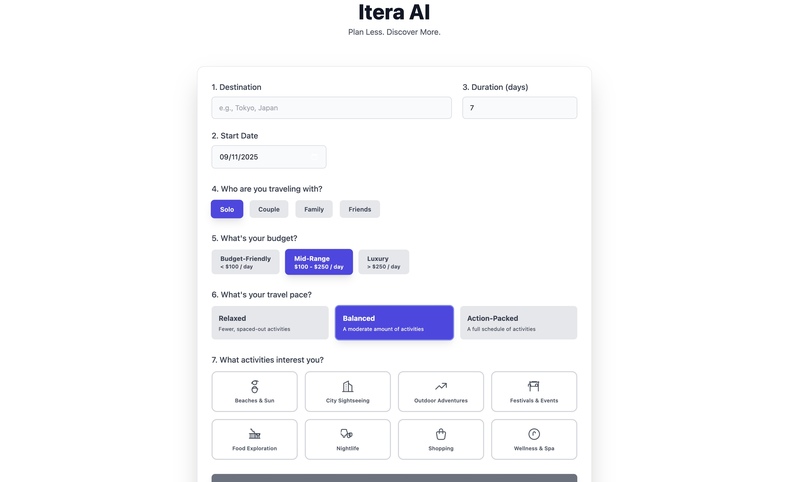
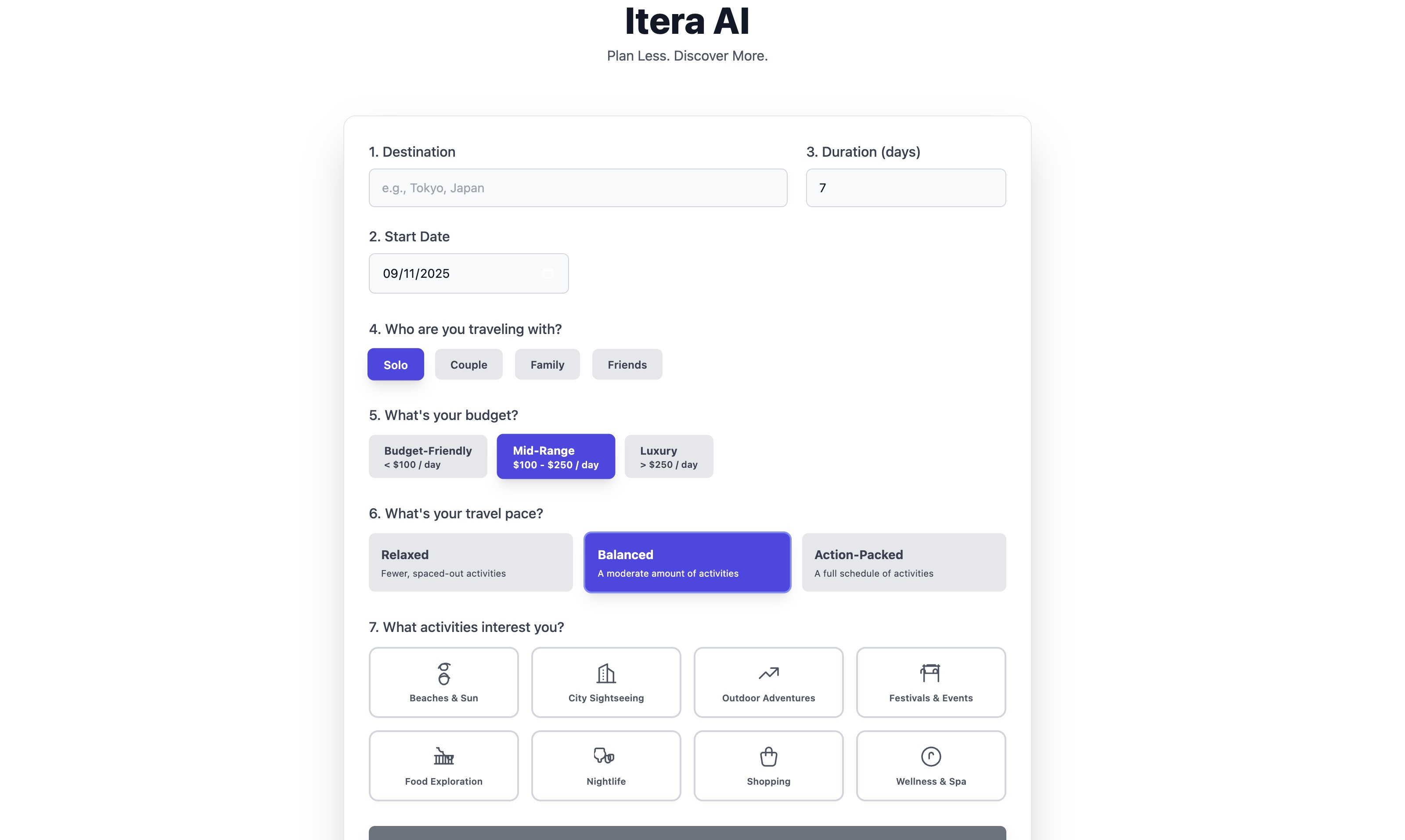
User input page
-
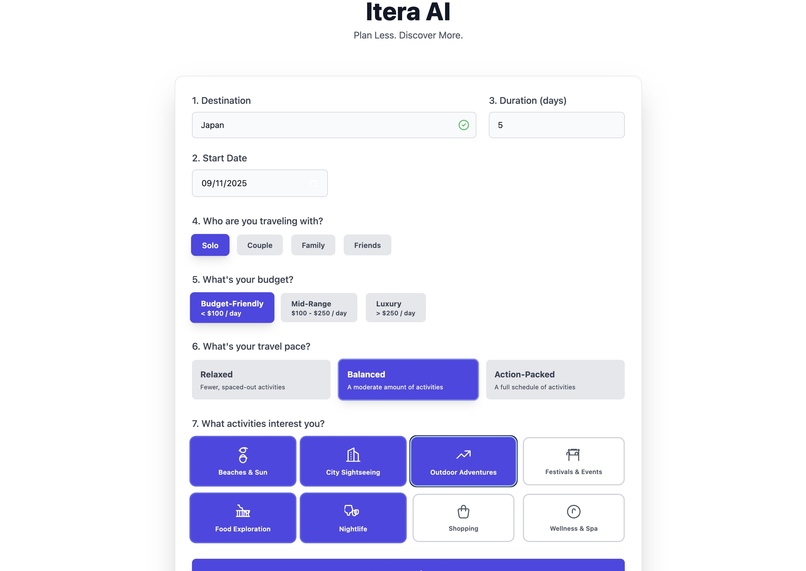
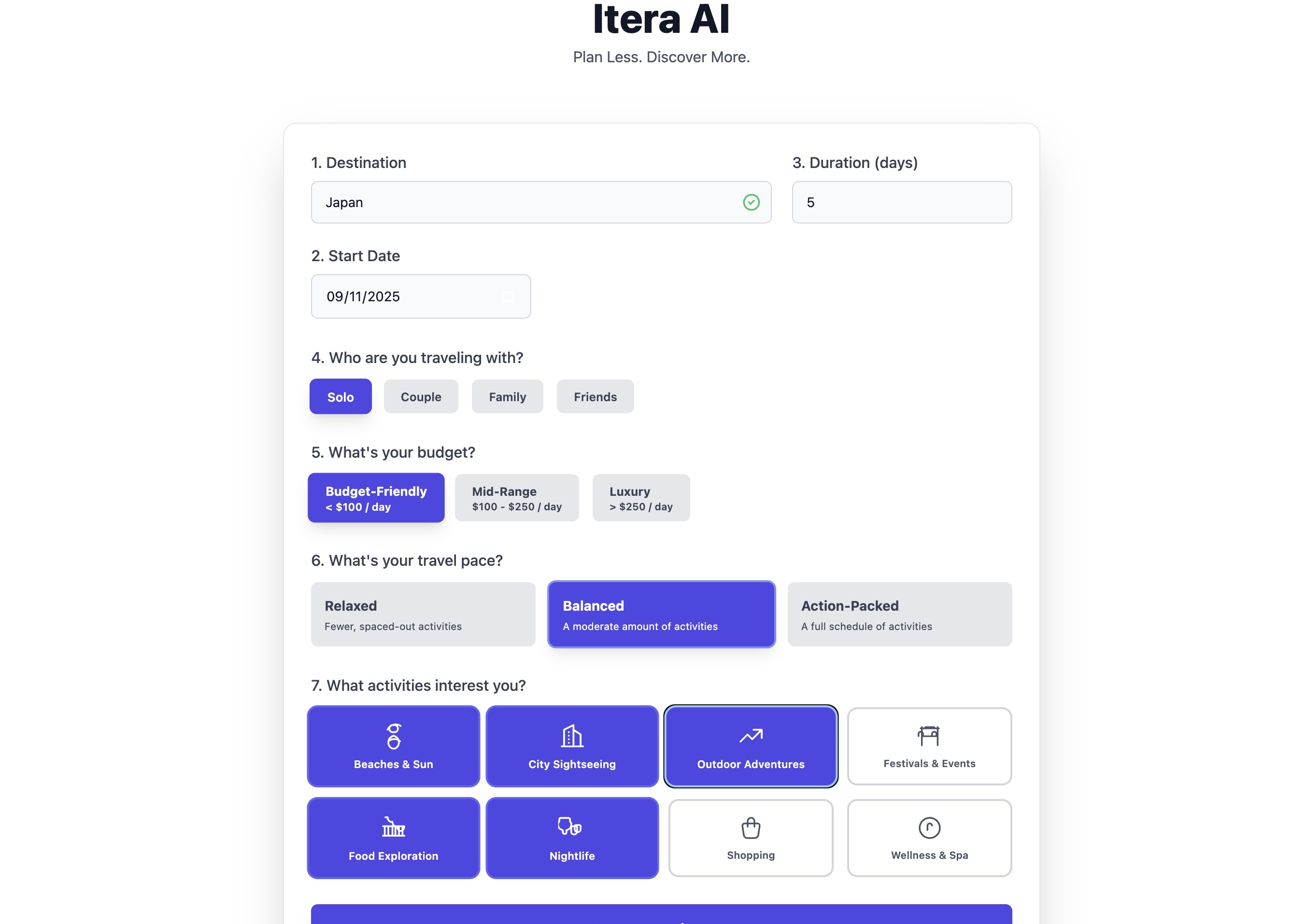
User input page
-
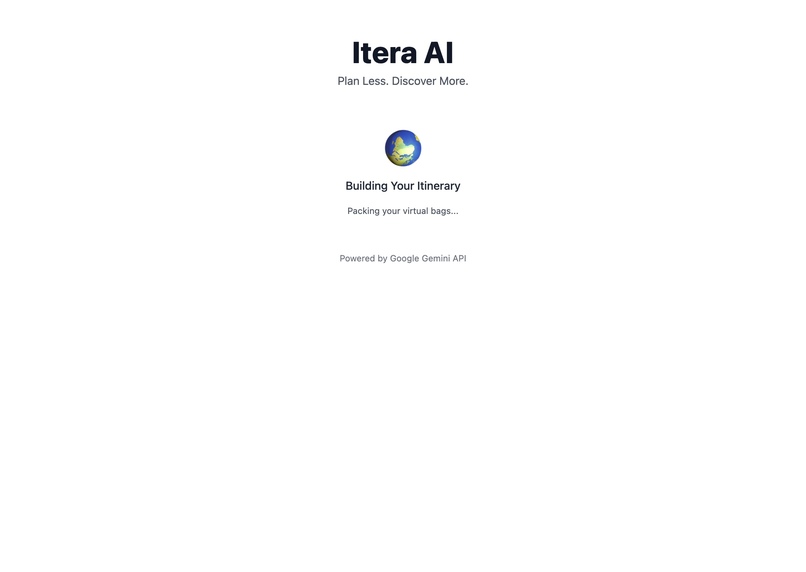
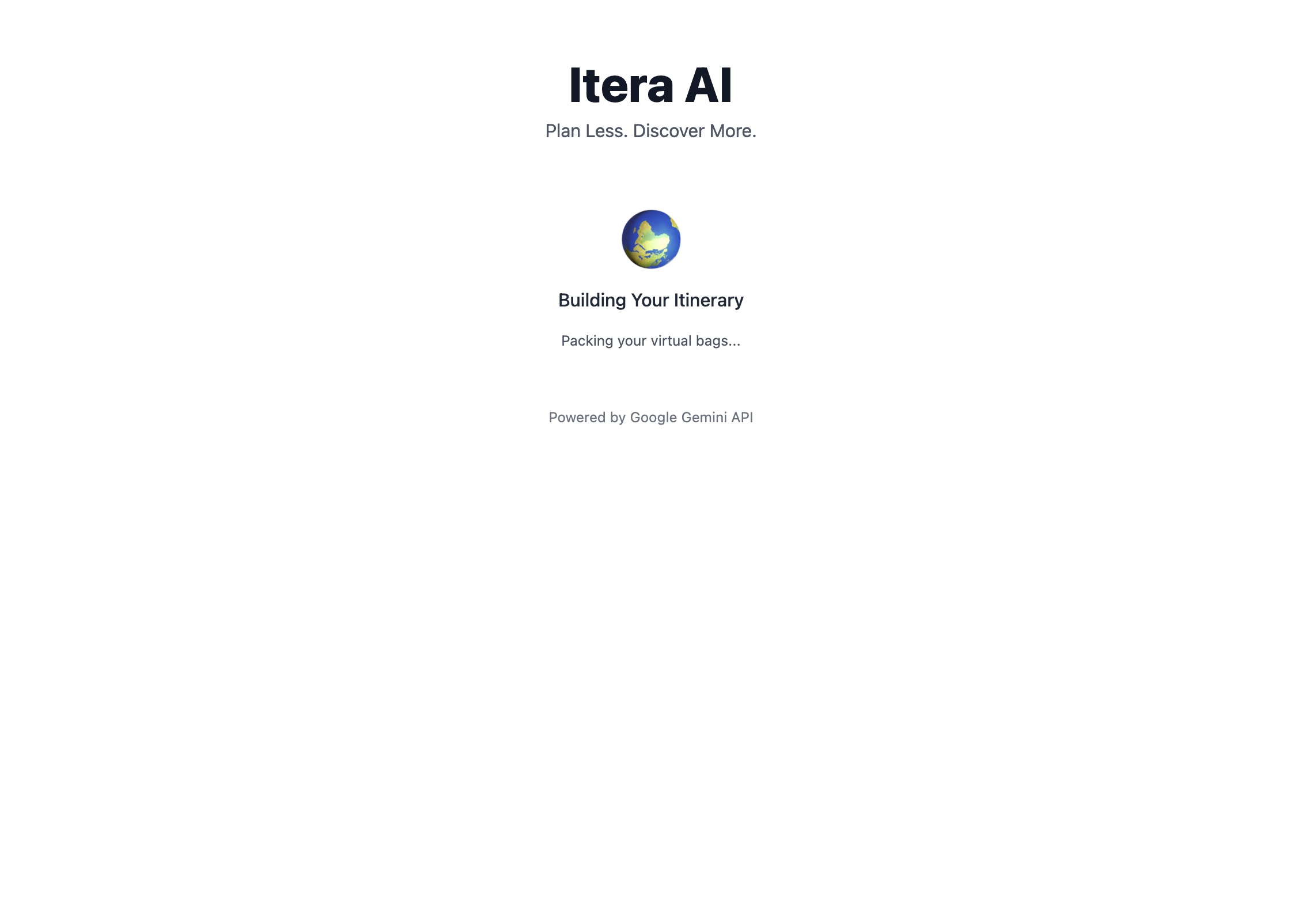
Loading screen
-
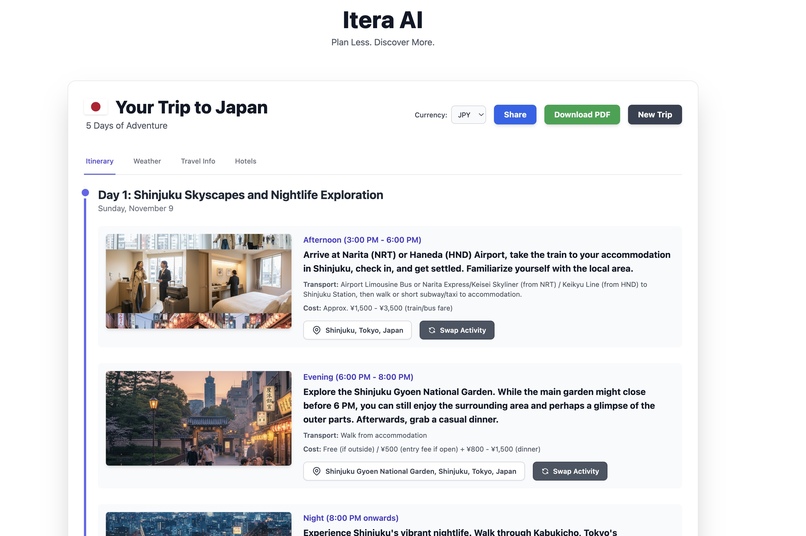
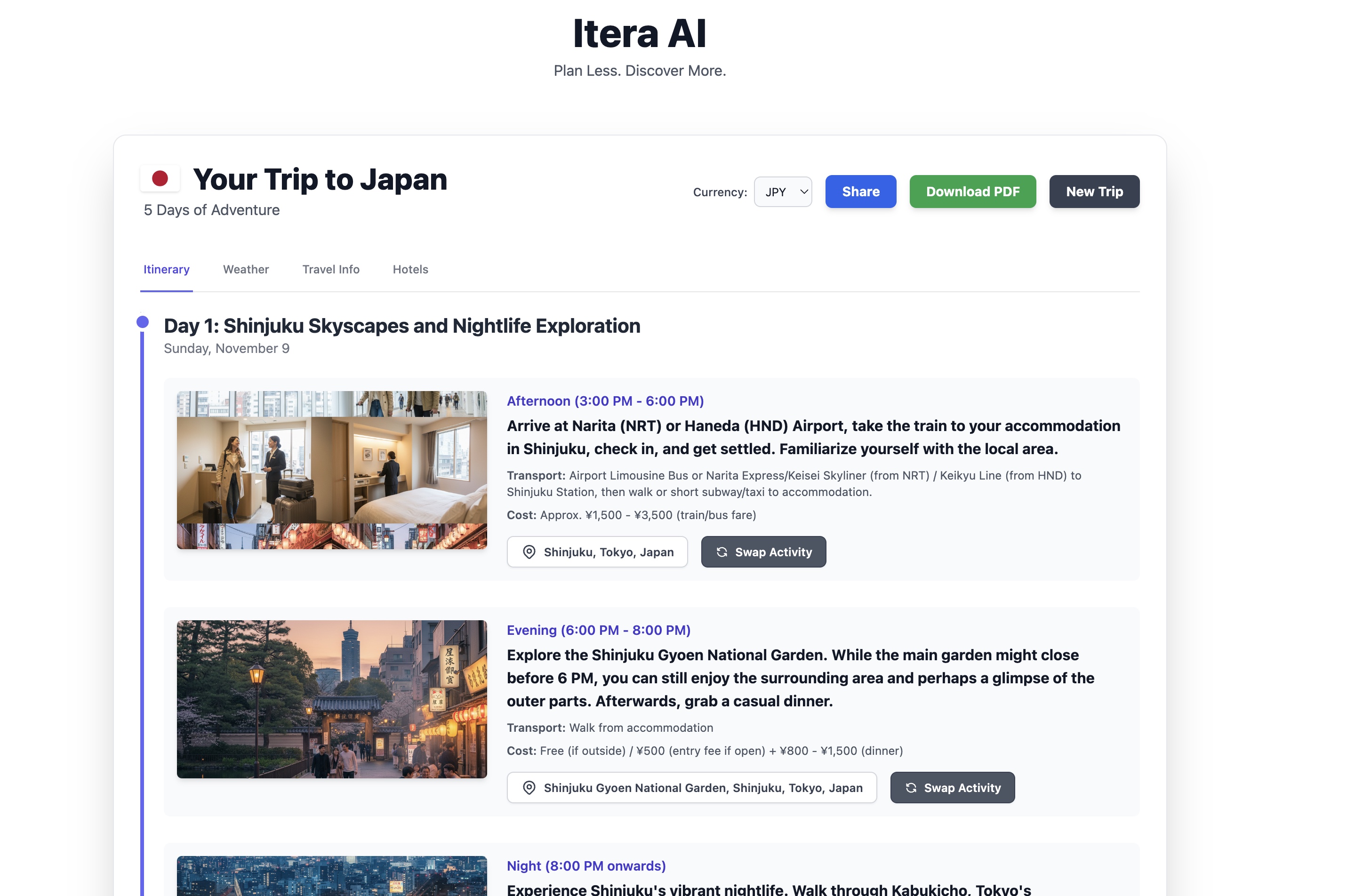
itinerary plan along with switch option
-
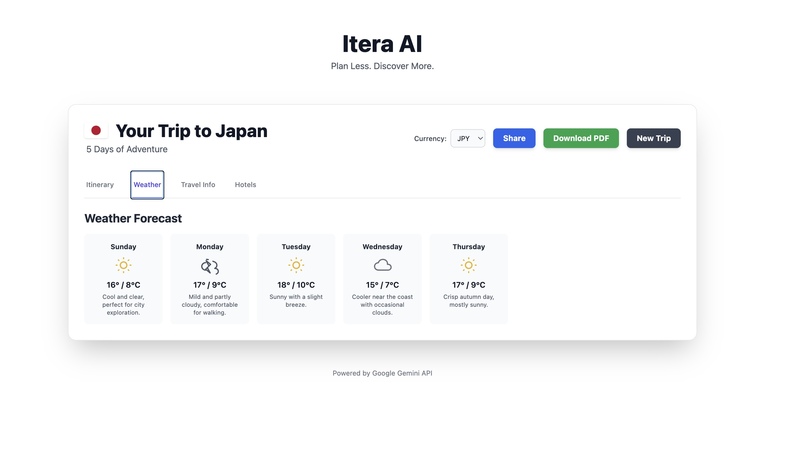
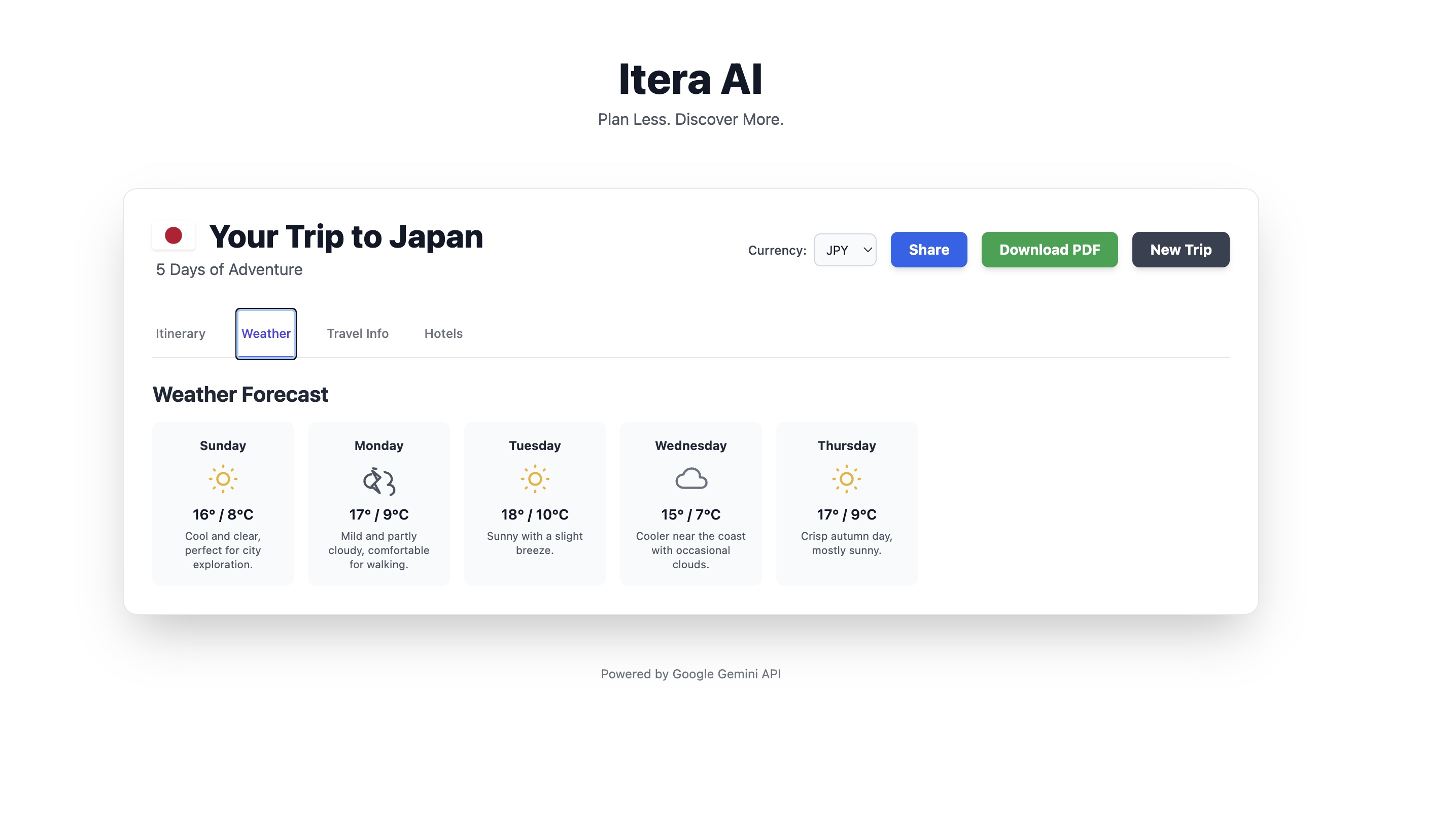
Weather forecast for the chosen time period
-
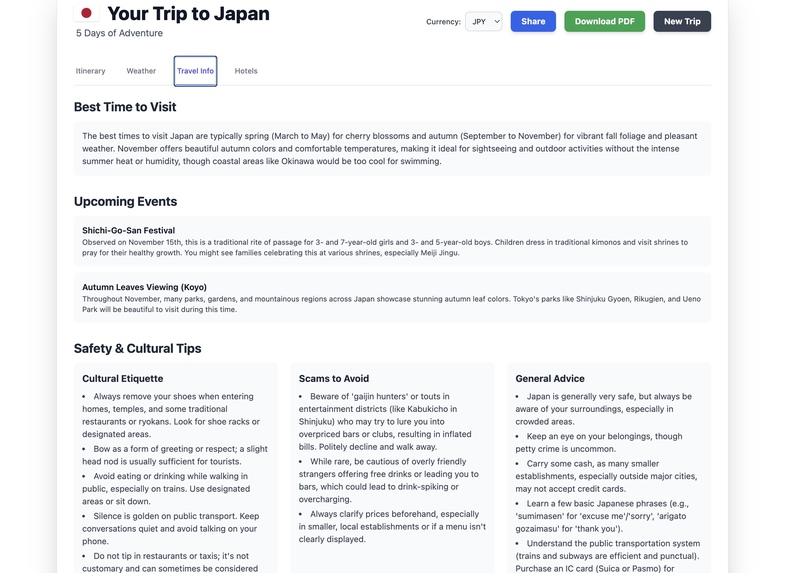
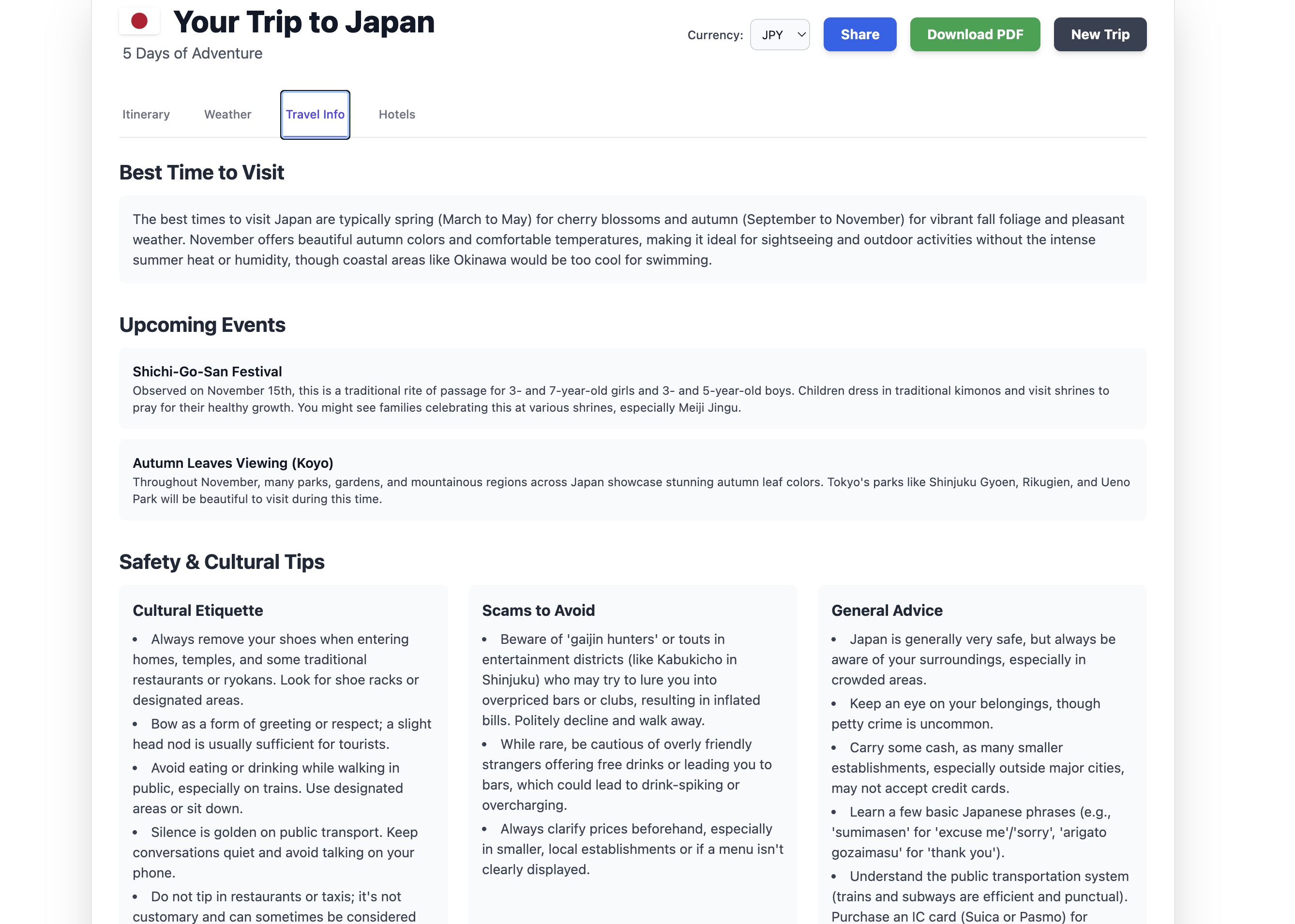
Additional trip insights that includes cultural tips, events, best time to visit details
-
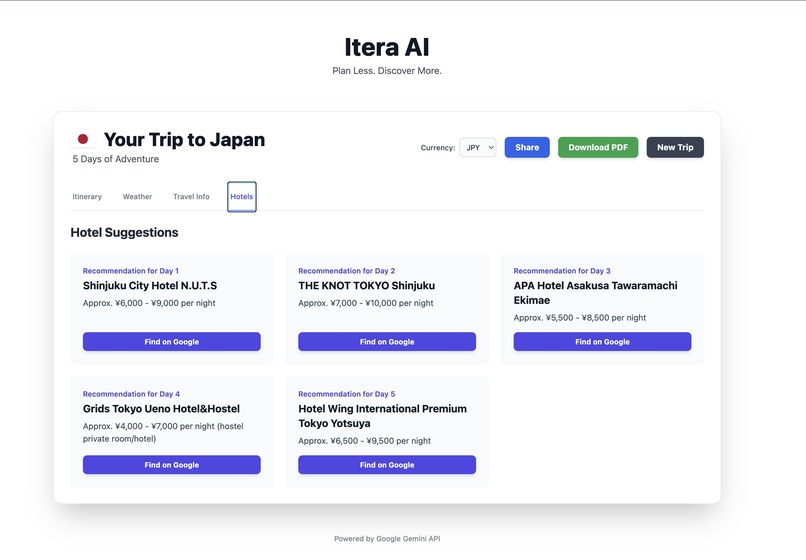
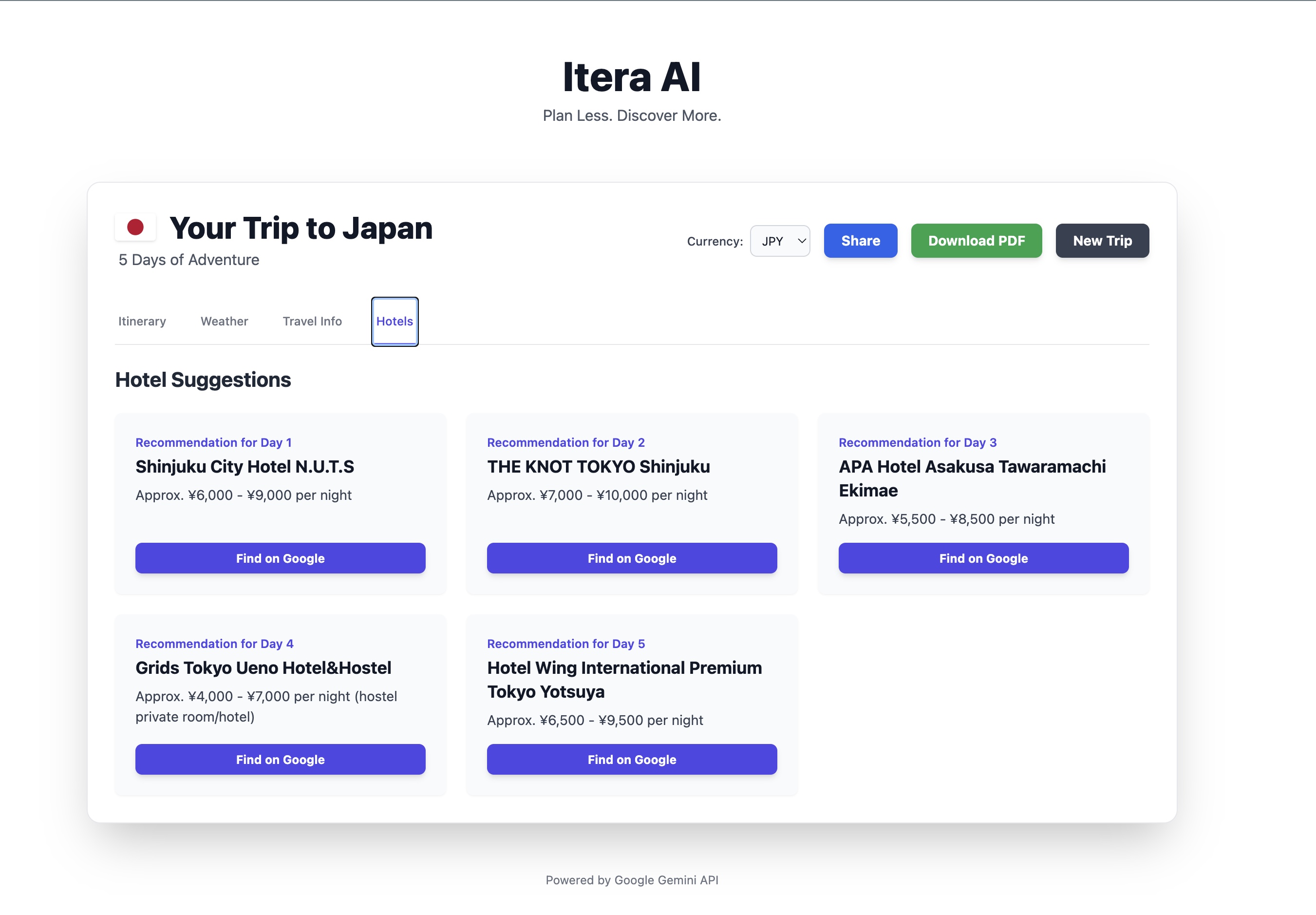
Hotel recommendation with Google maps integration
-
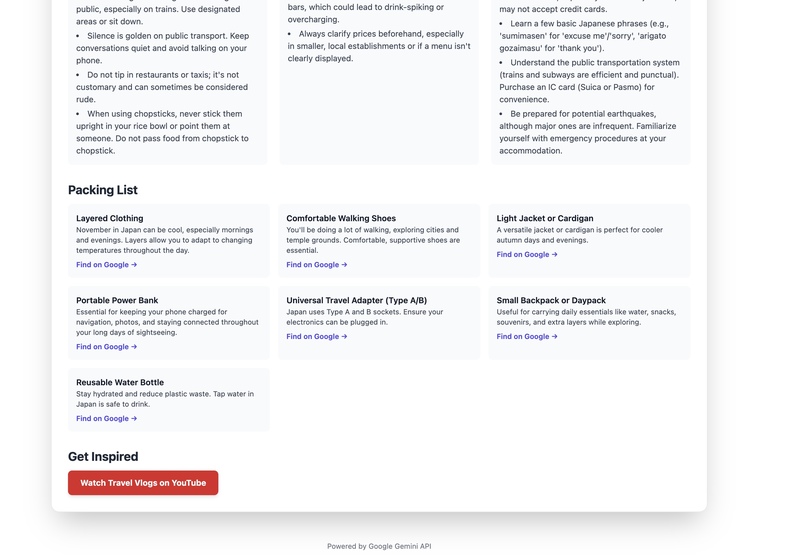
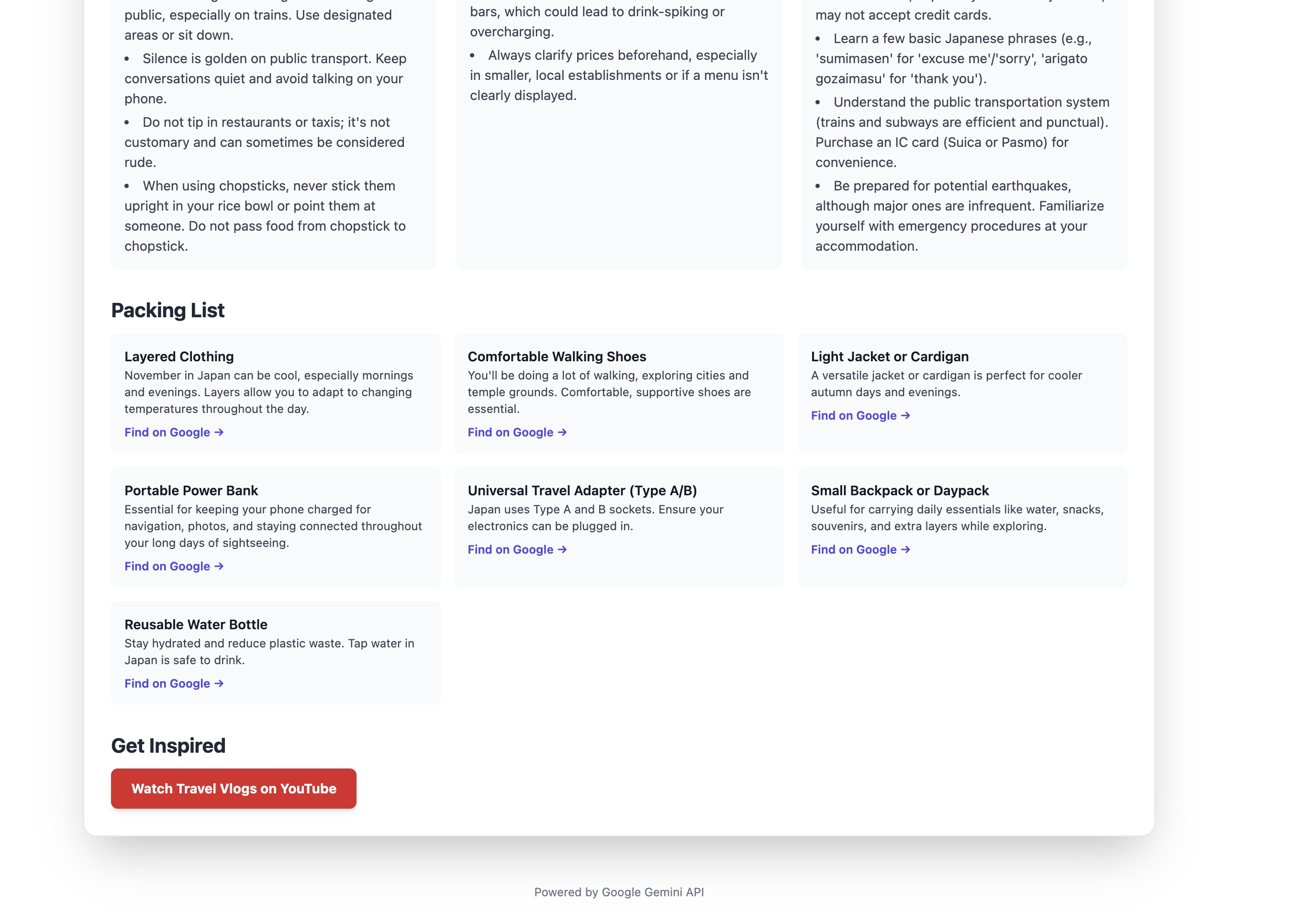
Customized Shopping list based on location along with youtube videos
-
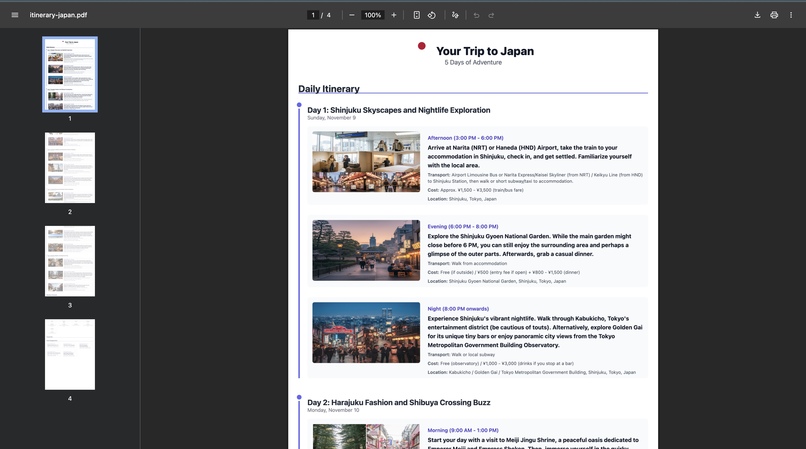
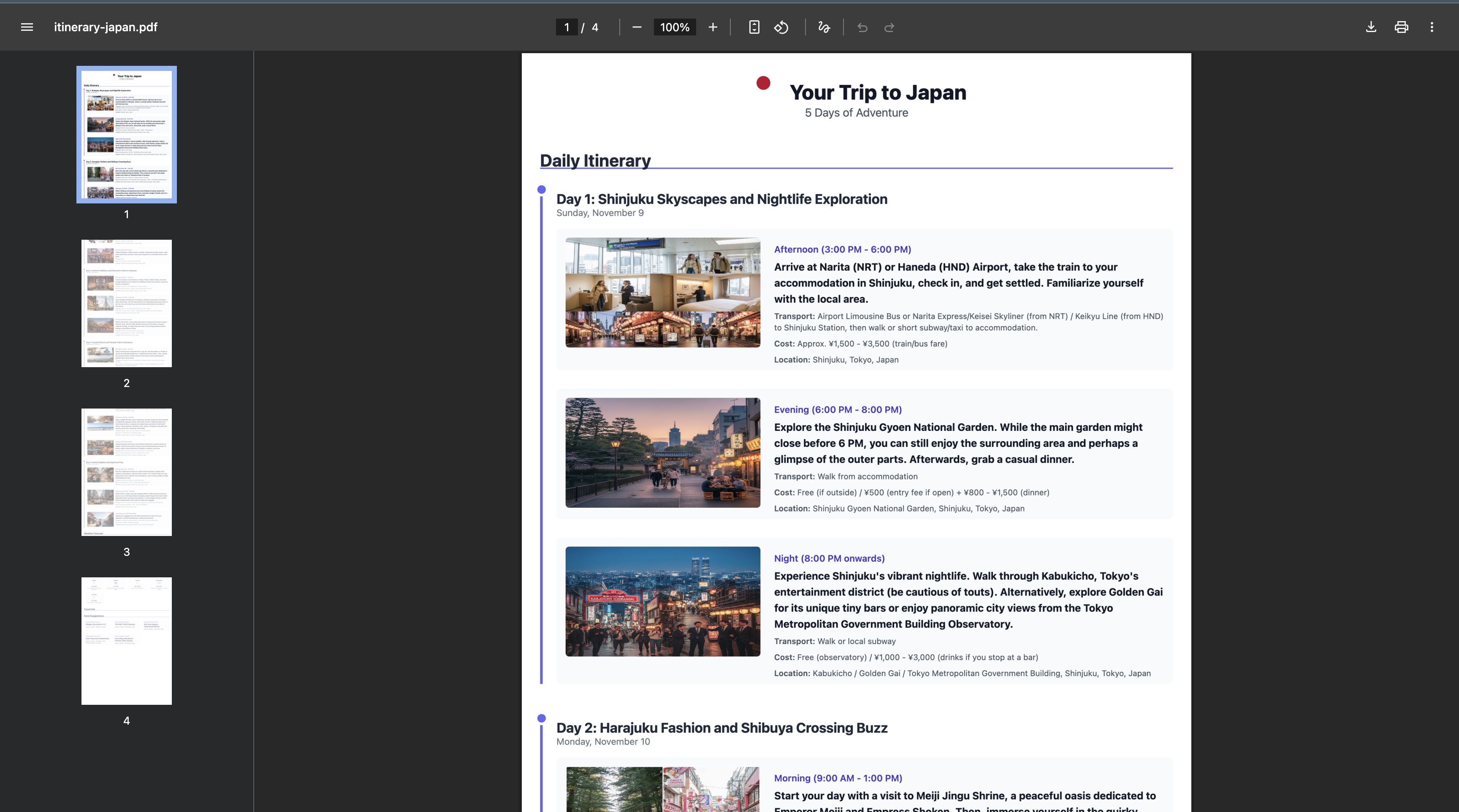
Export your itinerary in a PDF format, and share it with your friends
-
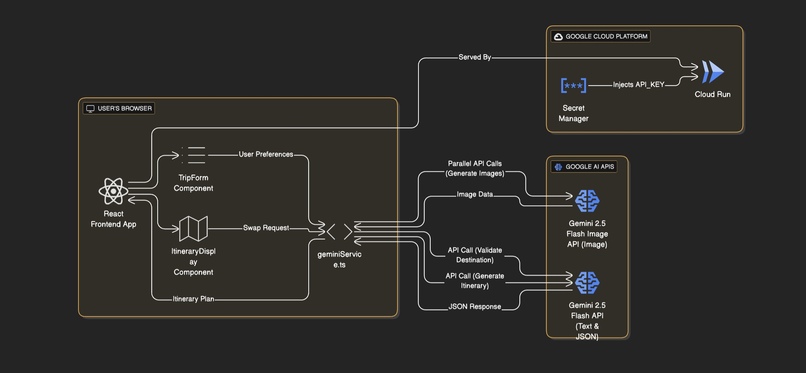
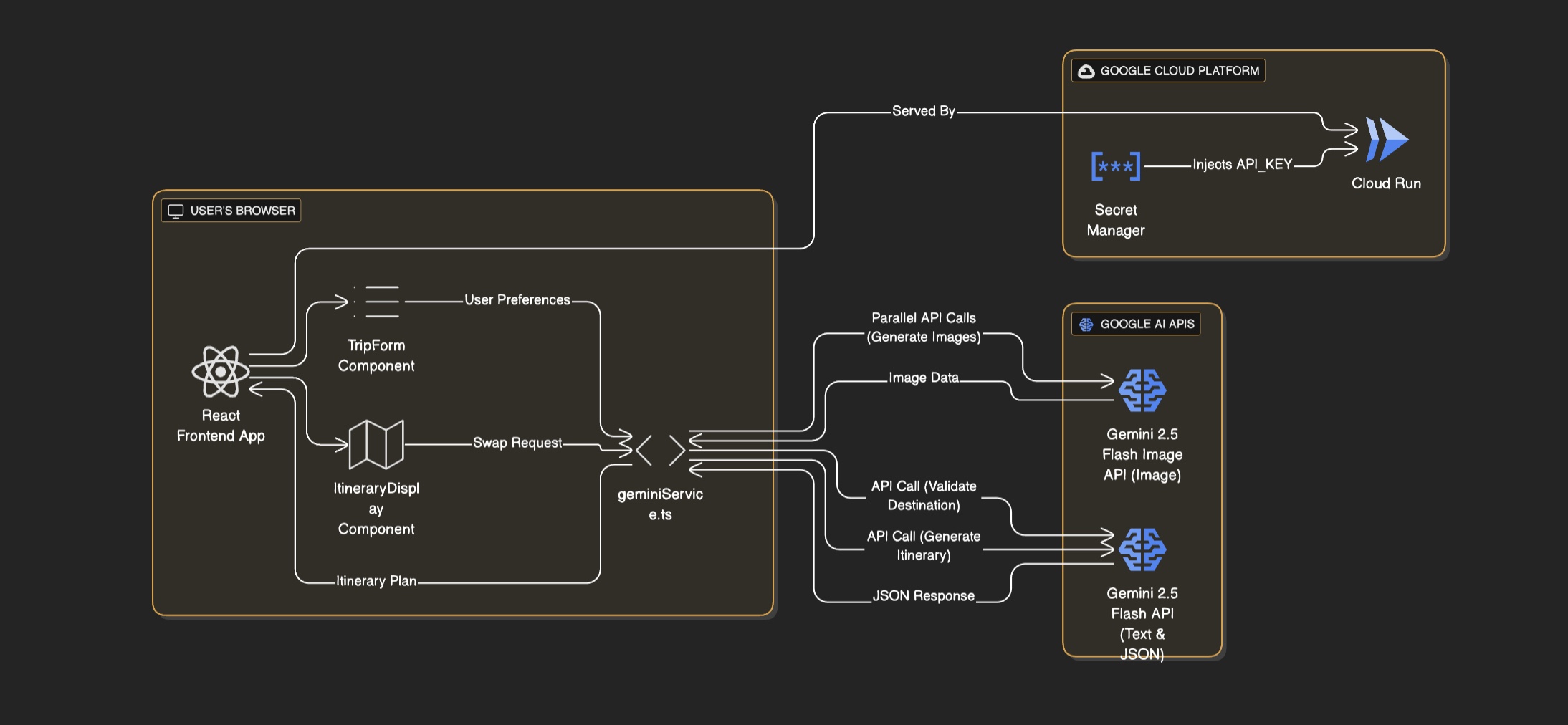
Architecture diagram
Inspiration
As a dedicated wanderlust with a passion for exploring new corners of the globe, I've always cherished the thrill of travel. However, I consistently faced a significant hurdle before every trip: the overwhelming and fragmented process of planning. Crafting the perfect itinerary meant juggling countless browser tabs and mobile apps. I'd have one app for weather forecasts, another for hotel bookings, several blogs and travel sites for activity ideas, and mapping services to stitch it all together. The time spent on planning—researching climate, budgeting, finding restaurants, and creating a pre-trip shopping list—often felt like it rivaled the duration of the trip itself.
This personal frustration was the seed for Itera AI. I envisioned a single, intelligent platform that could consolidate all these scattered pieces of information into one cohesive, personalized plan. I wanted to build a tool, powered by the generative AI capabilities of Gemini, where a traveler could get everything they need in one place, transforming hours of stressful research into a moment of joyful anticipation.
What it does
Itera AI is a sophisticated, end-to-end travel planning application designed to eliminate the complexity and time-consuming nature of creating a personalized trip itinerary. It acts as a smart travel assistant, leveraging the power of the Google Gemini API to generate a comprehensive and highly detailed travel plan from a single set of user preferences.
Core Functionality:
Intuitive Preference Gathering: The user starts by filling out a clean, multi-step form detailing their destination, travel dates, duration, companions (solo, couple, etc.), budget, preferred travel pace (relaxed to action-packed), and specific interests like sightseeing, food, or outdoor adventures. AI-Powered Itinerary Generation: Once submitted, the application sends these preferences in a structured prompt to the Gemini API. It requests a complete travel plan in a specific JSON format, which includes:
A Day-by-Day Itinerary: Each day has a theme and a list of activities with suggested times, detailed descriptions, transport options, specific locations, and estimated costs tailored to the user's budget and in the local currency.
Enriching Visuals: To make the plan more engaging, the app makes subsequent calls to Gemini's image generation model (gemini-2.5-flash-image) to create a unique, relevant photo for each activity. Essential Travel Intelligence: Beyond the schedule, the plan includes a weather forecast, advice on the best time to visit, a list of local events, safety tips, cultural etiquette, and even a personalized packing list.
Practical Suggestions: The AI also provides daily hotel recommendations located conveniently for that day's activities and provides direct Google search links for hotels and packing items.
*Interactive & Dynamic Display: * The generated plan is presented in a beautiful, tabbed interface where users can easily switch between their itinerary, weather forecast, hotel suggestions, and other travel info.
Key features include:
Activity Swapping: If a user doesn't like a suggested activity, they can click a "Swap" button. This triggers another targeted API call to Gemini, asking for a new activity that fits the context of the day and their original preferences.
Currency Conversion: The app can convert all estimated costs into several major currencies, providing a more accessible view of the budget.
Utility Tools: Users can download their complete, visually-rich itinerary as a PDF for offline use or use the "Share" feature to generate a clean, text-based summary to easily copy into an email or message.
Technically, the application is a modern React single-page application that intelligently manages state, handles asynchronous API calls with robust error handling, and uses localStorage to save a user's most recent trip for easy access when they return.
How we built it
Itera AI is architected as a serverless Single-Page Application (SPA). This modern approach means the user's browser runs the entire application (built with React), while all the complex logic, content, and image generation are handled directly by the Google Gemini API, which acts as a powerful, on-demand "backend." The entire system is then deployed on Google Cloud Run for seamless scalability and management.
1. Frontend: The User Experience
The user-facing part of the application is crafted with a focus on interactivity, responsiveness, and a clean user experience.
Framework: React is the core framework, enabling a component-based architecture that keeps the UI organized and maintainable. The main App.tsx component acts as the central hub, managing the application's state and flow.
Language: TypeScript is used for all frontend code (.tsx, .ts). This brings static typing to JavaScript, which is crucial for a data-intensive application like this. It ensures that the complex JSON objects received from the Gemini API are handled correctly, preventing runtime errors and making the code easier to debug and scale.
Styling: All styling is done with Tailwind CSS. This utility-first framework allows for rapid development of a custom, modern, and fully responsive design directly within the React components, eliminating the need for separate CSS files.
Key Components:
TripForm.tsx: A guided, multi-step form that captures user preferences in an intuitive way. ItineraryDisplay.tsx: A sophisticated component that renders the final plan in a beautiful tabbed interface, handling dynamic features like currency conversion, activity swapping, and PDF generation.
2. The "AI Backend": The Gemini Service Layer The file services/geminiService.ts is the heart of the application. It's a dedicated service layer that encapsulates all communication with the Google Gemini API, abstracting away the complexity from the UI components.
Structured Output with responseSchema: This is the most critical technique for ensuring the application is robust and reliable. Instead of asking the AI for plain text and then trying to parse it, the generateItinerary function provides a detailed responseSchema. This forces the gemini-2.5-flash model to return its response in a predictable, perfectly structured JSON format. This is the key to avoiding errors and making the application work consistently.
**Multi-Model Strategy: **The service intelligently uses different Gemini models for different tasks, showcasing an efficient use of the API: gemini-2.5-flash: Used for all text and logic-based generation (the main itinerary, destination validation, activity swapping) because of its excellent speed and reasoning capabilities. gemini-2.5-flash-image: Used by the generateImageForActivity function to create rich, relevant visuals for each activity in the plan, making the itinerary more engaging. AI-Powered Micro-interactions: Gemini is not just used for the main itinerary. It powers smaller, "smart" features that enhance the user experience, such as validating the destination in real-time and suggesting a relevant new activity when the user clicks "Swap."
3. Deployment: Serving the App with Google Cloud Run Deploying a React SPA like this on Cloud Run is an ideal choice for a serverless, scalable, and cost-effective solution.
Here’s how it's done: Containerization with Docker: Cloud Run works by running stateless containers. The first step is to create a Dockerfile for the project. This Dockerfile uses a multi-stage build.
Build Stage: A node base image is used to install all project dependencies and run the build script (e.g., npm run build). This compiles the React/TypeScript code into a small set of static files (index.html, JavaScript bundles, etc.).
Serve Stage: A second, lightweight web server image (like nginx) is used. The static files generated in the build stage are copied into this new image. This creates a tiny, secure, and efficient final container image whose only job is to serve the application files.
Image Storage with Artifact Registry: Once the Docker image is built, it is pushed to Google Artifact Registry. This is a secure, private repository for storing and managing container images within Google Cloud.
Deployment to Cloud Run: A Cloud Run service is created to run the container image from Artifact Registry. Google Secret Manager: To ensure security, the Gemini API key is not stored in the code. It's stored securely in Secret Manager and injected into the Cloud Run container as an environment variable at runtime.
Challenges we ran into
The most significant challenge was engineering a truly resilient and error-free application. When working with a generative AI model, you must anticipate and gracefully handle a wide range of potential issues—from network failures and API rate limits to unexpected or malformed JSON responses from the model.
My focus was on ensuring that no backend issue would compromise the customer experience. I implemented comprehensive error handling to catch API exceptions and provide the user with clear, helpful feedback. For instance, if an image for a specific activity failed to generate, the application would still render the rest of the itinerary perfectly, ensuring the core value was delivered. This process taught me the importance of building defensive, user-centric logic that maintains a high-quality experience even when things go wrong behind the scenes. Itera AI is a testament to the idea that a powerful application should not only be feature-rich but also robust and reliable.
Accomplishments that we're proud of
Dynamic & Interactive Plans: Showcasing the AI-powered "Swap Activity" feature. Multi-Modal & Efficient: Describing the use of different AI models for text and image generation. Intelligent User Experience: Highlighting smart features like real-time destination validation.
What we learned
Building Itera AI was a journey of immense learning, particularly in the realm of user experience (UX). My goal was to make the interaction seamless and intuitive. This meant designing a simple, guided form to capture user preferences without causing fatigue, and then presenting the complex, AI-generated data in a clean, interactive, and visually appealing way.
The development process was greatly accelerated by Google's ecosystem. Using AI Studio for prototyping and testing my prompts was incredibly efficient, and deploying the application with Cloud Run made the transition from development to a live production environment remarkably smooth. Diving into the deployment pipeline also deepened my understanding of modern DevOps practices, including managing containerized applications with Docker and storing them in the Artifact Registry.
What's next for Itera AI
Real-Time Collaboration: Allowing users to plan trips together with friends and family. Live Flight & Hotel Booking: Integrating booking platforms to make Itera AI a one-stop shop.
AI-Powered Travel Agent Chat: A conversational interface for making changes and asking questions. Budget Tracking & Expense Management: Tools to help travelers stay on budget during their trip.
Built With
- cloudrun
- css3
- gemini-2.5-flash
- gemini-2.5-flash-image
- html2canvas
- html5
- jspdf
- localstorage
- react
- tailwind
- typescript


Log in or sign up for Devpost to join the conversation.