-
-
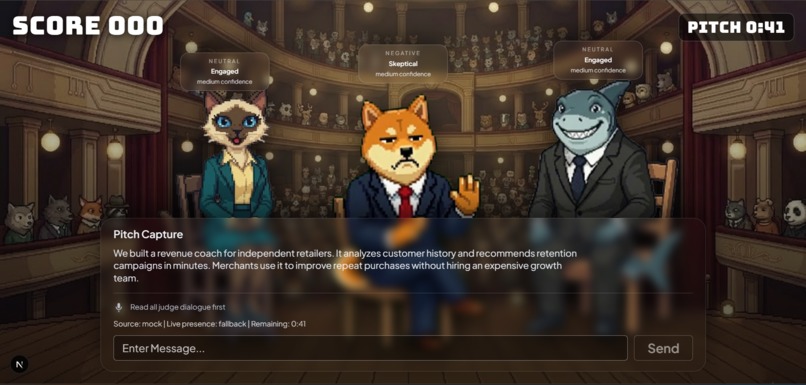
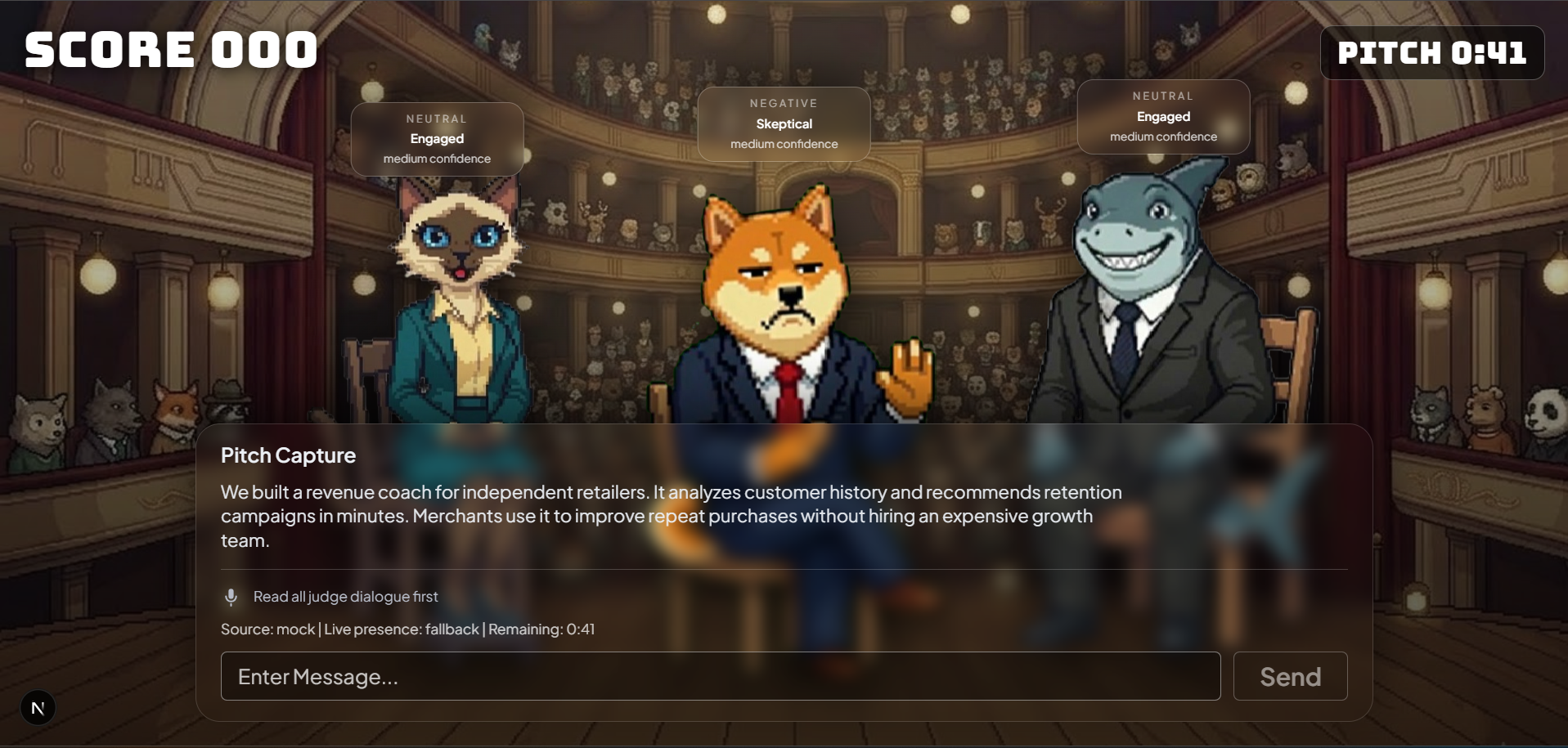
Main Screen
💡 Project Inspiration
Many university students struggle when presenting their ideas in front of others. Even when they have strong or creative ideas, they often face several common challenges:
- Nervousness and lack of confidence when speaking publicly
- Difficulty structuring their ideas clearly
- Fear of receiving negative feedback
- Limited opportunities to practice in a safe environment
Traditional presentation practice can also feel repetitive, stressful, and intimidating, which causes many students to avoid practicing altogether. As a result, students may enter real presentations unprepared, even when their ideas are valuable.
Our project was inspired by the popular pitching format used in Shark Tank, where entrepreneurs present their business ideas to a panel of judges who immediately provide feedback, criticism, and investment decisions.
This format is highly engaging because it combines:
- Storytelling
- Critical evaluation
- Real-time feedback
- Competitive excitement
We wanted to recreate a similar experience in a digital learning environment, allowing students to practice pitching their ideas repeatedly without the pressure of presenting in front of a real audience.
The goal of our project was to build an interactive platform that simulates pitching to judges, helping students improve their:
- Confidence
- Communication skills
- Idea structuring
- Persuasive presentation abilities
By practicing in a simulated environment, students can develop these skills gradually before presenting in real-life academic or professional settings.
📚 What We Learned
During the development of this project, we gained valuable experience in designing and building an interactive learning platform that combines presentation practice with elements of gamification and simulation.
Technical Skills
We improved our understanding of several technical areas, including:
Frontend Development Designing interactive user interfaces that allow users to present ideas naturally and intuitively.
AI-Assisted Feedback Systems Exploring ways to generate meaningful feedback based on the quality of a user's pitch.
User Experience (UX) Design Ensuring that the platform is easy to understand, engaging, and supportive for users who may feel nervous when presenting.
Communication & Idea Structuring
Another important lesson we learned was the importance of clear idea structuring.
Through research and testing, we observed that a strong pitch typically includes three essential components:
Problem Statement Clearly identifying the issue or challenge that needs to be solved.
Proposed Solution Explaining the idea or product that addresses the problem.
Value Proposition Demonstrating why the solution is valuable, unique, or worth supporting.
During user testing, we discovered that many users struggle to organize their thoughts under time pressure, which reinforced the importance of providing guided prompts and structured feedback to help them improve.
🛠️ How We Built It
The project was developed as an interactive web-based application inspired by the pitching format seen in entrepreneurial competitions.
The platform allows users to present their ideas to a set of simulated judges, who evaluate different aspects of the presentation and provide structured feedback.
Development Process
Our development process involved several stages:
1️⃣ User Interface Design
We designed a clean and engaging pitch interface where users can present their ideas in a structured format. The interface guides users through the pitching process step by step.
2️⃣ Judge Personality Simulation
To make the experience more realistic, we created different judge personalities, each with unique reactions and feedback styles. This helps simulate a real pitching panel where judges may respond differently to the same idea.
3️⃣ Feedback & Evaluation System
We implemented logic that evaluates multiple aspects of the pitch, including:
- Idea clarity
- Presentation confidence
- Strength of arguments
- Persuasiveness
- Overall impact
The system then generates structured feedback to help users understand their strengths and areas for improvement.
4️⃣ Frontend–Backend Integration
The platform connects user interactions on the frontend with backend processing that handles:
- Response evaluation
- Feedback generation
- Pitch session flow
Together, these components create a complete pitching simulation experience where users can practice presenting ideas and receive constructive feedback.
⚠️ Challenges We Faced
Developing the platform came with several challenges that required careful design decisions and multiple iterations.
Meaningful Feedback Design
One of the biggest challenges was ensuring that the feedback felt useful and constructive, rather than generic.
Simple responses such as:
- “Good job”
- “Bad idea”
do not help users improve their presentation skills. Therefore, we had to design a system that provides specific insights, such as:
- Which part of the pitch was unclear
- Whether the problem statement was convincing
- How well the solution was explained
Creating an Engaging Pitch Experience
Another challenge was making the simulation feel like a real pitching session.
We needed to balance:
- Realism – Judges should react in believable ways
- Usability – The system must remain simple and intuitive
- Performance – The platform must respond quickly during interactions
Achieving this balance required several rounds of interface redesign and interaction flow improvements.
Simplicity vs Insight
Finally, we had to ensure that the system remained easy to use while still providing valuable learning insights.
If the system were too complex, users might feel overwhelmed. However, if it were too simple, it would not provide meaningful learning benefits.
Finding the right balance between these two aspects was a key part of the design process.
🚀 Conclusion
Despite these challenges, the project provided valuable experience in:
- Designing interactive web applications
- Building simulation-based learning tools
- Developing AI-assisted feedback systems
- Creating user-centered experiences
Most importantly, the project demonstrates how technology can be used to support skill development, particularly in areas such as communication, confidence, and idea presentation.
By allowing students to practice pitching ideas in a safe, engaging, and repeatable environment, the platform aims to help users become more confident and effective presenters.


Log in or sign up for Devpost to join the conversation.