-
-
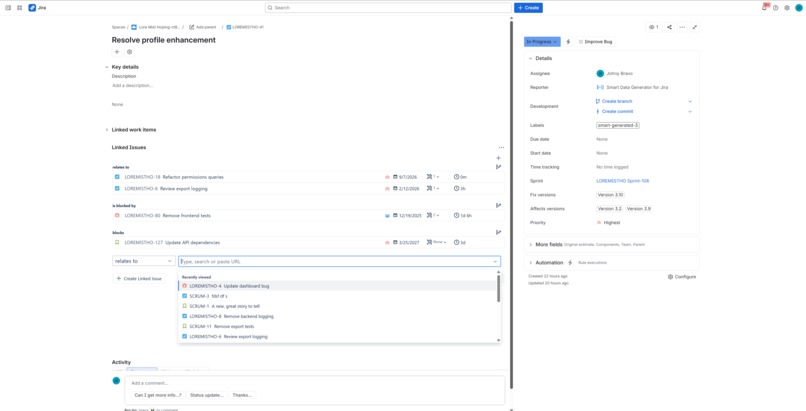
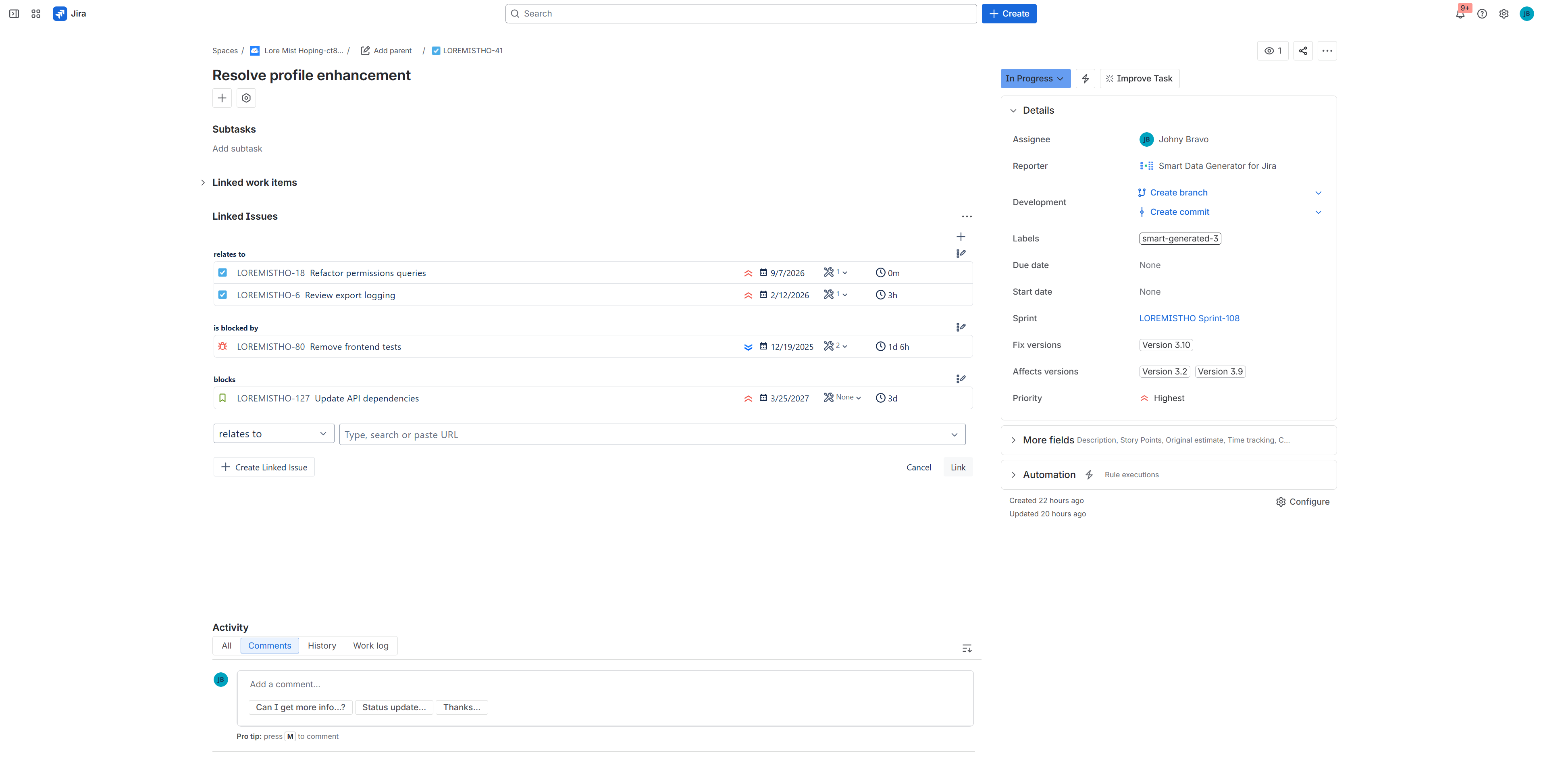
Linking issues action
-
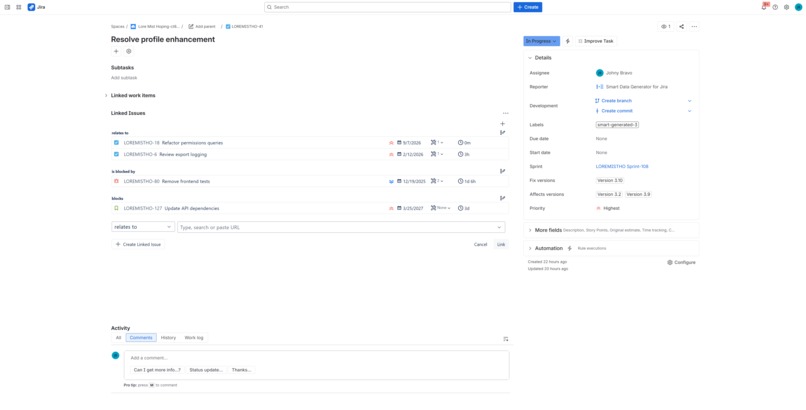
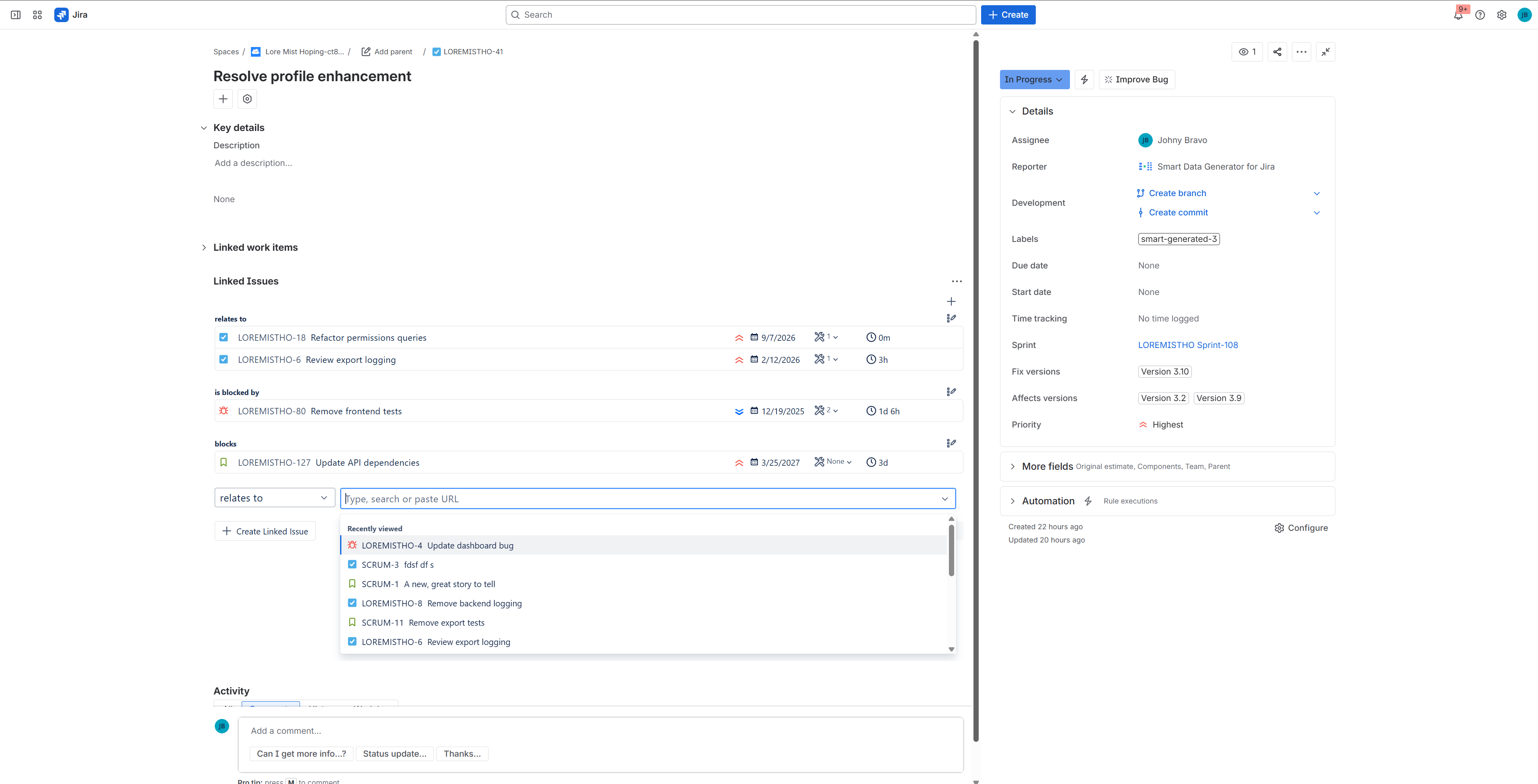
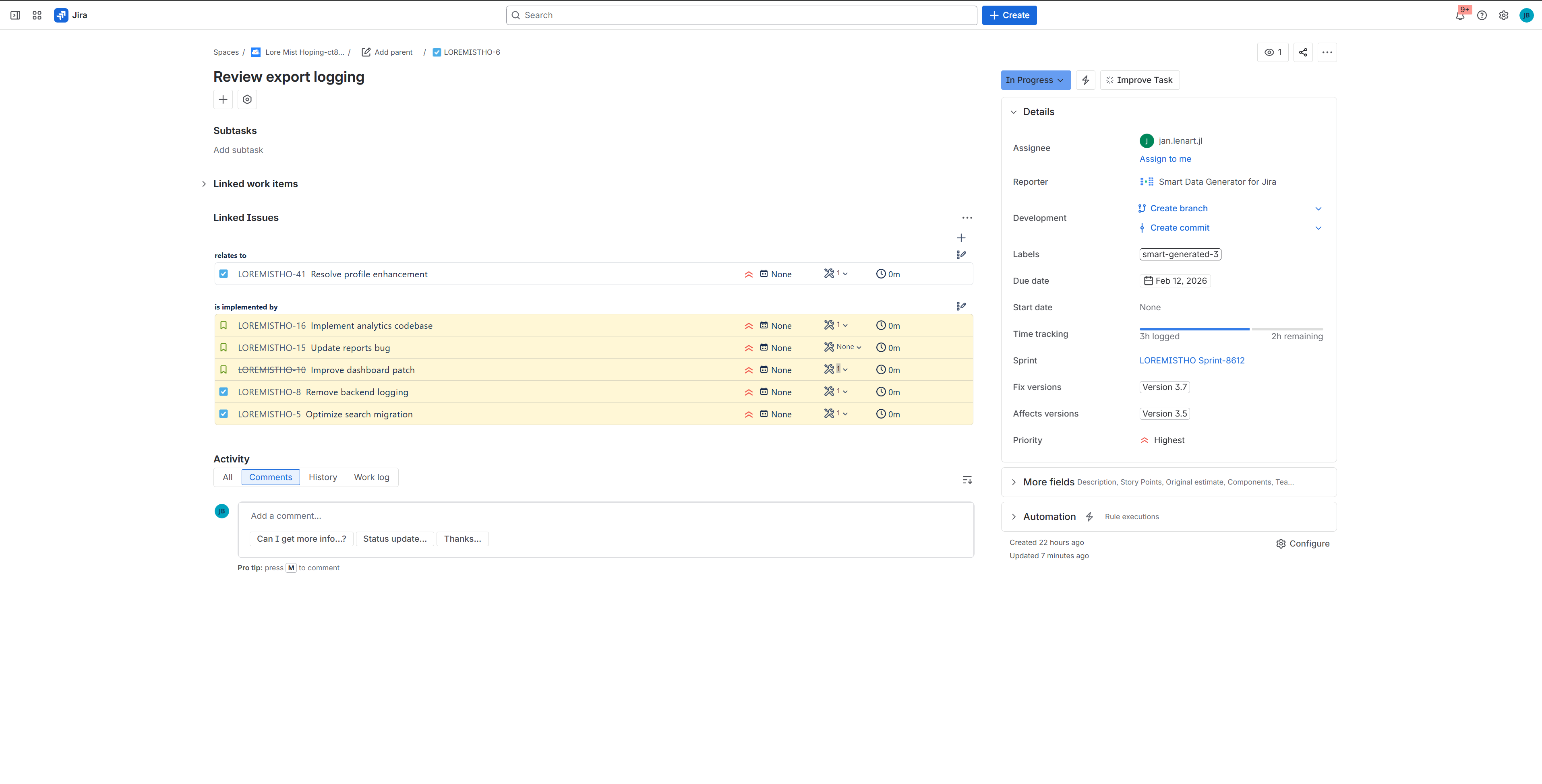
Linked Issues Panel
-
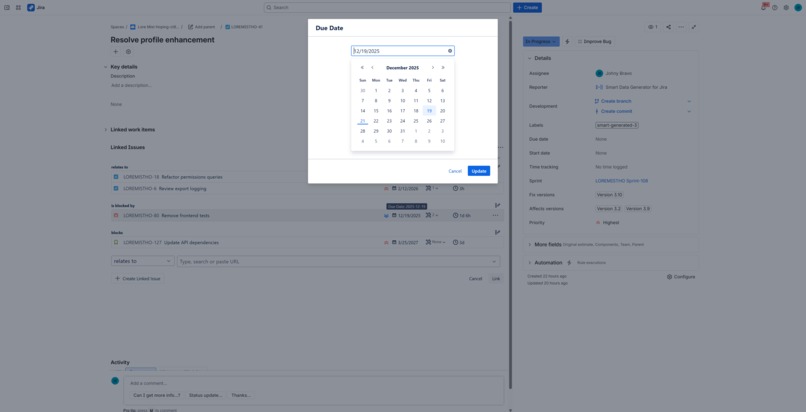
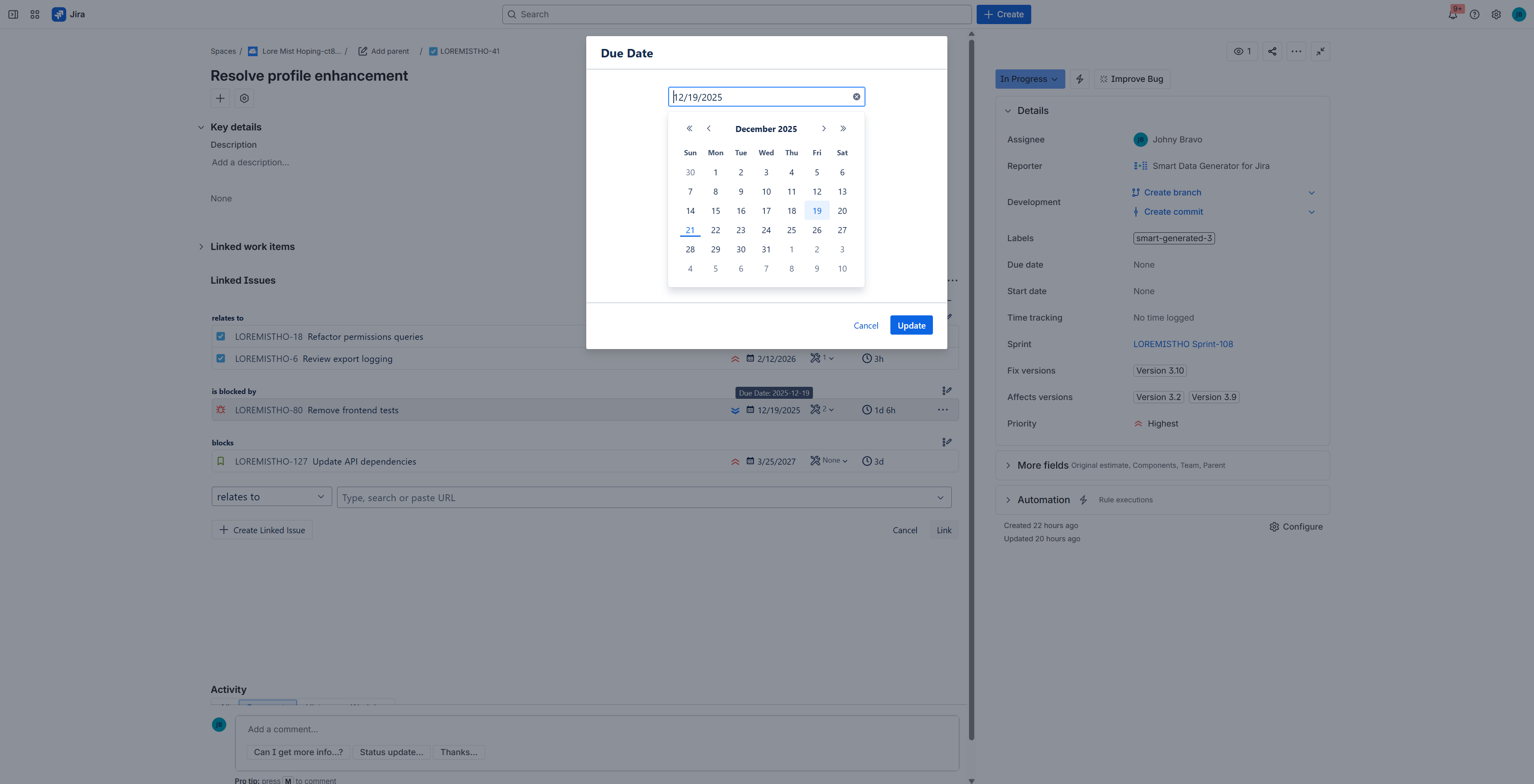
Edit Due Date of Linked Issue
-
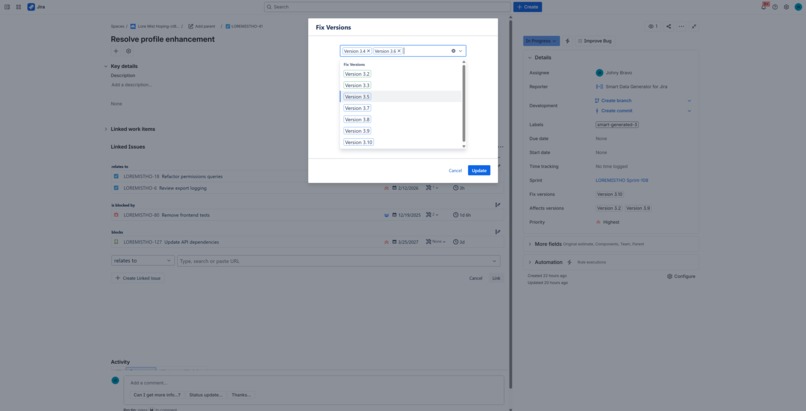
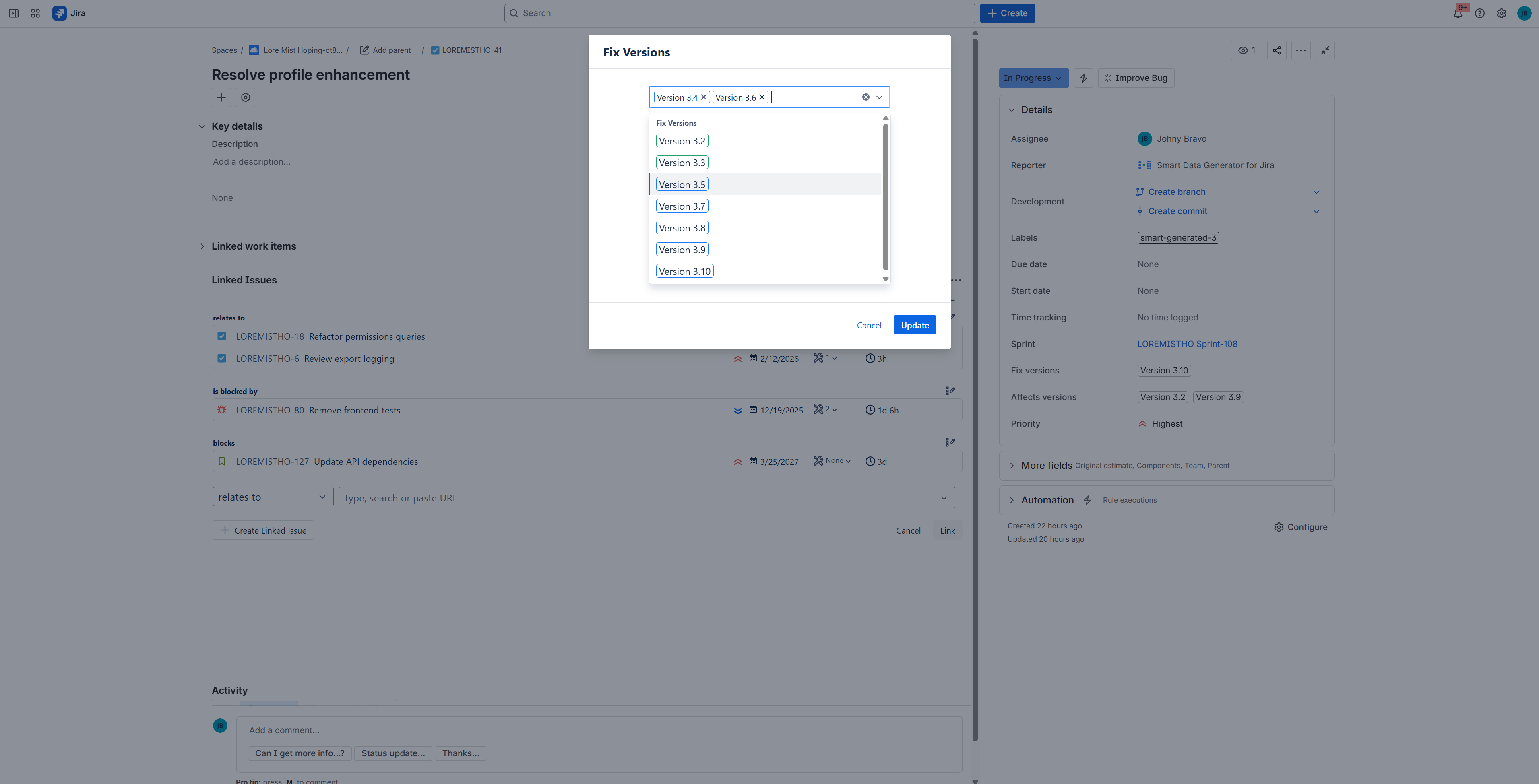
Edit Fix Versions of Linked Issue
-
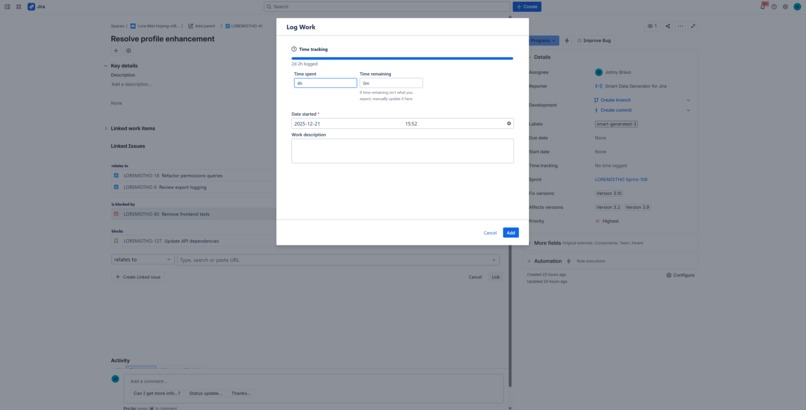
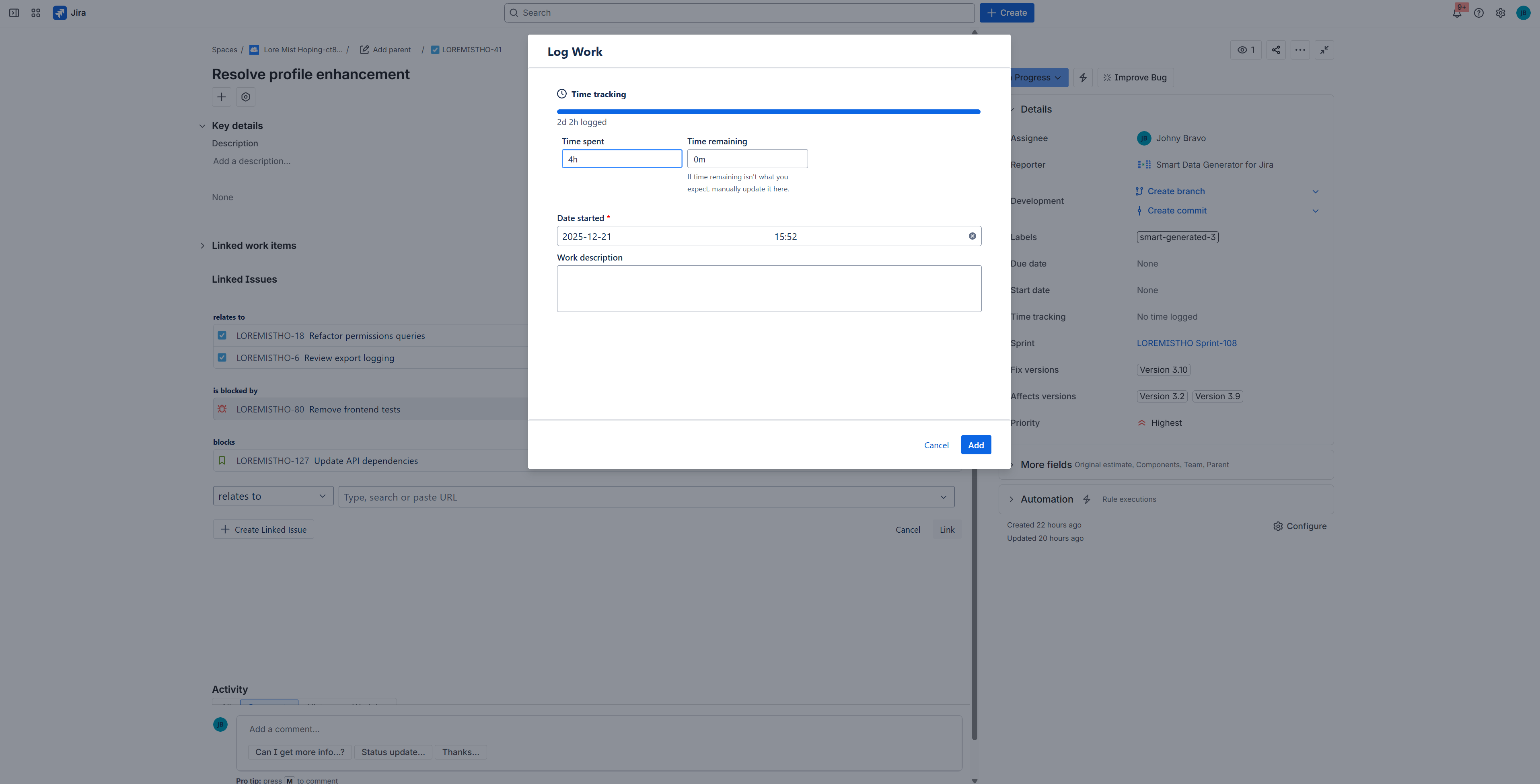
Add Worklog to Linked Issue
-
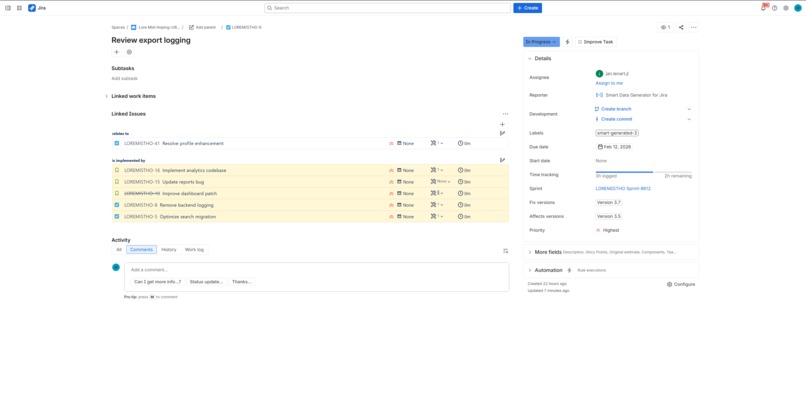
Showing existing, not allowed links
-
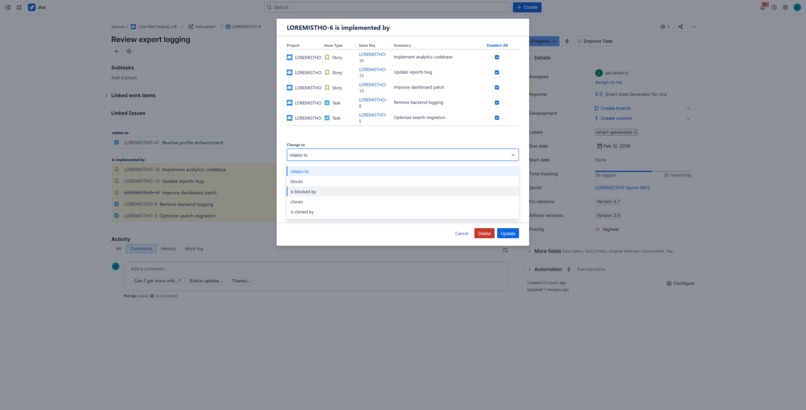
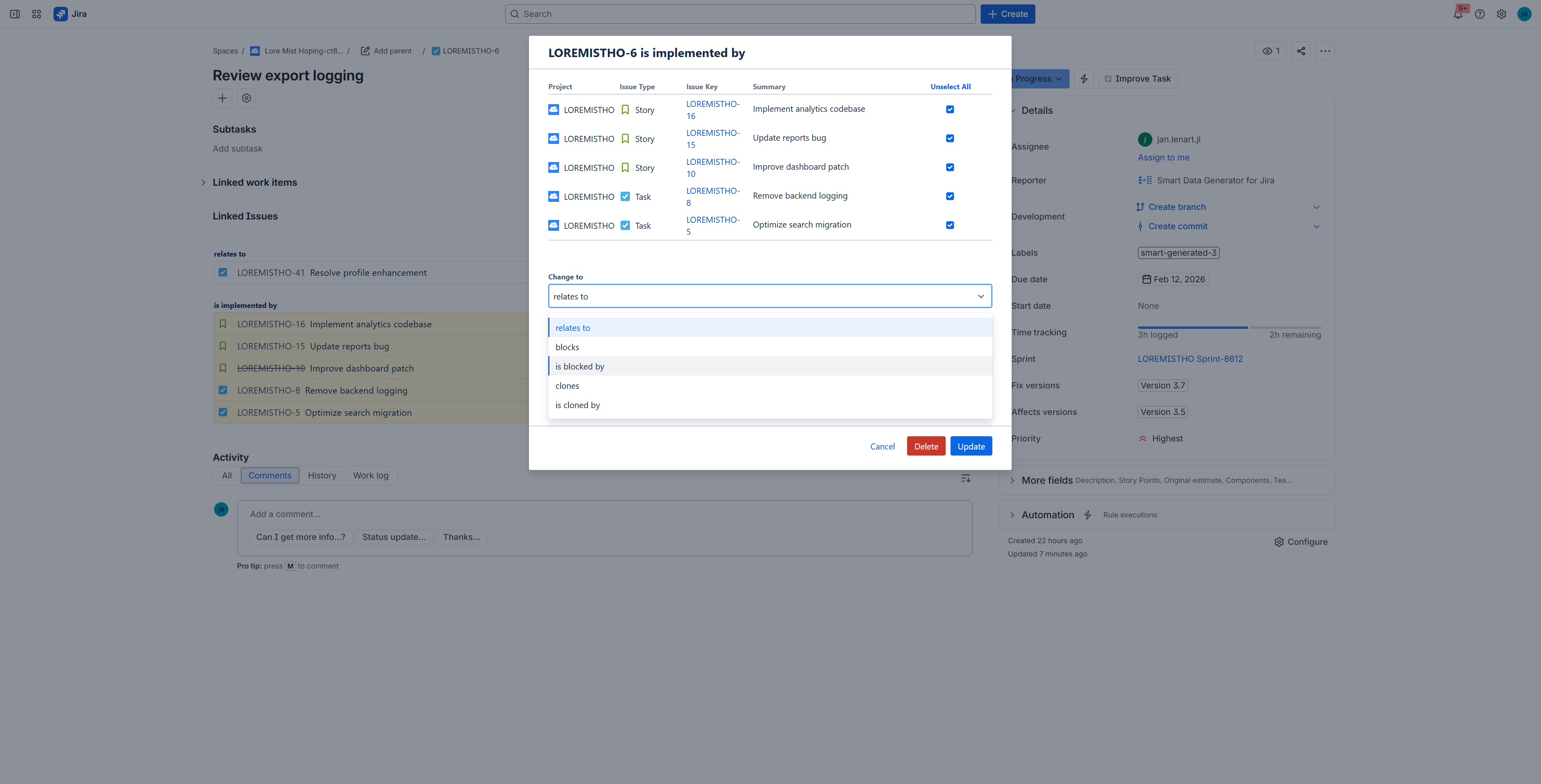
Bulk Link Type Change
-
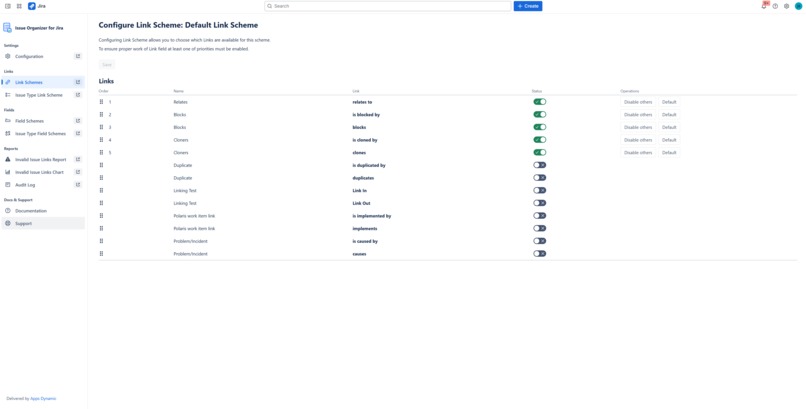
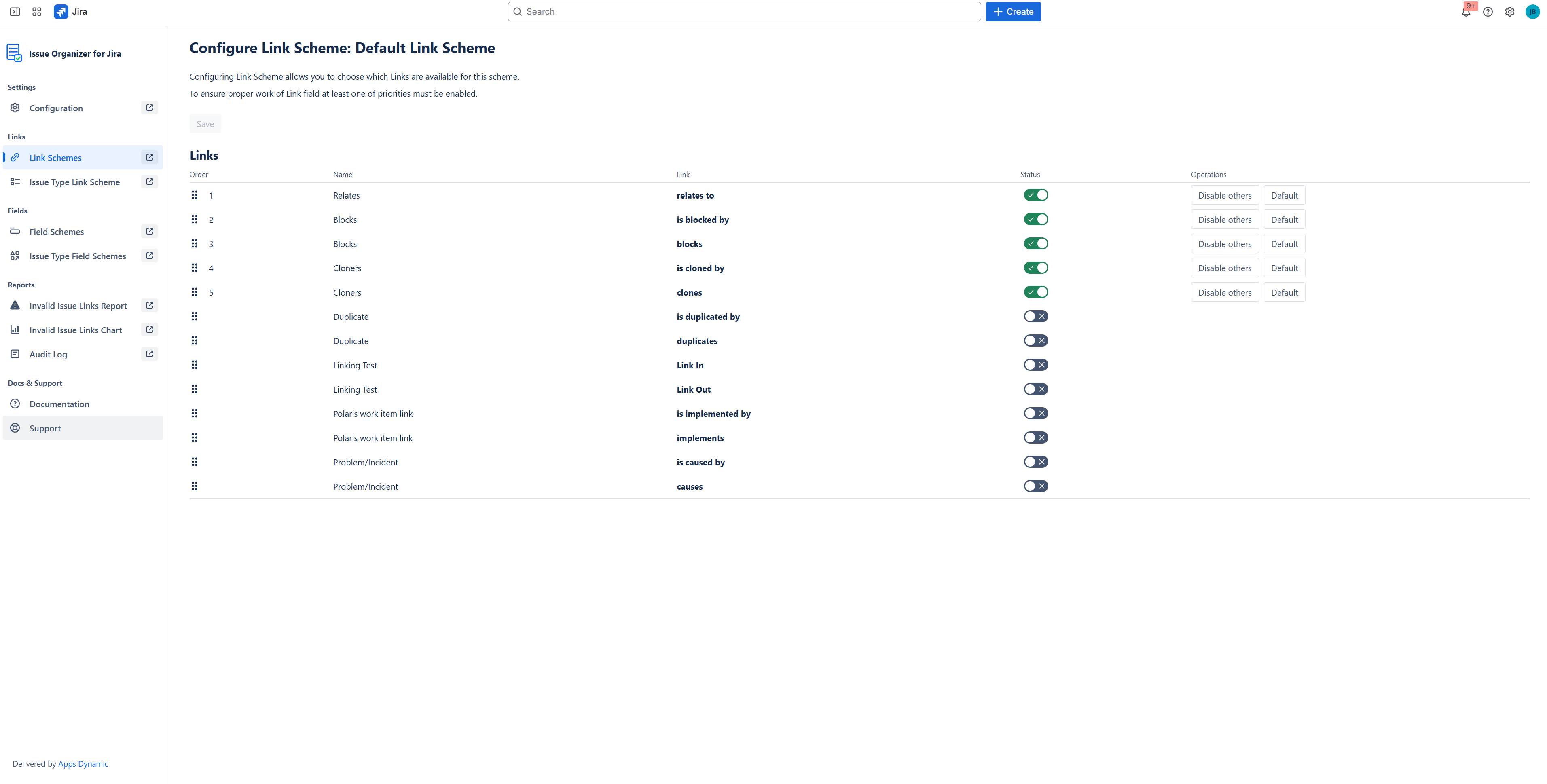
Configuration of allowed links
-
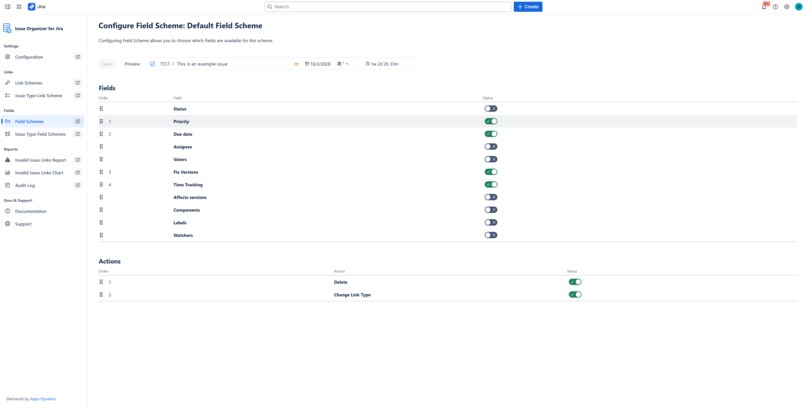
Configuration of fields visible on panel
-
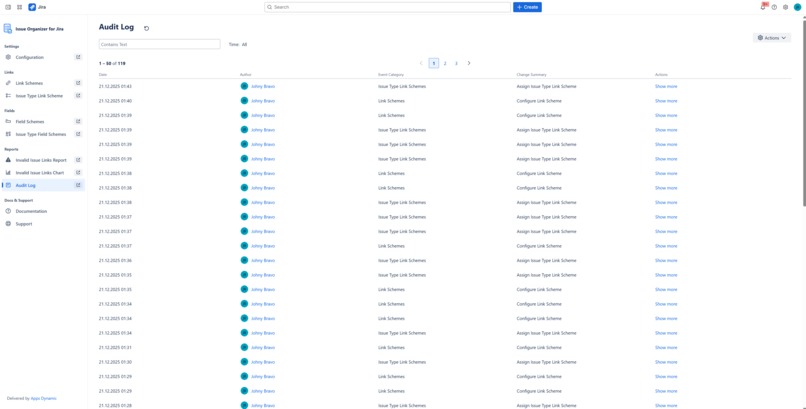
Audit Log
-
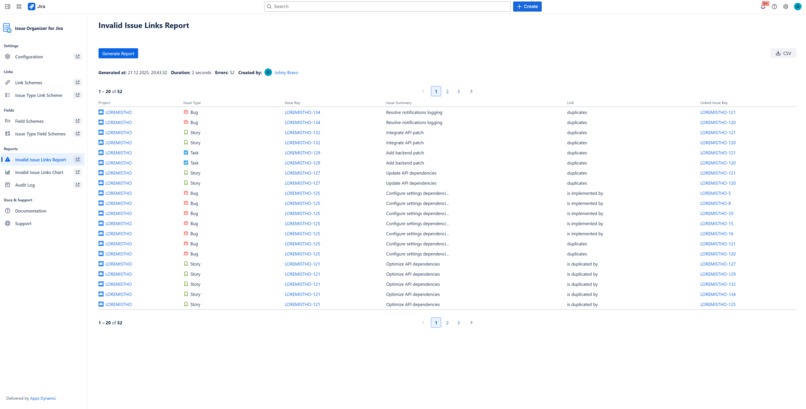
Invalid Issue Links Report
-
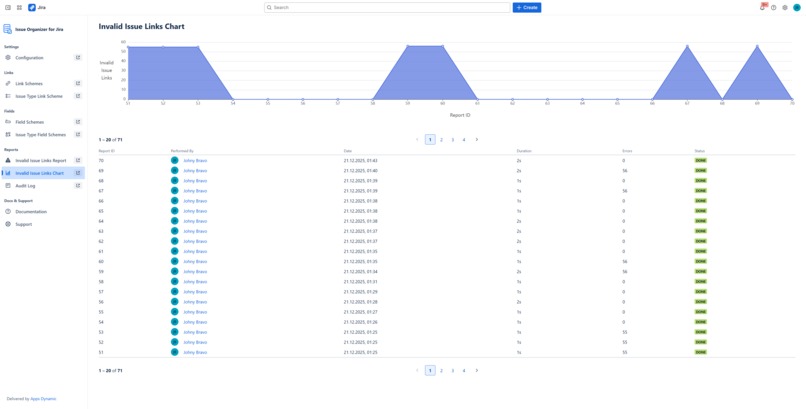
Invalid Issue Links Report History
Inspiration
While working with Jira at scale, especially with customers, we repeatedly encountered the same problem: issue links quickly became inconsistent, misleading, and hard to govern. Teams used different link types for similar relationships, created accidental dependencies, or introduced links that violated architectural or process rules.
Jira’s native linking model is intentionally flexible, but that flexibility becomes a liability in larger environments. There is no built-in way to define which links are allowed for specific projects or issue types, nor to audit existing links against defined rules. Manual reviews were slow, error-prone, and difficult to repeat.
We searched the Atlassian Marketplace for a solution that would allow controlled, rule-based issue linking, but existing tools focused either on visualization or automation — not on governance and validation. As a result, we decided to build our own solution that would enforce link rules consistently while integrating seamlessly into Jira’s native workflows.
What started as an internal governance tool quickly proved valuable for customers facing the same challenges: scaled agile setups, cross-project dependencies, compliance requirements, and post-migration cleanup. This led us to evolve the solution into Issue Organizer for Jira and make it available on the Marketplace.
What it does
Issue Organizer for Jira provides structured control over issue links in Jira Cloud.
It allows administrators to define which issue link types are allowed, per project and issue type, and then enforces these rules consistently across Jira. All link creation mechanisms — single issue actions, panels, and bulk operations — respect the same validation logic.
The app does not replace Jira’s linking capabilities; instead, it adds a governance layer that prevents invalid links while improving visibility and auditability.
Main App Features
Control Issue Links
This feature introduces a rule-based model for issue linking in Jira.
Administrators can precisely define which link types are allowed, per project and per issue type, using Link Schemes and Issue Type Link Schemes.
The configuration supports:
- Different rules for different issue types within the same project
- Default behavior with selective overrides
- Direction-aware validation for both source and destination issues
Every link creation attempt is validated against these rules. If a link is not explicitly allowed on both sides, it is blocked. This prevents accidental dependencies, enforces architectural decisions, and ensures that issue relationships remain intentional and consistent across Jira.
Linked Issues Panel
The Linked Issues Panel replaces Jira’s native linked issues view with a fully controlled and enhanced alternative.
It displays linked issues grouped by link type and applies all configured link rules during:
- Link creation
- Link updates
- Bulk actions within the panel
The panel is designed to handle complex scenarios while remaining predictable and safe. Users can clearly see which links are allowed, which actions are available, and which relationships already exist — without risking invalid changes.
Link Issue Action
The Link Issue Action provides a dedicated and safe way to create issue links directly from an issue.
Unlike Jira’s native action, this operation always respects the configured link rules:
- Only allowed link types are presented
- Directionality is validated automatically
- Invalid operations are blocked before execution
This ensures that users create correct relationships at the point of use, without needing to understand the underlying configuration.
Bulk Link Operation
Bulk Link Operation allows users to create issue links for multiple issues at once, based on filter results.
Despite operating at scale, this feature applies the same strict validation logic as single-issue actions:
- Every source issue is validated independently
- Destination issues are validated per link direction
- Invalid links are never created
This makes bulk changes safe and predictable, even in large Jira instances with complex dependency structures.
Linked Issue Details
Linked Issue Details enhance the linked issues experience by providing fine-grained control over visibility and actions for related issues.
This configuration is defined per project and issue type, allowing different teams to tailor how linked issues are presented and managed.
It includes:
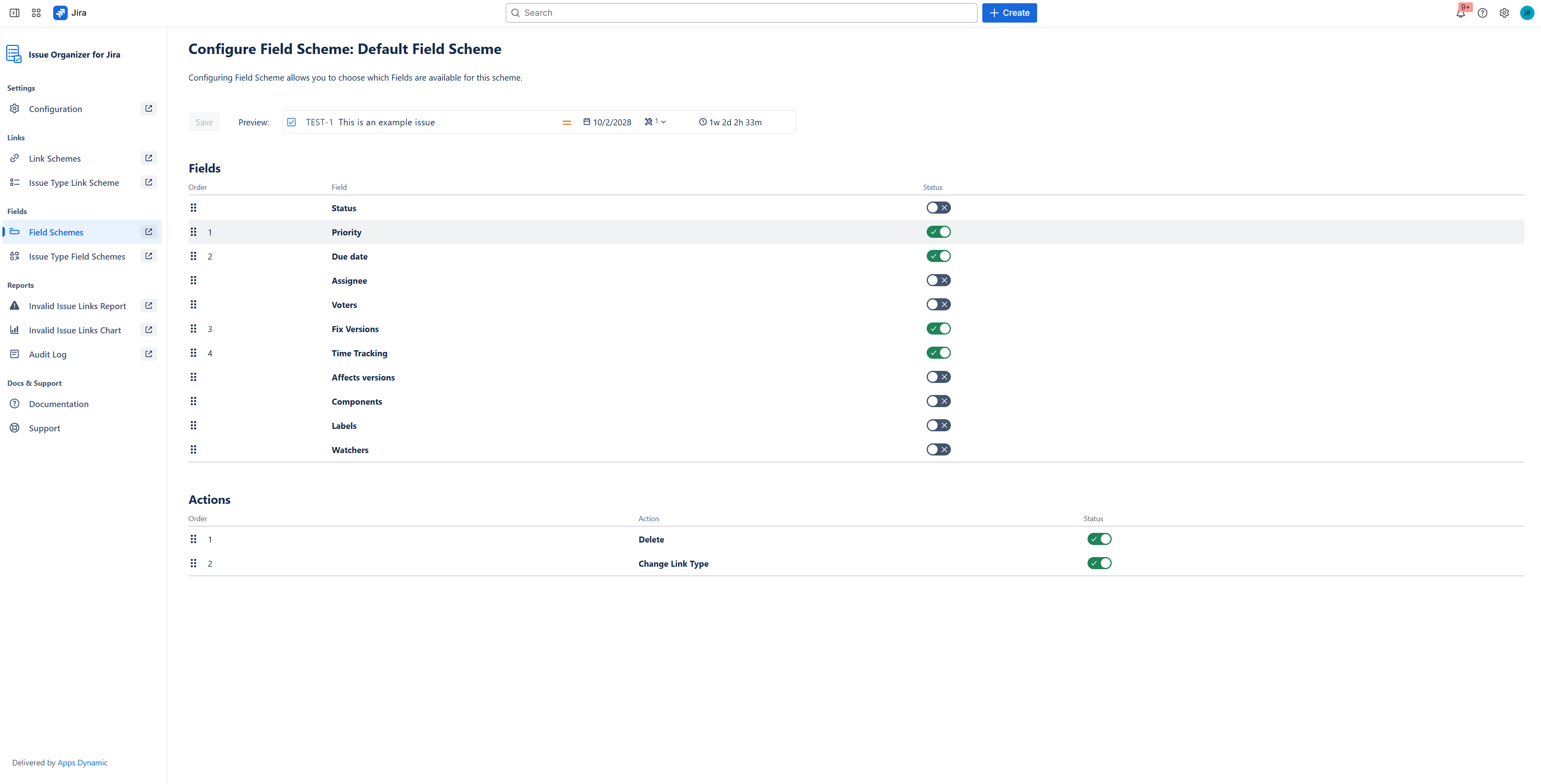
Configurable Fields
Administrators can select which fields are displayed for linked issues, ensuring that only the most relevant information is visible and reducing unnecessary context switching.Field Ordering
The order of displayed fields can be customized to highlight what matters most and improve scanability when working with many linked issues.Action Availability
Administrators can enable or disable specific actions on linked issues, such as removing or updating links.
This allows for read-only views, stricter governance of critical dependencies, and prevention of accidental changes.
All visibility and action rules are enforced consistently across the Linked Issues Panel.
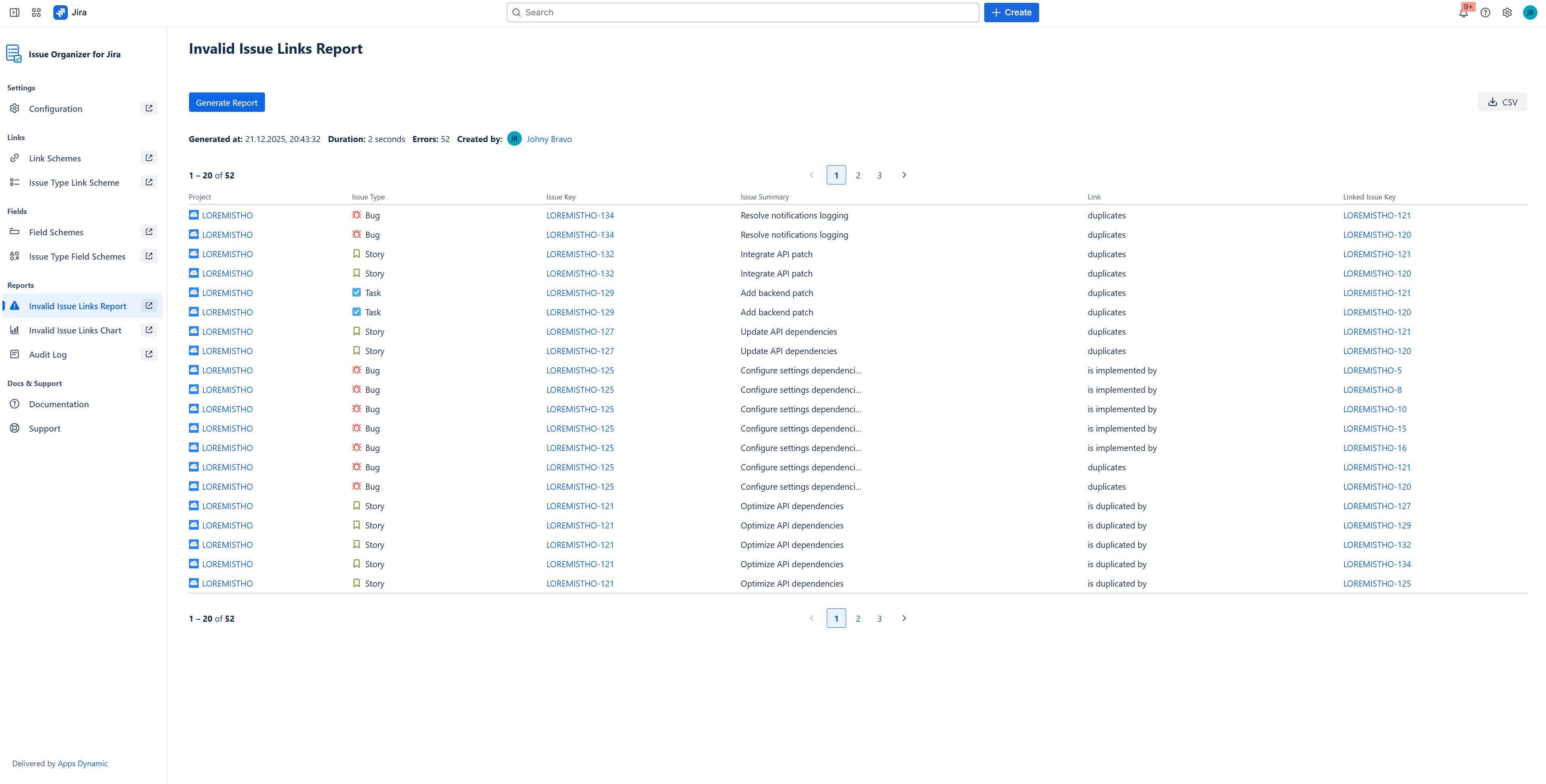
Invalid Issue Links Report
The Invalid Issue Links Report identifies existing issue links that do not comply with current rules.
This is especially valuable when:
- Introducing link governance to an existing Jira instance
- Auditing projects periodically
- Validating data after migrations or reorganizations
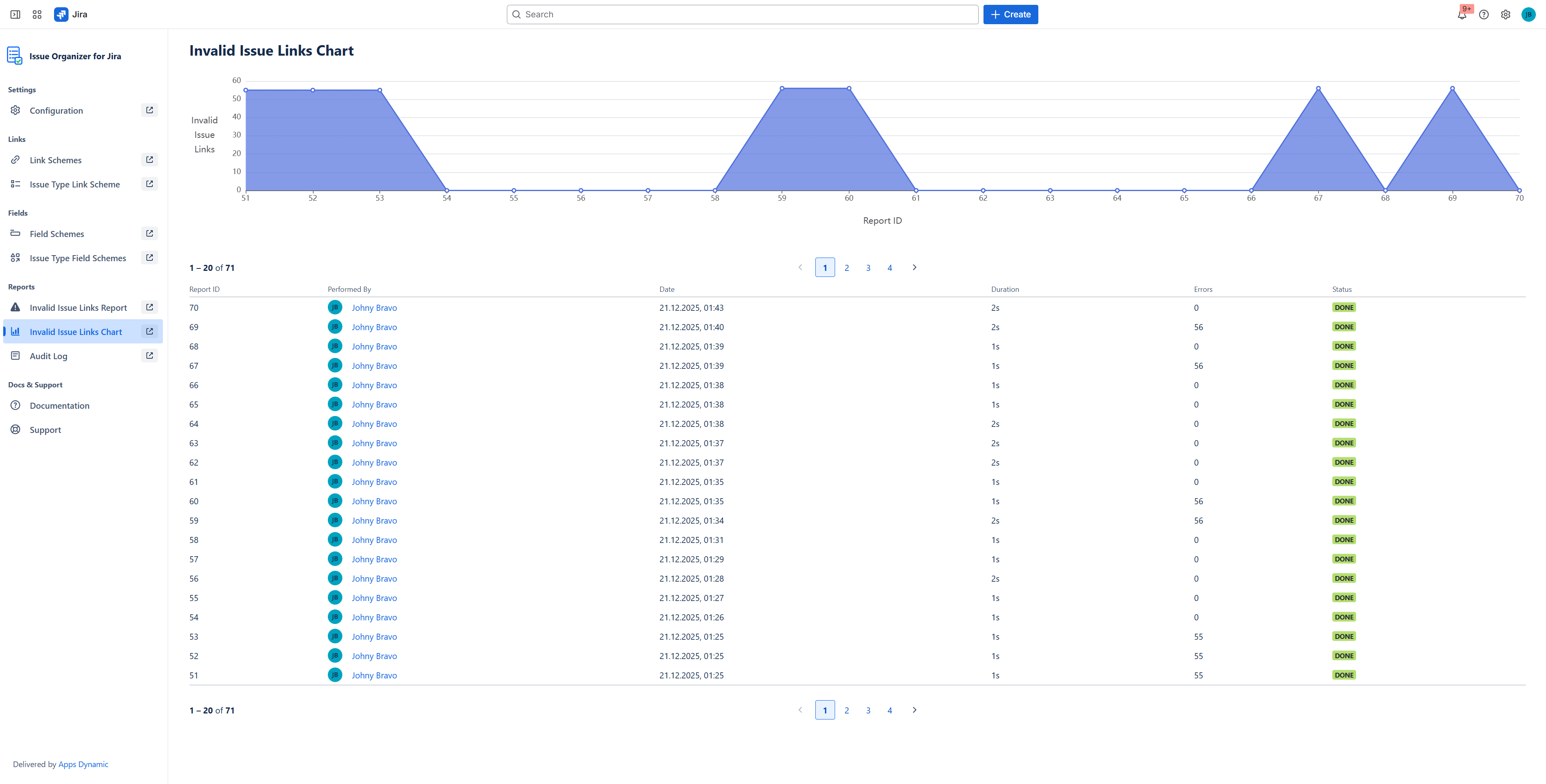
The report provides visibility into inconsistencies and tracks results over time, helping teams maintain long-term data quality.
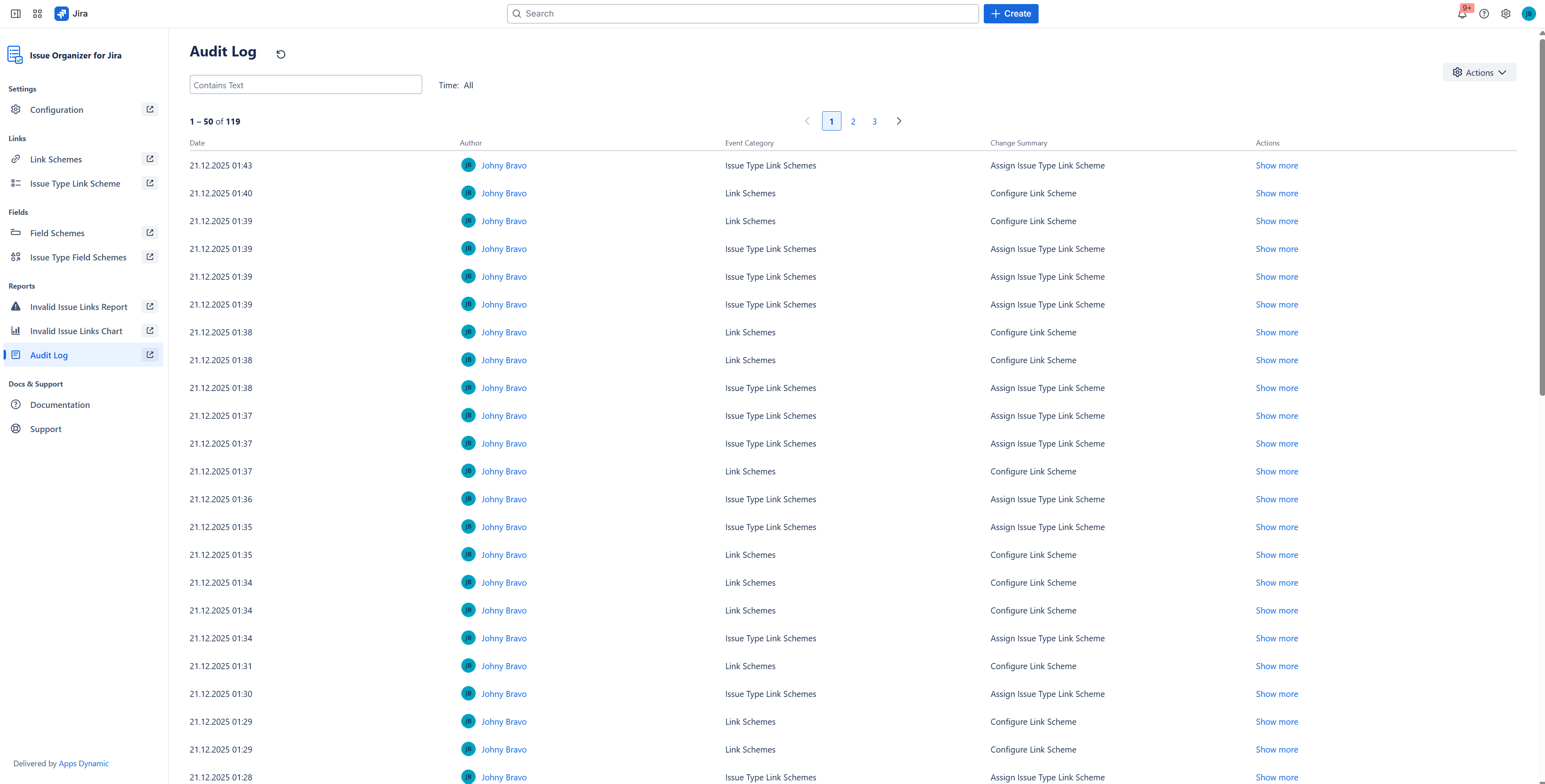
Audit Log
The Audit Log records all configuration changes made within the application.
It provides:
- Transparency into what was changed and when
- Traceability for governance decisions
- Support for compliance and audit requirements
By keeping a complete history of configuration updates, the Audit Log ensures that link governance decisions are always auditable and accountable.
The app is designed for teams that rely on issue links to model dependencies, workflows, and architecture, and need those relationships to remain consistent, trustworthy, and easy to understand over time.
How we built it
Issue Organizer for Jira is a Jira Cloud application built using Atlassian Forge, fully aligned with the Runs on Atlassian model. All data and execution remain within Atlassian infrastructure, ensuring security, compliance, and reliability.
The core challenge was designing a deterministic link validation model that works across projects, issue types, and link directions (outward and inward), while integrating naturally with Jira’s existing UI and permission system.
Special attention was given to:
- Consistent behavior across all link creation paths
- Minimal disruption to existing user workflows
- Clear separation between configuration and execution
The architecture prioritizes predictability and transparency, ensuring that users always understand why a link is allowed or blocked.
Challenges we ran into
One of the biggest challenges was rendering complex interactive UI inside the Issue Panel.
The panel is embedded as an iframe, which means that any UI elements rendered outside of its bounds are automatically clipped. This became a significant constraint, especially because the panel contains multiple interactive elements such as selectors, dropdowns, and contextual actions.
This limitation is particularly challenging because Jira’s native “Linked work items” panel does not have this restriction. Native Jira panels can freely render dropdowns and pop-ups outside their visual bounds, while custom Forge-based panels are strictly constrained by the iframe container. As a result, achieving a user experience comparable to Jira’s built-in panel required additional design and architectural effort.
A particularly difficult aspect was allowing users to modify selected fields of linked issues directly from the panel. In the initial implementation, these modifications were handled inline, directly within the panel rows. However, due to iframe clipping, many pop-ups and dropdowns were partially or fully cut off, making the interaction unreliable and confusing.
To solve this, we redesigned the interaction model and moved all modification flows into modal dialogs. This approach ensured:
- Consistent rendering regardless of panel size
- Full visibility of all interactive elements
- Predictable behavior across different screen sizes and layouts
Another challenge was balancing rich functionality with limited vertical space. The panel needed to present grouped linked issues, actions, and editable fields without overwhelming the user or exceeding layout constraints.
Finally, working within Forge UI and Jira’s issue view lifecycle required careful coordination between rendering performance, state management, and user feedback, especially when updating linked issues in real time.
These constraints significantly influenced our UI architecture and interaction design, ultimately leading to a more robust and predictable user experience.
Accomplishments that we're proud of
The most important achievement is delivering a solution that brings true governance to issue linking in Jira Cloud without breaking existing workflows.
We are proud of:
- A clear and reusable configuration model
- Consistent enforcement across single and bulk operations
- Meaningful reporting that supports audits and cleanup
- A user experience that feels native to Jira
Issue Organizer helps teams regain trust in their issue relationships and use links as reliable building blocks instead of potential liabilities.
What we learned
Building Issue Organizer reinforced how critical structure and consistency are in large Jira instances. Issue links are powerful, but without governance they quickly lose meaning.
We also learned that users value guardrails over restrictions. When rules are clear and enforced consistently, teams adapt quickly and benefit from reduced errors and cleaner data.
A key learning from this project was the importance of questioning assumptions early. Before implementing a feature, it is worth clearly defining what is truly essential and what delivers the most value to the user. Trying to force an initially assumed implementation approach can be counterproductive, especially when the underlying platform introduces hard constraints.
This was particularly evident when working with Forge and iframe-based panels. Instead of insisting on a specific interaction model, we learned to step back, reassess the core goal, and explore alternative ways to achieve it within platform limitations.
The earlier alternative approaches are explored — and the more frequently the solution is validated against the original goals — the better the final outcome. This mindset helped us avoid unnecessary complexity and focus on delivering a solution that is both usable and robust.
Working with Forge once again highlighted the importance of designing within platform constraints, validating assumptions early, and prioritizing clarity and reliability over theoretical completeness.
What's next for Issue Organizer for Jira
Future plans include:
- Expanding reporting and analytics around issue relationships
- Improving visualization of complex dependency networks
- Adding presets for common governance models
- Supporting additional administrative workflows
A key long-term focus is to ensure that issue link governance applies consistently across the entire Jira experience — including not only custom Issue Organizer features, but also Jira’s standard Linked Work Items panel.
Our goal is to make link type management centrally controlled and enforced everywhere, so that defined rules cannot be bypassed by switching between different Jira UI components.
In the next steps, we also plan to expand the application toward building clearer, more structured representations of work, based on controlled issue links.
This includes delivering visually richer and more intuitive solutions that help users better understand complex relationships, dependencies, and hierarchies across Jira projects.
The long-term vision is to make issue relationships in Jira as reliable, intentional, and easy to understand as the issues themselves.
Try this out!
Built With
- atlaskit
- forge
- javascript
- jira-rest-api

Log in or sign up for Devpost to join the conversation.