Inspiration
In a Plex library, the file names are what break matching. A movie folder named wrong. A TV episode buried two directories deep, or a stray year in brackets that a media server reads as part of the title — any of it can turn into a duplicate entry or the wrong artwork. I already had the naming logic from avatarr, my media manager, so MediaLint started narrow: point it at a library, list every path that will confuse a media server, and let me approve each fix before anything moves. The rule I set on the first day was that nothing renames a file without me seeing it first, and the rest of the design followed from there.
What MediaLint does
MediaLint is a Linux desktop application that audits and repairs the names of movie and television libraries. It is licensed under GPL-3.0-or-later. Media servers mismatch or duplicate titles when files and folders are laid out badly; MediaLint finds those layouts and shows a deterministic correction for each. No change reaches the filesystem without review.
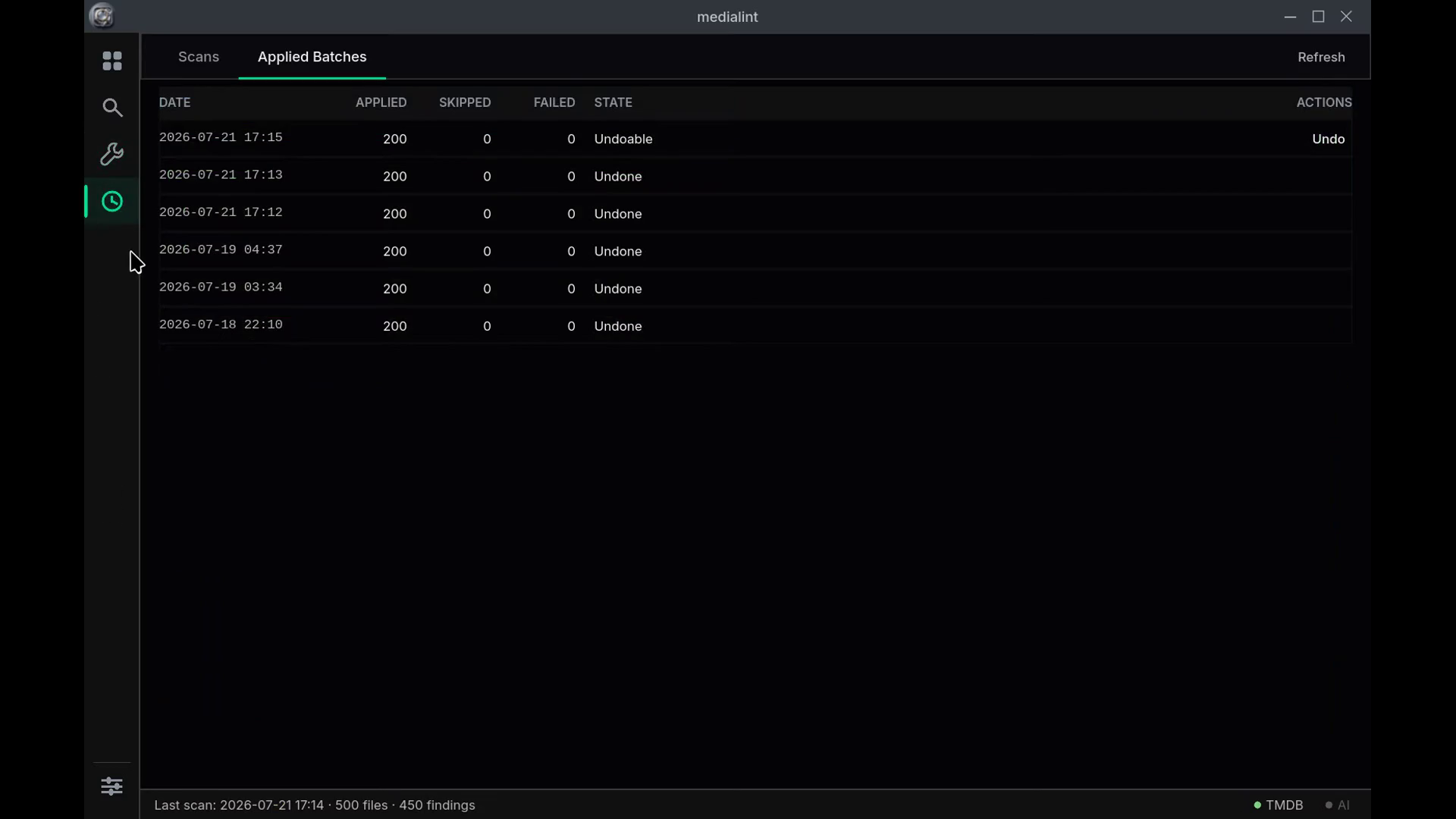
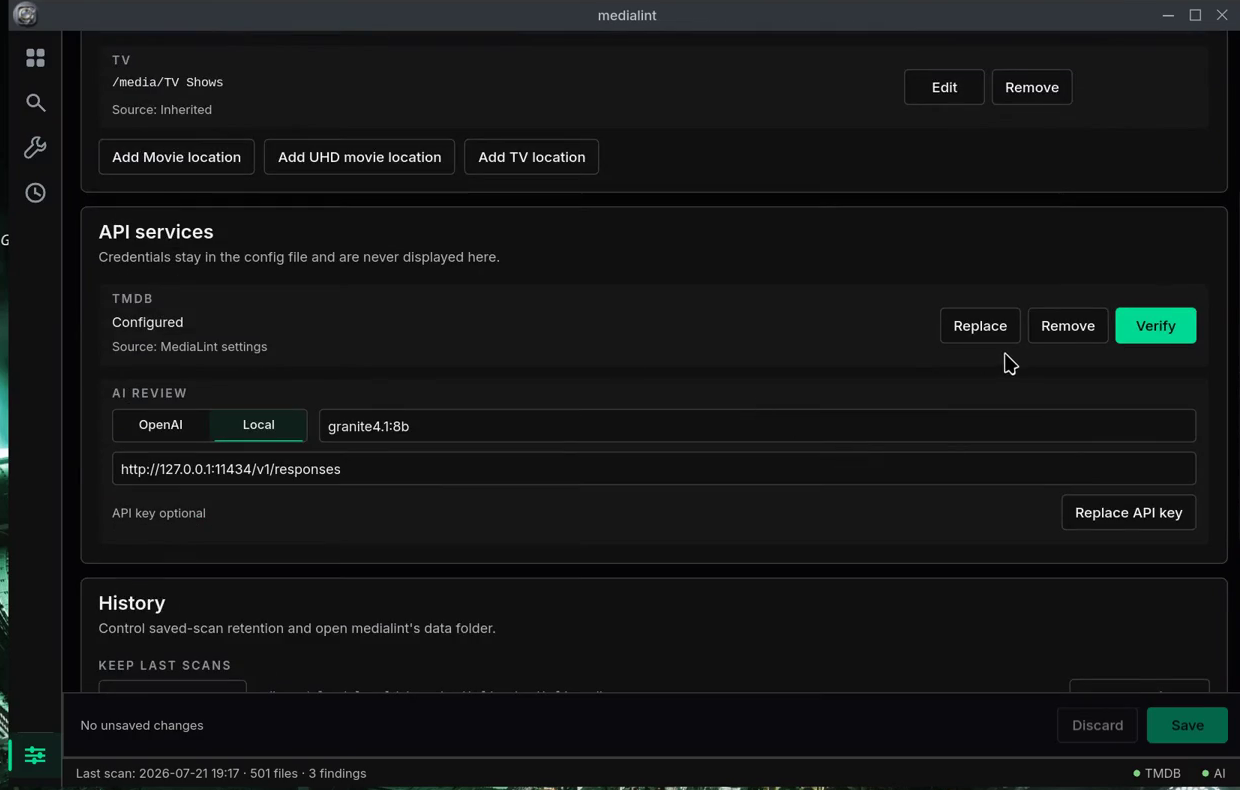
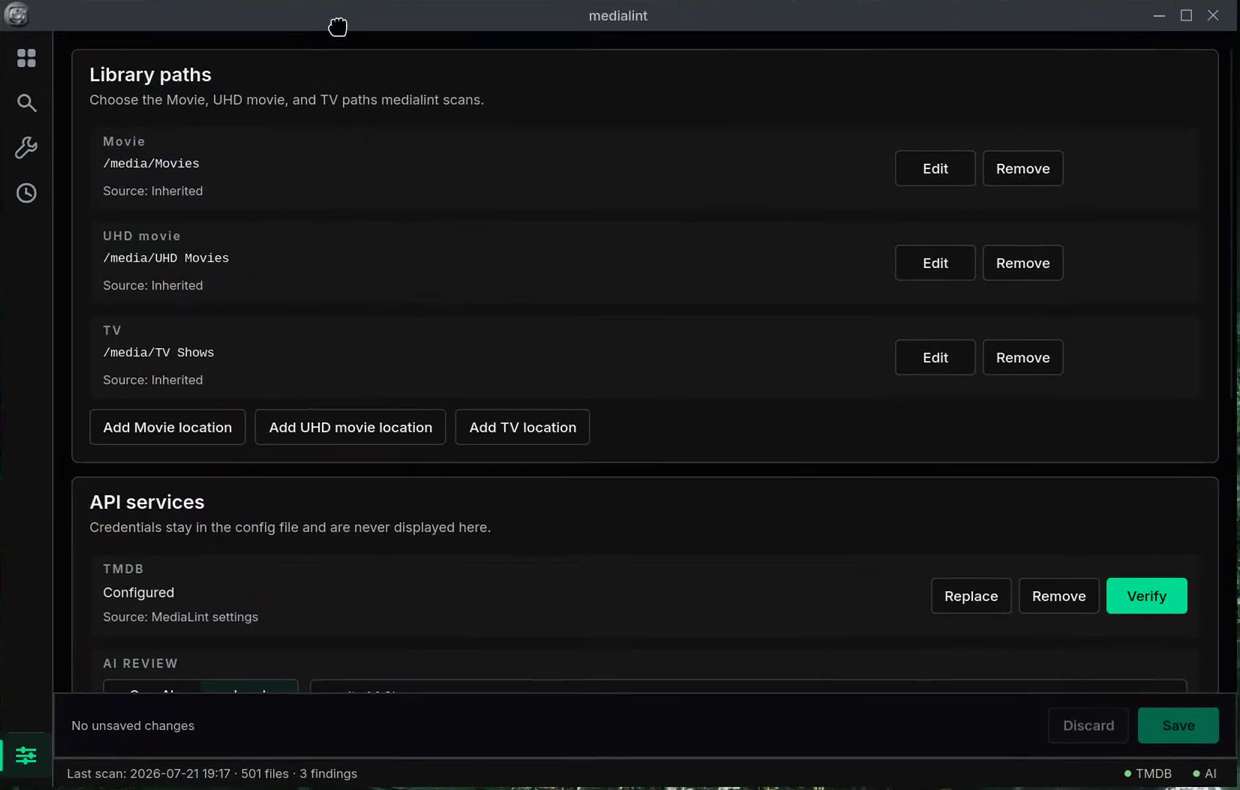
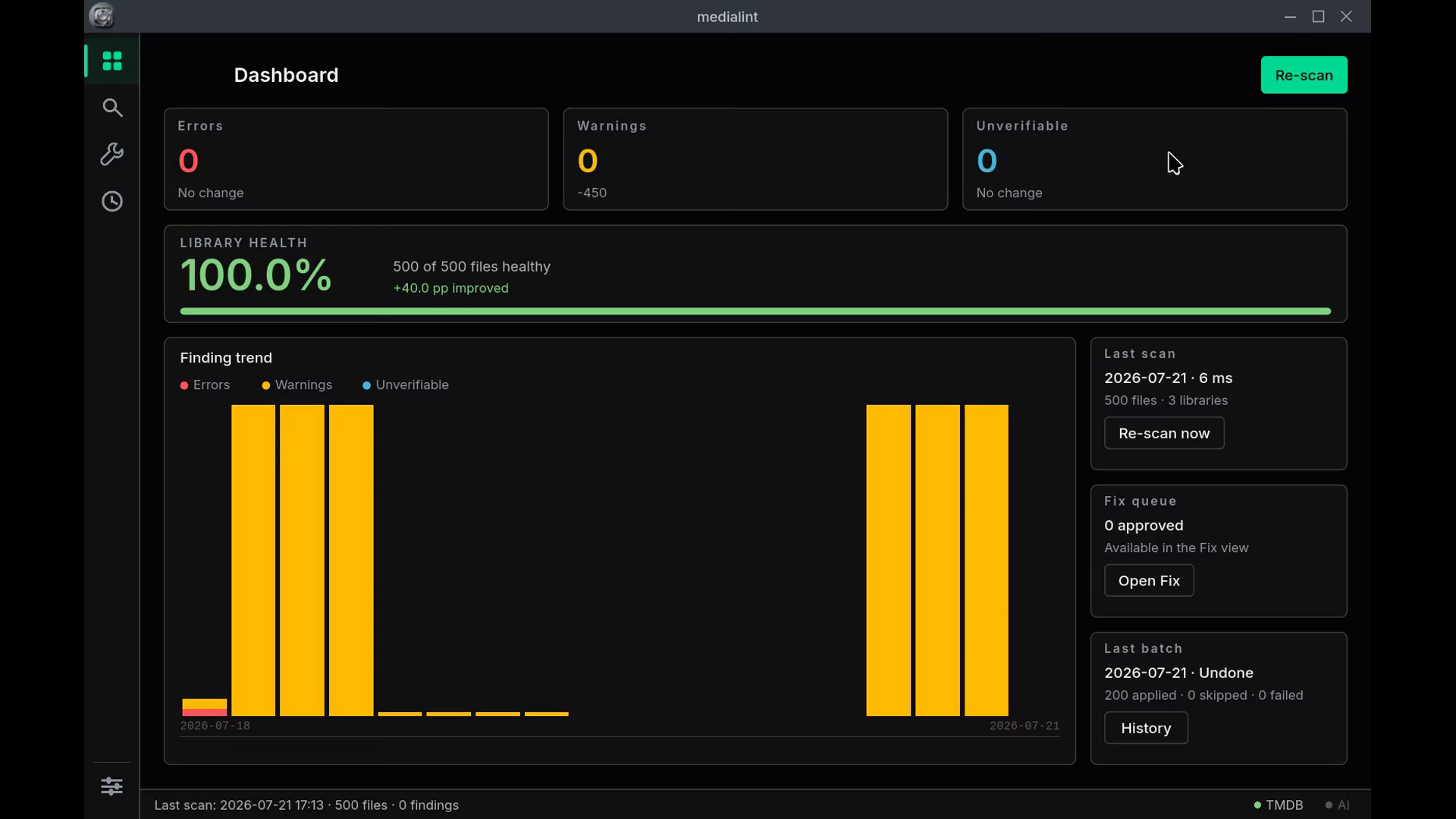
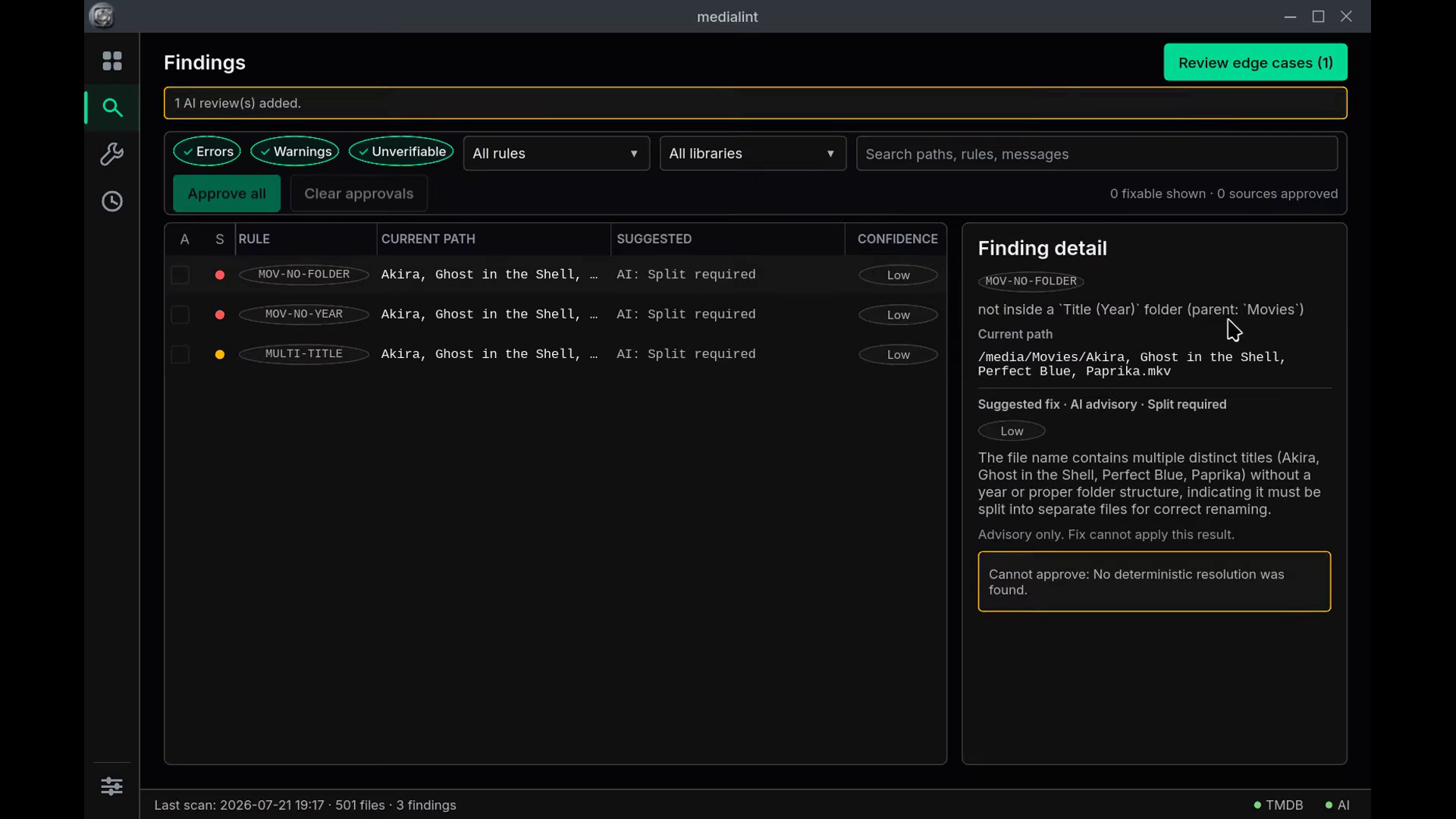
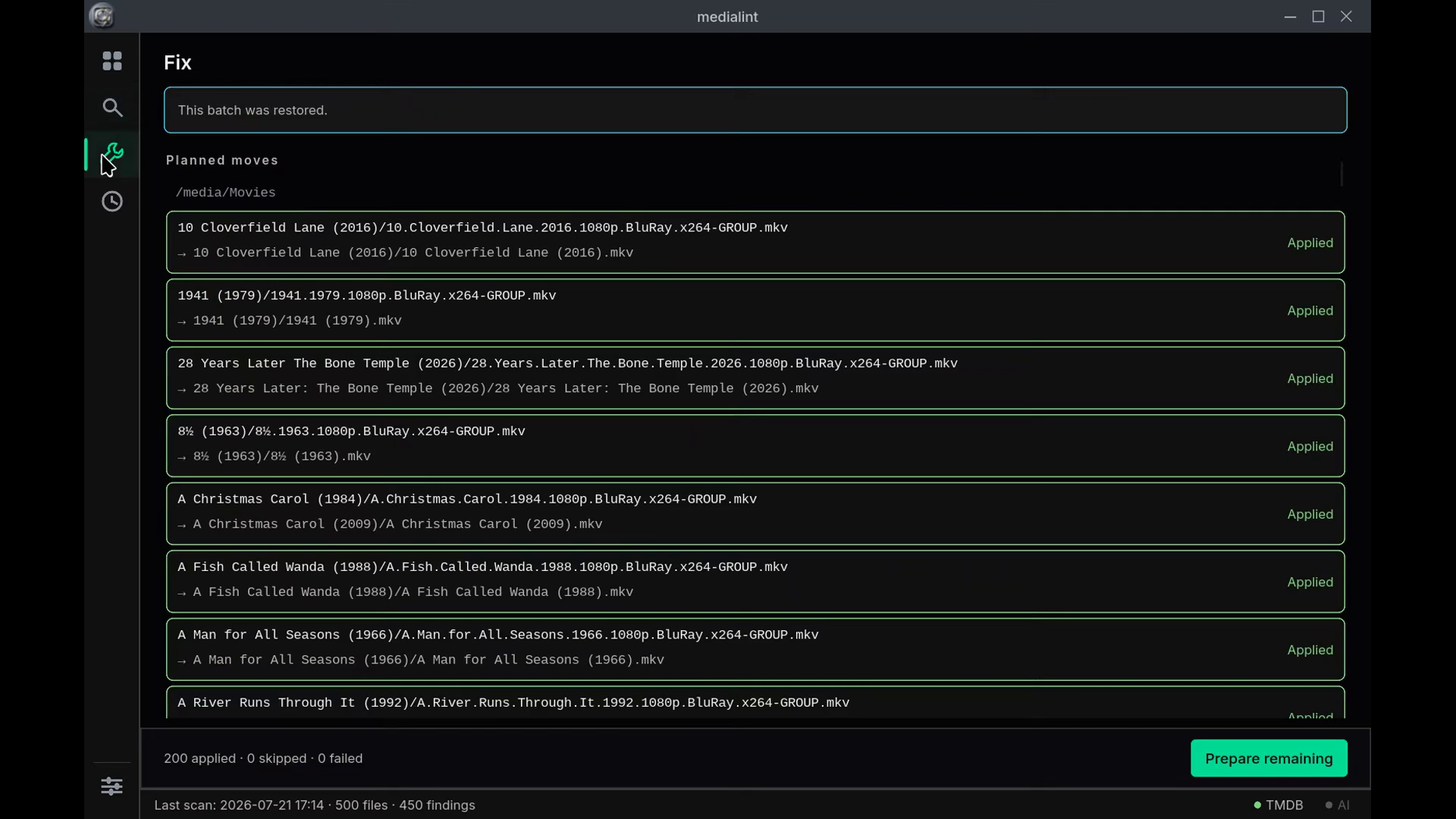
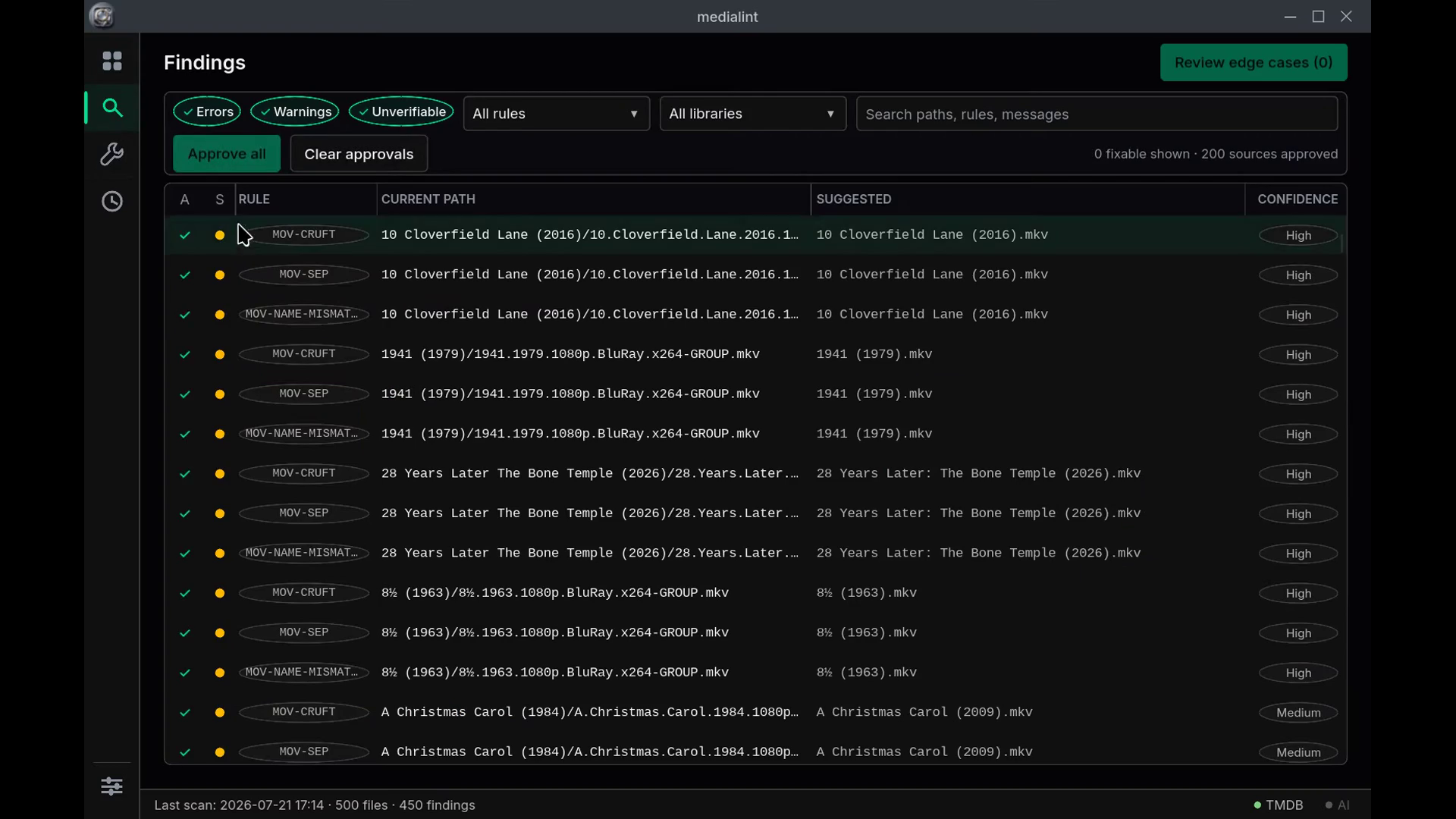
The Dashboard runs live scans; each reports progress and can be cancelled. It writes completed results to SQLite and tracks library health. Findings is a filterable review workbench where each row carries a deterministic suggestion and a confidence value. Approved corrections move to Fix, which re-reads the filesystem before applying anything. Every completed batch gets a private undo journal. History holds the scan snapshots and the applied batches. Settings manages library paths, TMDB, retention, and the hosted or local Responses-compatible AI services, and never displays stored credentials.
Try it now (Linux x86_64): https://codeberg.org/alan090/medialint/releases/download/v0.23.2/MediaLint-0.23.2-x86_64.AppImage — make it executable and launch it; the GUI opens by default. Checksum, the credential-free CLI demo, and the source build are under How to test it, below.
How I used Codex and GPT-5.6
Codex was involved from design through release: restructuring the roadmap, reviewing the architecture, implementing milestones, testing failure paths, and running release gates. Once the design and execution plan were settled, a custom milestone-cycle skill worked through the roadmap. Per milestone it loaded project context, reviewed the plan, implemented on a branch, ran the gate, shipped, and wrote the handoff. That loop built most of the desktop application autonomously. The later patch releases were directed by owner testing.
GPT-5.6 ran through Codex for architecture and code review. MediaLint also has an
explicit GPT-5.6 action for cases the deterministic parser cannot settle. Those
requests use the Responses API with store: false, strict structured output,
root-relative paths, and batches of at most 20 files. The results are stored as
advice; the fix planner reads deterministic resolutions only.
The recorded demo runs a local Granite model across the same Responses-compatible boundary, so no API key is on screen. The repository also includes a 30-case local-model compatibility evaluation, labelled as local evidence. It is not presented as a hosted GPT-5.6 evaluation.
Accomplishments that I'm proud of
The safety boundary held. Across the build, an AI suggestion never became a filesystem change on its own — model output stays in an advisory field and the fix planner reads only the deterministic resolutions.
The end-to-end proof is a disposable 500-file library: 200 paths with scene-style naming problems and 300 clean controls. MediaLint found all 200, produced 450 rule findings, applied the 200 approved moves, rescanned the full library to zero findings, and then undid all 200 moves back to the originals.
Most of the desktop application was built by a custom milestone-cycle agent loop rather than by hand. For each milestone it loaded project context, reviewed the plan with GPT-5.6, implemented on a branch, ran the full release gate, shipped, and wrote its own handoff. I kept design and the final dogfood fixes; the bulk of the Slint app came out of that loop.
Existing project and Build Week scope
MediaLint existed before OpenAI Build Week. The pre-event baseline is commit
08b0868: a command-line scanner with deterministic movie and TV rules, metadata
resolution, terminal/JSON/HTML reports, dry-run fix planning, apply, and undo.
The submitted work is the range 08b0868..v0.23.2. During Build Week I added:
- structured scan issues, so a partial scan cannot report as complete;
- optional GPT-5.6 review for parser edge cases, with model output kept out of the fix planner;
- the reusable scan pipeline, SQLite history, and the full Slint desktop workflow;
- owner-tested configuration, apply/undo, cancellation, and degraded-storage behaviour.
The final patch releases came out of hands-on testing. 0.23.1 fixed the individual approval controls and local Responses compatibility. 0.23.2 made completed AI reviews visible in the Suggested column and the selected-finding detail, while keeping them unavailable to Fix.
Challenges I ran into
Two kinds of friction stand out, and both were unglamorous. Packaging the desktop build as an AppImage took longer than most of the features did. The first clean build couldn't find Fontconfig; once that was fixed, the bundled library threw startup warnings until I shipped Ubuntu's Fontconfig configuration alongside it and pointed the environment at it. My first full test run then launched sixteen GUI linkers at once on an external drive and stalled the whole machine — I had to cap it at two build jobs before it would finish.
The other kind only showed up once I was using the app for real. In the Findings view you could bulk-approve a filtered set of corrections, but the per-row checkbox wouldn't let you deselect a single one — the individual toggle didn't take. That shipped as patch 0.23.1, together with a fix for local Responses-compatible endpoints that wanted a slightly different request shape than the hosted API.
What I learned
Two things stuck. Keeping the model advisory made the architecture cleaner. Because AI output had nowhere to go except a display field, the deterministic core stayed the single source of truth for anything that touches disk, and I never had to reason about a model and a rule disagreeing over a rename. The other lesson is that an autonomous build loop is only as safe as its gate. The milestone loop could ship unattended because every milestone had to pass formatting, the full test suite, warnings-denied Clippy, and a release build before it was allowed to merge. The gate is what made the automation trustworthy.
What's next for MediaLint
The current release is 0.23.2, and 1.0.0 is a deliberate decision rather than an automatic bump. Past that, the directions that make sense are broader media-server conventions — the rules are Plex-shaped today, and Jellyfin and Emby differ in places — packaging beyond the single Linux x86_64 AppImage, and letting the optional AI review reach more of the ambiguous cases the deterministic rules deliberately refuse to guess at.
Technologies used
MediaLint is a Rust workspace: three crates (core, cli, gui), edition 2021,
pinned to toolchain 1.96. What it is built from:
avatarr-parserandavatarr-media, reused from the siblingavatarrproject as path dependencies — a Sonarr-derived release-name parser, and TMDB/IMDB metadata resolution with Plex-standard naming. MediaLint depends on those two and not onavatarr-core, which would drag in the torrent stack it never uses.walkdirfor the library walk,rustixfor filesystem and process syscalls,same-filefor path-identity checks.- a current-thread
tokioruntime for the metadata resolver, withreqwestonrustls-tlsfor outbound HTTP to TMDB and the AI boundary, so there is no system TLS dependency. rusqlitewith bundled SQLite for scan history and applied batches — no hostlibsqlite3needed — andsha2for the SHA-256 fingerprints and the skill archive's manifest.serde,serde_json, andtomlfor configuration and the JSON report that the HTML and terminal outputs render from.clapfor the CLI,anyhowfor errors, andtimefor the RFC3339 timestamps the CLI injects so the core stays clock-free.- Slint 1.16.1 for the desktop GUI (winit backend, femtovg renderer), built
through
slint-build, withi-slint-backend-testingfor the headless GUI tests.
The AI path uses the OpenAI Responses API for the optional GPT-5.6 action, and a
local Granite model over the same Responses-compatible boundary for the recorded
demo. Releases ship as a Linux x86_64 AppImage; source builds use cargo on the
pinned 1.96 toolchain.
Build automation evidence
The custom milestone-cycle v1.10.0 skill that executed most of the roadmap
ships with the release:
https://codeberg.org/alan090/medialint/releases/download/v0.23.2/MediaLint-milestone-cycle-skill-v1.10.0.zip.
The archive holds the source template, the Claude and Codex renders, the loop and
review scripts, the resume hook, the full test suite, MediaLint usage notes, and
an internal SHA-256 manifest. Its packaged verification run passed 152 checks.
Test evidence
The disposable owner test library holds 500 tiny non-playable placeholders: 200 paths with scene-style naming problems and 300 clean controls. MediaLint found all 200 bad paths, produced 450 rule findings, applied 200 approved moves, rescanned 500 files with zero findings, then undid all 200 moves.
The v0.23.2 gate passed formatting, 484 workspace tests, all-target Clippy with warnings denied, an optimized release build, and desktop startup.
How to test it
Fastest path is the current Linux x86_64 AppImage: https://codeberg.org/alan090/medialint/releases/download/v0.23.2/MediaLint-0.23.2-x86_64.AppImage. The checksum sits beside it in the release assets. Make the file executable and launch it; the full GUI opens by default.
To build the CLI from source, clone both public repositories into the same parent directory:
git clone https://codeberg.org/alan090/avatarr.git
git -C avatarr checkout a00ff54e9da46369fceaaa9f0d5c35c8d0cd6ee4
git clone --branch v0.23.2 https://codeberg.org/alan090/medialint.git
cd medialint
rustup toolchain install 1.96 --profile minimal
cargo +1.96 build --release --locked -p medialint
./target/release/medialint --help
No credentials are needed for the deterministic workflow or the included fixture. The README has the fixture command and the optional AI configuration.


Log in or sign up for Devpost to join the conversation.