-

An example of a parking display sign.
-
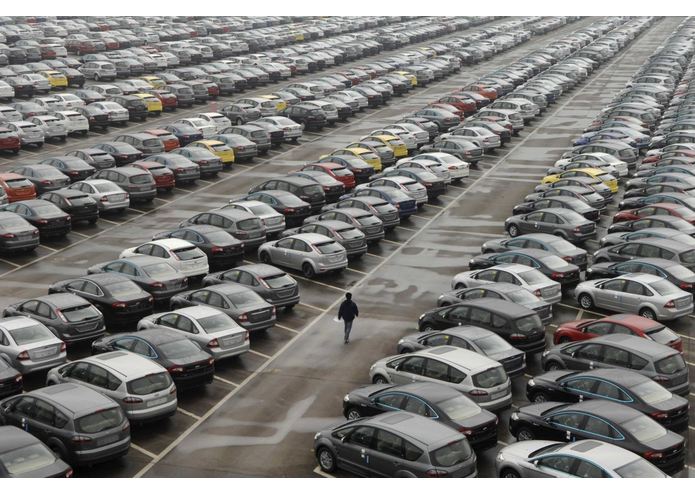
What the UMBC parking lots looks like.
-
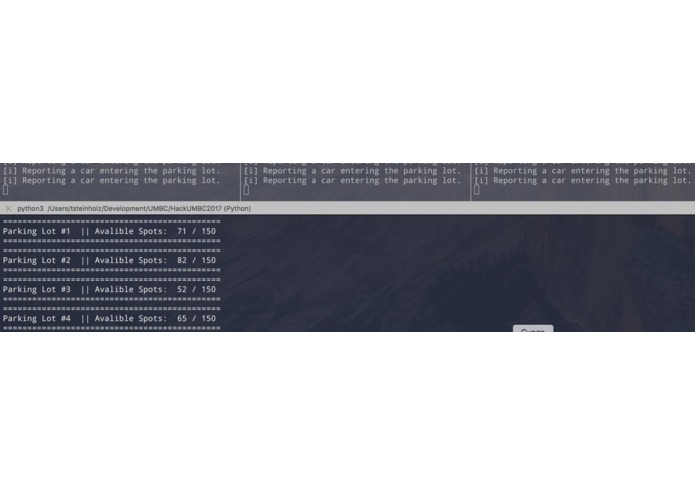
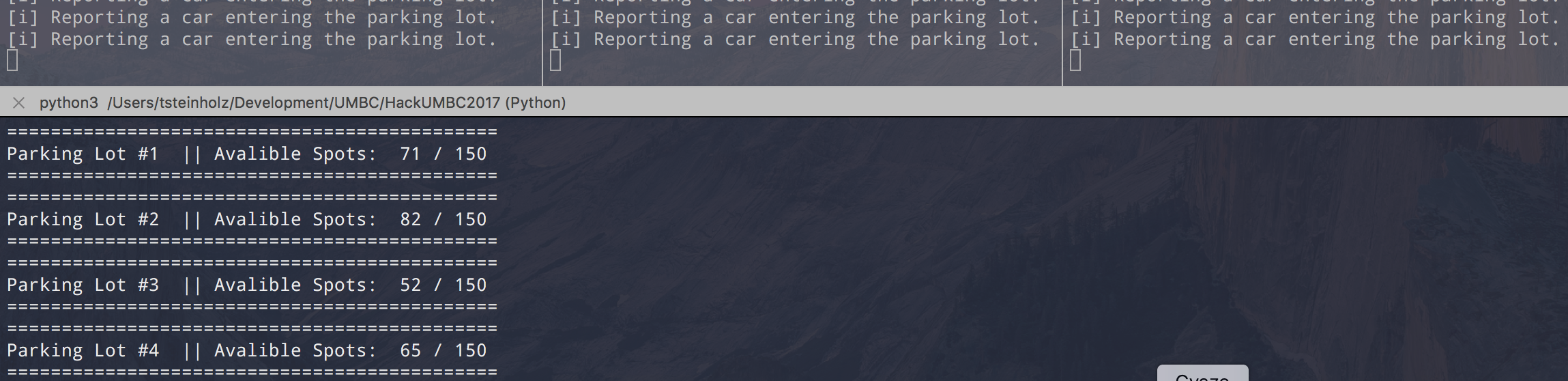
Running the simulation with four Parking Sensor Clients connected to a Sign Display Server.


Inspiration
Parking at UMBC can be time-consuming, given my personal experience I would estimate parking to take 15-40 minutes if everything is near capacity. This is a waste of time that increases emissions while wasting student's gas; a solution to optimize this is vital.
Project Proposal
I want to make a solution that will optimize people's time and reduce emissions by optimizing the parking flow at UMBC. I am proposing a system that will track how many spots are available in which parking lots. So that when students drive into UMBC expecting to find a parking spot in a reasonable time, in the best possible location, they know exactly where to go.
How are we going to track what spots are available?
Using pneumatic vehicle counters on every parking lot entrance/exit. These vehicle counters will be able to collect...
- Direction of Travel (in or out of the parking lot)
- Speed
- The distance between vehicles
- The length of each vehicle
per vehicle. When this data is collected over a substantial period of time it can be used to make infrastructure improvements, view seasonal trends, improve traffic flows, and much more.
While all this data can be collected optionally, the only thing we really care about for this application is the direction of travel for each car.
How will this data be transferred from the parking lot into the cloud?
Using Symphony Link from Link Labs. Symphony Link is a wireless solution for enterprise and industrial customers who need to securely connect their IoT devices to the cloud. Symphony Link is optimized for low power and wide range which makes it a great candidate for this project.
RXR / RLP Communication Modules
Each parking sensor device will need a Link Labs RXR or RLP Communication Module which can connect to the Link Labs Gateway.
Gateway
This powerful device manages security, uplink and downlink, and much advanced low power, wide-area (LPWA) features only available with Symphony Link. For data backhaul, the gateway features ethernet, WiFi, 3G cellular, or 4G LTE. The Link Labs Gateway should be installed on one of the two cellular towers that are registered to the University of Maryland: Baltimore County. This would give the Gateway a great enough range to cover the entire campus. Although more gateways might need to be installed if capacity is too great (more than a hundred modules connected to one gateway).
How will students view this data from the cloud?
Once we get the data to the cloud, it can go anywhere we want it to go. While most people would make this a "Parking App", I think that is problematic. We should not encourage students to drive while looking at their phone. This is not a "hands-free" app and will need to be looked at in the car. An app is not the answer to this question.
We should install Symphony connected signs that show up-to-date numbers for the cars that are in each lot. These signs need to be in strategic locations (such as the UMBC entrances and in front of the Lots, etc.) that can be discussed and modified at a later date with more specifics. These signs will display a table of the selected lots and how many available spaces it has.
The display signs will use the same RXR/RLP Communication Modules to connect to the Symphony Network.
Proposal Architecture Diagram
                   _
                 (`  ).                     _
                (     ).      The       .:(`  )`.
               _(       '`.     Cloud  :(   .    )
           .=(`(      .   )     .--    `.  (    ) )
          ((    (..__.:'-'   .+(   )     ` _`  ) )
          `(       ) )       (   .  )       (   )
            ` __.:'   )     (   (   ))       `-'.
                   --'       `- __.'

                              ^
                              |

                        ____\__/___
                        { LinkLabs }
 |^|  --> --> --> -->   | Gateway  |
 |@|   ^                {----------}  <-- <-- <-- <-- <-- <--
       |                      ^                              ^
       |                      |                        |^|   |
       |                      |                        |@|   |
       |                 //////////                          |
       |                 |  UMBC  |                          |
                         | 1: 15  |   The Display Device     |
      |^|                | 2: 50  |
      |@|                | 3: 2   |                         |^|
                         |--------|                         |@|
                         |        |
Proposal Diagram Key
|^| = Parking Sensor
|@|


--> = Symphony Link
The Simulated Proposal in Action
For this Hackathon, I created a simulation of my design proposal to convey a better understanding of how this system will work. I did this by creating a "Sign Display Server" and "Parking Sensor Client(s)" that would simulate how a large-scale deployment of this project would look when developed and deployed. Once the "Sign Display Server" is executed, it will accept an unlimited amount of connections from "Parking Sensor Clients". Each parking sensor client has the ability to simulate either a "Car Leaving Event" or a "Car Entering Event" in both manual and automated ways. All of the data is then collected, combined, and displayed to the user via the "Sign Display Server". Design Diagrams can be found below.
How I built it
Using python, I used the multiprocessing connection libraries along with many many threads to create this simple server-client model. Design Diagrams can be found below.
Simulation Architecture Diagram
                    //////////
                    |  UMBC  |    The Display Device
                    | 1: 15  |      / Parking Server.
 |^| --> --> -->    | 2: 50  |
 |@|                | 3: 2   | <-- <-- <-- <-- <-- <-- |^|
                    |--------|                         |@|
                    |        |
Simulation Diagram Key
|^| = Parking Sensor
|@|    Client


--> = TCP Connection
In order to simulate the Symphony Link network, I turned what would be the Display Sign Device into a server that the parking sensors instantly connect to. This connection can be seen as the direct replacement for the much more complex Symphony Link system.
Challenges I ran into
Networking. I originally wanted to make a demo using our Symphony Link Gateways, Modules, and Backend; but I could not connect to our backends through the network's firewall. So since the connection to our backend was blocked by the network, I would have had to get a gateway with a cellular connection which I did not have access to as of implementing this project. So I improvised by creating a complete simulation.
Accomplishments that I'm proud of
- Designing a Solution to UMBCs parking problem.
- Networking in Python.
- Quick Prototyping.
What I learned
- Networking in Python.
What's next for IoT Parking Solution for UMBC
I would like to propose a legitimate solution to UMBC to finally solve our parking issue.


Log in or sign up for Devpost to join the conversation.