-
-
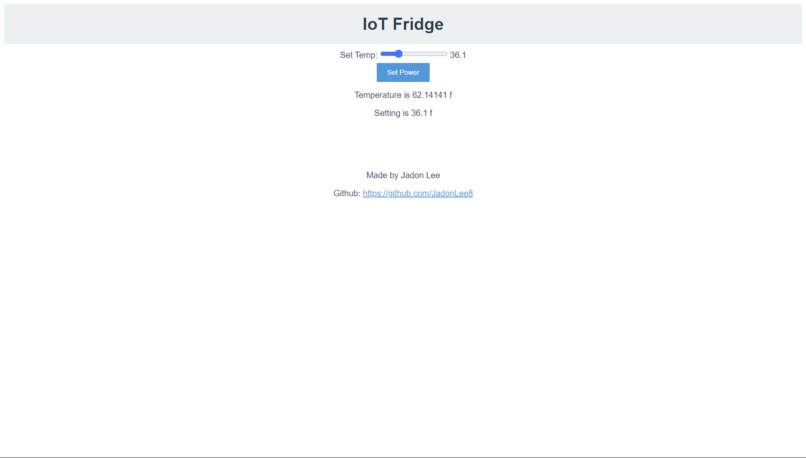
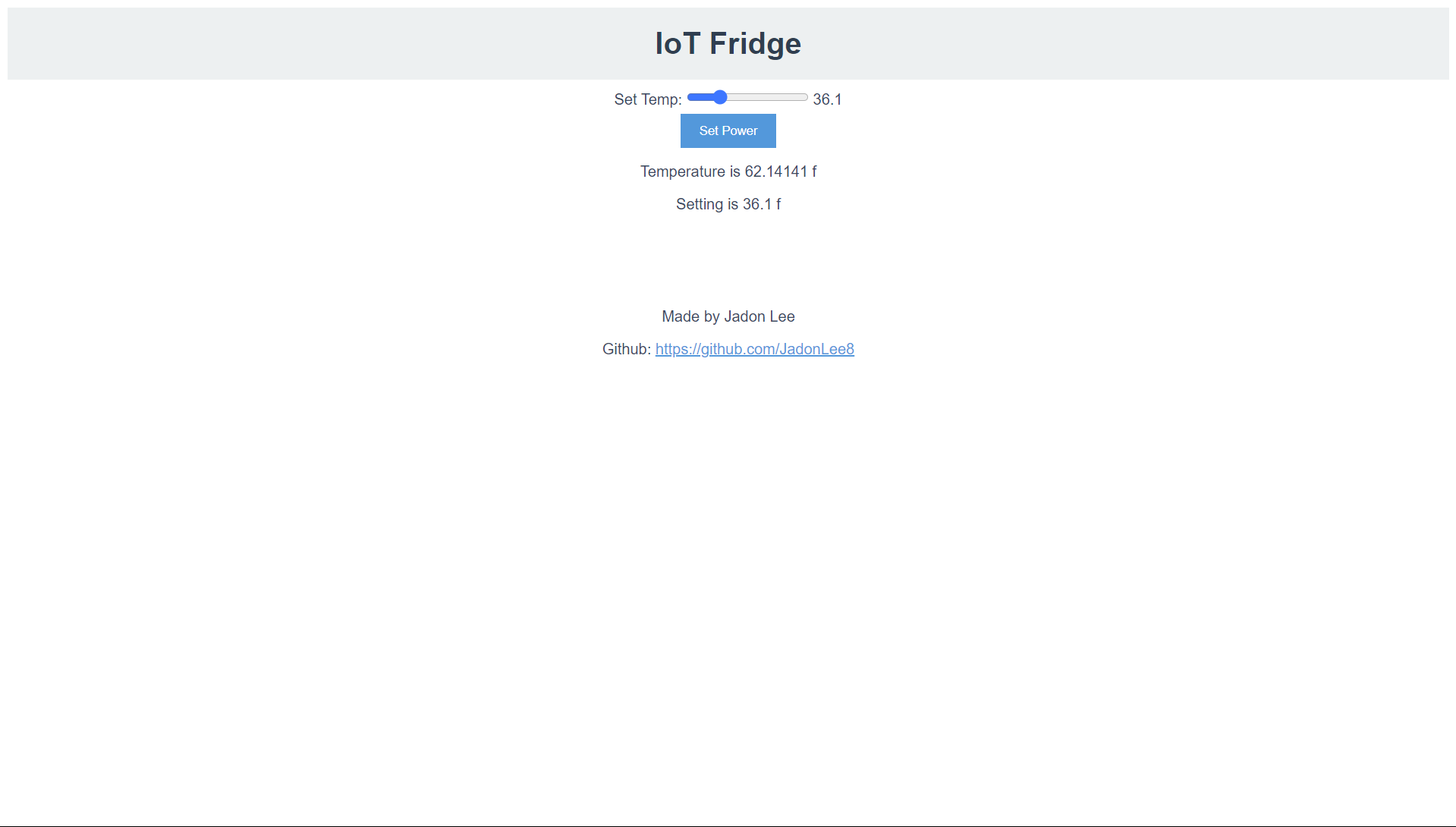
Web Interface. Is adaptive to mobile as well
-
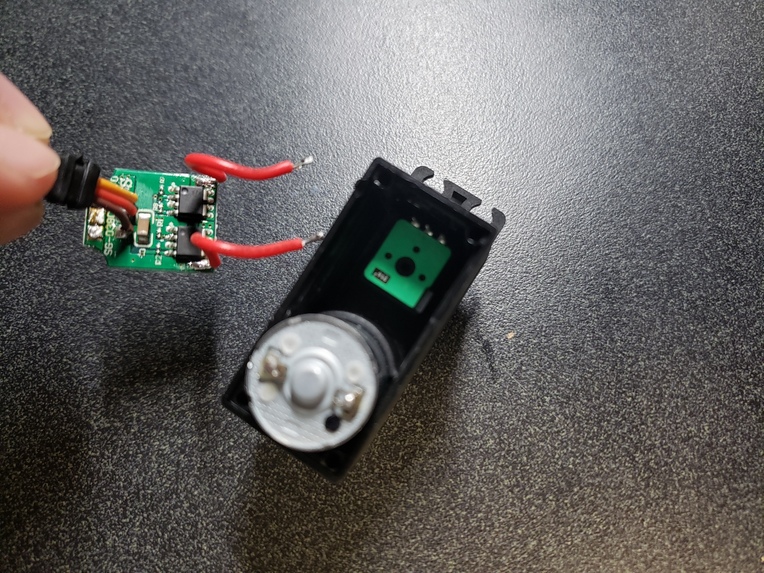
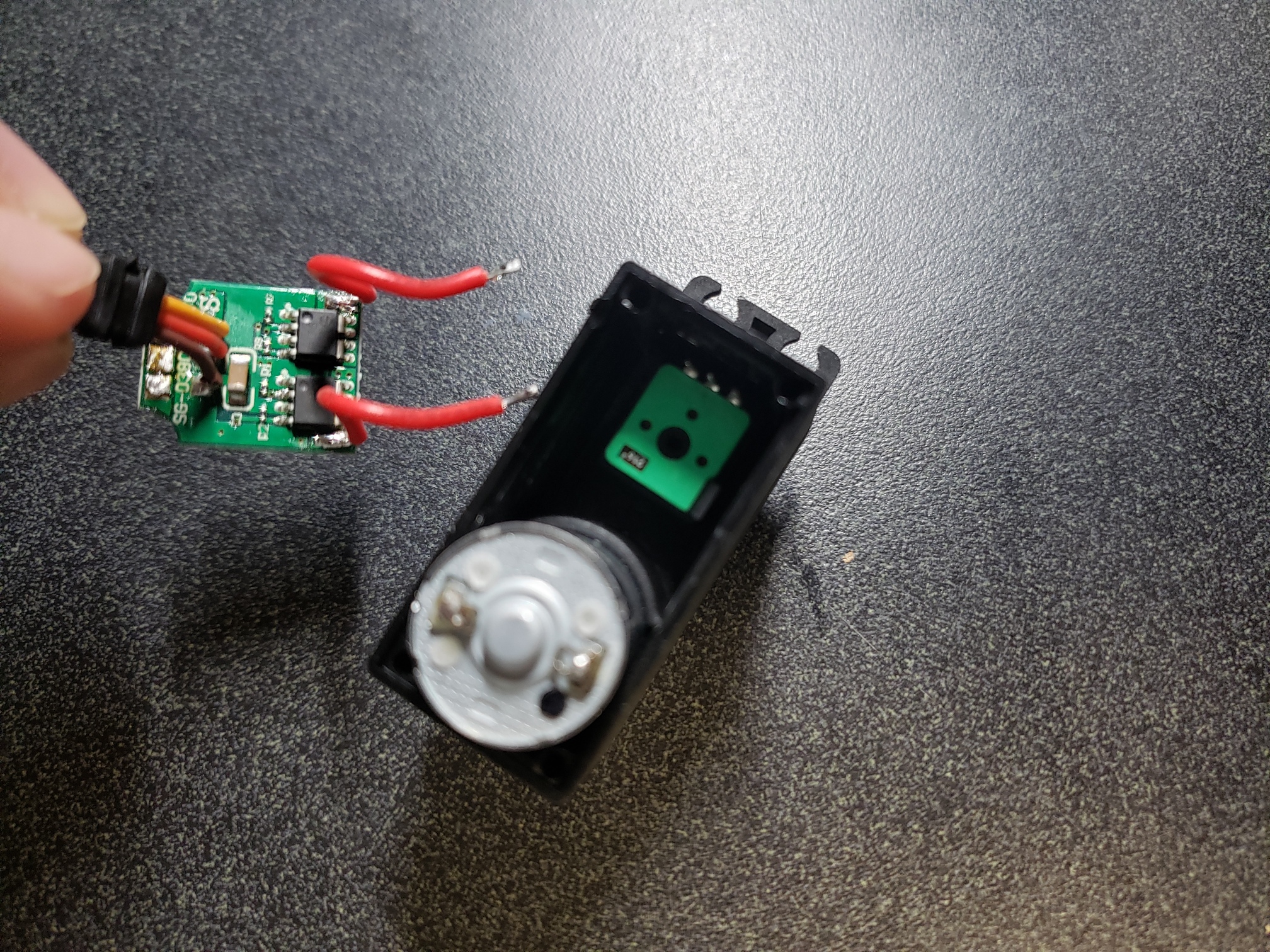
Breaking out potentiometer and motor from faulty servo
-
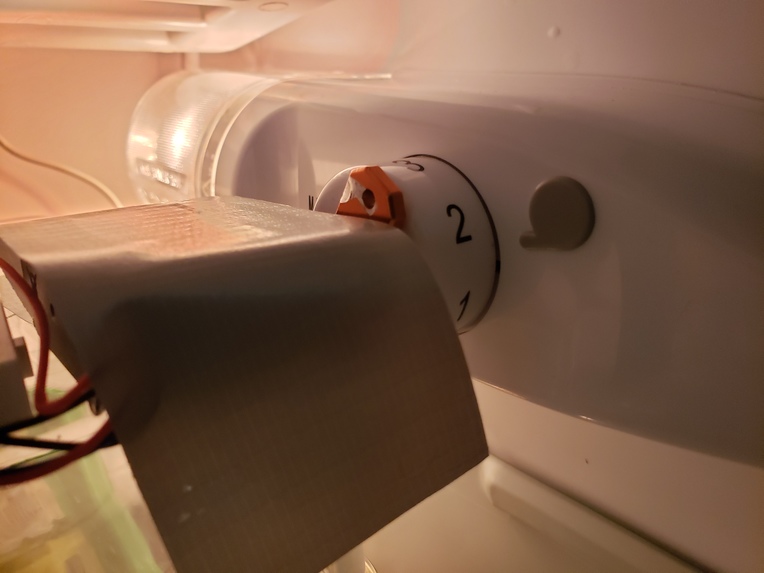
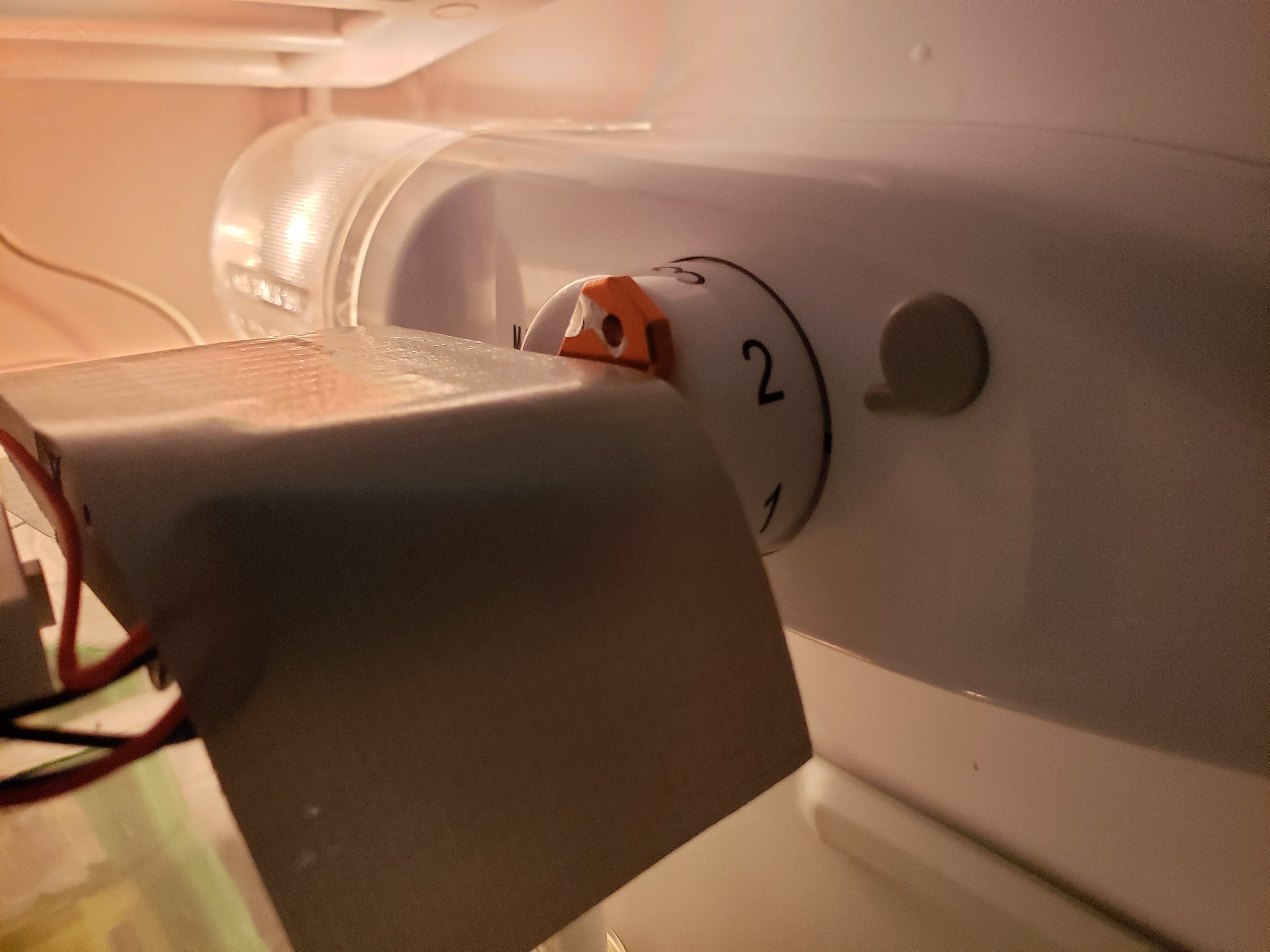
Servo connection to refrigerator power knob.
-
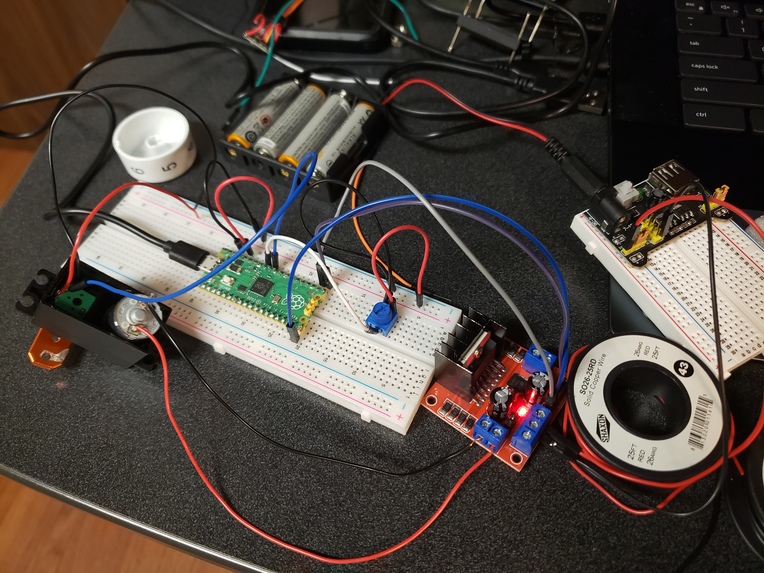
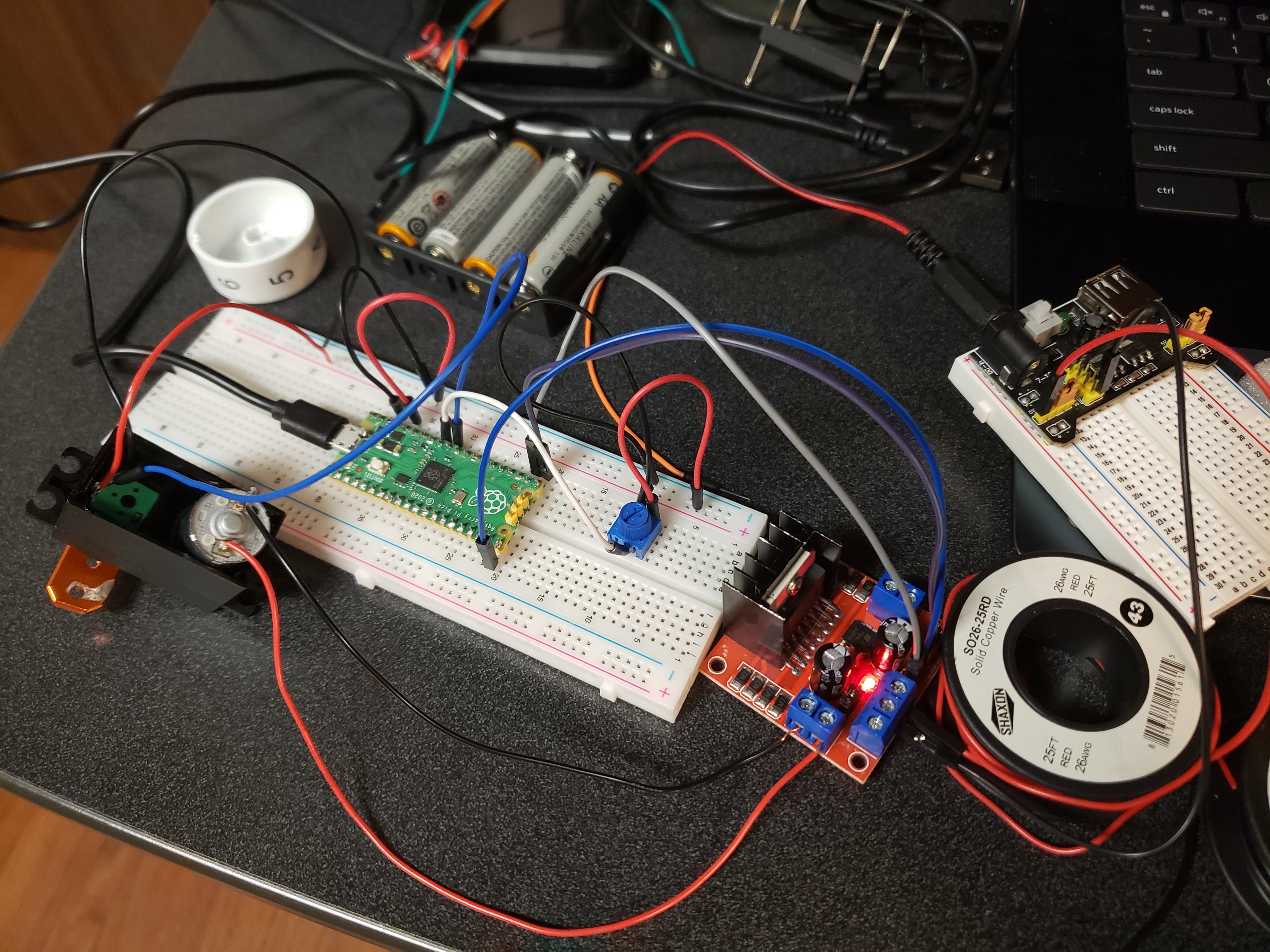
Creating custom PID controller for servo motor with faulty circuitry
Inspiration
Living in a dorm comes with many pros, but also many downsides: fire alarms are pulled, no kitchen, and small living space just to name a few. One that I didn't originally envision to be an issue was the mini-fridge. When I wanted ice, I would crank up the power, but at the same time I would end up freezing the contents of the fridge. Likewise, when I tried to warm up the fridge to de-thaw everything, I ended up melting all of the contents of the freezer! The only way to interface with most mini-fridges and even older full sized fridges is through a power adjustment knob, which leaves no indication of what temperatures result from each power. Furthermore, wanting to be certain of the temperature I had set my fridge at, I wanted to be able to monitor it's temperature while away.
What it does
This device serves a simple web user interface on the TAMU LAN network, allowing any student or faculty on campus to access it, monitor the temperature of the refrigerator that it is in, and change the temperature, all from any location with TAMU WiFi!
How it was built
The web interface is being hosted on a Raspberry Pi Pico W, which is opening a socket on the TAMU_IoT network. This allows anyone to access the served webpage by entering the local IP address of the Pico W. The Pico W is being powered by a batter pack that was wired into the breadboard. Temperature readings are from the on-board temperature sensor that the Pico has. The power level of the fridge is adjusted through a servo motor which is controlled by a Pulse Width Modulation (PWM) output from the Pico PID controller, which is in turn controlled by the Pico W that is hosting the server.
Challenges I ran into
While I was able to get the Raspberry Pi Pico to host a local web UI on personal networks fairly easily, it was very challenging on the TAMU networks. I experimented with different networking protocols until I finally successfully hosted a web server.
Through trial and error, I also found that 3 out of 4 of the servos which I had access to were underpowered to adjust the power of the fridge. This forced me to use a larger servo that could handle higher voltages. Unfortunately, due to a manufacturing issue with the servo I had to break out the potentiometer and motor separately and design my own motor controller on a separate Raspberry Pi Pico and motor driver. Although this was frustrating at first, it ultimately gave me more control over the device since I could get an exact potentiometer reading of the servo and was a great learning experience.
Proud Accomplishments
My favorite accomplishment in this project is getting the Raspberry Pi to host a LAN server that can be accessed from anywhere on campus. I find the idea of interfacing with any appliance over a large LAN network to be super cool. It was also super rewarding to test it out with my roommate and see the fridge power changing from different parts of campus.
What I learned
Ensuring that the web server could run on TAMU network took lots of troubleshooting, but after this experience I feel much more comfortable with opening sockets and hosting over local LAN networks, as well as some networking terminology such as MAC address, which was necessary for authorizing this device on the TAMU network. Since I needed to create an auxiliary PID controller to drive the servo motor after removing the servo control chip, I learned about circuit to circuit communication, PWM signals, as well as motor controllers and power supplies.
What's next for IoT Fridge Adapter
The most pressing future improvement would be to create a more aesthetically pleasing casing for the device, as it has lots of sprawling wires currently. I would also like to enhance the security of the web page, as currently there is no way to prevent unauthorized access to the fridge. Lastly, while the Pico W can serve a web page over the TAMU_IoT network, it struggles to do so with the WPA2 enterprise security TAMU_WiFi network. It would beneficial to move the Pico W's connection onto the TAMU_WiFi network over the IoT network as it is much easier for students and faculty to connect to that network.
Presentation Link: https://tamucs-my.sharepoint.com/:p:/g/personal/jadonlee_tamu_edu/EcPJkaA2vMpIpNy7or1ynfMBlZ-Fm7X3smeaNTKmi4i8rg?e=CO4Tev
Built With
- micropython
- rasperry-pi
- websockets


Log in or sign up for Devpost to join the conversation.