-
-
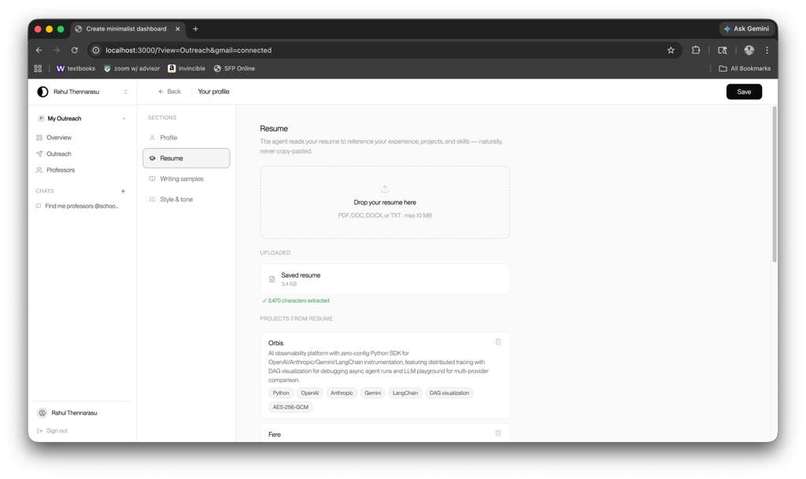
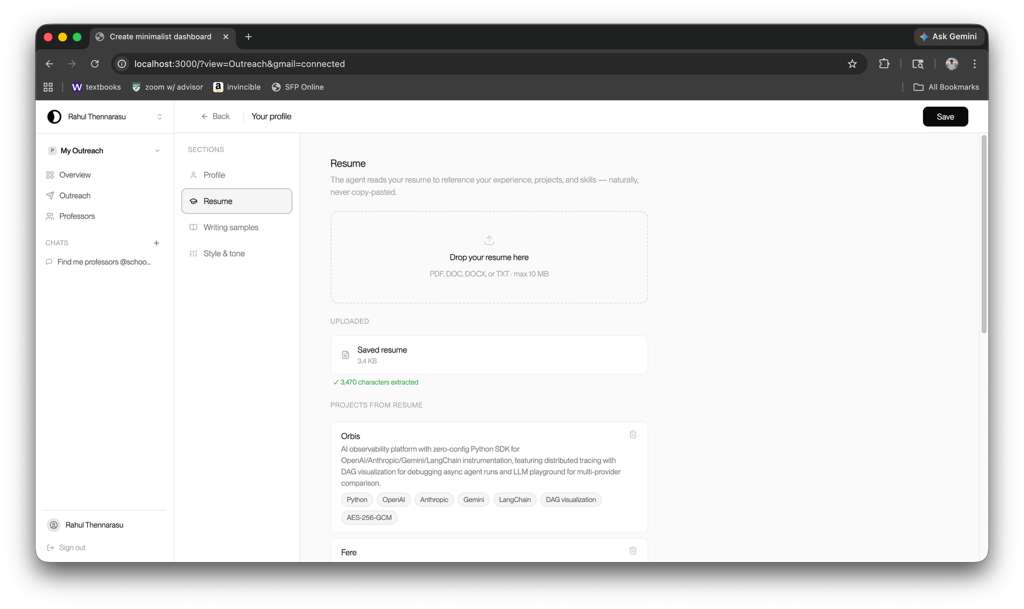
Resume Import with included OCR to hold users' professional experience
-
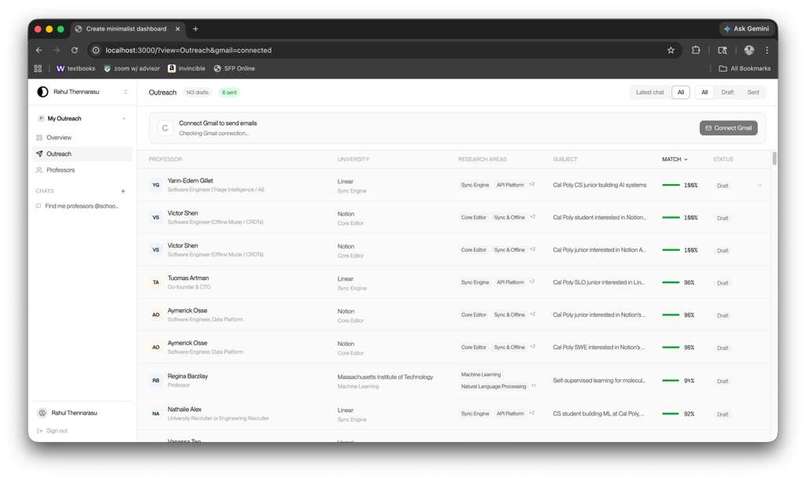
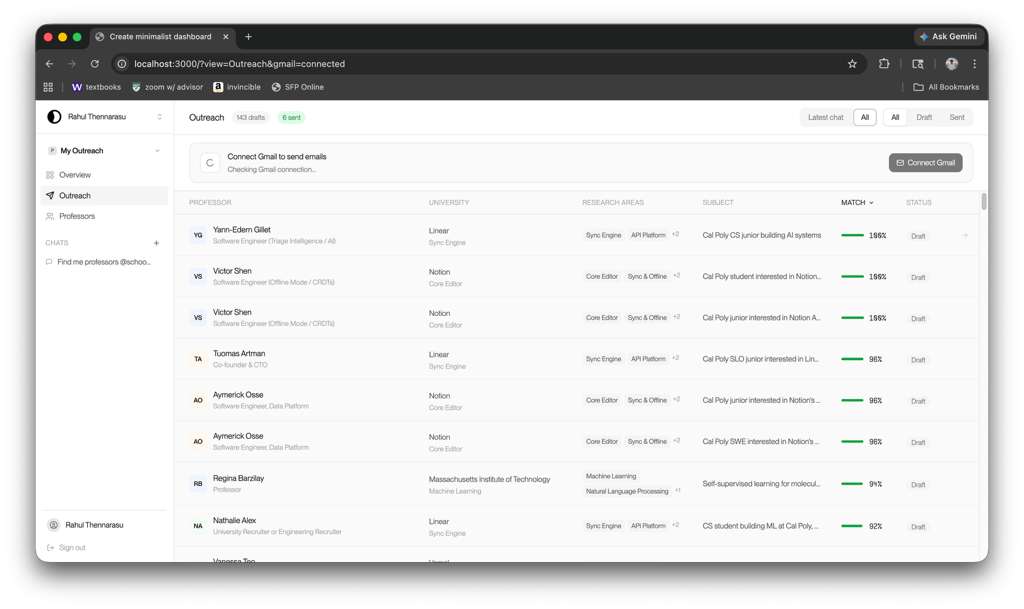
View of approached opportunities
-
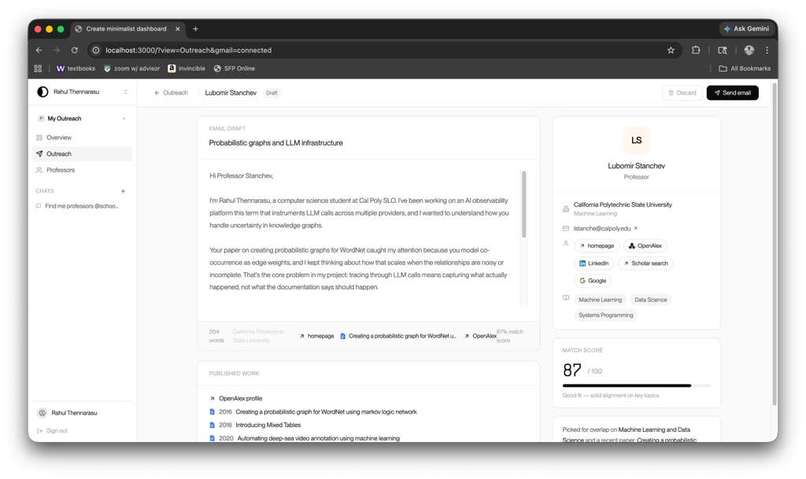
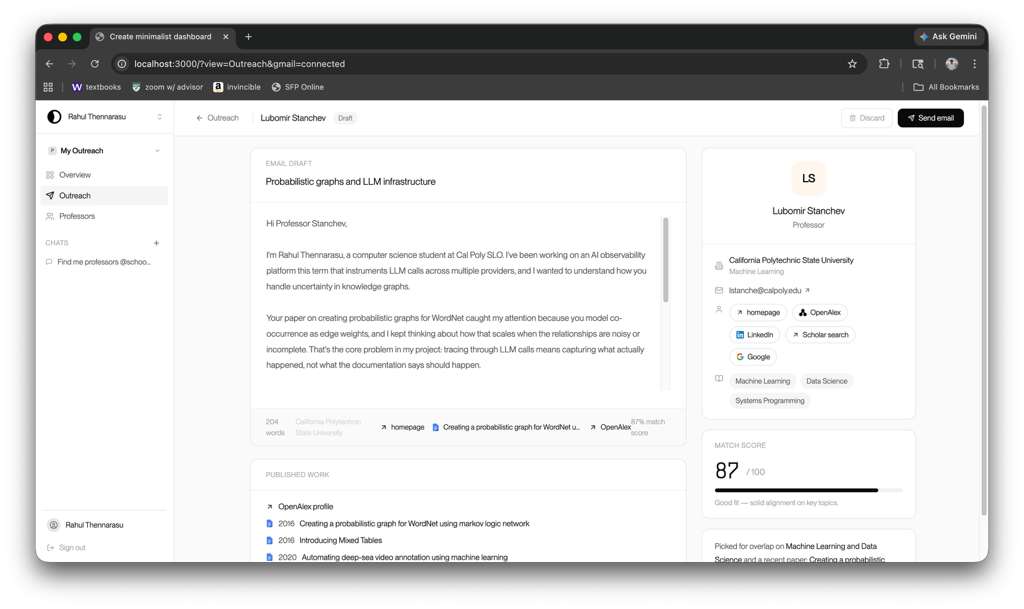
Email Draft for Professors, custom-written to maximize potential connection with the Professor. Also includes their past works to refer to.
-
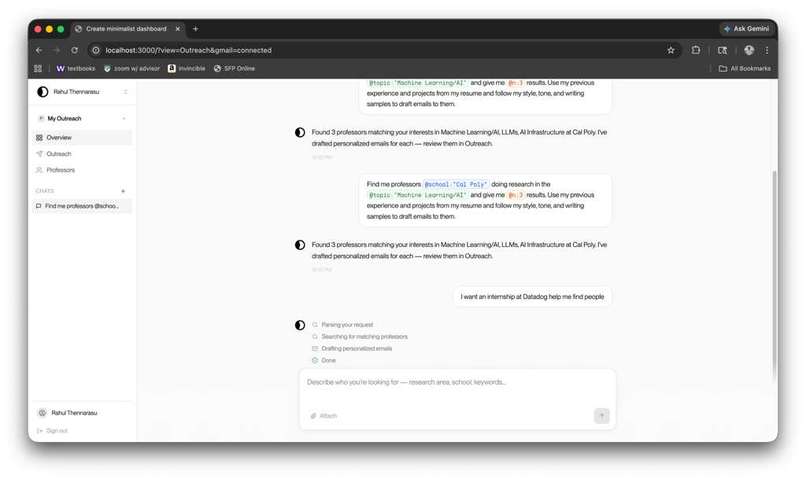
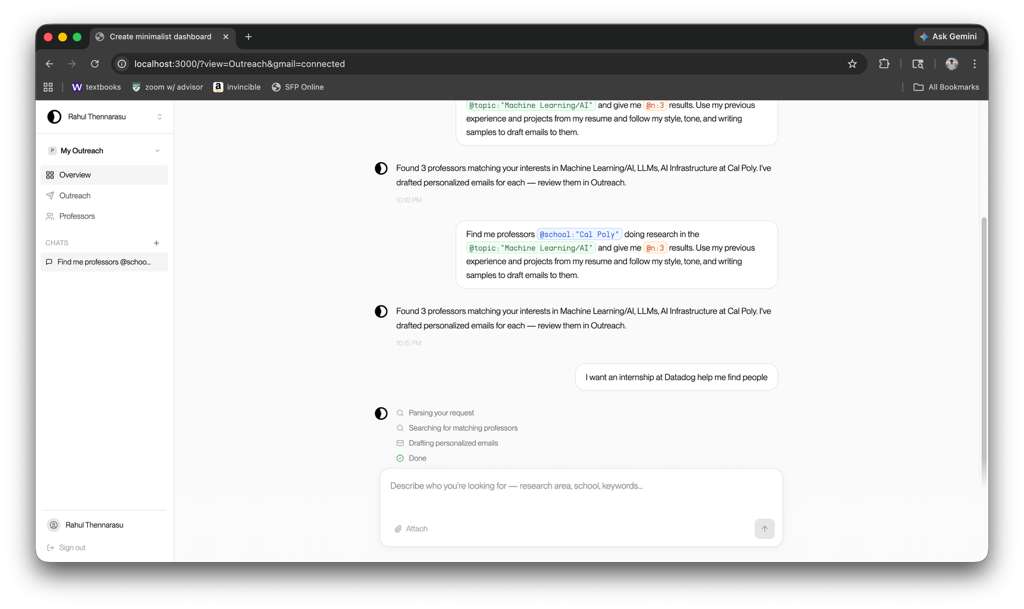
AI-based chat system to find specific recipients tuned to your interests and past experiences in the areas of Research and Internships.
-
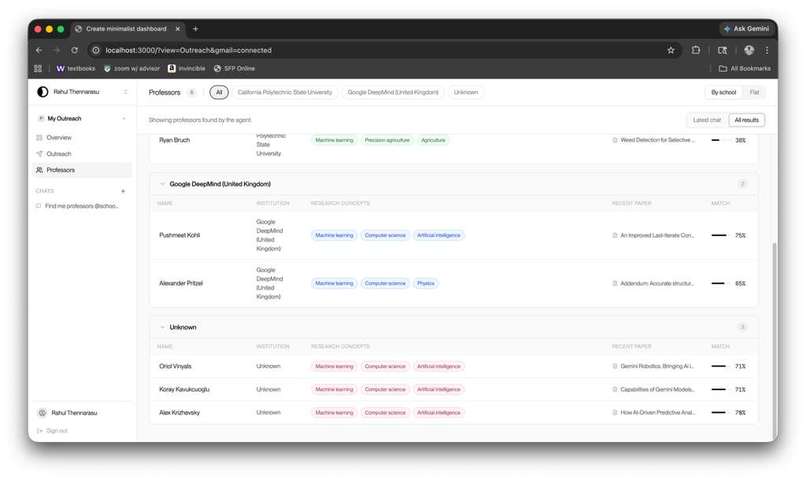
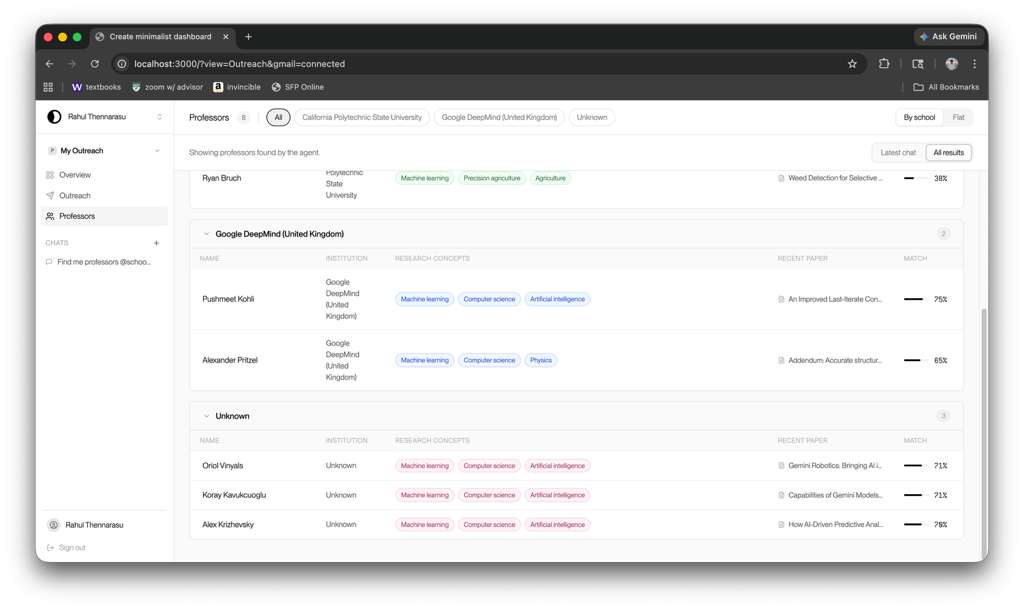
Tagging system based on AI-focused analysis of Professor history.
Inspiration
Nowadays with so many people applying to the same job through the same application, it becomes really tough to get any position through just cold applying. The more informal strategy is to cold email a professor whose research you are interested in or the CEO of a small startup for an internship. Not all these cold emails work, however; the emails that work read like a smart friend wrote them and don’t sound AI. The emails most of us send sound like everyone else's or like AI-generated. We built ioia because we got tired of being on the wrong side of that gap and wasting countless hours finding sources and writing emails for no output. Not only that, but all existing tools that exist for cold outreach are built for salespeople, not students trying to break into research tabs or small startups.
What it does
Ioia turns your resume into real outreach. It takes in a minimal amount of your previous experience and data, and manages the end-to-end process of outreach. The agent finds professors whose recent papers actually match your interests or engineers at companies whose teams map to projects you've shipped. Then it drafts a customized email per recipient: in your voice, referencing their actual work by title, and connecting specific parts of your experience to one specific thing they’ve done. You review the draft, edit if you want, and sends on your behalf, connecting to your gmail. The emails are short, specific, and perfectly tuned to not sound like AI.
How we built it
We used Vite and TypeScript with React on the frontend and a thin TypeScript backend structure for the agent pipeline. Three agents shared one set of Zod schemas as the integration contract between the profile extractor, the target finder, and an email writer which all had their own complex and integrated pipelines.
The email writer prompt is the core of the product. It is composed of three blocks: a static etiquette constant encoding what we believe to be a good email and from deep research on the internet, a tone block interpolated from the user's writing sample, and a context block built from the recipient's specified work and the user's most-relevant experience. Outputs are constrained to JSON via the Anthropic SDK, validated with Zod before reaching the UI.
For the build itself, we used Kiro paired with two MCP integrations: a Figma MCP server that lets us pull our component designs straight into the IDE so generated React components matched our design, and a filesystem MCP server pointed at the ioia repo so the AI had persistent access to our schemas, prompts, and seed data across sessions. With three engineers working in parallel against shared contracts, this made a huge contribution to saving time between conflicts in code.
Challenges we ran into
Three big ones.
Finding the Professor contacts. OpenAlex carried a lot of the weight in professor discovery: affiliations, recent papers, research concepts, even ORCID IDs, but it doesn't return email addresses. We tried scraping faculty directories and quickly learned that's a 12-hour project on its own: every university has a different layout, half the bio pages don't list emails at all, and the ones that do require a click-through per professor that's brittle to any markup change. We landed on a hybrid: OpenAlex for the structured data (concepts, papers, affiliations), and a pattern based email ID construction module, that predicted ID’s based on university regulations. For company contacts on the internship side we used the same pattern but backed by Apollo, with a populator script that runs on demand and a cached JSON for the demo so we weren't burning credits on every click.
Connecting Gmail with our platform. GMail OAuth, although seeming simple on the surface level, proved to be a difficult challenge in implementation, especially with the remaining authentication using a completely different flow. We settled on integrating OAuth separately into the email composition page, allowing users to connect their GMail inbox with the application, where the drafts that were generated and edited in-app would be sent directly to recipients. This design choice ended up leading to the least amount of friction that our users would face when going from outreach research to final emails.
Forming the email draft. This was the hardest of the three and the one we spent the most time on. Our first drafts passed every grammar check and read as 100% AI-generated. The problem wasn't word choice, rather, it was the combination of these phrases into the user’s past experience, honing in on the appeal to the person reading the email. Although the actual process of writing the email is the least visibile portion of the application, we also knew that it was the most important and so we spent the most time on it. In the beginning the email read as someone trying to sound casual rather than someone being casual. We went through eight rounds of prompt iteration: banning sentence shapes that signal AI ("the idea that X is compelling"), trying to include rhetorical connections between paragraphs ("which got me thinking about your work"), capping idiom-heavy phrases at two per email, requiring one sentence to break the prevailing register, gating recipient hooks on whether they're an IC or a recruiter, and many, many more. The fix wasn't one change. It was an accumulating set of constraints, each one targeting a specific failure mode we kept seeing in real outputs. By the end, we were testing drafts with peers and mentors and getting "I'd actually send this" instead of "this sounds like ChatGPT."
Accomplishments that we're proud of
We shipped an email writer that real people couldn't tell from human writing. We tested drafts with peers and mentors throughout the build, and the consistent feedback was "I'd actually send this" and “I couldn’t tell this was generated by AI.” Getting there meant being honest about every round where the output sounded synthetic and rewriting the prompt until the output was great. The other thing we're really proud of is the actual architecture of ioia: three separate agents, one shared schema, a clean separation between research and internship paths, and an email writer prompt that produces visibly different emails for different recipient types from the same tone profile. Hackathon code is usually a pile of junk, but ours is a system that can be deployed with no complications.
What we learned
The email writer prompt is the product. We spent more time on it than any other single feature, and every hour of polish translated directly into quality output. We also learned that models are surprisingly good at structural rules such as "end the experience paragraph on a technical concept that ties back to the hook, without announcing the bridge" and surprisingly bad at switching tones based on the actual context. We also learned that the most impressive project on someone's resume is not necessarily the most relevant one when communicating with a professor or an engineer and that selecting for relevance over impressiveness was the single biggest lever for fit.
What's next for Ioia
We have three key ideas for ioia to expand it into the future and become the key tool for all students to land and experience their dream opportunities. First, we want to integrate the ability for ioia to actually respond to each follow up that the user receives to their cold emails. Right now, we just ship the cold email but the harder problem is the reply with having an agent running in the background and writing an appropriate response to the email. Further, we want to build out this response handler with calendar integration and lightweight prep mode such as behavioral and technical interview prep so that the users can be as ready as possible for their interviews. We also want to build out the dashboard to be more than just sending an email and waiting for a response. We want it to expand to the user’s knowledge graph of what they learned from cold emails, who they know from cold emails, advice received from these emails, and everything in between. This will allow students to develop themselves into the perfect target for these opportunities and become someone that all programs desire. Finally, we want to expand the tool into the perfect “learn by doing” experience on writing cold emails, following Cal Poly’s motto. After cold emails are sent, the users can view metrics of the data sent including who responded, who ghosted, what companies responded, what emails worked best, and so on to provide the perfect learning experience.
Built With
- apollo
- claude
- codex
- figma
- gmail
- google-oauth
- hunter
- kiro
- mcp
- node.js
- openalex
- react
- rest-api
- spa
- typescript

Log in or sign up for Devpost to join the conversation.