-
-
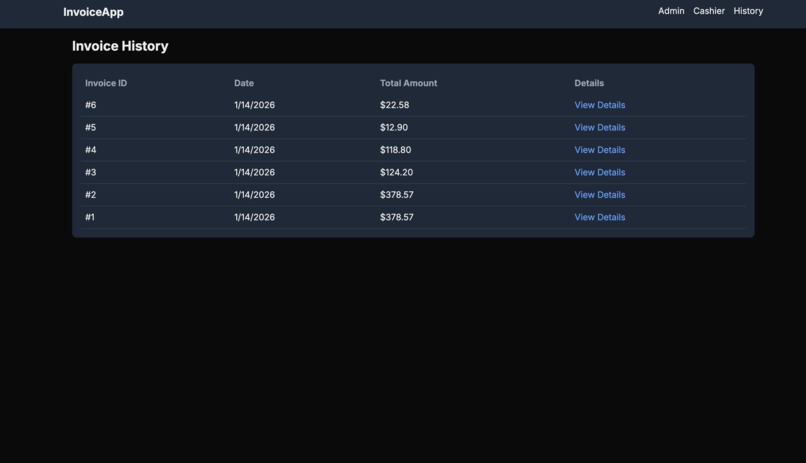
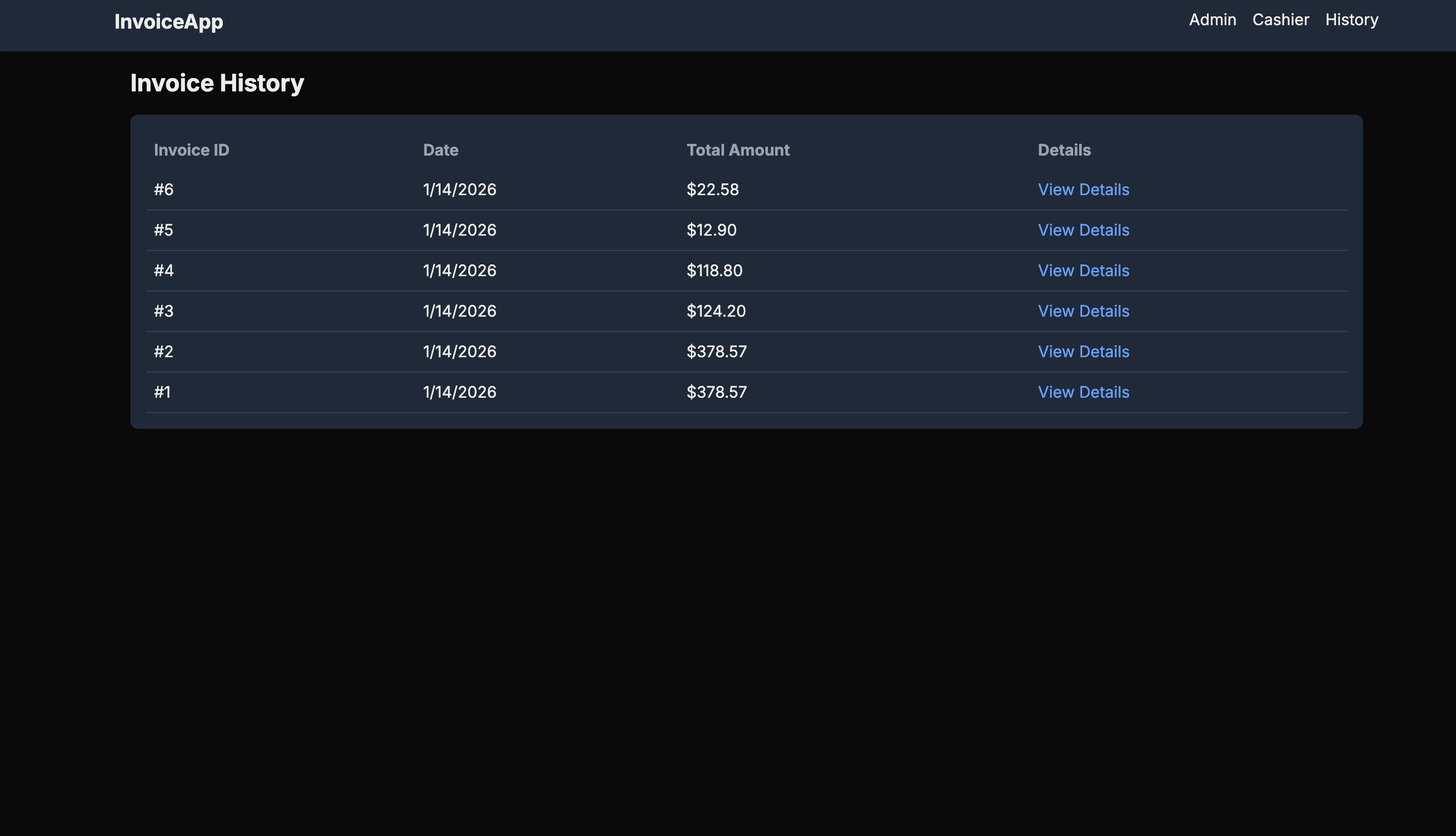
Sales History
-
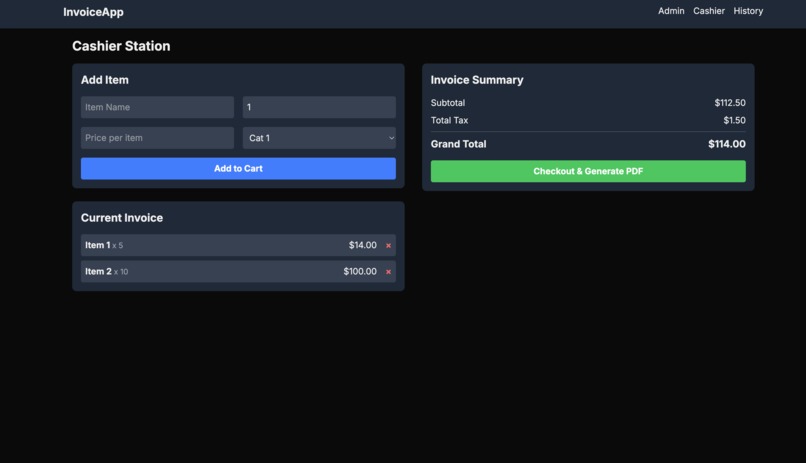
Cashier Panel
-
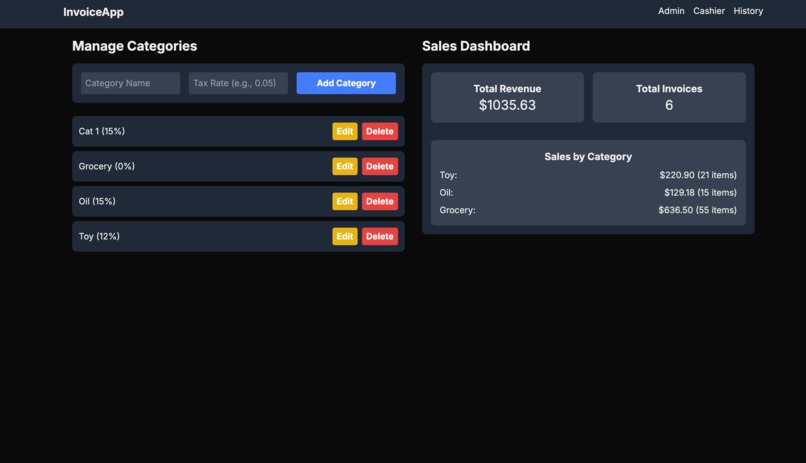
Admin Panel
Inspiration
Most existing invoicing platforms are complex to operate and often come with cluttered or unintuitive user interfaces. This makes everyday sales operations harder than they need to be.
InvoiceApp was built with the goal of being simple, clean, and easy to use, which allows both admins and cashiers to manage sales efficiently without unnecessary complexity. The focus was on usability and clarity at both the administrative and checkout levels.
What it does
InvoiceApp is divided into two main parts:
Admin Panel
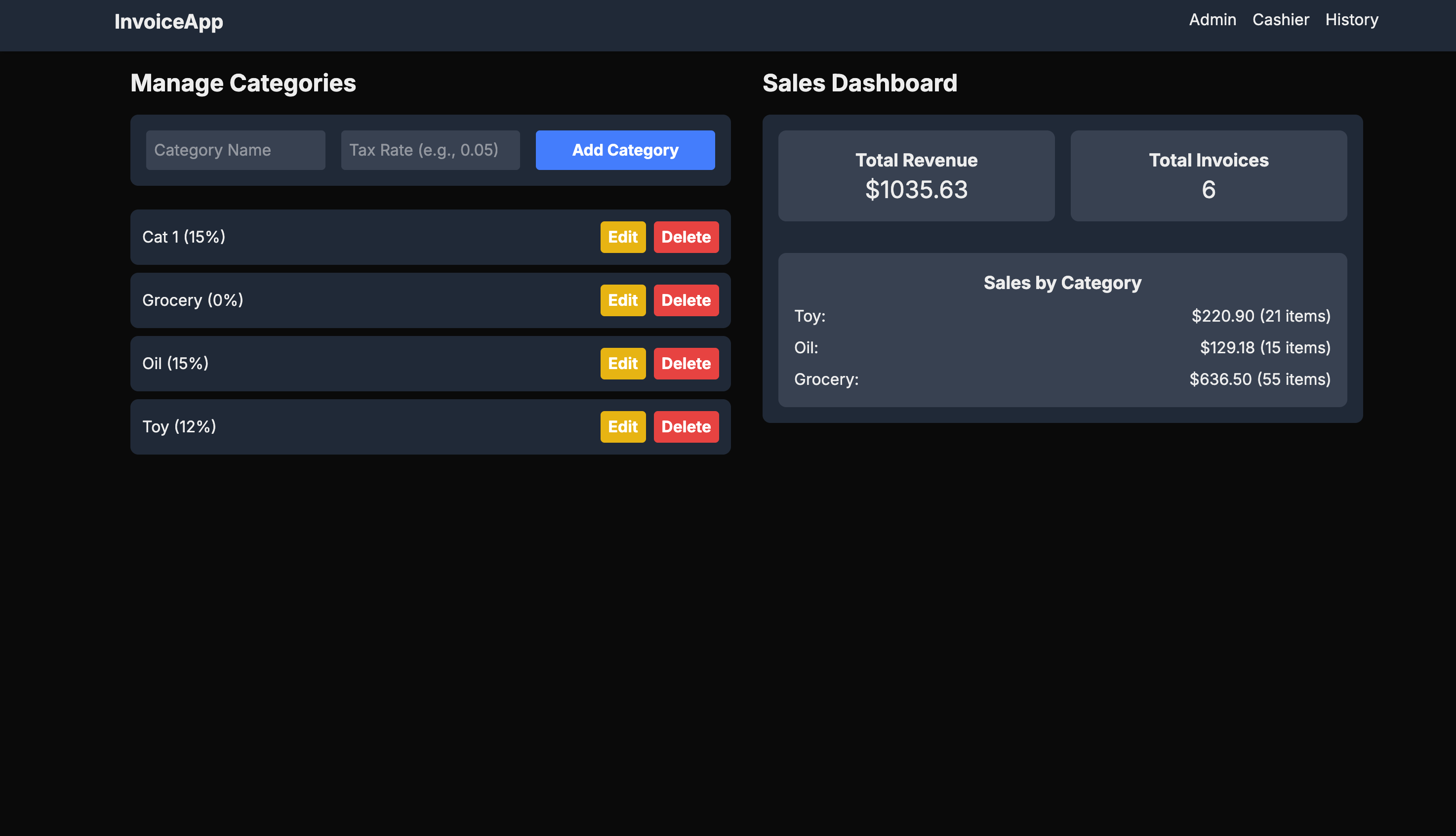
The admin panel is responsible for:
- Managing price categories
- Defining tax rates and calculation policies
- Configuring system-level rules
Cashier Panel
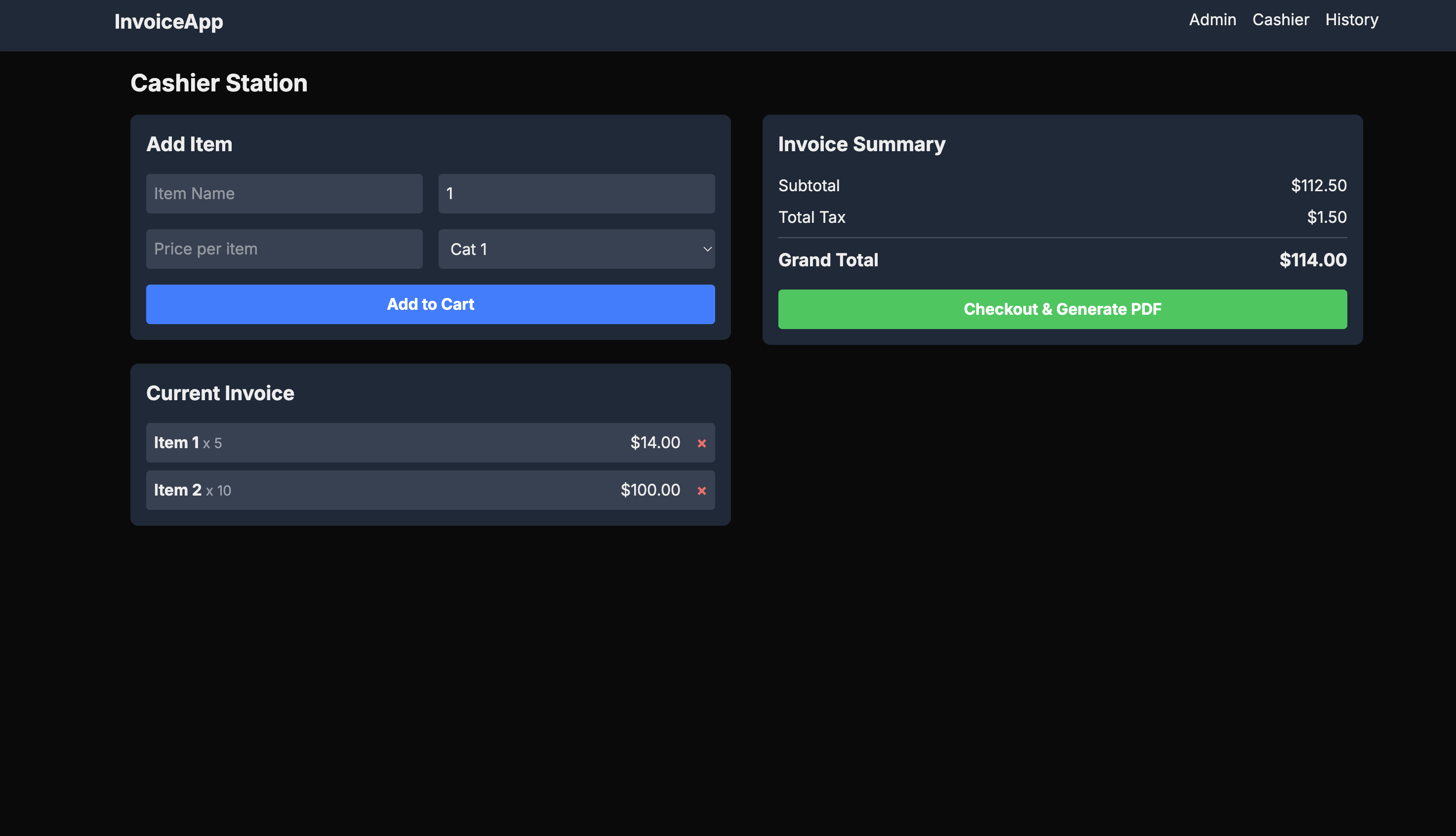
The cashier panel is strictly focused on:
- Performing checkouts
- Automatically calculating tax and totals
- Generating PDF invoices
This separation ensures that cashiers can work quickly and safely without accessing administrative configurations.
Additionally, the platform includes:
- A sales dashboard
- Sales history tracking
These features help organizations analyze sales performance and access historical data easily.
How we built it
InvoiceApp is built using:
- Next.js & React for the frontend
- Supabase as a Backend-as-a-Service (BaaS)
- A relational database structure with three core tables
Workflow
- Admins create or update categories and their associated tax rates (referred to as policies).
- These policies are stored and updated in the database.
- During checkout, the cashier system automatically calculates tax totals and the grand total using the admin-defined policies.
- A PDF invoice is generated at the end of the checkout process.
Challenges we ran into
One of the main challenges was handling UI rendering issues and performance bottlenecks. Certain components caused lag during interaction, which required careful debugging and optimization. Aside from these UI challenges, the overall development process was smooth.
Accomplishments that we're proud of
This project is currently a simple MVP, but completing a fully functional invoicing system from scratch is an accomplishment in itself.
InvoiceApp laid the foundation for many future features, including advanced analytics and self-service checkout systems. This project marks the beginning of a larger vision, and building a clean, working base system is something we are proud of.
What we learned
While building InvoiceApp, we learned about many real-world challenges that exist in invoicing systems. Before starting this project, we were not deeply familiar with the invoicing ecosystem, and it was surprising to see how many practical problems still exist in this space.
By interacting with a few business owners and cashiers working in this domain, we gained firsthand insights into their daily pain points, such as slow checkout processes, complex systems, and error-prone workflows.
These insights helped us understand how technology can be optimally applied to solve these problems through better UI design, clear role separation, and automation.
What's next for InvoiceApp
Planned future improvements include:
- Self-checkout functionality for customers
- QR-based invoice access and data entry
- Automatic email delivery of invoices
- Advanced sales analytics and reporting
- Reduced checkout queues through buyer-side interaction
- Improved performance optimizations
- Role-based access and branch based access expansion
These features aim to make InvoiceApp more scalable, customer-friendly, and suitable for real-world business environments.
Built With
- nextjs
- react
- supabase
- tailwind



Log in or sign up for Devpost to join the conversation.