-
-
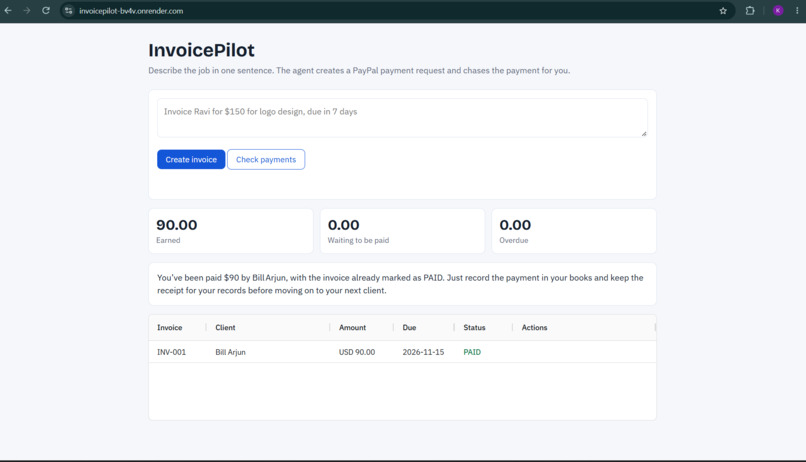
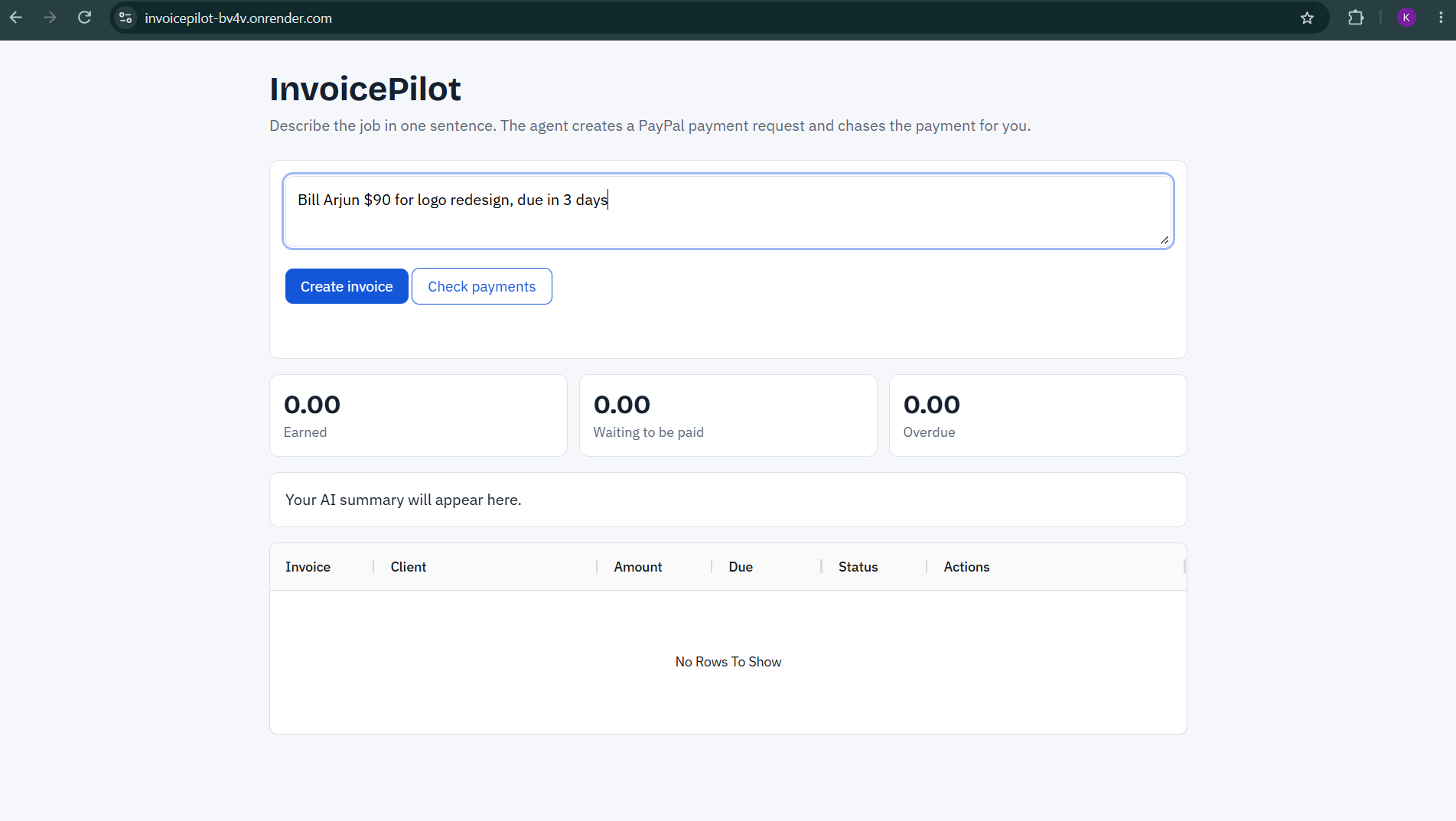
Create invoices instantly using natural language. Simply enter the client name, amount, service description, and due date.
-
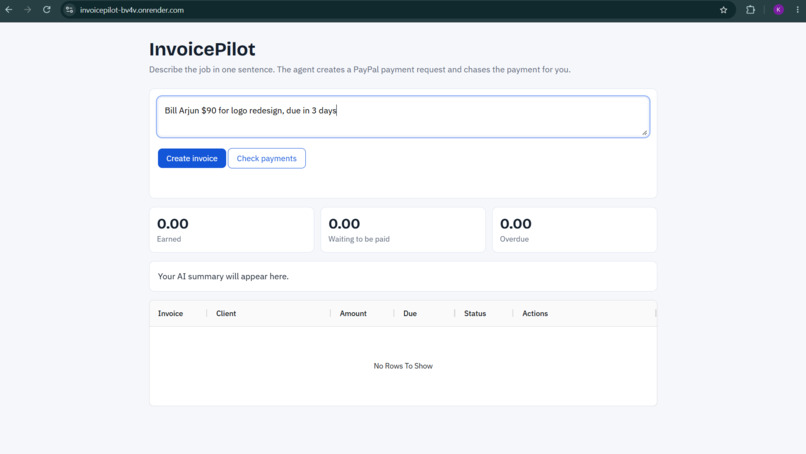
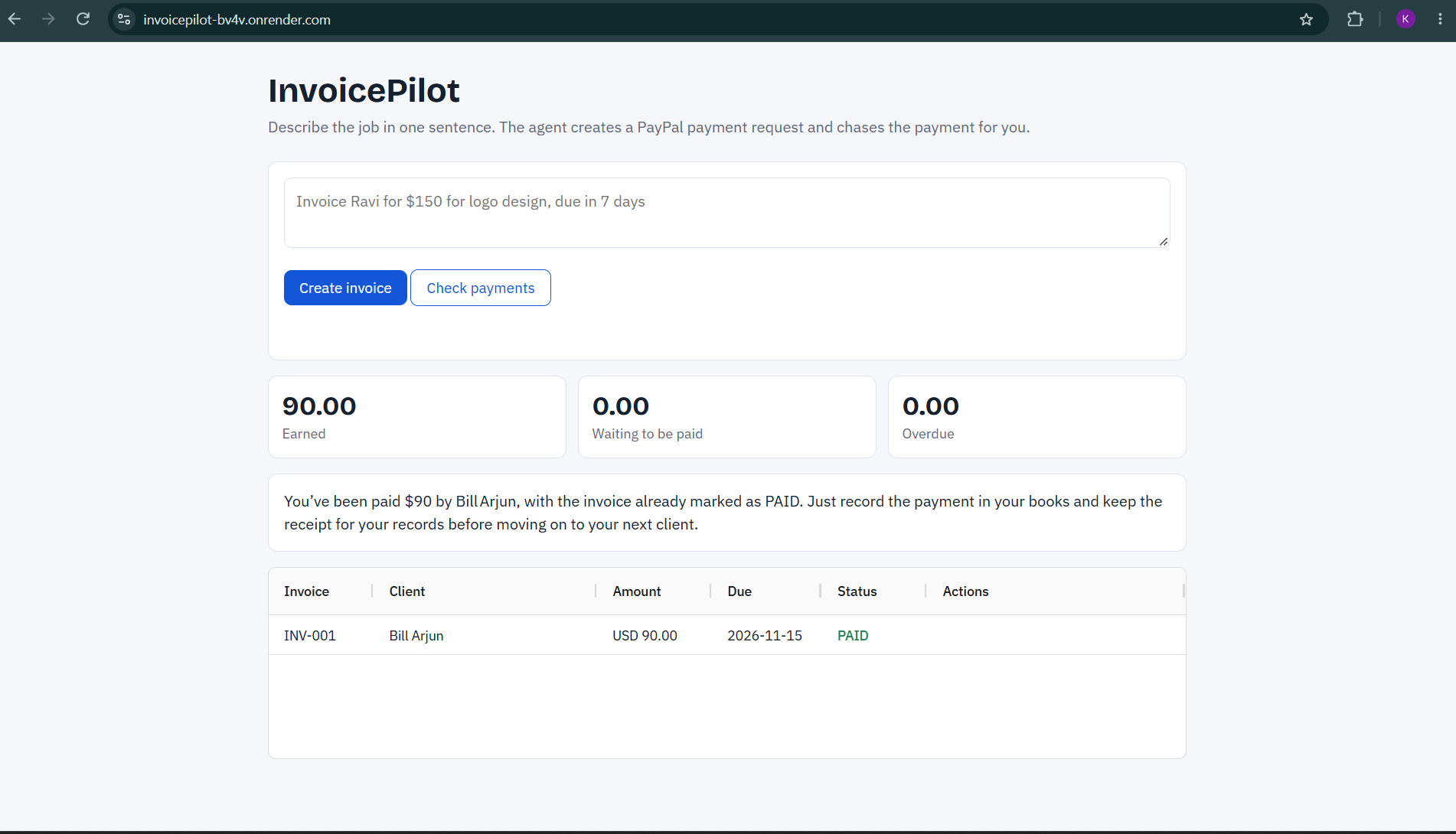
Real-time invoice dashboard showing pending payments, total earnings, and overdue invoices powered by the PayPal Orders API.
-
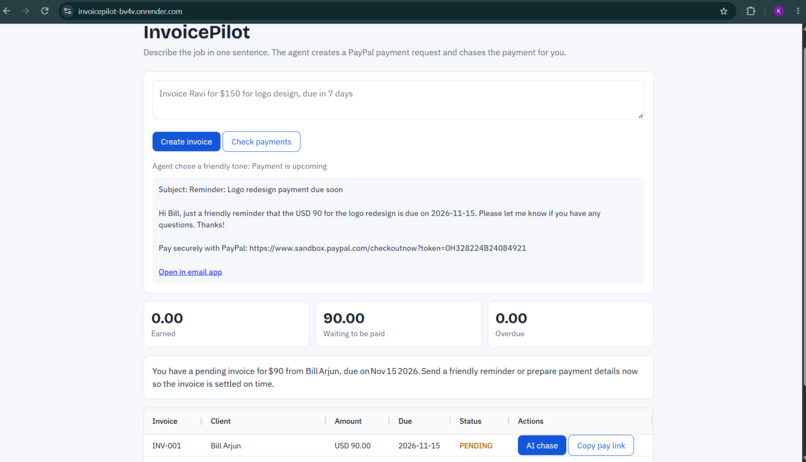
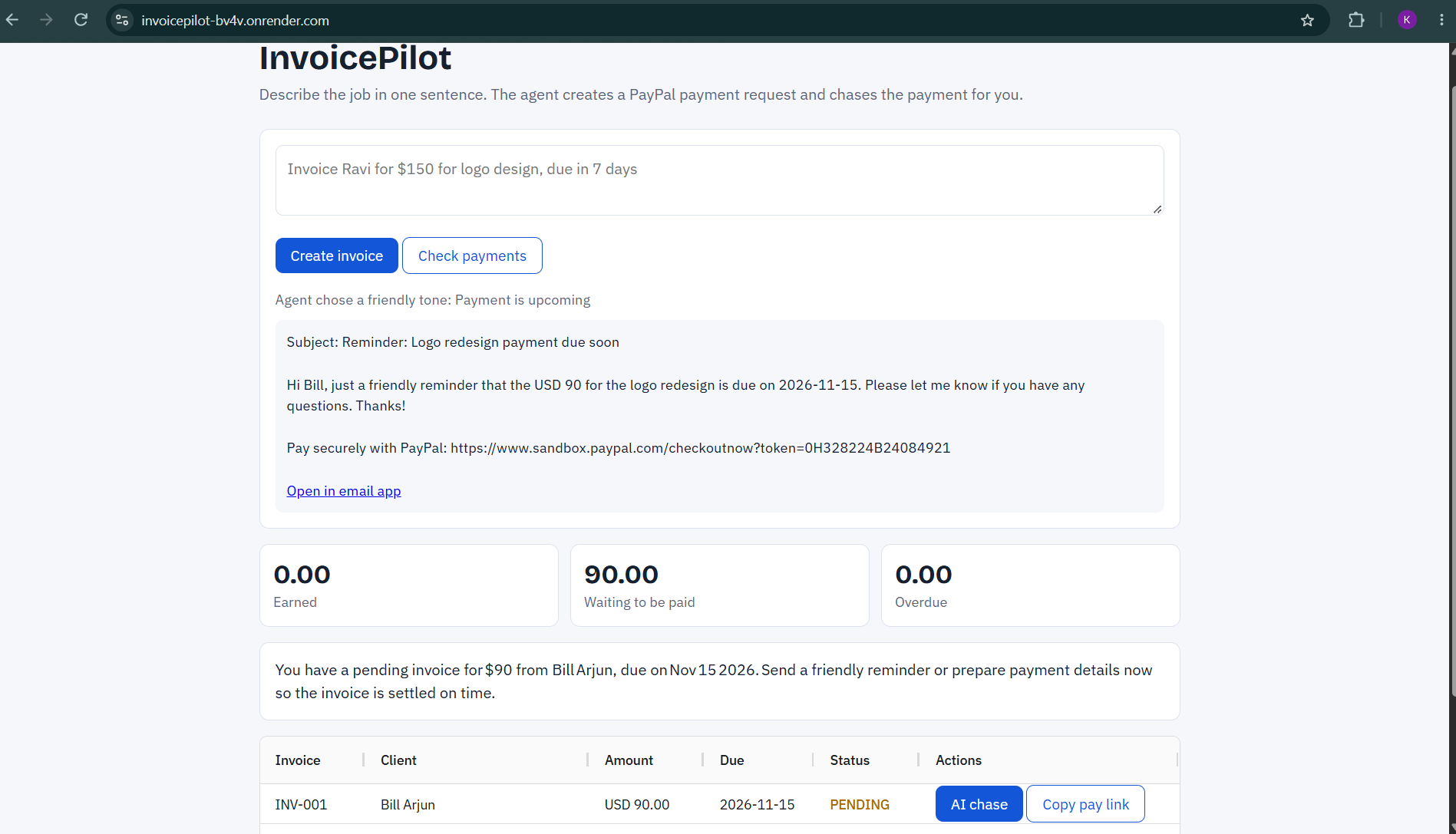
The AI agent analyzes overdue payments, selects the appropriate reminder tone, and generates personalized payment follow-up messages.
-
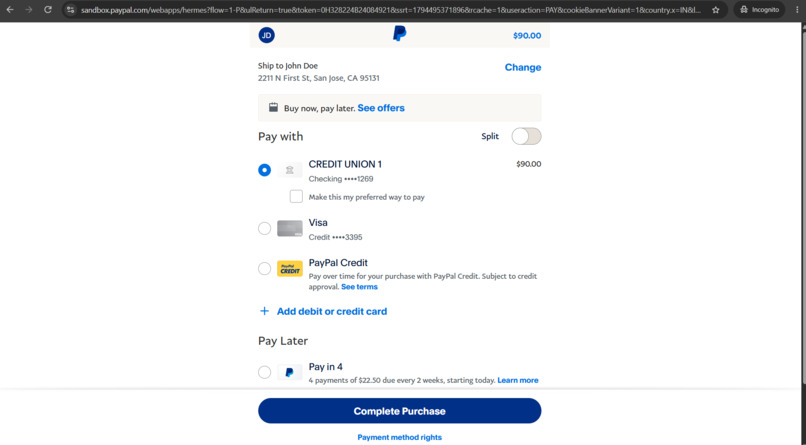
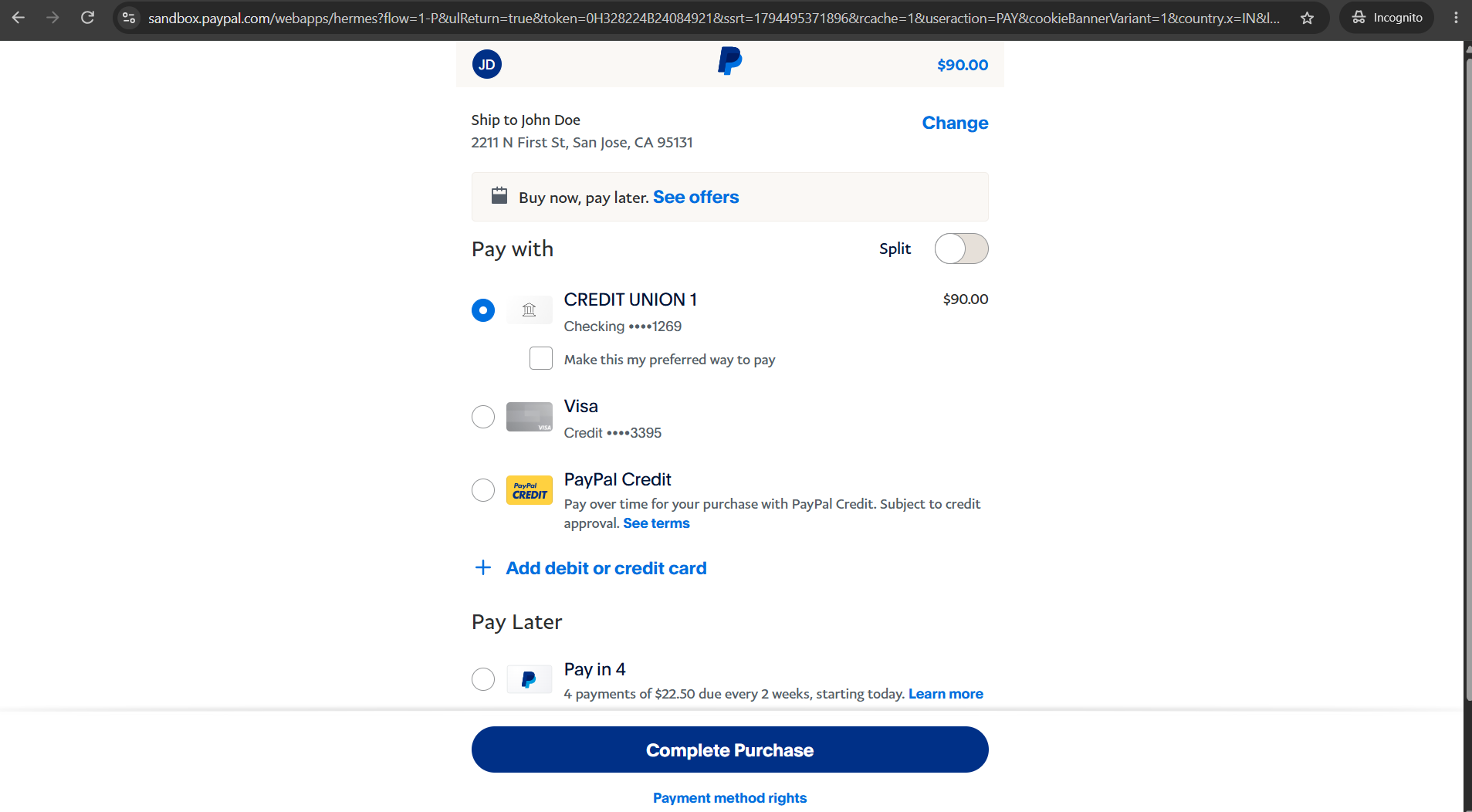
Successful PayPal sandbox payment captured automatically. Invoice status updates to PAID and total earnings are updated.
Inspiration
Freelancers and students don't lose money because they can't do the work. They lose it because chasing late payments is awkward and takes time. Writing invoices, checking who has paid, and finding the right tone for a reminder all eat into the time they should spend earning. I wanted an AI agent that handles that whole loop.
What it does
InvoicePilot turns one sentence into a PayPal payment request and then helps you get paid.
- Type one sentence, like "Invoice Ravi for $150 for logo design, due in 7 days." The AI extracts the client, amount, description and due date.
- It creates a PayPal payment request with a checkout link, using the PayPal Orders API. You send the link to your client.
- A live dashboard shows what is earned, waiting to be paid, and overdue. When a client approves the payment on PayPal, the app detects it and captures the payment automatically.
- The AI chase agent decides what to do. For an unpaid invoice it checks how late it is, picks a tone (friendly, firm or final), and writes the message with the pay link, ready to send by email.
- An AI summary tells the freelancer what to do next.
How I built it
- Backend: Node.js and Express.
- PayPal: Orders REST API (create order, check order status, capture payment), tested in the PayPal sandbox.
- AI: an open LLM (gpt-oss-120b) running on Groq, used for three jobs: parsing the sentence into structured data, choosing the reminder tone, and writing the summary.
- Frontend: plain HTML and JavaScript with an AG Grid dashboard.
- Hosting: Render.
Challenges
- My first plan used PayPal's Invoicing API, but my sandbox app didn't get the Invoicing permission. I checked the access token's permissions, then rebuilt the payment flow on the Orders API with checkout links and automatic capture.
- Getting the AI to return clean, predictable JSON so that its output could safely drive real PayPal API calls.
- Making the agent's decisions sensible, so the reminder tone matches how late the payment is.
- Learning the PayPal sandbox: test accounts, matching seller and buyer countries and currency, and how order statuses (created, approved, completed) map to paid, pending and overdue.
What I learned
- How OAuth works with PayPal's REST API, and how to read the permissions a token actually has.
- How an order moves from created to approved to captured.
- That an AI agent is most useful when it makes a decision and then prepares a real action, not just generates text.
- How to keep a project small enough to finish while making both PayPal and AI essential to it.
What's next
- Send reminders automatically on a schedule, by email or WhatsApp.
- Use PayPal's Invoicing API once available for the account.
- Multi-currency support.
- A payment-risk score for each client, based on their payment history.
Built With
- ag-grid
- ai-agents
- css3
- express.js
- gpt-oss
- groq
- html5
- javascript
- llm
- node.js
- paypal
- paypal-orders-api
- paypal-sandbox
- render
