-
-
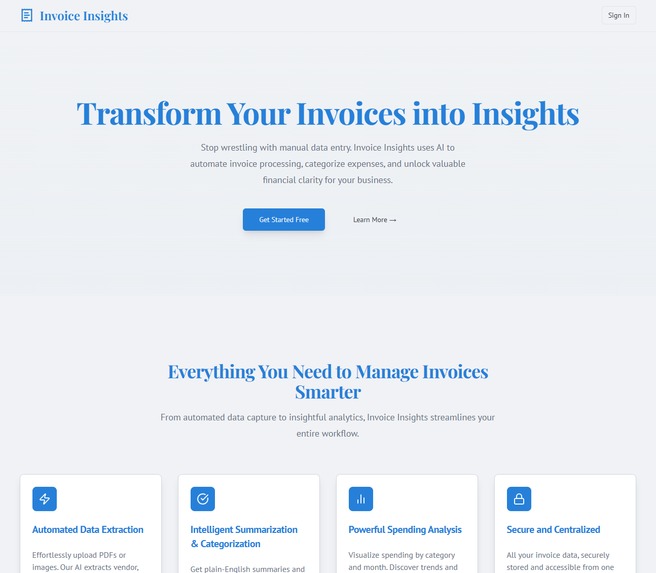
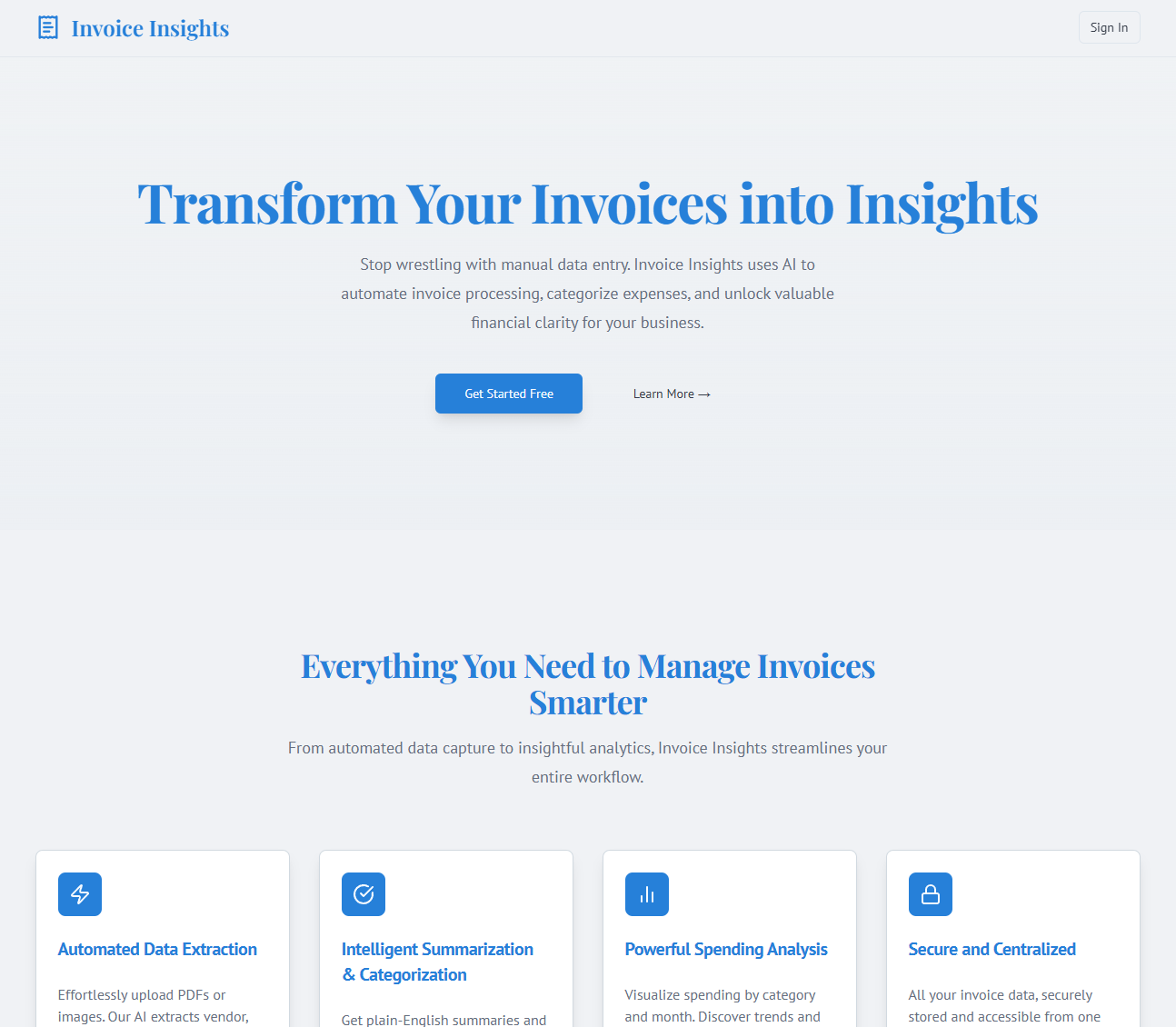
Landing Page
-
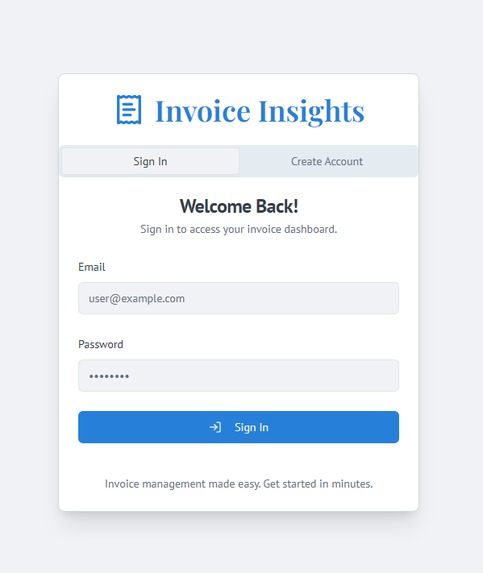
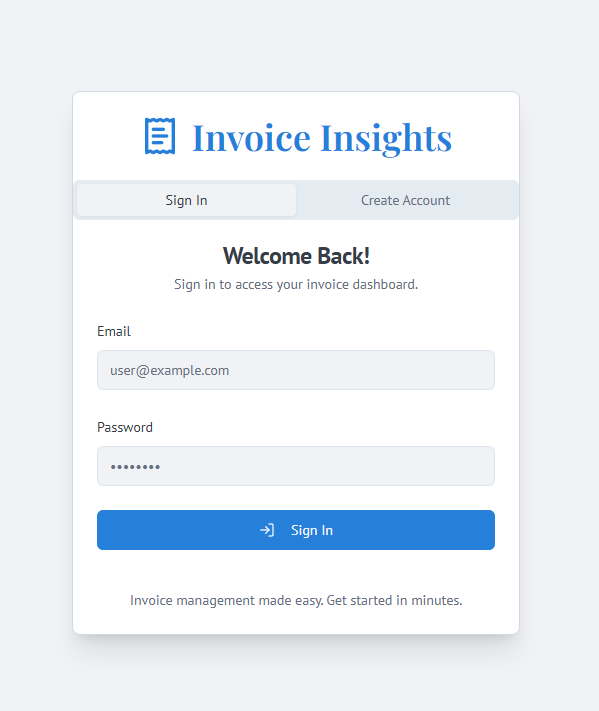
Sign Up/Login Page
-
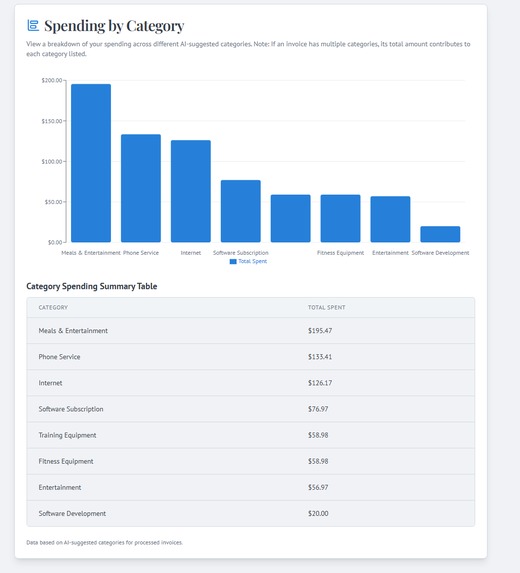
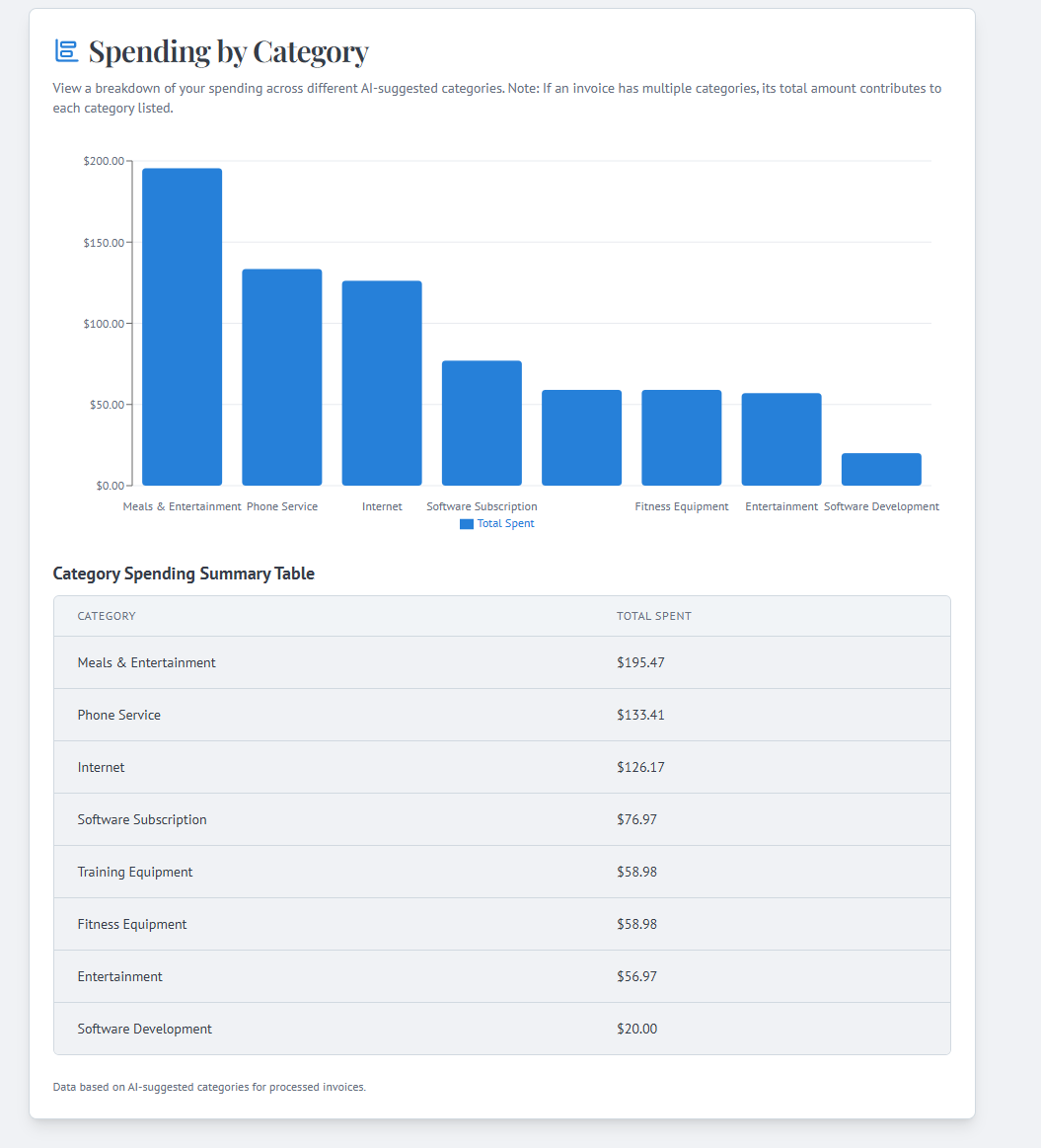
Visual Invoice Statistics
-
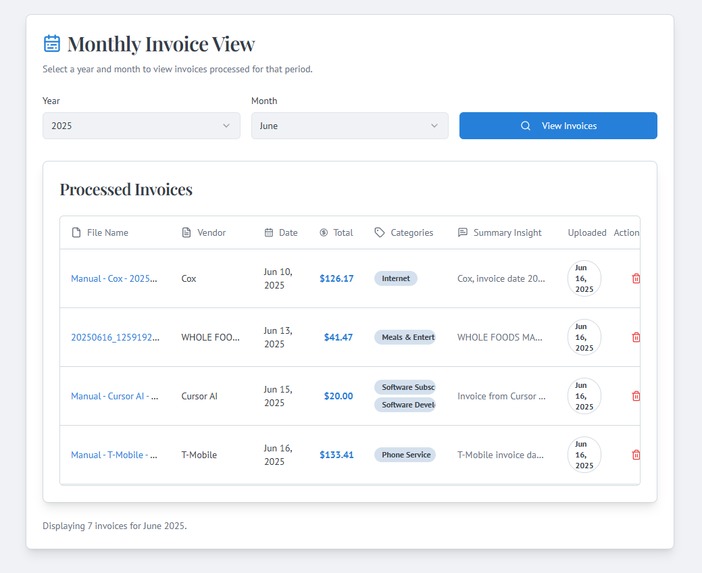
Monthly Invoice View
-
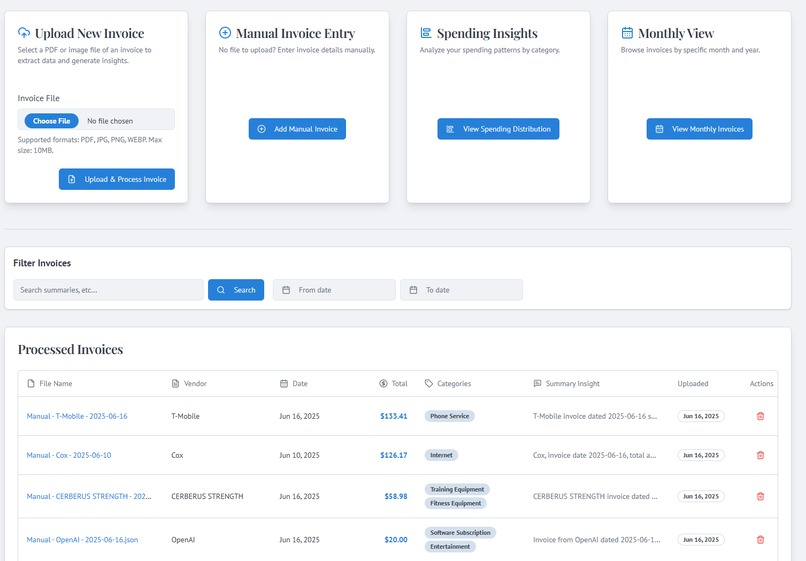
Main Dashboard
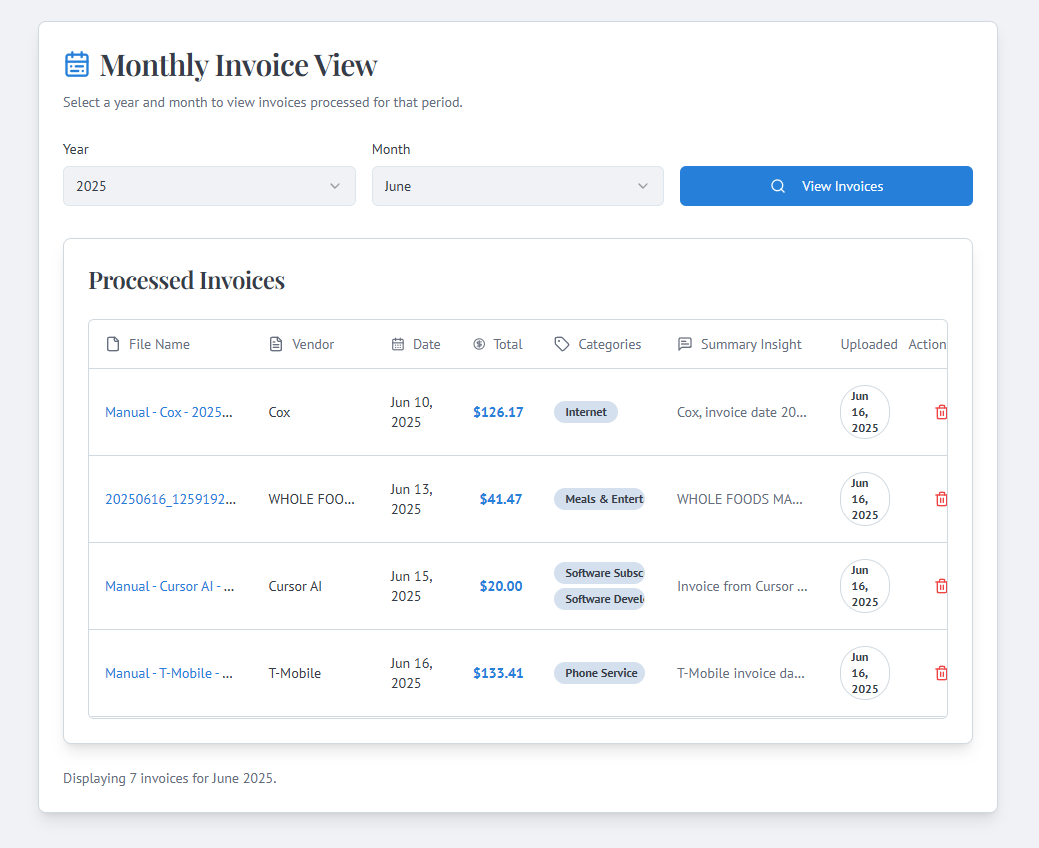
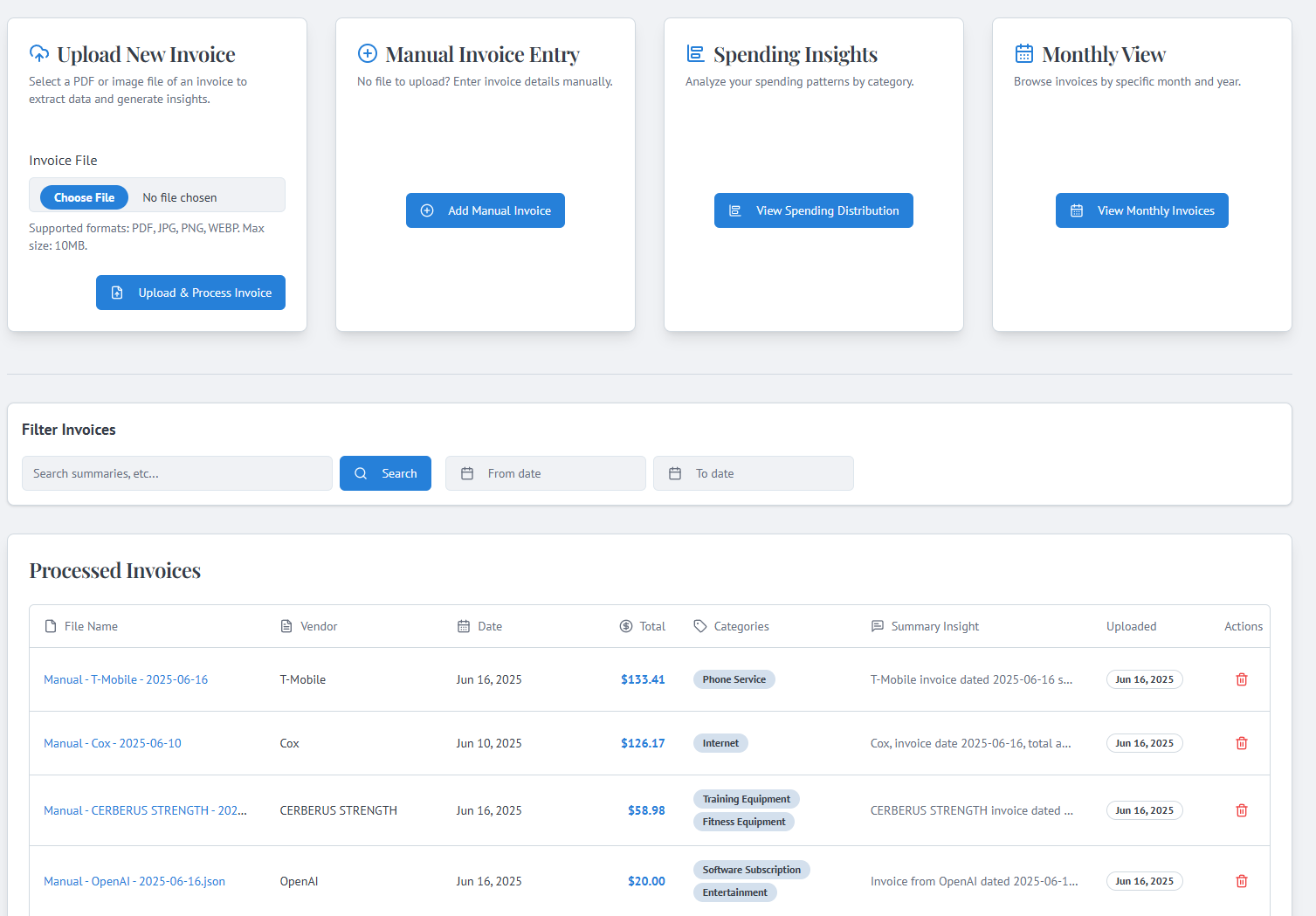
Invoice Insights: Hackathon Submission Story
Inspiration
The inspiration for "Invoice Insights" came from a common frustration: the tedious and time-consuming process of managing invoices. Many individuals and small businesses struggle with:
- Manually extracting data from PDFs and images.
- Trying to remember what each invoice was for.
- Losing track of recurring subscriptions.
- Difficulty in understanding spending patterns.
I saw an opportunity to leverage AI to automate these tasks, transforming a painful chore into a source of valuable financial clarity. The goal was to create a tool that not only digitizes invoices but also provides intelligent insights to help users manage their finances more effectively and save precious time.
What it does
Invoice Insights is an AI-powered web application designed to revolutionize invoice management. It allows users to:
Upload Invoices: Easily upload invoice PDFs or images through a clean web interface. Automated Data Extraction: Leverages AI (simulated Document AI with Genkit and Gemini) to automatically extract key information like vendor, date, total amount, and line items. Intelligent Summarization: Generates concise, plain-English summaries of each invoice's content. Smart Categorization: Suggests relevant expense categories for each invoice, which users can override. Recurrence Detection: Identifies invoices likely to be recurring monthly expenses, with an option for manual toggling. Centralized Dashboard: Displays a list of all processed invoices, showing vendor, date, total, summary, and categories at a glance. Users can search and view detailed information for each invoice. Spending Analysis: Provides a visual breakdown of spending by category. Similar Invoice Discovery: Uses vector embeddings and semantic search (via MongoDB Atlas Vector Search) to find invoices with similar content. Manual Entry & Editing: Offers flexibility by allowing manual entry of invoice data and editing of previously processed invoices. Secure User Accounts: Features user authentication to keep financial data private.
Essentially, Invoice Insights transforms raw invoice documents into organized, searchable, and insightful financial data.
How I built it
"Invoice Insights" is a full-stack web application built with a modern tech stack:
- Frontend:
- Next.js 15 (App Router): For the React framework, leveraging Server Components and Server Actions for efficient data handling and mutations.
- React & TypeScript: For building interactive UI components with type safety.
- ShadCN/UI & Tailwind CSS: For a comprehensive set of pre-built, accessible UI components and utility-first CSS styling.
- Lucide React: For icons.
- Recharts: For rendering the spending distribution bar chart.
- React Hook Form: For managing complex form state and validation.
- Backend (Server Actions & API Flows):
- Genkit (v1.x): The core AI orchestration framework, used to define and manage flows that interact with Google AI models.
- Google AI (Gemini models via Genkit):
- Document AI capabilities (simulated via Gemini Pro Vision) for extracting data from invoice images/PDFs (
extractInvoiceDataFlow). - Text generation for summarizing invoice content (
summarizeInvoiceFlow). - Text generation and classification for suggesting expense categories (
categorizeInvoiceFlow). - Text analysis for detecting likely recurring expenses (
detectRecurrenceFlow). - Generating embeddings for invoice summaries to power semantic search.
- Document AI capabilities (simulated via Gemini Pro Vision) for extracting data from invoice images/PDFs (
- Node.js (via Next.js Server Actions): For backend logic.
- Database:
- MongoDB Atlas: Used as the primary database to store user accounts, invoice metadata, extracted data, AI-generated summaries, categories, and embeddings.
- MongoDB Atlas Vector Search: Implemented to find similar invoices based on the semantic similarity of their summary embeddings.
- File Storage:
- Google Cloud Storage (GCS): To securely store uploaded invoice files (PDFs/images).
- Authentication:
- Custom email/password authentication implemented using bcrypt for password hashing and MongoDB for user storage, managed via Server Actions and React Context.
- Deployment (Conceptual):
- Designed with Firebase App Hosting in mind (as per Firebase Studio environment).
Key Architectural Decisions:
- Server Actions for Mutations: I opted for Next.js Server Actions for all data mutations (uploads, manual entries, updates, deletions) to simplify the client-server interaction and keep data handling close to the server.
- Genkit for AI Orchestration: Using Genkit allowed for structured AI flows, making it easier to manage prompts, input/output schemas, and interactions with different AI models.
- MongoDB for Flexibility and Vector Search: MongoDB's flexible schema was suitable for storing diverse invoice data, and its Atlas Vector Search capability was crucial for the "similar invoices" feature.
- Decoupled AI Flows: Each AI task (extraction, summarization, categorization, recurrence detection) was implemented as a separate, reusable Genkit flow, promoting modularity.
Challenges I ran into
- Prompt Engineering for Invoice Data Extraction: Reliably extracting structured data (vendor, date, total, line items) from diverse invoice formats using a general vision model like Gemini Pro Vision was challenging. It required careful prompt engineering and accepting that the AI might not always be perfect, leading to the inclusion of manual entry and editing features as essential complements.
- Managing Asynchronous Operations & State with Server Actions: Integrating Server Actions, especially those involving multiple AI calls and database operations, with client-side state updates (using
useActionStateandReact.startTransition) required careful handling to ensure UI responsiveness and correct error reporting. - Invoice Schema Design: Deciding on a comprehensive yet flexible schema for invoices that could accommodate both AI-extracted data and user-entered/edited data, including fields like embeddings and AI-suggested categories, took several iterations.
- Implementing Vector Search: Setting up and correctly querying the MongoDB Atlas Vector Search index involved understanding how to generate query vectors and structure the aggregation pipeline for optimal results.
- UI Consistency for Edit vs. Create Modes: Ensuring the
ManualInvoiceFormbehaved consistently and correctly pre-filled data when switching between "create" and "edit" modes, especially with dynamic fields like line items and categories, required careful state management andreact-hook-formusage. - User Experience for AI-Generated Content: Balancing AI automation with user control was key. For instance, allowing users to override AI-suggested categories or manually mark recurrence was an important design choice made after realizing AI isn't infallible.
- Debugging
useActionState: Understanding the nuances ofuseActionStateand ensuring the action dispatch function and state were correctly passed and handled between parent and child components (especially with theManualInvoiceForm) took some debugging to resolve issues like "Cannot read .then of undefined".
Accomplishments that I'm proud of
- Comprehensive AI Integration: Successfully integrating multiple Genkit AI flows (extraction, summarization, categorization, recurrence detection, embeddings) to create a truly intelligent application.
- Full-Stack Development: Building a complete, functional full-stack application using Next.js (App Router, Server Components, Server Actions), React, TypeScript, and MongoDB.
- Semantic Search Implementation: Implementing vector search with MongoDB Atlas to provide a powerful "similar invoices" feature, going beyond simple keyword matching.
- User-Centric Design: Creating a clean, responsive UI with ShadCN/UI and Tailwind CSS that prioritizes user experience, including features like manual overrides and clear data presentation.
- Robust Data Handling: Developing a system that can handle file uploads, AI processing, database storage, and data editing with reasonable error handling.
- Learning and Adapting: Overcoming the challenges, especially in prompt engineering and asynchronous state management, demonstrated a strong learning curve and adaptability.
- Delivering a Feature-Rich MVP: Within the hackathon timeframe, developing a Minimum Viable Product with a significant set of core features that address a real-world problem.
What I learned
This project was a fantastic learning experience, particularly in:
- Integrating Generative AI (Genkit & Google AI): I dived deep into using Genkit with Google's Gemini models for complex tasks like data extraction from documents, natural language summarization, categorization, and semantic search through embeddings. I learned how to craft effective prompts and structure AI flows for reliable outputs.
- Full-Stack Next.js Development: Building a complete application with Next.js (App Router, Server Components, Server Actions) reinforced my understanding of modern web development practices.
- MongoDB for Data Persistence: I utilized MongoDB for storing user data and invoice information, including setting up a vector search index for similarity searches on invoice summary embeddings. This involved learning about schema design for NoSQL and specific MongoDB aggregation pipeline features for vector search and data analysis.
- Google Cloud Services Integration: I integrated Google Cloud Storage (GCS) for secure file storage and Google AI Platform (Vertex AI via Genkit) for the core AI functionalities.
- Component-Based UI with ShadCN/UI & Tailwind CSS: I focused on building a clean, responsive, and user-friendly interface using pre-built ShadCN components and styling them with Tailwind CSS, adhering to a specific design language.
- State Management & Authentication: Implementing robust user authentication and managing application state with React Context and
useActionStatefor server actions provided practical experience in building secure and interactive applications. - Iterative Development & Debugging: The process of building, testing, and refining features, especially when integrating AI, taught me the importance of iterative development and effective debugging strategies for both frontend and backend issues.
What's next for Invoice Insights
While Invoice Insights is a strong MVP, there are many exciting avenues for future development:
- Advanced Analytics & Reporting: Introduce more sophisticated dashboards showing spending trends over time, vendor-specific analytics, and budget vs. actual comparisons.
- Budgeting Features: Allow users to set budgets for different categories and track their progress.
- Automated Invoice Fetching: Integrate with email providers (with user permission) to automatically pull in new invoices.
- Payment Reminders: Notify users of upcoming due dates for their invoices.
- Direct Integrations: Connect with popular accounting software (e.g., QuickBooks, Xero) for seamless data export.
- AI Confidence Scores: Display confidence levels for AI-extracted data, allowing users to quickly identify fields that might need review.
- Enhanced OCR/Extraction: Explore dedicated OCR solutions or more specialized Document AI models for even higher accuracy in data extraction.
- Mobile Application: Develop a companion mobile app for on-the-go invoice capture and viewing.
- Team Collaboration Features: Allow multiple users within an organization to manage invoices.
- Bulk Operations: Enable users to perform actions like categorizing or deleting multiple invoices at once.
These enhancements would further solidify Invoice Insights as an indispensable tool for managing business and personal finances.
Built With
- firebase-studio
- gemini-pro-vision-via-genkit)-*-**database:**-mongodb-atlas
- genkit
- google-ai
- google-cloud
- lucide
- mongodb
- mongodb-atlas-vector-search-*-**cloud-services:**-google-cloud-storage-(gcs)-*-**authentication:**-bcrypt.js-(for-password-hashing)
- node.js
- node.js-*-**frontend-frameworks/libraries:**-next.js-15-(app-router)
- react
- react-hook-form-*-**backend-&-ai-frameworks:**-genkit-(v1.x)-*-**ai-services-&-apis:**-google-ai-(gemini-pro
- recharts
- recharts-(charts)
- shadcn/ui
- tailwind
- tailwind-css-*-**frontend-ui-components-&-utilities:**-lucide-react-(icons)
- typescript


Log in or sign up for Devpost to join the conversation.