-
-

Login page
-
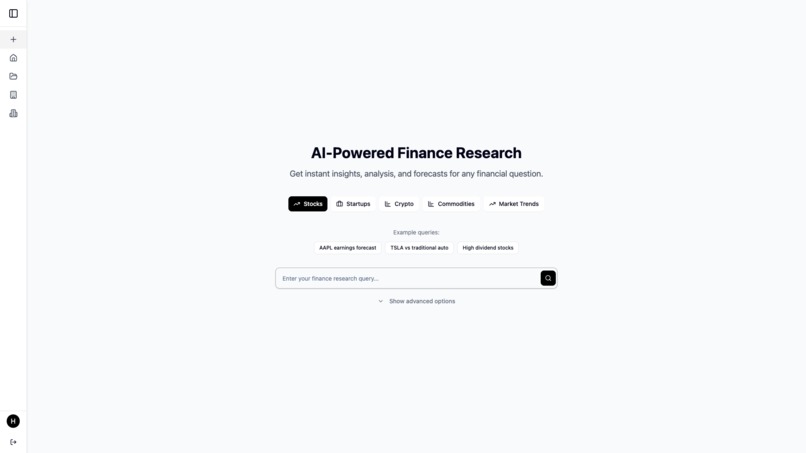
New research page
-
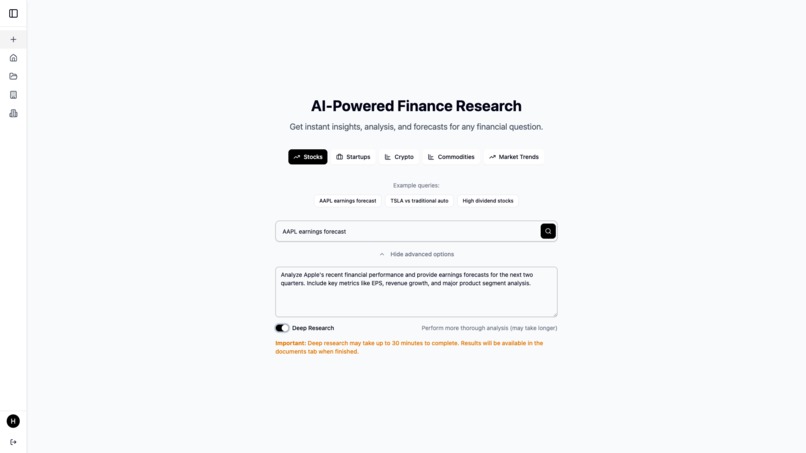
New research page with information prefilled
-
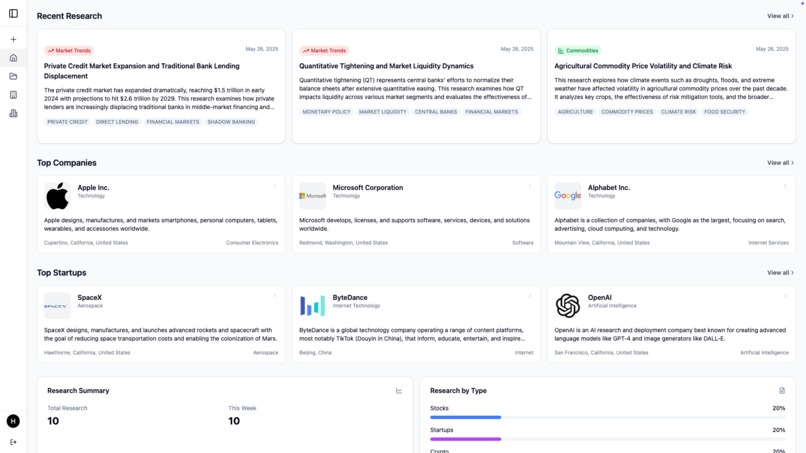
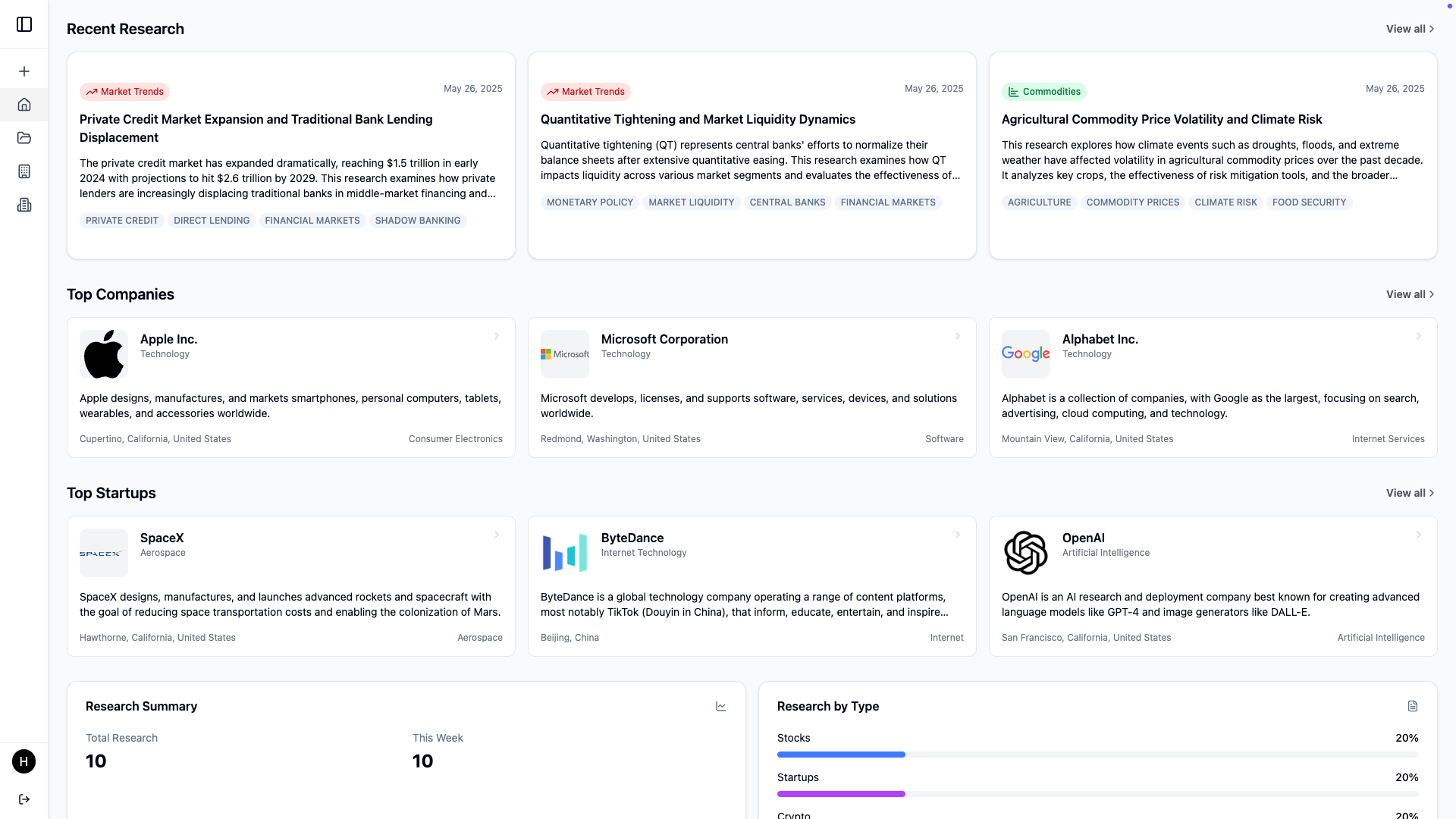
Home page which shows researches, top companies, top startups and stats
-
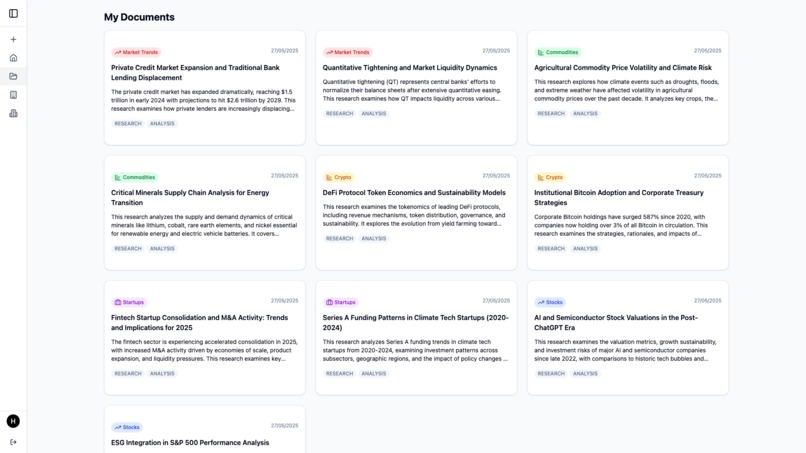
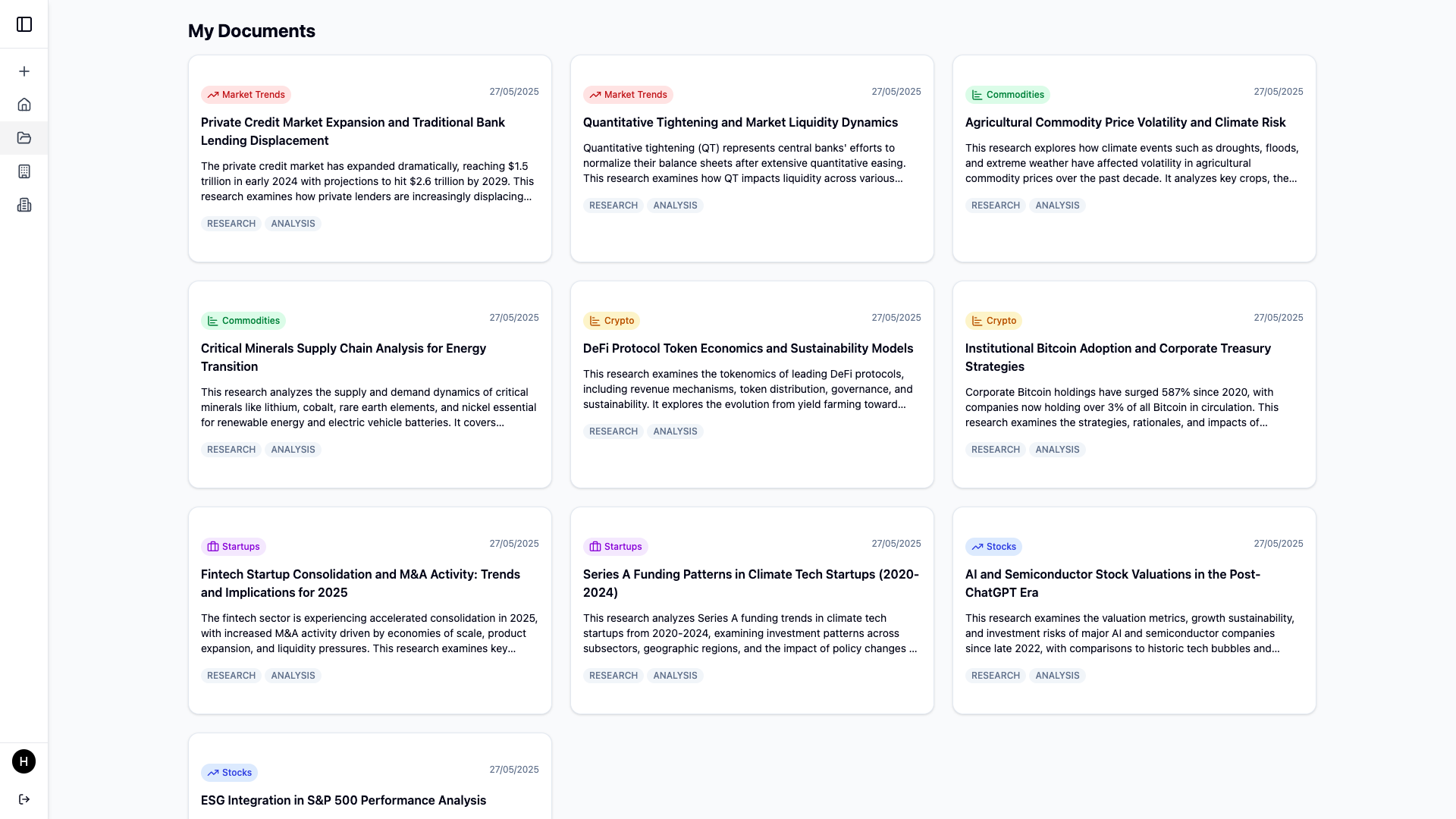
Researches page which shows the researches done by the user
-
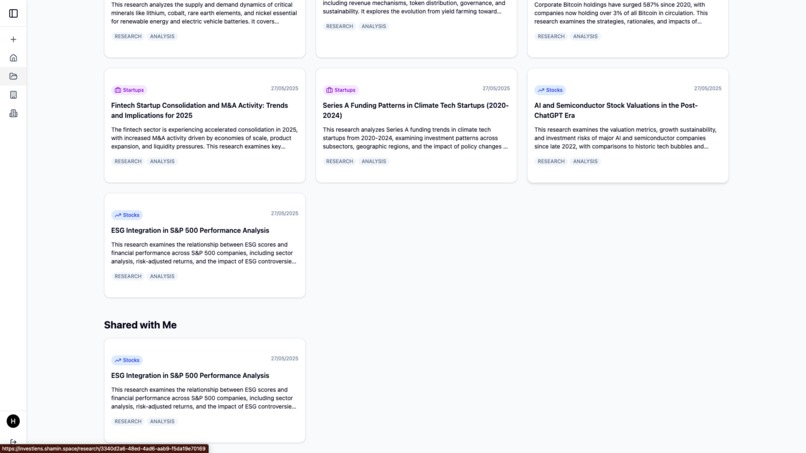
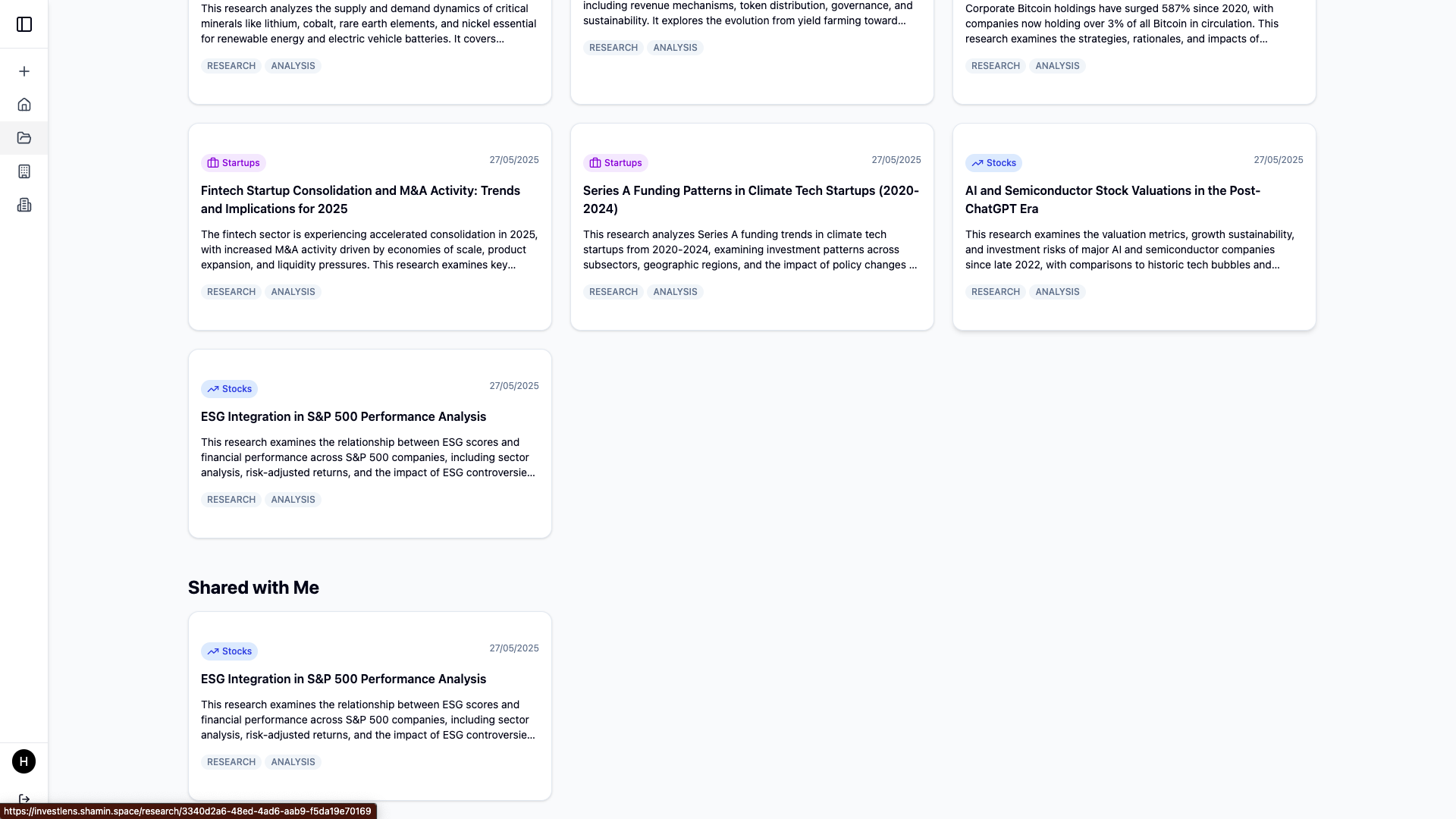
Researches page also shows the shared researches
-
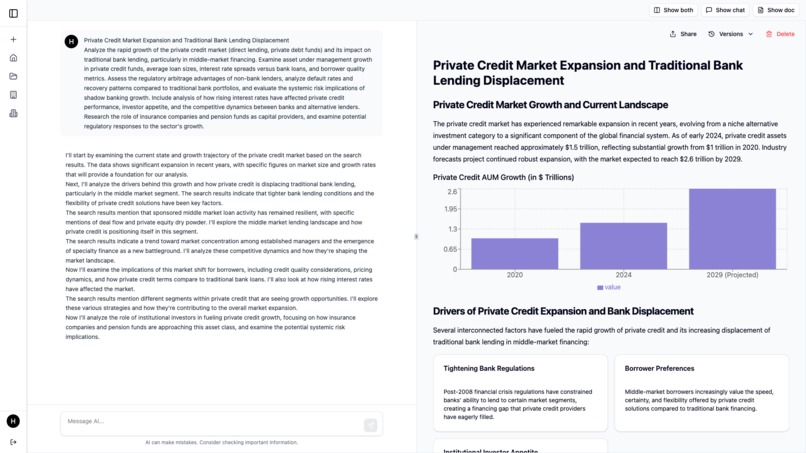
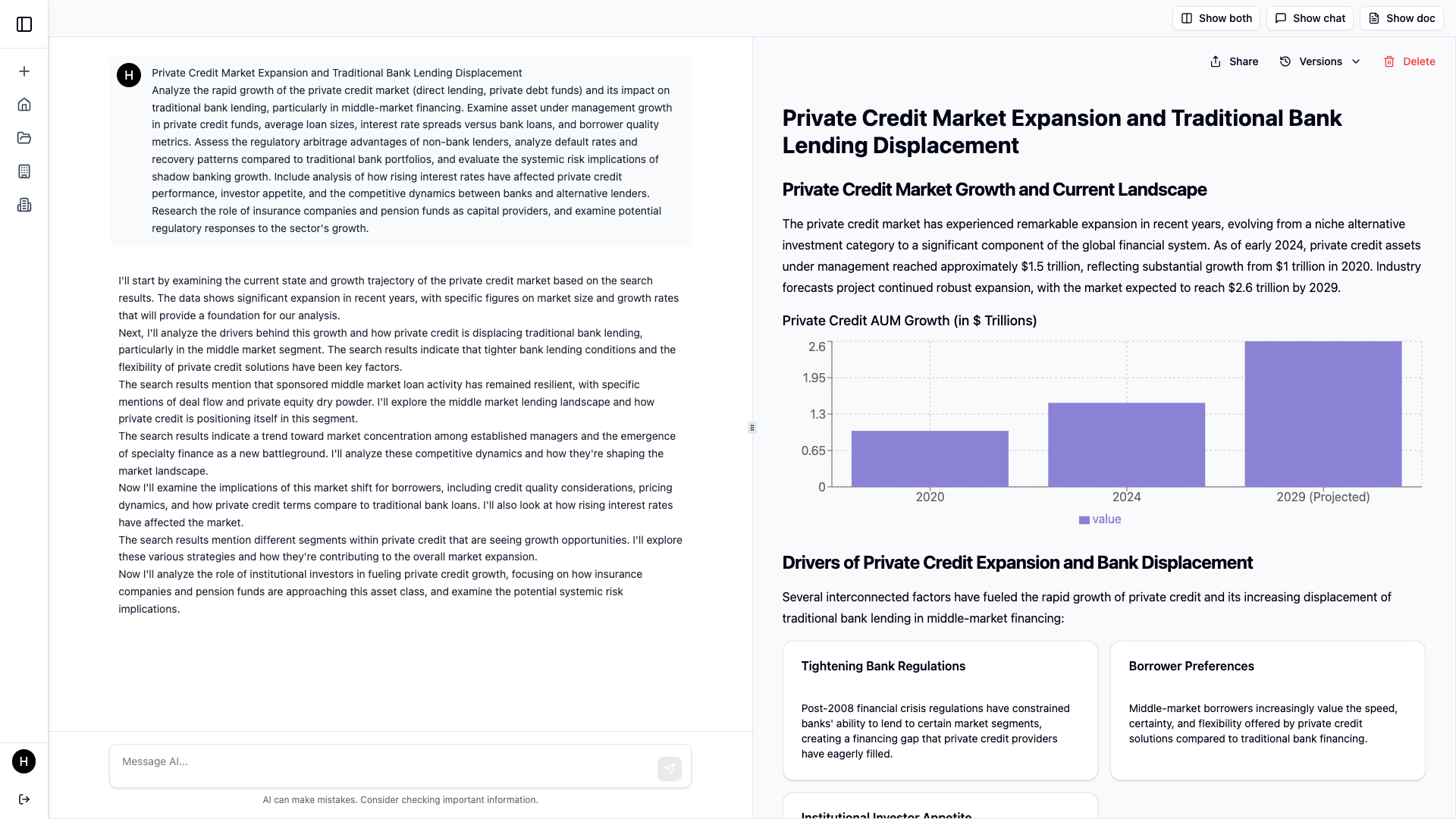
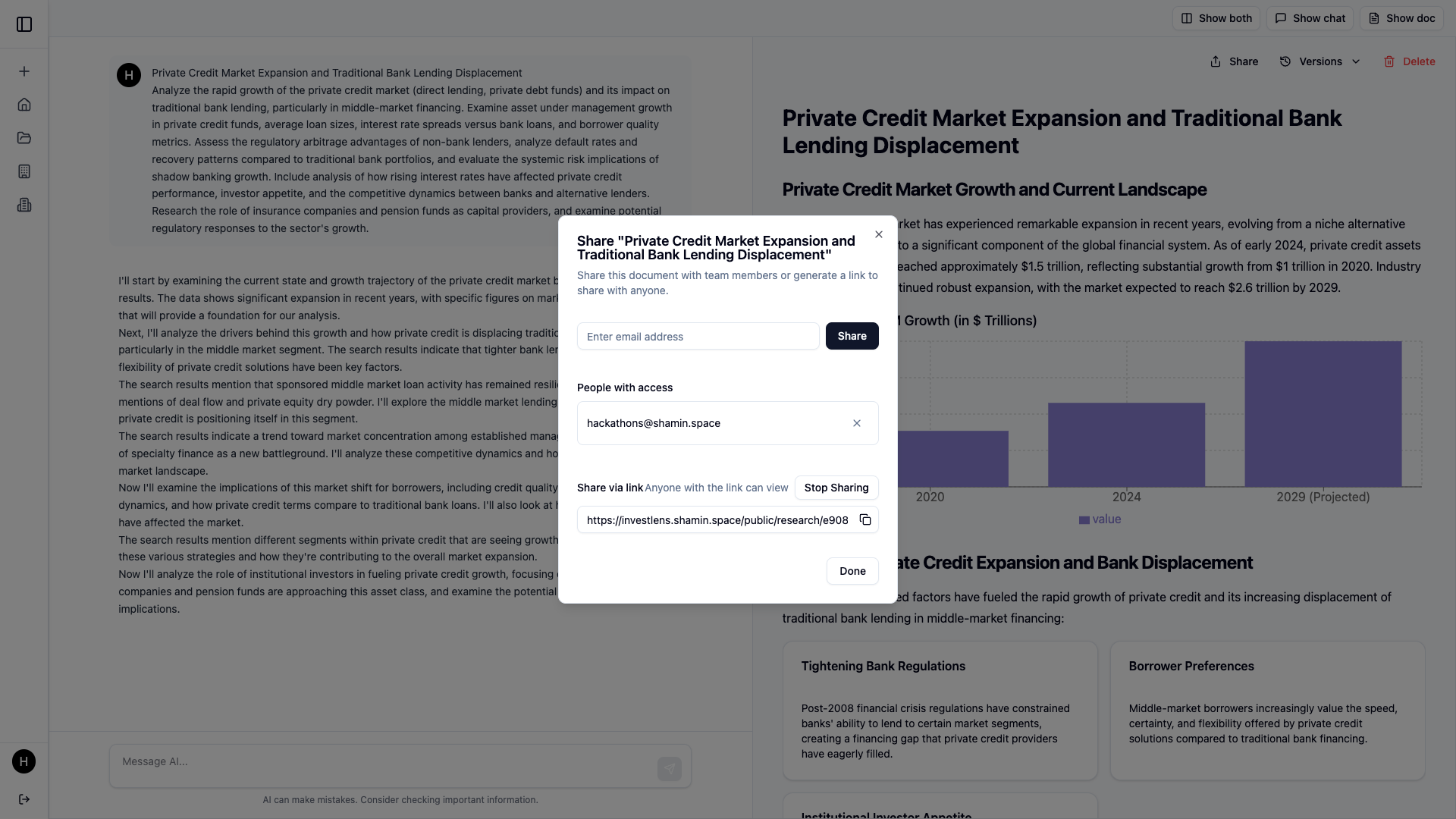
Research document page which shows the interaction and the document created
-
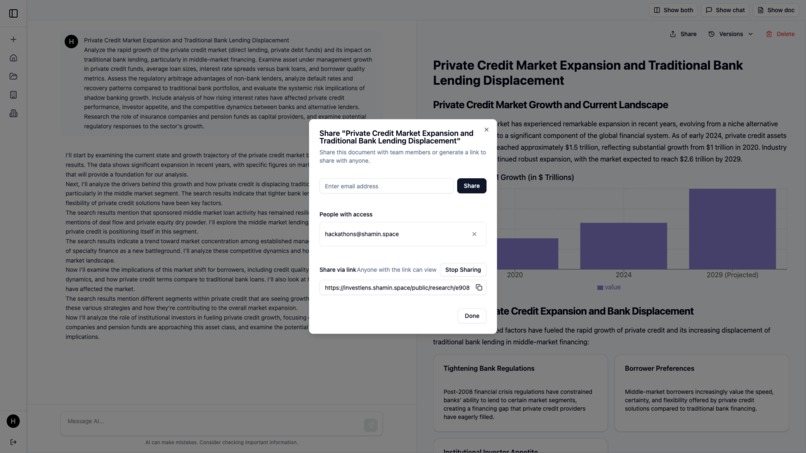
Popup which can be used to share document with other users
-
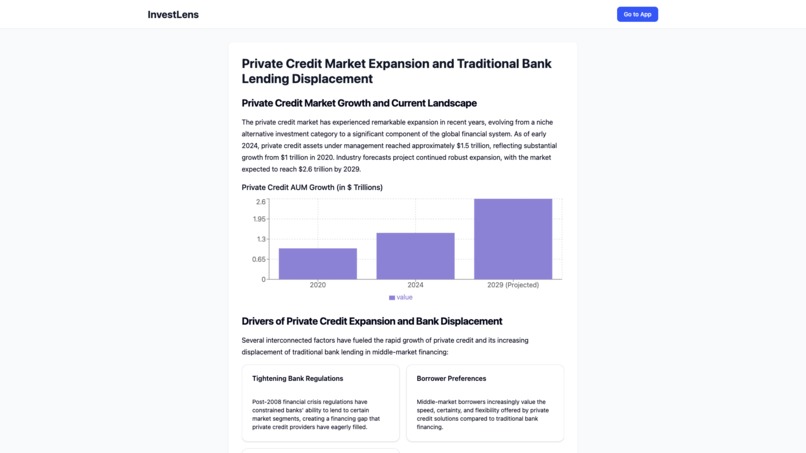
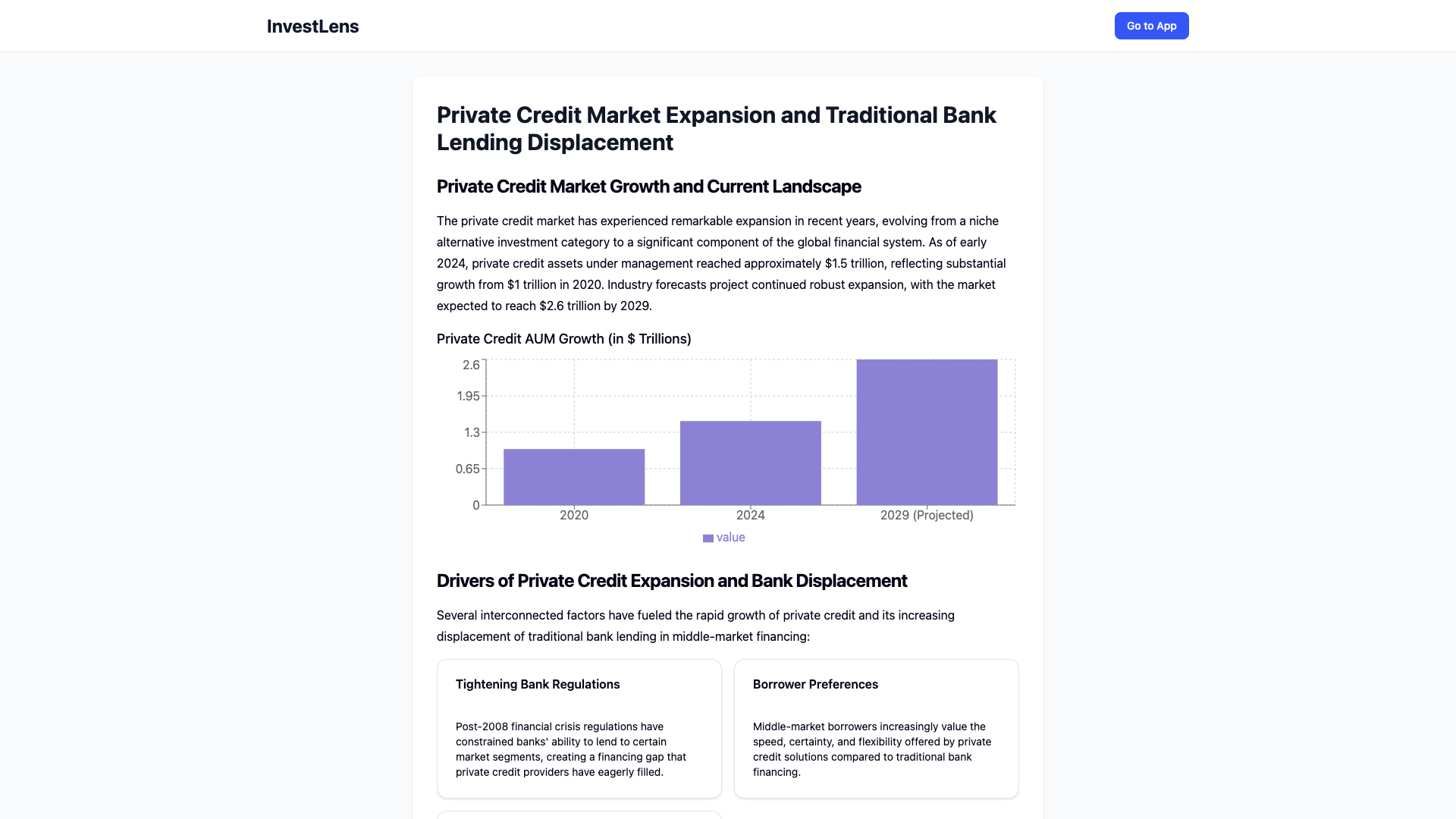
Public document view
-
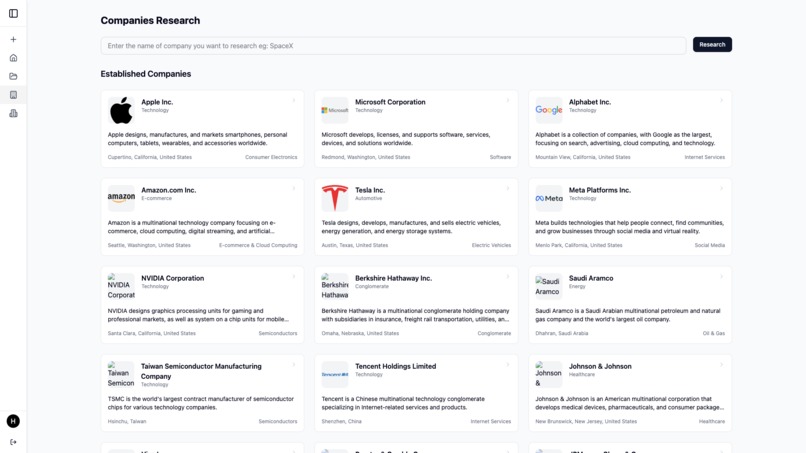
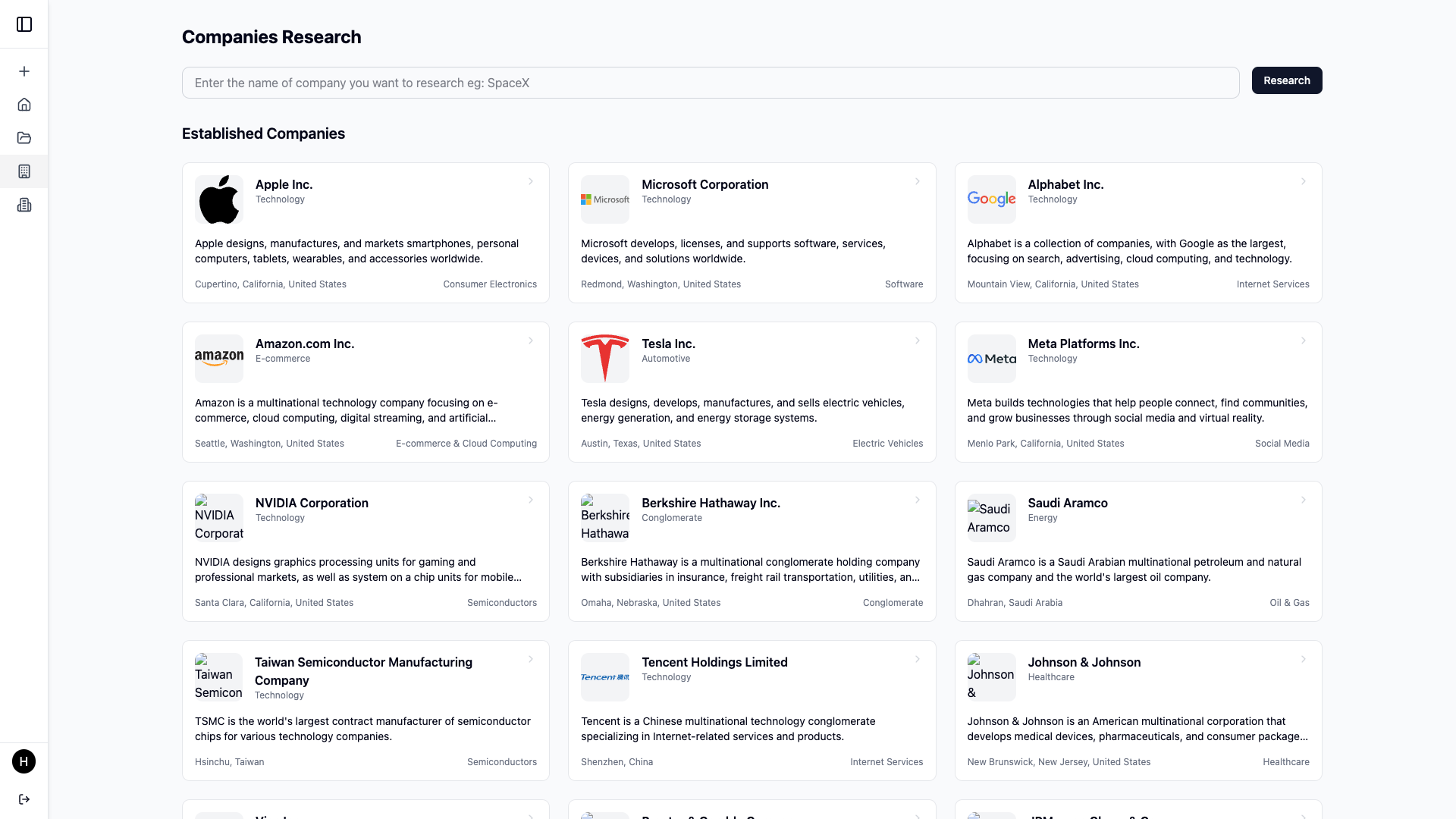
Companies research view
-
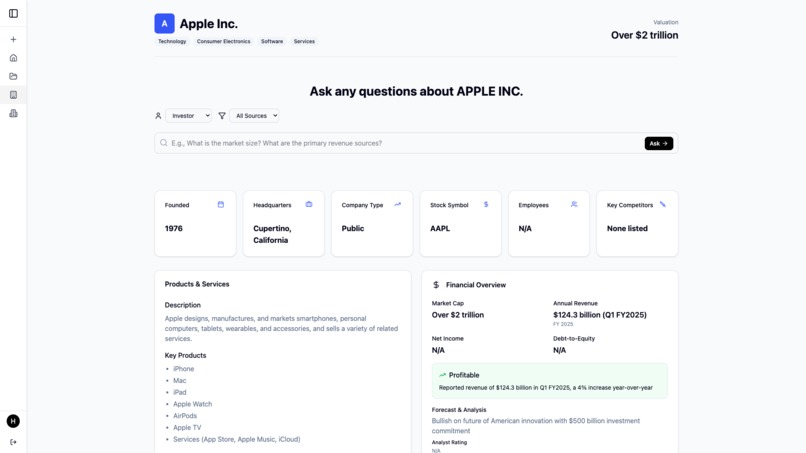
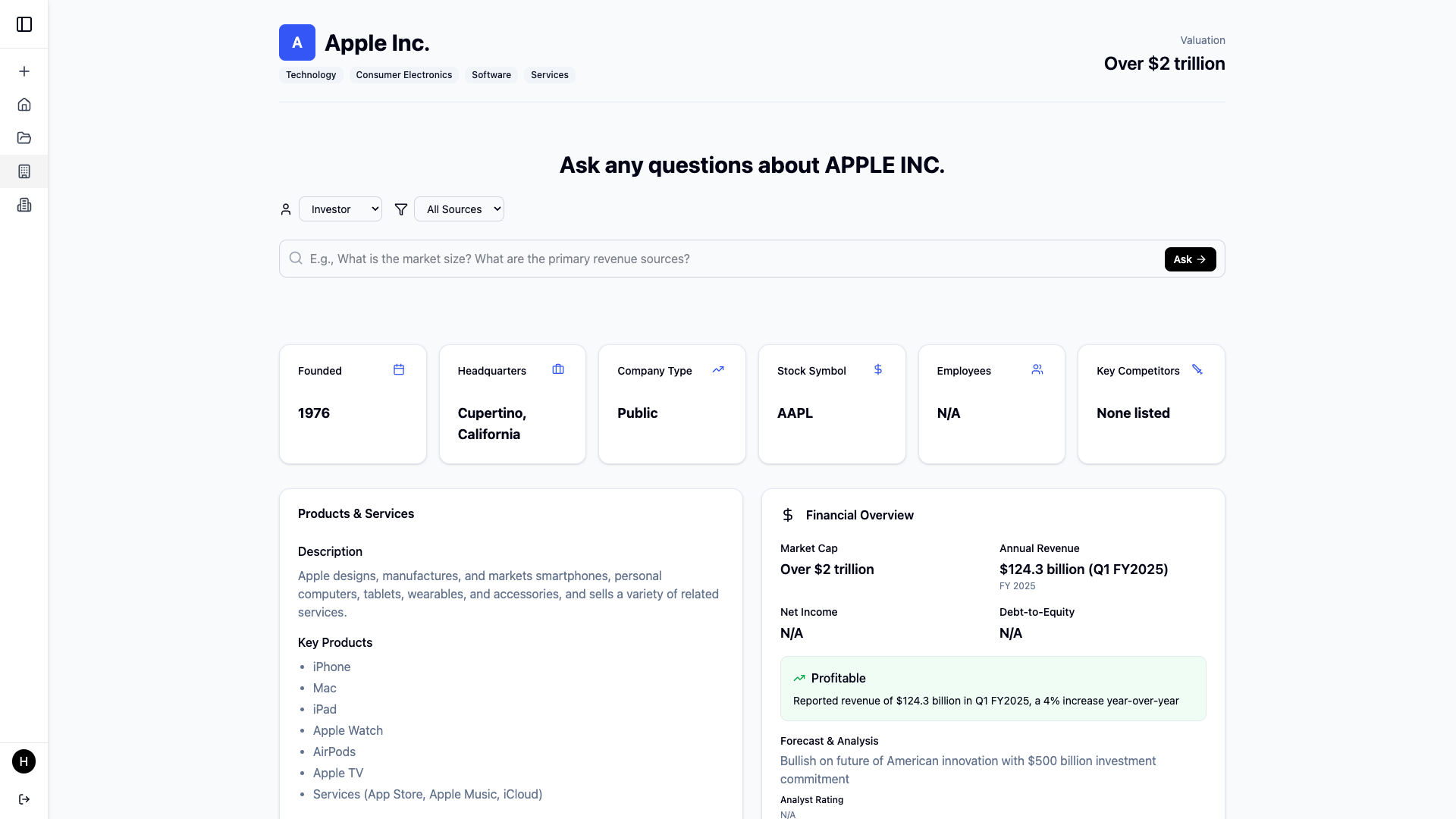
Company research detail view
-
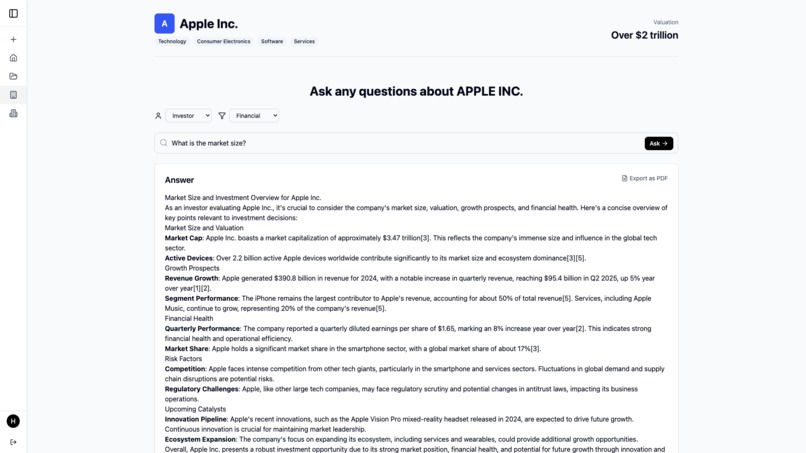
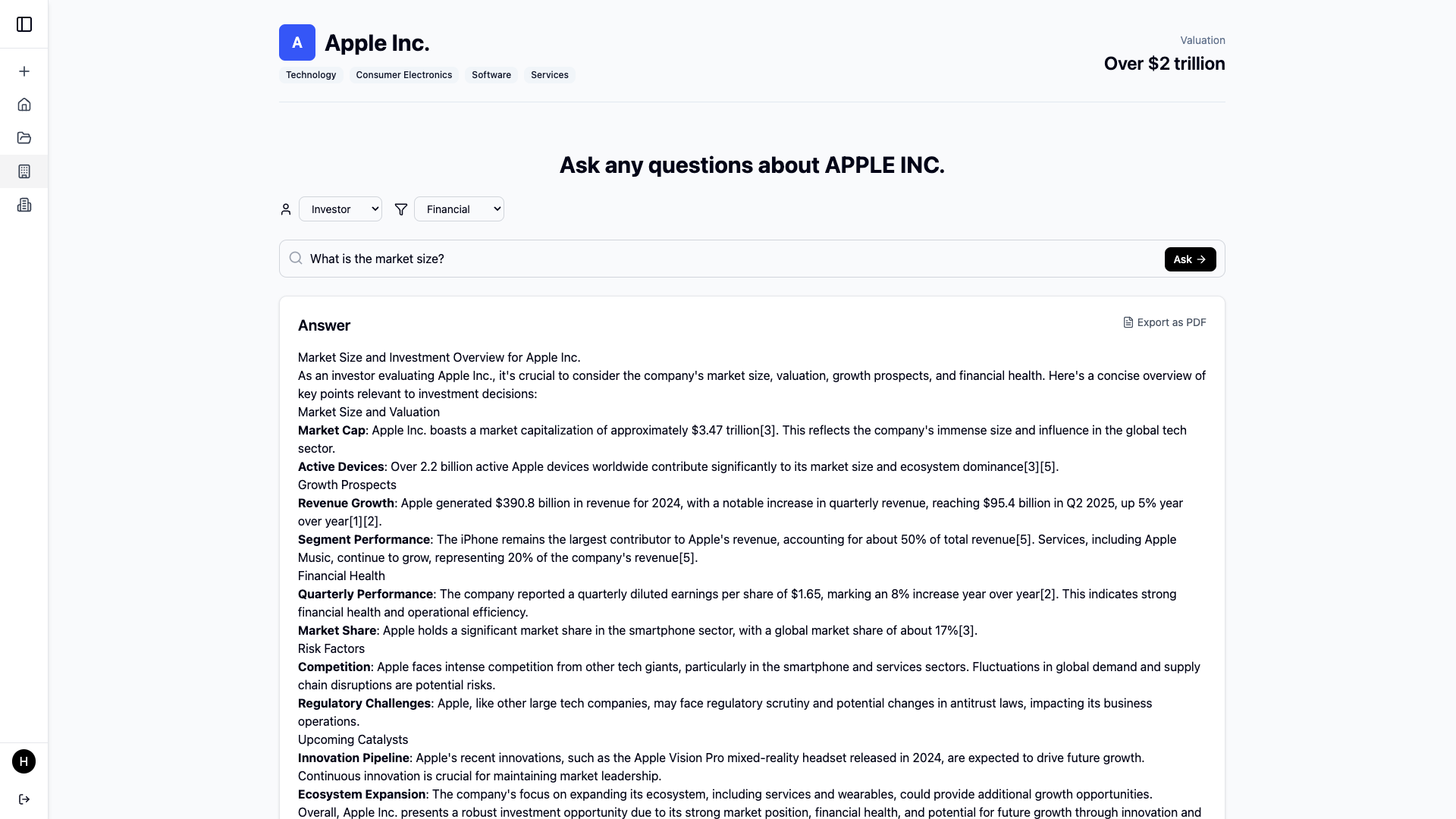
Company research detail view with a question and answer
-
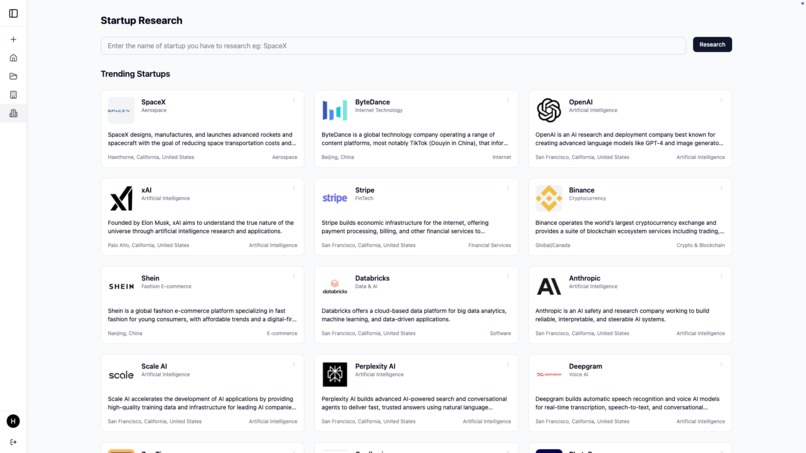
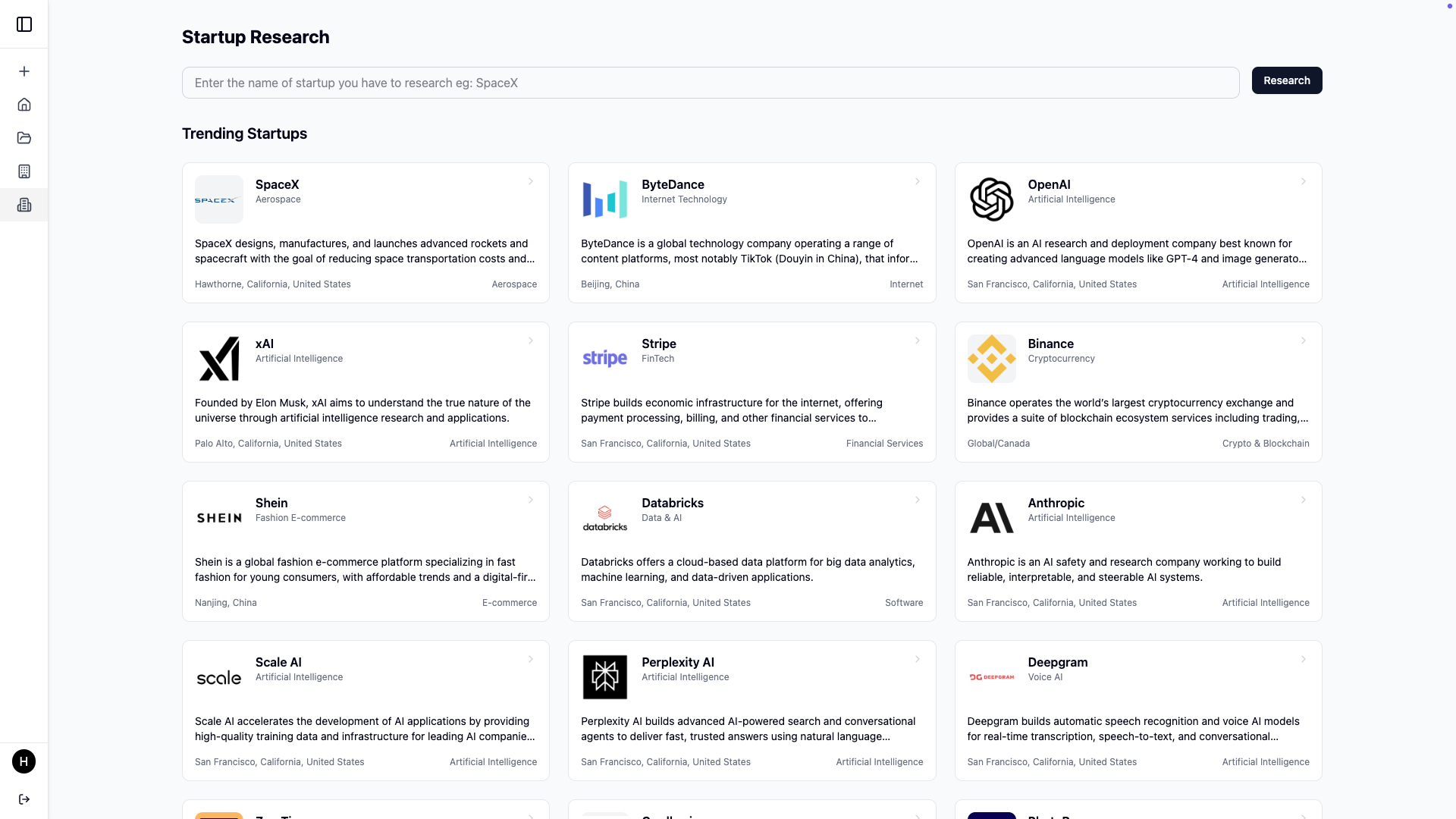
Startups research view
-
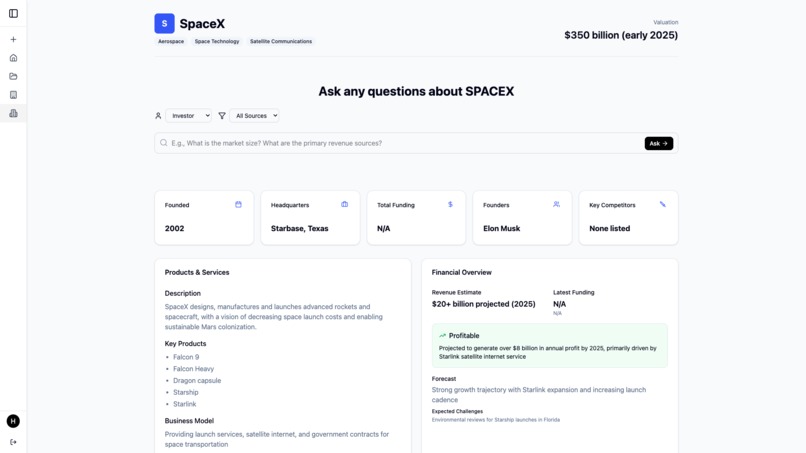
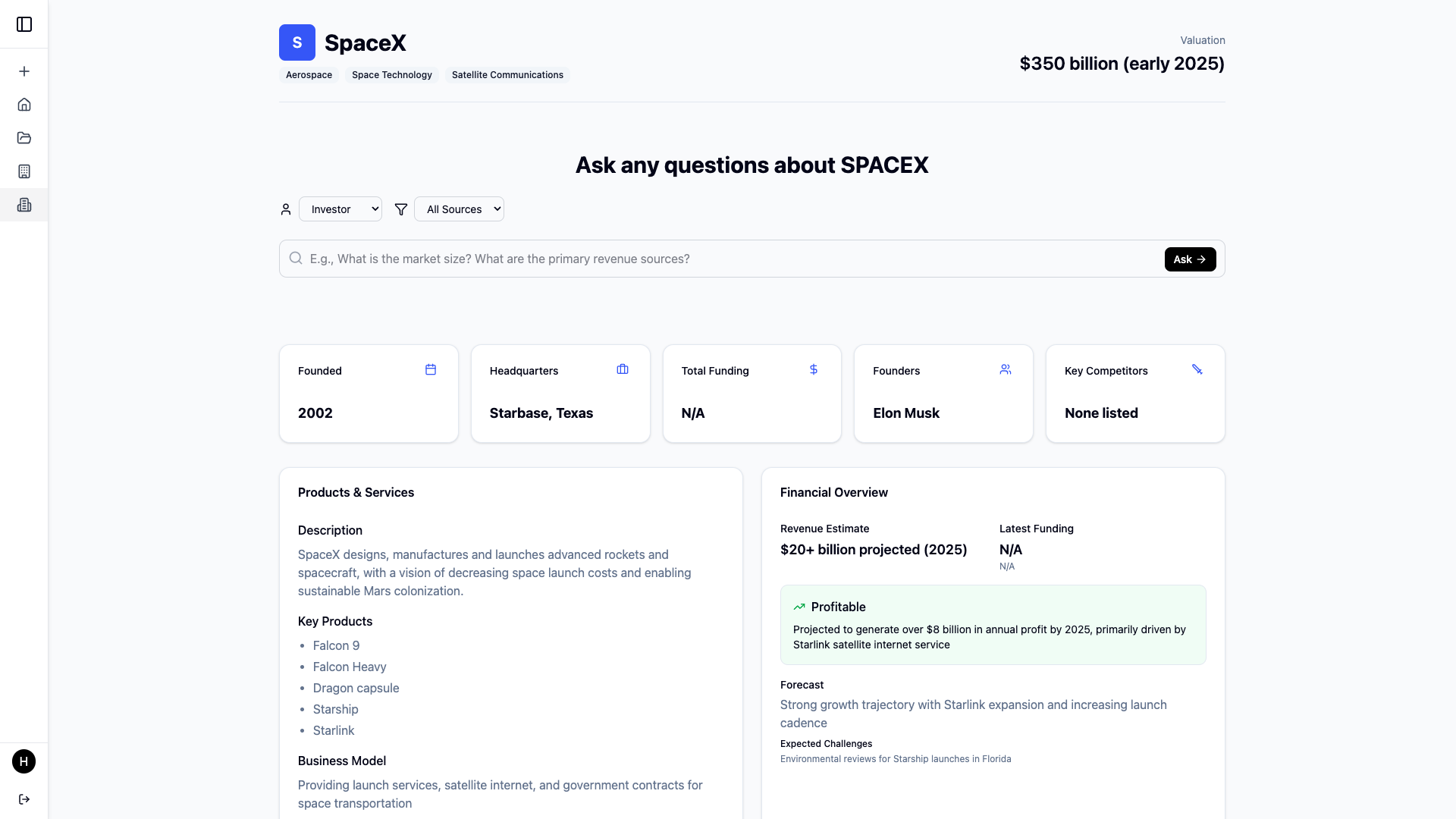
Startup due diligence detail view
-
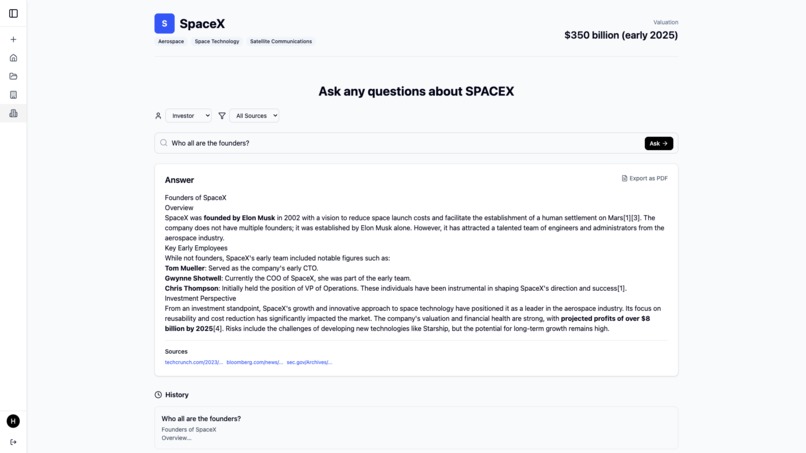
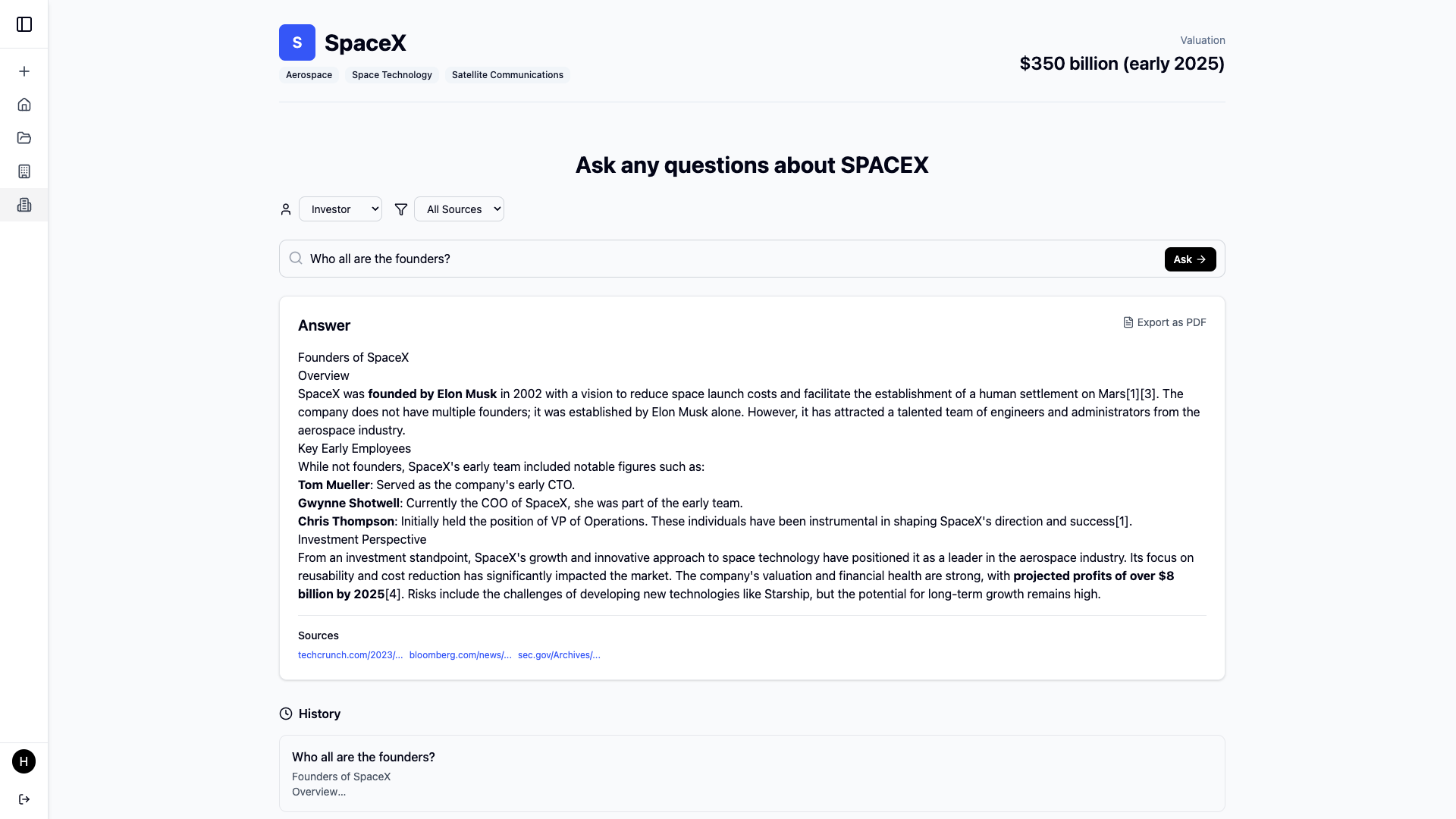
Startup due diligence detail view with a question and answer

🧠 AI-Powered Investment Research Assistant
🚀 Inspiration
We were inspired by Perplexity Finance, which does an excellent job at answering finance-related questions. However, when it comes to startup due diligence and deep research on private or lesser-known companies, the process is still very fragmented. Information is scattered across databases, blogs, news articles, investor reports, and more—making it time-consuming and tedious to conduct proper research.
We thought: what if we could build a platform that streamlines this process using AI?
That led to the creation of our project—an AI-powered research assistant designed specifically for investment analysts and enthusiasts. It allows users to create new financial research documents, query companies and startups, and collaborate with peers. We also realized the need for sharing and collaboration, so we built features to let users share research documents via email or public links.
This is essentially a verticalized version of Perplexity finance fine tuned for due diligence, and investor collaboration
🧠 What We Learned
This was our first LLM-based project, and it pushed us into new territory. Here's what we learned along the way:
- Prompt engineering: Structuring prompts to guide the AI to return financial insights in usable formats.
- Streaming AI responses: Working with Server-Sent Events (SSE) and JSON Lines for real-time interaction with the AI.
- UI from JSON: Dynamically generating parts of the UI based on structured JSON returned by the AI.
- Stream parsing: Building a robust custom parser to handle JSON Lines from the streaming API.
- Collaborative UX: Designing a workflow where AI, user input, and document editing seamlessly merge in one experience.
🛠️ How We Built It
Frontend
- React 19 with TypeScript for a modern, performant SPA
- Vite for super-fast build tooling
- TailwindCSS for clean, utility-first styling
- React Router for client-side navigation
- React Query for stateful API management
- Firebase Authentication for login and secure access
- Recharts for visualizing financial data (e.g., trends, stock movements)
- React Markdown to render AI-generated content in readable formats
Backend
- FastAPI for building a performant Python backend
- Uvicorn as the ASGI server for async performance
- PostgreSQL as the primary database, managed with Sqitch for migration control
- Firebase Admin SDK to verify and manage authenticated users
- Server-Sent Events (SSE) to power real-time streaming AI responses
- Custom JSON Lines parser to safely parse and handle streamed AI responses
Others
- Github Actions for CI/CD
- Azure VM for hosting the project
🔄 How the App Works
The app is structured into five key sections:
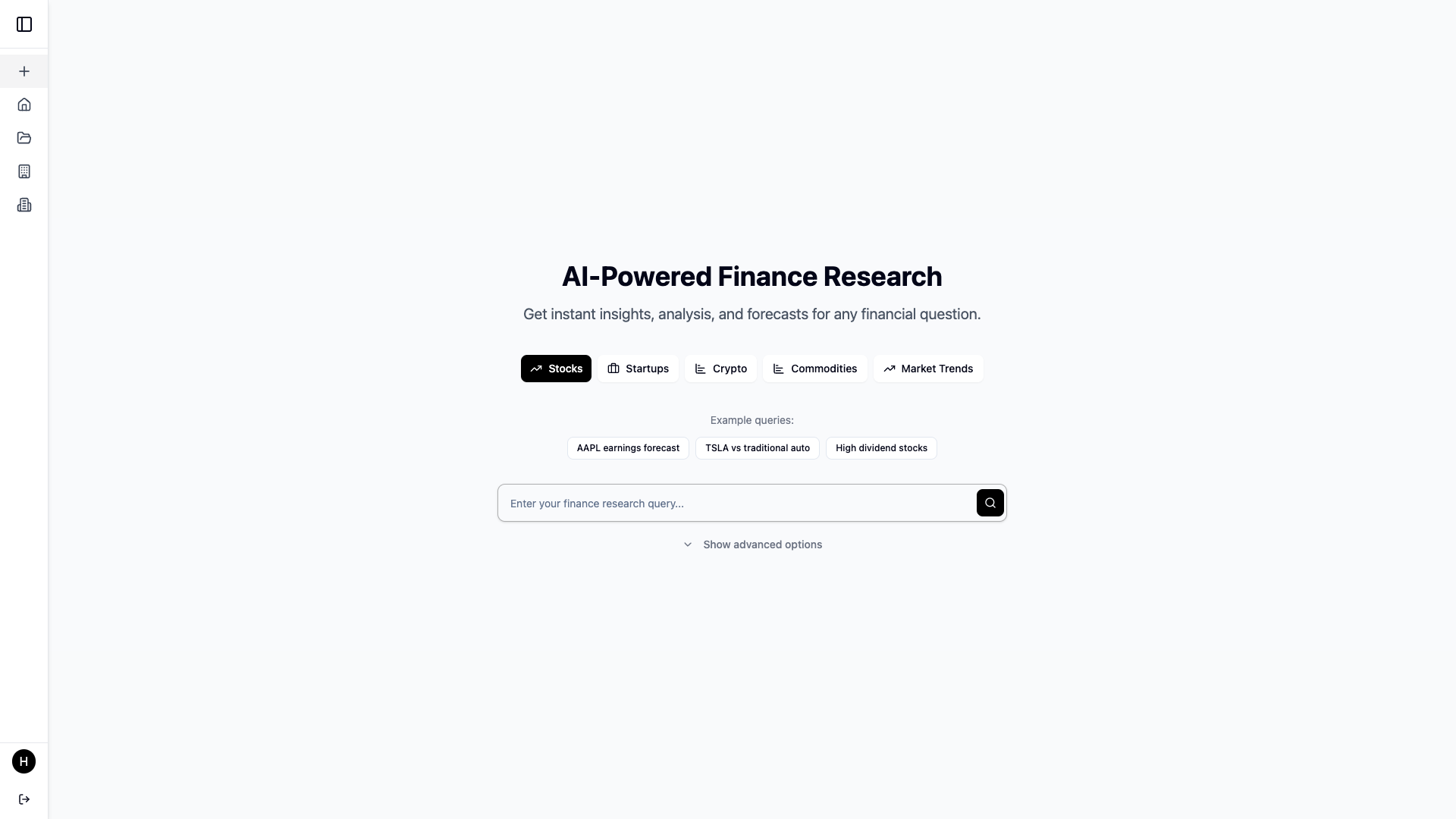
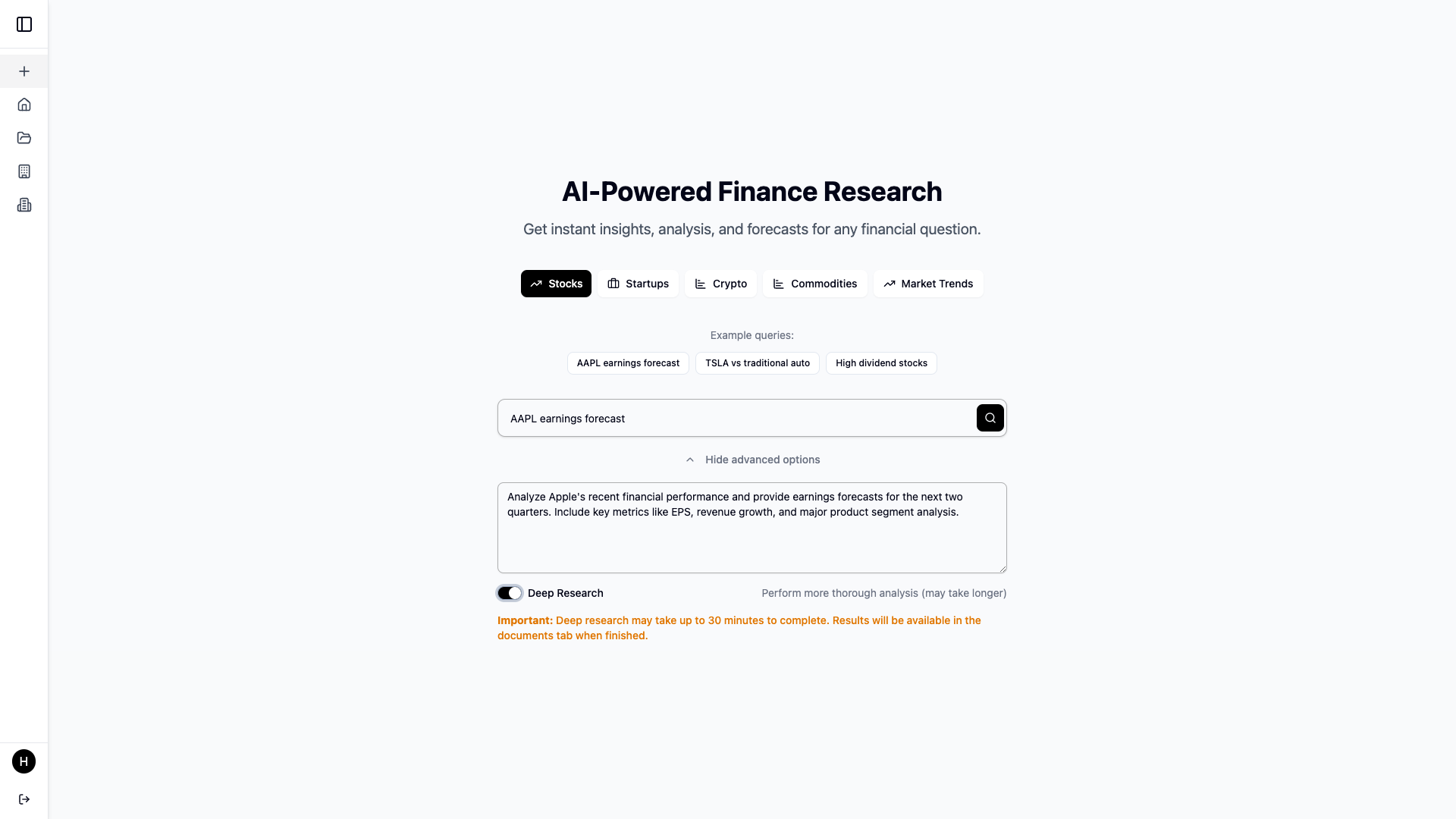
New Research
- Choose a category (e.g., company, startup, sector)
- Enter a topic or use examples to guide research
- Use "Advanced Options" to include deep context
- Optional: Enable Deep Research Mode for longer, multi-step reasoning
- Result: A dedicated research document page where users can chat with the AI, edit the document, and share it via email or public link
Home
- Recent Research: Preview your latest documents
- Top Companies: Quick-start research on trending companies
- Top Startups: Kick off due diligence on up-and-coming startups
Companies Page
- Browse top 100 companies or search by name
- Start research or ask company-specific questions
Startups Page
- Explore 100 top startups or search by name
- AI helps analyze pitch potential, risks, and more
Research Documents
- See all documents you’ve created or those shared with you
- Open any document to chat with AI or revise with AI-powered editing
⚙️ Challenges We Faced
Prompt Engineering for Structure
- AI outputs were too verbose or unstructured at first.
- We refined prompts to return JSON Lines with
typefields for better control and UI integration.
Handling Live Document Updates from AI
- We built a system where the AI returns specific
typeannotations (e.g.,thinking,research,new-document) so we know whether to modify the document or just show a message. - This lets the user see AI suggestions and control what gets merged into their research.
- We built a system where the AI returns specific
Streaming with JSON Lines
- Streaming APIs are prone to malformed JSON when using newline-separated data.
- We created a custom parser that handles partial chunks, retries on malformed data, and assembles valid JSON objects.
Dynamic UI Rendering from AI Output
- Since AI responses are structured, we used them to dynamically render UI components like company metrics, charts, summaries, etc.
- This keeps the UI flexible while giving users rich, contextual data.
✅ What's Next
- Real-time collaboration on research docs
- Voice-to-AI input for faster interactions
- Data integrations (e.g., Crunchbase, Yahoo Finance APIs) to supplement AI output with real metrics
- Smart tagging of insights and action items
- Export to PDF or Excel for investor pitch decks and reporting
🌟 Final Thoughts
We set out to create more than just a wrapper around an LLM. Our goal was to build a practical, domain-specific research assistant that empowers investors, analysts, and startup enthusiasts to work smarter—not harder.
This is a tool we would use ourselves, and we’re excited about where it can go.
Thanks for reading 🙌
Built With
- azure
- fastapi
- firebase
- firebase-admin-sdk
- github-actions
- markdown
- postgresql
- python
- react
- react-19
- react-query
- react-router
- recharts
- server-sent-events-(sse)
- sqitch
- sql
- tailwindcss
- typescript
- uvicorn
- vite


Log in or sign up for Devpost to join the conversation.