-
-
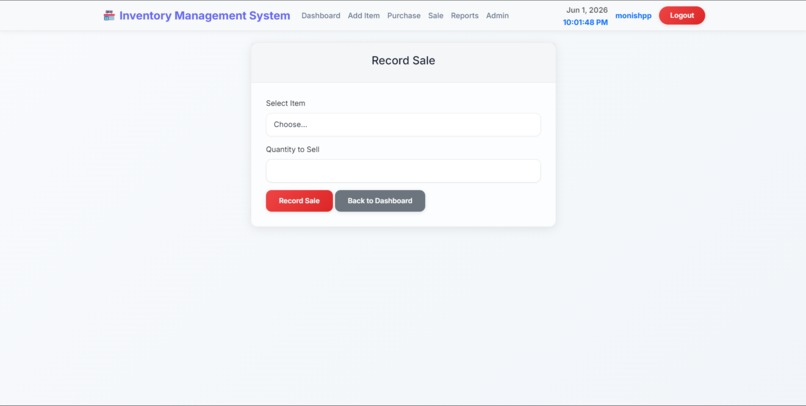
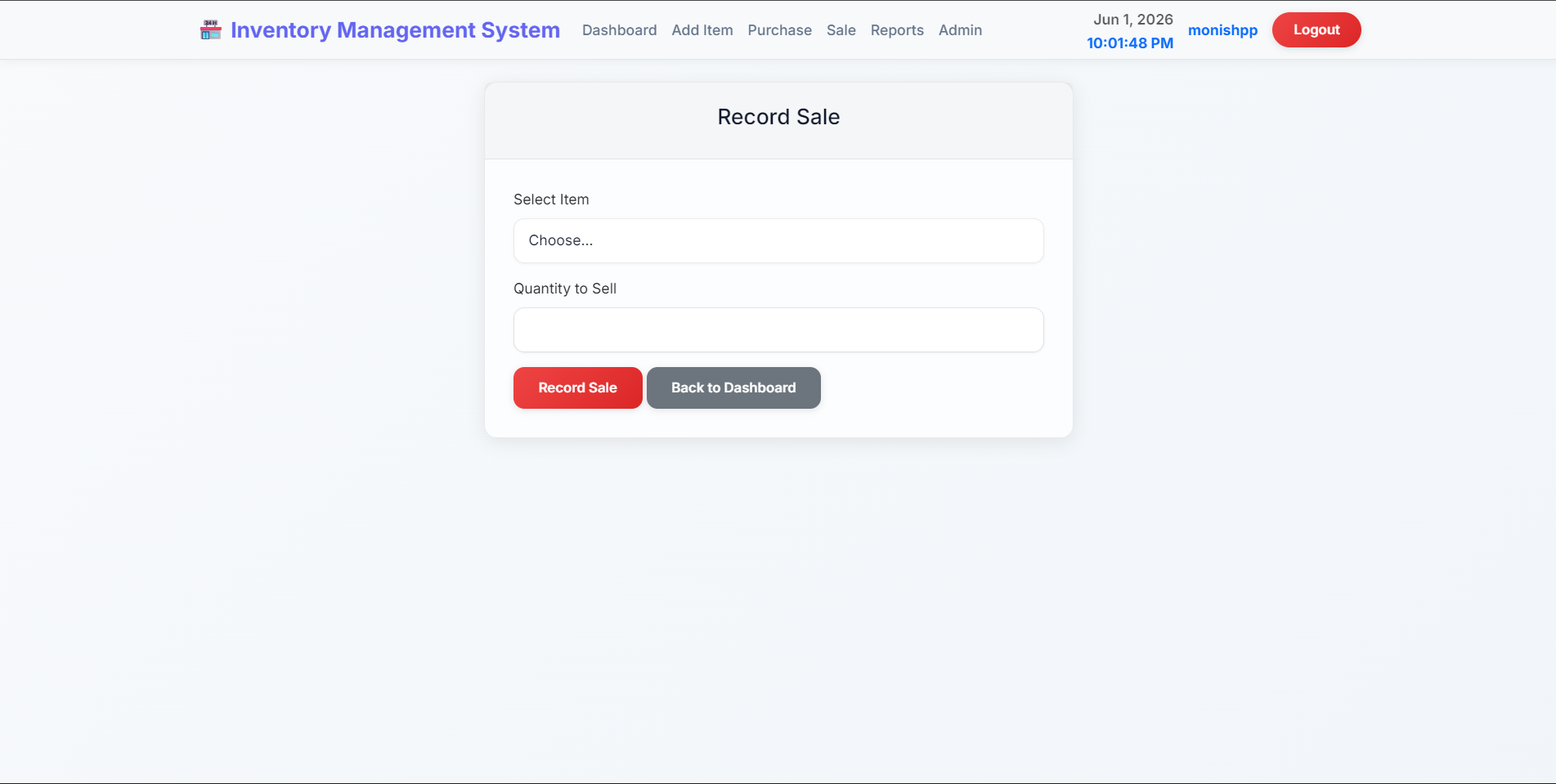
sales record module
-
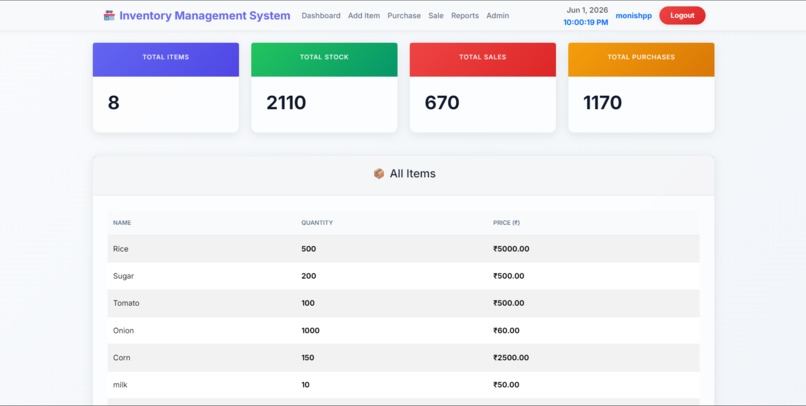
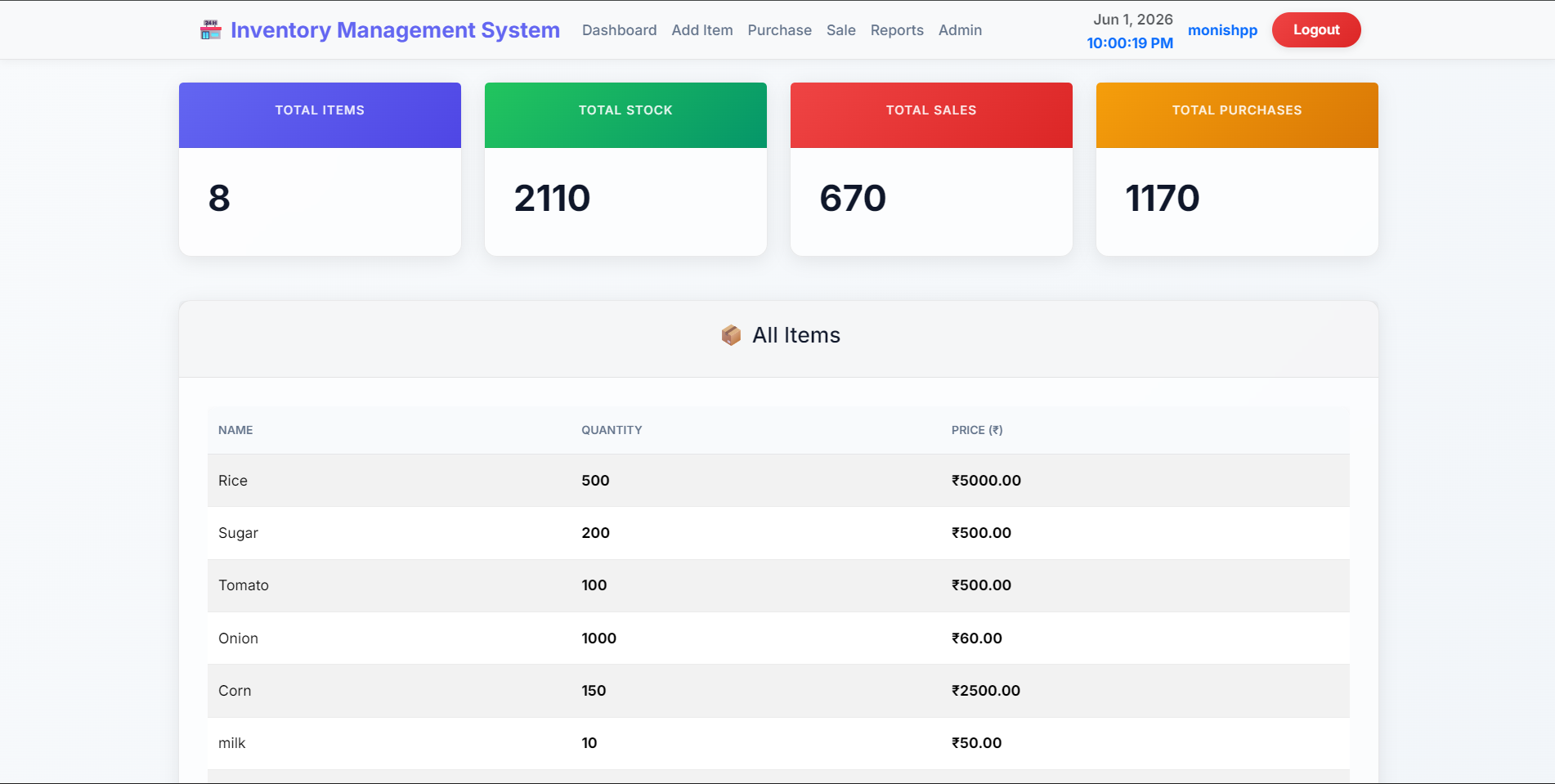
Dashboard of Inventory Management System
-
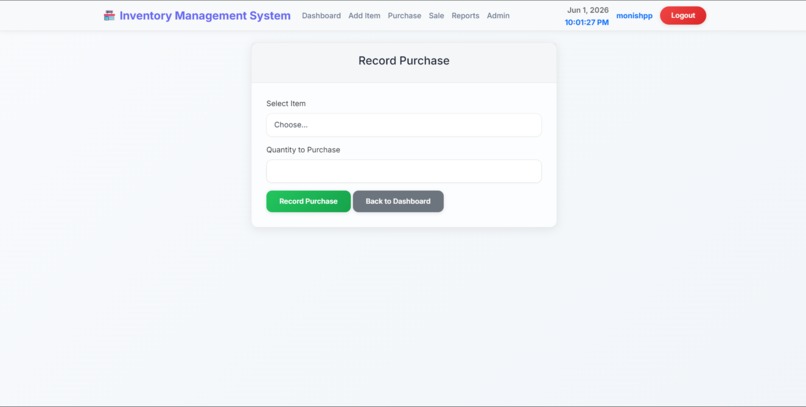
purchase record module
-
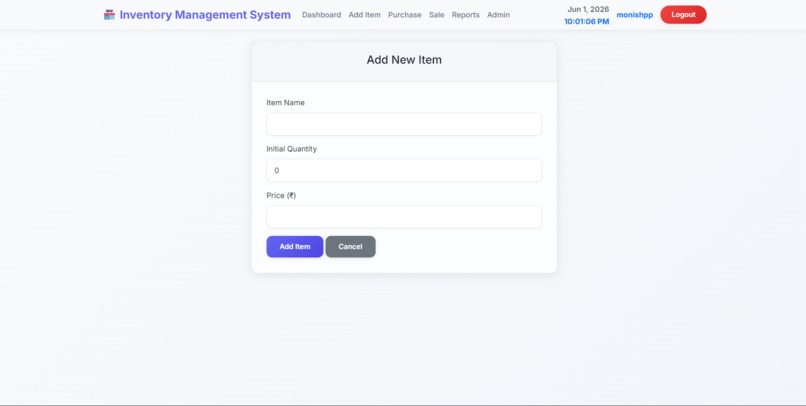
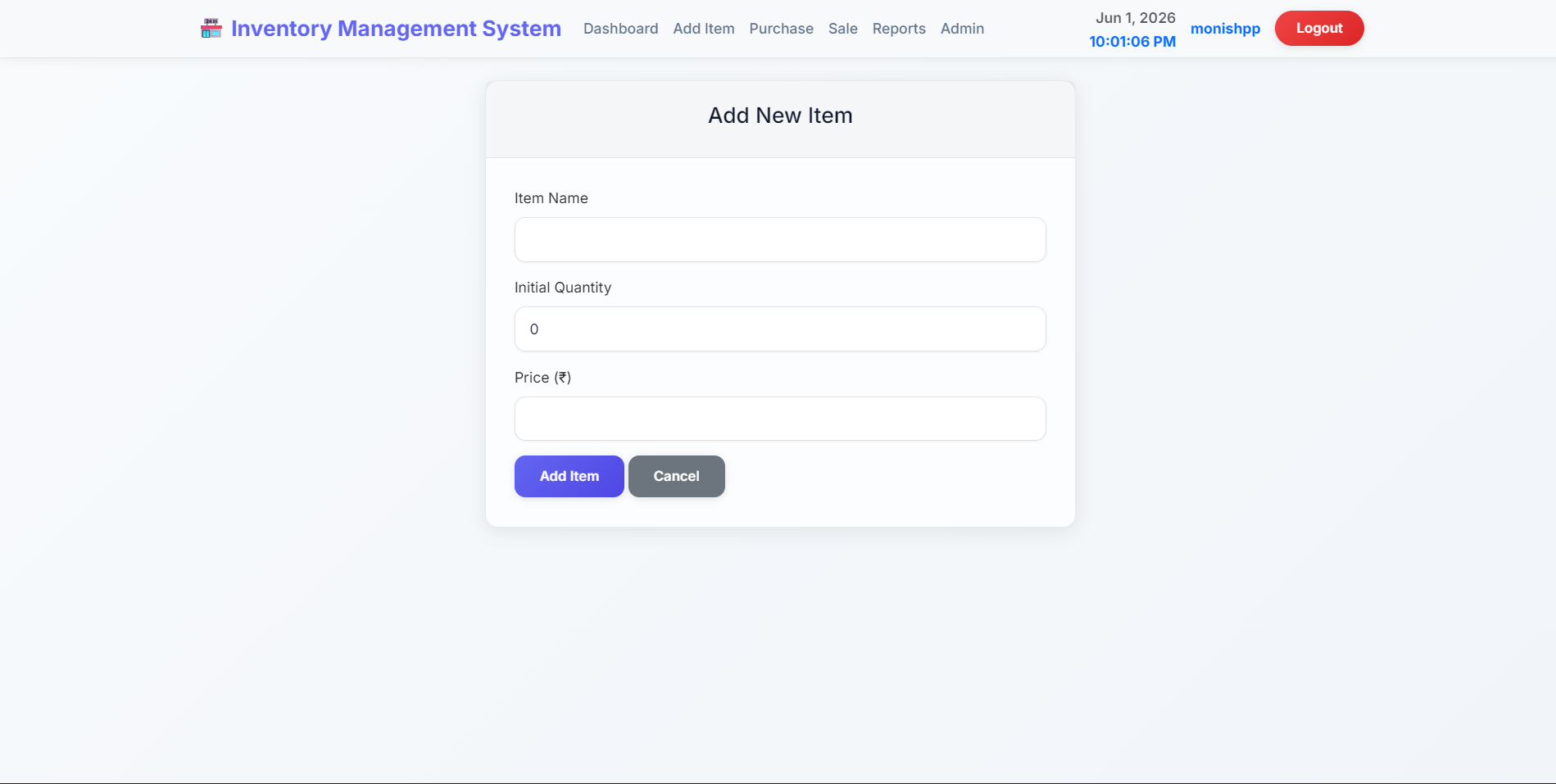
Add new item module
-
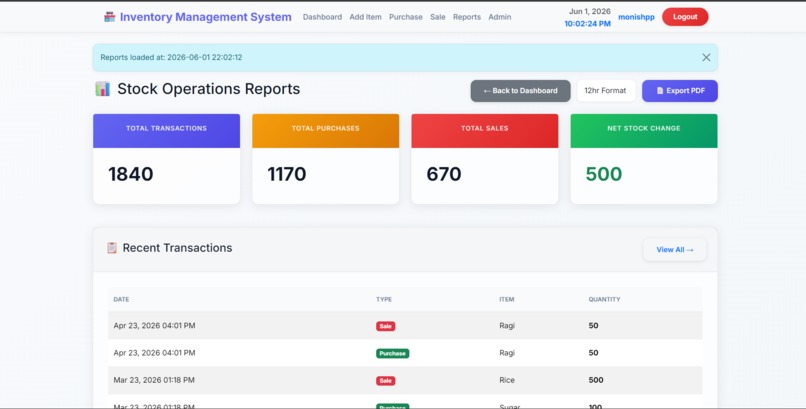
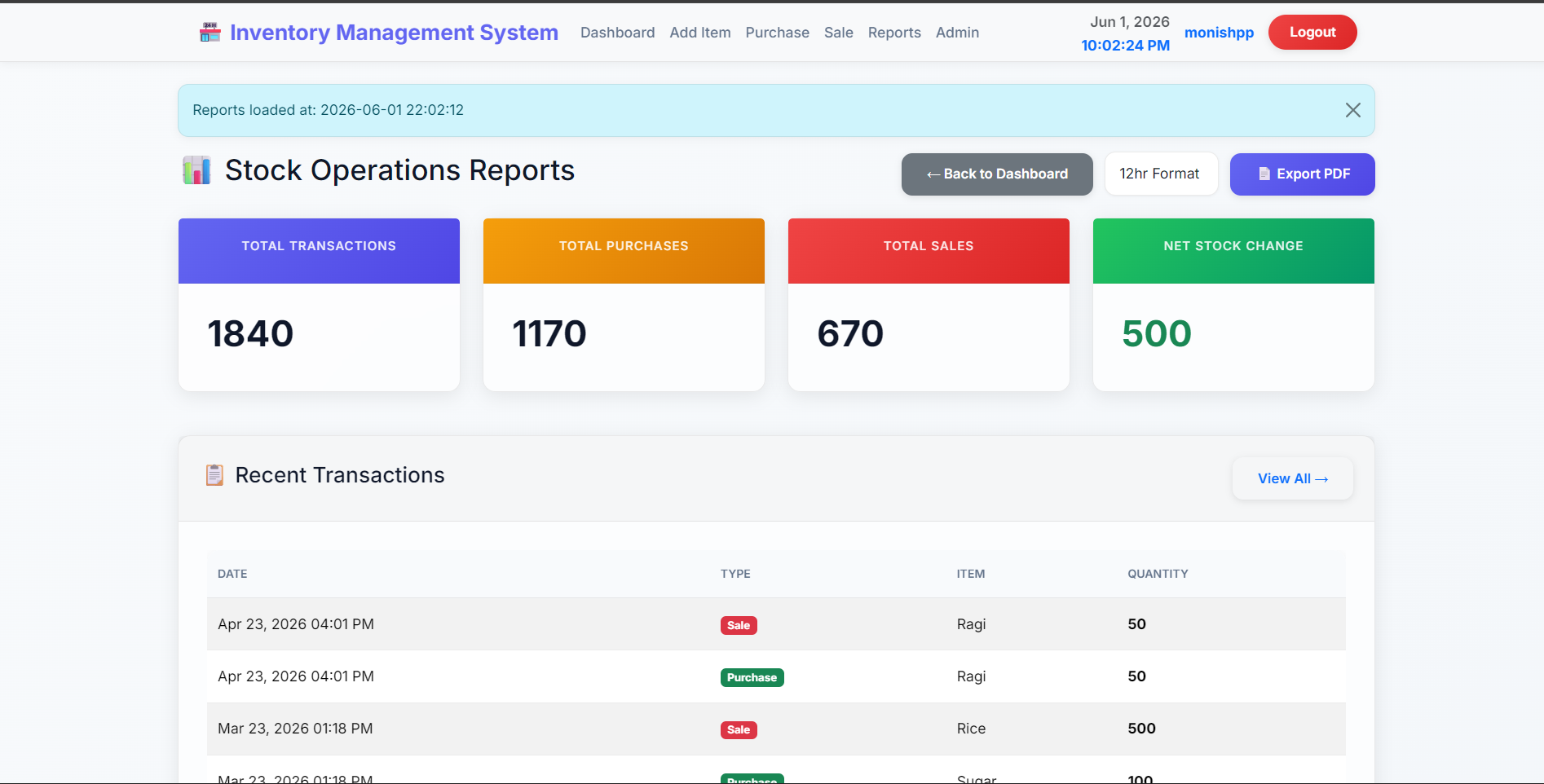
reports module
-
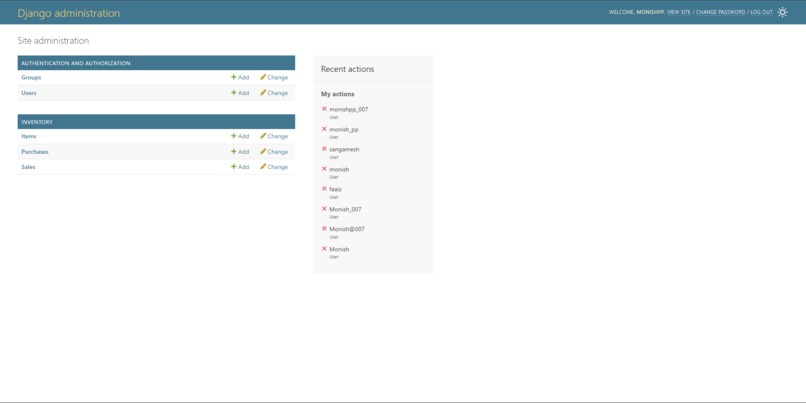
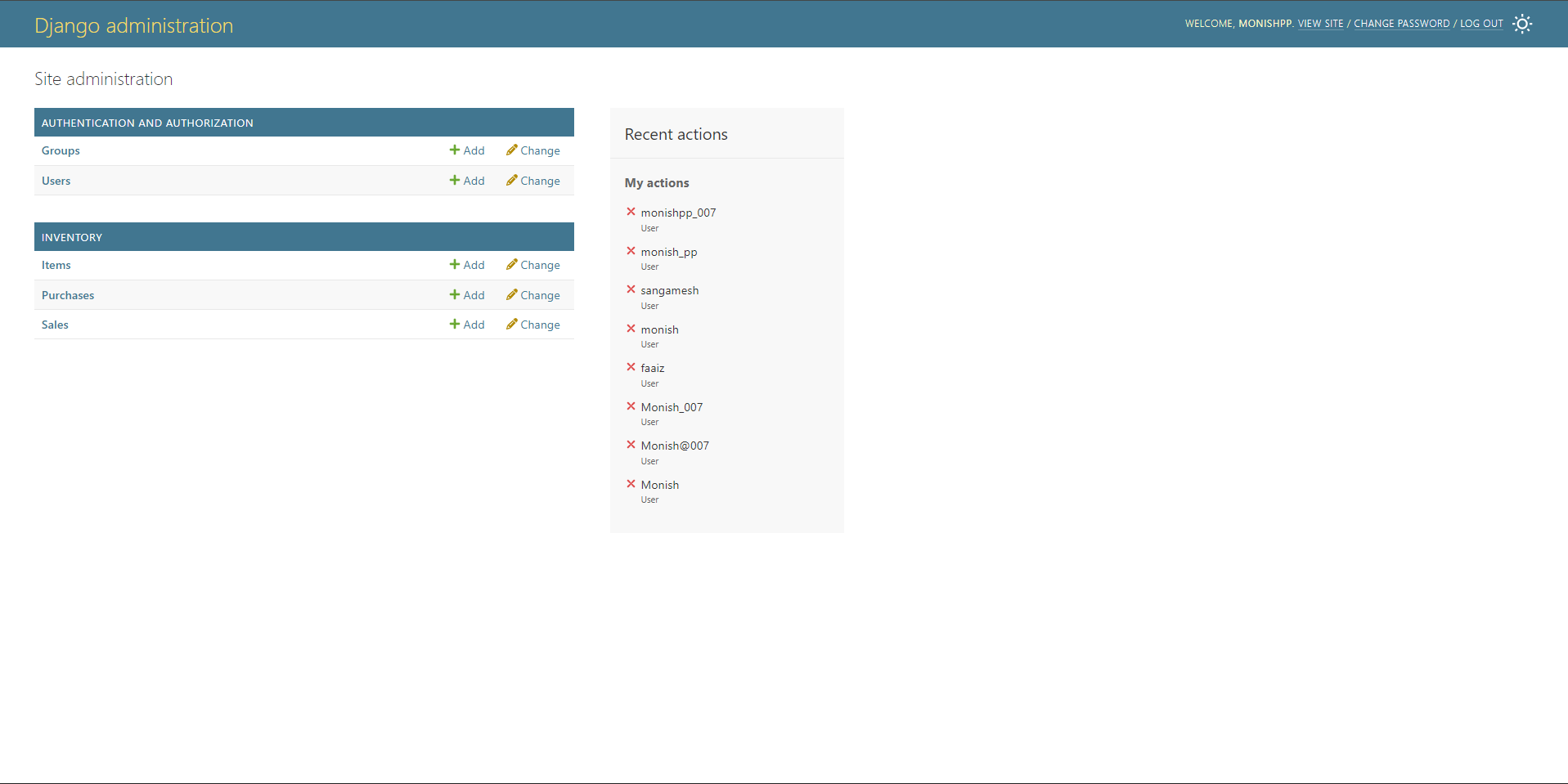
Django Admin module
Inspiration
Managing inventory manually using spreadsheets and paper registers is one of the most common yet painful problems faced by small businesses, retail shops, college canteens, and warehouses across India. Stock mismatches, lost purchase records, wrong sale entries, and zero visibility into low-stock situations cost businesses time and money every single day. I was inspired by this real-world gap — the absence of a simple, free, and easy-to-use digital inventory tool for small-scale businesses that don't have the budget for expensive ERP software. The idea was to build something that anyone — even without technical knowledge — could open in a browser and immediately start tracking their stock, purchases, and sales. The project also gave me the opportunity to apply everything I had learned in my Python Programming course to solve a genuine, practical problem rather than just building a theoretical application.
What it does
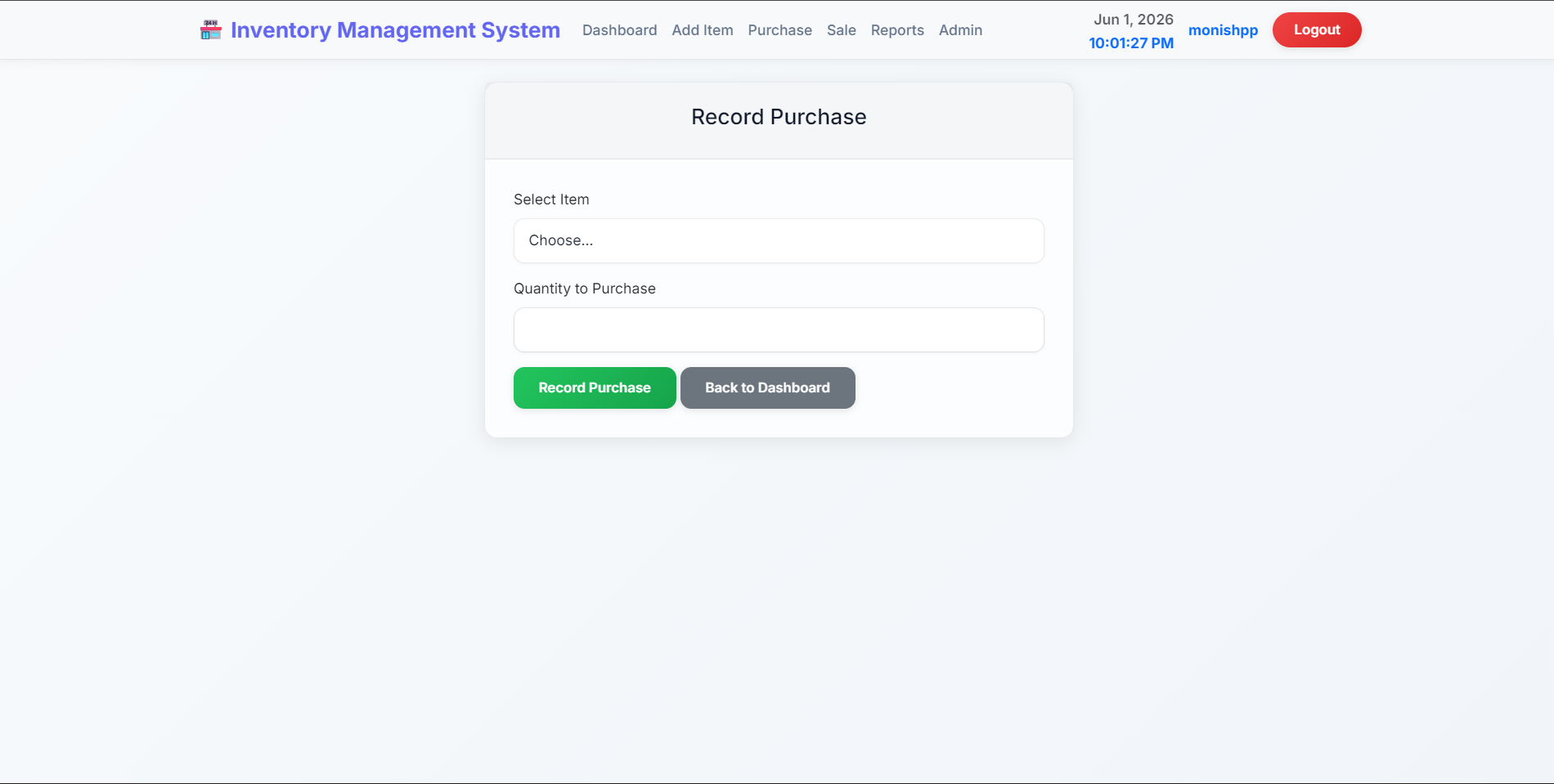
The Inventory Management System is a full-stack web application that allows businesses and individuals to manage their product inventory through a clean, browser-based interface. Here is what the system does: Dashboard — Displays real-time metrics including total number of items, total stock quantity across all products, total units purchased, and total units sold. Items falling below 10 units are automatically flagged with a red warning badge and a low stock alert banner — giving instant visibility into critical stock situations. Add Item — Allows users to add new products to the inventory catalog by providing the item name, initial quantity, and price per unit. All new products are immediately reflected on the dashboard. Purchase Module — Enables users to record incoming stock purchases. When a purchase transaction is saved, the system automatically adds the purchased quantity to the item's current stock level and creates a permanent purchase record for audit purposes. Sales Module — Processes outgoing sales transactions with built-in stock validation. Before confirming a sale, the system checks whether sufficient stock is available. If not, it displays an informative error — "Not enough stock! Available: X" — without making any database changes. This prevents negative inventory. Reports Module — Generates a comprehensive inventory report showing transaction summaries, a unified chronological timeline of all purchases and sales, and item-wise analytics including total purchased, total sold, and net stock change per product. PDF Export — Allows users to download the full inventory report as a professionally formatted PDF file — generated entirely in memory using ReportLab, with no temporary files created on disk. Admin Panel — Django's built-in admin interface provides privileged management of all items, purchase records, sale records, and user accounts, including a computed "Total Value" column (quantity × price) per item. Authentication — Secure user registration and login system with hashed passwords, session management, and protected access — all unauthenticated users are redirected to the login page.
How I built it
I built the project in phases, following Django's MVT (Model-View-Template) architecture throughout. Phase 1 — Planning and Design: I started by defining the three core database models — Item, Purchase, and Sale — and mapped out all the relationships and business logic before writing any code. Phase 2 — Backend Development: I created the Django project and app, defined models in models.py, ran migrations to create the SQLite database tables, and built all nine view functions in views.py — covering authentication, dashboard, add item, purchase, sale, reports, and PDF generation. Phase 3 — URL Configuration: I configured two-level URL routing — project-level urls.py delegating to app-level urls.py with a namespace — enabling clean reverse URL lookups throughout all templates. Phase 4 — Frontend Development: I built all templates using Django's Template Language, with base.html as the parent layout that all other pages extend. I used Bootstrap 5 for responsive design and custom CSS for the metric card colors, table styling, and overall visual polish. Phase 5 — PDF Generation: I integrated the ReportLab library to generate structured PDF reports entirely in memory using BytesIO, served directly as an HTTP response with Content-Disposition: attachment. Phase 6 — Admin Configuration: I customized Django's admin panel with list_display, search_fields, list_filter, and a computed total_value column using a custom method in ItemAdmin. Phase 7 — Testing: I wrote an automated unit test for the PDF report view using Django's TestCase, RequestFactory, and unittest.mock.patch to mock database queries and validate the response content type and headers. The entire project was developed and run on Antigravity, a cloud-based Python development platform, which eliminated the need for any local environment setup.
Challenges I ran into
Challenge 1 — Real-time Stock Accuracy: The biggest challenge was ensuring that the dashboard always reflected accurate, up-to-date stock numbers without stale data. I solved this by computing all metrics — total stock, total sales, total purchases — directly from the database using Django ORM aggregations (Sum) on every dashboard load, rather than storing computed values that could become outdated. Challenge 2 — PDF Generation Without File I/O: Initially, I attempted to generate PDFs by saving them to disk and then serving them — which caused file permission issues on the cloud platform. I redesigned the approach to use Python's BytesIO in-memory buffer, which writes the entire PDF into memory and streams it directly to the browser. This was both cleaner and more efficient. Challenge 3 — Unified Transaction Timeline: The reports module needed to display purchases and sales in a single chronological table, but they come from two completely different database models. I solved this by fetching both QuerySets separately, converting them into Python dictionaries with a common structure, merging the lists, and sorting by timestamp in Python — creating a seamless unified view. Challenge 4 — Preventing Negative Stock: Without proper validation, the sale view could reduce stock below zero. I implemented a server-side check — if item.quantity >= quantity — before processing any sale. If stock is insufficient, the system shows an informative error message with the exact available quantity, and no database modification is made. Challenge 5 — N+1 Query Problem in Reports: The reports view initially made a separate database query for each transaction's item name — the classic N+1 problem. I solved this by using Django's select_related('item') which performs a SQL JOIN and fetches all related item data in a single query, significantly improving performance. Challenge 6 — Template Inheritance and Static Files: Configuring STATICFILES_DIRS, the {% load static %} tag, and making CSS load correctly across all templates required careful configuration of Django's static file system in settings.py.
Accomplishments that I'm proud of
- Zero Negative Stock — Ever: The system successfully prevents negative inventory in all scenarios. The validation logic in the sale view ensures that no sale transaction can reduce stock below zero, with informative user feedback.
- In-Memory PDF Report Generation: Successfully implemented a fully formatted, multi-section PDF report — with summary tables, transaction history, and item analytics — generated entirely in memory with no disk usage. This is a production-grade implementation.
- Automated Test with Mocking: Unlike most academic projects that have zero automated tests, this project includes a properly written unit test with database mocking using unittest.mock.patch. This demonstrates real software engineering discipline.
- Proactive Low Stock Alert System: The three-level low stock alert — dashboard banner, red row highlight, and red badge — gives users immediate visual feedback about critical inventory situations without any manual intervention.
- Unified Chronological Transaction Timeline: Successfully merged two different database model QuerySets (Purchase and Sale) into a single sorted timeline — a feature that required thoughtful Python data manipulation.
- Clean Django Architecture: The project strictly follows Django's MVT pattern with proper separation of concerns — models handle data, views handle logic, templates handle presentation. The two-level URL routing with namespace, select_related for query optimization, and proper use of aggregate() demonstrate solid Django knowledge.
- Fully Working Admin Panel with Computed Column: The Django admin panel shows a dynamically computed "Total Value" (quantity × price) column for each item — a virtual column that always reflects current data without any additional database field.
What I learned
Django MVT Architecture: I gained deep, hands-on understanding of how Django's Model-View-Template pattern works in practice — from URL routing and middleware to ORM queries and template inheritance. Django ORM Mastery: I learned how to use aggregate(), filter() with field lookups (__lt, __sum), select_related() for JOIN optimization, and get_object_or_404() for safe object retrieval. Database Design Thinking: I learned to think in terms of normalized database tables, foreign key relationships, and on_delete strategies — understanding the real-world implications of CASCADE deletion. PDF Generation with ReportLab: I learned how to use ReportLab's Platypus engine to programmatically build structured documents with tables, paragraphs, and spacers — and how to stream binary data as an HTTP response. Python Mocking for Testing: I learned how to use unittest.mock.patch to replace real dependencies (database calls, external libraries) with controlled mock objects — making tests fast, isolated, and reliable. Security Fundamentals: I understood CSRF protection, password hashing with PBKDF2, session-based authentication, and the importance of DEBUG = False in production. Frontend-Backend Integration: I learned how Django's template language bridges the gap between backend data and frontend HTML — using context dictionaries, template tags, filters, and blocks effectively. Performance Awareness: I learned about the N+1 query problem and how to solve it with select_related(), and understood why aggregate() is more efficient than Python-level summation.
What's next for INVENTORY MANAGEMENT SYSTEM
- Barcode Scanner Integration: Add barcode scanning capability so warehouse staff can add items and record transactions by scanning product barcodes instead of manual entry — drastically speeding up operations.
- Role-Based Access Control (RBAC): Implement multiple user roles — Admin (full access), Manager (view reports + purchases), Staff (sales only) — using Django's built-in Groups and Permissions system.
- Email and SMS Low Stock Alerts: Automatically send email notifications to managers when any item falls below a configurable threshold — using Django's email system and an SMS API like Twilio.
- Data Visualization Dashboard: Integrate Chart.js or Plotly to add visual graphs — bar charts for monthly sales trends, pie charts for category distribution, and line graphs for stock movement over time.
- Multi-Category Support: Add product categories, suppliers, and unit-of-measurement fields to enable more granular inventory tracking across different business types.
- Export to Excel: Add the ability to export reports as Excel (.xlsx) files using the openpyxl library — complementing the existing PDF export feature.
- REST API with Django REST Framework: Build a REST API layer so the inventory system can be integrated with mobile apps, POS systems, or third-party e-commerce platforms.
- Production Deployment: Migrate from SQLite to PostgreSQL for concurrent access, configure Gunicorn + Nginx for production serving, and deploy on a cloud platform such as AWS EC2, Railway, or Render with environment-variable-based secrets management.
- Audit Trail System: Log every stock change — who made it, when, and what changed — using Django signals or a dedicated StockLog model for complete accountability.
- Demand Forecasting: Use Python's data science libraries (pandas, scikit-learn) to analyze historical purchase and sale patterns and predict future stock requirements — turning the system into a smart inventory planning tool.


Log in or sign up for Devpost to join the conversation.