-
-
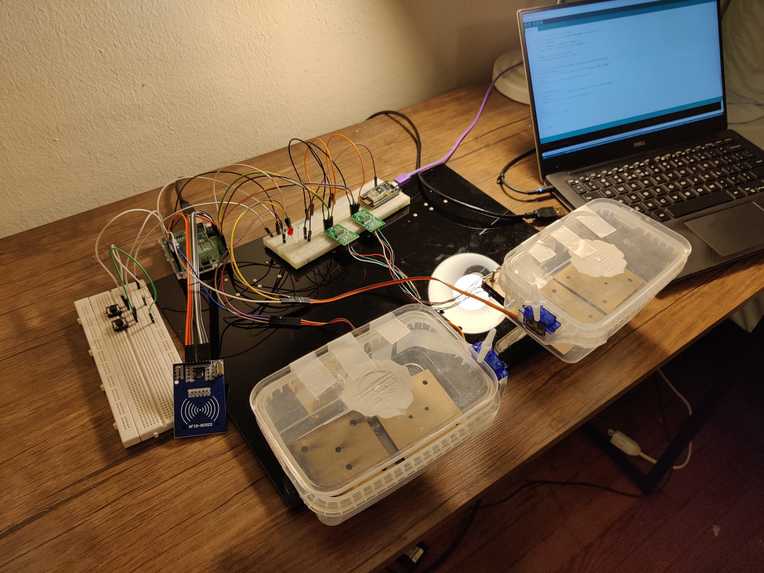
Inventorray
-

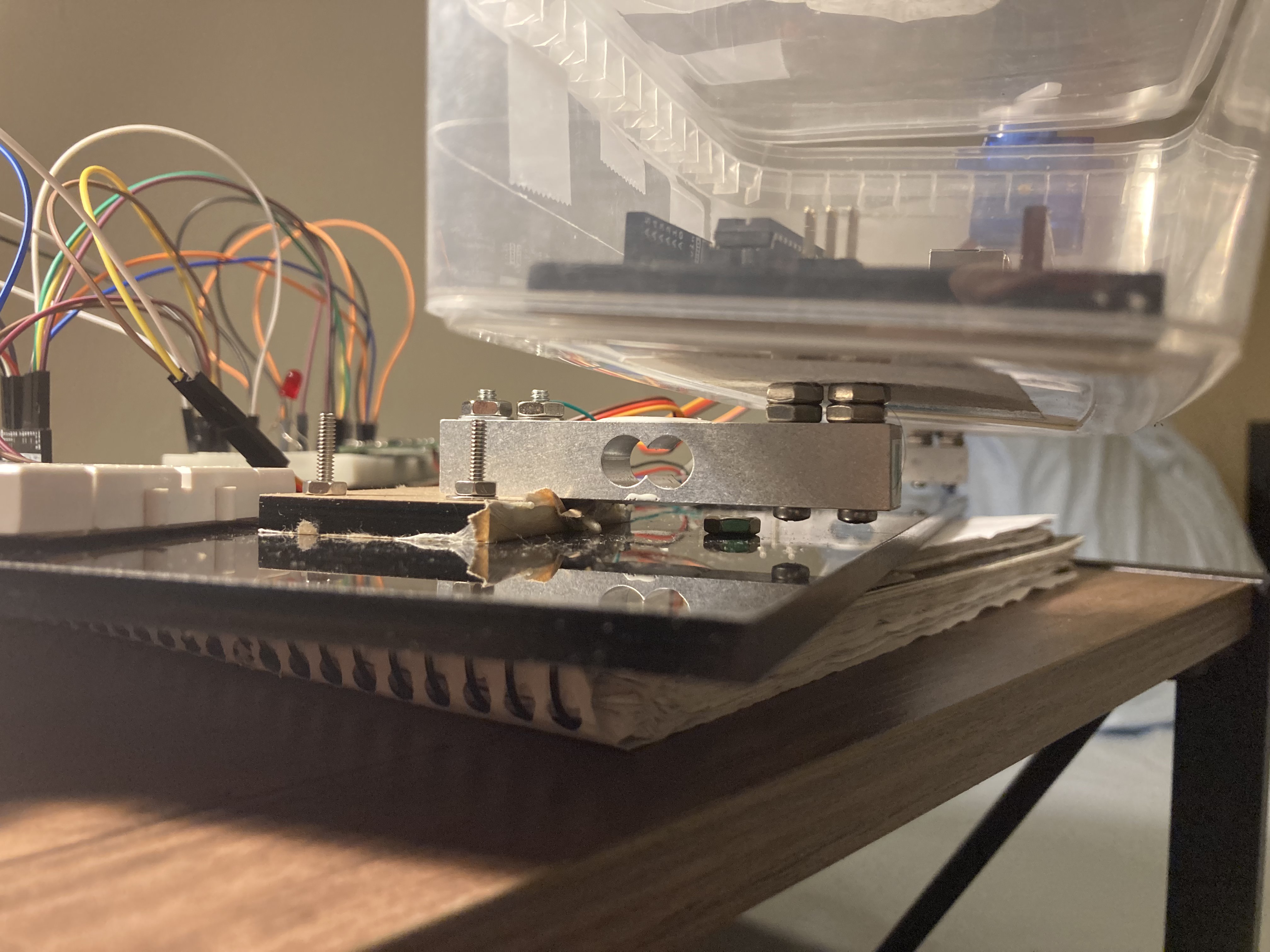
Load cell mounting

Inspiration
We are first year graduate students and this is the first time we are living away from home. While we are getting familiar with the atmosphere and customs, it is very difficult to manage the kitchen side by side. We keep running out of food and forget to restock. We tried coming up with a set of rules which will help us keep track of our food items. Such systems often fail when we have a hectic schedule in week or when we are closing in on deadlines. We thought an inventory management system would really help us with this problem. This is how we came up with the idea for Inventorray. Inventorray will keep track of items in its containers and will display this information to the user on the Blynk app. Using this we can always check how low are we on certain items and if we need to stock up again. This is an extremely scalable idea as any number of containers can be easily added according to the user needs. This system can be easily repurposed to be used in different spaces like labs restaurants and warehouses.
What it does
Managing various items at home in the kitchen can be a tiresome task especially if you are a student. This problem led to the idea of Inventorray, A smart inventory management system where the user will be able to check the status of the inventory from any place using a smartphone app. We realized that this problem extends to all sorts of work environments and not only the kitchen. The Inventorray is highly scalable system where the user can track the contents of as many containers as they wish to connect. All the inventory related data is logged and presented to the user using the Blynk App. It also supports authorization using RFID tags. The system gives access to a container only if the person has required authorization. We successfully implemented Inventorray to track the contents of 2 containers and monitor their value using the Blynk App. Support for discrete and continuous quantity tracking was successfully implemented. We also successfully implemented the authentication feature using the RFID reader.
How we built it
We decided to use load cells to measure the weight of the contents put inside each container of the Inventorray. The Arduino is calibrated to read the output of the load cell to predict the weight of the item in grams. The Inventorray also figures out the quantity of the item placed in the Inventorray using the weight values of the single item. For the authentication feature we decided to use RFID reader. Each user will have an RFID tag and will be able to unlock the container only if they have the required authentication to access the container. For the locking mechanism we chose to use servo motors. The Servo motors are turned using the Arduino to lock and unlock the containers. To monitor the contents of the container we chose to use the Blynk app due to its simplicity and aesthetic user interface. The Blynk app shows the container data sent by the Arduino. This data is relayed to the Blynk app from the Arduino using the NodeMCU. Serial communication is established between NodeMCU and Arduino using UART.
Challenges we ran into
Load cell mounting and calibration was a difficult task. Interfacing the RFID was also quite challenging.
Accomplishments that we're proud of
We are really proud of how reliably the end system works. We also love the authentication feature. Our system accurate almost down the gram level.
What we learned
Inventorray helped us learn a lot about embedded system design and development. We encountered many roadblocks along the development phase of this project such as working with the RFID reader and interfacing load cells with the Arduino. This resulted in us learning a lot of new things such as the MFRC522 RFID reader IC and its internal workings. We also learned about load cell’s working and how to interface it with the Arduino using the hx711 amplifier. Interfacing the load cell involved some challenging work as it requires a special type of mounting. We think that controlling multiple servo motors using just a single timer interrupt also made the system extremely scalable as we can add multiple servo motors without the need for extra timers. We faced difficulty while sending multi-byte serial data to the NodeMCU from the Arduino. The Arduino sends the 4-byte integer values by sending a single byte one after the other. Making sure that the Arduino and the NodeMCU are always in sync involved some challenging work. We solved the issue by sending a sync data byte before sending the actual container data.
What's next for Inventorray UPenn ESE 519 final project
Further additions to this project can be implementation of features such as usage prediction, adding containers on the fly to make the system extremely customizable. However, implementing these features will require considerable amount of software and hardware work. We rest the development of our final project on a good note where we implemented almost all the features that we planned in the beginning and cherish the fact that we learned a lot along the way.

Log in or sign up for Devpost to join the conversation.