-
-
AirCAD Image_Rotation
Inspiration
Traditional 3D model movement can be very unintuitive, with a steep learning curve for newer users. If a CAD developer wants to show their model to a user, they are currently limited to having to 3D print their design or only being able to show it in pictures.
We wanted to simplify this process, and make it much more intuitive for new users to start CAD, or for client's to visualise and see a developer's idea.
What it does
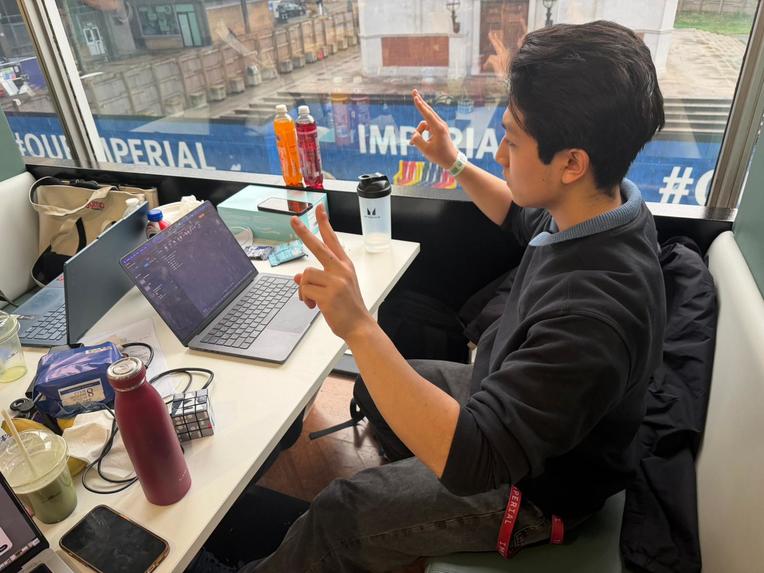
AirCAD turns a standard webcam into a spatial input device. It tracks two hands simultaneously to Pan, Zoom, and Rotate 3D models in real-time. It is fully integrated with Fusion 360, allowing users to manipulate their view naturally without touching a mouse or keyboard.
How we built it
The system follows a Producer-Consumer architecture to bridge the gap between computer vision and CAD:
- Vision Layer (Producer): We built a Python script using MediaPipe to track 21 hand landmarks per hand.
- Logic Layer: A custom physics engine calculates the change in movement between frames. We implemented complex Matrix Multiplication to handle 3D rotation, ensuring the model tumbles naturally like a trackball rather than getting stuck on fixed axes.
- The Bridge: The Python script writes the calculated 6-DOF coordinates to a shared CSV buffer 60 times per second.
- CAD Layer (Consumer): A custom Fusion 360 API script reads this buffer in a continuous loop and updates the viewport camera instantly.
Challenges we ran into
- Latency & "Floatiness": At the start, the delay between hand movement and screen response made the product feel clunky and disconnected. We solved this by implementing a Low-Pass Filter with tuned smoothing coefficients (0.15 for Pan, 0.08 for Rotation) to balance raw speed with smooth precision.
- Gimbal Lock: Initially, using simple pitch/yaw math caused the model to flip sideways unexpectedly. We had to redesign our math engine to use Global Rotation Matrices to fix this.
- Gesture Confusion: The system initially struggled to distinguish between a "Snap" and a fast movement. We iterated on the code to use robust geometry checks, specifically identifying Fists for a "Clutch" mechanism, which significantly reduced false triggers.
Accomplishments that we're proud of
For all of us, this was our first time using the MediaPipe library. We have successfully taken a complex concept 6-degrees-of-freedom spatial control, and implemented it using nothing but a laptop webcam and Python. We are particularly proud of the "Clutch" mechanism (making fists to freeze input), which elegantly solves the physical problem of running out of arm reach.
What we learned
- Technical: We learned how to integrate MediaPipe with Python and how to bridge external data into the restricted Fusion 360 API environment using file buffers.
- UX Design: We learned that low latency is king. Interaction design is just as important as detection accuracy; if the model doesn't stop moving exactly when your hand stops, the illusion breaks.
What's next for Intu CAD
- Cross-Platform Compatibility: Currently, the software is optimized for Fusion 360. Our main goal is to port the logic to a virtual HID driver so it works in Blender, SolidWorks, and Unity.
- Direct Socket Integration: We plan to replace the CSV buffer with a WebSocket server to reduce latency to sub-10ms levels.
- Custom Keybinds: Adding support for "L-shape" gestures to trigger specific shortcuts like "Extrude" or "Fillet."
Built With
- claude
- python

Log in or sign up for Devpost to join the conversation.