-
-
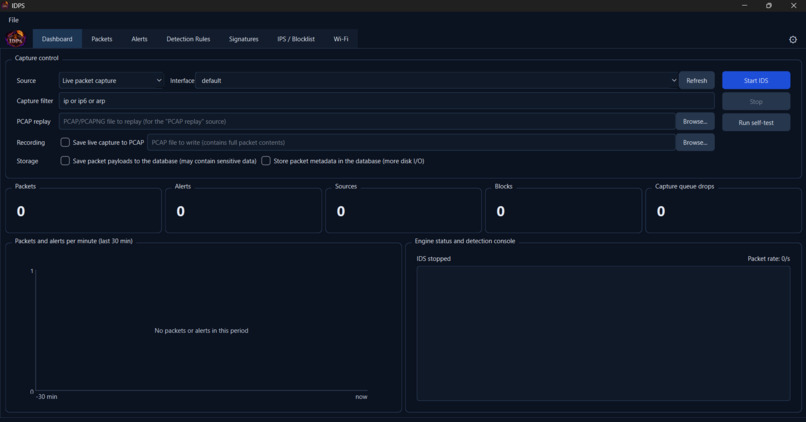
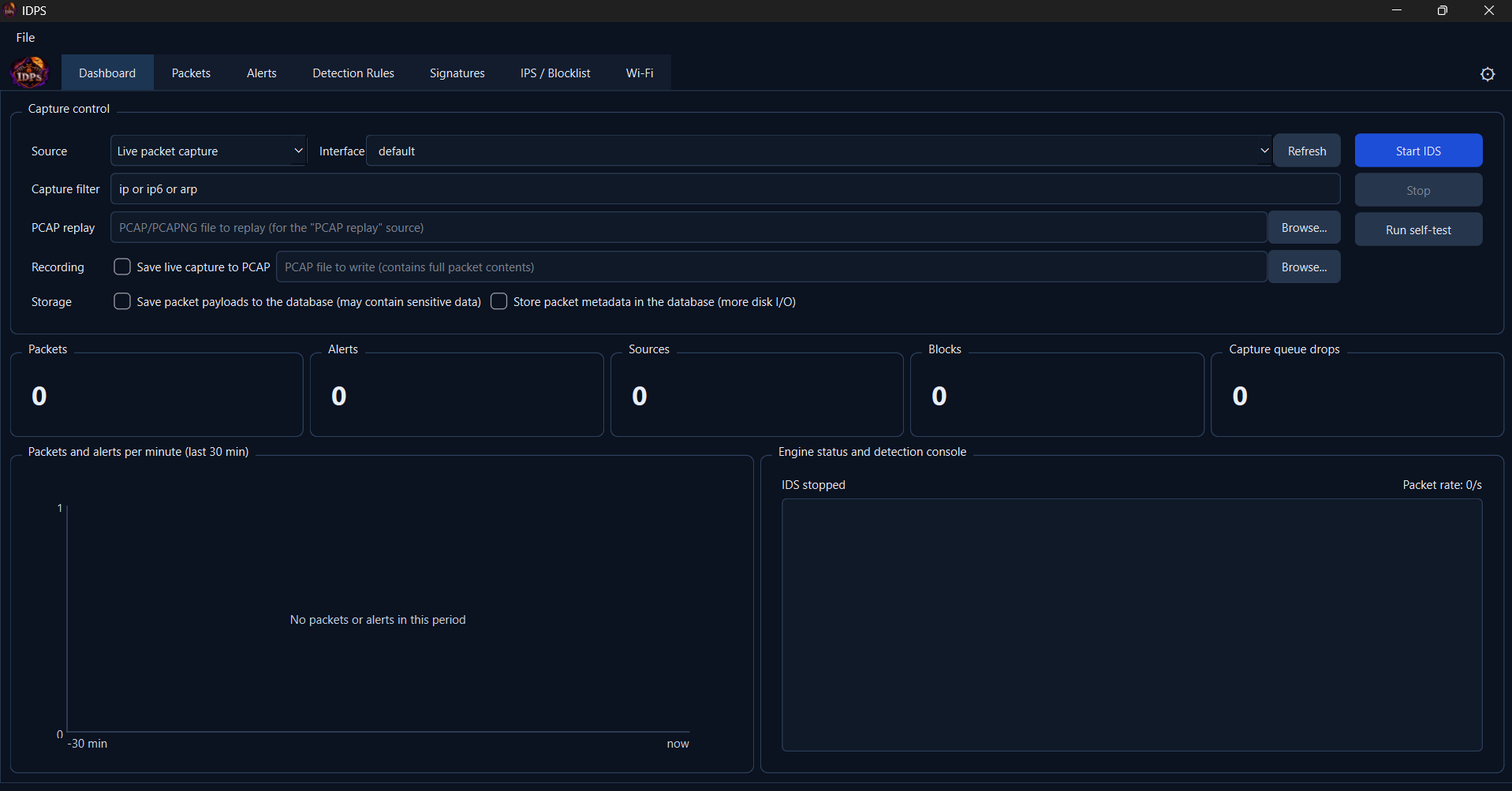
Dashboard captures live packets, there's also simulated packets.
-
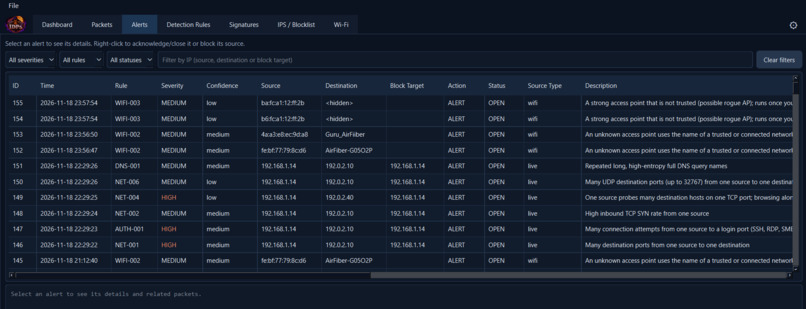
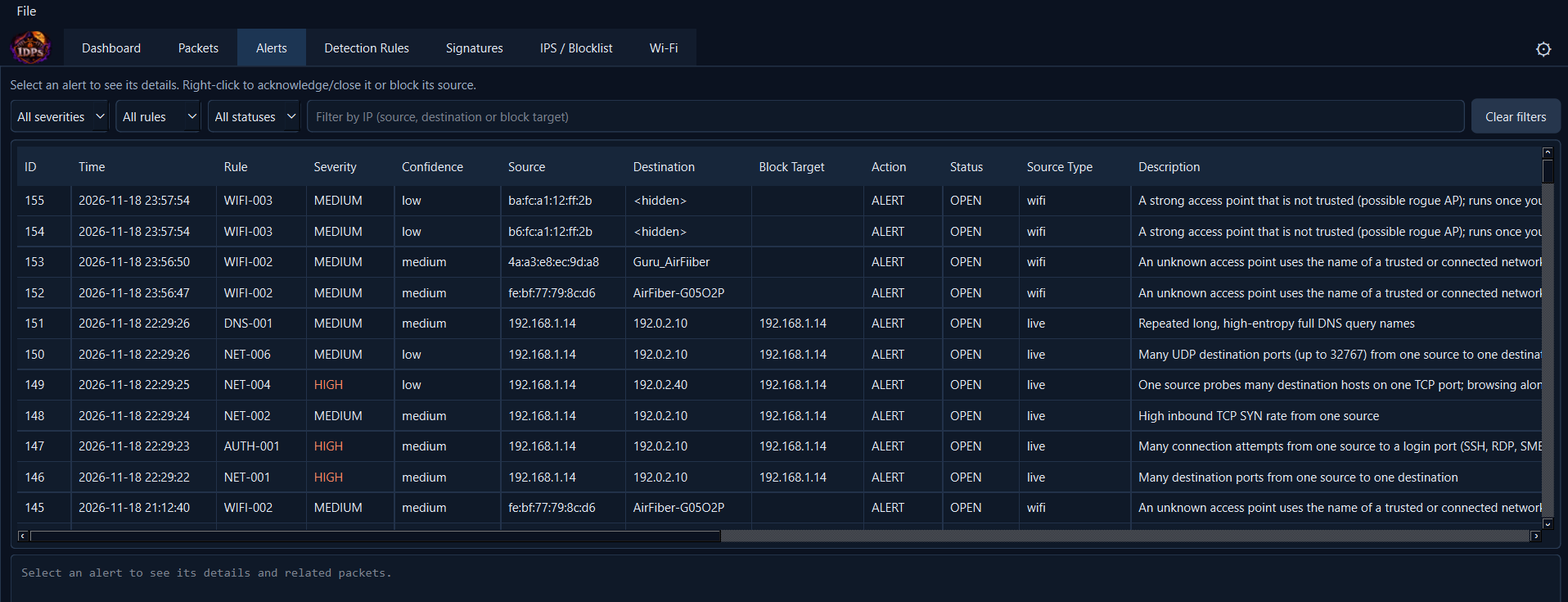
Alerts shows the severity of the packet data.
-
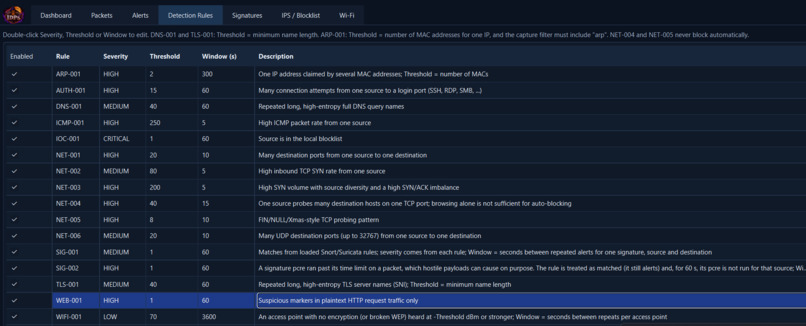
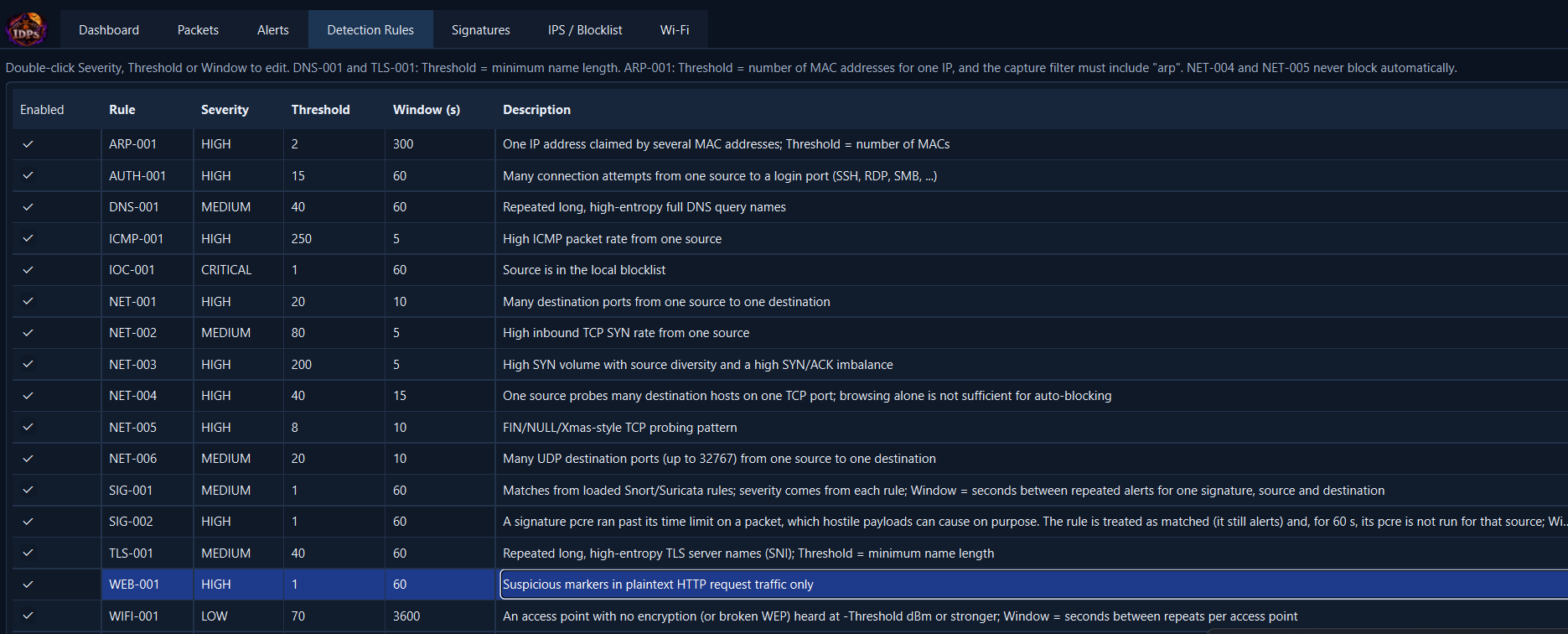
Detection rules can be changed based on the severity of the packet type.
-
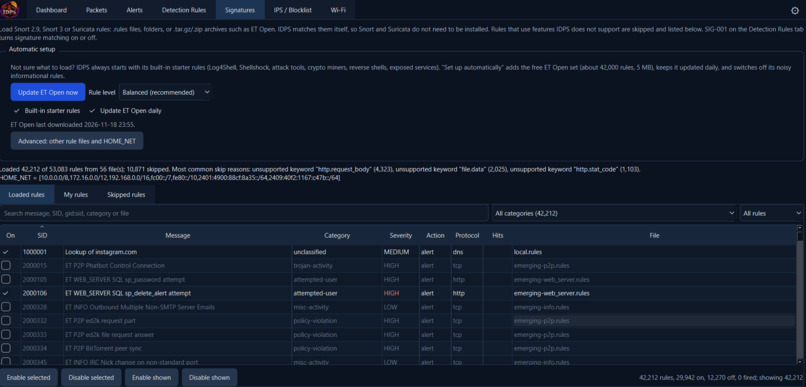
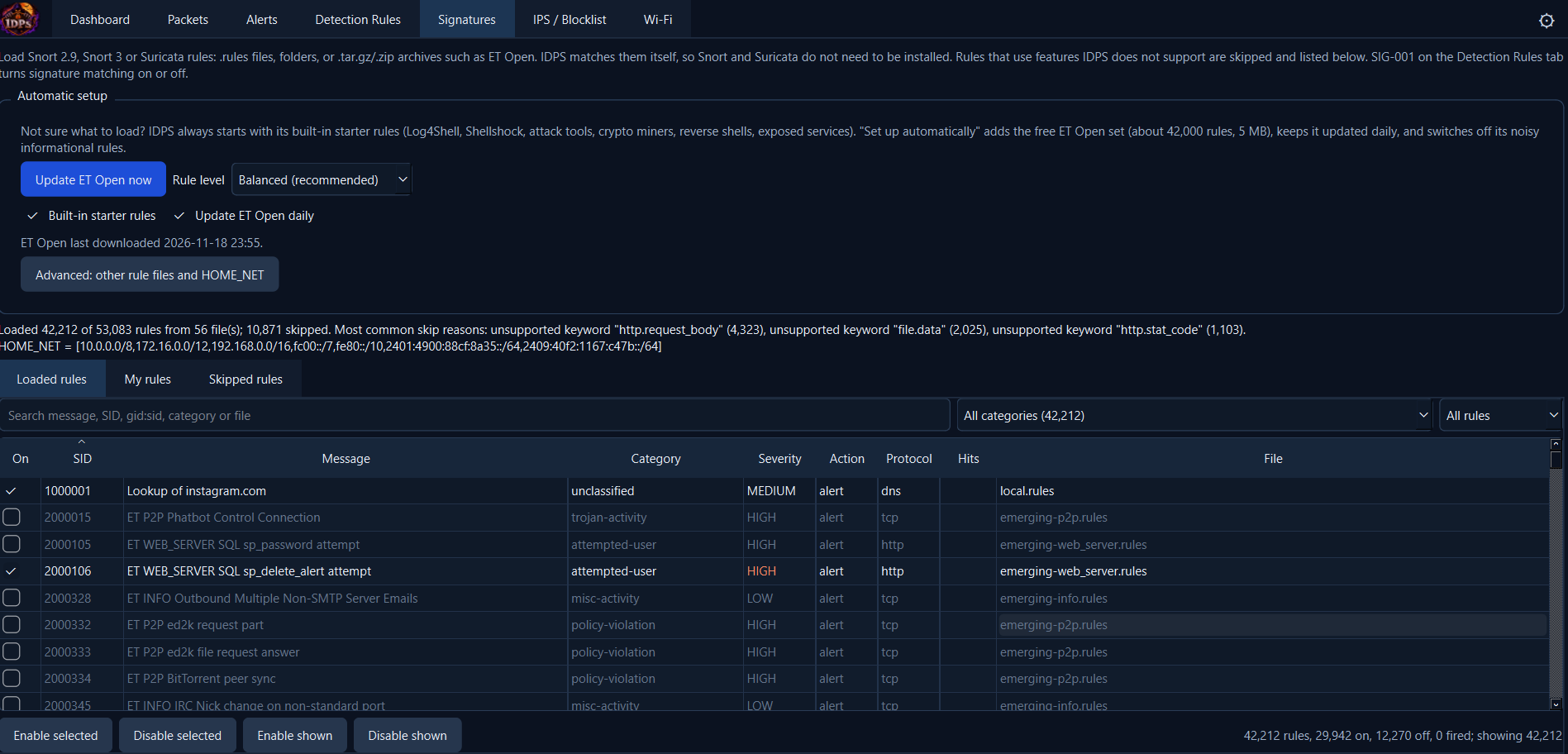
Signature rules are automated and we can load and create new rules.
-
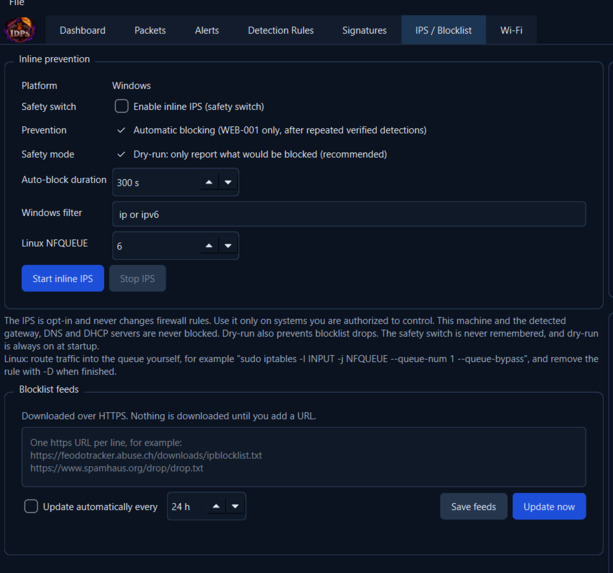
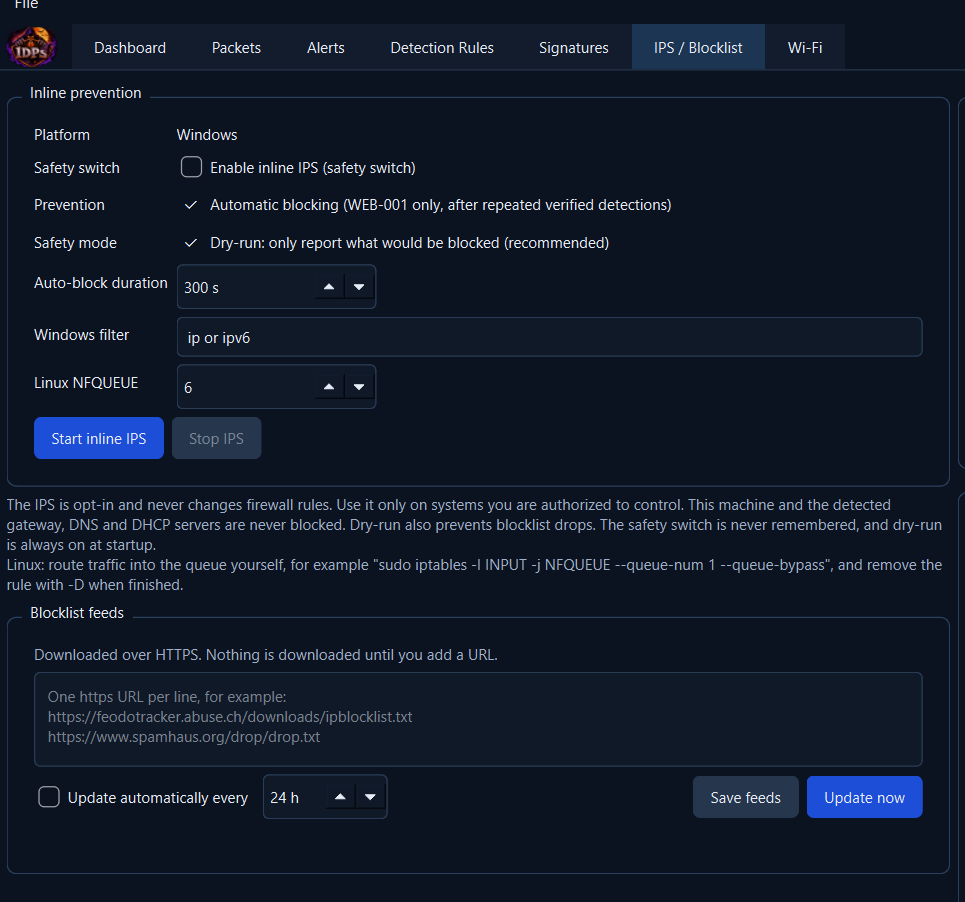
Here we can trust or block the ip addressess depending on the devices available.
-
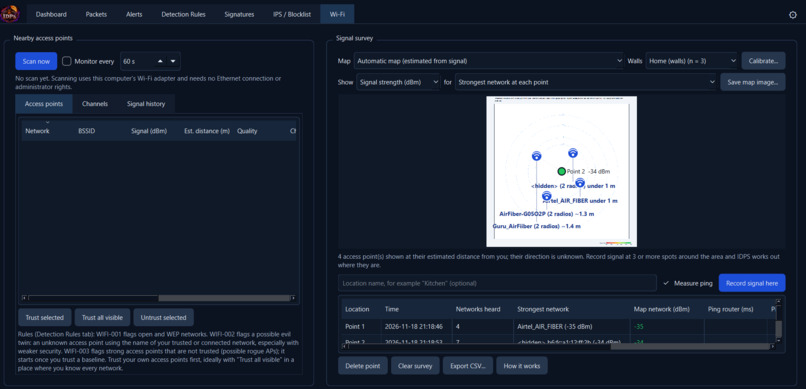
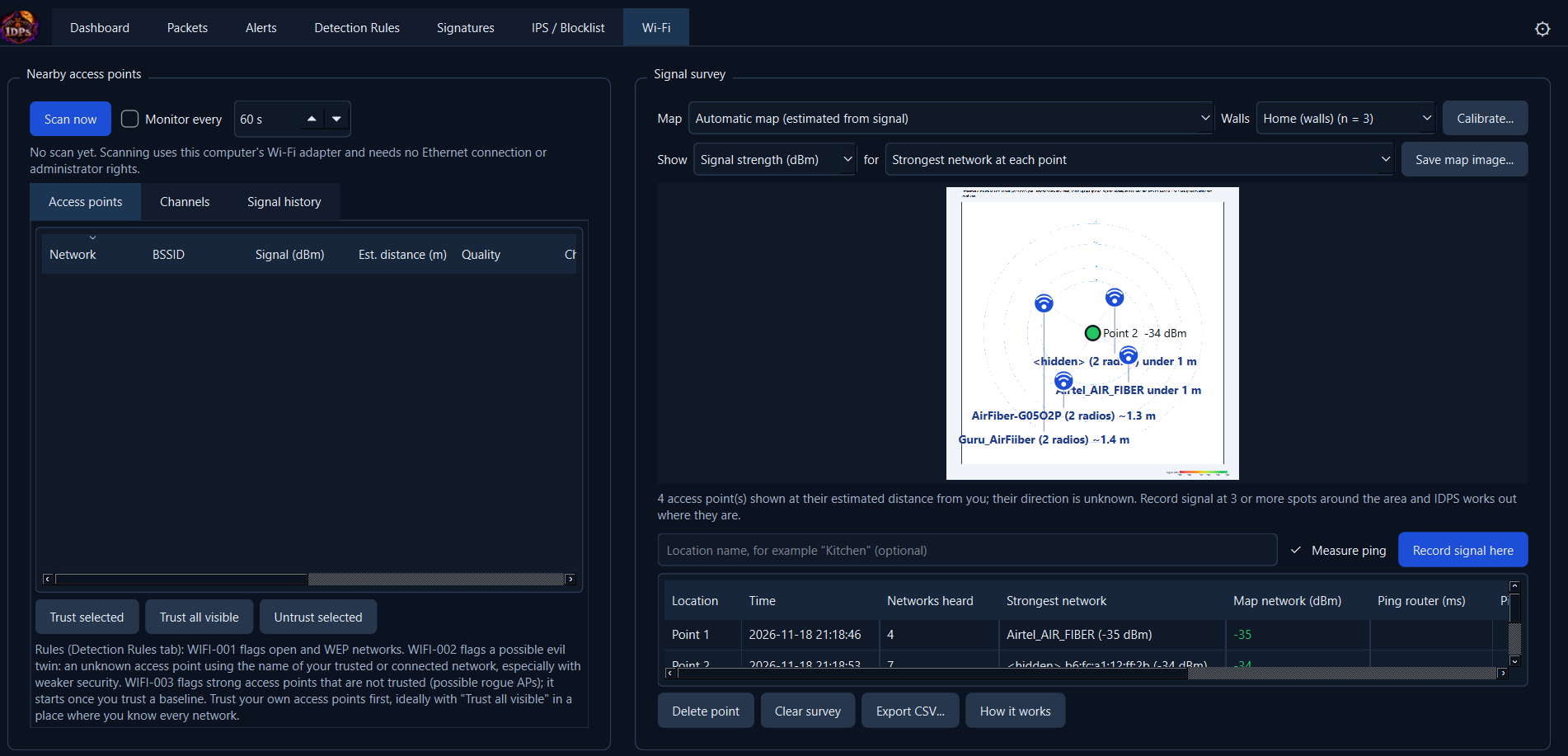
Wifi segment scans all the nearby wifi signals, maps it based on the caluculations.
Inspiration
I've always wanted to know more about networks practically, it's an intresting topic where i can learn quite lot.
Most home networks have no intrusion detection at all. The tools that exist (Snort, Suricata, Zeek) are built for servers and security teams, not for someone on a laptop. For Kiroween I wanted to build the thing that watches your network in the dark: an IDS/IPS anyone can start with one command, on any network, that explains what it sees.
Before starting the execution , make sure that the application is running in as administrator
What it does
IDPS is a Frankenstein's monster of network security, stitched together from parts that were never meant to share a body:
- Packet capture (scapy + Npcap/libpcap) for live, recorded (PCAP) or simulated traffic.
- 13 behaviour rules for port scans (TCP, UDP, stealth), SYN and ICMP floods, login brute force, ARP spoofing, suspicious HTTP requests, DNS tunnelling and random-looking TLS server names.
- A reanimated rule language. IDPS parses and matches Snort/Suricata rules itself, so Snort and Suricata don't need to be installed. It ships 38 starter rules (Log4Shell, Shellshock, reverse shells, crypto miners, ...) and downloads the free ET Open set: 42,173 rules, matched in about 0.2 ms per packet. Every alert explains why it matched: which buffer, which content, at which byte.
- Kernel-level blocking. An opt-in inline IPS (WinDivert on Windows, NFQUEUE on Linux) drops malicious packets. It starts in dry-run mode and never blocks local or infrastructure addresses.
- Radio physics. Wi-Fi monitoring flags open networks, evil twins and rogue access points, and turns signal strength into a map of your home.
- A self-test sends harmless traffic to a reserved address range, so you can check detection on any network.
How I built it with Kiro
I started from a single 850-line Python script and used Kiro specs to turn it into a real application. I wrote six specs, each with requirements, a design and a task list, and they're all in the repo under .kiro/specs:
| Spec | What it drove |
|---|---|
netsentinel-code-repair |
Found and fixed logic bugs in the original script, without changing behaviour |
netsentinel-rewrite |
Rebuilt it as a modular package; only the GUI imports Qt, so headless mode runs on servers |
netsentinel-enhancements |
Notifications, blocklist feeds, PCAP recording, headless mode |
netsentinel-detection-upgrades |
New rules: UDP scans, ARP spoofing, brute force, TLS names |
netsentinel-signature-rules |
The Snort/Suricata rule engine |
netsentinel-testing-wifi |
Self-test, sample attack recording, Wi-Fi scanning and the signal survey |
Writing requirements first made the hard parts reviewable before any code existed. For example, the rule engine's spec decided which Snort/Suricata keywords to support, and that unsupported rules are skipped and reported with a reason, never silently ignored.
Between specs I worked in Kiro's agent sessions for debugging, profiling and code review. Kiro ran the test suite after changes, profiled the GUI when it froze, and read CI failures from GitHub Actions to fix them.
The result is about 10,600 lines of Python (scapy, PyQt6, SQLite) with 236 automated tests, run by GitHub Actions on Windows and Linux with Python 3.10 and 3.14.
The rule engine builds a prefilter index of rare 4-byte substrings, so a packet is only fully checked against the few rules whose substring it contains. That is what makes 42,000 rules affordable in Python.
The Wi-Fi map turns signal strength into distance with the log-distance path-loss model:
$$ \text{RSSI}(d) = P_{1\text{m}} - 10\,n\,\log_{10} d \quad\Longrightarrow\quad d = 10^{\frac{P_{1\text{m}} - \text{RSSI}}{10\,n}} $$
where \( P_{1\text{m}} \) is the signal 1 m from the router (about \(-38\) dBm at 2.4 GHz) and \( n \) is the path-loss exponent (about 3 indoors with walls). With three or more recorded spots, IDPS places the spots \( p_i \) and access points \( a_j \) so their distances match the estimates \( d_{ij} \) as closely as possible:
$$ \min_{p,\,a} \sum_{i,j} \bigl(\lVert p_i - a_j \rVert - d_{ij}\bigr)^2 $$
Challenges I ran into
- "[WinError 87] The parameter is incorrect." The inline IPS refused to start: the WinDivert filter said
ip6where WinDivert expectsipv6. One word to fix, much longer to find. - Laptops lie about adapters. Windows keeps routes for unplugged adapters, so "default interface" often meant a disconnected Ethernet port. IDPS now picks one that is actually connected.
- Regex denial of service. A badly written pattern plus a crafted payload can stall an IDS. Switching slow rules off would let an attacker disable rules on purpose, so a timeout now fails closed: the rule still alerts, a HIGH alert reports the timeout, and the pattern backs off for that source.
- A haunted GUI. With ET Open loaded, the window froze for up to 8 seconds. Profiling found three causes: sorting 42,000 rows with about 500,000 Python comparisons, the regex library passing Python's global lock (GIL) back and forth thousands of times a second, and database reads on the GUI thread. Freezes dropped from 4.5–8.8 s per 40 s of traffic to 0.3 s.
- CI that only failed on Windows. File-permission checks behaved differently on GitHub's runners, and scapy looked up a network adapter that didn't exist there. Turning test failures into readable CI annotations made each fix quick.
What I learned
- How real IDS engines work: rule languages, prefiltering, flow state, thresholds, and why matching single packets misses attacks split across packets.
- That security features can become attack surface: a "safety" switch-off became an evasion, and a checksum proves integrity but not authenticity.
- That specs pay off most on the scariest parts. The rule engine and the IPS were the pieces where deciding the behaviour first saved the most rework.
- To measure before optimising. Every performance fix came from a profiler, not a guess.
What's next
TCP stream reassembly and IP defragmentation, so attacks split across packets are caught; privilege separation, so the GUI doesn't need admin rights; and a faster multi-pattern prefilter (Aho-Corasick).

