-
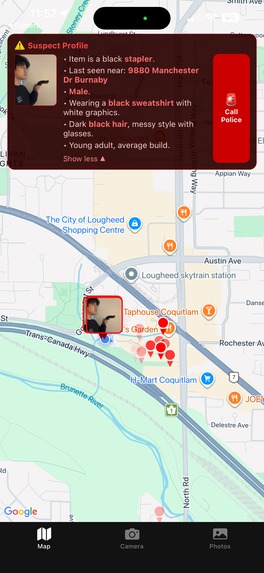
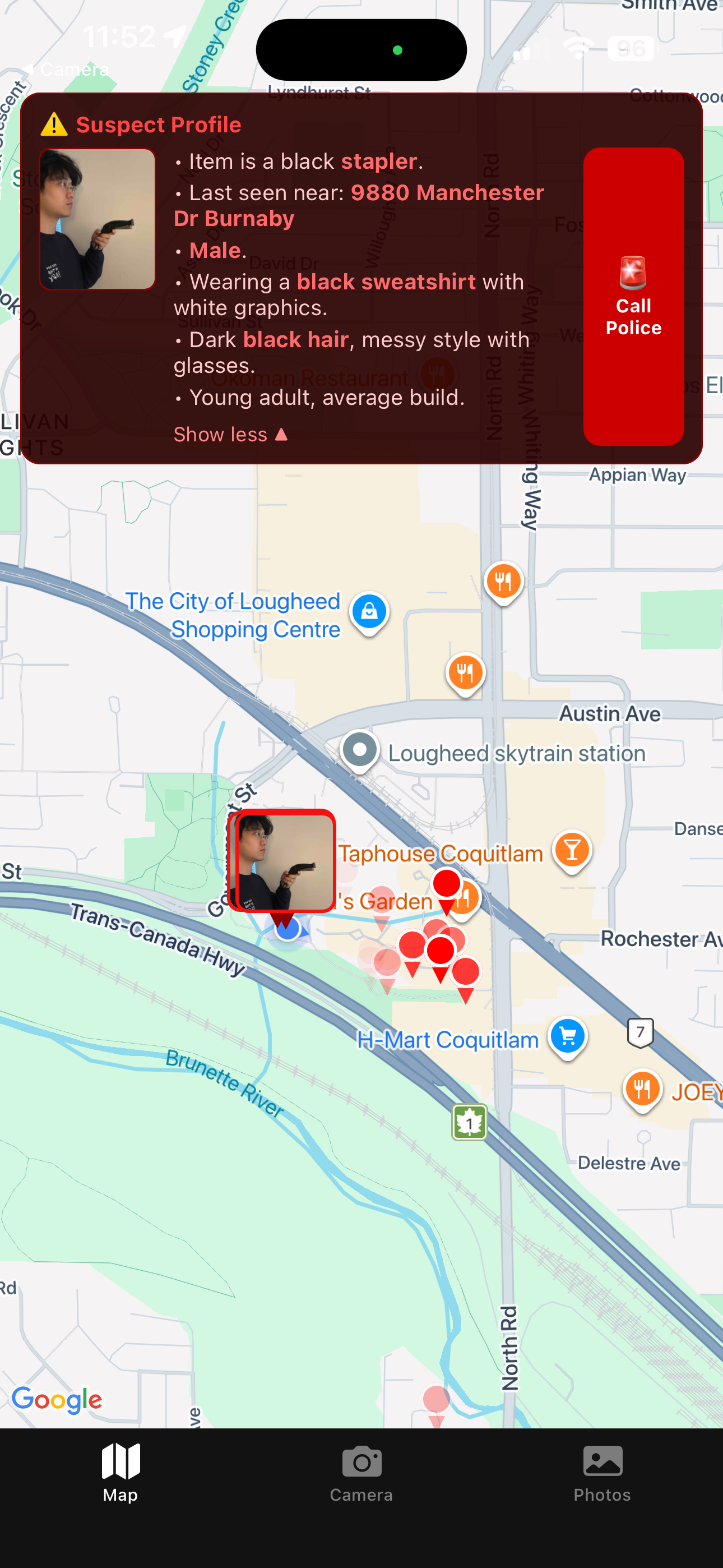
Live map of concensous threat location and suspect profile
-
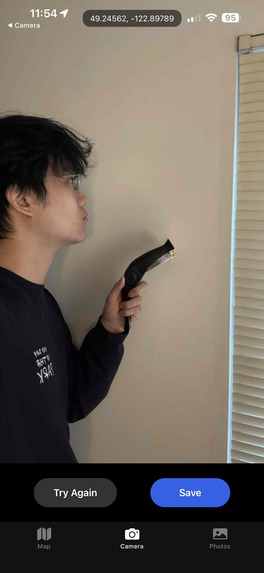
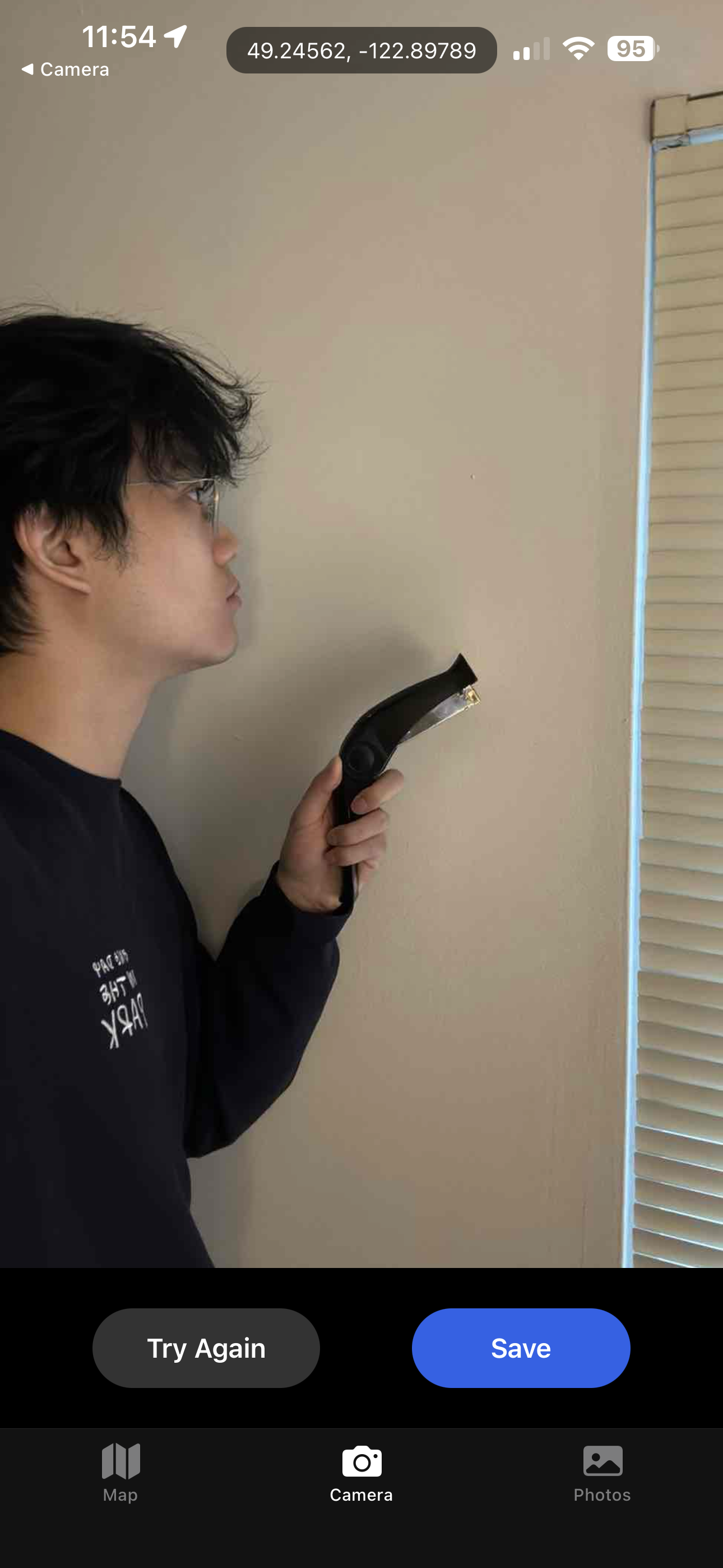
Take a photo of the threat
-
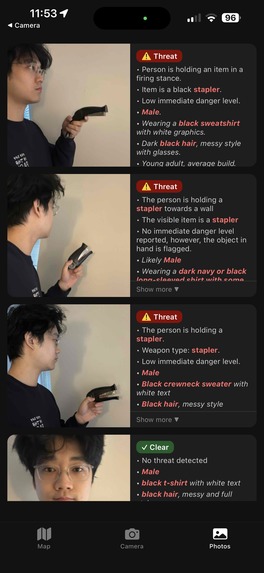
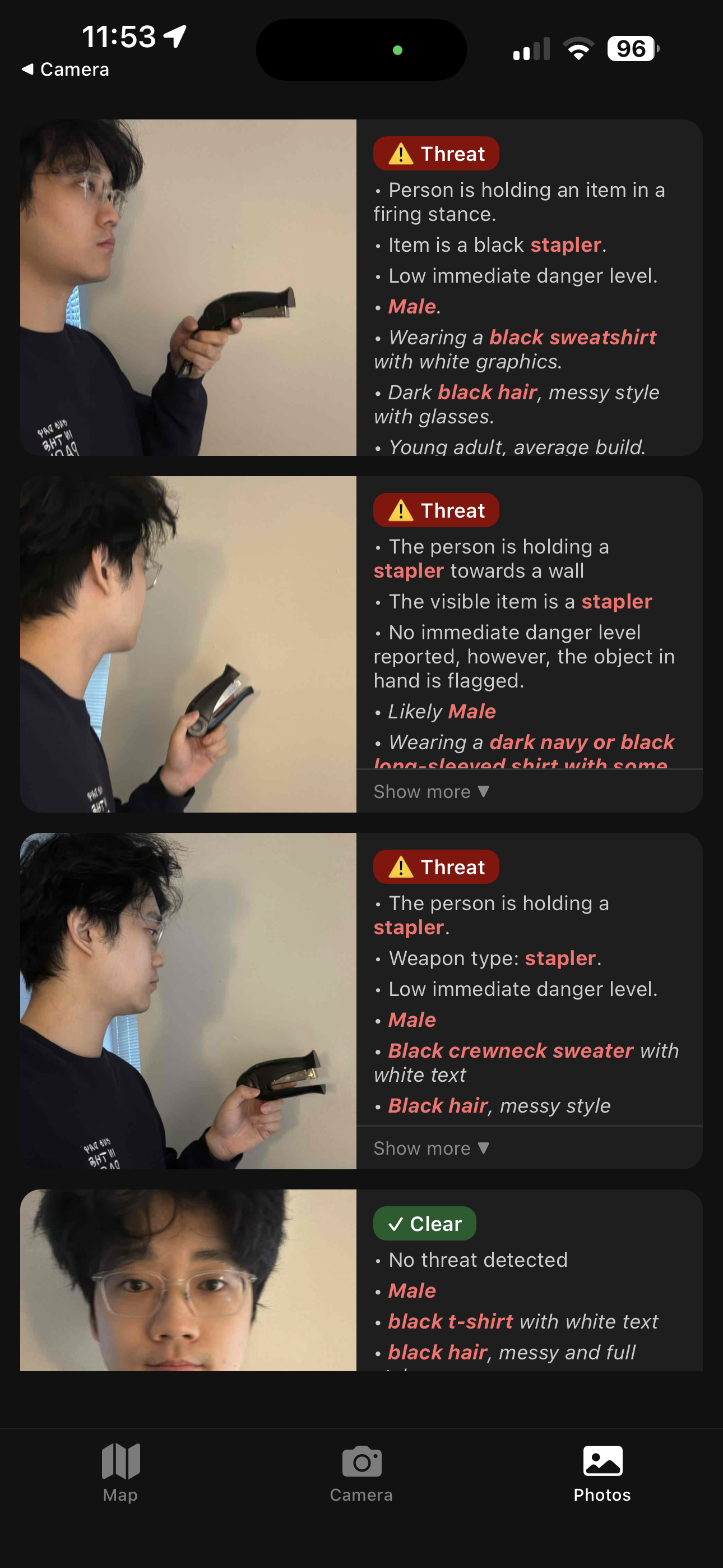
AI image threat detection
Inspiration
Active intruder threat situations are sadly the norm across North America. People don't know where the threat is, what they look like, or whether it's safe to run or hide.
We built Intruder Threat Map to give people in those opportunity to keep each other safe.
***Note: For Demo Purposes, a stapler is classified as a weapon by the application"
What it does
ThreatMap is a real-time, crowd-sourced intruder tracking app. When someone spots a threat, they can:
- Photograph the intruder — the camera tab lets anyone capture a photo instantly
- AI builds a suspect profile — Google Gemini analyzes the photo in the background, detecting weapons(or a stapler), describing appearance (clothing, hair, build, gender), and flagging threat level
- Pin the location — anyone can long-press the live map to drop a pin showing where the intruder was last seen; pins fade over time so the most recent sightings are always most visible
- Call it in — a one-tap "Call Police" button reads the AI-generated suspect profile aloud so you can give 911 a complete, hands-free description
The map updates in real time across all users via live database subscriptions, so everyone in the building or area sees the same picture.
How we built it
- React Native + Expo — cross-platform mobile app (iOS & Android)
- Google Maps via react-native-maps — live map with animated dropping pins
- Google Gemini (gemini-3.1-flash-image-preview) — vision AI for threat detection and suspect appearance extraction
- Supabase — Postgres database + real-time subscriptions for live pin updates + object storage for threat photos
- expo-speech — text-to-speech for the 911 assist feature
- expo-location — geotagging every photo and pin automatically
Challenges we ran into
- Getting Gemini to return consistent, parseable JSON from vision prompts required careful prompt engineering and post-processing to strip control characters
- Real-time map pins needed to show recency at a glance, we solved this with per-device opacity fading so older pins become transparent while the newest stays solid
- Considering user location safety, app should give user the choice to keep photo meta and location data private
What we learned
Building under time pressure taught us to prioritize on whats most important for the users in an intruder thread situation.
What's next
- Alert notifications when a new threat photo is posted nearby
- Evacuation route suggestions based on pin clusters
- Integration with building security systems, Police first responder systems
- System Confidentiality. Only give app access to students and staff of a school or building.
- Create user profiles to identify potential users that may be the intruder
Built With
- expo-speech
- expo.io
- google-gemini
- google-maps
- react-native
- supabase
- typescript

Log in or sign up for Devpost to join the conversation.