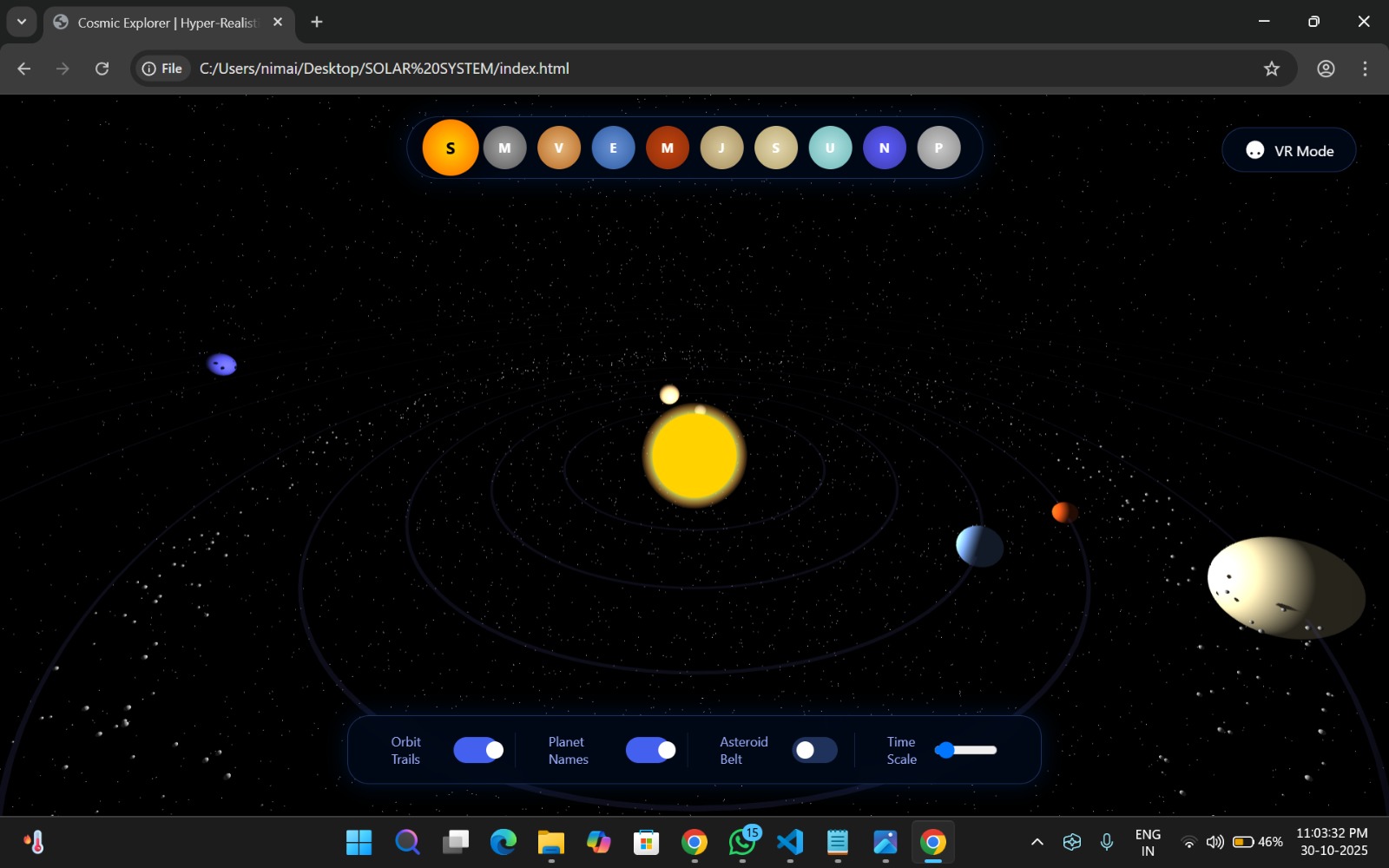
HelioScope is a browser-based interactive simulation of the Solar System. It includes the Sun, eight planets (plus optional Pluto and the Moon), an asteroid belt, comets, planetary rings, realistic textures, and an intuitive UI for zooming, jumping to planets, toggling orbital paths, and viewing scientific data cards. The experience uses accurate visual cues (light, atmosphere, shadows) and cinematic motion to make learning feel like exploration.
Inspiration We wanted to recreate the awe of a planetarium and the accessibility of the web. Inspired by NASA visualizations, planetarium exhibits, and modern product UIs, HelioScope aims to make space exploration both scientifically grounded and delightfully interactive — for students, hobbyists, and casual explorers.
How we built it (technical overview)
Rendering & engine: Three.js + WebGL for real-time 3D rendering.
Assets: GLTF/GLB models and high-resolution NASA textures (diffuse, normal/bump, specular, cloud maps).
Lighting & effects: Point light from the Sun, bloom, depth of field, ambient occlusion, and additive sprites for solar glow.
Animation: Axis rotation, orbital motion driven by scaled orbital periods, particle systems for asteroid belt and comets.
UI/UX: HTML/CSS overlay + dat.GUI for developer toggles; animated info cards, smooth camera transitions, zoom/rotate controls.
Optimization: LOD for distant planets, texture streaming, and reduced polygon counts for mobile.
Extensions (hooks present): audio narration, VR/AR module, and shader-based atmospheres for realistic scattering.
Key features implemented
Realistic 3D planets with cloud layers and rings.
Orbit visualization and toggleable labels.
Asteroid belt particle system and randomized comets.
Smooth camera focus and planet info cards with facts (mass, radius, orbital period).
Time control (slow / normal / fast-forward), cinematic mode (UI off), and screenshot capability.
Loading progress UI and graceful fallbacks for low-end devices.
Challenges & solutions
Performance vs. fidelity: Solved by implementing LOD, using compressed textures, limiting particle overdraw, and making bloom/post-processing toggles.
Syncing realistic scales with usability: Real scales are huge, so we designed a “dual-scale” mode — true relative distances for education, and a compressed, navigable scale for exploration.
Realistic atmosphere & lighting: Used layered sphere approach (surface + cloud + atmosphere shader) and physically-inspired light falloff to emulate day/night terminator and soft glows.
What we learned
Practical trade-offs between physical accuracy and UX — sometimes scientific truth must be stylized for interaction.
Techniques for real-time planetary rendering (multi-layer textures, shadowing, ring rendering).
How to design intuitive 3D controls and onboarding for non-technical users.
Impact & use cases
Classroom teaching aid and interactive homework support.
Museum/kiosk exhibits or immersive demos for outreach.
Portfolio piece demonstrating 3D UI design, WebGL engineering, and educational storytelling.
Foundation for a VR/AR experience or a gamified space learning app.
How to demo (30–60s script)
Start at the Sun: show volumetric glow and solar flares.
Smoothly fly to Earth, toggle clouds and moon view; open info card to show real-time data.
Speed up time to show orbits and the asteroid belt in motion.
Jump to Saturn, enable ring close-up and cinematic mode — take a screenshot.
End with a toggle to switch to “Real Scale” and explain the scale choice.
Tech stack & resources
Three.js, GLTFLoader, EffectComposer (UnrealBloomPass)
Web Audio API (optional narration / sound FX)
Texture assets: NASA planetary maps (replace placeholders in /textures)
Optional: Tween.js/GSAP for smooth camera animations; WebXR for VR support.
Future improvements / roadmap
Add accurate moons and satellite orbits with catalog data.
Implement procedural atmospheric scattering shader for photorealism.
Add multi-language narration, guided tours, lesson plans for classrooms.
Enable multiplayer “exploration” sessions and annotations.
Export modes for high-res renders and video capture.
Built With
- css
- google-font-styling
- howler.js
- html
- javascript
- stats.js
- three.js
- webgl
- webxr
