-
-
InterviewSense - Gemini Live API
-
InterviewSense - Architecture Diagram
Inspiration
I'm actively looking for my next role in Data and AI engineering. Technical interviews are nerve-wracking, but realistic practice is hard to come by; mock interviews require scheduling, willing peers, and the confidence to be evaluated. I wanted a tool that would give me a senior interviewer on demand, available at 2am before a big interview, with no scheduling and no judgment. So I built it.
What it does
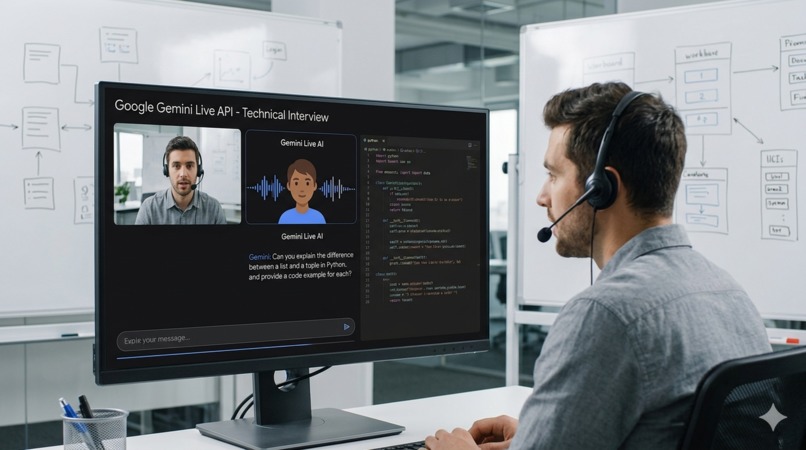
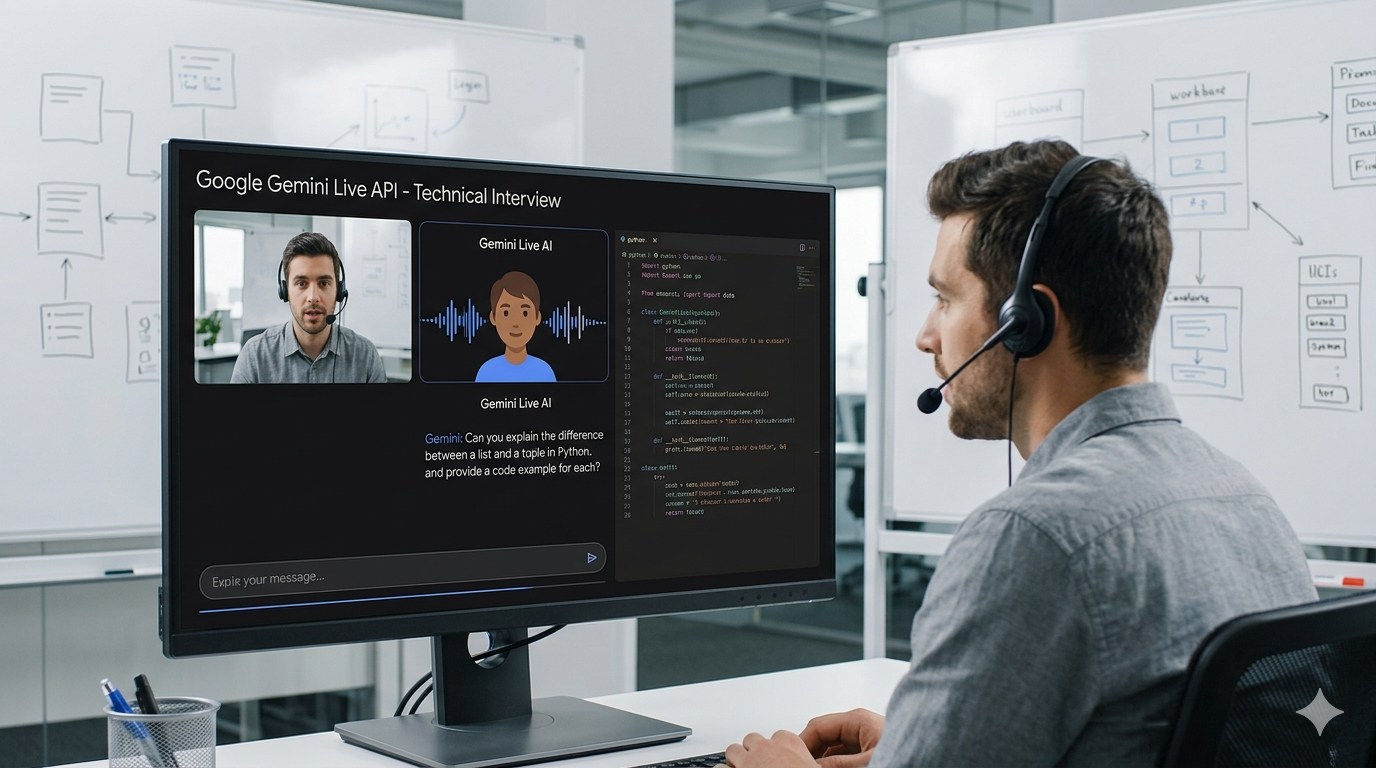
InterviewSense conducts live voice technical interviews powered by Gemini Live API. You select a role, domain and interviewer persona, then have a real conversation; the interviewer listens, probes shallow answers, allows interruptions, references your screen if you share a diagram, and adapts based on what you say. When the session ends, an evaluator model scores every turn and delivers a hire/no-hire recommendation with actionable feedback.
How we built it
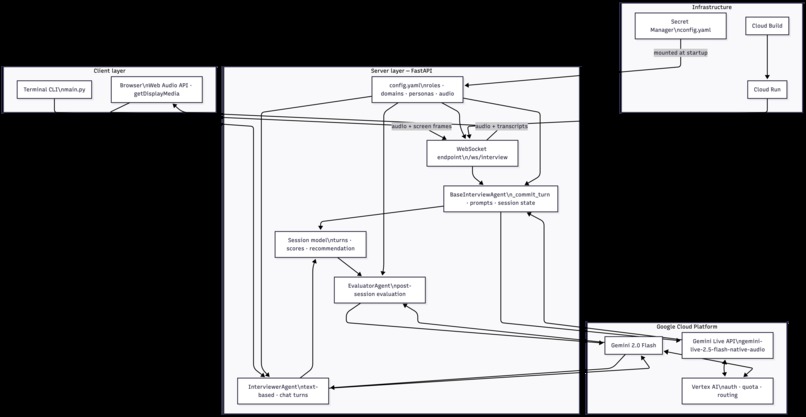
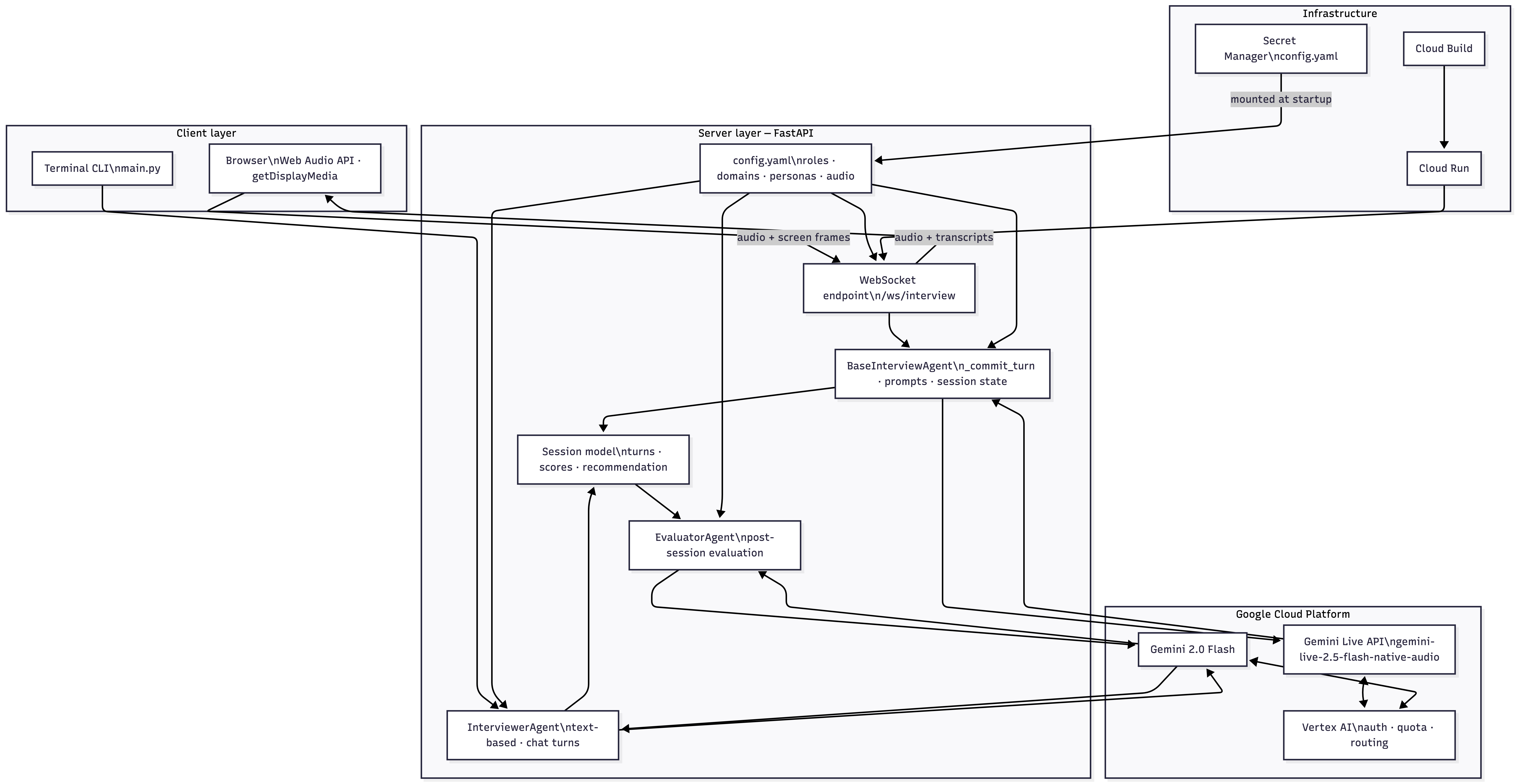
- Gemini Live API for real-time bidirectional voice with native audio transcription
- Gemini 2.0 Flash for structured post-session evaluation with turn-by-turn scoring
- FastAPI + WebSockets to bridge browser audio and screen frames to the Live API
- Vertex AI on Google Cloud for model access and deployment
- Cloud Run + Cloud Build for containerised image builds and serverless deployment with WebSocket support
- Vanilla JS frontend with Web Audio API for gapless PCM playback and
getDisplayMediafor screen capture at 1fps
Challenges I ran into
The Live API learning curve was steep. The API is genuinely new. The official
documentation and the SDK are occasionally out of sync (the docs reference send_content
while the SDK uses send_client_content, which behaves differently). Google's own
GitHub examples, including the Twilio telephony integration, were invaluable for
understanding the intended patterns. A subtle early bug, mixing send_client_content
with send_realtime_input on the same connection, silently broke the realtime audio
pipeline with no error. Getting the session warm-up pattern right (the first
send_client_content on a fresh connection always produces an empty turn with no audio)
took significant debugging. Session resumption across reconnects, echo gating without
headphones, and graceful wrap-up when max turns are reached all required careful async
coordination.
Audio pipeline complexity. Browser audio is float32 at 48kHz. Gemini expects int16
at 16kHz. Gemini outputs int16 at 24kHz. Getting resampling, gapless playback, and
barge-in interruption working reliably across this pipeline, without blocking the async
event loop, required multiple iterations. Repeated sd.play/sd.stop cycles caused
crackling and PortAudio errors on macOS. Switching to a persistent OutputStream solved
playback but introduced new challenges around interrupt handling and drain timing. The
echo gate that prevents the interviewer's voice from triggering false interruptions also
blocks barge-in. This tradeoff only resolves with headphones, browser-level echo
cancellation or a quiet room.
Turn discipline. Gemini's VAD treats any pause as end-of-turn, so filler words like
"Sure" or "Yes" triggered full interviewer responses that consumed turn slots. Greeting
and interruption artifacts also created empty turns that inflated the count and confused
the evaluator. Solving this required filtering turns by minimum candidate input length
and sending authoritative turn counts from the server rather than counting DOM elements.
Graceful session termination. When the interview ends, whether by [END_INTERVIEW]
marker, max turns, or user request, the closing audio must finish playing before
transitioning to the results screen. Getting this right across the WebSocket boundary
(server drains its queue, browser schedules audio buffers, evaluation runs on the
still-open connection) required coordinating async state across three concurrent tasks.
Keeping the session alive. The Live API closes connections after about 10 minutes.
Implementing session resumption with handle persistence, heartbeat audio, and transparent
reconnection so the candidate never notices a drop was non-trivial. Adding screen capture
introduced further complexity. mss initialization and media_resolution config both
interfered with the greeting on cold connections, requiring careful gating until the
session was warm.
Cloud deployment — 14 attempts. Getting the app running on Cloud Run was the most gruelling part of the project, and in hindsight, the most educational.
The first roadblock was IAM. The standard advice, grant permissions to
[PROJECT_NUMBER]@cloudbuild.gserviceaccount.com, didn't apply because Google
stopped auto-creating that service account for new projects after April 2024. The
workaround was to use the Compute Engine SA instead and pass it explicitly to Cloud Build.
A stale gcloud config had builds/use_kaniko = false set, which conflicted with
a --no-cache flag and threw a cryptic validation error. Fixed by removing the property. The deploy script also had --session-affinity for WebSocket stickiness; this flag doesn't exist in gcloud run deploy. It turns out Cloud Run handles WebSocket connection affinity automatically.
Cloud Build and Cloud Run are separate APIs. Enabling one doesn't enable the other.
That cost a deploy attempt. Then uv sync installs packages into .venv/ rather than
the system PATH, so gunicorn was installed but the shell couldn't find it. Three
revisions were spent on this because the Dockerfile change wasn't saved correctly the
first time, and old revisions kept restarting in the logs; this made it look like the
fix hadn't worked.
The subtlest failure: config.yaml was in .gitignore, so Cloud Build never included
it in the image and the app crashed on startup. The solution was Secret Manager. But
mounting the secret at --set-secrets=/app/config.yaml=config-yaml:latest overwrote
the entire /app directory with just the secret contents. This, apparently is a known Cloud Run behaviour
when the mount path matches WORKDIR. The fix was mounting at /secrets/config.yaml
and making the config path configurable via a CONFIG_PATH environment variable.
On attempt 14, the app finally started but it hit a Vertex AI auth error. The Compute
Engine SA needed roles/aiplatform.user granted explicitly. After that, it worked.
Accomplishments that I am proud of
When I started this project, I wasn’t sure I could build an AI interviewer that felt genuinely professional, not a chatbot reading from a script, but something that listens, probes, interrupts, pushes back, and adapts. Hearing Jordan or Alex reference something I said several turns earlier, or pivot to a follow-up that exposed a gap in my answer, was the moment I knew the system prompt and persona design were working.
The real-time voice pipeline with screen sharing is the other accomplishment I’m most proud of. Getting low-latency responses, gapless audio playback, barge-in interruption, and seamless session resumption working together in a browser without noticeable lag or glitches was genuinely challenging. Many voice AI demos feel robotic or delayed. This one feels much closer to a natural conversation.
What I learned
Shipping something with a bleeding-edge API teaches you things no documentation can. I came away with a much deeper understanding of async Python, WebSocket lifecycle management, browser audio APIs, and the practical tradeoffs of real-time streaming architectures. And I now have a tool I'll actually use.
What's next for InterviewSense
Persistent session storage. Interview transcripts and evaluations currently live only in memory for the duration of the session. The next step is persisting them to Firestore; this gives candidates a full history of past interviews, score trends over time, and the ability to revisit feedback.
Flexible interview durations. Right now the session length is controlled by a fixed turn limit. Adding time-based modes (15, 30, 45 minutes) would make the experience feel closer to a real interview format and give candidates more control over their practice sessions.
Resume-aware interviews. Allowing candidates to upload their resume before the session starts would let the interviewer ask role-specific questions grounded in their actual experience. This makes the simulation significantly more realistic and personalised.
Body language via Gemini webcam. Stream webcam frames to Gemini Live API alongside the screen share, and analyse candidate's body language during the interview; this can be shared as non-technical feedback to improve the candidate's chances in a real interview.
Built With
- cloudbuild
- cloudrun
- fastapi
- gemini
- javascript
- python
- websocket

Log in or sign up for Devpost to join the conversation.