-
-
Splash Screen
-
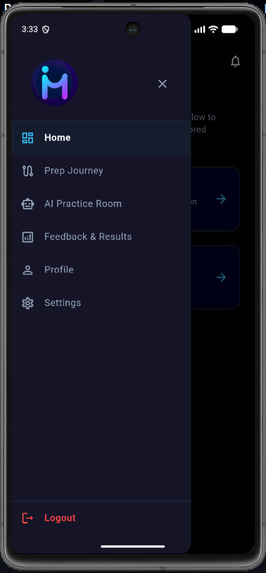
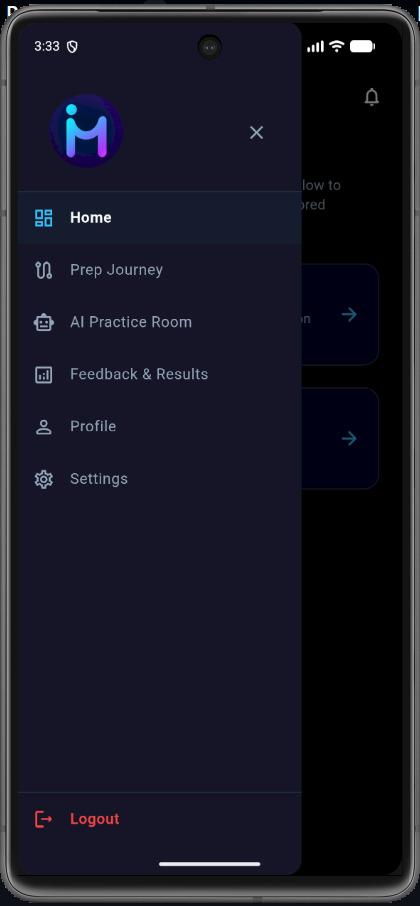
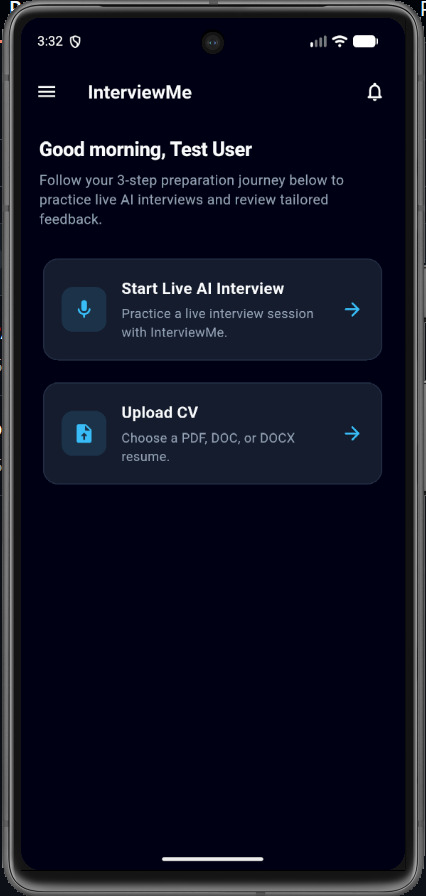
Dashboard
-
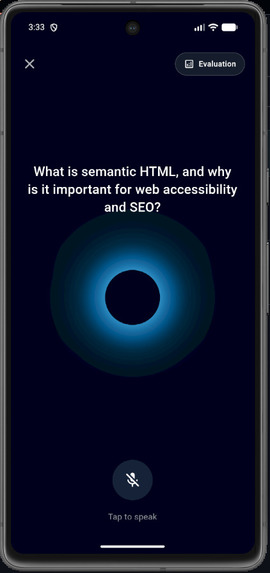
AI voice Assistant
-
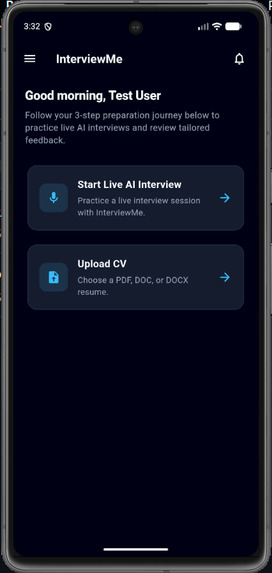
Home Screen
-
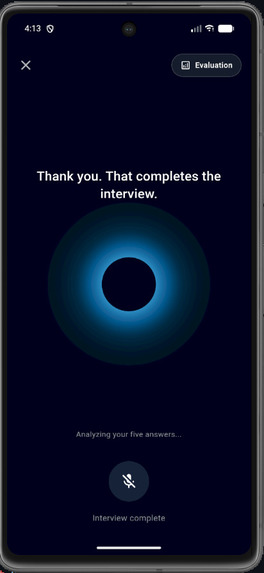
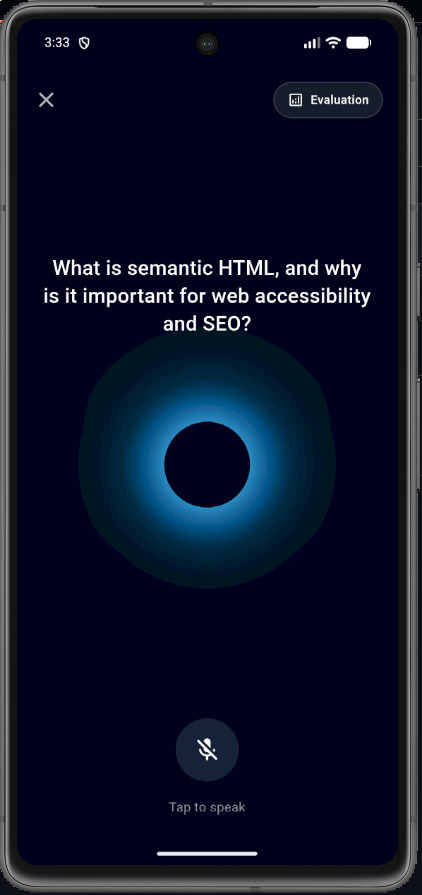
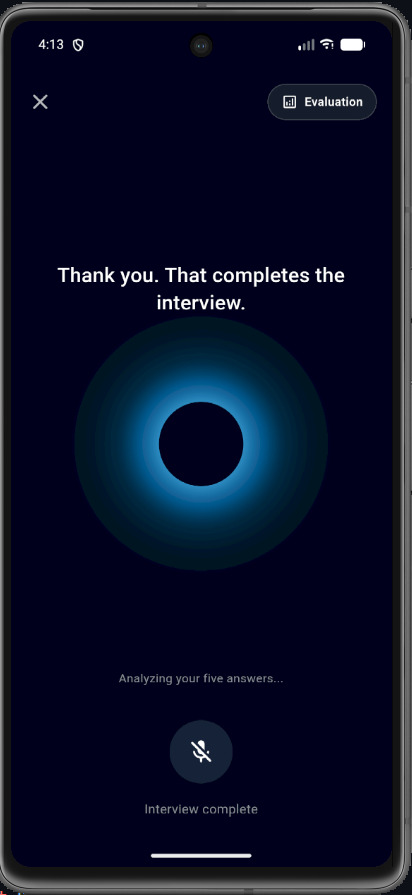
AI interview screen
-
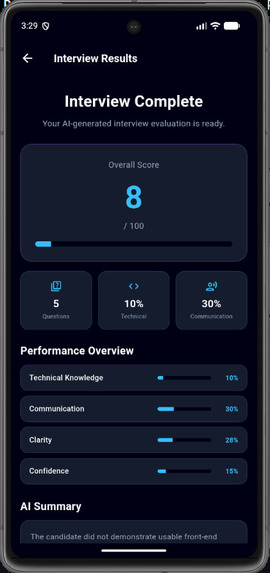
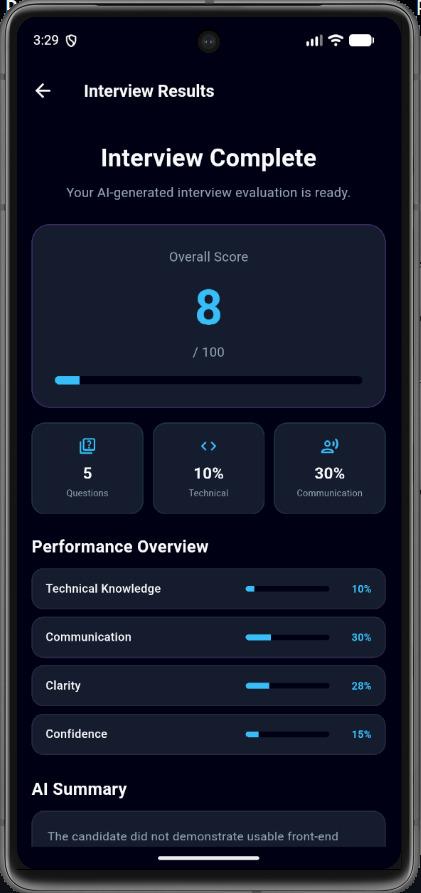
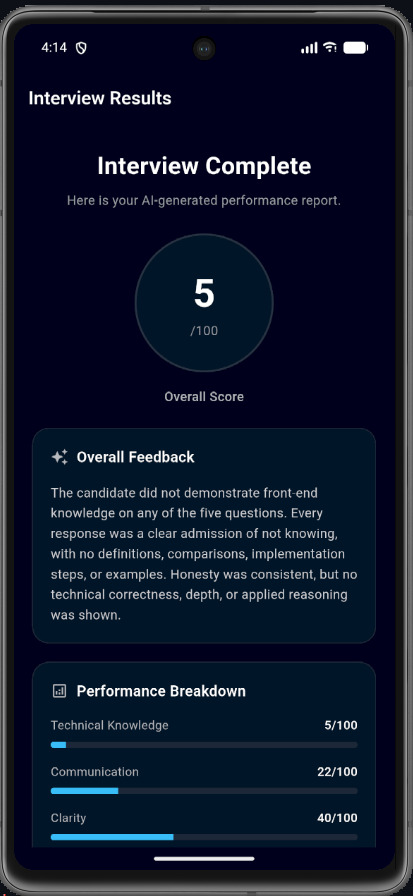
End result
-
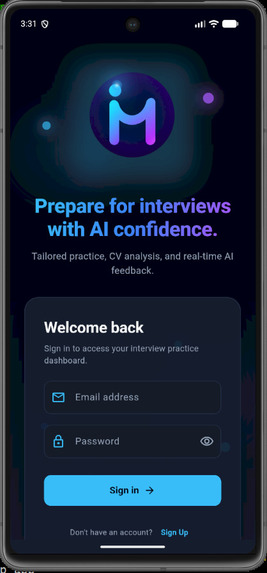
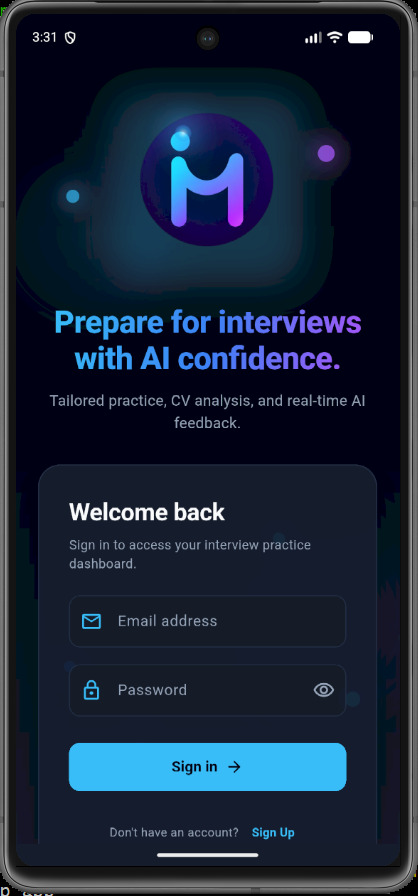
Login page
-
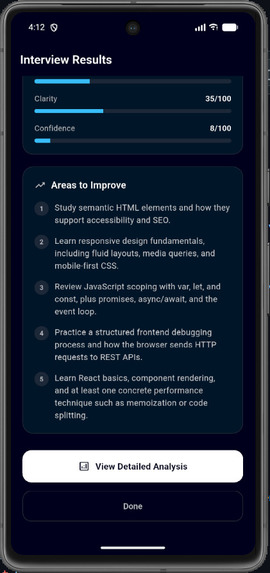
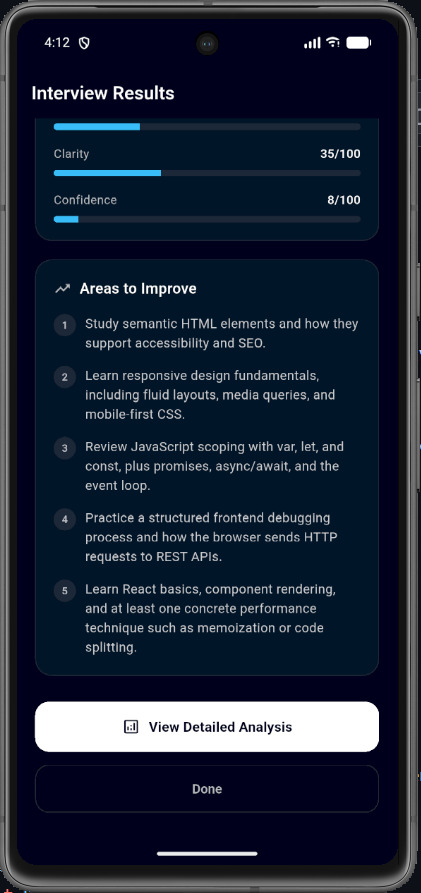
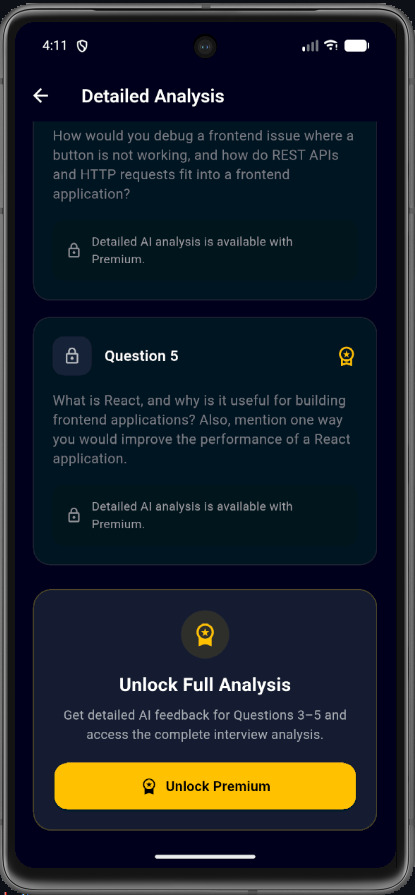
Feedback
-
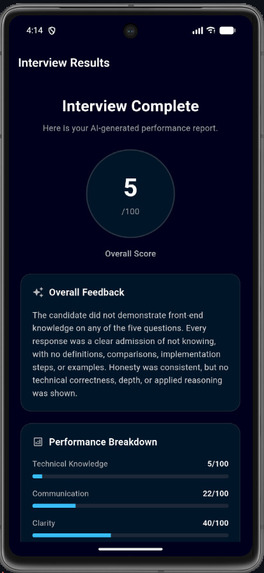
Feedback
-
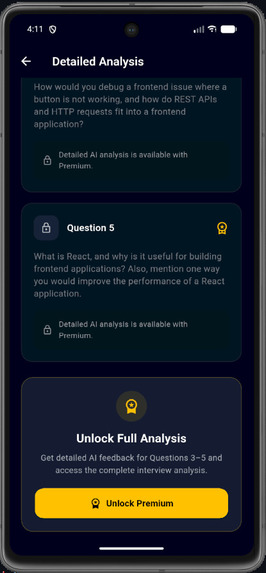
AI question
-

Logo

InterviewMe — Project Documentation
- Hackathon Project Story Inspiration Preparing for technical job interviews is often intimidating, fragmented, and unequal. High-quality mock interviews with personal coaches are either expensive or difficult to schedule, while static coding practice platforms fail to replicate the live pressure of speaking out loud to an interviewer. We were inspired to solve this gap by building InterviewMe—an accessible, real-time voice interface powered by AI that simulates genuine candidate-interviewer dialogue. By combining low-latency voice models with structured technical feedback, our goal is to democratize interview preparation for developers everywhere. What It Does InterviewMe is an AI-powered mock interview application built with Flutter, Node.js, Firebase, and xAI Grok. Real-Time Spoken Interview: Candidates participate in a voice-driven technical interview using push-to-talk interaction. Interactive Questioning: The system delivers sequential questions across key web development domains (HTML, CSS, JavaScript, Web APIs, and React). Structured AI Evaluation: After completing five core questions, the backend evaluates performance using a strict evaluation algorithm. Detailed Metrics: Candidates receive scores on technical knowledge, clarity, communication, and confidence, alongside individual question feedback and recommendations. How We Built It We structured InterviewMe using a full-stack cross-platform architecture that integrates mobile client technologies, backend API services, and AI integrations: Mobile App & IDEs: Built using Flutter and Dart for cross-platform iOS and Android execution. Development was streamlined using Android Studio for Android SDK integration, emulator testing, and platform builds. Native Platform Languages: Leveraged Java and Kotlin on Android, Swift on iOS, and C++ / C with CMake under the hood for native audio handling and lower-level performance via Flutter engine dependencies. Backend Architecture: Powered by Node.js and Express.js. The server acts as an intermediary relaying raw PCM audio streams between Flutter and xAI Grok APIs via WebSockets. AI Integrations & Groq / xAI APIs: Integrated real-time voice streaming and structured evaluation models via xAI Grok and Groq API pipelines to handle instant speech processing and detailed feedback generation. Cloud & Subscription Management: Firebase (via Firebase Admin SDK and Firebase Core) manages backend authentication, security, and document storage, while RevenueCat manages in-app subscriptions and paywalls. Web & Markup: Used HTML and CSS concepts within both the web-facing components and the core technical interview evaluation domain. Evaluation Scoring Model The overall candidate score Soverall is calculated as a weighted sum of individual competency metrics:
Soverall=w1Stech+w2Scomm+w3Sclarity+w4Sconf where Stech,Scomm,Sclarity,Sconf[0,100] represent scores for Technical Knowledge, Communication, Speech Clarity, and Confidence respectively, and i=14wi=1.0. The overall composite score across N=5 interview questions is defined as:
Scomposite=1Ni=1Nqi where qi is the individual score evaluated for question i. Challenges We Ran Into Low-Latency Audio Streaming: Relaying raw audio buffers in real time required careful synchronization between client microphone commits and WebSocket buffer flushes to prevent voice overlap or missed turns. Deterministic Response Generation: Voice AI models can sometimes over-talk or ask unnecessary follow-up questions. We resolved this by implementing state controls in Node.js to enforce single-question turns and handle explicit session termination. Structured Scoring Reliability: Standard text output can vary in formatting. Enforcing strict JSON schema validation ensured that evaluation data renders seamlessly in the Flutter frontend. Accomplishments That We're Proud Of Successfully built a responsive, low-latency, end-to-end voice interface connecting Flutter directly to real-time AI APIs. Developed an AI evaluator that provides detailed feedback across five distinct candidate metrics. Created a clean, scalable mobile interface supporting cross-platform execution across both Android and iOS. What We Learned Deep insights into WebSockets, raw audio sample rates (24kHz PCM processing), and real-time streaming architectures. Schema design techniques for constraining AI model outputs to ensure reliable frontend parsing. Best practices for coordinating decoupled state machines across mobile clients, backend servers, and third-party AI APIs. What's Next for InterviewMe Multi-Domain Tracks: Expanding beyond Front-End Web Development into System Design, Backend Engineering, and Data Structures & Algorithms. Resume-Based Personalization: Allowing candidates to upload PDFs to receive tailored interview questions based on their specific work experience. Speech-Rate & Analytics: Adding pitch, tone, and pacing analysis to provide deeper feedback on speech delivery during interviews.
- Environment Configuration (.env) Important Setup Step: You must create and place the .env configuration file directly inside the backend/ directory (backend/.env) before starting the server. Below is the required .env: PORT=5000
XAI_API_KEY=xai-C4CLclgVRbABlGm3gMUNv9oVfRJCSmEwvHLADQ7Bf8u9CKEB0LiMKPY7fOvcFEQqrRArCnfpmhVscecy
GROK_MODEL=grok-voice-latest
GROK_VOICE=eve
EVALUATION_MODEL=grok-4.7
Firebase Configuration Important Setup Step: To run the backend and enable administrative database/auth operations, you must add your private Firebase Service Account JSON file directly inside the backend/ directory as backend/firebase-service-account.json. Instructions for Adding Firebase Files to Backend & App: Backend Integration: Download your Firebase Admin SDK service account key from the Firebase Console. Rename the downloaded JSON file to firebase-service-account.json. Place the file directly inside the backend/ folder alongside server.js. Mobile Frontend Integration: Android: Place your downloaded google-services.json file inside android/app/google-services.json. { "type": "service_account", "project_id": "interview-me-2026", "private_key_id": "f247945a09604c8fa9e2eb4098dc214e80332eb7", "private_key": "-----BEGIN PRIVATE KEY-----\nMIIEvgIBADANBgkqhkiG9w0BAQEFAASCBKgwggSkAgEAAoIBAQCq4avE1EVi4ZnT\n9GIac7HWBGD1bbV+48dnrE/+uIf/XYJiZ3gzYaBqfnqHl5qZ3LkkfIW5xVowHFgM\nUDK1u48hRBVdBaJVTFwwoXZEBFK+sOAAFYotYo9Y37+ofon+ROLNu4Z8Sr9pLcPw\nHlMlTULd3hN6wfBaydYyN/JdcRexuej8BJ2yD/VkHSure5V4Ll8FpOjNgSADZ6R2\nhMHTy7egLvQZNitBcGJX1JgQ8VlqVJT7OxEMVjAPby96cziXFu5Qv3svYDckXAD/\nyhXfoJvOfN0XCdR01SRDkcIrlSHciERvGrsanFrpvyGnPB1vbLr2BmuB97MlivTy\niZUrqIxLAgMBAAECggEAESPIlFoMSaJCSTG6g1e2bzaKOSPTcBJNxnbQoUaGEZWi\nBdfGBTVWH0hnZuFMdwFeKqw4x4zlgmzdYgLLS1IwRZBsKiPuB+s8Vf5j++eJGypn\nlWqTrQC1Sx9KPI7QrYngS+1yzFW9BEI8ZIHOKjApNFLZllcMkjarfucAruGwlDlc\n9cISHLvibBxzj4w/gLOgDfSqQoXT424aV4ZJ04kcLluBd4HOAWw7WFJjJWxtSOVV\nE/BGGswF7GpbfFUO2V52/YiMohrktn3nTZ89C+lDNuUC5MLeM0l3was6J6vMab8s\nwrA1E86EhtciRPk+B/vMYNgQn8gu70/JYl51DvZoCQKBgQDgtjbteIXGM51+9MNs\nfTX33ESp7UOynnsMe0g3mfYni+DzIrY4PN+k/d65osUT38xDCu6wEOeHclUW/AaW\nhdiRjXG0youjz7AxPqTXZnPDKnuzZZB5IRt/Inxp2YLcDljalqqJZ6nRwf3oFswU\naxg8wmU0jRZXl3PtsCVhLTt+gwKBgQDCrLFmgstGB8mVir1CgqCrzDZ4Mc4lyQLg\n8D/HMzJbx0kBmt91pb8SqBzLfclnUA2bl1YEDvUz0oDGqiM3UvMloyxatP7+LcLk\n3HuTrXIfiFNr3k7juSYfXrGdmzreaBvh9HC/nH4KYLlVmZHRtRDQMXh19HCgBOtx\nLn9AsVtQmQKBgQDf4qw3Ta17HFH++775iIcMvNlstIiOnnfap7n8K9mk7SjjFeKX\nhY8NxCL0scfJVWEeKvZFVZJY0QEWNWQa9KAh5Ns1VdhrDbJuXgu+0MTl3p4Az2By\nTxomQSXUEHLg7Sp6H0MqQ65e3vkrFAuhDFLJtqU/BpMMEknet3GGsJpmIQKBgBCj\n9l4O3BVWYRLZUyg2RkmpIRbRGw/7yLU1lB4Q8EMMG995P5Ss4FJV8HAshmTAYQll\nvEKIjMkrOzrAHFaETqhu9EGkqw9LFhe+CQosj07GtmrIC/JHR0zzKTeRp0yPlaKQ\n5HpchCGa9vysLdzBH3jMYcGjbWUgRofcM6ByCJ4xAoGBAMw/+wFRCP39lgdM225M\nRv0akUcHxT8RuabTGwT/OaHkao7ZuzYETHgwWzjbcn6xYP8EfV/FKQewVqx3wplJ\niYIM/ID3BQaLmkB9Fytqwd4UJPKcSey0ab8ZTfrKwdmAObyRtc8dMFqRfzPgWaHv\nDnqaoEHVRihGlxW6guYfihjN\n-----END PRIVATE KEY-----\n", "client_email": "firebase-adminsdk-fbsvc@interview-me-2026.iam.gserviceaccount.com", "client_id": "109250896071761057728", "auth_uri": "https://accounts.google.com/o/oauth2/auth", "token_uri": "https://oauth2.googleapis.com/token", "auth_provider_x509_cert_url": "https://www.googleapis.com/oauth2/v1/certs", "client_x509_cert_url": "https://www.googleapis.com/robot/v1/metadata/x509/firebase-adminsdk-fbsvc%40interview-me-2026.iam.gserviceaccount.com", "universe_domain": "googleapis.com" }
Database & System Admin Credentials Use this section to document login details for local testing and administrative reviews. Email: [email protected] Password: password123

Log in or sign up for Devpost to join the conversation.