-
-
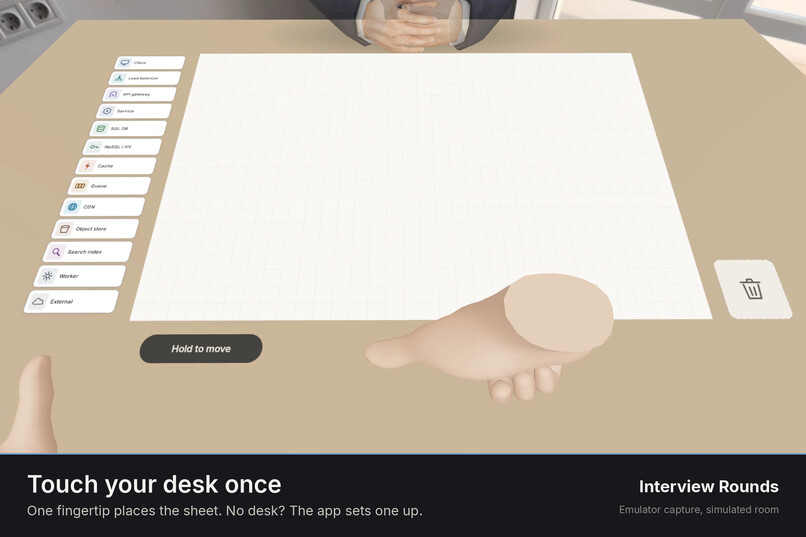
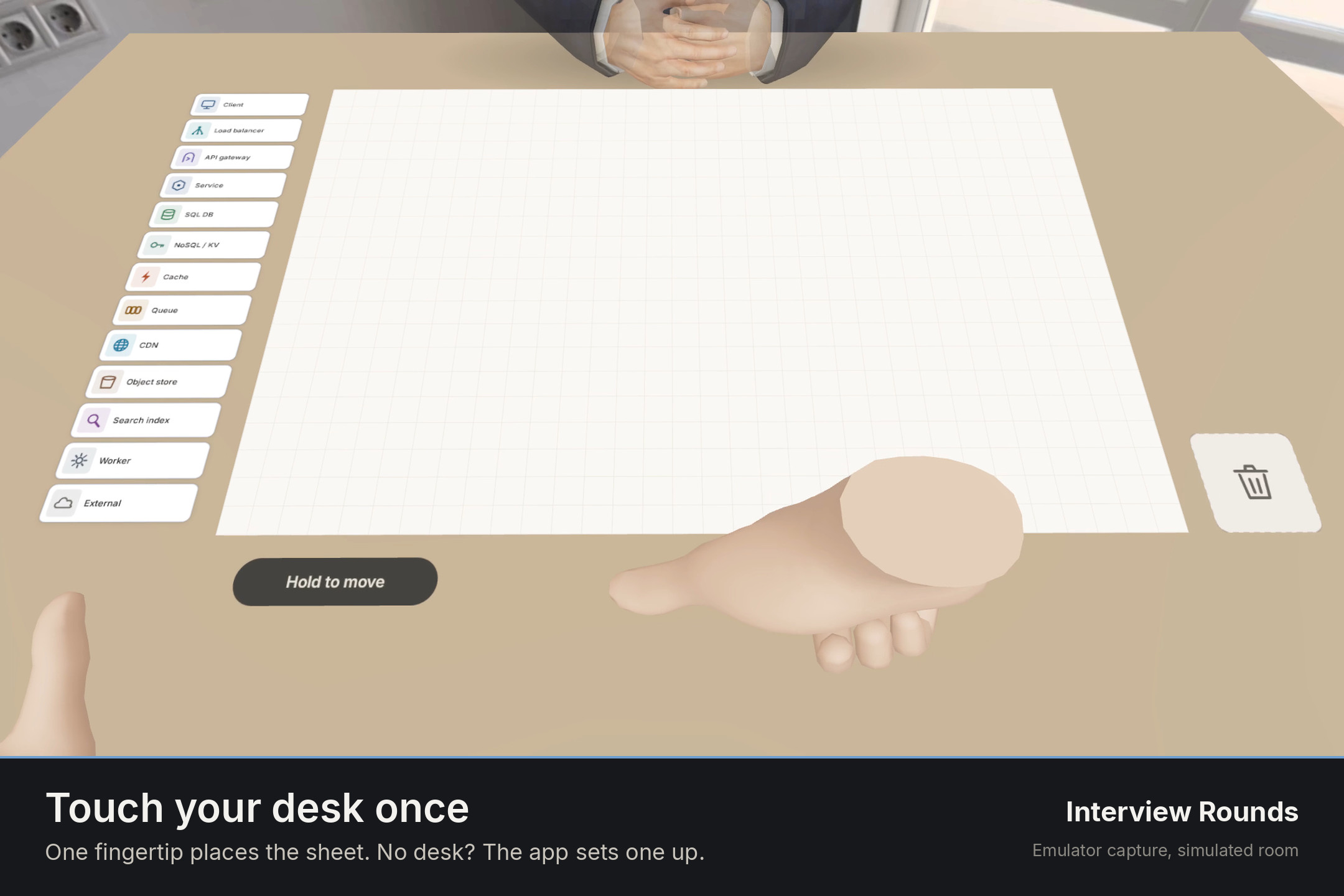
Touch your desk once. One fingertip places the sheet. No desk? The app sets one up.
-
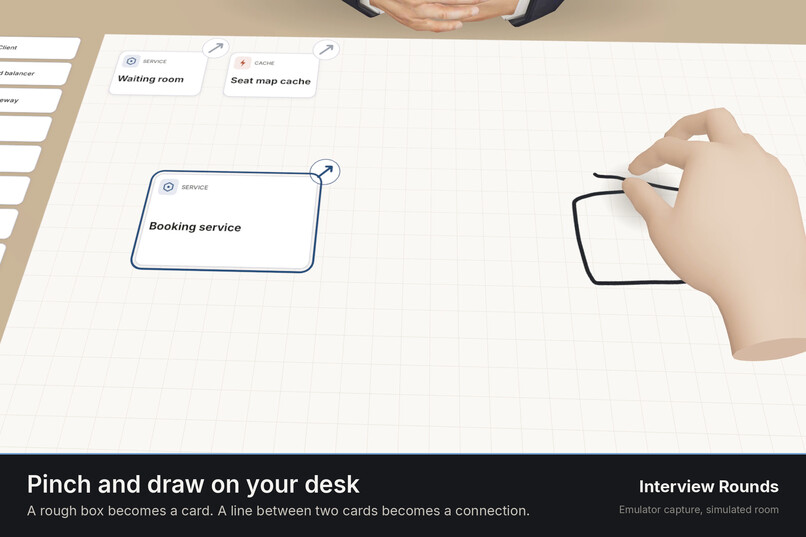
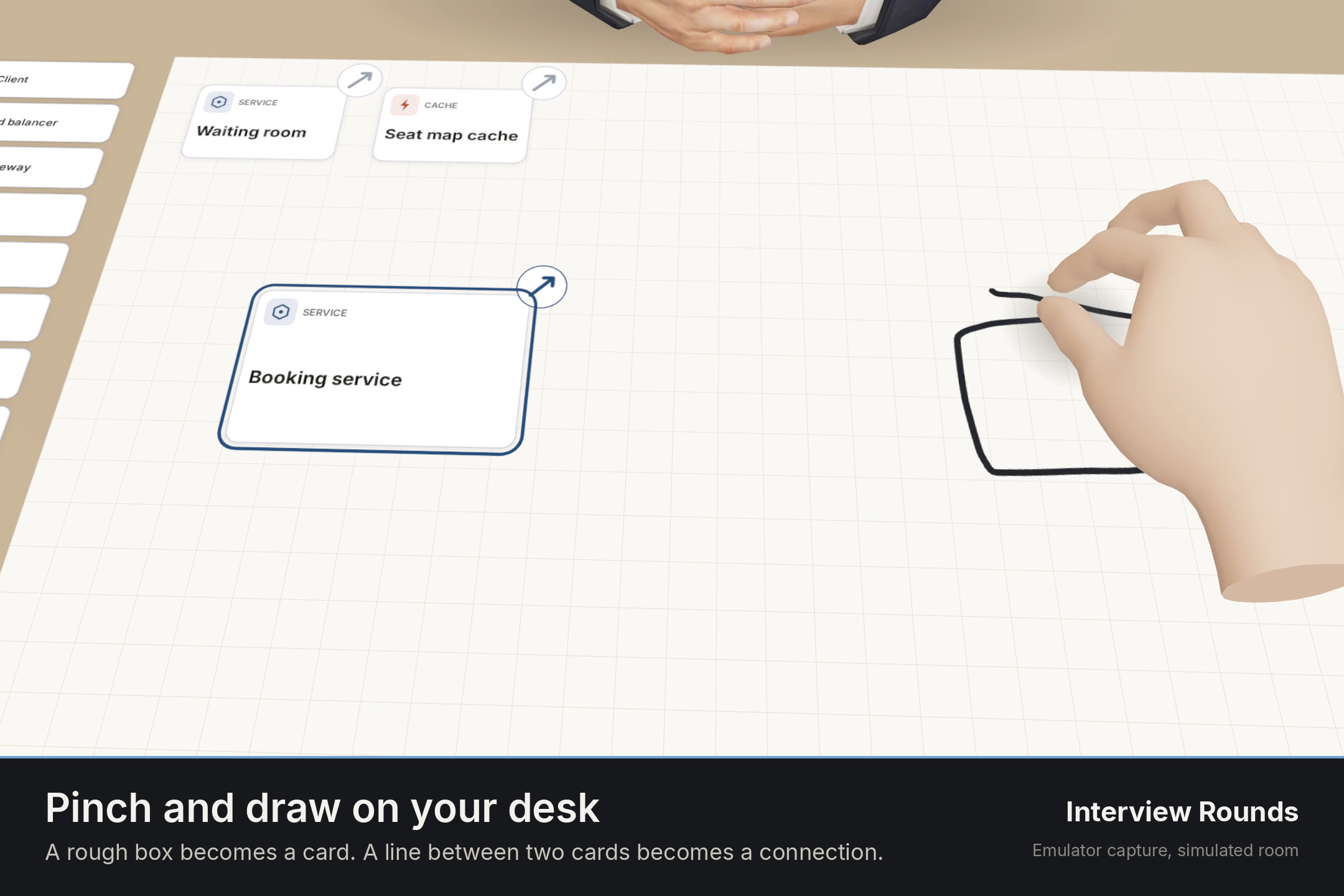
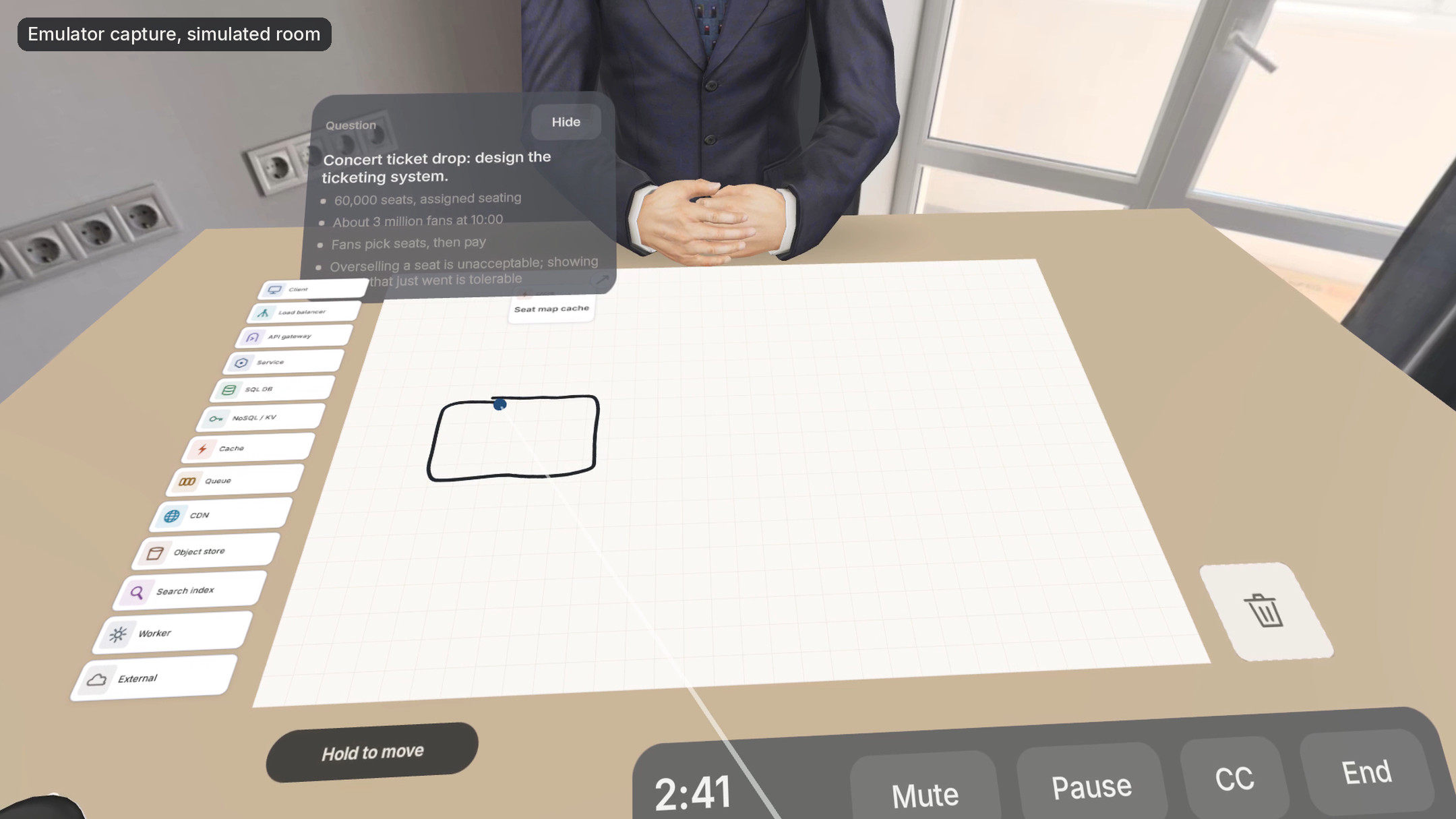
Pinch and draw on your desk. A rough box becomes a card. A line between two cards becomes a connection.
-
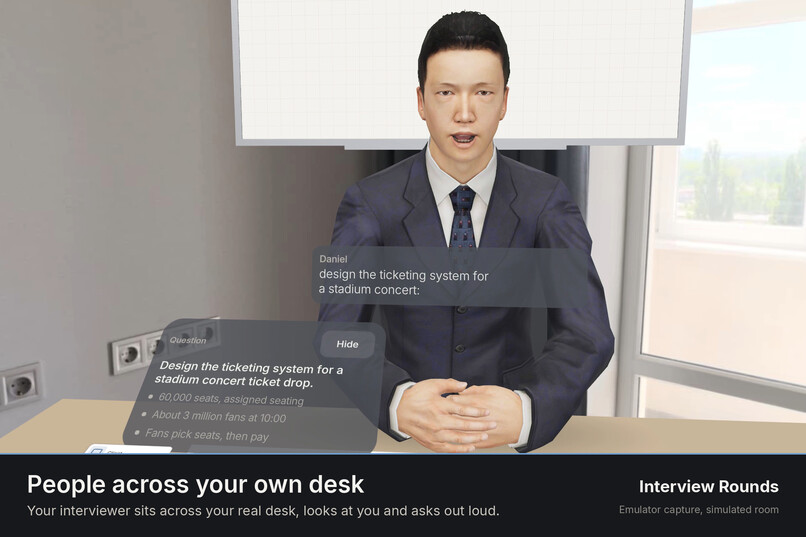
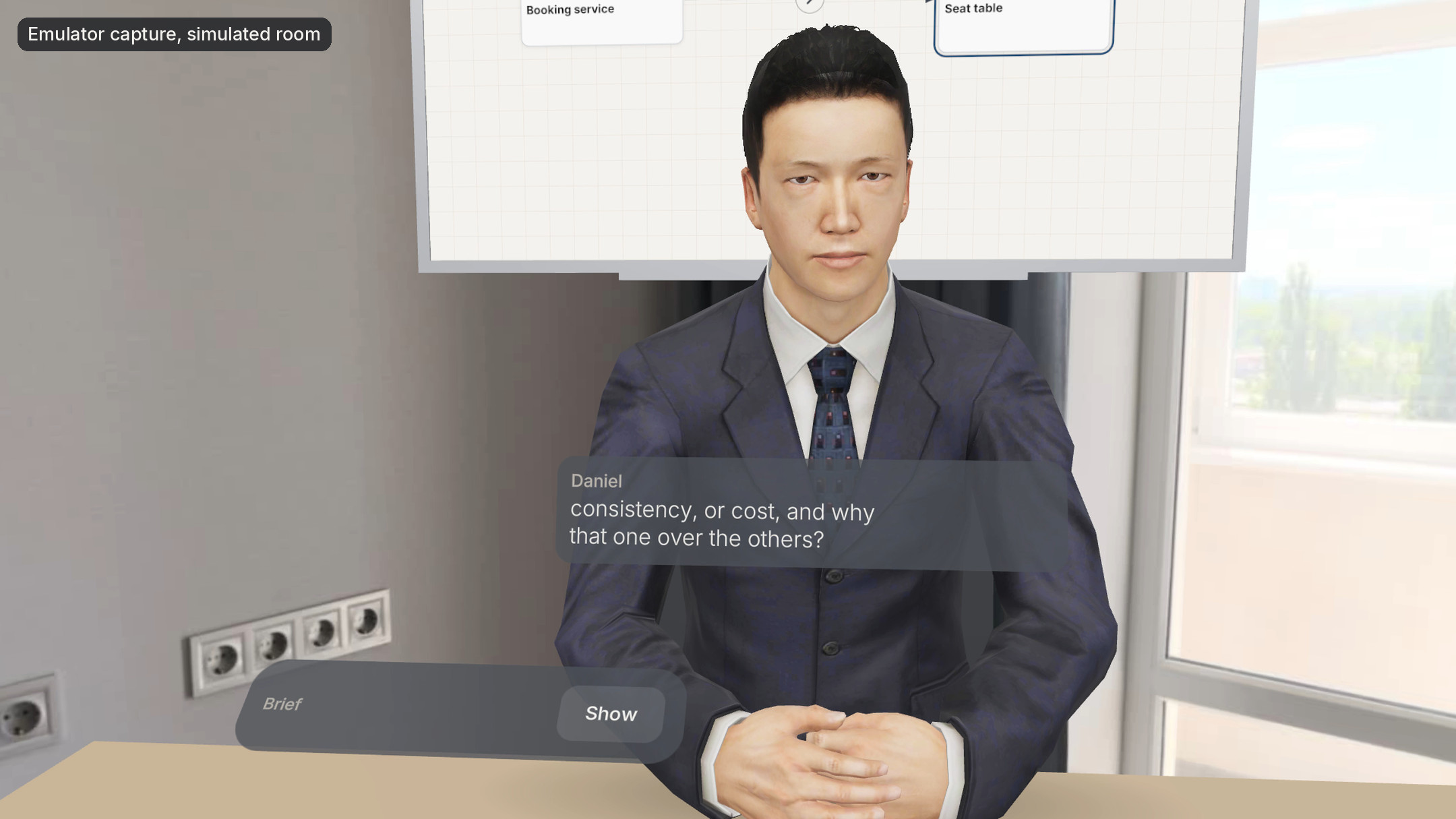
People across your own desk. Your interviewer sits across your real desk, looks at you and asks out loud.
-
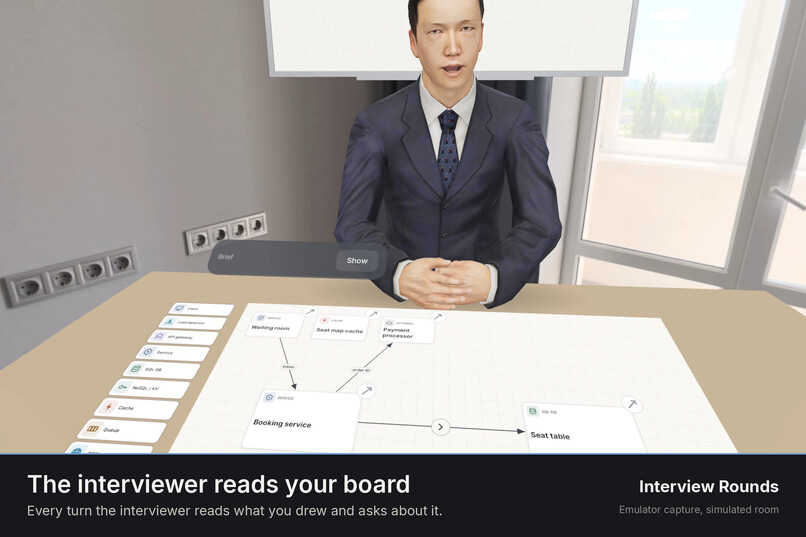
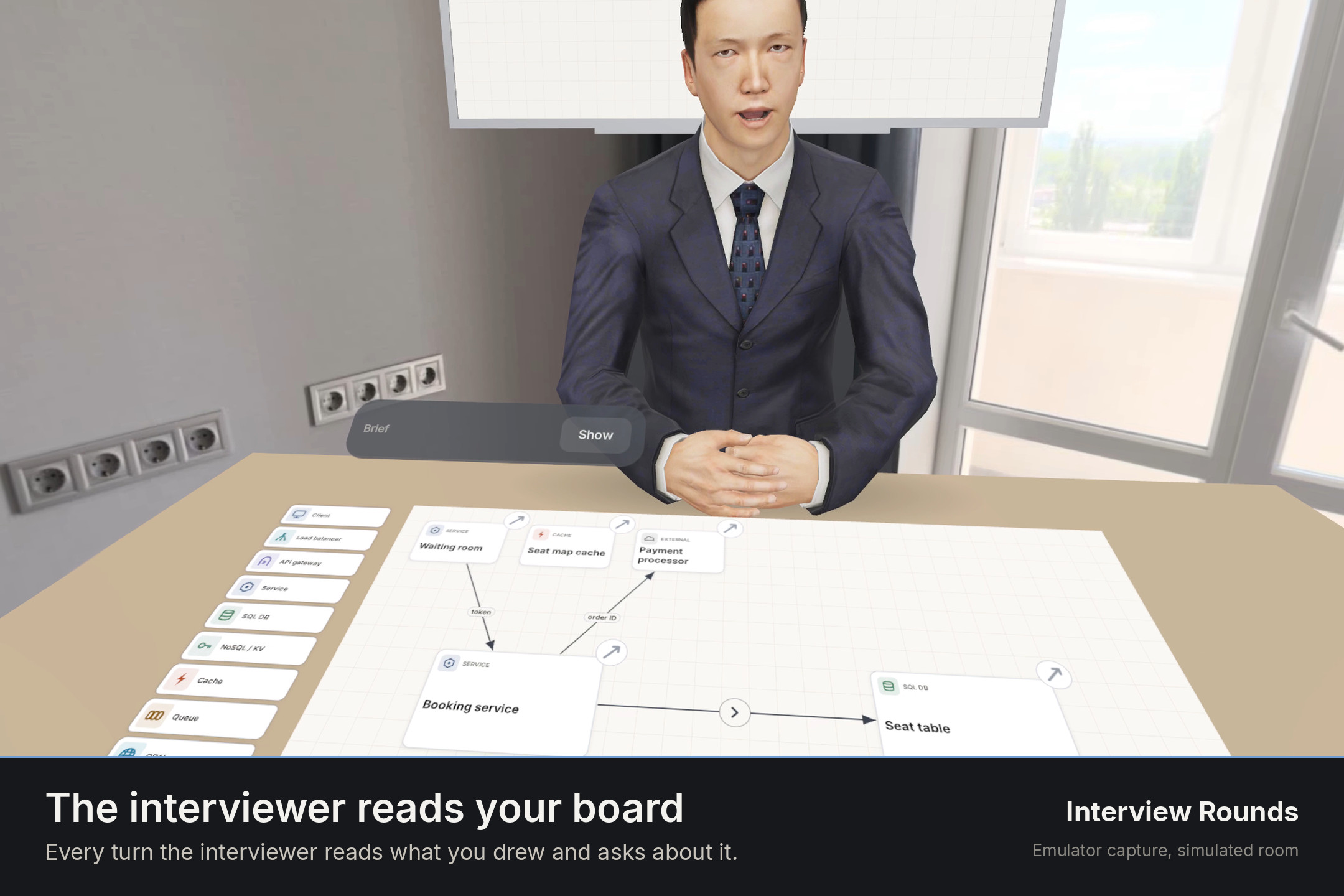
The interviewer reads your board. Every turn the interviewer reads what you drew and asks about it.
-
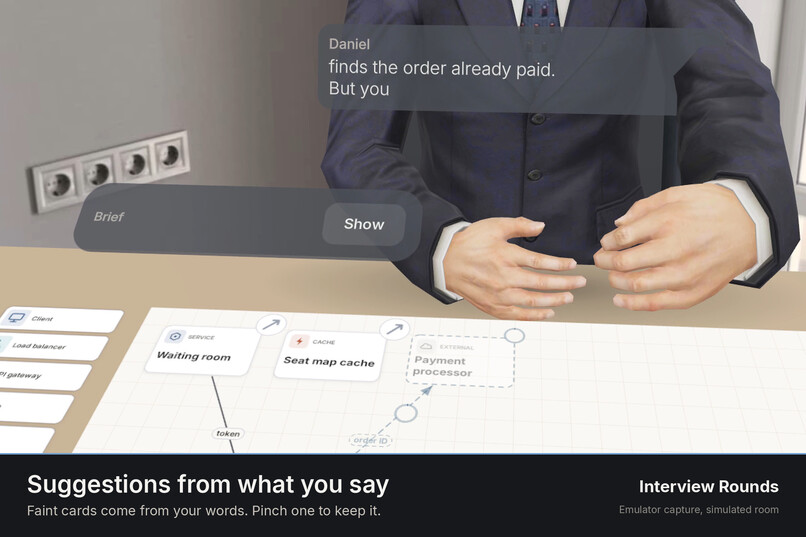
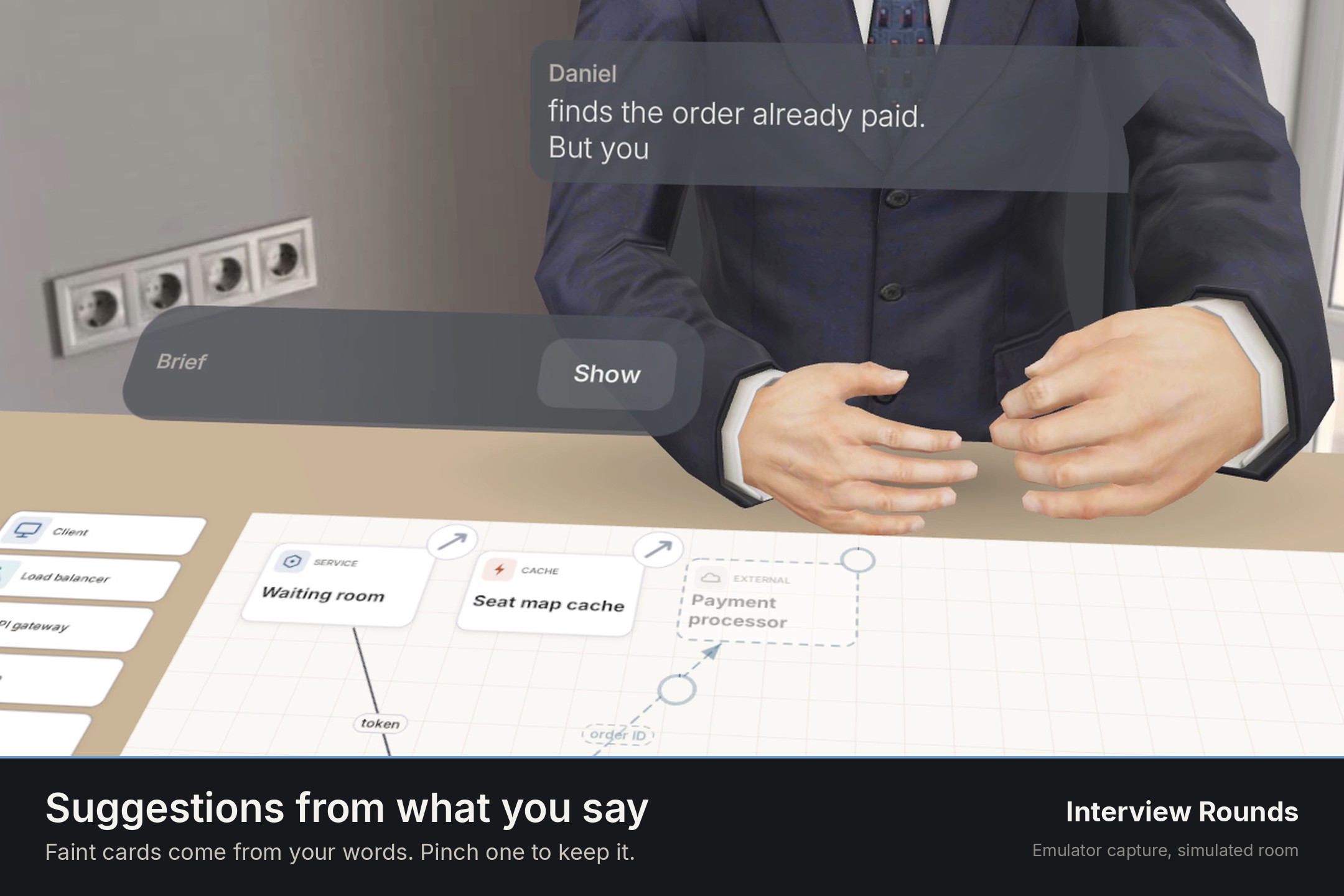
Suggestions from what you say. Faint cards come from your words. Pinch one to keep it.
-
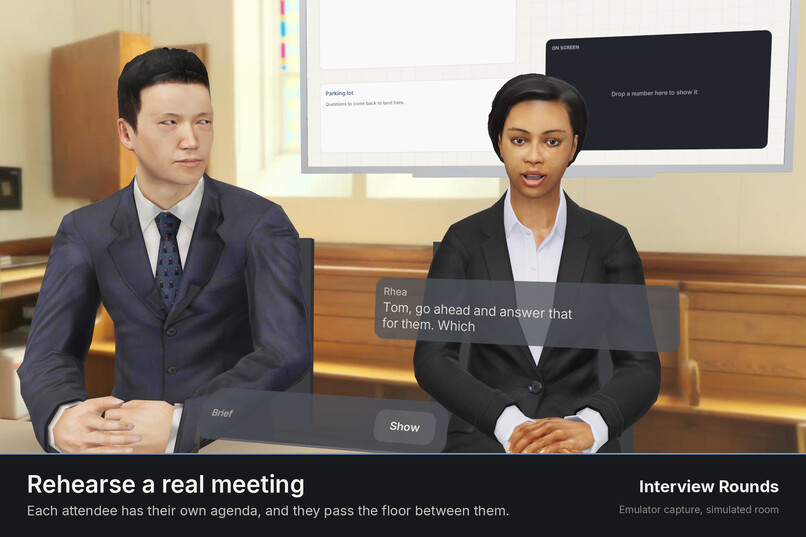
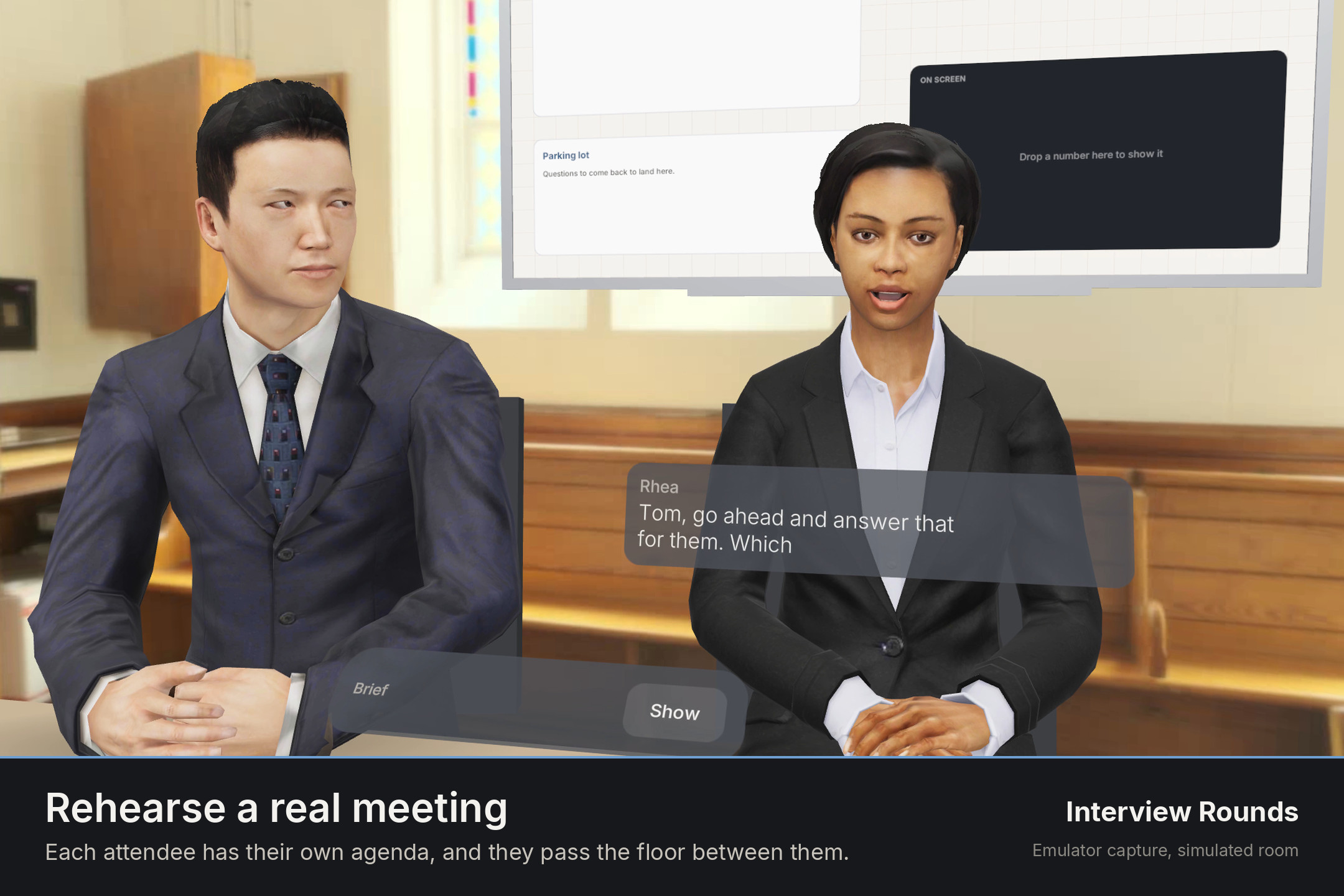
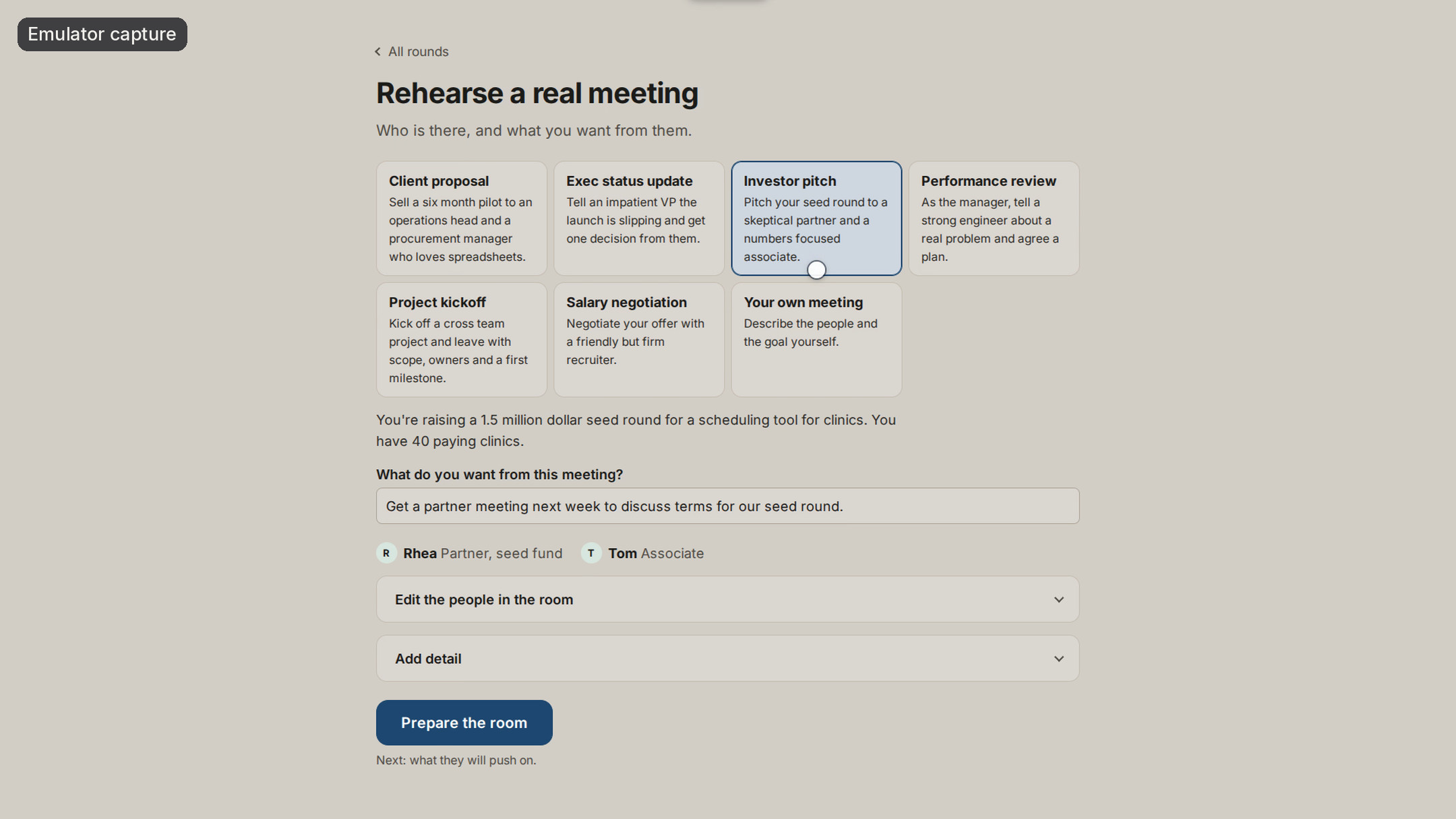
Rehearse a real meeting. Each attendee has their own agenda, and they pass the floor between them.
-
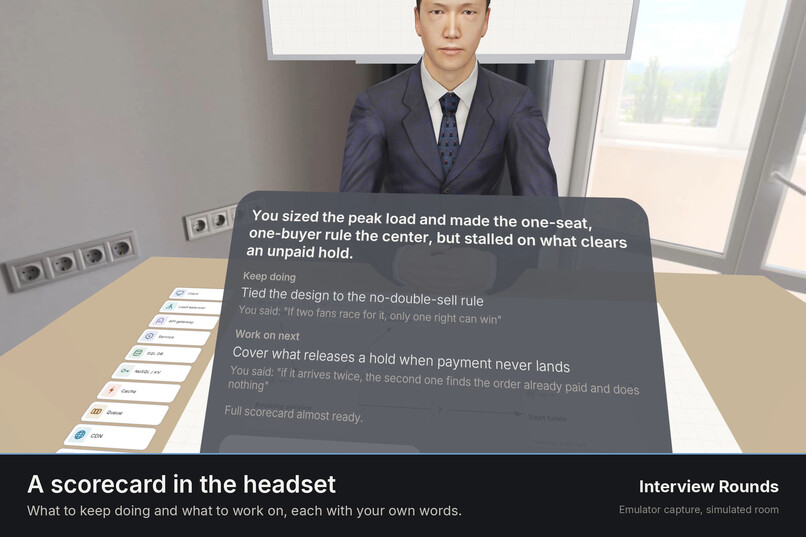
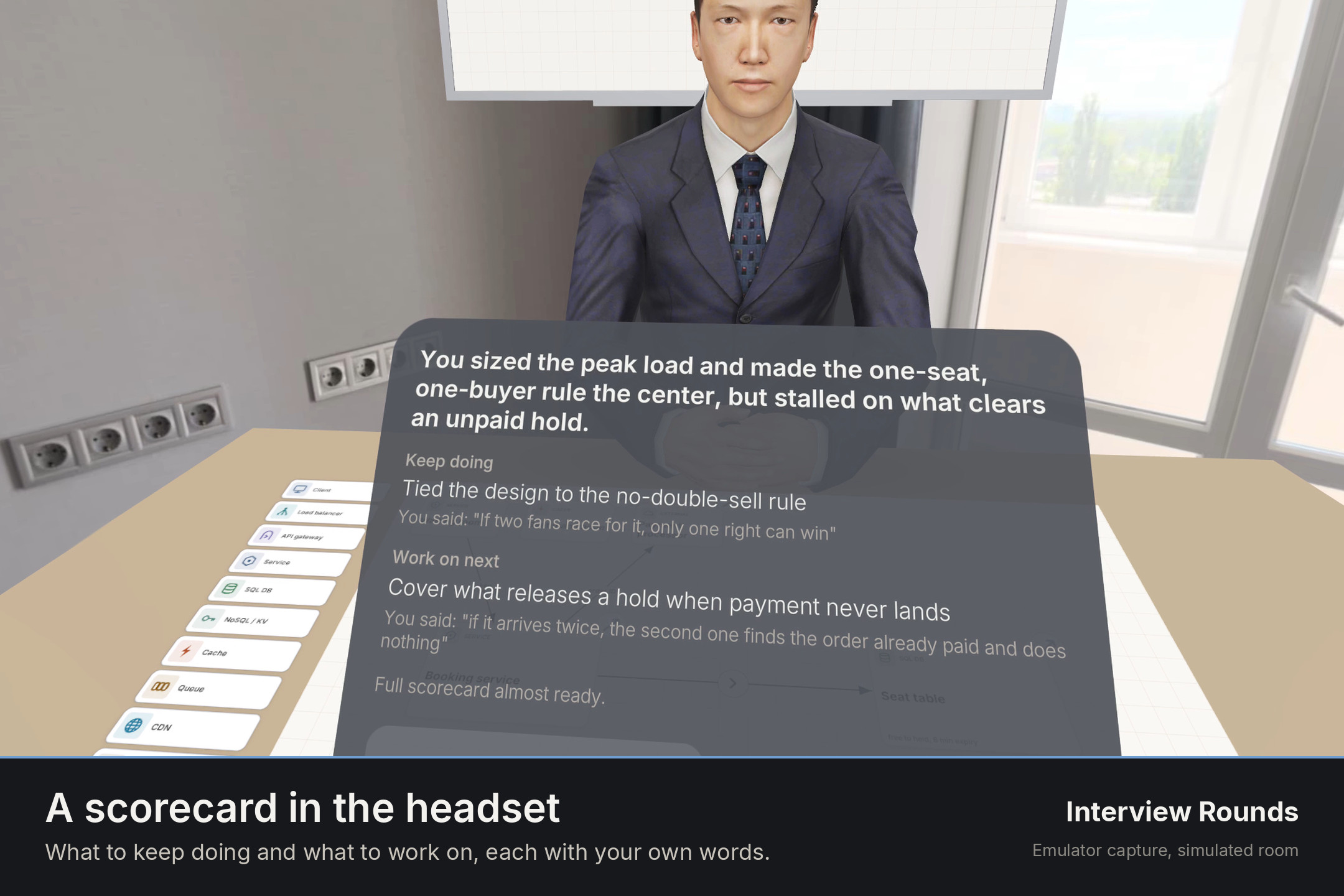
A scorecard in the headset. What to keep doing and what to work on, each with your own words.
-
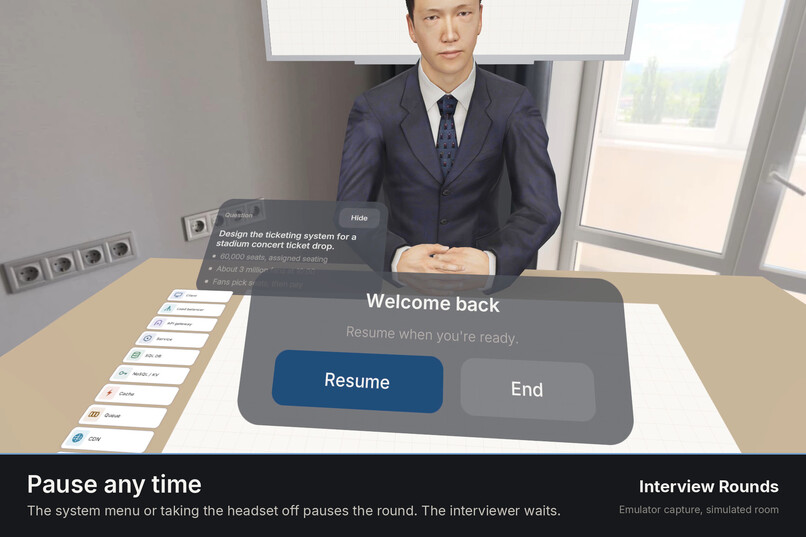
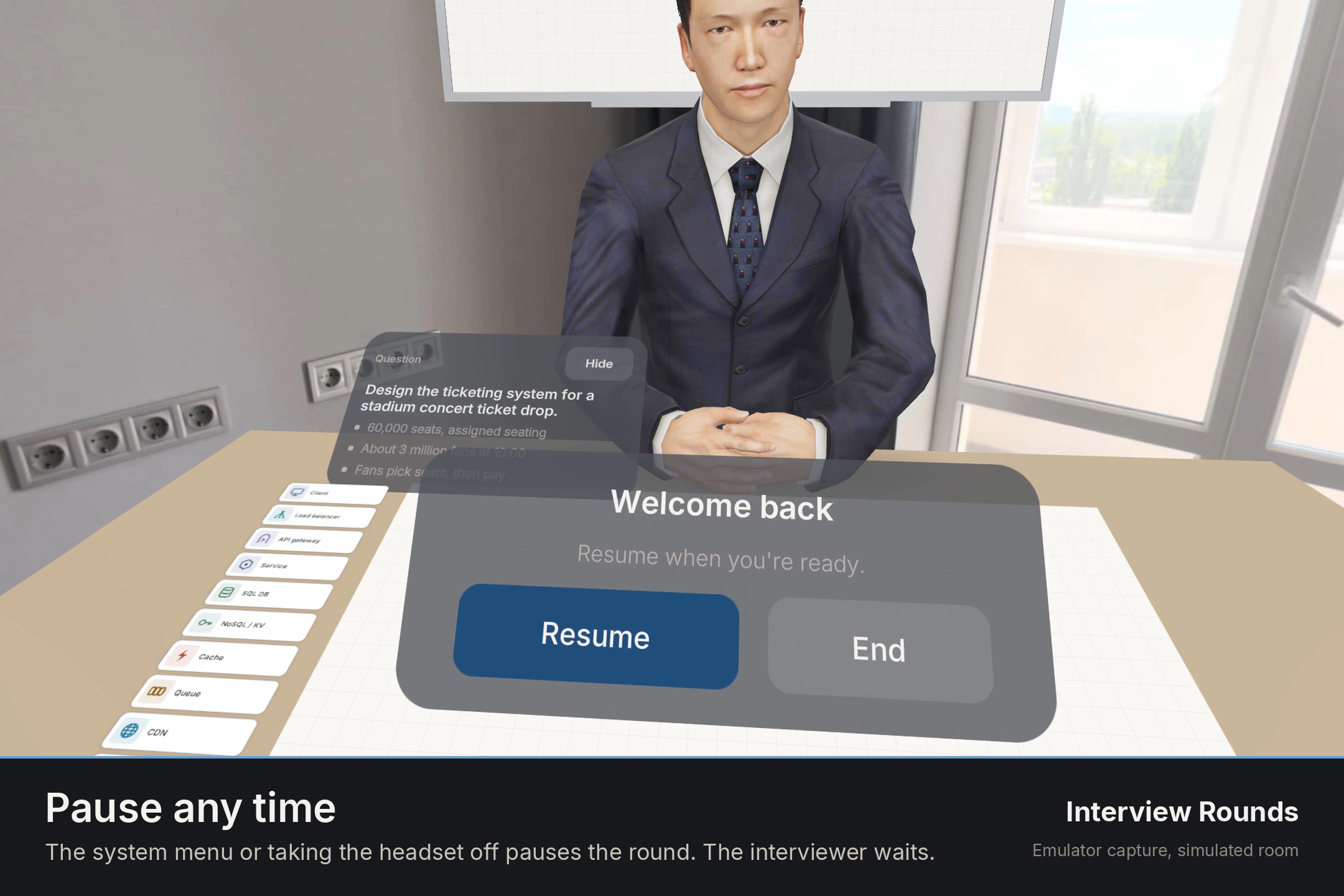
Pause any time. The system menu or taking the headset off pauses the round. The interviewer waits.
-
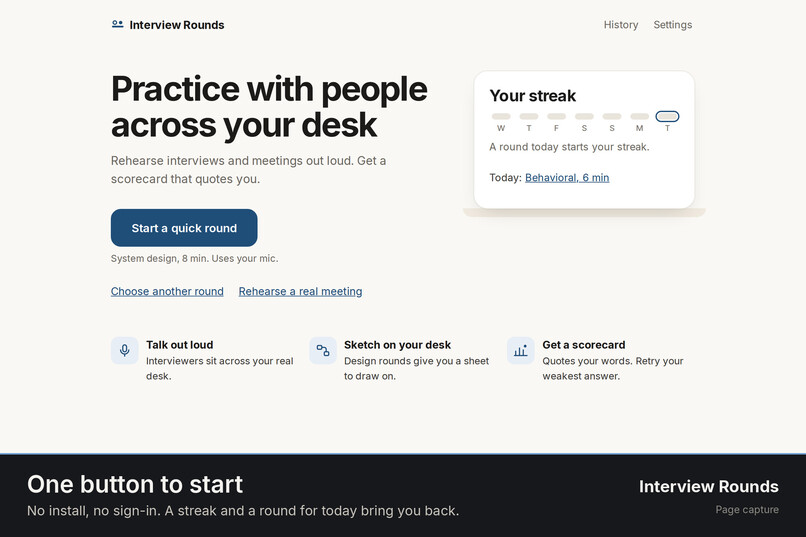
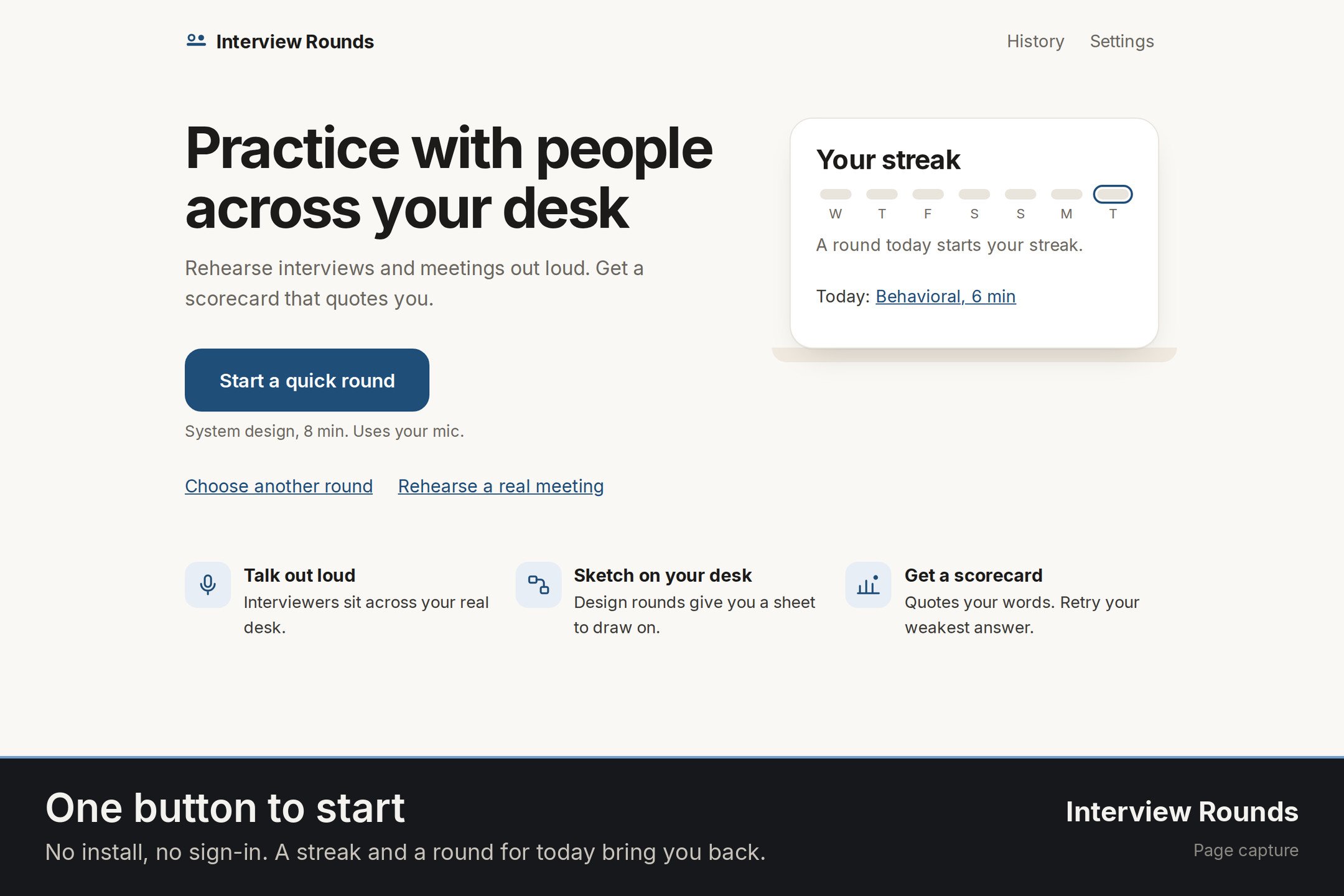
One button to start. No install, no sign-in. A streak and a round for today bring you back.
-
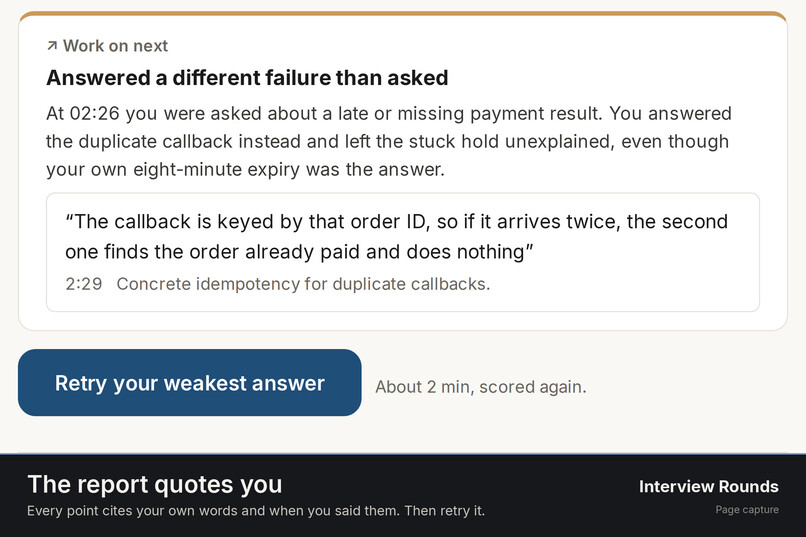
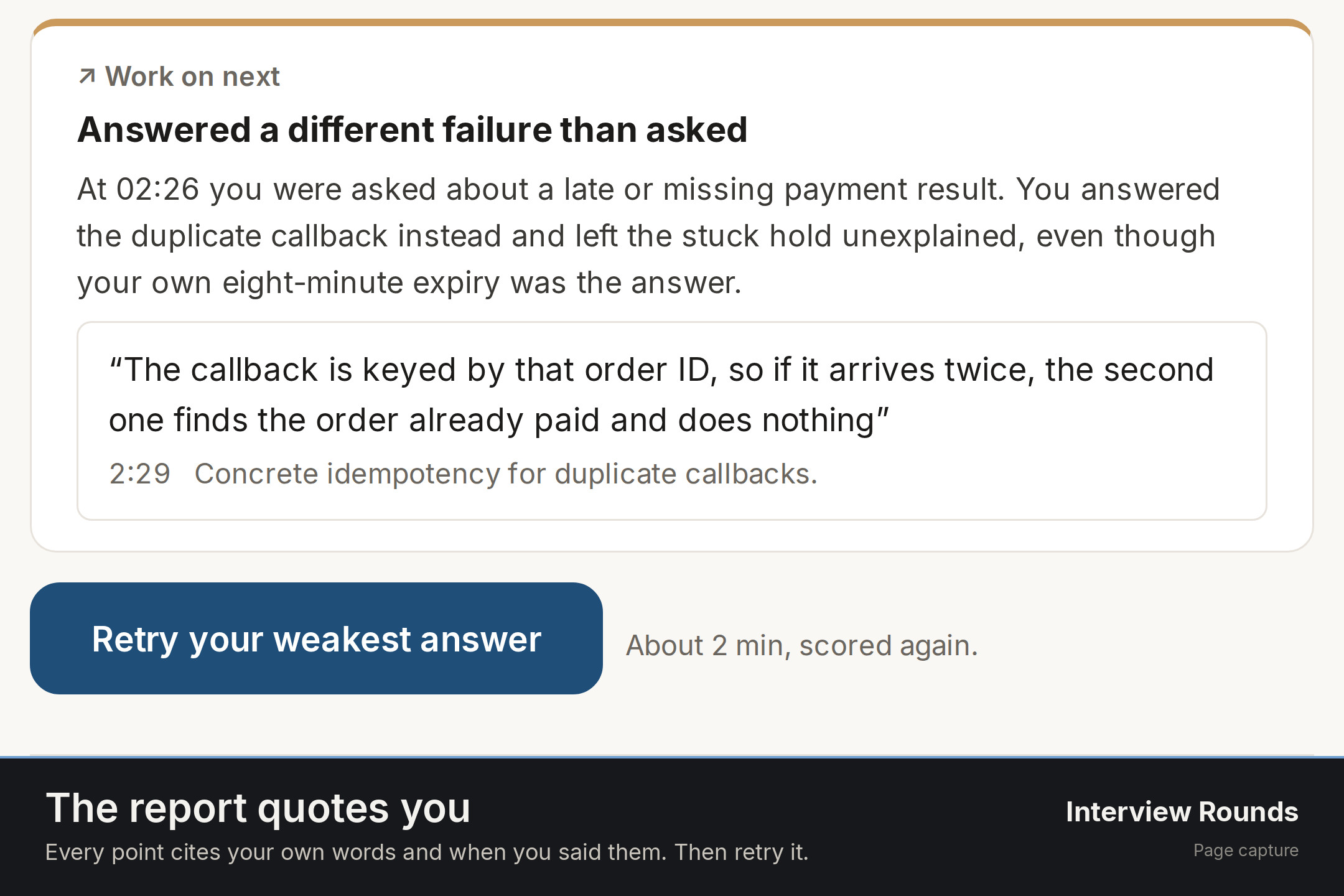
The report quotes you. Every point cites your own words and when you said them. Then retry it.
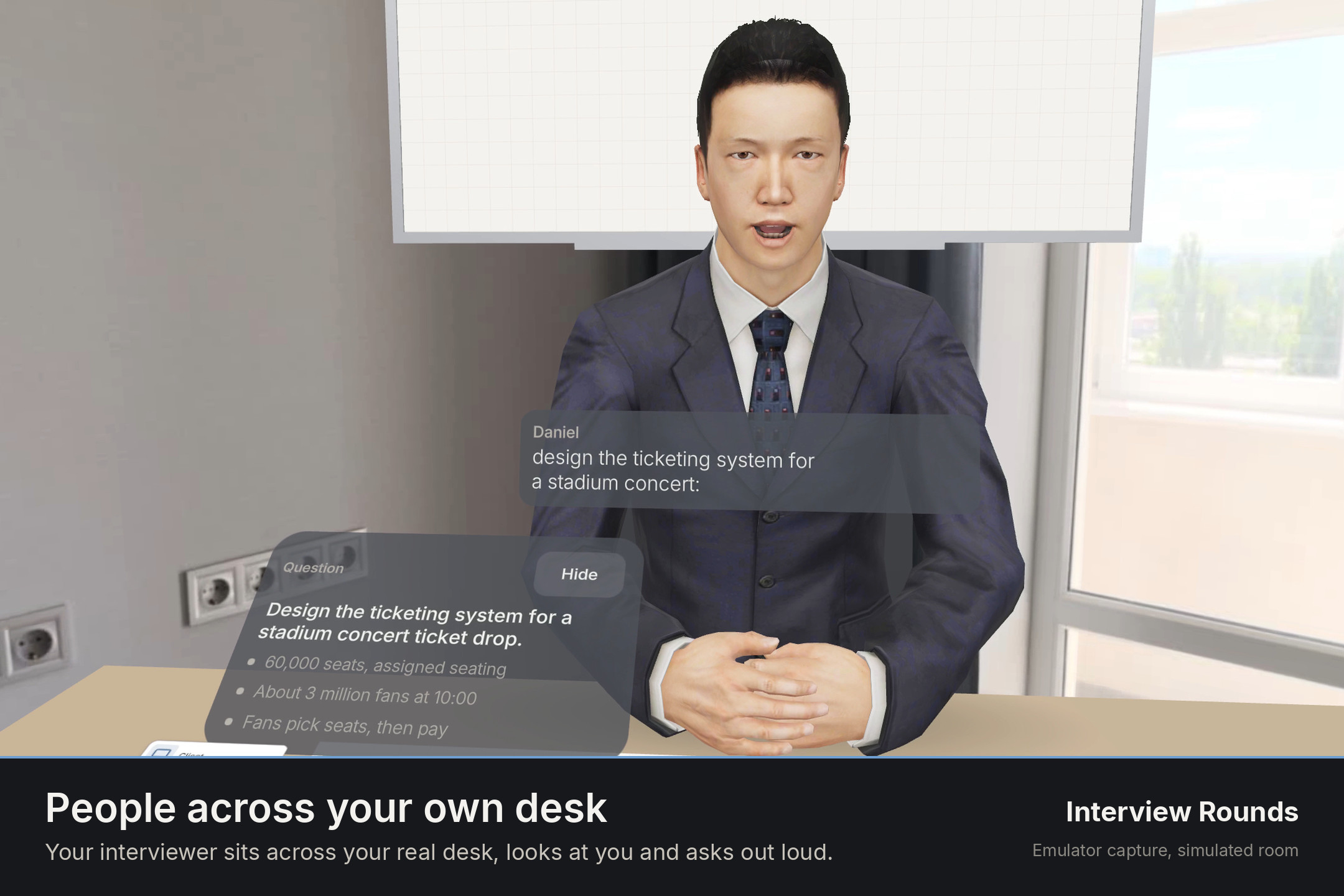
You get better at the conversations that decide a career by having them, out loud, with someone sitting across your own desk. Interview Rounds is a seated, hands-first mixed reality app for Meta Quest. You stay at your real desk. In passthrough, an interviewer sits down across it, meets your eyes and asks a real question by voice, then follows up on what you actually said. Passthrough is there for a reason: your desk is the whiteboard, and you draw on it with bare hands.
Demo video: https://www.youtube.com/watch?v=osTx1nPmlDc
Source: https://github.com/Inventor227/interviewrounds
Touch the desk once and a sheet lands there. Pinch and draw, and the interviewer reads your board, asks about it and points at it. In a meeting rehearsal each attendee has their own stance and concerns and questions you on your words. When the round ends you get a scorecard that quotes you, with the time you said it, and a 2 minute retry of your weakest answer, scored before and after.
At a glance
- Try it: rounds.dijmo.com in the Quest Browser on a Quest 3 or 3S; no install, no sign-in; on a computer or phone the same link runs a 2D preview
- Rounds: software engineer (system design, coding, object design, behavioral), product manager (product sense, metrics and execution, leadership), and meeting rehearsal (six templates or your own meeting)
- Agents: voice agents that hear you, read your board, point at it and hand the floor to each other; a Scribe that turns your speech into board suggestions
- The scorecard: a verdict set by a fixed rule, four competencies, your own words with times, how you sounded, and a scored retry
About a minute to your first question
- Use a Quest 3 or 3S and the Quest Browser. Sit at a desk or table.
- Open rounds.dijmo.com and tap Start a quick round (system design, 8 minutes).
- Allow the microphone, then tap Enter the room.
- Touch your desk with one finger where the sheet should go and hold still for a moment (with a controller: rest its tip on the desk and pull the trigger).
- First round only: a looping hand shows "Pinch and draw a box". Draw one, or press Skip. After that, three one-line tips appear once each: name a card by voice, pinch a faint card to keep it, draw a line to link two cards.
- The interviewer greets you and asks the question. Answer out loud, and pinch and draw on the sheet as you would on paper.
- Hold End on the round bar when you are done, or let the clock run out. The scorecard appears in the headset.
Inspiration
The interviews and meetings that shape a career are spoken, live, with a person looking at you. Most people practice them by reading answers on a screen, or not at all. A mock interview with a friend is hard to arrange and rarely honest. What makes the real thing hard is the pressure of a person across the table, and a flat app cannot give you that.
A headset can. With passthrough, an interviewer can sit across your own desk, in your own room, look at you and wait for your answer. Your hands can draw on that desk the way you would on paper in a real design round. And the round can end the way a good mentor ends it: with what you said, word for word, what was strong, what to fix, and a chance to try that answer again right away.
What it does
A round, from the first word to the scorecard
You pick a round, put on the headset and sit at your desk. You touch the desk once and the interviewer sits down across from you, looks at you and greets you by voice with the problem. You answer out loud. The interviewer listens, follows up on your own words, moves the round through its phases and keeps time. A question card stands to one side of the desk with the facts of the problem, so you never have to remember them.
People across your real desk
The interviewers are life-size, seated people in your real room. They meet your eyes and follow your head, blink and nod as the conversation goes, breathe, and speak with lip sync from their voice. While they think, they show it. Each one has their own voice and their own way of asking. In a panel or a meeting, two or three people sit across the table and turn to whoever is speaking.
Your desk is the whiteboard
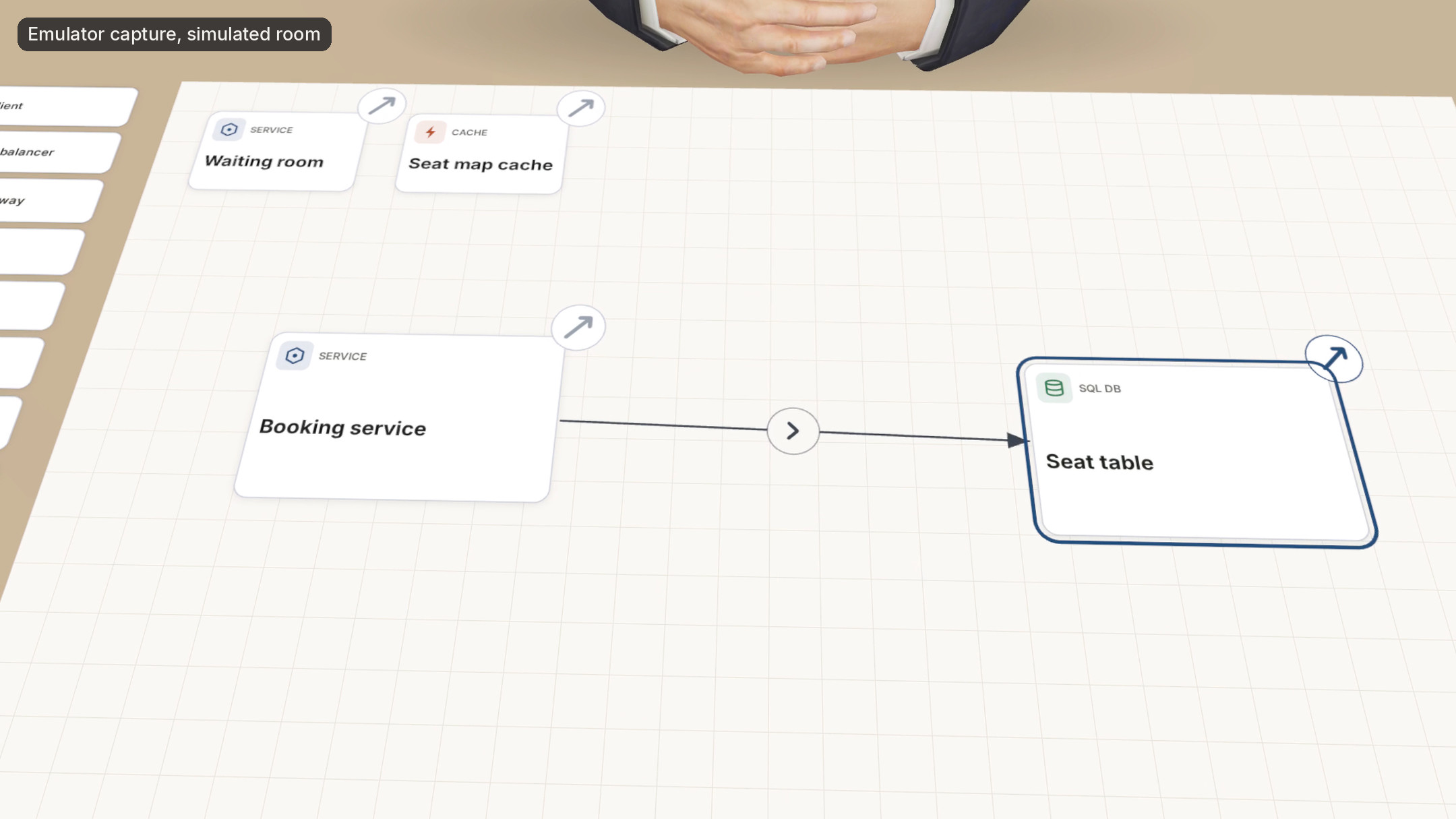
In design rounds a sheet lies on your real desk. Pinch and draw: a rough box becomes a card, a line from one card to another becomes a connection, a circle becomes a client, anything else stays as ink. Say "call that the seat table" and the card you just drew is named and becomes a database card. A tray of cards sits beside the sheet. Coding rounds have a code panel, product rounds use sticky notes, and object design uses class cards.
An interviewer that reads your board
The interviewer sees a text view of your board on every turn. They ask about what you drew and can point at a card. While you talk, a Scribe turns your words into faint suggested cards on the sheet; pinch one to keep it right away, leave it and it is added after 4 seconds, or hold it for a second to dismiss it.
Rehearse a real meeting
Pick a template (investor pitch, client proposal, exec status update, salary negotiation, performance review, project kickoff) or describe your own: who is in the room, what they care about and what you want from them. The app prepares the room: each attendee gets a hidden stance and their own concerns. They question you on what you said, change their minds as you answer, and pass the floor between them. Address someone by name and they take the floor.
A scorecard that quotes you
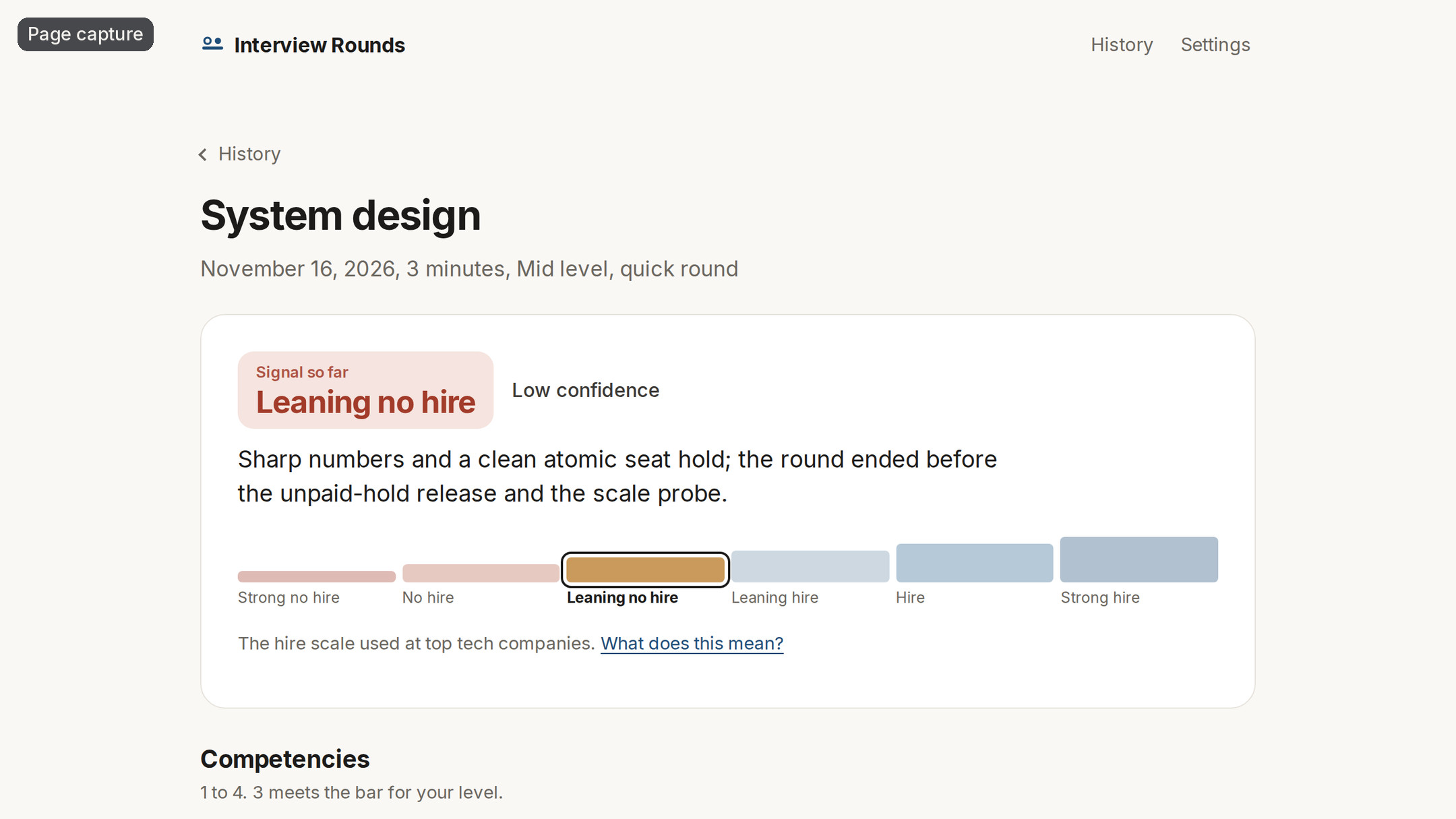
When the round ends, a card in the headset shows the verdict so far, four competencies, your top strength and the thing to fix, with Retry this answer and See full report. The full report is a normal web page:
- a verdict on the hire / no-hire scale with a confidence (meetings show the outcome instead), set by a fixed rule over the scores, not by the model;
- four competencies scored 1 to 4 against your level;
- what went well and what to work on, each with your own words and the time you said them;
- your weakest moment, what a strong answer covers, and a 2 minute retry scored before and after;
- how you sounded: pace, filler words, long pauses, how much you talked, and how much you faced whoever was speaking (from your head direction);
- the transcript and the final board, and an optional public link to share the scorecard.
A round too short to judge says so instead of guessing.
A reason to come back
The retry turns the report into practice: the same weak moment, asked again, scored again, with the change shown. From your second round of a kind, each competency shows a "vs last time" arrow. History, a streak, a skill chart and a suggested round for today stay on the headset, with no account.
Hands or controllers
Everything is done with bare hands: one finger places the sheet, a pinch draws, picks, drags and connects, and a fingertip pokes buttons. The pinch is filtered for jitter, holds still while your fingers close, and carries on through a short loss of tracking or a pinch that opens for a moment. Controllers work through the same path: the trigger is the pinch, the tip draws on the sheet, and a ray with a cursor dot draws and presses from further away, with short haptic pulses. Pick up a controller at any time; put it down and your hands take over.
The first five minutes
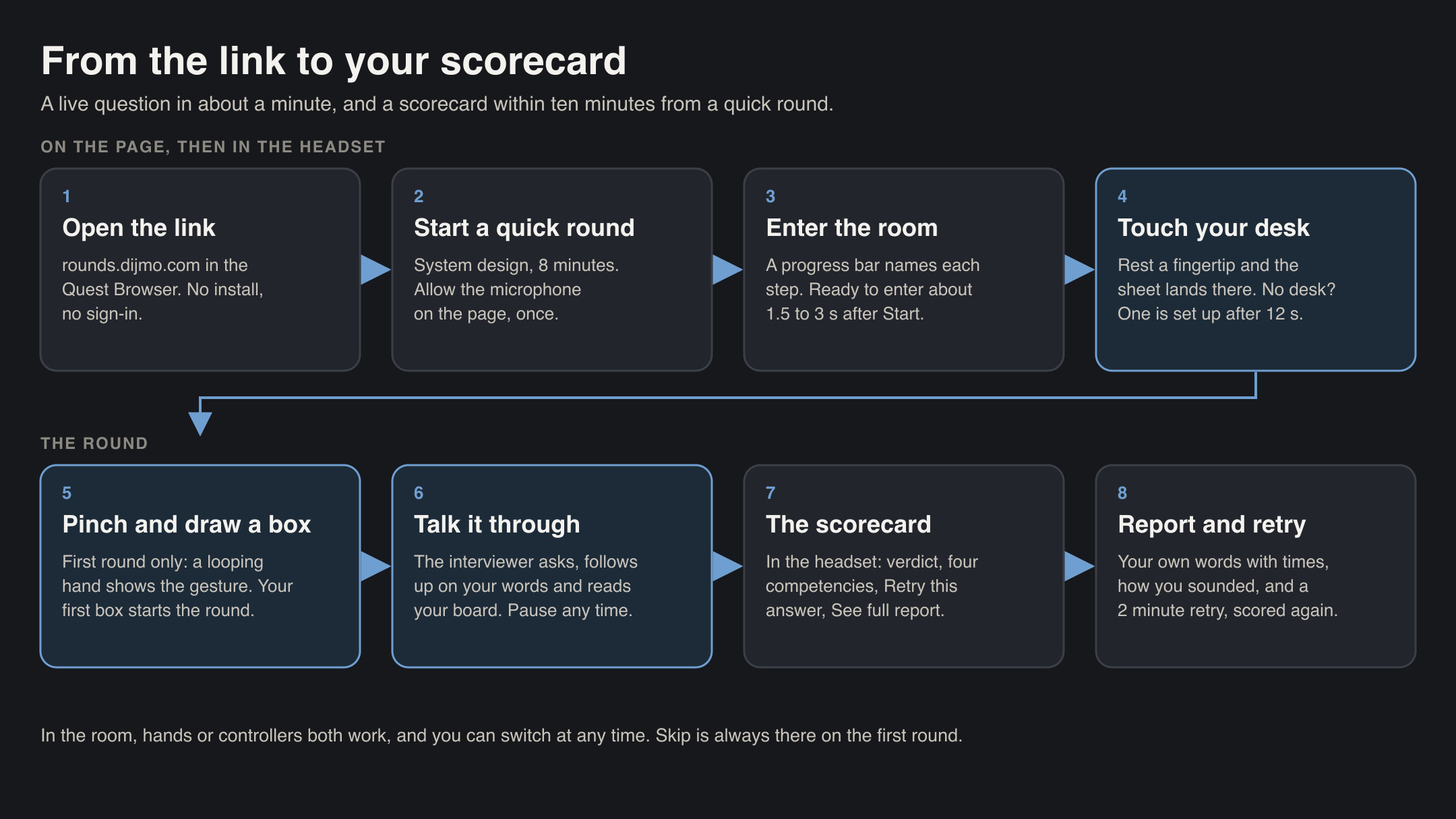
- One button. The home page has one main button: Start a quick round. It asks for the microphone on the page, so the headset view never stops for a prompt.
- Two taps to the room. Allow the microphone, then Enter the room. A thin progress bar names each step (about 1.5 to 3 s against the hosted app), and the interviewer's opening is written while you walk in.
- One touch to place. A ring follows your fingertip; rest it on the desk and the sheet lands there. With no desk, the app sets one up after 12 seconds and tells you.
- Learn by doing. On the first round a looping hand shows the one gesture, "Pinch and draw a box". Your first box starts the round. Skip is always there. After that, three one-line tips appear once each: name a card by voice, pinch a faint card to keep it, draw a line to link two cards.
- A live question in about a minute from opening the link, and a scorecard within ten minutes from a quick round.
Comfort and accessibility
- Seated at your own desk, everything within reach at desk height. No standing, no walking, no typing in the room.
- Passthrough keeps your room, your notes and your coffee in view the whole time.
- One hand is enough. The card tray sits on your other hand's side (Main hand in Settings, or the hand that touched the desk).
- Captions (CC on the round bar, or in Settings) show who is speaking and what they said.
- Your pace. Pause from the round bar, the system menu or by taking the headset off, and the interviewer waits.
- Readable panels: dark glass with large type over a bright room; calm 2D pages with large targets.
- Your settings: role, level (junior to staff), interviewer style (warm, neutral or tough), captions, main hand; and Delete my data.
- No account. History is tied to the headset, and Delete my data removes it.
How we built it
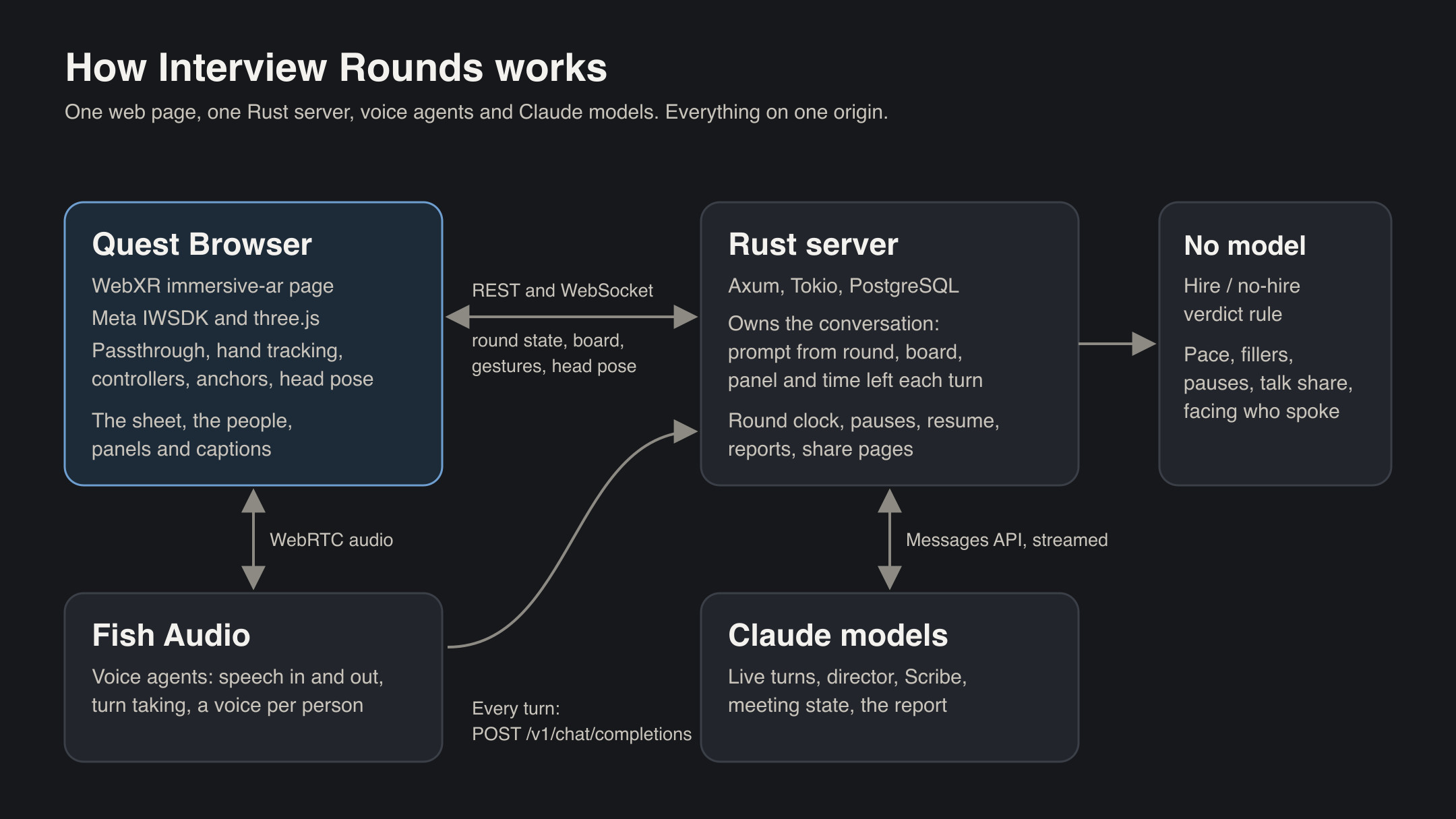
- The room: a WebXR
immersive-arapp on Meta's Immersive Web SDK (IWSDK) and three.js, with Preact for the 2D pages, TypeScript and Vite. Hand tracking, hit testing and anchors are asked for and none is required. - The people: Microsoft Rocketbox avatars converted headless with Blender to glTF with KTX2 textures and meshopt geometry, with seated animation, gaze, blinks, nods and lip sync from the voice (HeadAudio).
- The voice: Fish Audio Agents through their web client: speech recognition, turn taking, barge-in, and one of Fish Audio's official voices per person. On every turn the voice agent calls our model endpoint (
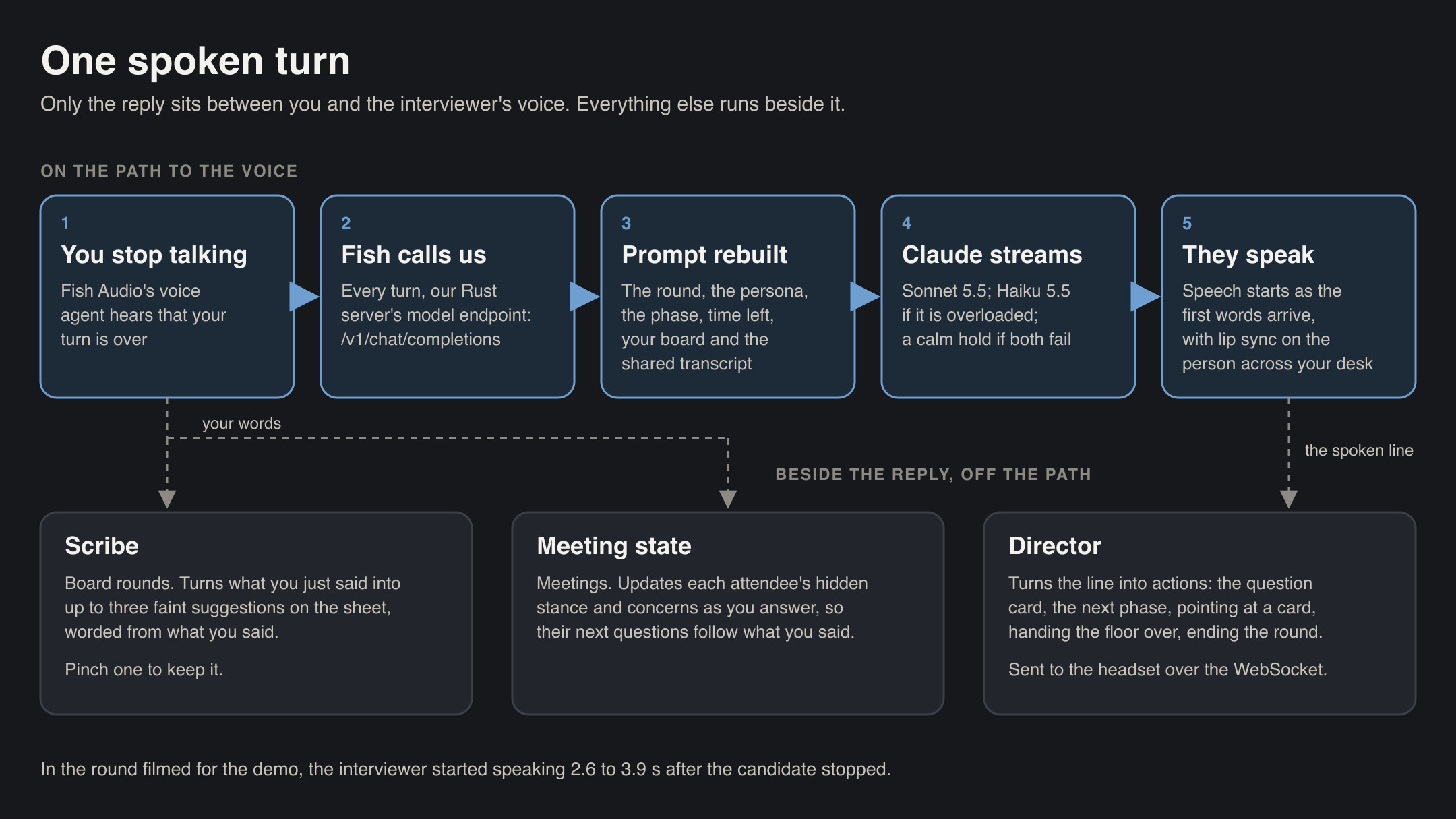
POST /v1/chat/completions, streamed). - The server: Rust with Axum, Tokio and sqlx on PostgreSQL, in one Docker container. It owns the conversation: each turn it rebuilds the prompt from the round, the persona, the phase, the time left, a text view of the board, the panel's shared transcript and the hidden meeting state, and streams the reply to the voice. It pushes round state, board changes and gestures to the headset over a WebSocket with sequence numbers, acks and replay after a reconnect.
- The agents, by role:
| Role | What it does | Model |
|---|---|---|
| Live turns | The spoken reply, streamed to the voice | Claude Sonnet 5.5 (low effort, no thinking); Claude Haiku 5.5 when overloaded |
| Director | Turns each spoken line into actions: question card, next phase, pointing, hand-over, end | Claude Sonnet 5.5 |
| Scribe | Turns what you say into board suggestions | Claude Sonnet 5.5 |
| Meeting state | Updates each attendee's hidden stance and concerns | Claude Sonnet 5.5 |
| Meeting prepare | Fills in likely objections and concerns for your meeting | Claude Opus 5.5 |
| Report | Evidence, scores, strengths, fixes, model answer (structured output) | Claude Opus 5.5 |
| Verdict and delivery | Hire / no-hire from the scores; pace, fillers, pauses, talk share, facing | Our code, no model |
- Contracts first: a protocol document and JSON Schemas shared by the TypeScript and Rust code, with shared fixtures for the board rules.
- Testing: over 1,400 automated tests (393 Rust tests, including integration tests on PostgreSQL, and 1,037 web unit tests), scripted emulator runs of every round type with hands and controllers, and unit tests that replay noisy hands through the board (jitter, tremor, missing frames, pinch drops, tracking loss). A fake voice runs the same prompts, board and scoring without voice minutes.
Frame rate and optimizations
- The session asks for 72 Hz and raises to 90 Hz only when frames show headroom; fixed foveation is on.
- Budget: about 60 draw calls, 60,000 triangles and 64 MB of textures, with KTX2 textures and no post-processing.
- Measured in the emulator (both eyes, Nov 14): one interviewer with the sheet and panels, at most 60 draw calls and about 35,000 triangles; three people in a meeting room with the sheet and the wall board, 58 draw calls, 53,636 triangles and about 35 MB of textures. The avatars are slimmed at load (morphs that never move dropped, the legs under the desk removed).
Speed
- Getting the room ready: about 1.5 to 3 seconds from the tap to a room ready to enter, measured against the hosted app in a headless browser. The people are fetched while you read the start page and cached by version, and a progress bar names each step.
- Greeting: the opening line is written while you walk into the room; in a headless run against the hosted app its first words were ready 0.16 s after Enter (test voice; the real voice adds its own start-up).
- Reply time: in the round filmed for the demo, with the real voice agent, the interviewer started speaking 2.6 to 3.9 seconds after the candidate stopped. The voice service decides your turn is over, our server streams the model's first words, and speech starts as they arrive. The interviewer shows a thinking look while you wait.
- Scorecard: the short card comes first in the headset, and the full report follows in under a minute; scoring starts while the goodbye plays.
When things go wrong
- Pause anywhere: the round bar, the system menu or taking the headset off stops the interviewer and the clock; a "Welcome back" card waits for Resume. Up to 10 minutes of pauses per round.
- Dropped connections: the page reconnects, the server replays what was missed, and the round carries on. A lost voice comes back on Resume.
- Model overload: a turn retries on a second model within its deadline; if both fail, the round holds and says "Your interviewer is reconnecting", then carries on.
- No desk: after 12 seconds the app sets up a desk at a seated height; the sheet's "Hold to move" bar moves it.
- Hands lost: a hand that leaves tracking keeps its gesture for 0.3 s, then lets go cleanly.
- Controllers: pick one up at any time; the cards and the placement line switch to controller wording.
- A failed report is retried by the server; a round too short to judge says so.
Challenges we ran into
- Talking speed. A spoken conversation feels broken past a few seconds of silence. We split the reply path: the first words stream as soon as the model has them, and the heavy work (actions, board suggestions, meeting state) runs beside the reply, not before it.
- Many voices, one conversation. Panels and meetings need several people who share one conversation and hand the floor over. Speech recognition writes names in surprising ways, so the floor moves on the forms it really writes.
- Drawing with a pinch. The system pinch can drop for a frame and the pinch point slides as the fingers close. Filtering, a held closing slide and fingertip-sized targets made strokes reliable.
- Models that fail. Overloads happen mid round. Retrying on a second model and then holding calmly keeps the round alive.
Accomplishments that we're proud of
- An interviewer who follows up on your own words, reads what you drew and points at it.
- Meetings where each attendee has their own agenda and the floor moves when you address someone.
- A report that quotes you with the time you said it, and a verdict set by a rule.
- Rounds that survive pauses, dropped connections and model overloads.
What we learned
- The person across the table matters more than any feature. Eye contact, a nod and a short wait for your answer change how you speak.
- In a voice app, the wait after you stop talking decides how it feels. Moving work off that path mattered more than any model choice.
- Hands on a real desk need generous targets and forgiving gestures.
- Scores feel fair only when they quote you.
What's next for Interview Rounds
- Refine drawing, placement and round timing from user feedback.
- Meta VR Glasses: gaze plus pinch on the board.
- Faster hand-overs between people in panels and meetings.
- Optional sign-in, so history follows you across devices.
- More rounds as content: estimation, strategy, a recruiter screen, language practice.
- An interview-date plan with a weekly recap.
Credits
Avatars: Microsoft Rocketbox (MIT). UI sounds: Kenney (CC0), and six round cues made with ElevenLabs sound generation, then edited. Lip sync: HeadAudio (MIT). three.js (MIT). Controller models: WebXR Input Profiles (MIT). Basis Universal (Apache 2.0) and the meshoptimizer decoder (MIT). Font: Inter (SIL Open Font License). Voices: Fish Audio. Interviewers and scoring: Claude models through the Anthropic API. The photographed rooms in the video are CC0; the video's narration is a Fish Audio voice.
The demo video is emulator footage of the app itself, in simulated rooms (labeled on screen). Part 1 is a feature tour narrated by a synthetic voice. Part 2 is part of a real system design round and a real meeting rehearsal: the interviewers' voices are recorded from the rounds, and the candidate is a synthetic voice reading a script, labeled on screen.
Built With
- anthropic-api
- axum
- blender
- claude
- docker
- fish-audio
- hand-tracking
- immersive-web-sdk
- iwer
- microsoft-rocketbox
- mixed-reality
- passthrough
- postgresql
- preact
- rust
- sqlx
- three.js
- tokio
- typescript
- vite
- vitest
- webrtc
- websocket
- webxr
