-
-
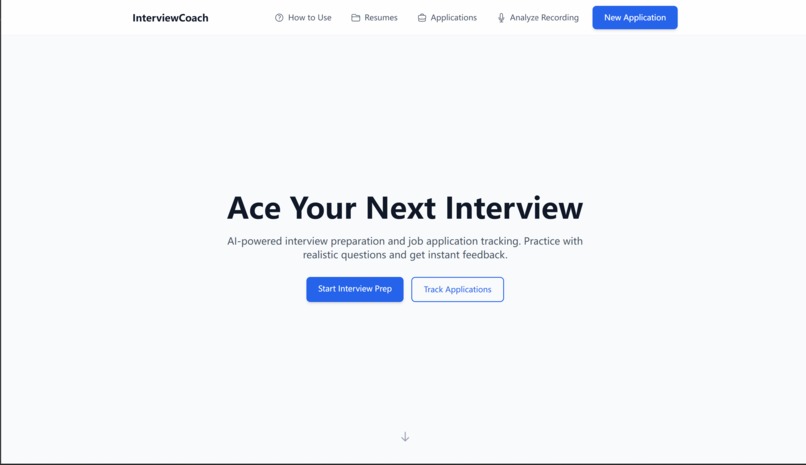
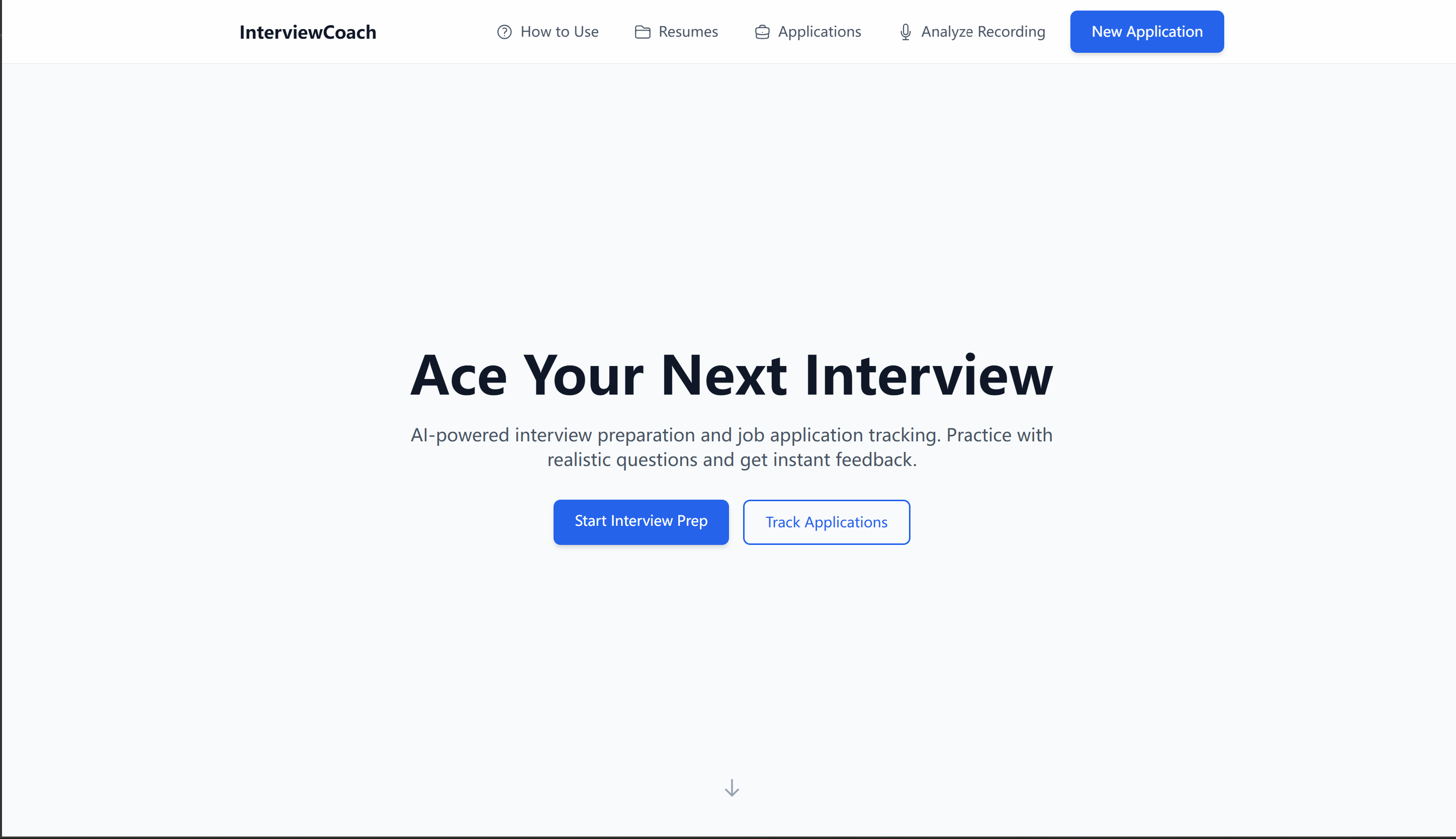
Home page
-
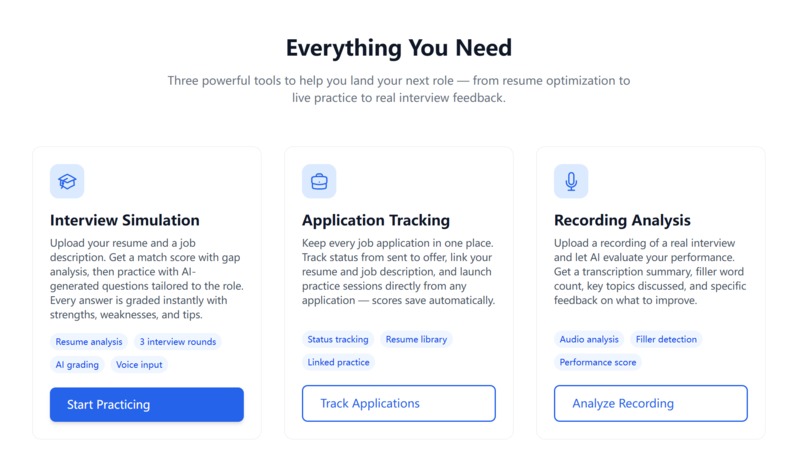
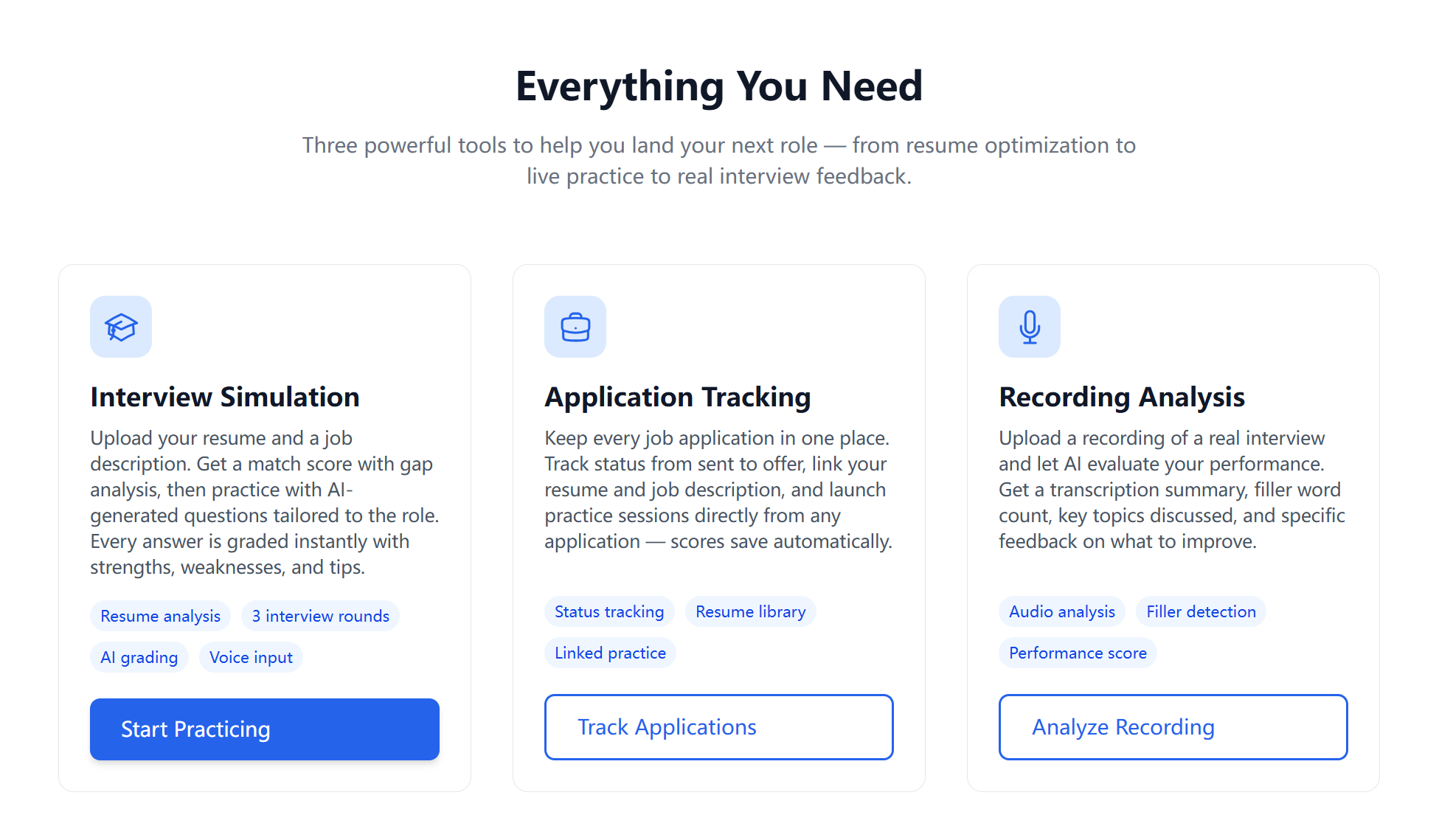
Features & How to use page
-
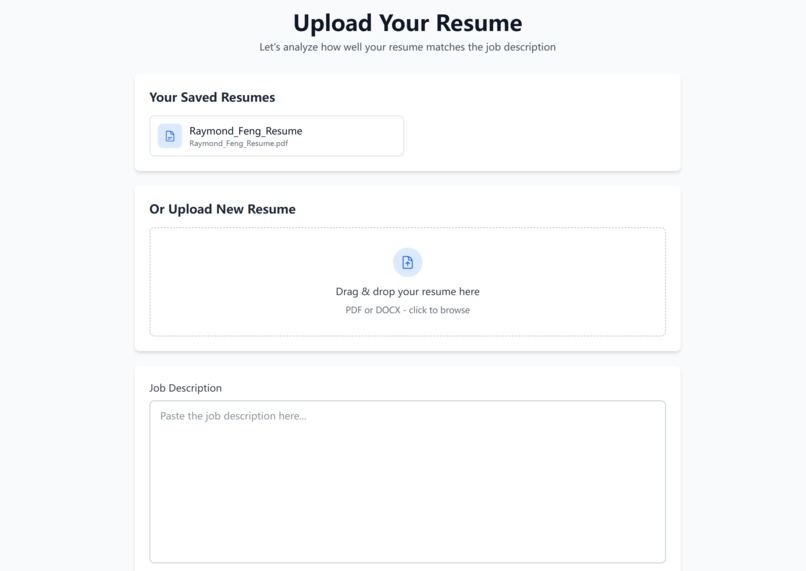
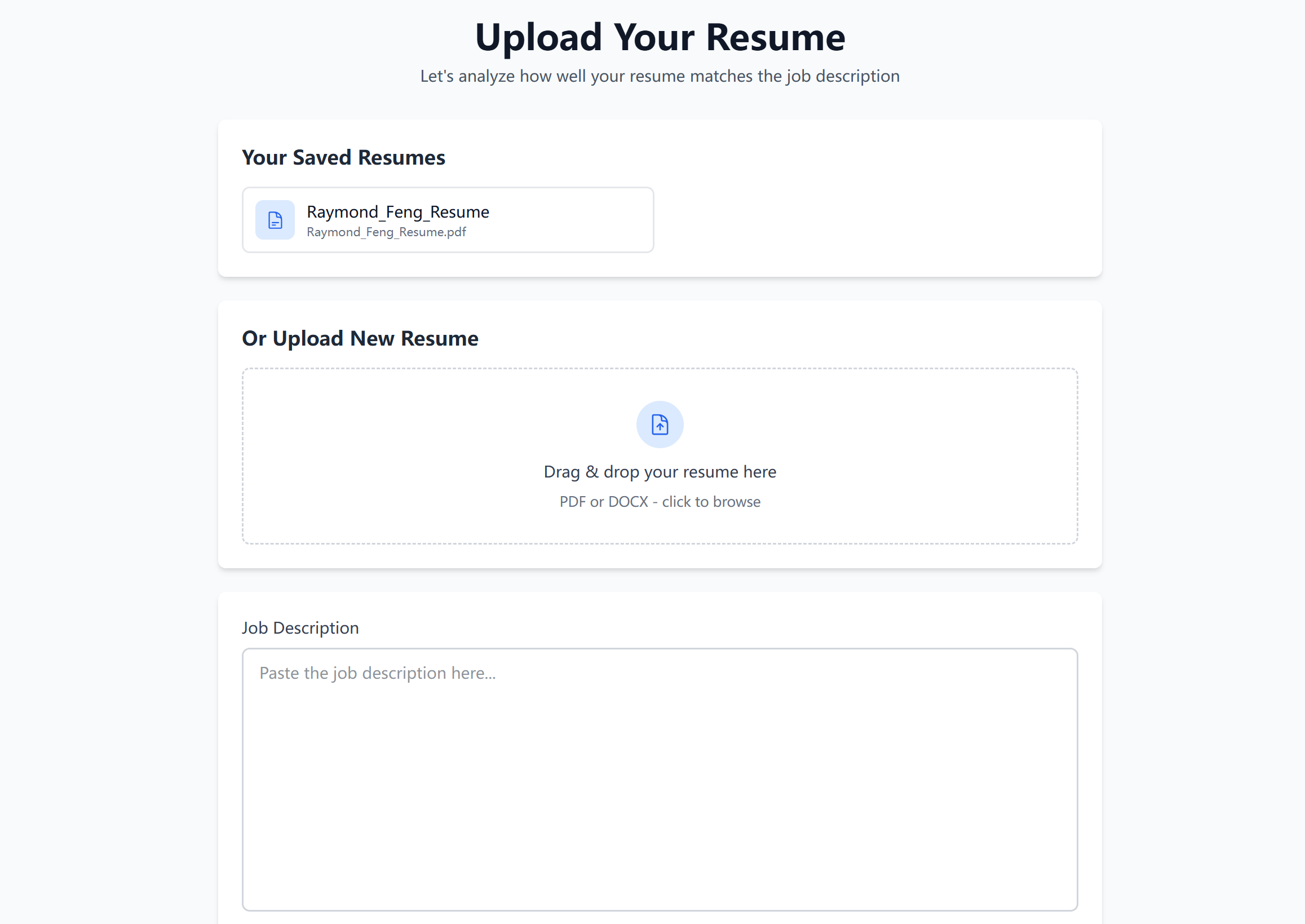
Resume and JD upload page
-
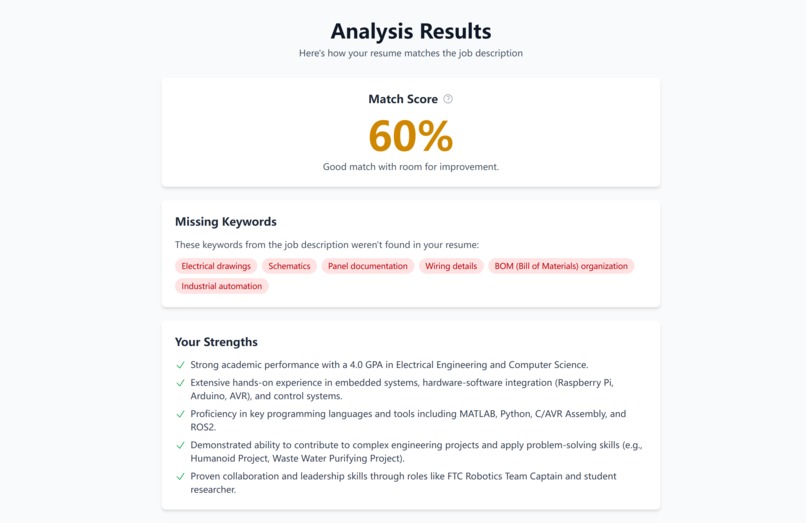
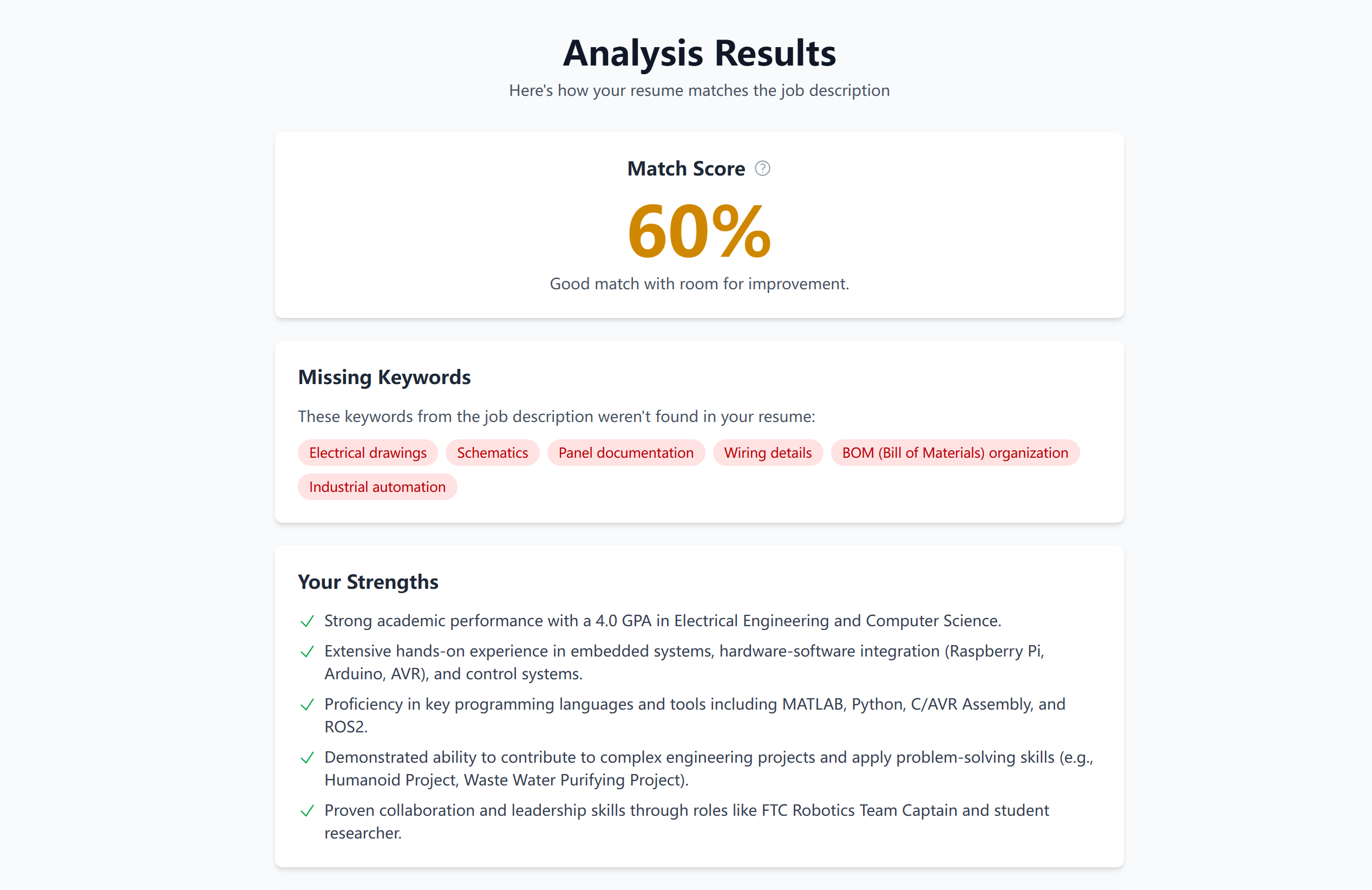
Resume match rating page
-
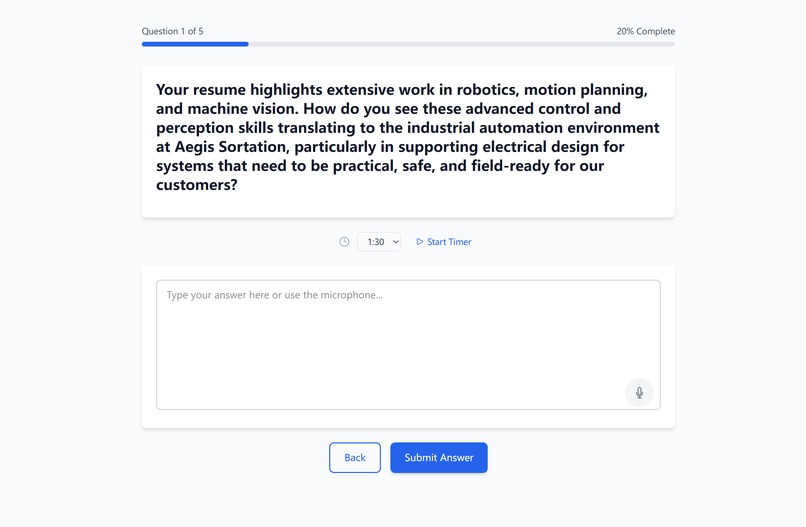
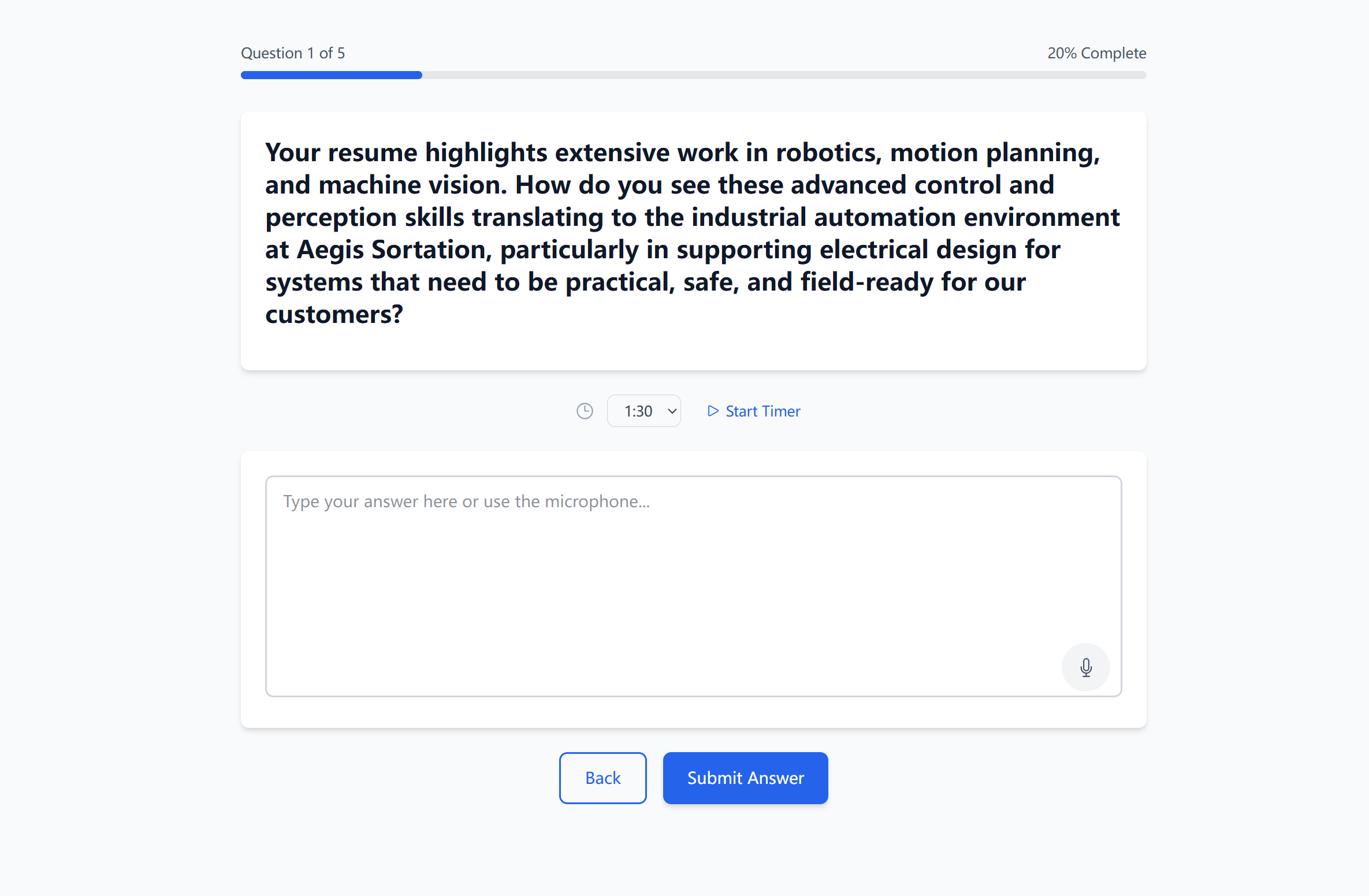
Mock interview page
-
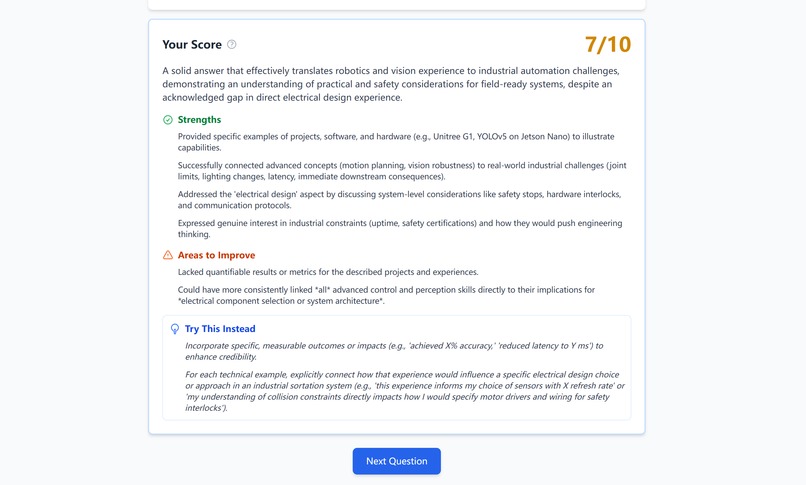
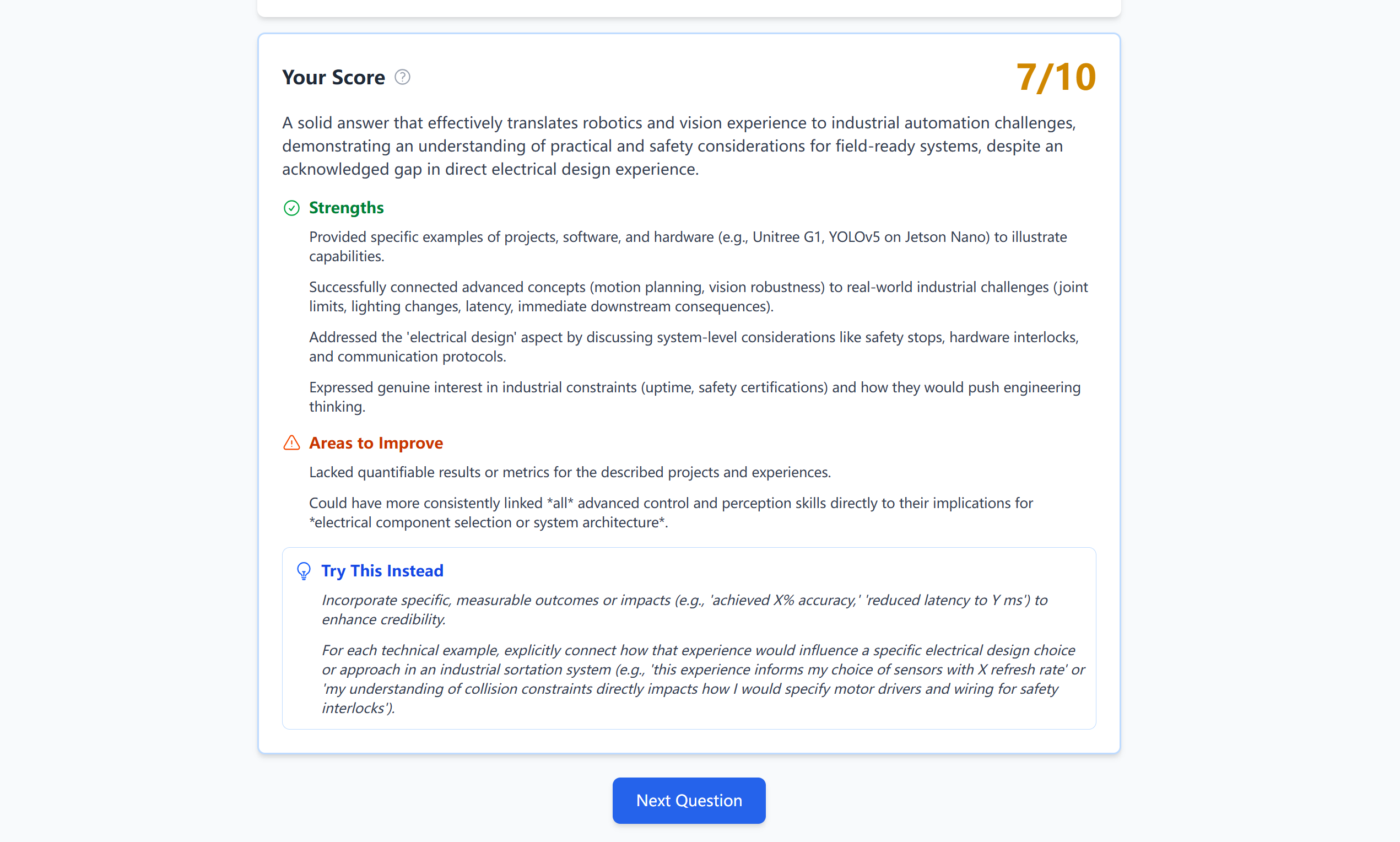
Interview answer grading page
-
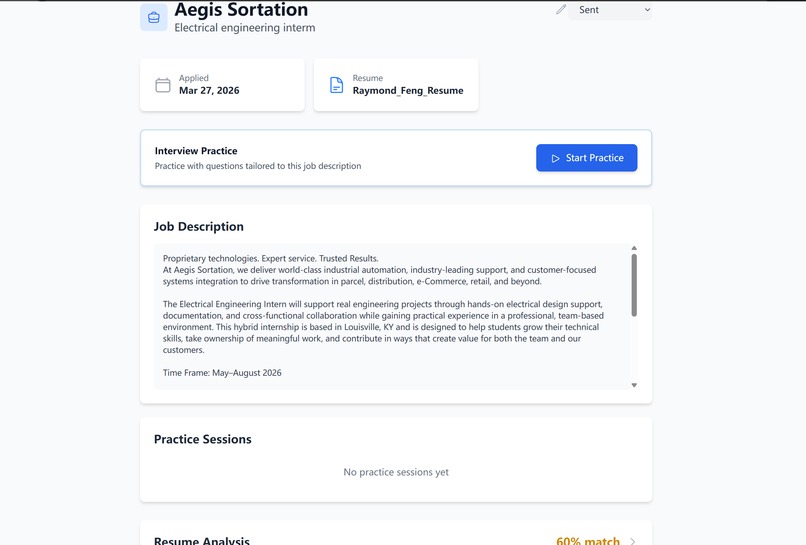
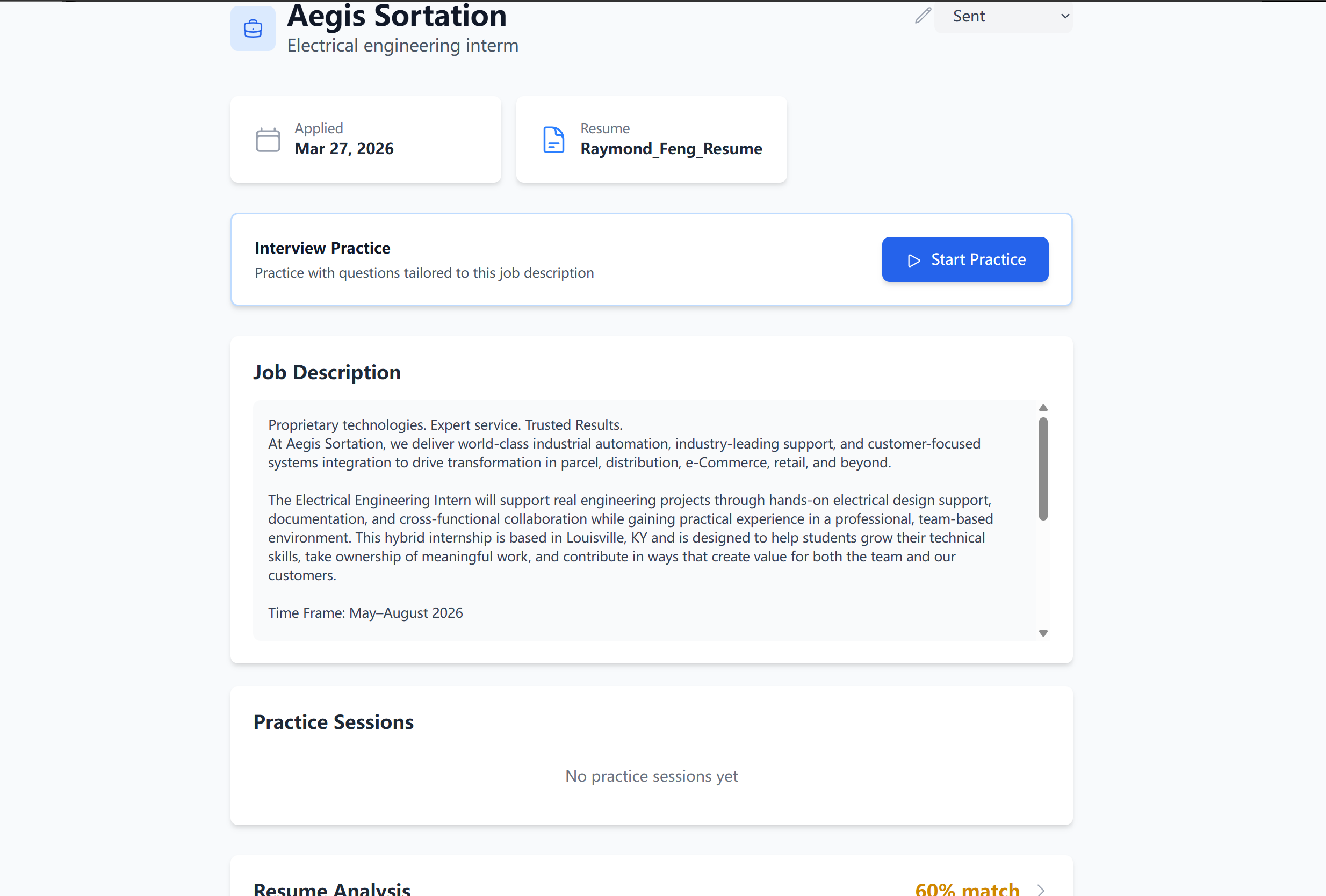
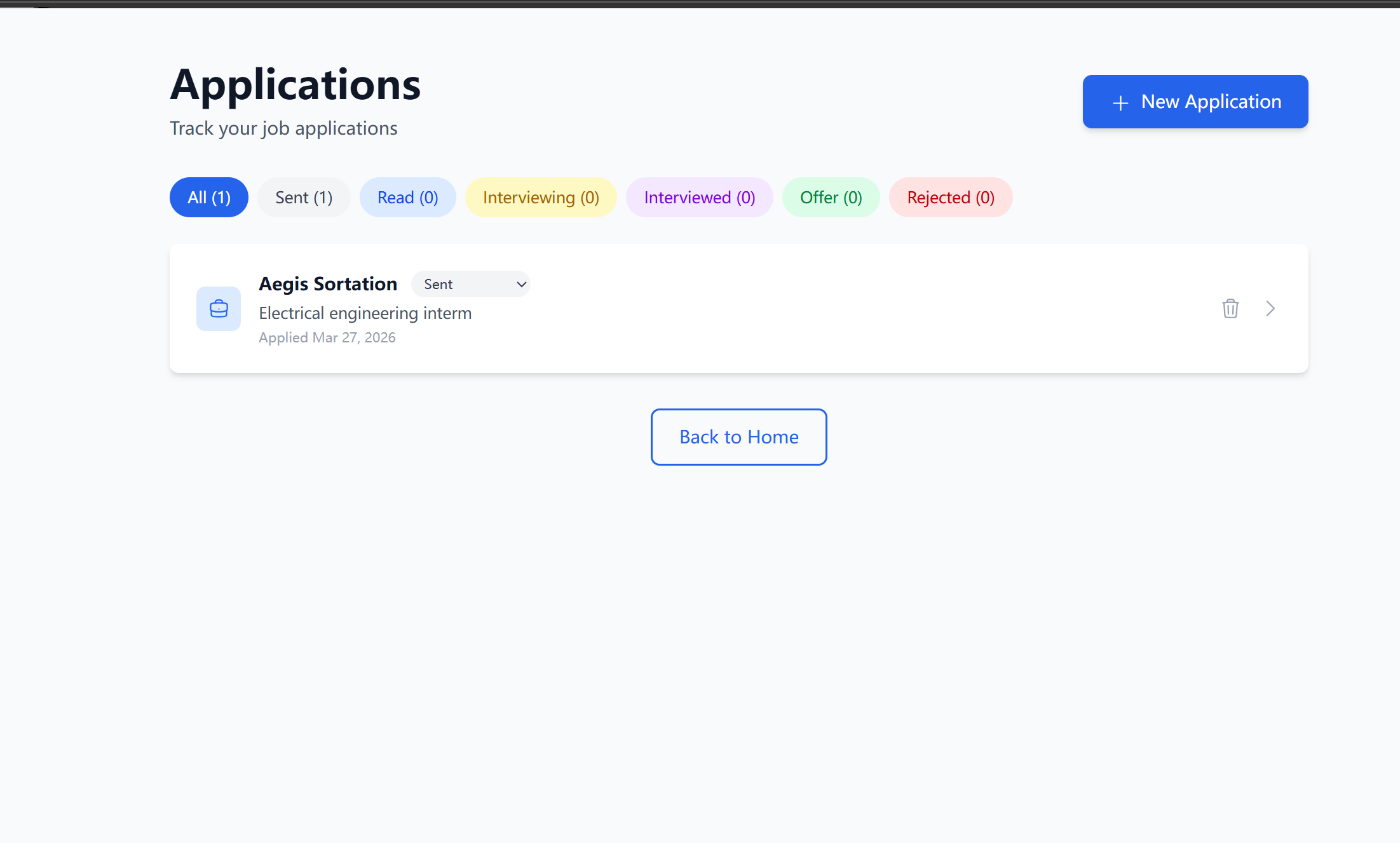
Job application tracking page
-
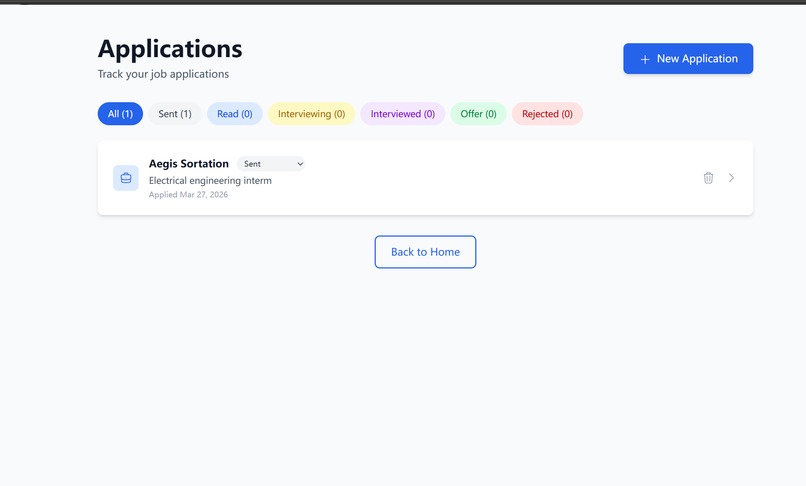
Job application tracking page 2
-
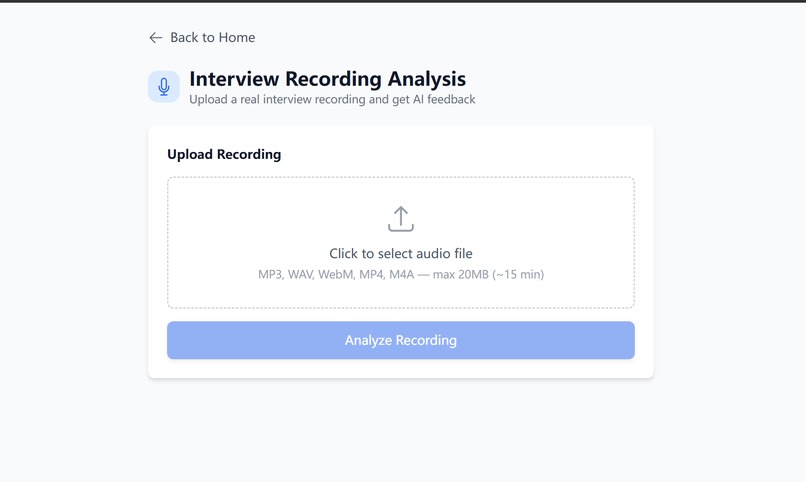
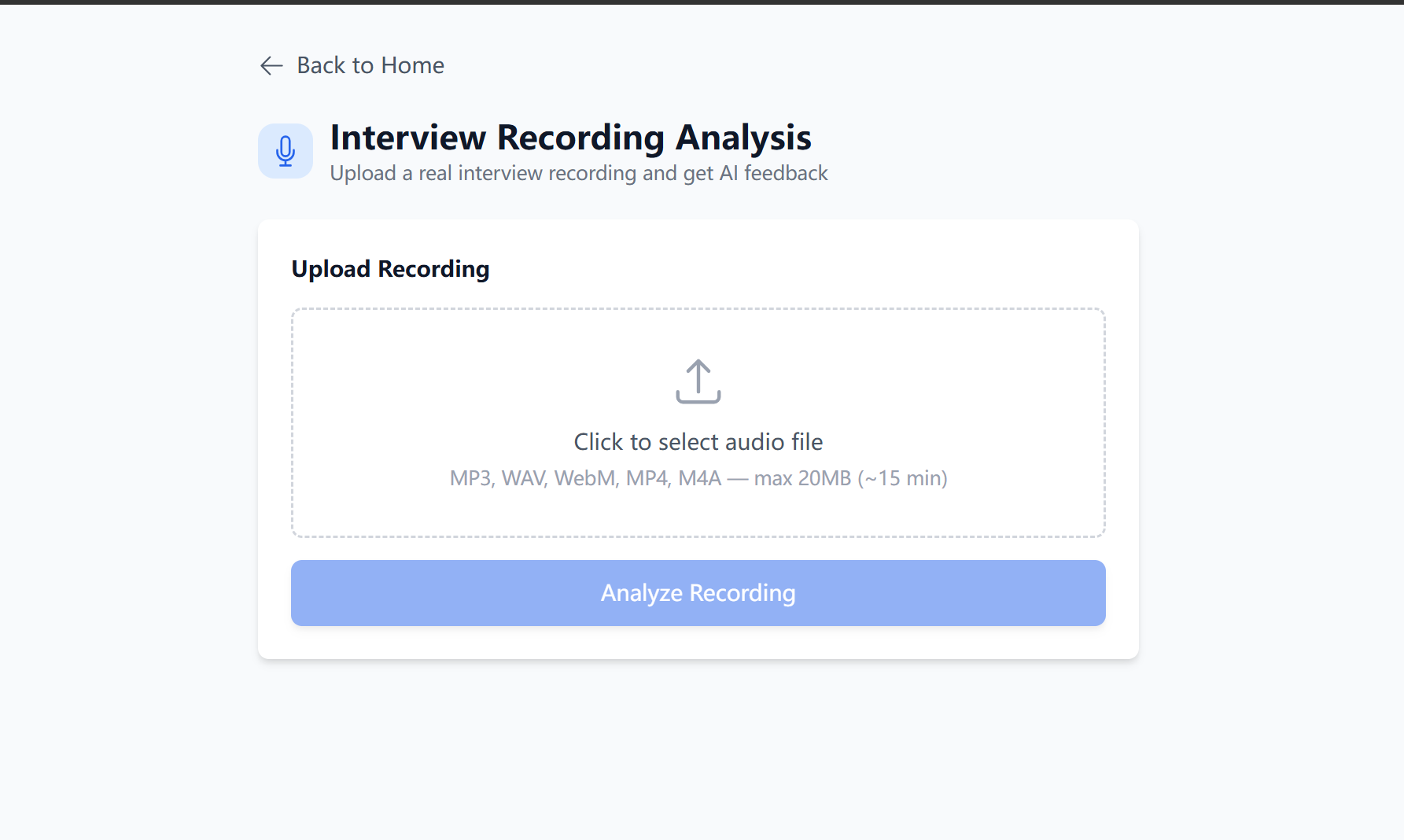
Recording uoload page
Inspiration
Interview prep is stressful. I've been through the cycle just recently: applying to roles, Googling what interview questions it might ask, practicing in my head, and hope for the best. You don't know how you did until you get a rejection email (or just silence). I wanted to build a tool that gives you instant, honest feedback before the real thing.
The idea was simple, what if AI could read my resume, read the job description, and tell you exactly what to practice? And then grade your answers the way a real interviewer would, with critique and improvement advices.
What it does
InterviewCoach is a browser-based AI interview prep and job application recording platform with three core features:
Resume vs. Job Description Analysis — Upload your resume (PDF/DOCX) and paste a job description. The AI returns a match score, missing keywords, strengths, and specific resume edit suggestions.
Live Interview Simulation — Pick an interview round (currently designed 3 rounds: behavioral, technical, culture fit). The AI generates 5 tailored questions based on your resume and your target role. Answer by typing or speaking, each response is graded on a 1–10 scale with strengths, weaknesses, and tips.
Recording Analysis — Upload an audio recording of a real interview(15 minutes maximum). The AI evaluates your performance, counts filler words, identifies key topics, and gives you a report card.
It also includes a job application tracker to manage your pipeline from "sent" to "offer," with practice sessions linked to each application.
How we built it
Stack: React + Vite for the frontend, Tailwind CSS for styling, Google Gemini 2.5 Flash for AI, and the browser's Web Speech API for voice input. No backend, everything runs client-side except the Gemini API calls.
Architecture: Two React Contexts:
AppContextmanages persistent data (resumes, applications) synced tolocalStorageInterviewContextmanages session data (current questions, answers, grades) that resets each interview
The AI layer uses a switcher — a ai.js file routes to either real Gemini calls or mock responses based on whether an API key is configured. This let me build and test the entire UI without burning API.
For resume parsing, I used pdf.js (with a legacy build for iOS compatibility) and mammoth for DOCX files, both run entirely in the browser.
Prompt engineering turned out to be the most iterative part. Each Gemini function gets a structured prompt with:
- A role instruction ("You are an expert interview coach...")
- The user's data injected via template literals
- An exact JSON schema for the response
- A strict scoring rubric with anti-inflation guardrails ## Challenges we ran into Score inflation. Gemini's default behavior is to be encouraging — early versions gave almost every answer an 8 or above. I had to add explicit calibration rubrics to each prompt.
This brought scores to a realistic distribution where a $\mu \approx 6$ with $\sigma \approx 1.5$ feels honest and useful.
PDF parsing on iOS. The standard pdf.js build uses modern JavaScript features that Safari on iOS doesn't fully support. Switching to the legacy build (pdfjs-dist/legacy/build/pdf.mjs) with a local worker file fixed it, but it took a while to diagnose since the error messages were unhelpful.
JSON parsing from LLMs. Despite telling Gemini to "respond ONLY with valid JSON," it occasionally wraps responses in markdown code fences (```json...```). I wrote a parseJSON() helper that strips these before parsing.
What we learned
- Prompt engineering is part of the UX design. The prompt is the product. A vague prompt gives vague results. Specifying exact JSON shapes, scoring rubrics, and anti-inflation language was the difference between unreliable answers and a useful tool.
- Client-side apps can do more than I think. PDF parsing, speech recognition, persistent storage can all be done without a server.
- Build with mocks first. The mock/real AI switcher let me perfect the user experience and fix all bugs before touching the API. By the time I wired up Gemini, everything else is done and polished.
What's next for Interview Coach
- Server-side persistence so data syncs across devices, now the data only store in that one browser with maximum about 5MB
- More granular grading rubrics per industry/role
- Interview recording with in-browser audio capture (not just upload)
- Collaborative mode to share your session with a mentor for feedback
- PDF output for interview summary or analyze result

Log in or sign up for Devpost to join the conversation.