-
-
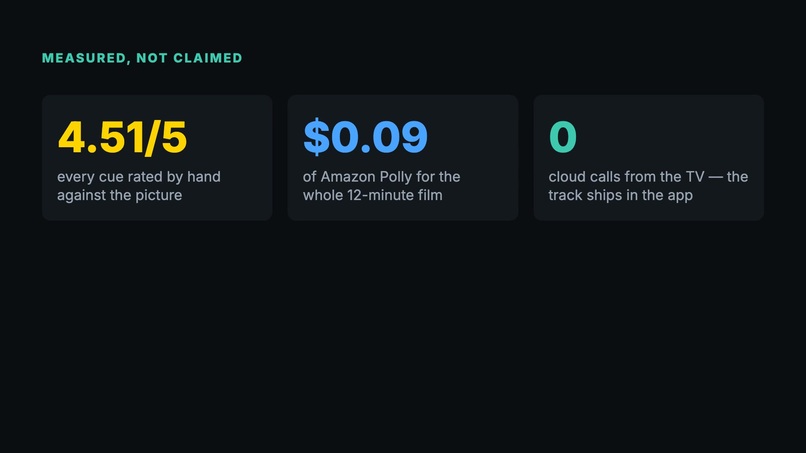
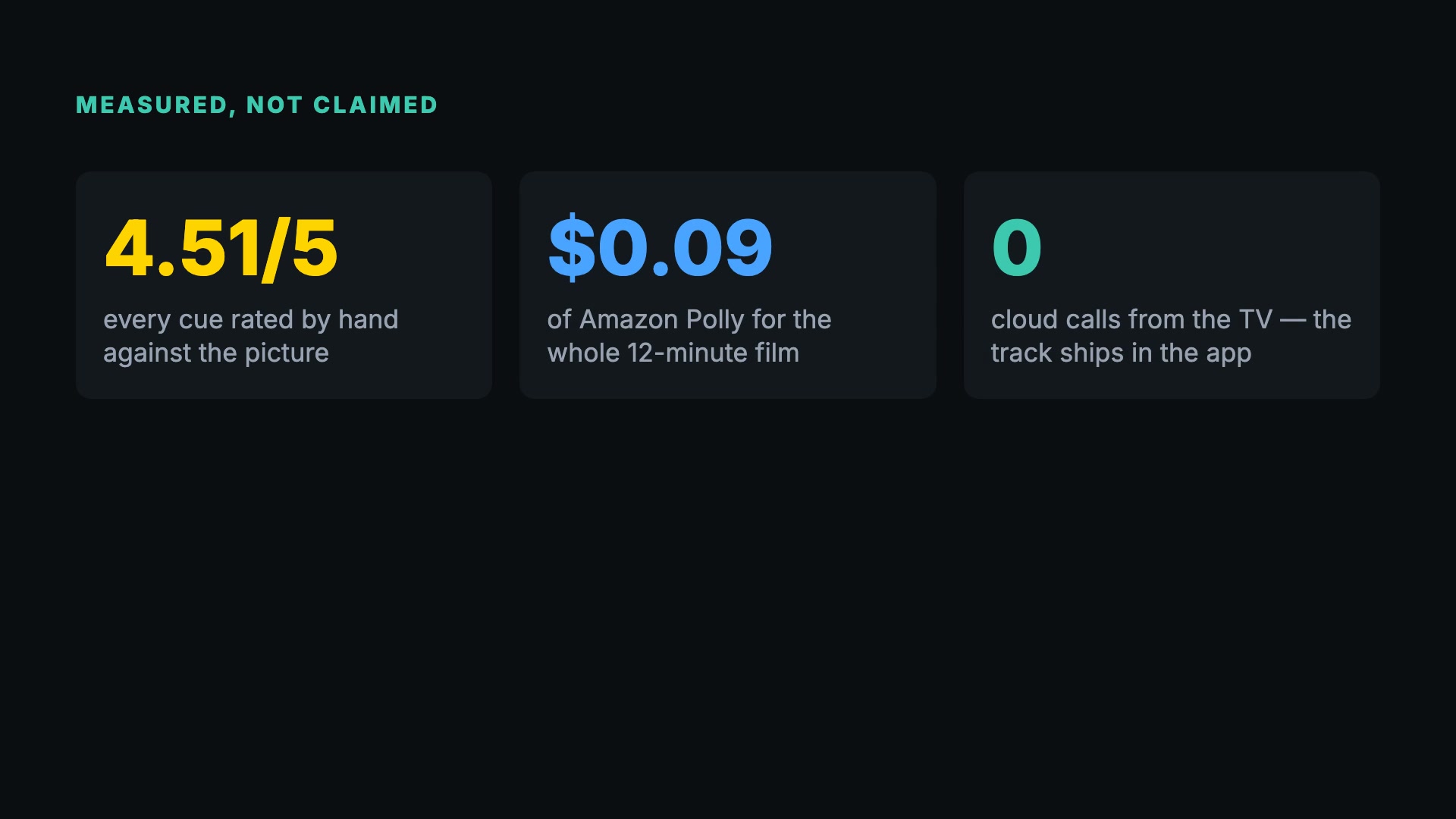
Rated by hand: 4.51/5 across 55 cues. About $0.09 of Amazon Polly per film. Zero cloud calls from the TV.
-
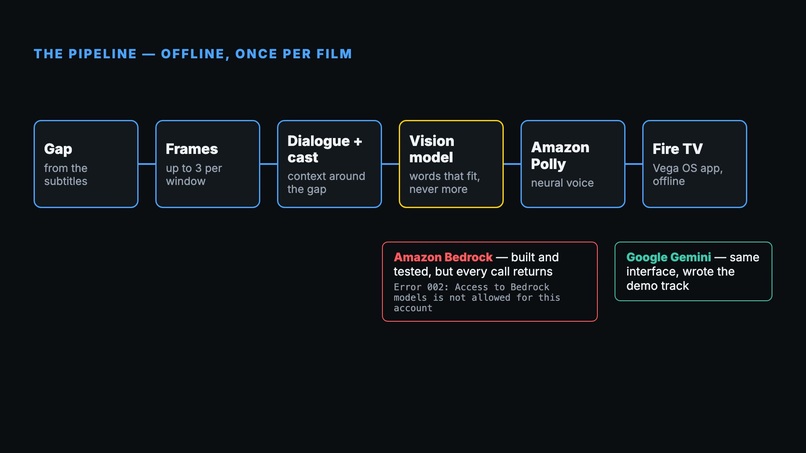
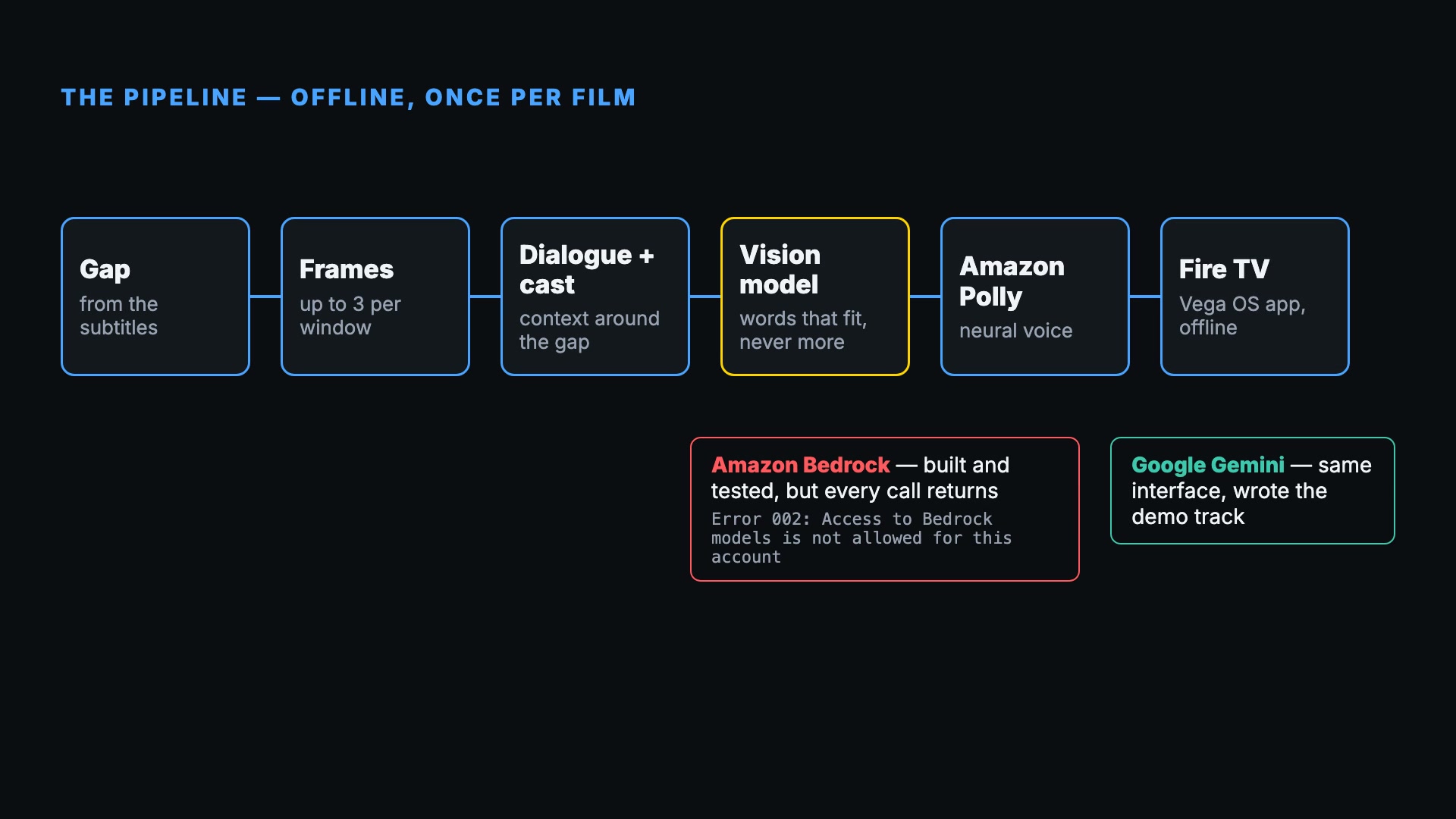
Offline pipeline: gap → frames → vision model → Amazon Polly → Fire TV. Bedrock-ready; the demo track ran on Gemini.
-
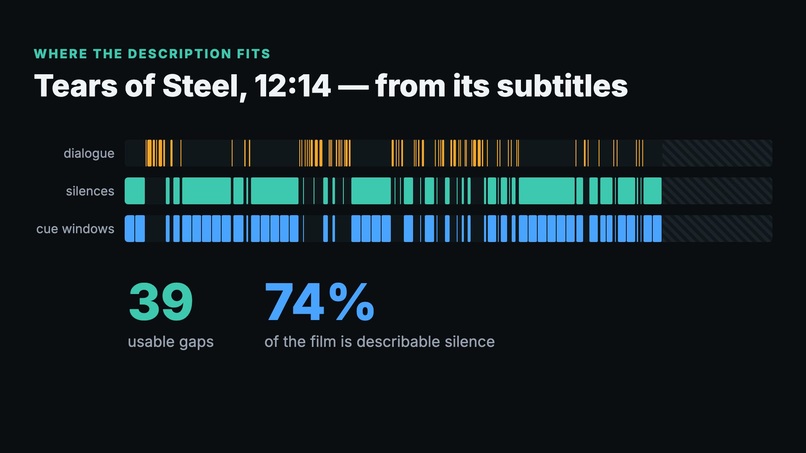
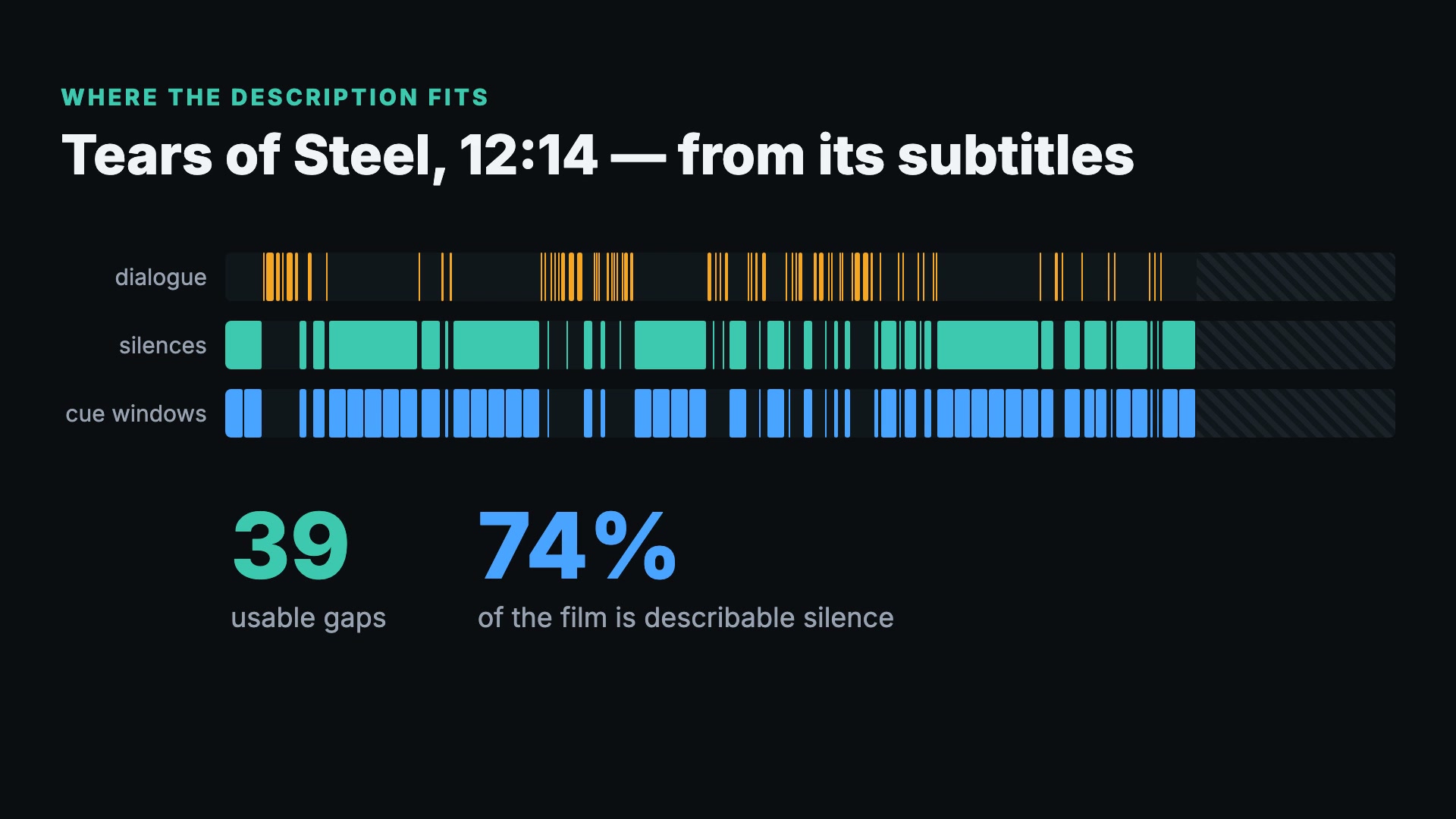
From the subtitles alone: 39 usable gaps, 74% of Tears of Steel is describable silence.
-
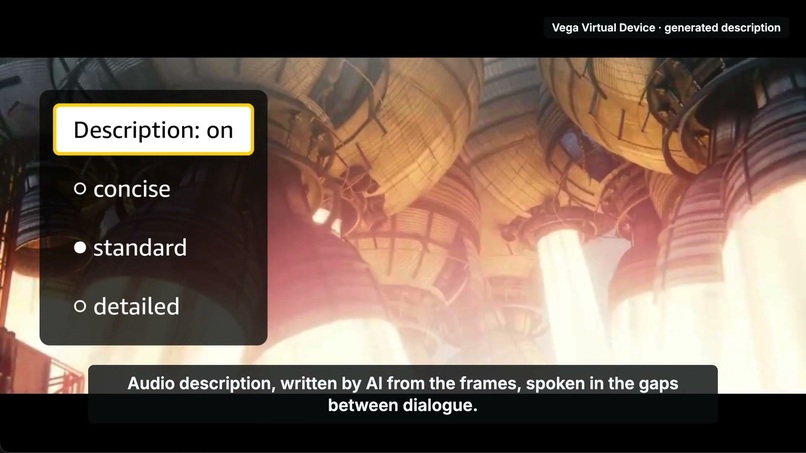
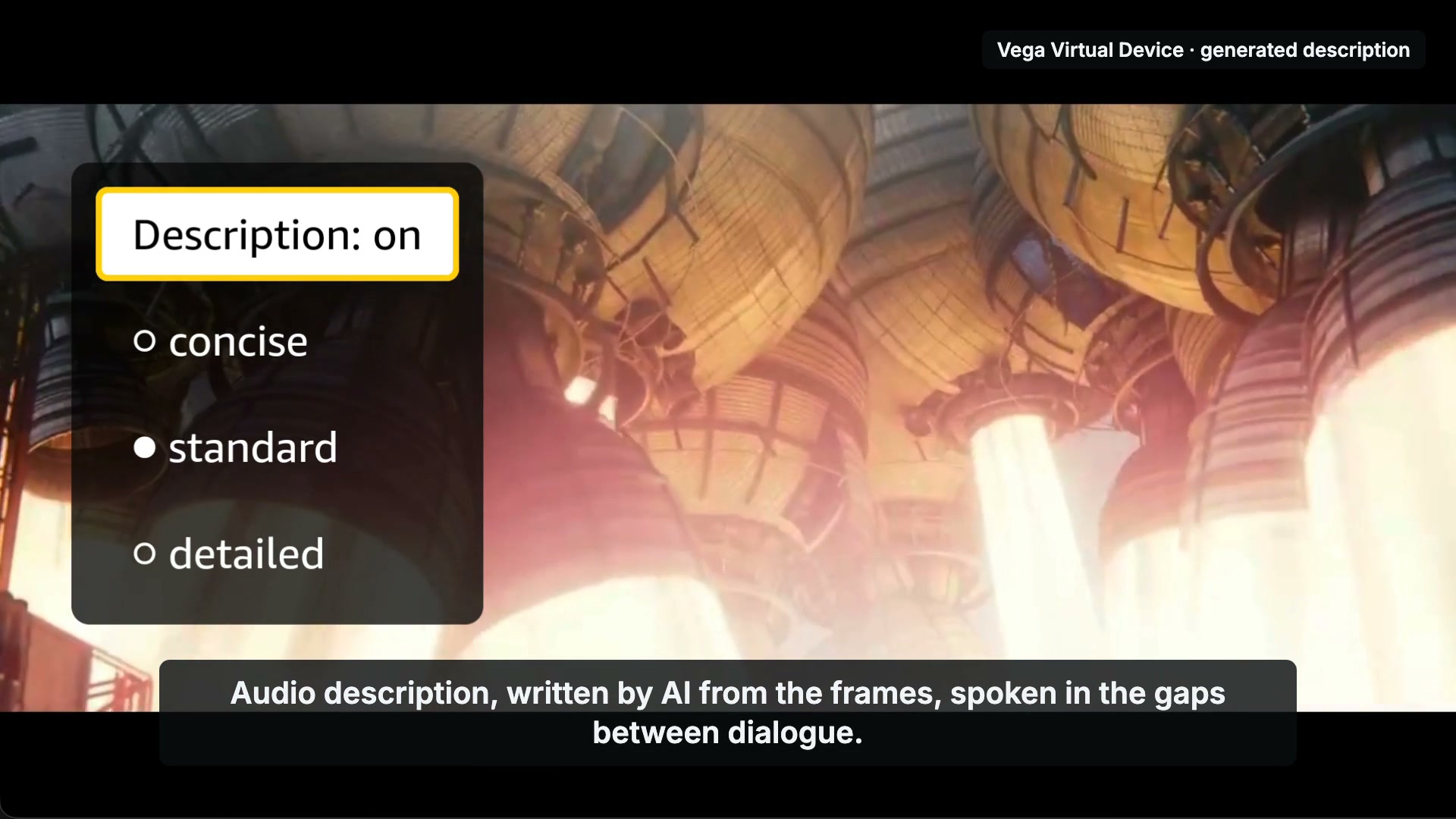
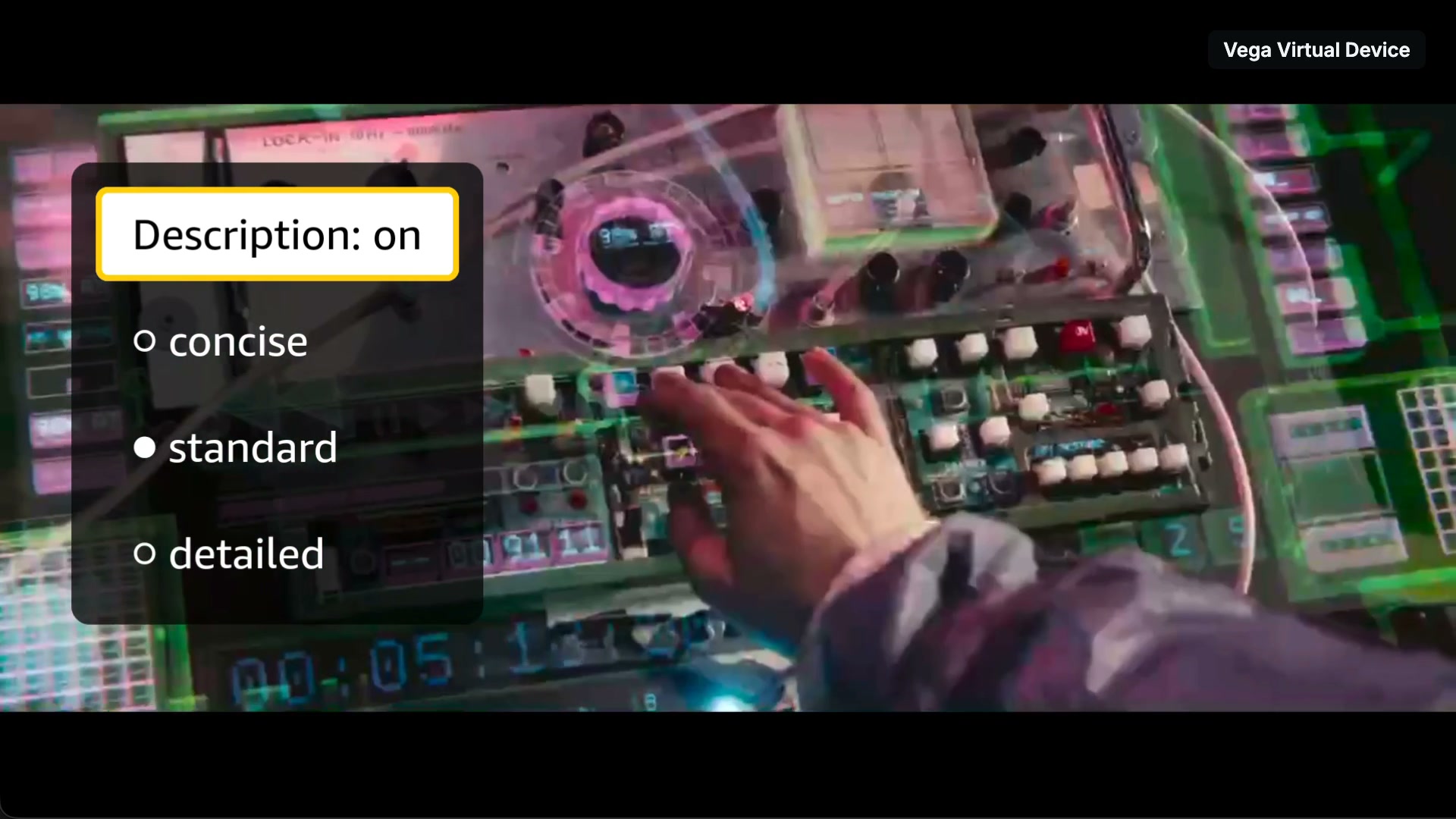
The app on the Vega Virtual Device: a generated description plays while the film ducks to 25%.
-
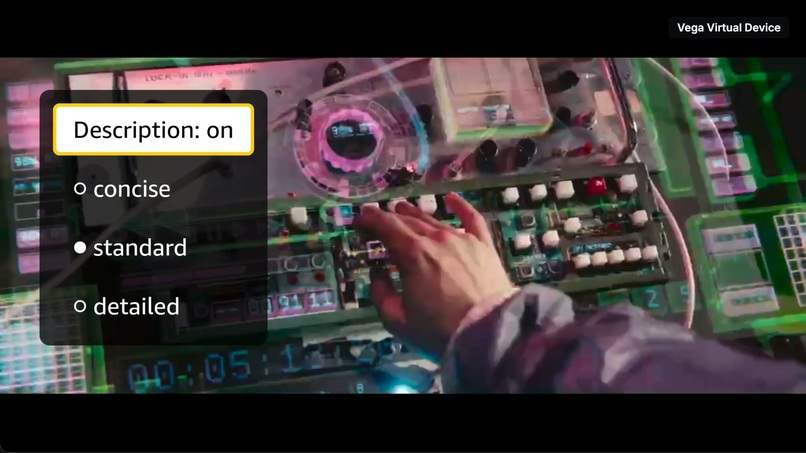
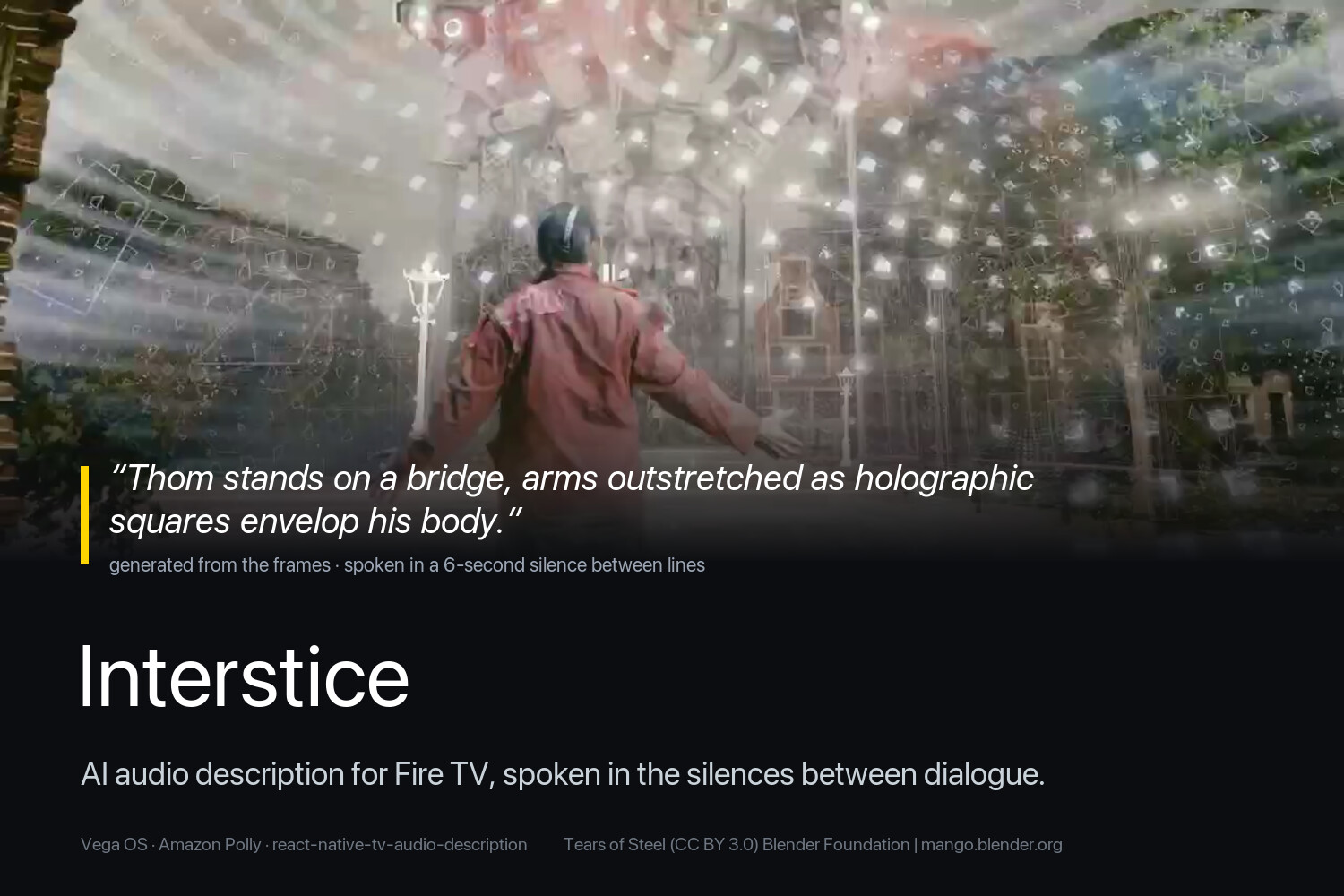
A generated cue playing on the device, written from the frames on screen.
-
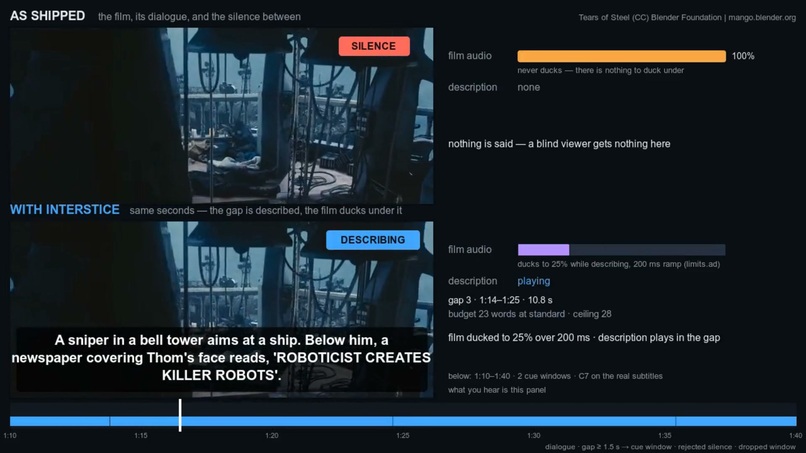
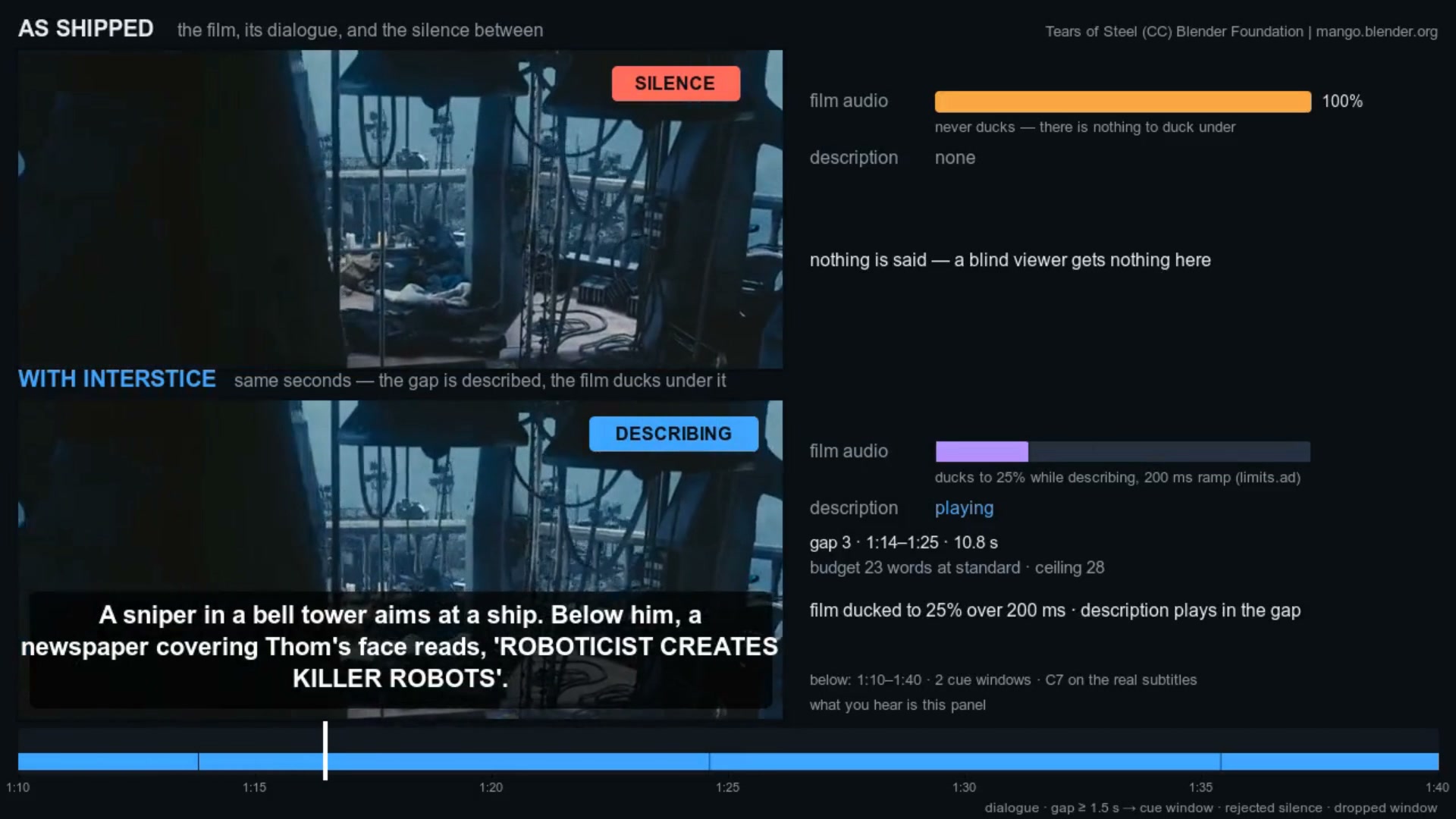
Same seconds, before and after: silence as shipped vs. a description spoken in the gap.
-
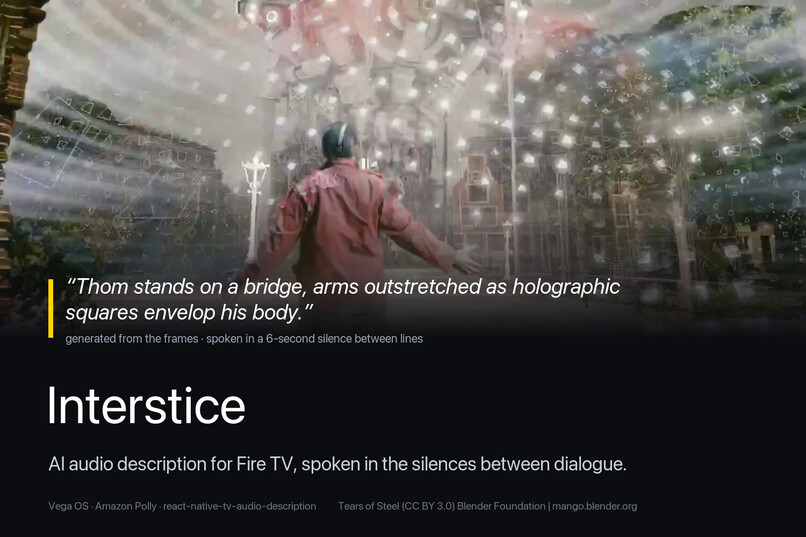
Interstice — AI audio description for Fire TV, spoken in the silences between dialogue.
-
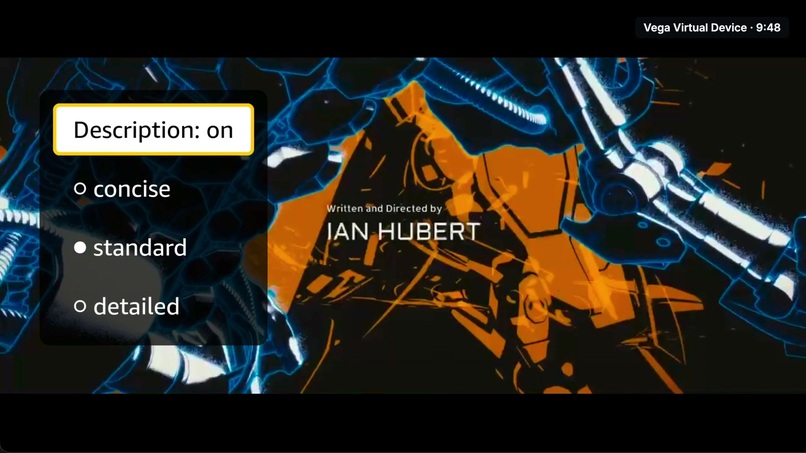
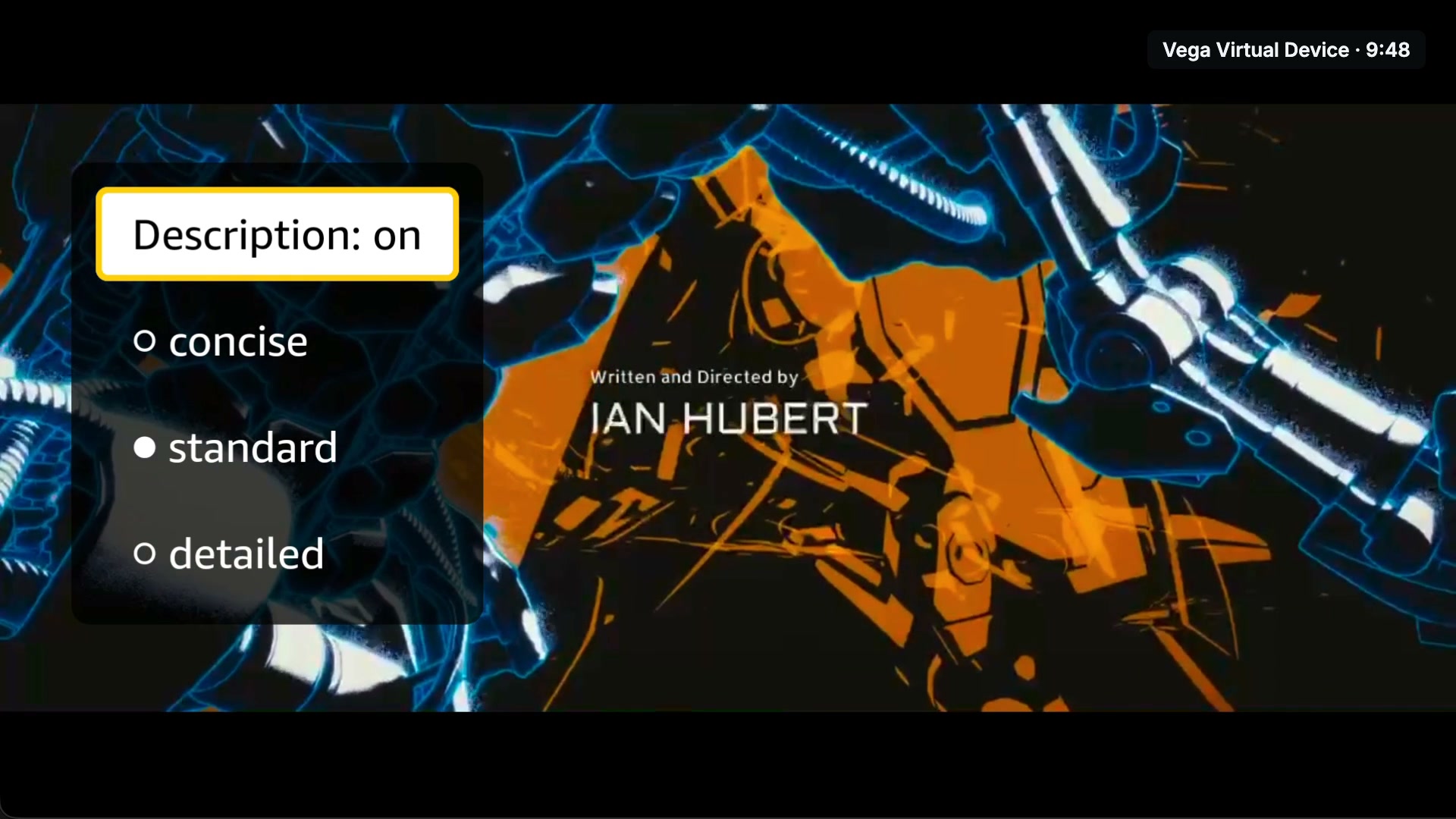
Even the end credits are announced, at 9:48.
Inspiration
Most films ship without an audio description track. A blind or low-vision viewer gets the dialogue and the sound design, and nothing about what the camera is showing — who entered the room, what a character is holding, where the scene moved. Where description exists it was written by hand, one title at a time: at the end of 2025 the American Council of the Blind's Audio Description Project counted 13,109 described titles across cinema, DVD and more than twenty streaming services combined — against catalogues of tens of thousands of titles per service.
What it does
Interstice generates audio description for a film and plays it on Fire TV, on the television itself, with no second device. A vision model describes the frames; Amazon Polly voices each description; the TV app speaks it in the silences between lines of dialogue, ducking the film to 25 % and bringing it back before the next line.
- The remote turns description on and off without pausing the film, and offers three verbosity levels.
- Every state — loading, playing, stalled, error, track missing — has a focus target and a spoken sentence, because for this app's users a frozen picture and silence are the same thing.
- The TV makes zero cloud calls: the track and its audio ship inside the app.
🎬 Demo: https://youtu.be/9BRS-iJYW0s
How we built it
The hard problem in audio description is timing: a description that runs past its gap talks over the next line, which is worse than none. Interstice solves it with data that already ships with every film — the subtitles.
- Gaps. Every silence of at least 1.5 s between subtitle lines is a candidate; gaps longer than 12 s are split into cue windows. On Tears of Steel (Blender Foundation, CC BY 3.0): 39 usable gaps, 74 % of the film.
- Frames. For each window, ffmpeg extracts up to three frames.
- Description. The frames, the surrounding dialogue, a cast list and the previous ten descriptions go to a vision model, bounded to the words that fit the window at 160 words per minute. The bound comes from the gap, not from the model.
- Voice. Amazon Polly (neural) speaks each cue; ffmpeg repackages it into fragmented MP4, the only container the Vega player will append.
- On the TV. A React Native for Vega OS app plays the film through the W3C media API (Media Source Extensions), schedules each cue against playback position, ducks, plays and restores.
The TV-side layer is published as an open-source package, react-native-tv-audio-description (MIT, 88 tests), which this app installs from npm like any other consumer.
Challenges we ran into
- Amazon Bedrock refused every inference call on our account (
Error 002: Access to Bedrock models is not allowed for this account) — four weeks, three regions, two APIs, three identities, before and after the use-case form. The vision call sits behind a one-method provider interface, so we added a Google Gemini implementation beside the Bedrock one and generated the demo track there. Bedrock remains the default provider, tested against a mockedConverse. - The Vega player fetches nothing itself. Plain
srcplayback broke on the Virtual Device, so the film plays through Media Source Extensions in 6-second segments with a bounded buffer — and description audio had to be fragmented MP4, not MP3. - No screenshot or video path for the Vega Virtual Device, so we built a scripted end-to-end harness that drives the app with the remote and decides every result from the app's own trace lines.
- Everything that fought back is in a dated friction log: 17 entries, 15 on Amazon tools.
Accomplishments that we're proud of
- Rated by a human, cue by cue: the whole film watched with the generated track, every cue scored 1–5 against the picture — mean 4.51 / 5, 2 of 55 failed.
- About $0.09 of Amazon Polly to describe a 12-minute film.
- 12 of 13 scripted scenarios pass on the Vega Virtual Device, published as a verification report mapped to every acceptance criterion — including the ones it cannot close.
- No cue text is hand-written except one, "The end credits roll.", declared in the asset manifest and pinned to it by a test.
What we learned
- Timing beats prose: a correct description in the wrong second fails the viewer.
- The most useful thing a model can be given is a limit — the word budget is computed from the gap, never requested.
- On accessibility work, honesty is a feature: what isn't shown (VoiceView can't be enabled on the Virtual Device; a planned session with a blind viewer couldn't be scheduled in time) is stated, not faked.
What's next
- A cast pass that sees the whole film — the commonest fault in the rating was a character called by the wrong name.
- All three verbosity levels generated, and a run on Amazon Bedrock as soon as the account is allowed to call it.
- VoiceView testing on a physical Fire TV, and a validation session with blind and low-vision viewers.
Code: https://github.com/CesarRivasP/Interstice · Install the build: https://github.com/CesarRivasP/Interstice/releases/tag/v0.1.0-hackathon
Built With
- amazon-bedrock
- amazon-polly
- aws-sdk
- ffmpeg
- fire-tv
- google-gemini
- jest
- media-source-extensions
- react-native
- remotion
- typescript
- vega-os
- vega-sdk
- vitest


Log in or sign up for Devpost to join the conversation.