-
-
Interactive Star Lab — A WebMCP-Powered Stargazing Guide
-
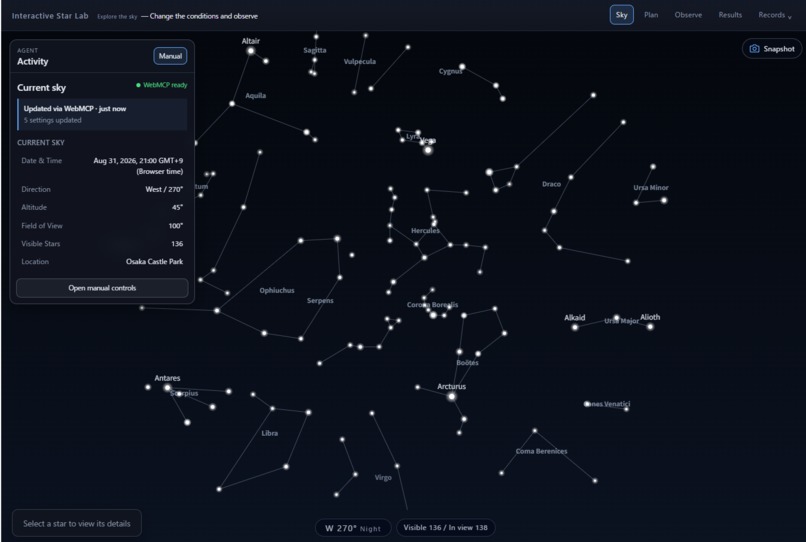
WebMCP Tools Let an Agent Configure the Sky and Operate the Observation Workflow
-
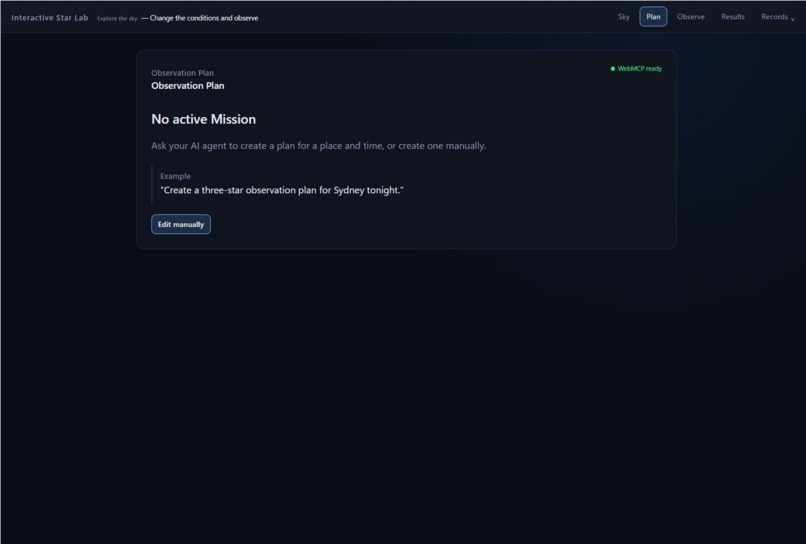
Review Observation Targets and Fixed Visibility Predictions Before Going Outside
-
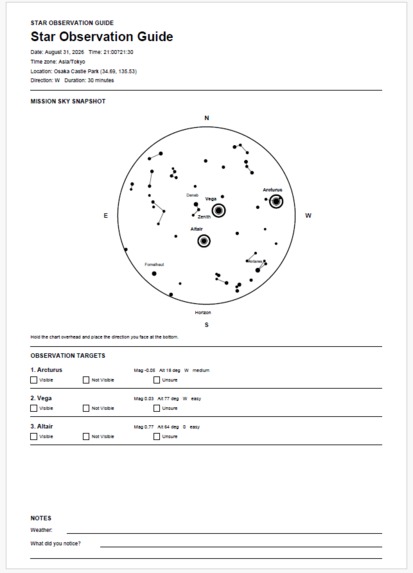
A Printable Observation Guide with Targets, Directions, Predictions, and a Sky Map
-
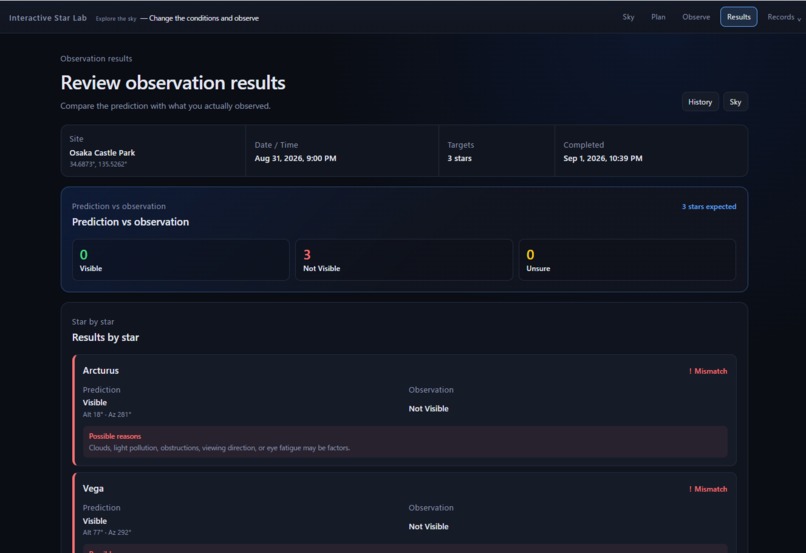
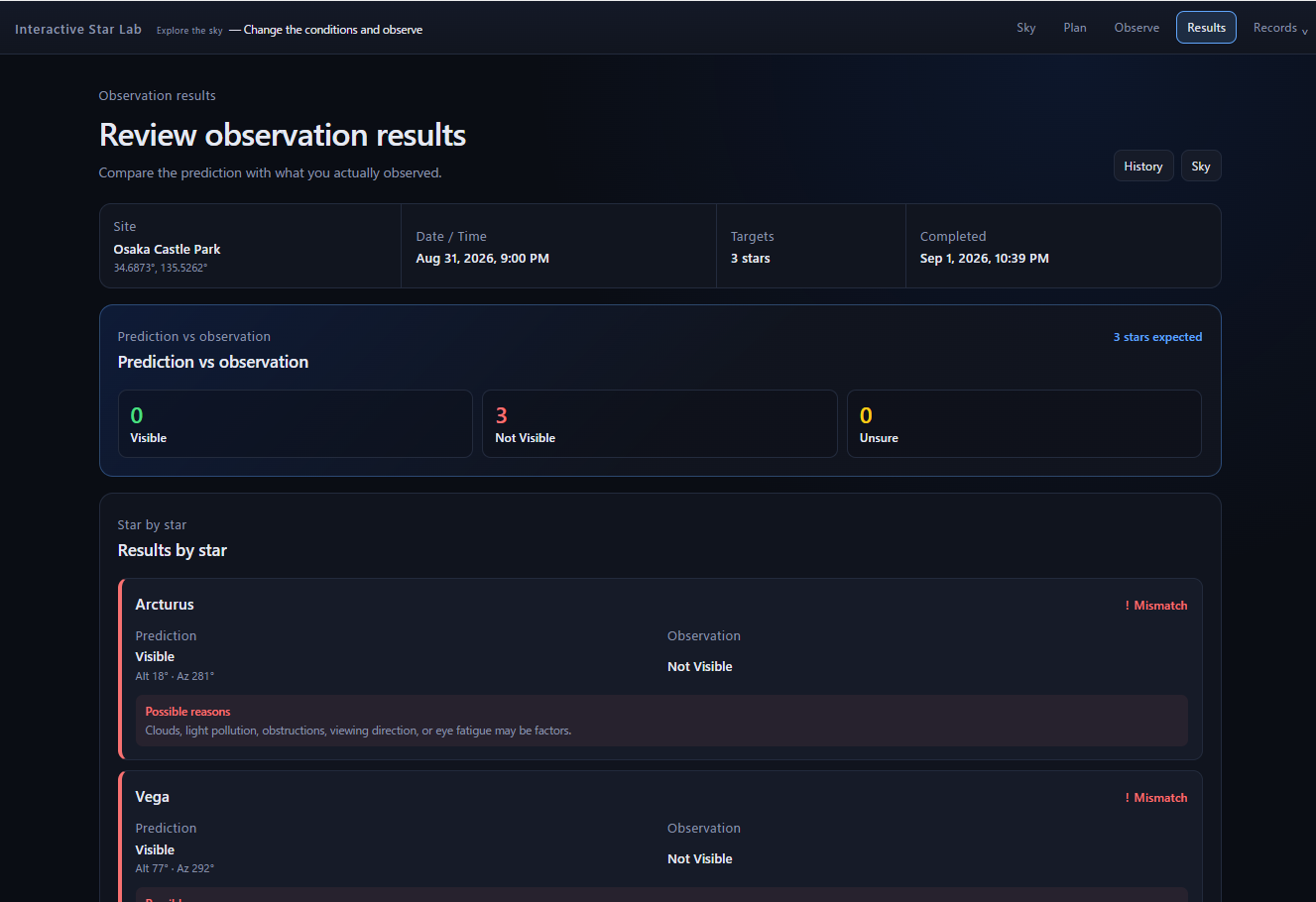
Compare the Mission’s Predictions with What the Observer Actually Saw
-
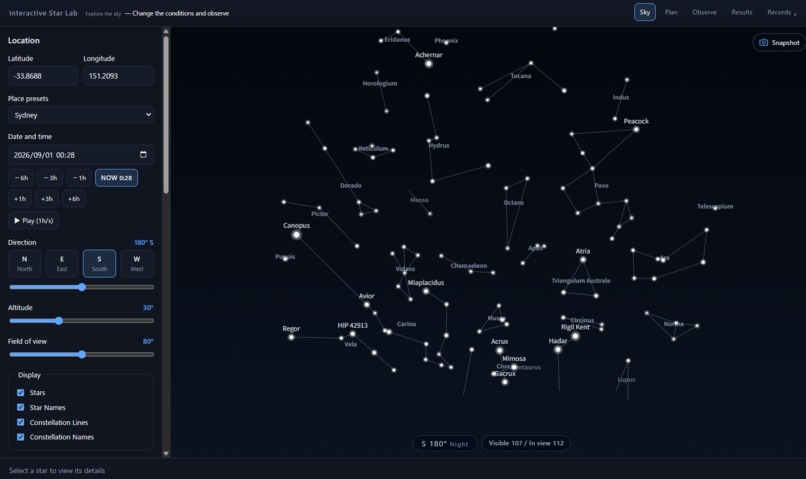
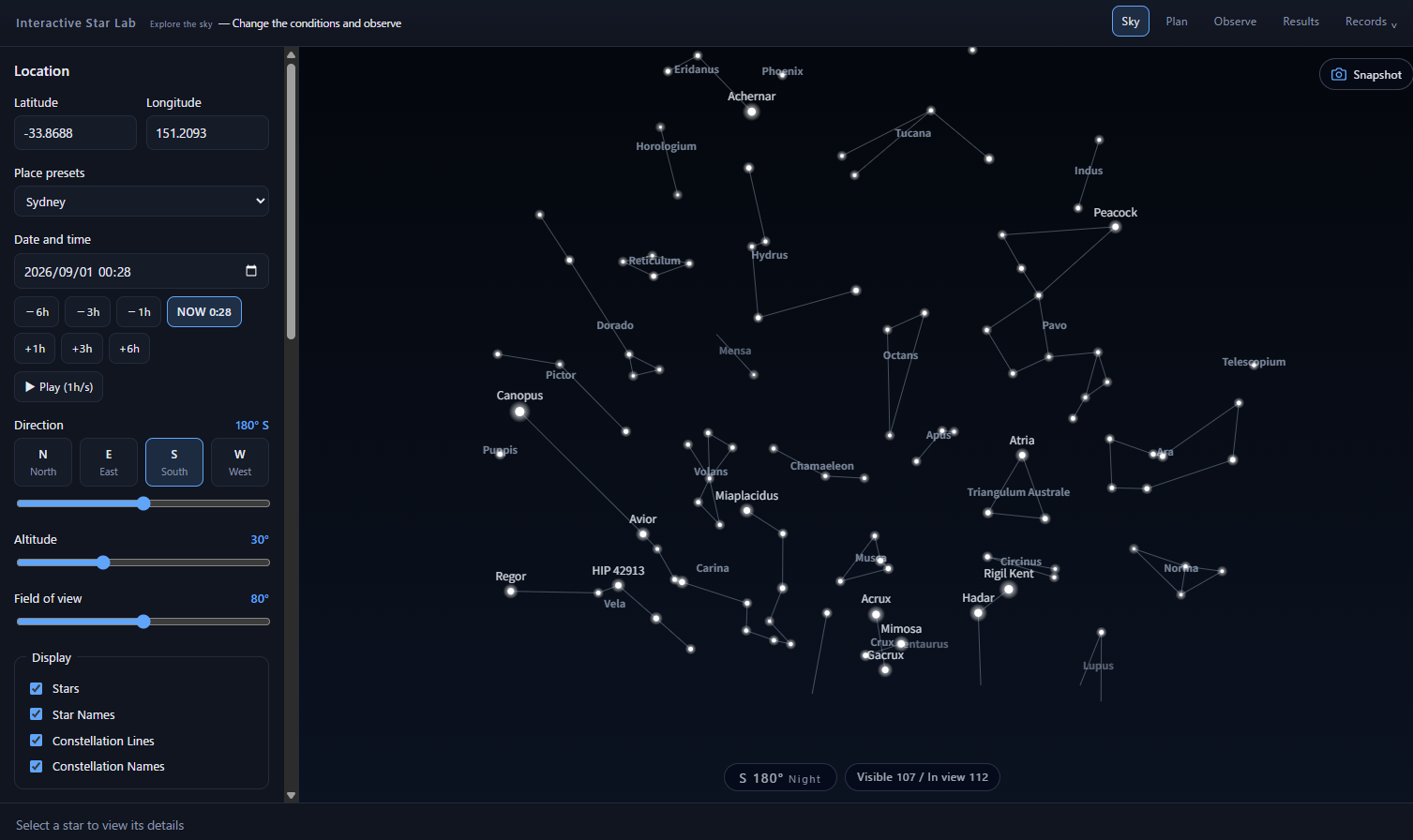
Manual Controls Remain Available for Location, Time, Direction, and Visibility Settings
-
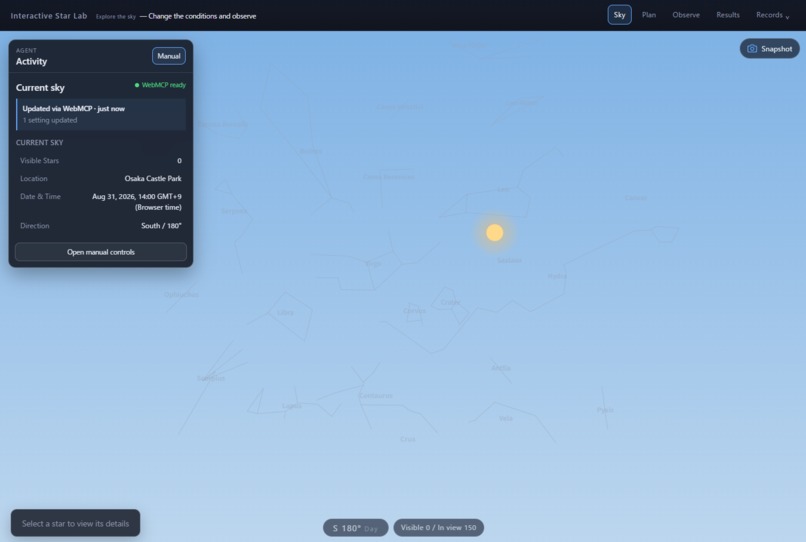
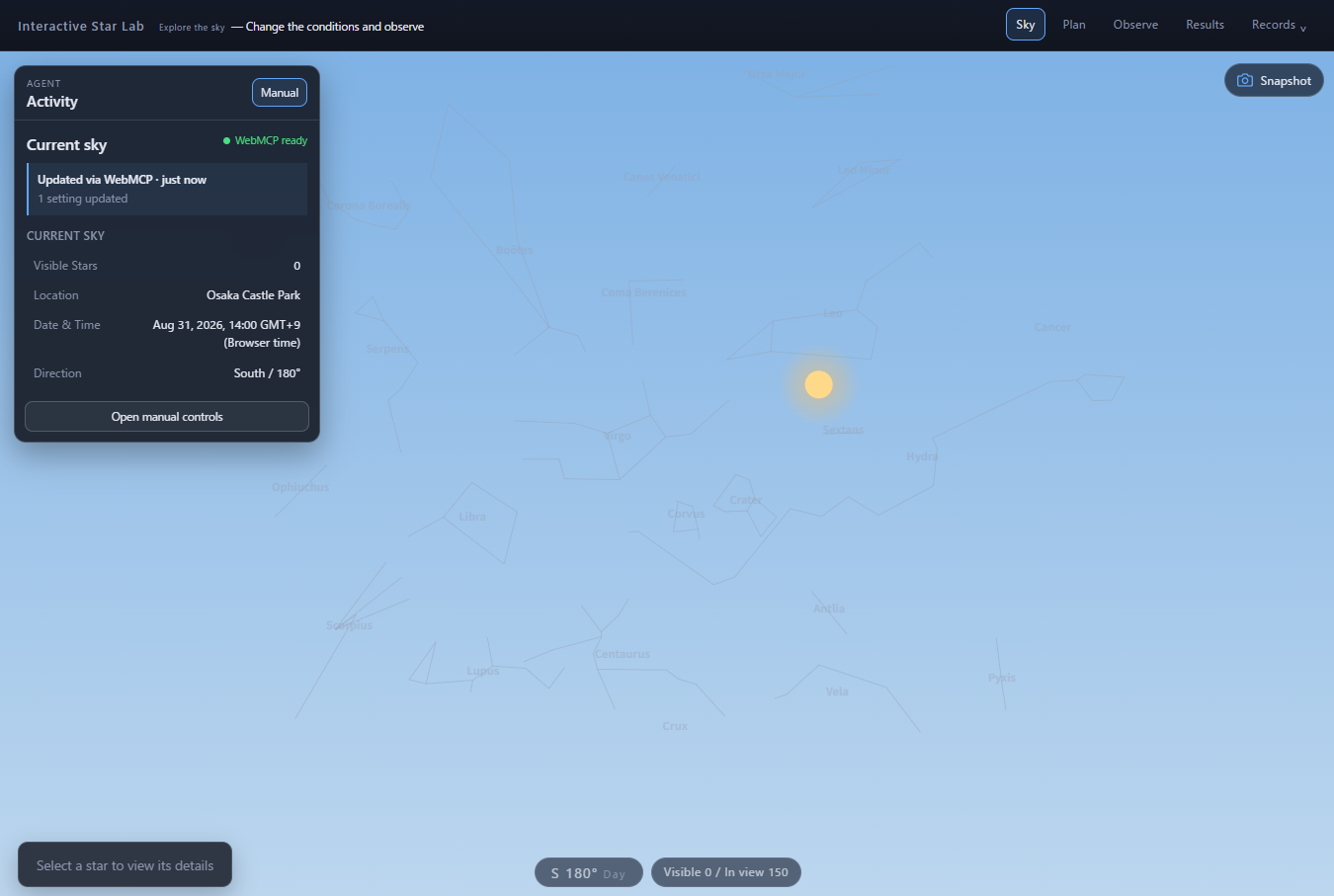
A What-If Comparison Reveals Stars That Are Present but Hidden by Daylight
-
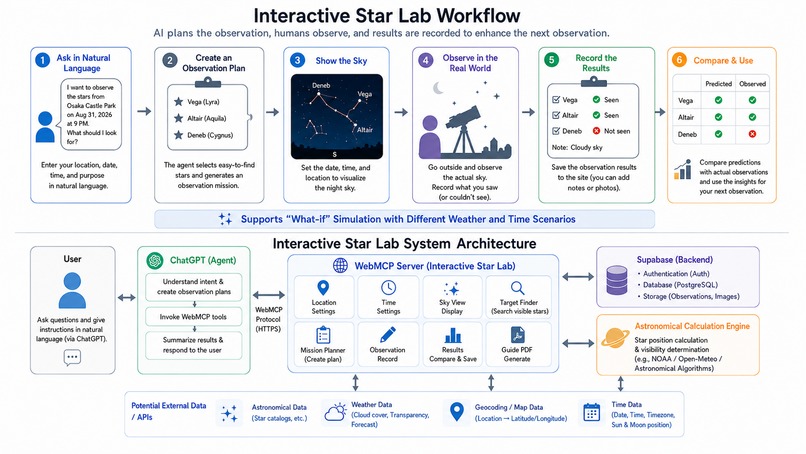
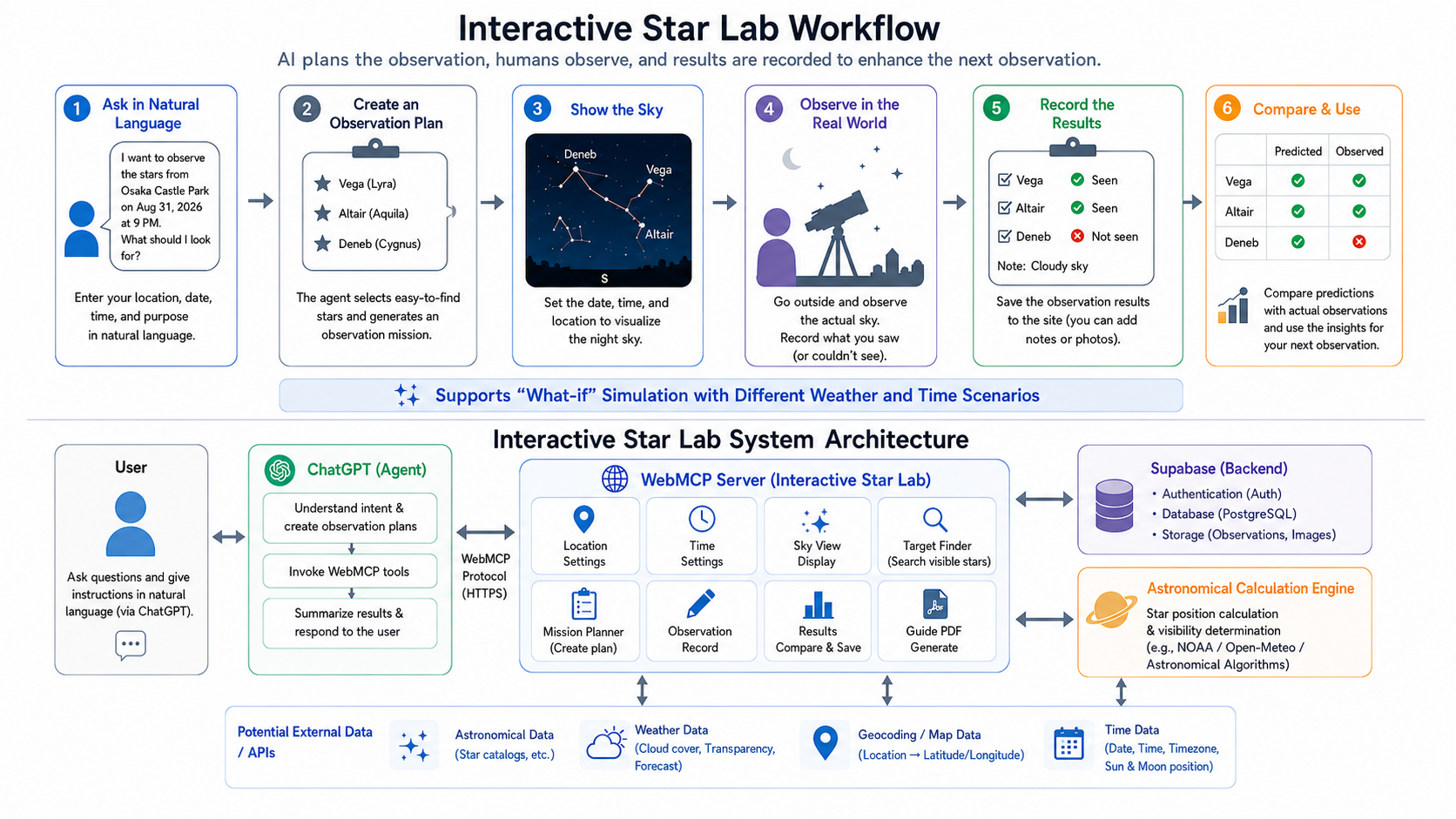
The Agent Plans, the Human Observes, and the Application Records and Compares the Results
Interactive Star Lab
Try the WebMCP Experience
- Open the live application in a WebMCP-enabled browser.
- Ask your Agent:
Set the viewer to New York City at 9 PM on September 3, 2026 local time and open the Sky view.
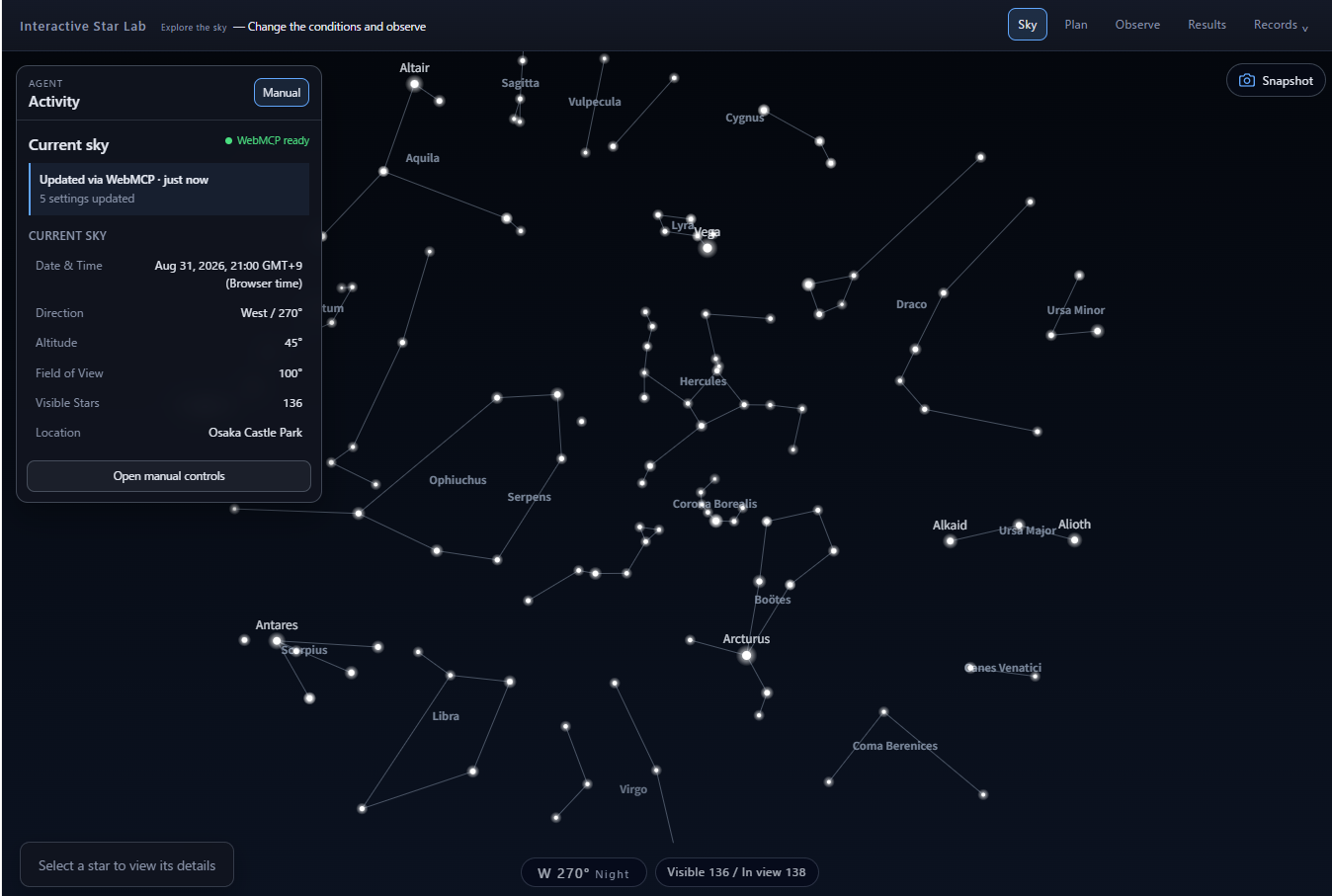
The Agent calls configure_sky_view, and the location, time zone, local time, and Sky view are configured in one operation.
The Friction Before Stargazing
There is a gap between being interested in the night sky and actually going outside to observe it.
Someone might think:
I want to see the stars tonight.
I wonder what I can see while traveling.
I want to go stargazing with my kids.
But turning that interest into an actual observation requires several decisions.
Beginners need to figure out:
- What is visible from their location
- When to observe
- Which direction to look
- Which stars are easy to find
- How twilight and city lights affect visibility
- What to record during the observation
Surveys of the general public in Japan show a noticeable drop-off between people who consciously look at the Moon and stars and those who go on to use telescopes or attend stargazing events.
The problem is not simply a lack of interest in astronomy. There is friction between curiosity and action.
Interactive Star Lab turns “I want to see the stars” into an actionable observation plan.
A Different Approach from Smartphone Star Maps
Modern smartphone astronomy apps are already very good at answering:
What is that star above me?
Using GPS, cameras, orientation sensors, and AR, they can help users identify objects in the sky with very little setup.
Interactive Star Lab is not intended to replace that experience.
It focuses on an earlier question:
I want to observe the sky soon. What should I look for, and how should I prepare?
Astronomy software can expose precise controls for latitude, longitude, date, time, azimuth, altitude, field of view, magnitude, light pollution, and other conditions.
That flexibility is useful for experienced users. A beginner who says, “I want to spend 30 minutes stargazing in Hakata at 8 PM tomorrow,” however, probably does not want to translate that goal into a set of astronomical parameters.
Interactive Star Lab takes a different approach.
It runs in a web browser and does not depend on AR or a particular set of device sensors. Instead of adding more controls, it tries to reduce the number of decisions a user has to make before starting an observation.
Turning Intent into Settings with WebMCP
WebMCP connects a user's intent to the astronomy application.
For example, a user can ask an Agent:
I want to stargaze in Hakata for about 30 minutes at 8 PM tomorrow. Pick a few stars that are easy for a beginner to find and create an observation plan.
The user does not need to look up Hakata's latitude and longitude.
The Agent can interpret “Hakata,” resolve it to geographic coordinates, and pass those values to Interactive Star Lab through WebMCP.
The same approach works for places that are not built into the application as presets, such as:
- Near Osaka Castle
- Around the Fukuoka City Science Museum
- Near a hotel while traveling
The application therefore does not need a predefined list of every possible observing location.
The LLM handles human expressions and incomplete intent. Interactive Star Lab handles deterministic astronomical calculations from location and time.
AI can handle the ambiguity. The astronomy engine handles the precision.
Instead of asking the user to decompose a goal into configuration fields, WebMCP lets the Agent translate that goal into application operations.
From an Observation Plan to the Real Sky
Interactive Star Lab calculates the sky for a specified location and time and supports the workflow from planning to observation.
Sky Simulation
The application displays the sky for a selected location, date, time, and viewing direction.
It can show stars, star names, constellation lines, and constellation names. When the location or time changes, the star positions are recalculated.
Visibility Simulation
A star being above the horizon does not necessarily mean that a person can see it.
Interactive Star Lab estimates visibility using conditions such as:
- Solar altitude
- Twilight
- Stellar magnitude
- Light pollution
Users can also compare day and night at the same location to distinguish between stars that are physically present in that direction and stars that are likely to be visible at that moment.
Observation Mission
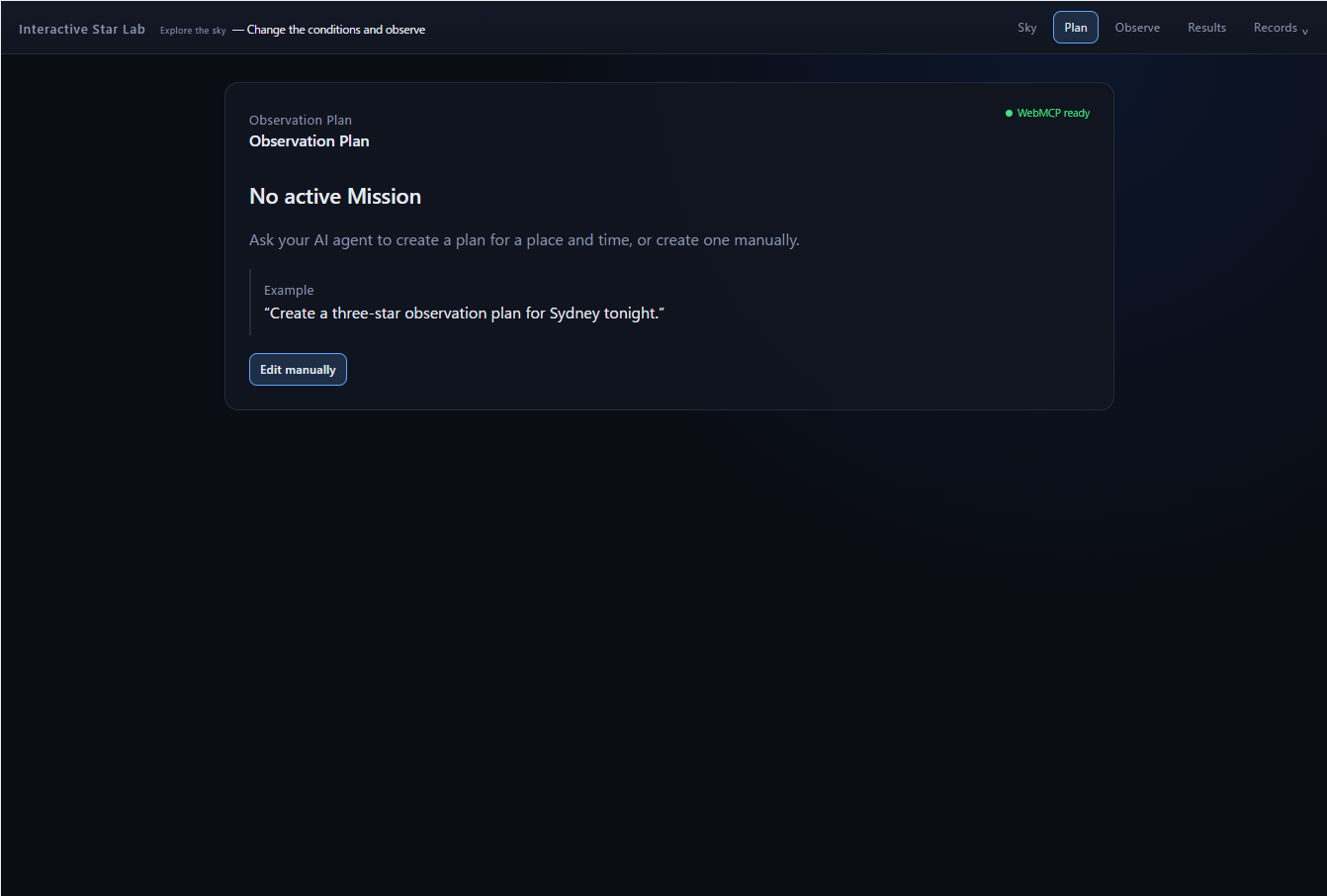
The Agent or the user can select observation targets and create an Observation Mission.
A Mission stores:
- Observation location
- Date and time
- Target stars
- Pre-observation visibility predictions
Keeping the prediction made before the observation allows it to be compared later with what the observer actually saw.
Observation Guide
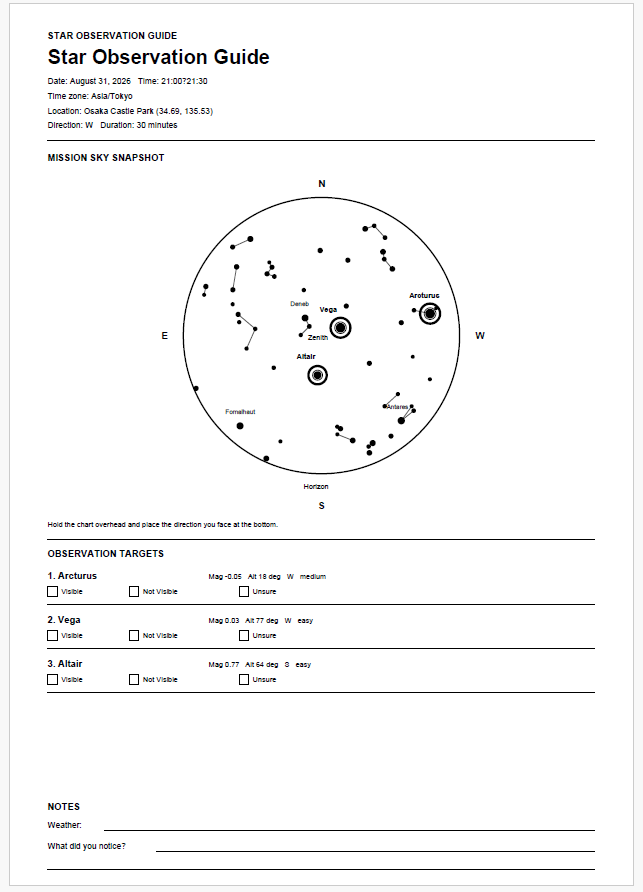
An Observation Guide can be generated from a Mission.
It includes information such as the observation time, location, targets, viewing direction, visibility predictions, and Sky Snapshot so it can be used during the real-world observation.
Human and Agent Roles
Interactive Star Lab does not ask the Agent to perform the observation itself.
The Agent handles preparation:
Plan → Configure → Predict → Prepare
The human then performs the real-world part:
Look → Observe → Judge
For each target, the observer can record:
- Visible
- Not Visible
- Unsure
A star predicted to be visible may still be difficult or impossible to see.
Clouds, streetlights, buildings, local sky brightness, eyesight, and other conditions may differ from what the simulation can represent.
Those differences are part of the observation rather than errors to be hidden.
The workflow therefore does not end when AI explains what should be in the sky. The Agent prepares a prediction, and the human tests that prediction against the real world.
Learning Through Observation
Education and independent research projects are natural use cases for this workflow.
Learning astronomy involves more than memorizing constellation names. Observation requires choosing a location and direction, recording the time, observing again later, and comparing how the sky changes.
Interactive Star Lab supports this as a simple cycle:
Predict → Observe → Record → Compare
The application is not limited to education. It can also support:
- Beginners trying stargazing for the first time
- Parents observing with children
- Travelers exploring the night sky at a destination
- Students working on independent research
- Casual stargazers who want help planning an observation
These users share the same problem: turning curiosity about the sky into a concrete observation.
WebMCP Implementation
Interactive Star Lab exposes WebMCP tools that cover the complete observation workflow.
An Agent can use these tools to:
- Configure observation conditions
- Query the simulated sky
- Create an Observation Mission
- Open the Sky view
- Save a Sky Snapshot
- Retrieve and compare observation results
- Generate an Observation Guide and PDF
Under the hood:
- The application registers 21 typed tools using
document.modelContext.registerTool(). configure_sky_viewreduces location setup, local-time configuration, and Sky navigation from three tool calls to one.- UI and WebMCP operations share the same React state and astronomical calculation logic.
- Mission predictions are fixed at creation time and are never recalculated afterward.
- PNG data is kept out of Agent responses; the tools return metadata and, when cloud persistence is enabled, short-lived signed URLs instead.
- Write tools use strict input validation and never infer or fabricate observation results.
The Agent does not rely on a separate astronomy engine or a parallel application backend. Actions performed through the Web UI and WebMCP use the same domain logic and update the same application state.
As a result, a Sky view or Mission prepared by the Agent can be inspected immediately by the human in the browser and used for the real-world observation.
How We Built It
The frontend is built with React, TypeScript, and Vite and deployed on Vercel.
Celestial positions are calculated with Astronomy Engine, and the sky is rendered with HTML5 Canvas.
Supabase is used to persist Missions, observation results, and Sky Snapshots.
The application can also operate locally using LocalStorage and IndexedDB when cloud persistence is not configured.
What's Next
Possible next steps include:
- Incorporating weather and cloud cover
- Including moonlight in the visibility model
- Supporting planets and additional celestial objects
- Comparing observations across multiple days
- Generating reports from observation results
- Improving the Observation Guide
Interactive Star Lab is not an attempt to build a more feature-rich star map.
It explores a different interaction model: users describe where, when, and how they want to observe; an Agent prepares the observation through WebMCP; and the human goes outside to see what is actually there.
Built With
- astronomy
- auth
- canvas
- css
- engine
- html5
- indexeddb
- localstorage
- postgresql
- react
- sql
- stellarium
- storage
- supabase
- typescript
- vercel
- vite
- webmcp

Log in or sign up for Devpost to join the conversation.