-
-
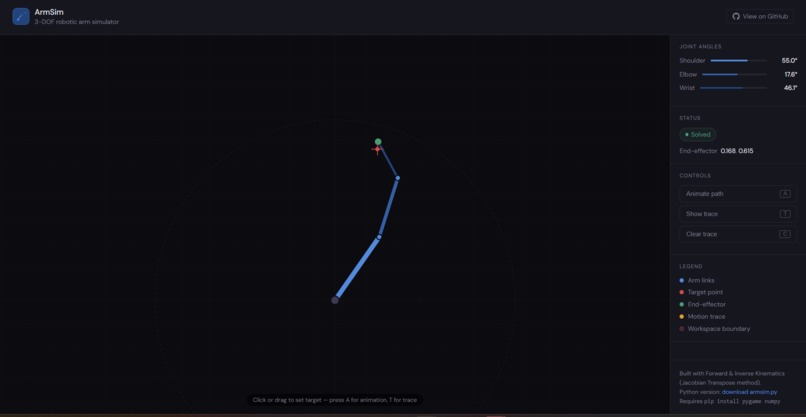
The simulation for robotic arm
ArmSim: Real-Time Robotic Arm Kinematics Simulator A browser-native, interactive 3-DOF robotic arm solver built in an afternoon
What's next for Interactive Robotic Arm Simulator
Inspiration
We've always been fascinated by how robots "understand" space. When a human reaches for an object, they don't consciously calculate every joint angle, the brain just knows. Teaching a machine to replicate that intuition felt like one of the most fundamental and beautiful problems in all of robotics.
The hackathon's robotics track was a direct invitation to explore that question. We asked ourselves: what is the single most universal piece of software in robotics? The answer is kinematics. Every robotic arm, surgical robot, CNC machine, and spacecraft manipulator depends on the same core principles. So we built a simulator that makes those principles visible, interactive, and approachable, where you click a point in space and watch the physics unfold in real time.
What it does
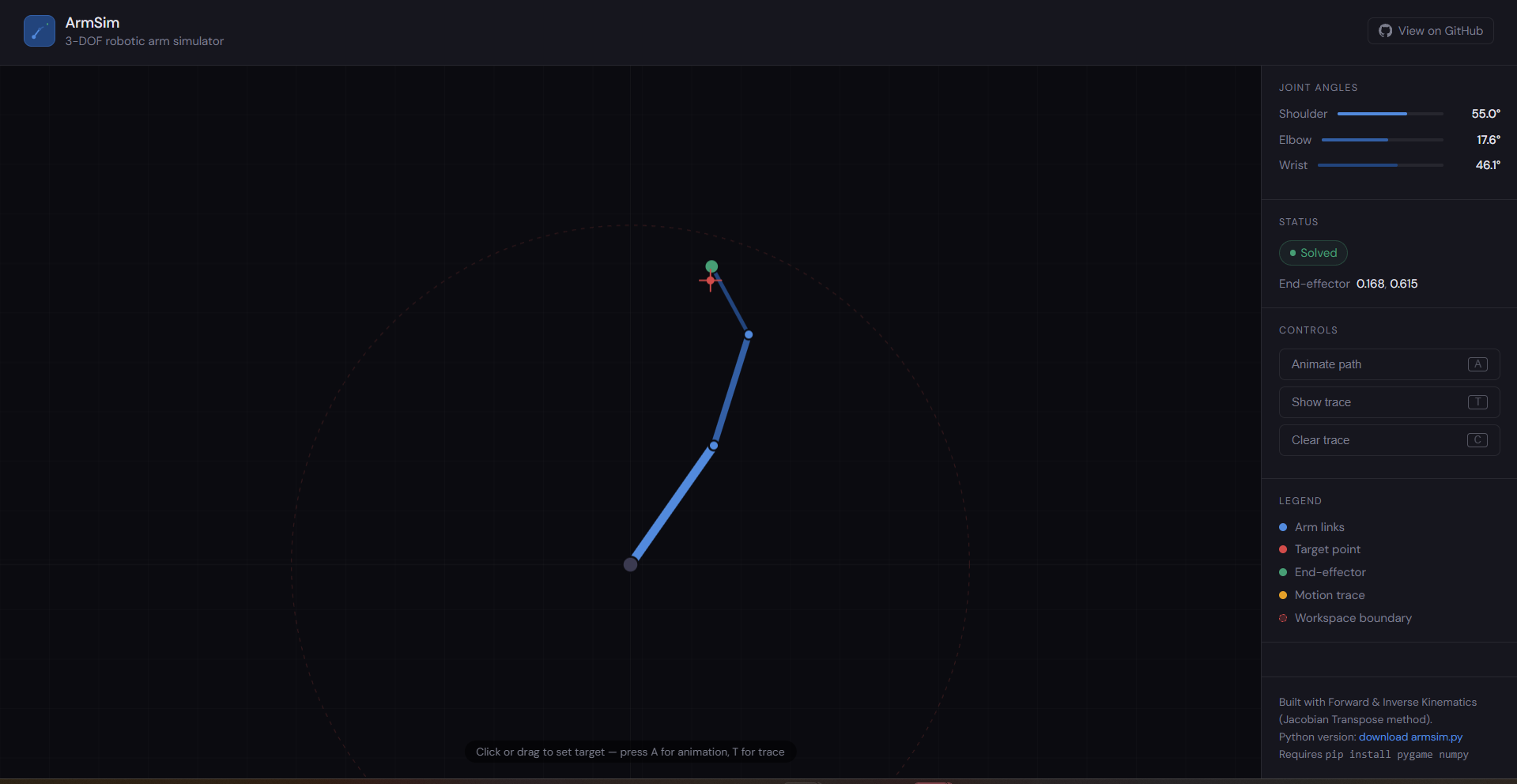
ArmSim is a real-time interactive robotic arm simulator. The user clicks or drags anywhere on the canvas to set a target point, and a simulated 3-joint (3-DOF) robotic arm smoothly moves its end-effector to reach that point, solving the underlying kinematics automatically.
Key features include: live forward and inverse kinematics running at 60 fps, an end-effector trace mode that draws the arm's path through space, an animated figure-8 demonstration mode, a reachability boundary that shows the arm's workspace, and a real-time readout of all three joint angles. The Python version runs as a standalone desktop app using Pygame; a browser version was also built in pure HTML and JavaScript for instant accessibility during the demo.
How we built it
The simulator is built on two core algorithms. Forward kinematics (FK) takes a set of joint angles and computes the exact position of every joint and the end-effector by chaining rotations along each link. This is fast, deterministic, and runs every frame.
Inverse kinematics (IK) is the harder problem, given a target position, find the joint angles that put the end-effector there. We implemented the Jacobian Transpose method, a gradient descent approach. For each joint, we numerically estimate how much the end-effector moves if that joint angle changes slightly, then nudge all joints in the direction that closes the gap between the current position and the target. We run up to 80 iterations per solve and restart from 6 different initial configurations to escape local minima.
To make motion feel physical rather than mechanical, we apply a lerp (linear interpolation) each frame , joints ease toward their target angles rather than snapping. The whole Python app is built with Pygame and NumPy; the browser version uses the HTML5 Canvas API with no dependencies.
Challenges we ran into
Singularities were the biggest hurdle. When the arm is fully extended or fully folded, the Jacobian matrix becomes nearly rank-deficient, the solver loses numerical stability and produces wild, erratic joint movements. We solved this by adding a small regularization term to the denominator of the gradient update, which dampens the instability without significantly affecting convergence speed in normal configurations.
Joint limits created a secondary problem. Real arms cannot rotate freely through 360 degrees, so we clamped each joint to a safe range. But in edge cases, the unclamped IK solution required exceeding those limits, causing the solver to get stuck. The fix was to detect clamping events and trigger a re-seed from a fresh starting configuration.
We also had to handle the transition between reachable and unreachable targets gracefully. Rather than crashing or returning garbage angles, the arm now stretches toward the target and the UI communicates the constraint clearly, which matters a lot for demos where the judge might deliberately click outside the workspace.
Accomplishments that we're proud of
We're proud that the simulator is genuinely interactive and runs smoothly at 60 fps with no pre-computation, every frame is a live IK solve. Most introductory kinematics demos either show a static diagram or require a prepared script of movements. Ours lets you drag the target anywhere in real time and the arm follows instantly.
We're also proud of the trace feature. When combined with the animated path mode, it draws a live Lissajous figure as the arm tracks a figure-8 trajectory, which turned out to be unexpectedly beautiful and became our best demo moment. It immediately communicates workspace coverage and path accuracy in a way that words can't.
Finally, we built two working versions — Python and browser — in a single hackathon session, which means anyone can run the demo without installing anything.
What we learned
We learned that inverse kinematics is deceptively hard the moment you move beyond two links. A two-link arm has a clean closed-form solution; adding a third link means the solution space becomes vastly larger and numerical methods are the only general approach. Tuning the gradient descent, step size, iteration count, seed count, required a lot of trial and error to balance speed against reliability.
We also learned that the quality of a robotics simulation is often determined by things that aren't robotics. The lerp smoothing, the reachability indicator, the trace overlay, none of these are technically complex, but they're what makes the difference between a tool that looks alive and one that looks like a homework assignment.
More broadly, building this in a few hours gave us a genuine appreciation for how much engineering goes into even a simple commercial robotic arm. The gap between "the math works" and "the motion feels right" is enormous.
What's next for Interactive Robotic Arm Simulator
The most immediate next step is connecting the simulator to a physical servo arm over serial. The IK solver already outputs joint angles, mapping those to PWM signals for real servos is straightforward, and it would turn this from a sim into an actual control system.
On the software side, we want to extend to 3D with full Denavit-Hartenberg parameter tables, which would make the simulator applicable to commercially standard arm configurations like the UR5 or similar. We also want to replace the Jacobian Transpose method with Damped Least Squares, which handles singularities more robustly near workspace boundaries.
Longer term, we'd like to add obstacle avoidance using potential field planning, where virtual repulsive forces around obstacles are combined with the attractive pull of the target to produce collision-free paths. That would make the project genuinely useful for pick-and-place automation, which maps directly to the hackathon track's theme.

Log in or sign up for Devpost to join the conversation.