-
-
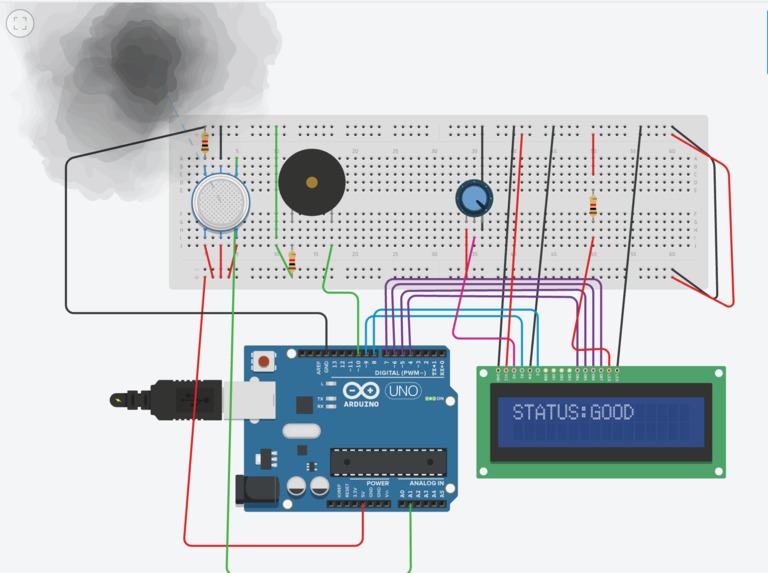
Status: good.
-
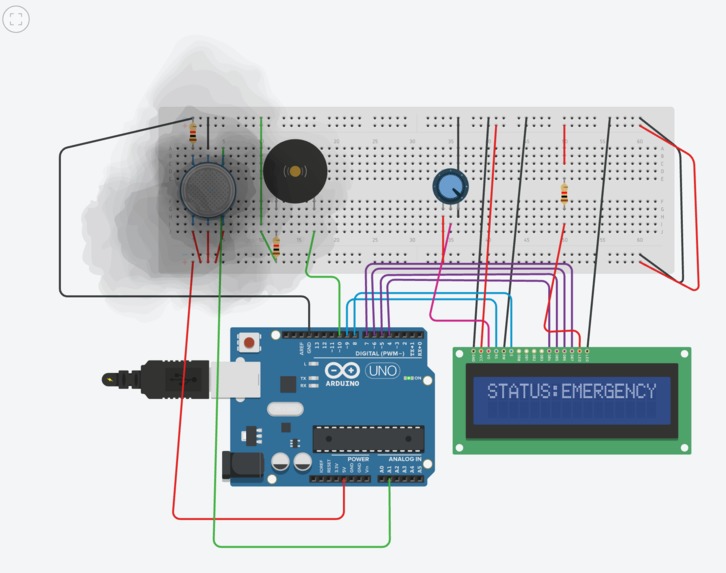
Status: emergency
-
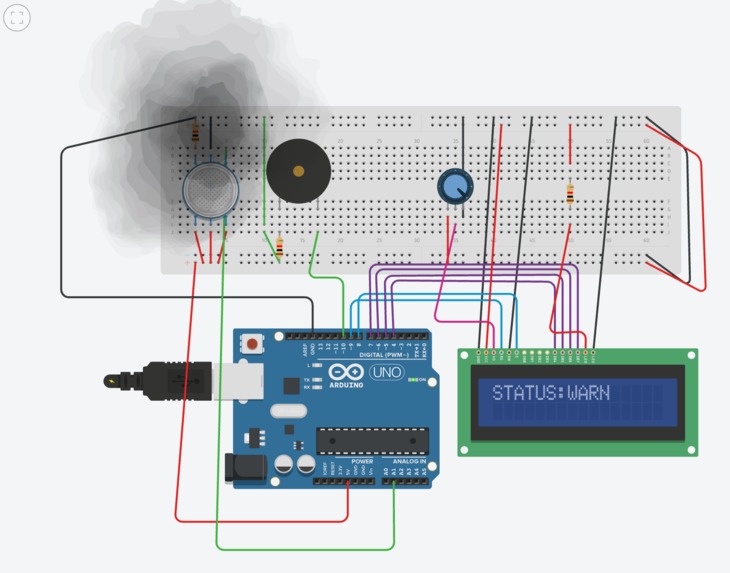
Status: warn
-
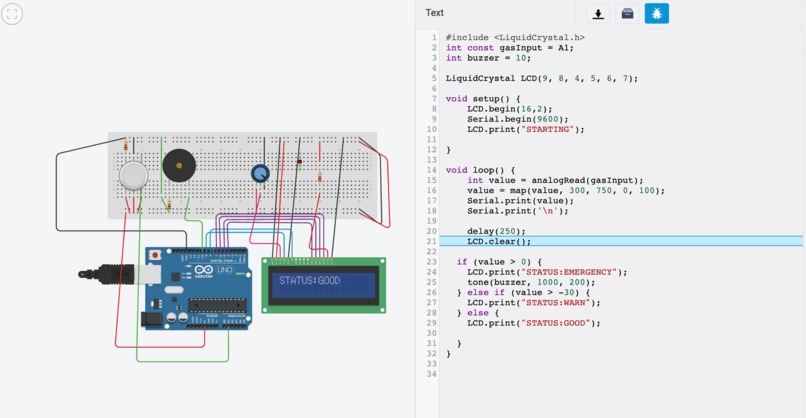
Code with circuit layout


Inspiration
- The inspiration comes from the fire and smoke alarms in real life. We were curious how the sensors react to the smoke environment or other toxic gas, and how the alarm itself is triggered because of that. We feel like it's crucial to have such a responsive hardware and software integration so it benefits people.
- Therefore we use the MQ2 smoke sensor which is available in TinkerCAD and we can simluate the smoke online. Then we thought of making it more interactive by adding a buzzer which alarms and a LCD display that displays the necessary information that the gas sensor detects.
What it does
- When smoke is far away (as simulated in TinkerCAD), the LCD will display: status: good indicating there's no smoke hazard.
- When smoke is closer, the LCD display will show: status: warning indicating that it's beyond normal level.
- When the smoke is right there at the gas sensor which indicates the concentration of smoke is so high that people must take action, the buzzer will go off at a high pitch and the LCD will show status: emergency
How I built it
- Using TinkerCAD, we're able to connect the circuit and write the code in the simulated Arduino environment. And we write the code to connect the pins for the LCD, the buzzer and the sensor.
- We add conditional clauses to help us better simulate the result.
Challenges I ran into
- Connecting the wires and make sure all the wirings are correct for the LCD display is the most challenging for us. Both of us have no electrical background despite what we've learned for the class but TinkerCAD is beginner friendly, has lots of resources we can learn and look into. So we figured out and successfully debugged the circuit and made the working product.
Accomplishments that I'm proud of
- The product work as we desired. And the process of learning how to get used to wiring in TinkerCAD and learn from online resources is really valuable.
What I learned
- I learned on a deeper level on hardware prototyping with Arduino and TinkerCAD.
What's next for Interactive Display Gas Sensor
- There are a couple of ways we can optimize this Display Gas Sensor. Because rightnow it's merely a prototype with essential wirings and components. But if we actually want this to be used, we could possibly integrate a IoT app into this project as it could send notification to a user's phone when the alarm goes off.

Log in or sign up for Devpost to join the conversation.