-
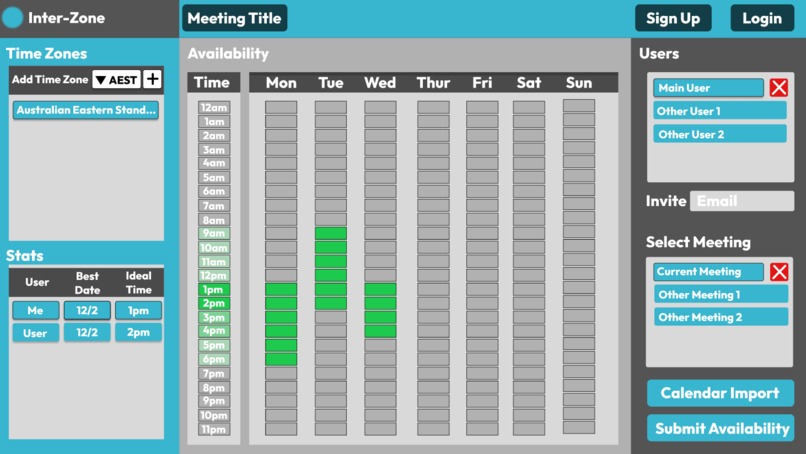
Web app layout
Inspiration
The idea for this webapp was born out of personal experience with the challenges of collaborating with international team members, which is a significant aspect of virtual hackathons. Specifically, the problem identified is the difficulty of coordinating a set meeting time when team members are located in different time zones. Taking into account each person's specific time zone, it can often be extremely challenging to find a time that works for everyone. While Google Calendar, Outlook Calendar, and other meeting apps offer some functionality for identifying available time periods, they are limited in their ability to adjust existing events to make room for meetings or to indicate times when a person is unavailable. This is particularly problematic outside of standard work hours, which is when many international meetings tend to take place.
What it does
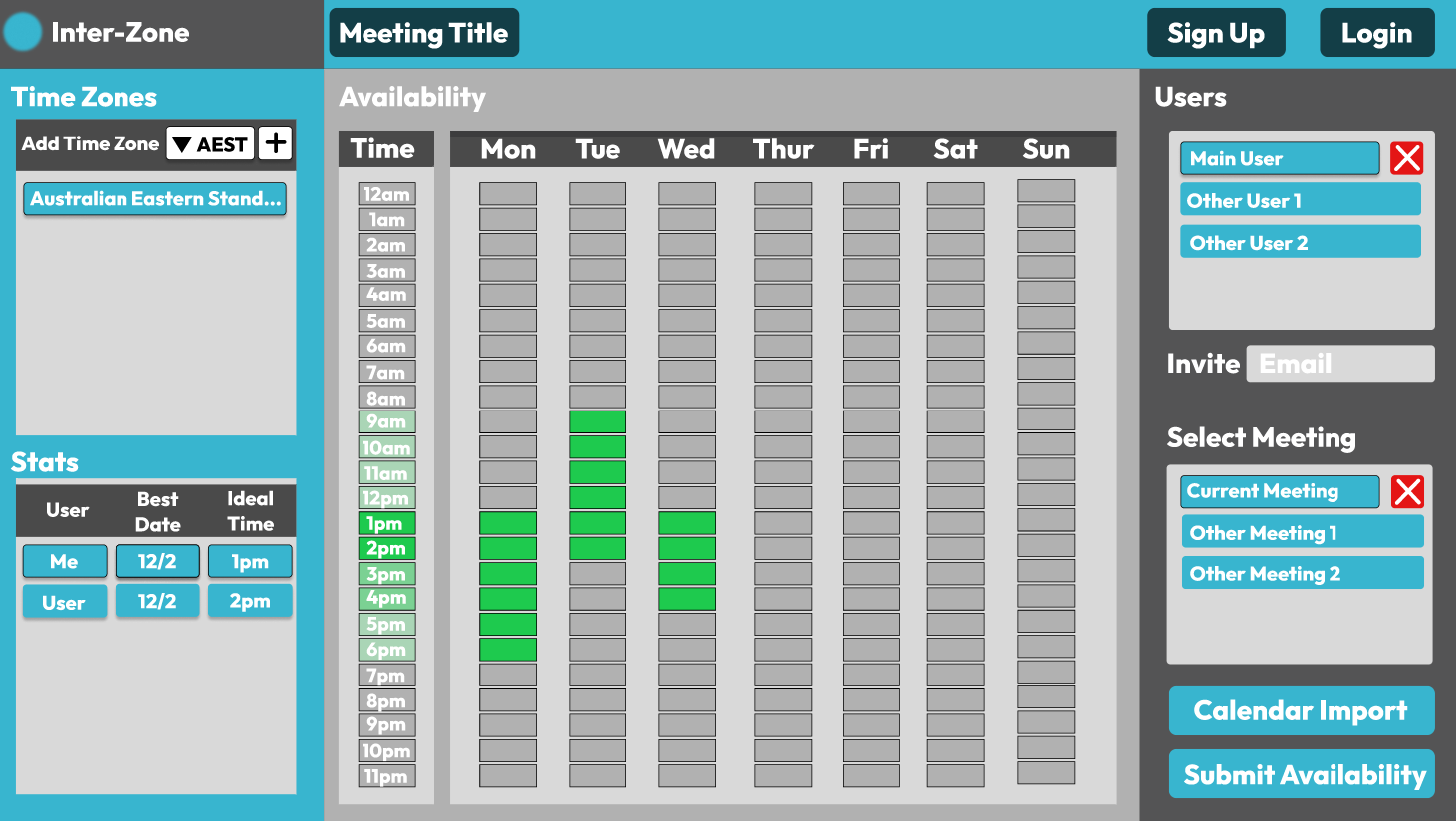
The webapp is designed to be a simple and convenient single page application. Users can log in and easily select their available time periods for the upcoming week, as specified by the meeting host. As more users input their availability, the application's stats section displays the most popular meeting times in each user's time zone, making it easy for everyone to see when others are free. This eliminates the need for users to manually convert meeting times to suit other time zones, thus saving time and reducing communication back and forth. Overall, the webapp streamlines the process of setting up a meeting time that works for everyone.
How we built it
At the moment, this application exists only as an outline in Figma, providing a visual representation of what it will eventually become. However, future development will involve creating a fully functional web application using a combination of Angular or React for the frontend, and a Python-based backend. Once the application has been developed, it will be deployed to a cloud hosting service such as AWS, enabling it to be accessed by users from anywhere. By employing a full stack development approach, we will be able to create an efficient and scalable application that meets the needs of our users.
Challenges we ran into
The main challenge of this project was to format a single page web application that was simple and easy to use, without the complexity of a standard calendar. The aim was to identify the key features that users would need and focus on those, while ensuring that the application remained straightforward and intuitive. This proved to be a significant challenge, as it required careful consideration of the user experience and interface design. However, by prioritizing the most important features and testing the application with real users, we were able to create a streamlined and effective solution that met the needs of our target audience.
Accomplishments that we're proud of
Using new software can be intimidating, but it can also be a rewarding experience. Figma is a powerful design tool that can be used to create beautiful and functional designs. When using Figma for the first time, it's normal to feel a bit unsure about how to get started. However, once you start exploring its features and experimenting with its tools, you may find yourself feeling proud of what you've created. Being able to use Figma to bring your ideas to life can be a truly satisfying experience, and it's a testament to your creativity and perseverance. Whether you're designing a website, an app, or something else entirely, using Figma can help you create a design that you can be proud of.
What we learned
Developing a web application can be a complex process, and it can be tempting to jump right into coding. However, I have learned from this experience that it is important to take the time to develop and outline a web application before diving into code. One tool that has been particularly helpful in this process is Figma, which allows me to create detailed wireframes and mockups of my designs. By using Figma to plan out the user interface and user experience, I can identify potential issues and design solutions before I start writing code. This saves me time and effort in the long run, as I am able to catch problems early on and make changes before I've invested too much time in coding. Additionally, outlining my web application with Figma helps me communicate my ideas and designs more effectively with stakeholders, such as clients or team members, who may not have the technical background to understand code. Overall, I have found that taking the time to develop and outline my web applications with tools like Figma has helped me create more efficient and effective designs.
What's next for Inter-Zone
If I were to bring project Inter-Zone to life , I would approach it as a full-stack developer. I would begin by designing the user interface and user experience using tools such as Figma or Sketch as I have done for this challenge. The next step would be to create a detailed wireframe and prototype of the application's design. From there, I would move on to building the application's backend using a framework like Node.js, Express, or Django. The backend would handle authentication, data storage, and business logic, such as processing user input and scheduling meetings. Next, I would develop the frontend using a frontend framework such as React or Angular, which would handle the presentation of the application to the user. Finally, I would deploy the application to a cloud hosting service like AWS or Heroku. Throughout the development process, I would incorporate best practices such as test-driven development, continuous integration and delivery, and agile development methodologies to ensure that the application is high-quality, robust, and scalable. Ultimately, my goal as a full-stack developer would be to create a meeting scheduling application that is user-friendly, reliable, and meets the needs of its users.
Built With
- figma


Log in or sign up for Devpost to join the conversation.